

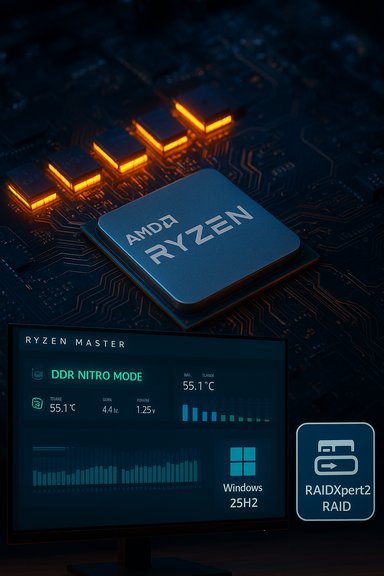
AMD’s latest chipset package is a pragmatic, low‑profile release with an outsized practical impact: the AMD Ryzen™ Chipset Driver 7.11.26.2142 (and related tooling updates) formally add Windows 11 version 25H2 compatibility for a range of Platform Management Framework (PMF) components, refine the vendor’s 3D V‑Cache tooling for X3D parts, and arrive alongside an updated Ryzen Master 3.0.1 that introduces a redesigned UI and the new DDR Nitro Mode for high‑speed DDR5 tuning. These are not headline‑grabbing features, but they matter to anyone who runs AMD‑based laptops, X3D‑equipped desktops, or RAID arrays — and they raise practical deployment and testing questions that system builders and enthusiasts should treat seriously.
AMD shipped the Ryzen™ Chipset Driver package identified as 7.11.26.2142, and the official release notes show this build primarily introduces explicit Windows 11 25H2 support flags for a number of PMF and related chipset drivers, alongside typical bug fixes and minor driver version bumps. The same period also saw AMD publish a new RAIDXpert2/RAID package (9.3.3.00245) with an explicit 25H2 compatibility note for NVMe/SATA RAID, and Ryzen Master 3.0.1 arrived with a refreshed UI and memory‑tuning features for DDR5. Together, these updates are timed with Microsoft’s broad rollout of Windows 11 25H2 to eligible systems. That combination — chipset/PMF updates, RAID tooling, and a new overclocking/tuning app — is important because these components operate at the platform and kernel boundaries where OS servicing changes (like 25H2) can manifest as subtle timing, power, or boot differences. AMD’s release notes and the RAID documentation make this explicit: compatibility labeling is deliberate, but so are a set of procedural caveats for installation and recovery that administrators must respect.
Conclusion
The newest AMD chipset driver and companion updates bring practical compatibility and modest performance tuning improvements to Windows 11 25H2 systems — but they also highlight the operational discipline required when updating kernel‑level components. Apply them deliberately: verify release notes, stage changes, back up critical data, and prefer vendor‑certified packages for production systems. For power users and testers, Ryzen Master 3.0.1’s DDR Nitro Mode and the 3D V‑Cache optimizer tweaks are worth exploring; for RAID users, the RAIDXpert2 update is valuable only when treated as a planned maintenance event with full rollback contingencies.
Source: Windows Report AMD Releases New Chipset Driver With Full Windows 11 25H2 Support
 Background / Overview
AMD shipped the Ryzen™ Chipset Driver package identified as 7.11.26.2142, and the official release notes show this build primarily introduces explicit Windows 11 25H2 support flags for a number of PMF and related chipset drivers, alongside typical bug fixes and minor driver version bumps. The same period also saw AMD publish a new RAIDXpert2/RAID package (9.3.3.00245) with an explicit 25H2 compatibility note for NVMe/SATA RAID, and Ryzen Master 3.0.1 arrived with a refreshed UI and memory‑tuning features for DDR5. Together, these updates are timed with Microsoft’s broad rollout of Windows 11 25H2 to eligible systems. That combination — chipset/PMF updates, RAID tooling, and a new overclocking/tuning app — is important because these components operate at the platform and kernel boundaries where OS servicing changes (like 25H2) can manifest as subtle timing, power, or boot differences. AMD’s release notes and the RAID documentation make this explicit: compatibility labeling is deliberate, but so are a set of procedural caveats for installation and recovery that administrators must respect. What’s in Ryzen Chipset Driver 7.11.26.2142
Key package highlights
- Formal Windows 11 25H2 support added for multiple PMF driver families (for example, PMF‑6000, PMF‑7040, PMF‑8000, and new PMF drivers for Ryzen AI product lines).
- AMD 3D V‑Cache Performance Optimizer Driver updated to the 1.0.0.12 family and explicitly marked for Windows 11 25H2 support. This is the runtime component that assists scheduling and runtime heuristics for X3D/3D V‑Cache parts.
- Minor bug fixes across the package (PSP, MicroPEP, USB4, SFH, and other low‑level modules).
Why the PMF changes matter for laptops and notebooks
The Platform Management Framework (PMF) is the software layer that mediates power, thermal, and policy behavior between Windows power/telemetry frameworks and vendor runtime code. Small changes to PMF drivers — fan control curves, per‑cluster power distribution, and CPU performance states — can materially affect thermals and battery life on mobile devices. Because 25H2 can and does alter some scheduling and background tasking behavior, explicit PMF compatibility helps ensure notebooks run consistently after the OS upgrade rather than exhibiting divergent fan curves or power draw anomalies.3D V‑Cache Optimizer: What changed and who benefits
The updated 3D V‑Cache Performance Optimizer driver is a focused tweak rather than a sweeping overhaul. Its stated aim is to improve scheduling behavior for X3D processors — that is, the runtime heuristics that influence when workloads should be steered onto threads/core domains that best exploit the expanded L3 cache in X3D chips. Users running cache‑sensitive workloads — particularly many competitive games, emulators, and certain latency‑sensitive production tasks — should see more consistent performance patterns following this driver update, especially when combined with Windows 11 25H2 scheduling improvements. Practically, you should not expect dramatic single‑patch FPS spikes. Instead, the visible effect will be stability and predictability in cache‑sensitive scenarios, with fewer scheduling edge cases that degrade frame times or produce odd latencies in certain maps or game states. That kind of improvement is easy to overlook without controlled benchmarking, so testers ought to re‑run reproducible scenarios rather than rely on a single play session.Ryzen Master 3.0.1 — redesigned UI and DDR Nitro Mode
AMD’s official Ryzen Master 3.0.1 release introduces a refreshed UI tailored for Ryzen 7000 and newer parts, adds localization support for a few major languages, and ships a new overclocking/tuning option called DDR Nitro Mode targeted at advanced DDR5 users. The release notes call out:- The UI refresh and broader Ryzen 7000+ applicability.
- DDR Nitro Mode — an advanced tuning mode for pushing high‑frequency DDR5 kits with more aggressive timings and training heuristics.
RAID and RAIDXpert2: 25H2 readiness with very real caveats
Parallel to the chipset package, AMD published an updated RAID stack — AMD RAID Software ver. 9.3.3.00245 / RAIDXpert2 9.3.3.00245 — explicitly marked as Windows 11 25H2 ready. The release notes for that package list GUI fixes and important operational notes. Most noteworthy:- The installer now lists Windows 11 25H2 as a supported target.
- AMD explicitly warns that the RAID driver upgrade/downgrade sequence may require the system to reboot twice consecutively for the new driver to properly initialize.
- The notes enumerate fragile cases: OS installation to a non‑first RAID array can fail, front‑bay NVMe removal may misbehave after array transformations, and there are other installation limitations.
Deployment checklist and practical steps
- Back up everything critical before touching chipset or RAID drivers. RAID is redundancy, not a backup.
- Read the specific release notes for your platform and the RAID package; confirm your chipset/CPU is listed.
- Prefer OEM‑branded drivers if you manage vendor‑certified systems; these packages can contain board‑specific INF entries and UEFI checks.
- If upgrading RAIDXpert2: schedule a maintenance window and perform the two consecutive reboots AMD documents. Failure to do so can leave the RAID stack partially initialized.
- Test Ryzen Master’s DDR Nitro Mode in a non‑production environment; capture baseline performance and create a rollback profile.
Security and stability tradeoffs: what to watch for
- Kernel‑level drivers like RAID and chipset firmware interact with the boot path. Regressions can produce data loss and unrecoverable boots. AMD’s notes and community posts repeatedly call this out; the risk is nontrivial.
- PMF changes alter power delivery and thermal response. This can expose previously masked instability (for example, firmware timing edge cases or marginal power stages on laptops). Watch for fan‑curve regressions, unexpected thermal throttling, or battery life swings after the update.
- Ryzen Master’s advanced tuning options expand surface area for user‑visible performance but also expand the space where manual misconfiguration yields system instability or data corruption. Exercise caution with DDR Nitro Mode and keep stable profiles saved.
Cross‑verification and community signals
AMD’s official release notes are the authoritative source for the technical details in the shipments described above; they explicitly list driver names, version numbers, and 25H2 compatibility flags. The chipset release notes for 7.11.26.2142 and the RAIDXpert2 9.3.3.00245 RAID release notes both carry those compatibility entries and the operator warnings. Independent reporting and community threads corroborate AMD’s stated cautions. Community posts collected in support forums and independent forums echo the practical impact: RAIDXpert2 history includes tricky edge cases around OS installs, partial driver initialization, and boot fragility; PMF/driver updates sometimes require firmware or BIOS alignment; and overclocking/tuning utilities have occasionally changed behavior after version bumps. These community sources are useful because they surface real‑world edge cases faster than vendor release notes can document them. Treat those signals as empirical corroboration rather than as prescriptive guidance.What’s not (yet) proven — and cautionary notes
- The claim that the chipset package “includes smaller, more efficient drivers for key chipset components” is broadly consistent with AMD’s wording about packaging and bug fixes, but precise metrics (for example, size reduction in megabytes or CPU/memory savings under particular workloads) are not published in the release note. That language should be read as qualitative unless AMD provides explicit binary size/perf deltas. Treat “smaller and more efficient” as vendor phrasing unless you validate it in a lab.
- The WindowsReport summary that tied these updates to an immediate consumer urgency and a statement about "AMD CPU prices quietly rising" mixes technical updates with market observations. The technical claims (driver versions, 25H2 compatibility) are verifiable in AMD release notes; the pricing and component‑cost narrative requires separate market data to confirm. Public market chatter and reseller pricing threads suggest memory and SSD prices have moved in 2025, but attributing a direct, generalizable price rise to AMD CPUs without a clear dataset is speculative. Label the price‑trend claim as anecdotal/market‑signal unless you consult dedicated pricing indices or retailers.
- Any claim that a single driver update will “solve” broad stability problems (for example, across many different GPU, BIOS, and storage configurations) is unlikely. The real world is heterogeneous; fixes are incremental and often configuration dependent. If a change looks platform‑fixing in one environment, it may only be one contributing factor among many. When in doubt, revert to testing on representative hardware.
Verdict — who should install, and when
- Install now if: you run a supported AMD laptop that Microsoft/your OEM will be upgrading to Windows 11 25H2 soon, and you want the official PMF compatibility layer in place before the OS change. Also recommended for enthusiasts using X3D parts who want the updated 3D V‑Cache optimizer and are comfortable staging and testing the update.
- Delay if: your machine is part of a mission‑critical RAID array or production fleet without tested rollback and imaging procedures. Wait for your motherboard OEM to publish a vendor‑packaged chipset/RAID bundle or stage the AMD generic package in a canary fleet first. The RAID release notes make this conservative approach explicit.
- Proceed with caution if: you prefer bleeding‑edge memory overclocking. Ryzen Master 3.0.1’s DDR Nitro Mode is powerful, but it also increases the need for methodical testing and stable rollback profiles.
Quick reference: essential links to consult before updating
- AMD Ryzen™ Chipset Driver release notes for 7.11.26.2142 (for full driver list and Windows 11 25H2 flags).
- AMD RAID Software release notes for 9.3.3.00245 / RAIDXpert2 (for RAID installation caveats and two‑reboot requirement).
- Ryzen Master 3.0.1 release notes (for DDR Nitro Mode and the UI adjustments).
Final analysis — practical implications for WindowsForum readers
AMD’s 7.11.26.2142 chipset release and the accompanying tooling updates are an important compatibility housekeeping step that aligns AMD’s low‑level drivers with Microsoft’s Windows 11 25H2 servicing baseline. For the majority of users, the changes are incremental: bug fixes, PMF compatibility flags, and targeted improvements to the 3D V‑Cache optimizer. Enthusiasts gain a notable Ryzen Master redesign and DDR Nitro Mode, which empowers aggressive DDR5 tuning but requires caution. The most consequential area remains RAID. The RAIDXpert2 9.3.3.00245 update declares 25H2 readiness but arrives with nontrivial operational risks that demand careful staging and backups. In practice, RAID users and administrators should treat the upgrade as a maintenance event and follow AMD’s explicit reboot/validation guidance rather than applying it as a routine desktop update. Community experience reinforces that point: the historical RAIDXpert2 lineage has produced corner‑case behaviors that are best handled conservatively. In short: this set of releases is a timely, necessary alignment between AMD’s platform stack and Microsoft’s servicing schedule. They are not glamorous, but they are important. The correct posture for most readers is careful, staged adoption with backups and test validation — and an awareness that sophisticated changes at the kernel and platform level require respect and procedural safeguards to avoid avoidable downtime or data loss.Conclusion
The newest AMD chipset driver and companion updates bring practical compatibility and modest performance tuning improvements to Windows 11 25H2 systems — but they also highlight the operational discipline required when updating kernel‑level components. Apply them deliberately: verify release notes, stage changes, back up critical data, and prefer vendor‑certified packages for production systems. For power users and testers, Ryzen Master 3.0.1’s DDR Nitro Mode and the 3D V‑Cache optimizer tweaks are worth exploring; for RAID users, the RAIDXpert2 update is valuable only when treated as a planned maintenance event with full rollback contingencies.
Source: Windows Report AMD Releases New Chipset Driver With Full Windows 11 25H2 Support
