

Microsoft’s December cumulative update KB5072033 quietly flips the AppX Deployment Service (AppXSVC) from a trigger-start service into one that launches automatically at boot — a small change on paper that has already produced measurable headaches for some users and administrators, including unexplained RAM pressure, higher CPU and disk activity on low‑spec PCs, and false-positive alerts in server monitoring systems.
Windows ships many background services that normally sit idle until the OS or an app specifically asks them to run. The AppX Deployment Service (AppXSVC) is one such component: it handles installation, registration, updating, and removal of AppX / MSIX (Store) packages and related servicing tasks. Historically AppXSVC used triggered/manual startup behavior so it would only run when actual package work was required. That minimized idle resource consumption on both desktop and server SKUs.
With the December 2025 cumulative rollup KB5072033, Microsoft documented a change: “The AppX Deployment Service (Appxsvc) has moved to Automatic startup type to improve reliability in some isolated scenarios.” The short change‑note does not enumerate the isolated scenarios or device classes targeted. Independent reporting and community threads picked up the change quickly and flagged potential side effects: because the service now runs at boot, it can perform package enumeration, registration checks and background updates earlier and more often — activities that increase disk I/O, CPU wakes and resident memory on constrained devices. Those real‑world reports are converging on three recurring themes: higher idle RAM on entry‑level hardware, sporadic CPU or disk spikes during early session periods, and monitoring alerts where service lifecycle behavior is misinterpreted.
However, the tradeoffs are:
Administrators should watch for a Microsoft advisory or a follow‑up cumulative update that either explains the “isolated scenarios” in more detail or restores trigger semantics for server SKUs. If no clarification arrives, organizations must assume the change is intentional and bake the mitigation into their operational controls.
Strengths of the change:
In short: KB5072033 intentionally sets AppXSVC to an Automatic startup to improve reliability in specific cases, but the move can increase resident memory and early‑session I/O on some machines and cause service flapping in servers. Detect with Task Manager and ProcMon, mitigate by setting AppXSVC back to Manual with the
Source: Neowin https://www.neowin.net/news/user-fi...uld-be-quietly-eating-lots-of-ram-on-your-pc/
 Background / Overview
Windows ships many background services that normally sit idle until the OS or an app specifically asks them to run. The AppX Deployment Service (AppXSVC) is one such component: it handles installation, registration, updating, and removal of AppX / MSIX (Store) packages and related servicing tasks. Historically AppXSVC used triggered/manual startup behavior so it would only run when actual package work was required. That minimized idle resource consumption on both desktop and server SKUs.With the December 2025 cumulative rollup KB5072033, Microsoft documented a change: “The AppX Deployment Service (Appxsvc) has moved to Automatic startup type to improve reliability in some isolated scenarios.” The short change‑note does not enumerate the isolated scenarios or device classes targeted. Independent reporting and community threads picked up the change quickly and flagged potential side effects: because the service now runs at boot, it can perform package enumeration, registration checks and background updates earlier and more often — activities that increase disk I/O, CPU wakes and resident memory on constrained devices. Those real‑world reports are converging on three recurring themes: higher idle RAM on entry‑level hardware, sporadic CPU or disk spikes during early session periods, and monitoring alerts where service lifecycle behavior is misinterpreted.
What AppXSVC does — technical primer
- Primary responsibilities
- Unpack and install AppX / MSIX packages and their dependencies.
- Register package identities and app containers for the user and system.
- Coordinate background updates and licensing/manifest checks for Store apps.
- Assist the modern servicing stack when UWP / Store components are modified.
- Why it was a trigger‑start service
- The service’s work is episodic. Triggered start lets Windows run AppXSVC only when a package installation, update, or a Store operation needs it, then allow it to shut down once idle to conserve memory and I/O bandwidth.
- What changes with Automatic startup
- AppXSVC is launched at boot and remains present in the running service list. Even if the service sleeps or idles, it introduces resident threads, timers and periodic checks that would previously have been absent until triggered. Those small periodic costs can add up on systems with limited memory or slow storage.
Real‑world impact reported so far
Consumer / low‑spec devices
Users on older laptops, entry‑level notebooks and devices with 4–8 GB of RAM have reported elevated idle memory after the update, with AppXSVC appearing among the resident service processes. Reports suggest that the impact varies widely: on some systems the resident footprint is modest (tens of megabytes), while on lower‑end machines the added background activity coincides with paging and perceptible sluggishness. Independent tech outlets that picked up the KB note flagged this as a potential “resource hog” and cautioned that the change will be invisible for many users but noticeable for others.Server and monitoring environments
On certain Server SKU deployments (notably Server 2025), operators observed a different problem: because the binary still behaves as if it expects trigger start semantics, the combination of an Automatic startup flag and an idle binary that exits causes the Service Control Manager to repeatedly start the service. That loop of start → exit → restart is interpreted as a service failure by monitoring systems (Zabbix, Nagios, similar) and generates persistent alerts and flapping events. Microsoft Q&A and multiple forum posts documented this behavior and provided manual workarounds.Disk I/O and boot delays
Because AppXSVC touches package manifests and can enumerate installed Store apps, having it run at boot increases the chance that that work will occur during early login or the first user session — the most sensitive time for perceived responsiveness. Early session disk activity can delay app startup and increase boot‑time I/O contention on slower drives. Community tests and forum threads corroborate these performance tradeoffs.How to detect whether AppXSVC is affecting your PC
- Open Task Manager and look for AppXSVC or related service host processes shortly after boot; sort by Memory or Disk to find early spikes.
- Use Resource Monitor or Process Explorer to inspect the process tree and see if AppXSVC is holding memory or performing frequent file I/O.
- For a deeper look at which files or registry keys are accessed, use Process Monitor (ProcMon) to capture boot‑time activity and filter by process name AppXSVC.
- On servers, check your monitoring dashboard for repeated service stop/start events or "flapping" alerts referencing AppXSVC.
- Use tools like RAMMap or the built‑in Windows Performance Monitor (perfmon) counters to measure working set and page faults attributable to the service.
Practical mitigation and rollback options
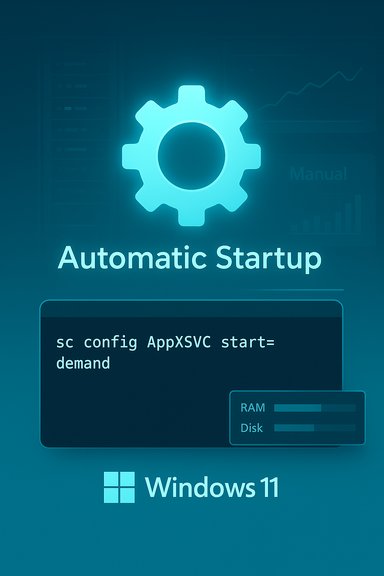
The appropriate mitigation depends on your device class (consumer laptop vs. managed server) and your risk tolerance. The primary approaches are:A. Revert the startup type to demand/manual (immediate, reversible)
Set the service back to triggered/manual so it only runs when needed:- Open an elevated command prompt (Run as administrator) and run:
- sc config AppXSVC start= demand
- Or, to use PowerShell (elevated):
- Set‑Service -Name AppXSVC -StartupType Manual
B. Registry workaround / ACL considerations (requires caution)
On some Server SKU systems the update hardened the service ACL, which complicates changing the setting through standard APIs. Community guidance explains a registry‑based revert, but editing the registry and changing service ACLs carries risk and may be restricted by TrustedInstaller protections. Only advanced administrators comfortable with registry ownership and ACLs should consider this path; create backups and document changes first.C. Uninstall the update (last resort for managed fleets)
Removing KB5072033 removes the change but also removes the security and quality fixes the update delivered. For production systems that cannot tolerate the behavior and where no safe workaround is acceptable, uninstalling the update is an option — but it should be a temporary, emergency measure paired with a plan to reapply a corrective update from Microsoft once available.D. Block or delay the update via management tools (enterprises)
Use Windows Update for Business, WSUS, or your endpoint management system (SCCM / Intune) to control rollout of the KB across a fleet. Staged deployment gives visibility on a subset of devices and prevents widescale exposure until Microsoft clarifies the rationale or ships a targeted fix.Step‑by‑step: safely change AppXSVC back to Manual
- Create a System Restore point or a full backup if the device is user‑critical.
- Open an elevated Command Prompt:
- Press Start, type cmd, right‑click Command Prompt, choose “Run as administrator.”
- Enter:
- sc config AppXSVC start= demand
- Reboot and validate with Task Manager and Resource Monitor that the service now only starts on demand.
- If you manage many machines, script the command via Group Policy startup script or your management tooling — but test on a small pilot group first.
Why Microsoft might have made the change (and the tradeoffs)
Microsoft’s stated intent is reliability: by ensuring AppXSVC is running at boot, the company reduces race conditions where early session components fail because the deployer service wasn't ready. For certain classes of devices or specific race‑condition bugs this can be a valid engineering tradeoff — particularly where unattended updates or Store‑delivered components must be present very early in the session.However, the tradeoffs are:
- Increased resident memory and background timers on devices that previously saw no AppXSVC presence until required.
- Higher boot‑time I/O as package manifests and registrations are enumerated earlier.
- Monitoring noise and false positives on server fleets if the binary still exits immediately after idle and the Service Control Manager restarts it because the startup type is Automatic.
- Testing and transparency: the change was shipped broadly and the KB note is terse; enterprises and enthusiasts want clear guidance on which devices benefit and whether targeted telemetry motivated the rollout.
Risks, side effects and long‑term implications
- User impact on low‑RAM machines: Devices with constrained RAM (4–8 GB) will feel the most direct impact; the OS keeps caches and services resident by design, and adding even tens of megabytes to the working set can push these systems toward paging.
- Server monitoring and incident fatigue: Persistent false positives waste ops time and can obscure real incidents. Systems that scrutinize service uptime will likely need tuning or a configuration revert.
- Management churn: IT teams may need to roll custom fixes, update internal baselines and change monitoring rules — all operational overhead introduced by a single documented service configuration change.
- Potential for future regressions: Forcing a service to be Automatic while the binary expects trigger behavior is a fragile mismatch; similar mismatches in the past have produced start/stop loops and resource thrashing until a follow‑up fix was issued.
Recommendations for users and admins
- Home users (low‑risk):
- If you have a modern system with 16+ GB of RAM and you do not observe any performance regressions, no action is required.
- If you notice unexplained RAM/CPU/disk usage soon after boot and you’re comfortable with the tradeoffs, revert AppXSVC to Manual using the sc command described above.
- Power users and enthusiasts:
- Use Process Explorer, RAMMap and ProcMon to measure precisely what AppXSVC is doing at boot. Capture before/after traces when you change the startup type.
- File a feedback/task with Windows Feedback Hub with reproducible traces if you can demonstrate regression.
- IT administrators and server operators:
- Pilot updates on a small cohort before broad deployment.
- Tune monitoring dashboards to ignore transient start/stop cycles for AppXSVC until you confirm behavior.
- Consider scripted reversion to Manual via Group Policy or configuration management for workloads sensitive to memory and service flapping.
- Communicate with your support and security teams before uninstalling KBs — weigh security risks against operational impacts.
What to expect next
Given the volume of community posts and forum threads, it’s likely Microsoft will follow up with clarifying guidance, a targeted fix or an erratum to KB5072033 if the change produces significant operational problems. In the meantime, the safe, reversible mitigation is to restore the service to Manual start on affected devices and to hold the update on managed fleets until test windows confirm acceptable behavior.Administrators should watch for a Microsoft advisory or a follow‑up cumulative update that either explains the “isolated scenarios” in more detail or restores trigger semantics for server SKUs. If no clarification arrives, organizations must assume the change is intentional and bake the mitigation into their operational controls.
Final analysis — balancing reliability and resource stewardship
The AppXSVC change in KB5072033 is a textbook example of a tradeoff between reliability (reduce race conditions and make sure the deployer is ready when other components need it) and resource stewardship (keep ephemeral services dormant to minimize memory, CPU and disk impact). Microsoft’s terse documentation made the change discoverable but left the crucial context — which device types truly need this behavior — unspecified. That gap forced admins and power users to respond with local mitigations and monitoring tweaks.Strengths of the change:
- Potentially reduces rare race conditions and early‑session failures for Store and update scenarios.
- Simplifies assumptions for some modern features that expect the deployer to be present.
- Increased resource consumption on constrained devices.
- Operational noise and monitoring headaches in server environments.
- Insufficient public guidance on device targeting and telemetry that motivated the change.
In short: KB5072033 intentionally sets AppXSVC to an Automatic startup to improve reliability in specific cases, but the move can increase resident memory and early‑session I/O on some machines and cause service flapping in servers. Detect with Task Manager and ProcMon, mitigate by setting AppXSVC back to Manual with the
sc config AppXSVC start= demand command, and treat the change as a measured tradeoff rather than a universal improvement. Source: Neowin https://www.neowin.net/news/user-fi...uld-be-quietly-eating-lots-of-ram-on-your-pc/
