

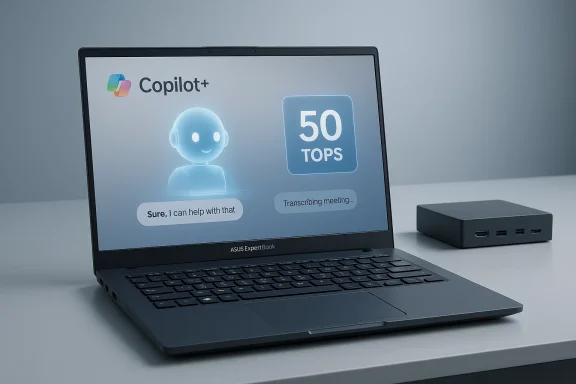
ASUS’s refreshed ExpertBook B5 G2 line pushes the company’s Copilot+ and on-device AI messaging into a mainstream business chassis, pairing Intel’s Core Ultra family and a beefed-up NPU with conservative thermals, classic business I/O and an emphasis on manageability and security that enterprises and SMBs will recognize. The 14‑inch B5405CAA and 16‑inch B5605CAA variants promise up to 50 TOPS of neural throughput on high-end Core Ultra configurations, modular storage across dual M.2 slots, up to 96 GB of DDR5 memory, and the usual enterprise checklist of TPM, smart-card options and dual‑BIOS features—making the B5 G2 a clear candidate for teams that want on-device AI and a familiar, dockable office experience.
ASUS positions the ExpertBook B5 G2 as a work-first device: a Copilot+ certified PC designed to accelerate local AI features such as meeting transcription, summarization and real‑time captions while keeping corporate data on the endpoint. That strategy mirrors an industry shift toward on-device AI acceleration—Intel, AMD and PC OEMs are increasingly bundling Neural Processing Units (NPUs) with mainstream laptop SKUs to reduce cloud reliance, lower latency and address privacy concerns. Independent coverage has picked up this theme, noting that recent Windows-focused laptops (including other ASUS models) now routinely advertise TOPS figures and Copilot+ readiness as selling points.
This release is deliberately pragmatic. Rather than chasing ultra‑thin consumer aesthetics, the ExpertBook B5 G2 keeps conventional business attributes—full I/O (Thunderbolt™ 4, HDMI 2.1, RJ45), optional smart card readers, FHD+IR camera options, and enterprise manageability through ASUS tools—while adding AI hardware and software that IT teams can test and control. The tradeoff is familiar: more power and on‑device AI vs. thermal and battery considerations in a thin chassis.
Why this matters: TOPS (Tera Operations Per Second) are a raw throughput metric for NPUs and help compare theoretical compute capacity between chips, but they are not a direct measure of application performance. Real world latency, model size, quantization, memory bandwidth and drivers all affect user‑visible speed for transcription, summarization or other inference tasks. Treat the TOPS number as a directional performance indicator rather than a guarantee. Independent reporting on modern Copilot+ devices emphasizes the same caveat.
Important procurement note: several of these compliance claims (NIST verification date, exact TPM configuration by SKU, firmware support windows) are region‑dependent or “pending”; an organization planning a broad deployment should require contractual confirmation of firmware policy, update cadence and security part numbers. The market has seen cases where demo units and shipping SKUs differ in security silicon or management firmware.
Privacy and governance caveat: ASUS emphasizes on‑device inference to keep data local, but the details of model updates, telemetry, and where transcript artifacts are stored are not fully enumerated in marketing collateral. IT teams should request explicit documentation describing:
Source: ASUS Pressroom Announcing ASUS ExpertBook B5 G2
 Background / Overview
ASUS positions the ExpertBook B5 G2 as a work-first device: a Copilot+ certified PC designed to accelerate local AI features such as meeting transcription, summarization and real‑time captions while keeping corporate data on the endpoint. That strategy mirrors an industry shift toward on-device AI acceleration—Intel, AMD and PC OEMs are increasingly bundling Neural Processing Units (NPUs) with mainstream laptop SKUs to reduce cloud reliance, lower latency and address privacy concerns. Independent coverage has picked up this theme, noting that recent Windows-focused laptops (including other ASUS models) now routinely advertise TOPS figures and Copilot+ readiness as selling points.This release is deliberately pragmatic. Rather than chasing ultra‑thin consumer aesthetics, the ExpertBook B5 G2 keeps conventional business attributes—full I/O (Thunderbolt™ 4, HDMI 2.1, RJ45), optional smart card readers, FHD+IR camera options, and enterprise manageability through ASUS tools—while adding AI hardware and software that IT teams can test and control. The tradeoff is familiar: more power and on‑device AI vs. thermal and battery considerations in a thin chassis.
What’s new in the B5 G2 family
Models and positioning
- B5405CAA (14") — aimed at mobile knowledge workers who prefer a smaller footprint but expect high‑quality screen choices and on-device AI. Options include WUXGA and WQXGA 14‑inch panels, with touch choices on select SKUs.
- B5605CAA (16") — targets users needing larger screen real estate for spreadsheets, reports and content creation while retaining the same CPU and NPU options as the 14‑inch model.
Hardware deep-dive
CPU, NPU and GPU
ASUS offers the B5 G2 with a range of Intel Core Ultra processors (from Core Ultra 5 to Core Ultra 7 vPro H-series parts), depending on region and SKU. High‑end 16‑core Core Ultra 7 vPro options are advertised with an Intel AI Boost NPU capable of up to 50 TOPS, while 8‑core parts list NPUs in the high‑40s TOPS range. Integrated Intel graphics are used; some Core Ultra configurations enable wider memory buses for improved integrated GPU bandwidth.Why this matters: TOPS (Tera Operations Per Second) are a raw throughput metric for NPUs and help compare theoretical compute capacity between chips, but they are not a direct measure of application performance. Real world latency, model size, quantization, memory bandwidth and drivers all affect user‑visible speed for transcription, summarization or other inference tasks. Treat the TOPS number as a directional performance indicator rather than a guarantee. Independent reporting on modern Copilot+ devices emphasizes the same caveat.
Memory and expandability
ASUS lists support for up to 96 GB DDR5‑5600 MT/s in a dual SO‑DIMM configuration (noting preconfigured and self‑upgrade limitations in the fine print). Typical preconfigured units ship with combinations up to 32 GB + 32 GB, and ASUS mentions the possibility of larger self‑upgrade paths (e.g., 48GB+48GB) depending on market and testing. For IT teams this means the B5 G2 can be configured for heavier multitasking and local AI model hosting compared with ordinary 16–32 GB business laptops—useful for developers, data‑heavy users and power multitaskers.Storage options and a note on PCIe versions
The B5 G2 supports dual M.2 slots: a main 2280 slot and a secondary 2230 slot. Configurations are advertised with PCIe‑based NVMe SSDs in capacities up to multiple terabytes. However, there is a discrepancy in the public materials: some spec lists and third‑party aggregations mention M.2 PCIe 5.0 options, while ASUS’s current product pages and the press release for the B5 G2 emphasize PCIe 4.0 SSDs and catalog specific PCIe 4.0 SKUs for shipping configurations. Given that OEMs sometimes test unreleased components (or list higher‑generation support as “tested, not for shipping configuration”), procurement teams should verify the exact SSD interface and part numbers on the final sales SKU before purchase. Where possible, insist on a written confirmation that the shipped unit supports PCIe Gen5 M.2 drives if that’s a purchasing requirement.Display, audio and webcam
ASUS offers a 16:10 panel lineup across the range:- 14" options: WUXGA (1920×1200) 300 nits (value IPS), WUXGA touch (400 nits sRGB 100%), and a WQXGA (2560×1600) 400 nits sRGB 100% 144 Hz option.
- 16" options: WUXGA 300/400 nits and WQXGA 400 nits sRGB 100% choices.
Ports and connectivity
The B5 G2 keeps a strong business I/O mix:- 2× Thunderbolt™ 4 (USB‑C)
- 2× USB‑A 3.2 Gen1 (one with BC1.2 charging)
- 1× HDMI 2.1 TMDS
- 1× RJ45 Ethernet, combo audio jack, microSD or standard SD depending on SKU, and an optional smart card reader and Kensington Nano lock.
Battery and weight
Two battery options are listed: 50 Wh or 63 Wh 3‑cell Li‑Polymer packs, with starting weights announced at ~1.38 kg for the 14" and ~1.79 kg for the 16" depending on configuration. ASUS also clearly states that actual battery life will vary by workload, and that features such as bright touch OLEDs, heavy sustained NPU activity and always‑on meeting processing will reduce runtime. Plan on shorter battery life during active AI tasks compared with light office duty.Security, manageability and business features
ASUS markets the B5 G2 with a business‑grade security stack: TPM 2.0 (discrete or firmware), Match‑On‑Chip fingerprint, Webcam Shield, optional smart card reader, and dual BIOS ROM. The press materials also reference NIST SP 800‑193 alignment for firmware protections (verification pending) and Windows Secured‑core capabilities on configured units. For IT administrators, ASUS supplies ASUS Control Center, ASUS Business Manager and other management utilities intended for fleet rollouts.Important procurement note: several of these compliance claims (NIST verification date, exact TPM configuration by SKU, firmware support windows) are region‑dependent or “pending”; an organization planning a broad deployment should require contractual confirmation of firmware policy, update cadence and security part numbers. The market has seen cases where demo units and shipping SKUs differ in security silicon or management firmware.
Software, AI features and Copilot+ integration
ASUS integrates the hardware with two layers of software: OEM utilities (MyASUS, ASUS Control Center) and the new ASUS MyExpert / AI ExpertMeet services targeted at meeting enhancement—transcription, summary, live translation, audio cleanup and camera improvement. The Copilot+ branding signals optimization for Microsoft Copilot workflows and on‑device acceleration of certain Copilot tasks when the local NPU can help. Independent coverage notes that OEMs are bundling similar software layers to differentiate business laptops from generic consumer devices, and that these layers matter for deployment because they shape data flows, update cadence and management tooling.Privacy and governance caveat: ASUS emphasizes on‑device inference to keep data local, but the details of model updates, telemetry, and where transcript artifacts are stored are not fully enumerated in marketing collateral. IT teams should request explicit documentation describing:
- whether models update from ASUS or cloud partners,
- default telemetry/diagnostics settings, and
- where meeting transcripts and derived summaries are persisted.
This is critical for regulated environments and customers with strict data residency requirements.
Performance expectations and real‑world caveats
ASUS’s headline NPU numbers (up to 50 TOPS) create expectations for fast local AI. Realistically:- TOPS measure theoretical arithmetic throughput and are useful for cross‑SKU comparisons. They do not directly translate to latency, throughput or accuracy for your specific application (for example, live multilingual transcription vs. summarization). Model architecture, runtime optimizations, memory bandwidth and thermal constraints will influence the outcome.
- Sustained NPU load combined with a bright panel and active cameras/micing will increase power draw and heat. Expect shorter battery life during heavy AI use and potential thermal throttling under continuous high loads; test real workloads in your environment before fleet rollout.
- The integrated Intel GPU will handle typical productivity graphics and light content creation, but these B5 models are not meant to replace discrete GPU workstations for heavy video editing or 3D rendering. If your team requires dedicated GPU power, evaluate alternative SKUs.
Strengths — What the B5 G2 gets right
- Clear business focus. ASUS keeps essential corporate features (smart card, TPM, dual BIOS, RJ45) rather than cutting corners to chase thinness; that reduces surprise for enterprise buyers.
- On‑device AI capability. With NPUs rated in the high‑40s to 50 TOPS range, the B5 G2 is well‑positioned for local Copilot+ experiences, meeting transcription and lightweight model inference.
- Flexible I/O and connectivity. Dual Thunderbolt 4, HDMI 2.1 and optional Wi‑Fi 7 make the B5 G2 adaptable as a docked workstation or traveler’s laptop.
- Realistic upgrade path. Dual M.2 slots and dual SO‑DIMM sockets give IT teams options to upgrade RAM and add storage without complete device replacement.
Risks and tradeoffs — What to watch for
- Marketing vs. shipping configuration variance. OEM pages sometimes list tested components (PCIe Gen5 SSDs, certain memory configurations) that aren’t guaranteed in shipped SKUs. Verify the exact part numbers on sales orders.
- Battery and thermals under AI load. Heavy NPU activity and high‑brightness displays will shorten runtime and may cause performance scaling to maintain temperatures. Plan for docking or supplemental battery strategies for continuous transcription scenarios.
- Telemetry and model update policies. On‑device AI reduces cloud dependency but does not eliminate the need for model updates; ask how and when models are refreshed and what telemetry is collected by default.
- SKU fragmentation and regional differences. Warranty terms, firmware update cadence, camera options and wireless cards can vary by market. Procurement must confirm region‑specific SKUs and support SLAs.
Deployment checklist for IT teams (step‑by‑step)
- Confirm the exact part number and shipping configuration for each SKU (CPU, NPU TOPS rating, RAM, SSD model and firmware, camera and wireless card).
- Pilot your actual AI workflows (live transcription, summarization, translation) using your conferencing stack to measure latency, accuracy and battery impact.
- Request written firmware and driver update SLAs—including BIOS, NPU runtime libraries and security patches—and confirm the guaranteed support window.
- Validate data governance: where models are updated from, default telemetry, and storage location for transcripts and derived data. Obtain contractual assurances if required.
- Test power and thermal behavior in scenarios representative of your environment (continuous meetings, heavy multitasking) to confirm acceptable fan noise and sustained performance.
- Verify repairability and spare parts: ensure your service provider network carries replacement panels, batteries and SSDs, and confirm turnaround SLAs.
- Decide on imaging and management: confirm compatibility with your existing MDM / SCCM / Intune workflows and test enrollment using ASUS Control Center or your chosen management stack.
How the B5 G2 fits the market
The ExpertBook B5 G2 targets an important niche: businesses that need sensible, secure hardware with the ability to accelerate on‑device AI without the premium price or thermal tradeoffs of ultra‑thin consumer laptops. It competes with other Copilot+ and AI‑ready business laptops that emphasize security, manageability and conferencing intelligence. For many SMBs and enterprise teams, the biggest value is not the TOPS number alone but the combination of familiar manageability, robust I/O and a path to on‑device Copilot features. Independent reporting recognizes that these hybrid feature sets are increasingly how OEMs differentiate business laptops in 2026.Final verdict — who should buy (and who should wait)
The ASUS ExpertBook B5 G2 is a solid choice for:- IT teams that want a mainstream business laptop with on‑device AI acceleration and full corporate I/O.
- Knowledge workers who value local meeting intelligence, fast resume, and enterprise security features.
- Organizations that need upgradability (RAM and storage) and prefer an OEM with explicit manageability tooling.
- You require guaranteed PCIe Gen5 storage in your fleet—confirm shipping SKUs before committing.
- Your workflows depend on all‑day untethered AI workloads—expect to test battery and thermal behavior under realistic loads.
- You operate in regulated industries where model update and telemetry policies must be contractually controlled—obtain explicit documentation before buy‑in.
Conclusion
ASUS’s ExpertBook B5 G2 reaffirms a pragmatic strategy for business buyers in 2026: add meaningful on‑device AI acceleration and Copilot+ integration without abandoning the features IT teams care about—full I/O, TPM and smart‑card options, dual storage and reasonable upgrade paths. The headline NPU figures are attractive and place the B5 G2 among the class of laptops that can run useful local AI tasks, but organizations should temper expectations with measured pilots, SKU verification and contractual clarity on firmware and data‑handling practices. For teams that need a business laptop ready for Copilot+ workflows and hybrid work collaboration, the B5 G2 is worth a close look—provided procurement validates the exact shipping configuration and tests real workloads before a large rollout.Source: ASUS Pressroom Announcing ASUS ExpertBook B5 G2
