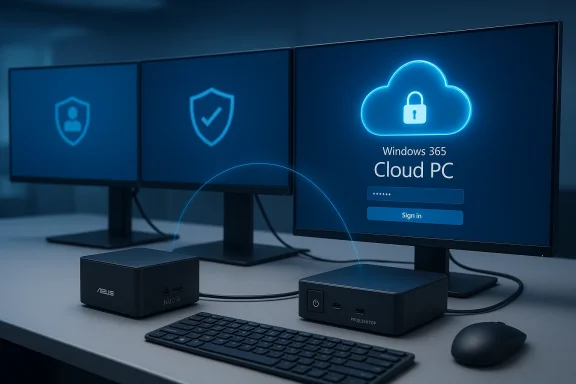
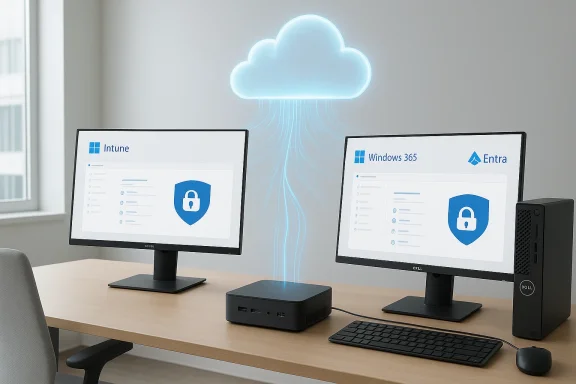
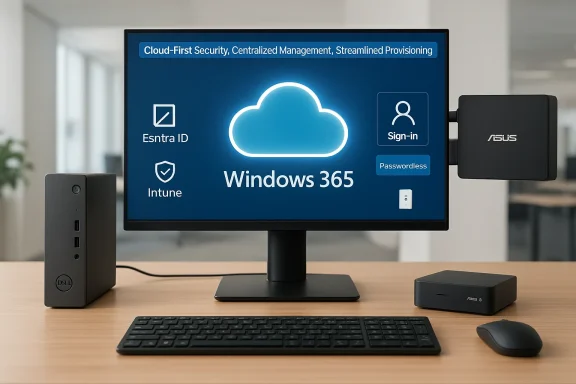
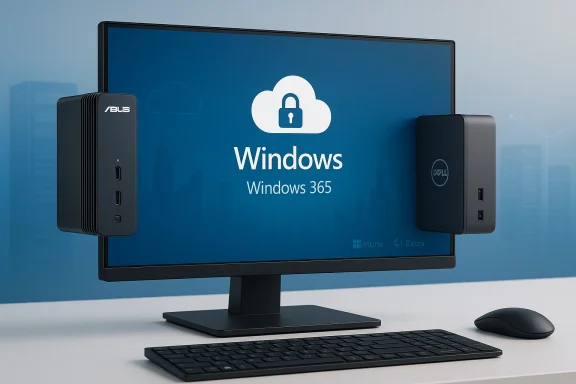
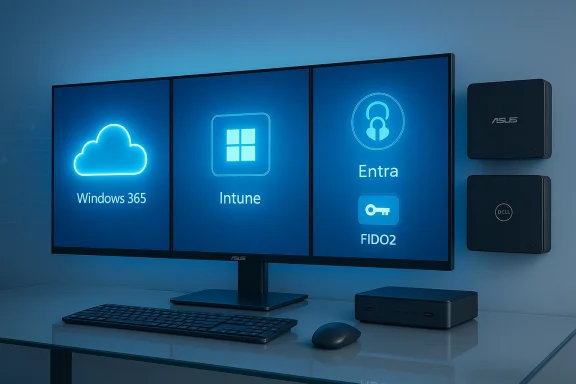
Microsoft’s cloud-first push just gained two new hardware partners: ASUS and Dell will ship purpose‑built Cloud PC devices that pair with Windows 365, extending the small but growing category that began with Microsoft’s own Windows 365 Link. The devices — the ASUS NUC 16 for Windows 365 and the Dell Pro Desktop for Windows 365 — are compact, mountable thin‑client-style machines targeted at enterprise deployments such as hot‑desking, contact centers, frontline work, and other scenarios where centralized management, minimal local surface area, and predictable performance matter. Both vendors are targeting general availability in the third quarter of 2026, and Microsoft says these additions will expand choice for IT teams that want a turnkey, vendor‑supported Cloud PC endpoint.
The core idea behind Windows 365 and Cloud PC devices is simple but consequential: stream the full Windows desktop from Microsoft’s cloud to a tiny, locked‑down endpoint that stores no local apps or data. For organizations this promises easier provisioning, stronger data protection (if done right), and a consistent user experience across sites and device classes. With the Windows 365 Link, Microsoft demonstrated the model: a compact, fanless mini‑PC purpose‑built to boot directly into a Cloud PC connection and integrate with Microsoft Intune for management and policy enforcement.
Now OEMs are shipping their own, integrated end‑user hardware that’s designed specifically to run only the Windows 365 connection client and nothing else. These devices are not full‑blown PCs in the classic sense; instead, they act as secure gateways to a Cloud PC instance running in Azure. For IT teams, that lowers the complexity of device lifecycle (imaging, patching, app compatibility), while for security teams it reduces the attack surface because there is no persistent local environment for malware, sensitive files, or shadow IT.
IT procurement should plan for:
That said, these devices are not a universal solution. Their success depends on disciplined planning: robust, low‑latency network infrastructure; clear user‑segmentation so only appropriate workloads are migrated; careful testing of peripherals; and a realistic TCO model that includes recurring cloud subscription costs.
Recommendation for IT leaders:
However, the move to Cloud PC endpoints is a strategic shift — not merely a hardware refresh. Organizations should treat these devices as part of a broader modernization program that includes network upgrades, identity‑centric security controls, and careful workload segmentation. Deployed thoughtfully, ASUS NUC 16 and Dell Pro Desktop Cloud PC devices can be a powerful tool in an enterprise’s hybrid work toolbox; deployed without adequate planning, they risk disrupting productivity and exposing organizations to new operational vulnerabilities.
If you’re evaluating Cloud PC devices for your environment, begin with a focused pilot, measure network and user experience under real conditions, and confirm the final, published hardware specs and OEM support details before committing to a large‑scale roll‑out.
Source: Thurrott.com Microsoft Reveals Two New Cloud PC Devices From Asus and Dell
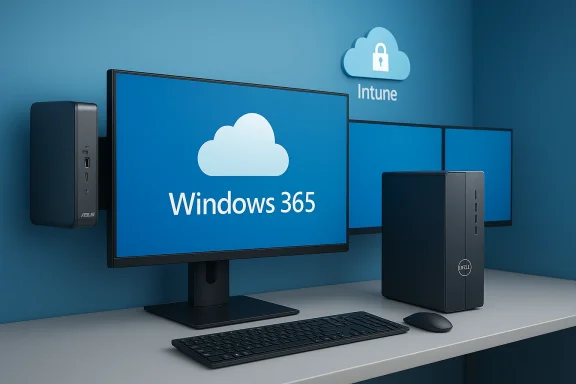 Background / Overview
The core idea behind Windows 365 and Cloud PC devices is simple but consequential: stream the full Windows desktop from Microsoft’s cloud to a tiny, locked‑down endpoint that stores no local apps or data. For organizations this promises easier provisioning, stronger data protection (if done right), and a consistent user experience across sites and device classes. With the Windows 365 Link, Microsoft demonstrated the model: a compact, fanless mini‑PC purpose‑built to boot directly into a Cloud PC connection and integrate with Microsoft Intune for management and policy enforcement.Now OEMs are shipping their own, integrated end‑user hardware that’s designed specifically to run only the Windows 365 connection client and nothing else. These devices are not full‑blown PCs in the classic sense; instead, they act as secure gateways to a Cloud PC instance running in Azure. For IT teams, that lowers the complexity of device lifecycle (imaging, patching, app compatibility), while for security teams it reduces the attack surface because there is no persistent local environment for malware, sensitive files, or shadow IT.
What Microsoft, ASUS and Dell announced
Microsoft’s product blog and vendor briefings describe two new additions to the Cloud PC device portfolio:- ASUS NUC 16 for Windows 365 — marketed as a 0.7L mini‑PC that can be mounted behind displays, supports up to three displays via HDMI and USB‑C, and is positioned as powered by a modern Intel processor with DDR5 memory. The small form factor is aimed at space‑constrained desks and kiosks where discreet, mountable endpoints make sense.
- Dell Pro Desktop for Windows 365 — described as a compact, fanless desktop built for durability and quiet operation, also supporting up to three displays and multiple mounting options. Dell positions the device around secure, simplified management via Microsoft Intune and highlights Intel N‑series processors in their announcement.
Key technical details (verified and provisional)
Below are the most important technical claims made in the announcements, along with notes on verification and what remains unspecified.- Form factor and mounting
- ASUS: 0.7L ultra‑compact enclosure, designed to be mounted behind displays — this is explicitly stated in vendor messaging and confirmed by product briefings.
- Dell: compact, fanless desktop with mounting options — vendor messaging confirms the fanless design and compact footprint.
- Display support
- Both devices are touted as supporting up to three displays, with ASUS specifically mentioning HDMI + USB‑C ports on the front (for convenience) and mountability behind screens.
- Processors and memory
- ASUS marketing line: “powered by the latest Intel processor, with DDR5 memory.” The announcement does not publish an exact SKU (for example, Intel Core vs. Intel N‑series), so the exact CPU model, core counts, and TDP are not yet public.
- Dell indicates use of Intel N‑series processors in its Cloud PC device messaging; N‑series parts are lower‑power chips targeted at compact, fanless designs. Exact model and configuration options are not yet published.
- Networking and wireless
- ASUS communications mention Wi‑Fi 6E and Bluetooth 5.3 support and a 2.5 GbE wired option in marketing materials. These connectivity claims align with the modest network requirements for Cloud PC endpoints but should be verified on final spec sheets once posted.
- Dell’s announcement underscores “versatile connectivity” and multiple display outputs but does not list a precise wireless chipset or wired speed.
- Management and security
- Both devices are intended to be managed through Microsoft Intune and other existing endpoint management tooling; they support the Windows 365 device lifecycle features (provisioning, wipe, compliance).
- Microsoft repeated the principle of “no local data” for these endpoints — the device is a gateway that doesn’t retain customer content after sign‑out, reducing exposure if a unit is lost or stolen.
Why OEM Cloud PC devices matter (the practical case)
Cloud PC endpoints are not about novelty; they respond to real operational pain points for mid‑to‑large organizations:- Simplified lifecycle management: IT admins can provision an endpoint out of the box, enroll it into Intune and assign a Cloud PC image — no custom imaging, no local app updates, and simplified end‑of‑life handling.
- Stronger data controls: With user profiles and data held centrally in Azure, the risk of data leakage from a lost or stolen device is reduced.
- Predictable user experience: The cloud image delivers consistent apps and policy; this is useful for frontline workers, kiosks, and shared desks where consistency matters more than local customization.
- Lower endpoint maintenance: Fanless, sealed devices can be less prone to hardware failure and require fewer on‑site repair operations — helpful for distributed offices or retail deployments.
Strengths and positive signals
- Vendor choice and ecosystem maturity: The arrival of ASUS and Dell devices broadens vendor choice beyond Microsoft’s Windows 365 Link. More OEMs means IT teams can match form factor and service‑level expectations to their needs.
- Management tooling alignment: Integration with Microsoft Intune and existing management workflows minimizes the training and administrative overhead for IT teams already invested in Microsoft’s device management stack.
- Fit for hybrid work: These devices are particularly well‑suited to hybrid and flexible workplaces where hot‑desking, shift work, and shared spaces are common.
- Reduced on‑prem maintenance: Fanless, mountable devices reduce mechanical failure risk and on‑site service costs across large fleets.
- Security model consistency: Using a locked‑down endpoint that does not persist data on the device aligns with Zero Trust principles by minimizing local privilege and storage.
Risks, limitations and open questions
Cloud PC endpoints are compelling, but they come with tradeoffs and operational risks that must be acknowledged before broad rollouts:- Network dependency and performance variability
- A Cloud PC’s experience depends entirely on network bandwidth, latency, and reliability between the endpoint and Azure. Even short outages or intermittent congestion will disrupt work.
- GPU‑intensive workloads, local audio/video mixing, and real‑time collaboration can be sensitive to latency and jitter; organizations must validate performance in their own network environment.
- Offline/remote work limitations
- These endpoints are poorly suited for users who need to work fully offline or in remote environments without reliable connectivity. They are not replacements for laptop fleets that must operate independently of the network.
- Vendor lock‑in and licensing
- Windows 365 is a Microsoft subscription offering; moving heavily to Cloud PC endpoints deepens dependence on Microsoft’s cloud economics and licensing model. IT teams need to model long‑term TCO, subscription price changes, and contract terms.
- Compliance and data residency
- Some regulated workloads or data residency constraints may complicate centralization of desktop data in cloud regions. Compliance teams must map regulatory requirements to actual Cloud PC hosting locations and encryption controls.
- Limited local extensibility
- Because Cloud PC devices are intentionally locked down, some peripheral workflows (specialized scanners, medical devices, or bespoke USB hardware) may not be supported or may require vendor validation.
- Unclear support and refresh cadence
- OEM announcements don’t always include long‑term servicing plans. IT teams should confirm warranty, parts availability, and the OEM’s policy for security updates for the endpoint firmware/OS.
- Security configuration complexity
- The endpoint reduces risk by not storing data locally, but security remains a multifaceted challenge: identity configuration, conditional access policies, endpoint compliance checks, and network segmentation are still required to protect the cloud session.
Who should pilot Cloud PC devices first?
Not all groups are equal candidates for early adoption. Consider these priority pilots:- Frontline teams with predictable workloads (POS terminals, kiosk staff, retail clerks).
- Contact centers and help desks where sessions are standardized and users don’t retain local data.
- Hot‑desking areas in corporate offices where users log into assigned Cloud PCs for their session.
- Branch offices with good internet connectivity where local device maintenance is a logistical challenge.
Deployment checklist — practical steps for IT teams
Use the following sequence as a high‑level deployment checklist when evaluating these new Cloud PC devices:- Network readiness audit
- Run bandwidth, latency, and jitter tests from each target office and branch.
- Validate ISP SLAs and identify failover options (secondary links, SD‑WAN).
- Security and identity planning
- Ensure Azure AD configuration, conditional access policies, and multifactor authentication are in place.
- Define device compliance policies in Microsoft Intune and test conditional access flows.
- Pilot design
- Select a single workload type (e.g., contact center) and a small user cohort for a 30–90 day pilot.
- Measure login times, application responsiveness, call quality, and user satisfaction.
- Peripheral compatibility testing
- Test typical keyboards, headsets, barcode scanners, printers, and specialized USB devices required by the pilot group.
- Cost modeling
- Compare device OPEX (Windows 365 per‑user subscription + network costs) vs. current endpoint TCO (purchase, imaging, maintenance).
- Support and escalation playbooks
- Define support tiers: what support Dell/ASUS will provide vs. in‑house IT responsibilities.
- Prepare recovery procedures for partial network outages (temporary local PC loaners, mobile hotspots).
- Compliance and data residency checks
- Validate that Cloud PC tenancy locations comply with regulatory requirements for your workloads.
- Rollout automation
- Automate provisioning via Intune and enrollment policies. Test device wipe/reprovision flows for security incidents.
How this compares with traditional VDI and other approaches
Cloud PC devices and Windows 365 sit between full VDI (Azure Virtual Desktop and third‑party VDI solutions) and conventional endpoints:- Compared with traditional VDI, Windows 365 offers simpler licensing and administration for persistent Cloud PCs but may be less customizable for complex virtualization setups.
- For organizations already using AVD or on‑prem VDI, Cloud PC devices can complement rather than replace existing architectures — especially for standardized, low‑variability workloads.
- Versus full endpoints (laptops/desktops): Cloud PC devices trade offline capability and hardware flexibility for lower maintenance and potentially stronger centralized policy control.
Pricing, availability, and timeline
Both ASUS and Dell are targeting Q3 2026 for the NUC 16 and Dell Pro Desktop’s general availability in selected markets. Pricing was not broadly published at the time of announcement. Remember that final pricing for the endpoint is only part of the cost equation; Windows 365 licenses and required Azure subscription elements will contribute most to per‑user recurring costs.IT procurement should plan for:
- Device purchase and warranty packages from the OEM.
- Windows 365 Cloud PC licenses per user (multiple SKUs depending on vCPU, RAM and storage needs).
- Network upgrades or redundancy to meet performance SLAs.
Final analysis: strategic fit and recommendation
The ASUS NUC 16 and Dell Pro Desktop for Windows 365 are logical next steps in Microsoft’s Cloud PC strategy. They show that OEMs see a commercial opportunity in shipping secure, mountable, fanless endpoints tailored specifically for cloud‑delivered Windows. For organizations that already align tightly with Microsoft’s ecosystem (Azure AD, Microsoft 365, Intune), these devices can reduce endpoint overhead, lower local risk, and simplify administration.That said, these devices are not a universal solution. Their success depends on disciplined planning: robust, low‑latency network infrastructure; clear user‑segmentation so only appropriate workloads are migrated; careful testing of peripherals; and a realistic TCO model that includes recurring cloud subscription costs.
Recommendation for IT leaders:
- Start small. Run targeted pilots for low‑variance workloads and measure the user experience against clearly defined KPIs (login time, app latency, call quality).
- Validate network SLAs. If your network cannot guarantee consistent latency and bandwidth, invest in SD‑WAN or secondary links before broad deployment.
- Engage security and compliance early. Map Cloud PC tenancy regions, encryption controls, and conditional access to regulatory requirements.
- Insist on OEM SLAs and support commitments. Clarify warranty, firmware update policies, and spare‑parts logistics up front.
Conclusion
ASUS and Dell entering the Windows 365 Cloud PC device market marks a maturation point for cloud‑native endpoint hardware: vendors are building small, purpose‑built devices that let organizations centralize Windows desktops in Azure while retaining a polished, managed endpoint experience. For the right workloads and under the right network and security conditions, these devices can materially reduce the operational overhead of endpoint management and improve data protection.However, the move to Cloud PC endpoints is a strategic shift — not merely a hardware refresh. Organizations should treat these devices as part of a broader modernization program that includes network upgrades, identity‑centric security controls, and careful workload segmentation. Deployed thoughtfully, ASUS NUC 16 and Dell Pro Desktop Cloud PC devices can be a powerful tool in an enterprise’s hybrid work toolbox; deployed without adequate planning, they risk disrupting productivity and exposing organizations to new operational vulnerabilities.
If you’re evaluating Cloud PC devices for your environment, begin with a focused pilot, measure network and user experience under real conditions, and confirm the final, published hardware specs and OEM support details before committing to a large‑scale roll‑out.
Source: Thurrott.com Microsoft Reveals Two New Cloud PC Devices From Asus and Dell