

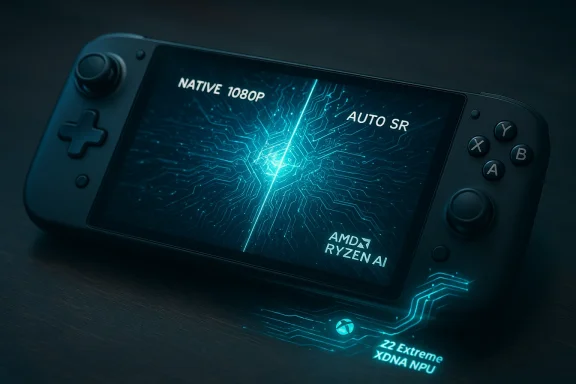
Automatic Super Resolution (Auto SR) is about to land on the Xbox Ally X in April 2026, bringing Microsoft’s OS-level, AI-driven upscaling to the first handheld in the Xbox family with an on-die neural processing unit (NPU). .com]
Microsoft introduced Automatic Super Resolution as part of its Copilot+ era for Windows: an operating-system level AI upscaling layer that can detect supported games, render them at a lower internal resolution to speed up frame rates, and then run a trained convolutional neural network to upscale the final output back to a higher resolution with sharper detail and anti-aliasing baked in. This approach differs from developer-integrated upscalers—like NVIDIA DLSS, AMD FSR, or Intel XeSS—because it operates outside the game engine, at the driver/OS level, and can be toggled globally for supported titles.
The headline today: Microsoft will put Auto SR into a public preview on the ROG Xbox Ally X in April 2026. The Ally X is the only Xbox Ally model that ships with the AMD Ryzen AI Z2 Extreme SoC and an integrated NPU, a combination Microsoft needs for Auto SR’s on-device inference workload. This is a gated rollout—Auto SR requires specific hardware wily supports DirectX 11 and DirectX 12 titles in fullscreen or borderless fullscreen modes.
That hardware difference is crucial: the standard Xbox Ally (non-X) uses a Ryzen Z2 A-series APU that lacks the active NPU feature set. In short, Auto SR on Ally X is possible because the device includes dedicated AI hardware; the base Ally does not have that same NPU capability and therefore cannot run the Auto SR models on the same silicon.
This transition also nudges GPU vendors and game developers to rethink where inference should run: on-device NPUs, integrated GPU tensor units, and driver pipelines are all competing to host AI features. The stakes are not just image quality; they are power efficiency, latency, and the economic model of developer work vs. OS-level enablement. Microsoft’s OS-level bet reduces the friction for players but raises technical trade-offs developers will still want to optimize around.
That said, enthusiasts should temper expectations. Engine-integrated upscalers that leverage motion vectors and temporal accumulation still set the quality bar, and Auto SR’s post-process nature introduces trade-offs in latency and temporal stability. The early Digital Foundry-era testing showed promise but also highlighted where Auto SR was not yet matching DLSS; Microsoft’s subsequent claims and demos suggest progress but independent verification will matter once the Ally X preview reaches reviewers and power users.
If you already own an Ally X, Auto SR’s April preview is worth trying—especially in single-player or visually dense titles where a modest latency trade-off is acceptable. If you’re buying hardware specifically for Auto SR, weigh that single feature against other priorities (battery life, native GPU performance, price), because a robust ecosystem of engine-integrated upscalers will remain the gold standard for many competitive or high-fidelity scenarios.
The payoff will depend on real-world testing: how much performance uplift users see, whether Auto SR’s visual improvements outweigh any added latency, and how quickly Microsoft refines the models and runtime for AMD’s XDNA NPU. For now, Ally X owners should prepare to test the preview when it arrives, and the rest of the Windows handheld market should watch closely—Auto SR’s success or failure on the Ally X will shape expectations for OS-level AI graphics features across the broader ecosystem.
Source: Windows Central Auto SR preview coming to Xbox Ally X in April
 Background / Overview
Microsoft introduced Automatic Super Resolution as part of its Copilot+ era for Windows: an operating-system level AI upscaling layer that can detect supported games, render them at a lower internal resolution to speed up frame rates, and then run a trained convolutional neural network to upscale the final output back to a higher resolution with sharper detail and anti-aliasing baked in. This approach differs from developer-integrated upscalers—like NVIDIA DLSS, AMD FSR, or Intel XeSS—because it operates outside the game engine, at the driver/OS level, and can be toggled globally for supported titles.The headline today: Microsoft will put Auto SR into a public preview on the ROG Xbox Ally X in April 2026. The Ally X is the only Xbox Ally model that ships with the AMD Ryzen AI Z2 Extreme SoC and an integrated NPU, a combination Microsoft needs for Auto SR’s on-device inference workload. This is a gated rollout—Auto SR requires specific hardware wily supports DirectX 11 and DirectX 12 titles in fullscreen or borderless fullscreen modes.
What Auto SR actually is (and what it is not)
The core idea
Auto SR is a system-level AI upscaler. Instead of relying on game developers to integrate a proprietary SDK, Microsoft intercepts frames (or the rendered desktop surface), runs them through an AI model optimized for gaming content, and outputs an upscaled result to the display. Because it’s located in the OS stack, Auto SR can be applied broadly to existing titles without per-game integration, provided they meet compatibility constraints.How it compares to DLSS/FSR/XeSS
- DLSS, FSR and XeSS are primarily engine-integrated solutions that take advantage of game renderer data (motion vectors, depth, exposure, etc.) to produce temporally stable, high-quality upscales with relatively low latency.
- Auto SR is post-process and OS-driven: it receives fully rendered frames and performs spatial (and learned anti-aliasing) upscaling via a CNN on the NPU rather than through game-supplied engine signals.
- Practical implication: Auto SR can be applied to many games without patches, but because it operates on fully composited frames it can’t use engine-side temporal cues the way DLSS’s multi-frame methods can; this typically increases the challenge of temporal stability and can introduce extra latency depending on the implementation and model runtime.
Supported hardware and limitations
Auto SR was first launched on Copilot+ devices with Qualcomm Snapdragon X chips (Hexagon NPUs). Microsoft has said it will expand Auto SR to Intel- and AMD-based Copilot+ hardware that provide compatible on-device NPUs; the ROG Xbox Ally X, with its AMD Ryzen AI Z2 Extreme and XDNA NPU, is the first handheld to get that public preview. Microsoft’s documentation also explicitly limits Auto SR to DirectX 11 and DirectX 12 titles in supported modes, and notes it does not currently support resolutions below 1080p or HDR output.Xbox Ally X hardware: why Auto SR can run there
The ROG Xbox Ally X is a premium handheld that differentiates itself from the base Ally by shipping AMD’s Ryzen AI Z2 Extreme APU. That SoC pairs Zen 5 CPU cores, RDNA 3.5 graphics and an integrated XDNA NPU capable of on-device AI inference—AMD rates the NPU at up to roughly 50 TOPS in marketing materials for Z2 AI Extreme SKUs. The Ally X config typically ships with 24 GB LPDDR5X, a 7-inch FHD 120 Hz display, an 80 Wh battery and a purpose-built thermal profile for mobile sustained performance. Those specs are the practical basis for Microsoft to offload Auto SR inference to the NPU and avoid using the main GPU for the heavy lifting.That hardware difference is crucial: the standard Xbox Ally (non-X) uses a Ryzen Z2 A-series APU that lacks the active NPU feature set. In short, Auto SR on Ally X is possible because the device includes dedicated AI hardware; the base Ally does not have that same NPU capability and therefore cannot run the Auto SR models on the same silicon.
What to expect in April: public preview, scope, and mechanics
Microsoft’s plan—announced during its GDC and PC-focused updates—is a staged, hardware-gated preview. The public preview on Ally X will be rolled out via Windows updates/insider channels and will be opt-in for users who want to test the feature. Expect the early preview to:- Be limited to a list of verified titles at launch, with a system setting to apply Auto SR more broadly at your discretion.
- Work only in fullscreen or borderless fullscreen modes for DirectX 11/12 games.
- Offer an automatic toggle (Auto SR can turn on for certain verified games by default) plus an optional global setting in the Windows Graphics / Display settings.
Real-world performance and image quality: what the testing so far shows
The early evidence
Independent technical coverage—most notably by outlets that performed early Auto SR tests on Copilot+ hardware in 2024—found a mixed picture. Digital Foundry’s early tests showed Auto SR could produce images that, on a single-frame basis, look sharper than native in some scenarios. However, they also found Auto SR’s output lagged behind the best temporal multi-frame solutions (like the most advanced iterations of DLSS) when it came to preserving temporal detail and handling motion artifacts. Microsoft’s more recent demos and internal improvements since 2024 indicate progress and higher efficiency on newer NPUs, but software and driver optimizations still matter.Why one test can’t tell the whole story
There are multiple axes to measure for any upscaler:- Raw perceptual quality (how sharp, natural, and artifact-free a frame looks).
- Temporal stability (how stable detail is across frames and motion).
- Latency and input responsiveness (how much the model’s runtime adds to frame-to-display time).
- Performance uplift (frames per second or GPU load reduced by rendering at a lower resolution).
Because Auto SR runs as a post-process on fully rendered frames, it can increase input-to-display latency compared with engine-integrated solutions that can operate earlier in the render pipeline or leverage multi-frame temporal cues. That trade-off matters most in twitch-competitive multiplayer, less in single-player narrative experiences.
Strengths and opportunities for the Xbox Ally X
- Broad compatibility potential: Auto SR’s OS-level nature means games without DLSS/FSR/XeSS support could still gain an upscaler without developer intervention. On handhelds, where thermal and power budgets are tight, this has meaningful appeal.
- Leveraging the NPU for efficiency: Running the CNN on a dedicated NPU keeps the GPU free for rendering and can be more power-efficient than running inference on the GPU itself. The Ally X’s integrated NPU is purpose-built for workloads like Auto SR, giving it an advantage over similarly specced devices without NPU offload.
- Simplicity for players: For gamers who want better visuals or steadier framerates without fiddling with per-game settings, Auto SR’s automatic behavior is a clear UX win—especially on handhelds where quick sessions and ease of use matter.
- Future improvements via OS updates: Because Auto SR lives in the OS/driver layer, Microsoft can iterate on models, quantization, and scheduling without requiring game patches—meaning Alliance X users can expect progressive gains through firmware and Windows updates.
Risks, limitations and practical concerns
- Latency trade-offs: Post-process upscalers that operate on completed frames will generally add model inference time. Early Auto SR builds reported non-trivial inference latency on older NPUs—numbers reported in initial tests ranged into the low double-digit milliseconds—so users concerned with minimum input lag should test the feature before enabling it globally. This is a genuine concern for competitive multiplayer players.
- Quality vs. engine-integrated solutions: When a developer integrates an upscaler that can access engine-side signals and multi-frame history, the results are often superior to a purely spatial, post-process upscaler. Expect Auto SR to be the best option for games lacking developer support, but not necessarily the best option where DLSS/FSR/XeSS are available and well-implemented.
- Device thermal and battery impacts: Running an NPU continuously at high utilization still draws power and generates heat. Although NPUs are more efficient per operation than general-purpose GPUs, the Ally X’s battery life and thermal policy will influence whether Auto SR is usable in long sessions or at top performance settings. Users should expect variations across titles and settings.
- Feature gating and fragmentation: Auto SR’s rollout is hardware-gated. Not all Ally units will support it—only the X model with the active NPU—and the experience will vary between different Copilot+ devices. This increases the complexity of consumer expectations when Microsoft markets Auto SR as a cross-platform capability.
A practical guide for Ally X owners (what to try when the preview arrives)
- Join the Windows Insider or Xbox preview channel that Microsoft designates for the Auto SR public preview.
- Update the Ally X to the specific Windows build that contains the Auto SR preview and ensure the device firmware and drivers from ASUS/AMD are up to date.
- Start with Microsoft’s verified-game list and enable Auto SR for a single title; compare native vs. Auto SR visuals and measure frame rates and input feel.
- If you’re sensitive to input lag, test with your preferred sensitivity settings and an input-lag measurement tool or in-game motion tests; if Auto SR adds perceptible lag, use it selectively for single-player sessions.
- Experiment with global vs. per-game toggles—Microsoft provides an option to make Auto SR system-wide, but conservative use will reveal where the feature provides the most benefit for you.
What this means for the broader ecosystem
Microsoft’s approach with Auto SR is strategic: offer a safety-net upscaler that works across legacy titles and devices that include on-device AI hardware, and then let developers layer in their own engine-level solutions for titles that demand the highest-quality upscaling. The Ally X is a showcase device for that vision: it’s both a handheld and a proof point that Windows devices with NPUs can host system-level AI features that materially affect the gaming experience. If Auto SR proves compelling on the Ally X, expect Microsoft to push for wider support on future Windows handhelds, gaming laptops, and potentially into future Xbox platforms are present.This transition also nudges GPU vendors and game developers to rethink where inference should run: on-device NPUs, integrated GPU tensor units, and driver pipelines are all competing to host AI features. The stakes are not just image quality; they are power efficiency, latency, and the economic model of developer work vs. OS-level enablement. Microsoft’s OS-level bet reduces the friction for players but raises technical trade-offs developers will still want to optimize around.
What to watch for during the preview
- Microsoft’s verified-title list: Which games receive official Auto SR tuning and which are left to system heuristics?
- Measured latency numbers: Watch for independent tests that report input-to-display latency delta when Auto SR is active on Ally X.
- Visual artifact behavior: Look for judder, ghosting, or temporal instability—these are the usual weaknesses of spatial-only upscalers.
- GPU load and battery statistics: Does Auto SR reduce GPU utilization enough to materially extend battery life, or does the NPU power draw offset those gains?
- Microsoft updates to the model and inference scheduling: subsequent builds should show measurable improvement if Microsoft can further optimize the runtime and quantization for the Ally X’s NPU.
Final analysis: a pragmatic take for buyers and enthusiasts
Auto SR arriving on the Xbox Ally X is an important milestone in Microsoft’s push to embed AI-driven gaming features at the OS level. For Ally X owners, it offers a low-friction path to potentially smoother frame rates and sharper visuals in games that lack engine-integrated upscalers. The Ally X’s NPU makes it uniquely capable among Xbox-branded handhelds to run these models efficiently, which is why Microsoft’s preview is hardware-gated.That said, enthusiasts should temper expectations. Engine-integrated upscalers that leverage motion vectors and temporal accumulation still set the quality bar, and Auto SR’s post-process nature introduces trade-offs in latency and temporal stability. The early Digital Foundry-era testing showed promise but also highlighted where Auto SR was not yet matching DLSS; Microsoft’s subsequent claims and demos suggest progress but independent verification will matter once the Ally X preview reaches reviewers and power users.
If you already own an Ally X, Auto SR’s April preview is worth trying—especially in single-player or visually dense titles where a modest latency trade-off is acceptable. If you’re buying hardware specifically for Auto SR, weigh that single feature against other priorities (battery life, native GPU performance, price), because a robust ecosystem of engine-integrated upscalers will remain the gold standard for many competitive or high-fidelity scenarios.
Conclusion
Microsoft’s Automatic Super Resolution arriving as a public preview on the Xbox Ally X in April 2026 is more than a checkbox for a new handheld feature: it’s a concrete example of Microsoft’s strategy to make operating system-level AI features meaningful in gaming. The Ally X’s NPU-enabled hardware creates a practical testbed for Auto SR, offering potential performance and visual gains for games that don’t—or can’t—integrate DLSS, FSR or XeSS.The payoff will depend on real-world testing: how much performance uplift users see, whether Auto SR’s visual improvements outweigh any added latency, and how quickly Microsoft refines the models and runtime for AMD’s XDNA NPU. For now, Ally X owners should prepare to test the preview when it arrives, and the rest of the Windows handheld market should watch closely—Auto SR’s success or failure on the Ally X will shape expectations for OS-level AI graphics features across the broader ecosystem.
Source: Windows Central Auto SR preview coming to Xbox Ally X in April
