

Microsoft’s move to give Azure Copilot agentic teeth in a private preview signals a turning point: Copilot is no longer content to be a conversational aide — it’s being positioned as an automated operator inside the cloud itself, able to plan, reason and execute multi‑step cloud tasks under admin control and with visible, auditable actions.
Azure Copilot’s private preview introduces a set of purpose-built, agentic capabilities that aim to automate large portions of the cloud lifecycle: discovery and migration, infrastructure planning and deployment, observability and incident resolution, cost and carbon optimization, resiliency planning, and troubleshooting for compute and data platforms. Microsoft frames these as specialized agents that run in context — embedded in the Azure portal, PowerShell, and the CLI — and that can operate with a human in the loop when required.
This is not a mere chat‑driven assistant. The new experience bundles three major changes:
That upside, however, comes with real and novel risks. Agentic features introduce new attack surfaces and governance complexity that existing SOCs and tooling are not uniformly prepared to handle. The preview’s conservative defaults (opt‑in, scoped access, signing, per‑action approvals) are appropriate starting points, but independent audits, robust rollback semantics and enterprise‑grade observability will be the hard requirements for production adoption.
Enterprises should treat agent adoption like any other platform change: pilot narrow, instrument heavily, require auditable control points, and only scale once metrics and independent security reviews justify the shift.
Source: Petri IT Knowledgebase Azure Copilot Agents Launch in Private Preview
 Background and overview
Azure Copilot’s private preview introduces a set of purpose-built, agentic capabilities that aim to automate large portions of the cloud lifecycle: discovery and migration, infrastructure planning and deployment, observability and incident resolution, cost and carbon optimization, resiliency planning, and troubleshooting for compute and data platforms. Microsoft frames these as specialized agents that run in context — embedded in the Azure portal, PowerShell, and the CLI — and that can operate with a human in the loop when required.This is not a mere chat‑driven assistant. The new experience bundles three major changes:
- A set of specialized agents that can perform multi‑step workflows and operational tasks on behalf of IT teams.
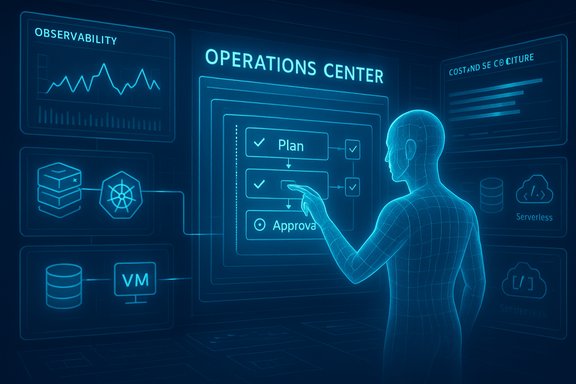
- A centralized Operations Center and an Agent Mode UX that surfaces plan views, execution steps, and observability for agent actions.
- Stronger enterprise controls for governance, access and data handling, including Bring‑Your‑Own‑Storage (BYOS) options and per‑operation approvals.
What Microsoft announced (what’s in the preview)
Six specialized agents for the cloud lifecycle
Microsoft’s preview bundles six agent roles aligned to key enterprise needs:- Migration Agent: Automated discovery and modernization recommendations for IaaS and PaaS conversions.
- Deployment Agent: Natural‑language driven infrastructure planning and automated provisioning following best practices.
- Observability Agent: Correlation of metrics, logs and alerts to accelerate root‑cause identification.
- Optimization Agent: Finds cost and carbon savings and can generate scripts to implement recommended changes.
- Resiliency Agent: Validates redundancy, backup strategies and recovery readiness.
- Troubleshooting Agent: Produces root‑cause analysis and guided fixes across VMs, Kubernetes clusters, and databases.
Agent Mode and the Operations Center
Two UI/operational primitives are front and center:- Agent Mode: A plan‑first UX where agents expose the steps they intend to take, show intermediate artifacts, and allow users to pause, intervene or take over. This “transparent execution” model is designed to make automation auditable and reversible rather than opaque.
- Operations Center: A unified dashboard that brings observability, resiliency checks, optimization suggestions and security posture into a single pane — an operational nerve center where agent actions, alerts and recommendations are correlated and surfaced to operators. The Operations Center is intended to be the place to run pilots, view agent‑generated findings, and implement approved remediations at scale.
Where agents run and how they act
Azure’s agent architecture is multi‑tiered:- Agents run as first‑class principals (managed identities / Entra Agent IDs) so their actions are attributable, auditable and manageable through existing identity and policy systems.
- Execution uses an orchestrator runtime that can call models, tools and connectors — typically mediated by a Model Context Protocol (MCP) layer and platform registries to avoid unsupervised tool access.
- For on‑device or latency‑sensitive tasks, Microsoft’s hybrid model can push smaller inference workloads locally to Copilot+ hardware or run reasoning in Azure for heavy lift operations.
Governance, security and data controls
The preview enforces layered controls:- Explicit opt‑in at admin level (through Azure admin surfaces) and per‑device feature toggles for agent provisioning.
- Agents respect role‑based access control (RBAC), Azure Policy and tenant compliance settings; they operate under the same guardrails as other managed principals.
- Bring‑Your‑Own‑Storage (BYOS) options let tenants confine conversation and artifact persistence to tenant‑controlled storage.
- Agents require per‑action consent before making changes; actions are logged for audit and traceability.
Why this matters: the operational promise
Productivity compression for cloud teams
Cloud operations are littered with repetitive, multi‑step tasks: inventorying resources, converting VMs to PaaS services, resizing clusters, drafting runbooks after incidents, or assembling migration‑readiness packs. Agents promise to compress these workflows into a single, plain‑language instruction and a controlled execution flow. That reduces context switching, shortens time to remediation, and can scale operational knowledge by codifying best practices into agent behavior.Bridging discovery, planning and execution
One of the friction points for migrations and platform upgrades is the handoff between assessment and action. An agent that can discover inventory, draft an actionable plan, and then — with approval — carry out scripted, policy‑compliant changes, removes that handoff and reduces execution latency. The Agent Mode plan view is the conceptual mechanism for safe handoffs between human reviewers and automated execution.Observability and faster incident response
Agents that can correlate alerts, propose root causes and suggest targeted mitigations can accelerate Mean Time to Repair (MTTR). When paired with the Operations Center and integrated logging, this becomes a closed‑loop workflow: identify → propose → approve → remediate → verify. For organizations with well‑defined playbooks, this model can be transformative.Security, compliance and governance: strengths and remaining gaps
Meaningful design choices
Microsoft incorporated several architectural choices that are meaningful for enterprise risk management:- Identity separation: treating agents as distinct directory principals allows the use of existing lifecycle, access review and conditional access controls. This is a pragmatic way to fold agents into established governance tooling.
- Visible, interruptible execution: exposing step‑by‑step activity and a plan view helps prevent silent automation from making destructive changes. Humans remain on the critical path for sensitive operations.
- Scoped initial permissions: preview experiences commonly restrict agent access to known folders and require escalation for broader access, reducing initial blast radius.
- BYOS and private networking options for artifact storage and model hosting reduce the risk of tenant data being processed in unmanaged third‑party environments.
Risks and unresolved operational questions
Despite the guardrails, agentic automation introduces novel risks and operational complexity:- New attack surfaces: MCP connectors, agent tool chains and multi‑agent choreography create complex interactions that adversaries can attempt to poison or exploit. Tool‑level compromise could produce chained exfiltration scenarios that are hard to detect with existing tooling.
- Policy gaps under scale: Guardrails shown in previews (signed agents, scoped permissions) must prove resilient when thousands of agents, connectors and third‑party MCP servers are present in a large tenant. Revocation, patching, and supply‑chain controls will be tested in real operations.
- Observability and rollback semantics: It’s one thing to show a plan; it’s another to guarantee full rollback or transactional safety for multi‑resource changes across services. Enterprises will demand strong rollback semantics, idempotency guarantees and complete provenance for compliance audits. Microsoft preview materials promise logging and auditing, but robust rollback primitives will need validation in production.
- Human factors and alert fatigue: Visible agent actions require operator attention. If agents generate many low‑value alerts or step confirmations, they can create noise and reduce trust. Designing friction‑reduction and sensible approval thresholds is a non‑trivial UX and operational problem.
What to demand before wide rollout
Enterprises should insist on:- Detailed audit trails that tie agent actions to tenant principals, with cryptographically verifiable artifacts.
- Fine‑grained policy controls for which agents can act, on what resources, and under which approval flows.
- Clear billing and metering visibility for agent‑driven changes (charges for provisioning, model usage or cross‑service calls).
- Independent security validation (pen tests and third‑party audits) especially for MCP connectors and agent toolchains.
Practical advice for IT teams: how to approach the preview
1. Start with a narrow pilot
- Choose a non‑critical subscription or management group for early experiments.
- Limit agent permissions and connectors to reduce blast radius.
- Exercise both discovery and remediation flows and verify logs and artifacts.
2. Define approval and escalation policies
- Configure action‑level approvals for any agent that modifies infrastructure or accesses sensitive data.
- Map agent identities to existing change‑control workflows (ticketing, approvals).
- Use the Operations Center to track agent recommendations, approvals and post‑action verification.
3. Integrate agent telemetry into your SIEM and Purview
- Route agent action logs and generated artifacts into Azure Monitor / Log Analytics, and feed that telemetry to Sentinel or your SIEM.
- Enforce retention, sensitivity labels and DLP rules on agent‑generated artifacts, especially where BYOS is not used.
4. Require agent signing and catalog governance
- Only permit approved agent binaries and MCP endpoints; use signing and registry policies to block unvetted agents.
- Maintain an internal Agent Store or a curated set of approved agents for your tenant.
5. Test rollback and idempotency scenarios
- Simulate failed partial executions and verify that you can restore prior states or re‑run idempotent remediation scripts.
- Confirm the Operations Center’s ability to surface intermediate artifacts and that those artifacts can be validated independently.
The technical underpinnings — what to know
Model Context Protocol (MCP) and tool mediation
MCP is a standard Microsoft and partners are adopting to let agents discover and call tools in a structured way. Windows and cloud platforms mediate MCP tool access via registries and proxies so agents cannot call arbitrary network endpoints without tenant approval. This mediation is central to reducing prompt‑injection or tool‑poisoning risks in multi‑agent workflows. Enterprises deploying agent fleets should require vetted, audited MCP servers and monitor registry changes closely.Azure AI Foundry and the hybrid model
Azure AI Foundry and the Azure AI Agent Service provide the runtime and orchestration required to stitch models, connectors and governance together. Foundry is built to support multi‑model catalogs, routing policies and observability primitives — enabling tenants to route lower‑risk calls to mini models and reserve pro models for high‑sensitivity tasks. The hybrid approach also supports on‑device inference for latency‑sensitive steps where Copilot+ device hardware meets the performance floor for local models.Identity, lifecycle and agent accounts
Agents are represented as managed identities in Entra (sometimes referenced as Entra Agent ID) so they can be included in access reviews, conditional access policies, and lifecycle controls. Treat these identities like service accounts: rotate secrets, monitor sign‑ins, and include them in provisioning/deprovisioning runbooks. This model lets IT reuse existing identity governance tooling to manage agent fleets.Business and cost considerations
Measuring ROI
The principal ROI levers are time saved on repetitive tasks, faster incident resolution, and fewer manual errors during migrations and optimizations. For measurable value:- Define baseline MTTR and ticket resolution times.
- Run agent‑assisted pilots on well‑scoped tasks (e.g., cost optimization or a migration batch) and measure elapsed time, human hours saved, and number of manual remediation steps avoided.
Licensing, metering and procurement caveats
Microsoft’s agent model and the Azure AI/Foundry packaging are evolving. Expect a mix of license‑based Copilot seats and consumption‑based metering for model calls and agent actions. Early pilots should track both cloud compute and agent orchestration costs to avoid surprises. Enterprises should confirm pricing and metering details with account teams before scaling.An honest verdict: strengths, caution, and the path forward
Azure Copilot’s agentic preview is compelling: it moves automation closer to outcomes and embeds planning and execution controls into existing cloud tooling. The combination of a plan‑first Agent Mode, an Operations Center for centralized observability, identity‑based governance and BYOS options is a credible blueprint for enterprise automation. When proven, this model could materially reduce cloud operations toil and speed migrations and optimizations.That upside, however, comes with real and novel risks. Agentic features introduce new attack surfaces and governance complexity that existing SOCs and tooling are not uniformly prepared to handle. The preview’s conservative defaults (opt‑in, scoped access, signing, per‑action approvals) are appropriate starting points, but independent audits, robust rollback semantics and enterprise‑grade observability will be the hard requirements for production adoption.
Enterprises should treat agent adoption like any other platform change: pilot narrow, instrument heavily, require auditable control points, and only scale once metrics and independent security reviews justify the shift.
Quick reference: recommended checklist for pilot and rollout
- Opt into preview on a limited tenant scope and track audit logs.
- Limit agent permissions and connectors; enable BYOS for artifact storage where possible.
- Integrate agent telemetry to Sentinel / SIEM and enforce Purview policies.
- Require agent signing, maintain a curated Agent Store and use approval flows for deployment.
- Test rollback, idempotency, and failure modes; verify plan view accuracy.
Conclusion
Azure Copilot’s private preview of agentic automation is a strategically significant step: it elevates Copilot from conversational helper to operational partner. The preview architecture emphasizes transparency, identity‑based governance, and controlled automation, reflecting hard lessons about safety and auditability. Early pilots will determine whether the promise — faster migrations, cheaper cloud bills, and dramatically compressed workflows — outweighs the additional complexity agents introduce to security, compliance and operations. For IT leaders, the sensible play is cautious, instrumented experimentation: use the preview to learn, test governance at scale, and build the operational muscles that will be necessary when agents become an accepted part of cloud life.Source: Petri IT Knowledgebase Azure Copilot Agents Launch in Private Preview
