

Microsoft’s brief advisory is accurate but narrowly scoped: Microsoft has attested that Azure Linux includes the upstream mtk-sd open‑source component and is therefore potentially affected by CVE‑2025‑38401, but that attestation is product‑scoped — not a guarantee that no other Microsoft product can or does include the same upstream code.
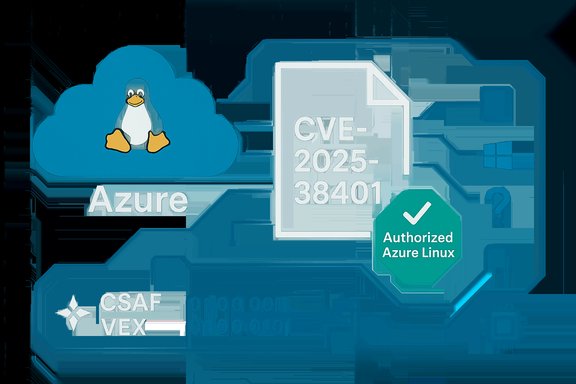
Microsoft’s Security Response Center (MSRC) published a short machine‑readable attestation for CVE‑2025‑38401 indicating that Azure Linux includes the implicated open‑source library and is “therefore potentially affected.” The advisory also restates Microsoft’s transparency posture: the company began publishing CSAF/VEX attestations in October 2025 and will update CVE entries and their machine‑readable attestations if additional Microsoft products are found to ship the same upstream component. That phrasing is deliberate and procedural — it reports the result of a per‑product inventory for Azure Linux, not a company‑wide exclusion.
At a technical level, CVE advisories for Linux kernel drivers are artifact‑level matters. Whether a specific Microsoft product or image contains the vulnerable code depends on three verifiable facts for that artifact:
Source: MSRC Security Update Guide - Microsoft Security Response Center
 Background / Overview
Microsoft’s Security Response Center (MSRC) published a short machine‑readable attestation for CVE‑2025‑38401 indicating that Azure Linux includes the implicated open‑source library and is “therefore potentially affected.” The advisory also restates Microsoft’s transparency posture: the company began publishing CSAF/VEX attestations in October 2025 and will update CVE entries and their machine‑readable attestations if additional Microsoft products are found to ship the same upstream component. That phrasing is deliberate and procedural — it reports the result of a per‑product inventory for Azure Linux, not a company‑wide exclusion.At a technical level, CVE advisories for Linux kernel drivers are artifact‑level matters. Whether a specific Microsoft product or image contains the vulnerable code depends on three verifiable facts for that artifact:
- The kernel version or upstream commit range used when the kernel was built.
- The kernel’s build configuration (which CONFIG_* flags were enabled).
- Whether Microsoft (or the distributor of the image) backported the upstream fix before shipping.
Short answer — definitive phrasing
- Is Azure Linux the only Microsoft product that includes the open‑source library and is therefore potentially affected?
- Short, precise answer: No — not necessarily. Azure Linux is the only Microsoft product Microsoft has publicly attested so far to include the specified upstream component for CVE‑2025‑38401. That is an authoritative attestation for Azure Linux, but it is not proof that other Microsoft products, kernels, or marketplace images cannot contain the same code. Microsoft has committed to update the CVE and VEX/CSAF attestations if further products are identified.
Why this distinction matters: attestation versus exclusivity
The wording Microsoft uses — “Azure Linux includes this open‑source library and is therefore potentially affected” — performs two roles:- It declares a completed inventory for a named product family (Azure Linux). That gives operators a machine‑readable, automated signal they can act on immediately.
- It does not assert that the entire Microsoft product portfolio has been scanned and cleared. Microsoft explicitly says it will update the attestations if additional products are found to ship the component, which implies a phased, product‑by‑product inventory process. Absence of an attestation for a product is therefore “not yet attested,” not “not present.”
Technical implications for defenders
- If you run Azure Linux (official images): Treat MSRC’s attestation as authoritative. The Azure Linux images Microsoft builds and releases were inventory‑checked; they are in scope for remediation and should be patched according to Microsoft’s guidance.
- If you run other Microsoft artifacts (WSL2, linux‑azure, Marketplace images, partner appliances): Assume unknown status until you verify the artifact. Don’t rely on absence of an MSRC attestation as proof of safety. Perform per‑artifact checks (see practical steps below).
- If you run third‑party images in Azure (Ubuntu, RHEL, SUSE, vendor appliances): Those vendors publish their own advisories and kernel package fixes. Cross‑check upstream CVE records and your image vendor’s advisories in addition to Microsoft’s VEX/CSAF outputs. Multiple independent trackers (NVD, distro security advisories) usually record the upstream fix and which packaged kernels were patched.
Practical, prioritized remediation checklist
Apply these steps in sequence to close the gap between “potentially affected” and “confirmed fixed” across mixed estates.- Prioritize Azure Linux images first.
- Update Azure Linux kernels and images as Microsoft publishes patches and updated images.
- Reboot hosts after kernel updates where required to ensure the fixed kernel is running.
- In parallel, inventory other Microsoft artifacts in your environment.
- Identify any WSL2 installations, linux‑azure packages, curated Marketplace VM images, and partner appliances that you run or manage.
- For each artifact, determine the kernel build provenance and configuration (commit range, kernel config). Treat each as a separate artifact to be verified.
- Use Microsoft’s machine‑readable CSAF/VEX feed.
- Consume MSRC’s VEX/CSAF JSON for the CVE and for your product families. The VEX record is the authoritative vendor statement for product mappings; Microsoft will update it if additional products are found to include the component.
- Perform artifact‑level checks (examples follow).
- Check whether the kernel binary or modules on the host contain the relevant driver or source string.
- Record results, correlate against vendor statements, and schedule updates for any artifact with confirmed presence of the component.
- Apply compensating controls where patching is temporarily infeasible.
- Reduce tenant privileges, limit untrusted code execution, or harden host isolation on multi‑tenant hosts.
- Add monitoring for kernel WARN/OOPS patterns and prepare to remediate quickly if triggered.
Concrete artifact‑level verification steps
Below are practical commands and checks admins can run to verify whether a given Linux host or image likely includes the affected mtk‑sd component. Commands are generic and adaptable to your environment; substitute usernames and paths as required.For Linux VMs and images
- Identify the running kernel:
- uname -a
- cat /proc/version
- Inspect installed kernel modules and search for vendor strings:
- lsmod | grep -i mtk
- grep -R --line-number "mtk" /lib/modules/$(uname -r) || true
- find /lib/modules/$(uname -r) -type f -name '*.ko' -exec strings {} \; | grep -i "mtk" || true
- Check kernel configuration for related options (if /proc/config.gz exists):
- zcat /proc/config.gz | grep -i mtk || true
- If the kernel sources or build artifacts are available for the image, search the source tree:
- grep -R --line-number "mtk-sd" /usr/src/linux || true
- grep -R --line-number "mtk" /usr/src/linux/drivers || true
- Use dmesg and journalctl to search for runtime traces that match the vulnerability symptom:
- dmesg | grep -i "dma" | grep -i "mtk" || true
- journalctl -k | grep -i "mtk" || true
For WSL2 kernels and Windows hosts
- WSL2 uses a Microsoft‑maintained Linux kernel image by default on many Windows hosts. Determine the WSL kernel in use:
- wsl --status (shows whether a custom kernel is in use)
- On the Windows host, check whether a custom WSL kernel was provided in the distro’s configuration (wsl.conf) or by the user.
- If a custom WSL kernel is in use, apply the Linux artifact checks above to that kernel build or rebuild it from source with the patched commits.
- If using the default Microsoft WSL2 kernel, monitor MSRC updates and consume the WSL2 kernel repository and its changelog to determine whether the upstream fix has been applied to the distributed WSL kernel.
Detection guidance and SIEM rules
While you investigate artifact presence and apply patches, add detection rules to flag potential exploitation or triggering of the bug:- Add a kernel log watch for WARN/OOPS messages that mention the MediaTek driver or DMA map/unmap failures. Example search expressions:
- kernel_message
 "mtk" AND ("DMA" OR "dma_map" OR "dma_unmap" OR "map failed" OR "WARN_ON")
 - dmesg | grep -i -E "mtk|dma_map|dma_unmap|map failed|WARN_ON"
- Monitor for increased kernel crashes or reboots on hosts running Azure Linux images. Escalate any unexpected WARNs and gather kernel traces (kexec or crashdump) for triage.
- Correlate file integrity monitoring for kernel module file changes or package updates that might indicate automated patching. Track whether remediation images are being deployed successfully.
Risk assessment — likely impact and exploitability
- Immediate profile: The majority of mtk‑sd and similar kernel DMA‑mapping bugs are robustness/availability issues that surface as kernel warnings, oopses, or potential crashes. Public reporting for analogous kernel driver CVEs emphasizes local privilege or specific hardware conditions to trigger failures; they are usually not remotely exploitable in isolation. However, kernel memory‑safety bugs can sometimes be chained into more serious primitives in constrained environments, so do not treat them as purely theoretical.
- Operational severity: For multi‑tenant hosts, CI runners, or broadly used VM images, kernel instability has outsized operational impact. A WARN that becomes repeated or leads to a host panic can cause service disruption and customer impact. Prioritize patching images used in production and high‑availability contexts.
- Exploitability caveat: Public advisories and distro trackers typically note whether a CVE is an availability/robustness issue or whether it has an escalation vector (LPE or RCE). For CVE‑2025‑38401 Microsoft’s attestation is about component presence; whether a reliable exploit exists is a separate question that depends on additional conditions (local privileges, hardware, kernel config). Confirm exploitability status via NVD, OSV, vendor advisories, and upstream stable commit logs as you triage.
Cross‑verification and independent confirmation
Best practice for enterprise triage is to cross‑check vendor attestations (MSRC VEX/CSAF) against at least two independent sources wherever possible:- Upstream kernel stable trees and commit metadata (identify the exact upstream commit that fixes the vulnerability).
- Distribution security advisories (Ubuntu, Debian, Red Hat, SUSE) that map the CVE to package or kernel updates.
- Public vulnerability databases (NVD, OSV) summarizing the CVE and listing references.
Practical policy and lifecycle recommendations
- Treat MSRC VEX/CSAF as an authoritative, machine‑readable input for Azure Linux. Automate consumption of the VEX feed into your vulnerability management and orchestration tooling to mark Azure Linux images in scope and push updates quickly.
- Assume “unknown” for non‑attested images: For WSL2, linux‑azure, Marketplace, and partner appliances, create an inventory sprint to map each artifact to the kernel commit range and config flags. Don’t assume safety based on absence of a VEX entry.
- Document artifact provenance: Keep build manifests, SBOMs, and kernel config snapshots for every image you operate. That makes it straightforward to confirm whether an upstream commit was included or backported. Microsoft’s attestation program exists to enable precisely this type of automation — but local artifact hygiene remains essential.
- Prepare compensating controls: Where patch windows are constrained, use host isolation, policy controls, and monitoring to limit risk exposure until you can apply kernel updates and reboots.
When to expect updates and what to watch for
Microsoft has publicly committed to updating CVE entries and CSAF/VEX attestations when it discovers additional Microsoft products that ship the implicated upstream component. Given the phased VEX rollout that began in October 2025, watchers should expect VEX updates or CVE page edits as Microsoft inventories additional artifacts and kernel builds. Consume MSRC’s VEX feed and set up alerts for any changes to the product mapping for CVE‑2025‑38401.Conclusion — action checklist (concise)
- Immediate: Patch and reboot any hosts running official Azure Linux images. Treat MSRC’s Azure Linux attestation as authoritative for those images.
- Inventory: Map other Microsoft artifacts in your estate (WSL2, linux‑azure, Marketplace images, partner appliances) and treat each as an independent artifact to be verified.
- Verify: Use kernel config, module listing, and string/search checks against /lib/modules and the kernel source for presence of the mtk‑sd component.
- Monitor: Add SIEM/KERLOG alerts for kernel WARN/OOPS patterns that reference DMA mapping or driver names.
- Automate: Consume MSRC’s CSAF/VEX machine‑readable attestation feed and integrate it into your vulnerability management pipeline so you automatically pick up updates when Microsoft expands product mappings.
Source: MSRC Security Update Guide - Microsoft Security Response Center
