

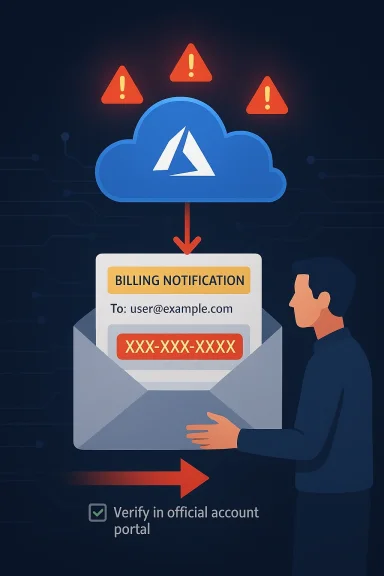
Microsoft’s own cloud infrastructure is being abused in a way that should make every security team sit up straight: attackers are using Azure Monitor to send billing-themed phishing emails that look like genuine Microsoft notifications. The campaign stands out because it does not depend on crude spoofing alone; instead, it appears to leverage legitimate Microsoft sending paths and familiar branding to slip past the reflexive skepticism most users bring to suspicious mail. The result is a far more believable scam that weaponizes trust, urgency, and the everyday language of billing and account security.
What makes this especially dangerous is the callback angle. Rather than pushing victims toward a malicious website, the emails pressure recipients to call a number to “resolve” a fake charge, which is a classic way to move the crime out of the inbox and into a live social-engineering conversation. Microsoft’s own documentation shows Azure Monitor alert rules can include descriptions and custom properties in notifications, which helps explain how attackers can stuff phishing text into alerts that still originate from Microsoft infrastructure.
The broader story here is not just about one phishing campaign. It is about the steady erosion of the old assumption that “legitimate sender” equals “legitimate message.” Microsoft has been warning for years that scammers increasingly abuse trusted infrastructure and look for seams in authentication, routing, and user behavior rather than simply forging a bad domain. Recent Microsoft security guidance explicitly says attackers exploit complex routing and misconfigurations, and that organizations need tighter spoof protections and DMARC/SPF enforcement to reduce that risk.
Callback phishing is also not new, but it has become more refined. Microsoft’s own security blog has previously documented tech support scams that try to pull victims into a phone call instead of a click, because a real-time conversation gives criminals much more room to apply pressure, gather information, and pivot. In those older cases, the bait was fake browser warnings or bogus security alerts; in this newer pattern, the bait is a cloud-generated billing or account notice that looks like it came from the vendor itself.
The apparent use of Microsoft’s own sender identities is what raises the stakes. If a message arrives from a Microsoft address and passes SPF, DKIM, and DMARC, many mail systems and many users will instinctively assign it more trust than a plainly forged email. That is why the abuse of platform-native notification systems is so attractive to threat actors: they do not need to defeat the rules if they can ride inside them. Microsoft’s documentation on Azure Monitor makes clear that alert emails can carry descriptions and custom properties, which is precisely the sort of flexibility an attacker can twist into a delivery mechanism for scam language.
The practical danger is even greater because the lures are mundane. Claims about “Windows Defender” charges, invoice holds, or account suspensions are not technically sophisticated, but they are emotionally effective. Microsoft support guidance also underscores that users should verify charges directly through official account and billing pages, not by replying to or calling numbers in an unexpected email. That advice is especially important here, because the whole scheme depends on getting the victim to act before they think.
It also lands in a threat landscape where attackers are blending fraud, credential theft, and remote-access abuse into one workflow. Microsoft’s recent fraud reporting highlights that voice phishing and support scams continue to be a serious problem, especially when victims are pushed into live contact with criminals who can tailor the story in real time.
The difference between a fake email and an abused legitimate notification is huge. In a conventional phishing campaign, defenders can often key off the sending domain, reputation, or obvious header anomalies. Here, the message may come from azure-noreply@microsoft.com or another Microsoft-controlled sender path, which makes it much more difficult for frontline users to spot the fraud and much more likely to survive basic filtering. Reports in Microsoft Q&A also describe these emails as leveraging Azure alert content such as “Fraud Prevention System” or “Windows Defender” charges to create a false sense of urgency.
The messaging itself is built around a narrow behavioral funnel. First comes the alarming bill or account notice. Then comes the request to call a number and resolve the issue immediately. That sequence is deliberate: it compresses the user’s decision window and moves the victim into a one-to-one setting where the attacker can improvise based on the response.
This is the nightmare scenario for trust-based cloud communications. The platform is legitimate, the sender is legitimate, the format is legitimate, but the intent is criminal. That makes detection harder for both software and people, which is exactly why these schemes are gaining traction.
The use of a phone number also helps scammers evade some email defenses. There may be no malicious URL to sandbox and no attachment to detonate. The email can look harmless to automated scanners while still achieving the desired outcome: a human being reaches out and self-selects into the scam. That is one reason tech support fraud remains so durable even as link scanning and attachment filtering improve.
The social engineering itself is usually highly scripted. Victims are told about an unauthorized payment, a temporary hold, or an account suspension. The scammer then claims to be helping and may request credentials, ask the user to install remote access software, or attempt to extract payment information. In enterprise settings, that can become the opening move in a much larger compromise.
They also exploit a common user habit: responding to the communication channel that brought the alert. If an email says “call now,” many people do exactly that instead of independently checking their Microsoft account or corporate billing portal. That is precisely the behavior defenders need to break.
That creates what might be called an authentication paradox. Security teams have spent years telling users to distrust messages that fail authentication, yet here the message may authenticate cleanly because the sender infrastructure itself is being used as a delivery mechanism. Microsoft’s own guidance on spoofing and routing abuse stresses that defenders must combine authentication with stronger spoof protections and careful connector configuration, because the headers alone do not tell the full story.
This is why mail security is shifting from simple verification to contextual analysis. Does the recipient actually have an Azure subscription? Is there a corresponding billing event? Does the message ask for a call-back to a strange number? Does the content align with the organization’s own provisioning and finance processes? Those are the questions that matter when the sender identity can no longer be taken at face value.
In practical terms, this means enterprises need layered controls: phishing-resistant MFA, user education, alerting on anomalous billing activity, and better review of cloud notification rules. If the message itself is a legitimate notification from a legitimate service, the defense must move up the stack into identity, behavior, and process.
There is also a real lateral-risk dimension. If a user calls the scam number and is persuaded to install remote access software or disclose credentials, the attacker may gain a foothold beyond the email inbox. Microsoft’s broader fraud guidance notes that social engineering often aims to get victims to give up information or access that can be used for deeper compromise, and this type of callback scam fits that pattern neatly.
Organizations that rely heavily on Microsoft cloud services face an added burden. Their staff are already accustomed to genuine Microsoft alerts, which means a well-crafted fake can blend into the background noise. The more Microsoft services a company uses, the more believable a Microsoft-themed scam can become.
The deeper consequence is process drift. If employees learn to treat all Microsoft billing alerts as suspect, they may ignore real issues. If they trust them too easily, they may fall for the scam. The answer is not blanket distrust; it is structured verification.
The consumer risk is compounded by familiarity. Many people use Microsoft accounts for Windows, Office, Outlook, Xbox, or subscriptions, so a Microsoft-branded notice feels plausible even when the specific transaction details do not. Microsoft support materials are explicit that unexpected charges should be checked directly through official account pages and billing tools rather than by responding to the message itself.
There is also a false-reassurance trap. A user may think, “This came from Microsoft, so it must be real.” But the more accurate question is whether the underlying account actually shows a matching charge. If it does not, the message should be treated as a scam regardless of branding or sender reputation. That is the behavioral pivot users need to make.
That sequence sounds basic, but scams succeed when people skip basic steps. The goal of the attacker is not sophistication; it is momentum. Any procedure that slows the user down gives defenders a better chance.
Microsoft is not alone in facing this issue, but its scale makes the consequences bigger. A message that comes from Microsoft infrastructure carries an implicit brand promise that the content is relevant and trustworthy. When attackers hijack that promise, the platform owner inherits some of the reputational damage even if the abuse is created by customers or tenants. That is why trusted-platform abuse is so much harder to contain than ordinary spam.
The company has already been pushing anti-fraud and anti-spoofing work in other parts of its ecosystem. Recent Microsoft security reporting emphasizes the need for better detection of impersonation and fraud, including voice phishing and social engineering. Still, the Azure Monitor case shows that attackers will keep searching for the easiest credible channel rather than the noisiest one.
It also means platform vendors have a stronger incentive to tighten abuse monitoring. The more legitimate the delivery path, the higher the bar for suspicious-content detection needs to be. Otherwise the attacker gets to borrow not just the mailbox, but the brand.
Enterprises should also review how Azure alerts, connectors, and notification rules are configured. Microsoft’s documentation shows that alert notifications can include custom properties and can integrate with other systems, which is valuable for operations but also a reason to audit who can create or modify alerting flows. Least privilege matters here just as it does elsewhere in cloud security.
For user-facing defenses, security awareness training should focus less on “bad grammar” and more on process red flags. Phone numbers, urgency, unusual billing amounts, and requests to bypass official support channels are far stronger indicators than spelling errors alone. That shift is especially important because modern scam emails often look polished.
In short, the goal is not to make users experts in email forensics. It is to make sure they never have to rely on instinct when money, credentials, or access are on the line.
There is also room for better correlation between cloud events and email content. If a billing alert references a transaction that does not exist, that mismatch should be a high-confidence warning sign. Better telemetry can turn what looks like a user problem into a detectable platform-abuse problem.
There is also the possibility that similar campaigns will target not just individual consumers, but suppliers and employees with privileged access. The more organizationally relevant the lure, the more likely someone inside the company is to take the bait. That is why this is not just a consumer nuisance; it is an enterprise risk with financial and operational consequences.
The most important thing for organizations to understand is that the battleground has moved. The inbox is no longer just about suspicious links and forged domains. It is about whether a seemingly authentic operational message is actually part of a social-engineering chain designed to push a human into making the first mistake. That shift demands better technical controls, but just as importantly, better business processes.
Source: The420.in Microsoft Platform Misused to Send Legitimate-Looking Scam Emails - The420.in
What makes this especially dangerous is the callback angle. Rather than pushing victims toward a malicious website, the emails pressure recipients to call a number to “resolve” a fake charge, which is a classic way to move the crime out of the inbox and into a live social-engineering conversation. Microsoft’s own documentation shows Azure Monitor alert rules can include descriptions and custom properties in notifications, which helps explain how attackers can stuff phishing text into alerts that still originate from Microsoft infrastructure.
 Background
The broader story here is not just about one phishing campaign. It is about the steady erosion of the old assumption that “legitimate sender” equals “legitimate message.” Microsoft has been warning for years that scammers increasingly abuse trusted infrastructure and look for seams in authentication, routing, and user behavior rather than simply forging a bad domain. Recent Microsoft security guidance explicitly says attackers exploit complex routing and misconfigurations, and that organizations need tighter spoof protections and DMARC/SPF enforcement to reduce that risk.Callback phishing is also not new, but it has become more refined. Microsoft’s own security blog has previously documented tech support scams that try to pull victims into a phone call instead of a click, because a real-time conversation gives criminals much more room to apply pressure, gather information, and pivot. In those older cases, the bait was fake browser warnings or bogus security alerts; in this newer pattern, the bait is a cloud-generated billing or account notice that looks like it came from the vendor itself.
The apparent use of Microsoft’s own sender identities is what raises the stakes. If a message arrives from a Microsoft address and passes SPF, DKIM, and DMARC, many mail systems and many users will instinctively assign it more trust than a plainly forged email. That is why the abuse of platform-native notification systems is so attractive to threat actors: they do not need to defeat the rules if they can ride inside them. Microsoft’s documentation on Azure Monitor makes clear that alert emails can carry descriptions and custom properties, which is precisely the sort of flexibility an attacker can twist into a delivery mechanism for scam language.
The practical danger is even greater because the lures are mundane. Claims about “Windows Defender” charges, invoice holds, or account suspensions are not technically sophisticated, but they are emotionally effective. Microsoft support guidance also underscores that users should verify charges directly through official account and billing pages, not by replying to or calling numbers in an unexpected email. That advice is especially important here, because the whole scheme depends on getting the victim to act before they think.
Why this campaign matters now
This campaign arrives at a moment when enterprise email security is increasingly built around trust signals that can be mimicked or co-opted. The more software-as-a-service platforms are used for notifications, the more valuable they become as channels for abuse. A message that looks like routine billing noise may not trigger the same attention as a strange attachment or obvious phishing link.It also lands in a threat landscape where attackers are blending fraud, credential theft, and remote-access abuse into one workflow. Microsoft’s recent fraud reporting highlights that voice phishing and support scams continue to be a serious problem, especially when victims are pushed into live contact with criminals who can tailor the story in real time.
How the Azure Monitor Abuse Works
The core trick is simple, even if the execution is clever. Attackers appear to create Azure alert rules and then use the notification content fields to inject billing-style language, support warnings, or invoice references. Because Azure Monitor is designed to notify users when something important happens, the resulting email has the look and cadence of an ordinary administrative message rather than a phishing blast.The difference between a fake email and an abused legitimate notification is huge. In a conventional phishing campaign, defenders can often key off the sending domain, reputation, or obvious header anomalies. Here, the message may come from azure-noreply@microsoft.com or another Microsoft-controlled sender path, which makes it much more difficult for frontline users to spot the fraud and much more likely to survive basic filtering. Reports in Microsoft Q&A also describe these emails as leveraging Azure alert content such as “Fraud Prevention System” or “Windows Defender” charges to create a false sense of urgency.
The messaging itself is built around a narrow behavioral funnel. First comes the alarming bill or account notice. Then comes the request to call a number and resolve the issue immediately. That sequence is deliberate: it compresses the user’s decision window and moves the victim into a one-to-one setting where the attacker can improvise based on the response.
What the attacker is exploiting
The attacker is not necessarily exploiting a bug in Azure Monitor in the classical sense. Instead, they appear to be abusing intended flexibility in alerting and message customization. That distinction matters, because it means the platform can be technically “working as designed” while still being misused for fraud.This is the nightmare scenario for trust-based cloud communications. The platform is legitimate, the sender is legitimate, the format is legitimate, but the intent is criminal. That makes detection harder for both software and people, which is exactly why these schemes are gaining traction.
Why Callback Phishing Is So Effective
Callback phishing works because it changes the medium of attack. Instead of a static web form, the victim is drawn into a live conversation where the attacker can answer objections, create credibility, and exert pressure in real time. Microsoft has long documented tech support fraud as a pattern in which criminals use fear and urgency to get victims to call a fake hotline, and the current Azure-based campaign fits that same playbook almost perfectly.The use of a phone number also helps scammers evade some email defenses. There may be no malicious URL to sandbox and no attachment to detonate. The email can look harmless to automated scanners while still achieving the desired outcome: a human being reaches out and self-selects into the scam. That is one reason tech support fraud remains so durable even as link scanning and attachment filtering improve.
The social engineering itself is usually highly scripted. Victims are told about an unauthorized payment, a temporary hold, or an account suspension. The scammer then claims to be helping and may request credentials, ask the user to install remote access software, or attempt to extract payment information. In enterprise settings, that can become the opening move in a much larger compromise.
The psychology behind the scam
These scams succeed because they combine authority, urgency, and fear. Microsoft is a trusted name, billing is a sensitive topic, and most people do not want to ignore a possible charge. That cocktail reliably short-circuits careful verification.They also exploit a common user habit: responding to the communication channel that brought the alert. If an email says “call now,” many people do exactly that instead of independently checking their Microsoft account or corporate billing portal. That is precisely the behavior defenders need to break.
The Authentication Paradox
One of the most unsettling aspects of this campaign is that standard email authentication can work and still not save you. SPF, DKIM, and DMARC are essential controls, but they verify alignment and legitimacy of the sending path, not whether the content is honest. If an attacker uses an authorized Microsoft notification system, the message may satisfy the technical checks while remaining socially fraudulent.That creates what might be called an authentication paradox. Security teams have spent years telling users to distrust messages that fail authentication, yet here the message may authenticate cleanly because the sender infrastructure itself is being used as a delivery mechanism. Microsoft’s own guidance on spoofing and routing abuse stresses that defenders must combine authentication with stronger spoof protections and careful connector configuration, because the headers alone do not tell the full story.
This is why mail security is shifting from simple verification to contextual analysis. Does the recipient actually have an Azure subscription? Is there a corresponding billing event? Does the message ask for a call-back to a strange number? Does the content align with the organization’s own provisioning and finance processes? Those are the questions that matter when the sender identity can no longer be taken at face value.
Why SPF, DKIM, and DMARC are not enough
Authentication standards are necessary, but they are not sufficient. They can tell you whether a message was sent by an authorized server and whether the message body was altered in transit, but they cannot decide whether the business logic of the message is truthful. That is the gap attackers are exploiting.In practical terms, this means enterprises need layered controls: phishing-resistant MFA, user education, alerting on anomalous billing activity, and better review of cloud notification rules. If the message itself is a legitimate notification from a legitimate service, the defense must move up the stack into identity, behavior, and process.
Enterprise Impact
For enterprises, the bigger issue is not just individual victimization but trust contamination. When employees start receiving bogus billing notices from a familiar vendor, they may begin doubting legitimate alerts, which can slow incident response and create alert fatigue. That kind of confusion is especially dangerous in finance, IT, procurement, and executive workflows where billing and account verification are routine.There is also a real lateral-risk dimension. If a user calls the scam number and is persuaded to install remote access software or disclose credentials, the attacker may gain a foothold beyond the email inbox. Microsoft’s broader fraud guidance notes that social engineering often aims to get victims to give up information or access that can be used for deeper compromise, and this type of callback scam fits that pattern neatly.
Organizations that rely heavily on Microsoft cloud services face an added burden. Their staff are already accustomed to genuine Microsoft alerts, which means a well-crafted fake can blend into the background noise. The more Microsoft services a company uses, the more believable a Microsoft-themed scam can become.
Operational consequences for IT and finance
The immediate operational cost is time. Help desks must investigate reports, finance teams must verify suspicious charges, and security teams must determine whether the message is a phish or a genuine cloud event. That work is expensive, and the volume can quickly become significant if the campaign is broad.The deeper consequence is process drift. If employees learn to treat all Microsoft billing alerts as suspect, they may ignore real issues. If they trust them too easily, they may fall for the scam. The answer is not blanket distrust; it is structured verification.
Consumer Impact
Consumers are often even more exposed because they may not have a corporate security team to backstop them. A message claiming a Windows Defender charge of several hundred dollars can trigger panic in a home user who assumes a payment method has been compromised. That panic is the scammer’s leverage point, and it is why these emails are frequently designed to sound like billing disputes rather than generic password phishing.The consumer risk is compounded by familiarity. Many people use Microsoft accounts for Windows, Office, Outlook, Xbox, or subscriptions, so a Microsoft-branded notice feels plausible even when the specific transaction details do not. Microsoft support materials are explicit that unexpected charges should be checked directly through official account pages and billing tools rather than by responding to the message itself.
There is also a false-reassurance trap. A user may think, “This came from Microsoft, so it must be real.” But the more accurate question is whether the underlying account actually shows a matching charge. If it does not, the message should be treated as a scam regardless of branding or sender reputation. That is the behavioral pivot users need to make.
What a consumer should check first
A disciplined response sequence helps neutralize the fear factor. First, ignore the number in the email. Second, open Microsoft billing or account pages manually in a browser. Third, check bank or card statements for a corresponding charge. Fourth, contact the financial institution or Microsoft through official support channels if anything is truly amiss.That sequence sounds basic, but scams succeed when people skip basic steps. The goal of the attacker is not sophistication; it is momentum. Any procedure that slows the user down gives defenders a better chance.
Microsoft’s Platform Trust Problem
This episode also highlights a broader platform governance problem. Cloud vendors want notification systems to be flexible enough to support real-world operations, but flexibility creates abuse surfaces. If alert descriptions, custom properties, or automated mailings can carry attacker-authored text, the service itself can become part of the scam delivery chain.Microsoft is not alone in facing this issue, but its scale makes the consequences bigger. A message that comes from Microsoft infrastructure carries an implicit brand promise that the content is relevant and trustworthy. When attackers hijack that promise, the platform owner inherits some of the reputational damage even if the abuse is created by customers or tenants. That is why trusted-platform abuse is so much harder to contain than ordinary spam.
The company has already been pushing anti-fraud and anti-spoofing work in other parts of its ecosystem. Recent Microsoft security reporting emphasizes the need for better detection of impersonation and fraud, including voice phishing and social engineering. Still, the Azure Monitor case shows that attackers will keep searching for the easiest credible channel rather than the noisiest one.
The reputational spillover
A legitimate cloud platform used for fraud can create skepticism beyond the specific campaign. Users may become more suspicious of all Microsoft notifications, even the valid ones. That is bad for security, because it can cause people to disregard real alerts.It also means platform vendors have a stronger incentive to tighten abuse monitoring. The more legitimate the delivery path, the higher the bar for suspicious-content detection needs to be. Otherwise the attacker gets to borrow not just the mailbox, but the brand.
Defensive Measures That Actually Help
The right response is not to panic, but to reduce trust in unauthenticated business claims and increase trust in independent verification. Microsoft’s own guidance on phishing and billing disputes repeatedly points users toward verifying through official account portals and support pages rather than through the message body itself. That is the single most important habit change.Enterprises should also review how Azure alerts, connectors, and notification rules are configured. Microsoft’s documentation shows that alert notifications can include custom properties and can integrate with other systems, which is valuable for operations but also a reason to audit who can create or modify alerting flows. Least privilege matters here just as it does elsewhere in cloud security.
For user-facing defenses, security awareness training should focus less on “bad grammar” and more on process red flags. Phone numbers, urgency, unusual billing amounts, and requests to bypass official support channels are far stronger indicators than spelling errors alone. That shift is especially important because modern scam emails often look polished.
A practical defense checklist
- Verify unexpected charges through the official Microsoft account or billing portal, not by replying to the email.
- Treat any phone number in a billing alert as untrusted until independently verified.
- Restrict who can create or modify cloud alert rules and notification destinations.
- Review mail-security controls so legitimate-but-abused platform notifications are still analyzed for content.
- Train finance and help-desk staff to escalate suspicious “urgent billing” claims immediately.
- Watch for signs of callback phishing, including requests for remote access software or one-time codes.
- Encourage reporting, because a single user report can reveal a much broader campaign.
Why process beats panic
The best defense is boring, repeatable procedure. If employees know exactly how to validate a charge, who to call, and what systems to check, the scam loses its emotional leverage. That is especially important in organizations where Microsoft services are widely deployed and billing messages are routine.In short, the goal is not to make users experts in email forensics. It is to make sure they never have to rely on instinct when money, credentials, or access are on the line.
Strengths and Opportunities
There is a silver lining here: campaigns like this expose the next generation of phishing risk early enough for defenders to adapt. They also create a clear mandate for better cloud-abuse monitoring, better user education, and stronger controls around notification workflows. If organizations respond correctly, the same incident can become a catalyst for much better resilience.- It pushes security teams to inspect platform-generated email, not just spoofed mail.
- It reinforces the value of least-privilege access for cloud alert creation.
- It gives enterprises a concrete example for security awareness training.
- It encourages better billing verification workflows in finance and IT.
- It highlights the importance of process-based validation over sender trust.
- It may prompt vendors to improve abuse detection inside notification systems.
- It can improve incident reporting because users now have a recognizable scam pattern to flag quickly.
Where defenders can gain ground
The biggest opportunity is to standardize verification. If every company has a simple, documented method for checking vendor charges, attackers lose the psychological advantage of urgency. That is a low-cost, high-return improvement.There is also room for better correlation between cloud events and email content. If a billing alert references a transaction that does not exist, that mismatch should be a high-confidence warning sign. Better telemetry can turn what looks like a user problem into a detectable platform-abuse problem.
Risks and Concerns
The central concern is that once attackers prove a legitimate cloud platform can be used to deliver scam messages, others will copy the tactic. That means the technique could spread across other SaaS ecosystems, not just Microsoft. The broader the adoption of these methods, the harder it becomes to teach users which trusted brands are still trustworthy in context.- Abuse of legitimate infrastructure can outpace simple sender-blocking defenses.
- Users may over-trust emails that pass SPF, DKIM, and DMARC.
- Callback scams can escalate into remote access abuse or credential theft.
- Finance and IT teams may experience alert fatigue from repeated false billing notices.
- Legitimate Microsoft alerts may be dismissed, creating missed-incident risk.
- Organizations with weak cloud governance may allow attackers to create notification abuse paths.
- The campaign can normalize the idea that official-looking emails are always suspect, which undermines confidence in genuine operational communications.
The long tail of trust erosion
The hardest risk to fix is cultural. If users stop believing alerts, the organization becomes slower and less responsive. If they believe them too much, they get scammed. That is the narrow path defenders must carve out.There is also the possibility that similar campaigns will target not just individual consumers, but suppliers and employees with privileged access. The more organizationally relevant the lure, the more likely someone inside the company is to take the bait. That is why this is not just a consumer nuisance; it is an enterprise risk with financial and operational consequences.
Looking Ahead
This story is likely to evolve in two directions at once. First, Microsoft and other cloud providers will probably tighten abuse monitoring and notification controls, because platform trust is a core business asset. Second, attackers will keep adjusting their messaging to exploit whatever legitimate workflows remain easy to impersonate.The most important thing for organizations to understand is that the battleground has moved. The inbox is no longer just about suspicious links and forged domains. It is about whether a seemingly authentic operational message is actually part of a social-engineering chain designed to push a human into making the first mistake. That shift demands better technical controls, but just as importantly, better business processes.
- Audit Azure and other cloud notification rules for unexpected recipients or message text.
- Require independent verification of any unexpected billing or security alert.
- Train employees on callback phishing and fake support hotlines.
- Review the handling of legitimate-but-abused service notifications in mail security tooling.
- Push for faster incident reporting when users receive urgent billing emails.
Source: The420.in Microsoft Platform Misused to Send Legitimate-Looking Scam Emails - The420.in
