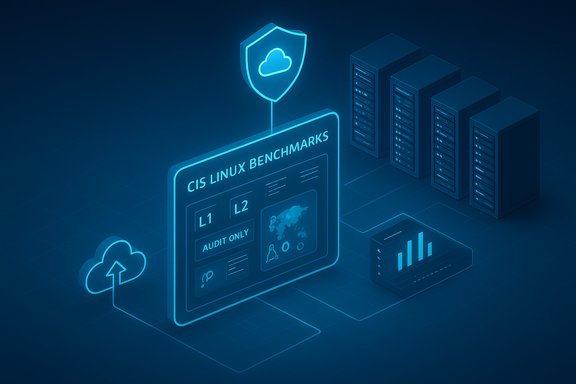
Microsoft and the Center for Internet Security (CIS) have made the official CIS Linux Benchmarks available as a built‑in, CIS‑certified capability in Microsoft Azure’s Azure Policy → Machine Configuration experience, powered by the new azure‑osconfig compliance engine — a preview feature that delivers continuous, audit‑grade assessments of many popular Linux distributions across Azure and Azure Arc–managed hybrid fleets.
For years, security and compliance teams have relied on the Center for Internet Security’s Benchmarks to define secure baselines for operating systems and applications. CIS Benchmarks are community‑driven, vendor‑agnostic configuration guides used for hardening and audit readiness, typically expressed in machine‑readable formats such as XCCDF and OVAL. Integrations with cloud providers and third‑party scanners have been common, but running canonical CIS assessments at scale has often required additional tooling, custom mapping, or maintenance overhead.
Microsoft’s new built‑in offering exposes the Official CIS Security Benchmarks for Linux Workloads as a preview policy named [Preview]: Official CIS Security Benchmarks for Linux Workloads inside Azure Policy’s Machine Configuration blade. The assessments are executed by azure‑osconfig’s compliance engine, which Microsoft indicates has been awarded CIS Benchmark Assessment Certified for the specific benchmark mappings it ships with. The initial release is audit‑only (it reports compliance status but does not auto‑remediate), with auto‑remediation capabilities planned for later releases.
Conclusion
Making CIS Benchmarks a first‑class citizen inside Azure Policy is a practical, well‑targeted enhancement that aligns with modern security operations goals: continuous assessment, single‑pane visibility, and hybrid consistency. It does not replace the need for rigorous operational security, but it does make the canonical baseline easier to apply and report on at scale. Teams should move deliberately — pilot, validate, and automate — and treat this feature as a powerful visibility tool that will become even more compelling when remediation capabilities reach GA.
Source: CW39 Houston https://cw39.com/business/press-rel...-benchmarks-now-available-on-microsoft-azure/
 Background / Overview
For years, security and compliance teams have relied on the Center for Internet Security’s Benchmarks to define secure baselines for operating systems and applications. CIS Benchmarks are community‑driven, vendor‑agnostic configuration guides used for hardening and audit readiness, typically expressed in machine‑readable formats such as XCCDF and OVAL. Integrations with cloud providers and third‑party scanners have been common, but running canonical CIS assessments at scale has often required additional tooling, custom mapping, or maintenance overhead.Microsoft’s new built‑in offering exposes the Official CIS Security Benchmarks for Linux Workloads as a preview policy named [Preview]: Official CIS Security Benchmarks for Linux Workloads inside Azure Policy’s Machine Configuration blade. The assessments are executed by azure‑osconfig’s compliance engine, which Microsoft indicates has been awarded CIS Benchmark Assessment Certified for the specific benchmark mappings it ships with. The initial release is audit‑only (it reports compliance status but does not auto‑remediate), with auto‑remediation capabilities planned for later releases.
What Microsoft and CIS Announced
- Built‑in policy: The capability is surfaced as [Preview]: Official CIS Security Benchmarks for Linux Workloads within Azure Policy → Machine Configuration. Administrators can assign that built‑in definition and choose distribution/profile combinations to run continuous audit assessments.
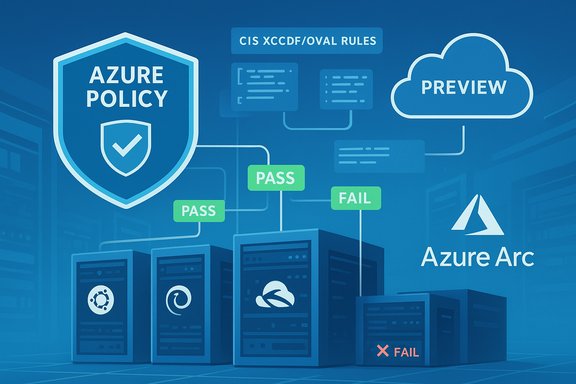
- Compliance engine: The rules are evaluated by azure‑osconfig, which ingests CIS machine‑readable benchmark artifacts (XCCDF/OVAL) so rule logic aligns with official CIS specifications. Microsoft reports azure‑osconfig has satisfied CIS Certification requirements for the listed benchmarks.
- Scope at preview: The feature supports a broad cross‑section of enterprise Linux distributions and CIS benchmark versions (examples include Ubuntu 22.04/24.04, RHEL 8/9, AlmaLinux, Rocky, Oracle Linux, Debian 12, and SUSE SLE 15), mapped to both Level 1 (L1) and Level 2 (L2) profiles where applicable. The full matrix of distro/version pairings and CIS benchmark versions is documented in Microsoft’s guidance.
- Hybrid reach: Machines registered with Azure Arc and running the required agents can be continuously evaluated, enabling a single compliance pipeline across cloud, on‑premises, and multi‑cloud estates.
- Preview status and limitations: The capability is in Preview and audit‑only at initial release; auto‑remediation is explicitly planned for future releases and is not available in the preview. Organizations should treat the feature as a visibility and governance tool until remediation behavior and GA (general availability) specifics are proven.
Technical Details — How the Built‑In Assessment Works
azure‑osconfig: an ingestion and evaluation engine
The compliance flow is straightforward but important to understand:- azure‑osconfig ingests CIS’s machine‑readable benchmark artifacts (XCCDF and OVAL).
- The engine evaluates target machines’ state against the canonical rule logic expressed in those artifacts.
- Results are surfaced as Azure Policy compliance events and can be exported to Azure Monitor / Log Analytics or forwarded into SIEM and ticketing systems for operational follow‑up.
Supported format and customization
- The engine operates on standard CIS machine‑readable content (XCCDF/OVAL) and supports dynamic parameters for rule evaluation, enabling organizations to parameterize thresholds and create exceptions without rewriting rule logic.
- Custom images are supported provided their /etc/os‑release retains original content so azure‑osconfig can correctly identify distribution and version.
Supported Distributions and Profiles (Preview)
At initial release Microsoft lists support for 12 Linux distribution/version pairings, each mapped to a specific CIS Benchmark version and offering L1 and L2 server profiles where applicable. Representative entries include:- Ubuntu 22.04 LTS + Pro — CIS Ubuntu 22.04 Benchmark v2.0.0 (L1 + L2).
- Ubuntu 24.04 LTS + Pro — CIS Ubuntu 24.04 Benchmark v1.0.0 (L1 + L2).
- Red Hat Enterprise Linux 8 / 9 — mapped to the appropriate CIS RHEL benchmark versions (L1 + L2).
- AlmaLinux / Rocky / Oracle Linux 8/9 — vendor mappings to the equivalent CIS benchmark versions (L1 + L2).
- Debian 12 — CIS Debian benchmark v1.1.0 (L1 + L2).
- SUSE Linux Enterprise 15 — CIS SLE benchmark v2.0.1 (L1 + L2).
Why This Matters — Practical Benefits
Embedding official CIS Benchmarks natively in Azure Policy changes the operational model for many organizations. Benefits include:- Centralized, continuous compliance visibility. Built‑in policies remove the need to deploy and maintain separate CIS scanners on every host, enabling a single compliance reporting pipeline across thousands of machines.
- Closer parity with canonical CIS content. Because azure‑osconfig ingests the official machine‑readable artifacts, assessment logic is intended to reflect canonical CIS specifications more closely, reducing disputes between internal scans and formal audit expectations.
- Hybrid reach via Azure Arc. Teams can apply the same baseline across cloud, on‑premises, and multi‑cloud machines registered with Arc, simplifying policy automation for hybrid estates.
- Operational integration. Results flow into Azure Monitor / Log Analytics and can feed existing SRE, SOC, and ticketing pipelines without bespoke glue code, speeding time to remediation once fixes are implemented.
Notable Strengths
- Official, CIS‑certified implementation: The azure‑osconfig engine’s CIS Benchmark Assessment Certification for the mappings Microsoft ships is the single most important trust signal for auditors and security teams — it reduces ambiguity about whether the cloud provider’s scan matches CIS expectations.
- Native policy surface: Exposing the benchmarks inside Azure Policy (Machine Configuration) allows organizations to manage baseline assignment, exceptions, RBAC, and telemetry using existing Azure governance primitives rather than introducing separate tooling.
- Hybrid consistency: Azure Arc integration makes it feasible to apply the same canonical baseline across distributed server estates, helping reduce governance fragmentation.
Risks, Caveats and What to Watch For
While the announcement is significant, it does not remove operational complexity and introduces new considerations:- Preview and legal terms. The capability is in Preview and governed by Azure Preview supplemental terms. Preview behavior, APIs, and remediation semantics may change before GA; tying production enforcement automation to preview features is risky until GA is reached.
- Audit‑only at release. The initial offering reports noncompliance but does not automatically remediate issues. Organizations that expect one‑click remediation must plan interim remediation playbooks and workflows until auto‑remediation ships.
- Assessment variance and false positives. Microsoft acknowledges that implementation differences and stricter default checks may produce mismatches compared with CIS‑CAT Pro or other third‑party tools. Expect a reconciliation phase and rule‑by‑rule validation during adoption.
- Operational impact of Level 2 rules. L2 controls are more intrusive and may affect application functionality; applying L2 universally without staged testing risks service disruption.
- Arc connectivity and agent dependencies. Hybrid assessment requires Azure Arc registration and the correct agents; intermittent connectivity or misconfigured Arc agents will reduce assessment fidelity and could lead to incomplete coverage.
- Overreliance on scans. Passing CIS checks is necessary but not sufficient — runtime defenses, software patching, vulnerability management, and monitoring must remain operational priorities to close real risk.
Recommended Adoption Roadmap for IT Leaders
A disciplined, staged approach will reduce risk and help teams get value quickly:- Pilot (4–8 weeks). Select a representative subset of systems (web servers, app servers, test DB servers) and enable the policy in audit mode only to measure noise and mismatches.
- Parallel validation. Run Azure’s built‑in assessment alongside your existing CIS scans (CIS‑CAT Pro or vendor tools) to produce an apples‑to‑apples comparison and catalogue rule variances.
- Prioritize L1 first. Treat L1 as the production baseline. Evaluate L2 selectively and stage rollout with rollback plans for each application class.
- Create remediation playbooks. Build runbooks and CI/CD automation that can remediate findings once auto‑remediation ships. Ensure change control, rollback capability, and testing gates are in place.
- Integrate with operations. Forward audit findings into existing ticketing and SRE workflows, assign remediation owners, and track KPIs like Mean Time To Remediation (MTTR).
- Measure, tune, and iterate. Use the pilot data to tune parameters, create exceptions, and refine enforcement before expanding the policy to larger estates.
How the Claim Set Was Verified (Transparency and Cross‑Checks)
Key technical claims in this announcement were verified against multiple independent sources to ensure accuracy:- The built‑in policy name, preview status, supported distributions, audit‑only behavior, and the azure‑osconfig certification were confirmed in Microsoft’s official Azure Policy Machine Configuration documentation.
- The announcement and industry distribution (press syndication) were reflected in public press releases and industry feeds summarizing the joint CIS/Microsoft messaging.
- CIS’s broader relationship with Microsoft (and prior integrations to Microsoft Defender for Cloud) adds context to this deeper integration and was confirmed through CIS communications and Microsoft‑CIS partnership history.
Operational Examples and Practical Notes
- A security team can assign the built‑in policy to a subscription or management group and select target distributions and profiles; results appear as compliance state in Azure Policy and can be exported to Log Analytics for dashboarding and alerting. The policy supports custom parameters per rule to reduce noisy alerts where business constraints require specific exceptions.
- Custom images are supported if /etc/os‑release remains intact, which is a common caveat for cloud hardened images built from nonstandard packaging processes. Teams using heavily customized golden images should validate OS detection and run a sample assessment before broad assignment.
- Where L2 recommendations require disabling features used by third‑party applications, coordinate with ISVs and use staged enforcement windows and backout plans to avoid outages.
Strategic Implications for WindowsForum Readers and Enterprise Teams
- For organizations standardizing on Azure, this integration reduces the maintenance burden of running and mapping canonical CIS checks, helping make continuous compliance more operationally realistic.
- For hybrid IT shops, Azure Arc’s ability to bring the same baseline across on‑premises and multi‑cloud servers creates a single source of truth for CIS posture — simplifying audits and governance reporting.
- For auditors and compliance officers, the CIS Benchmark Assessment Certification for azure‑osconfig is an important signal: cloud‑native scanning can — in principle — match the fidelity of traditional on‑premises CIS assessments when implemented carefully.
Final Assessment and Takeaways
Microsoft’s addition of built‑in, CIS‑certified Linux Benchmarks to Azure Policy’s Machine Configuration is a meaningful operational milestone: it reduces the friction of running canonical CIS assessments at scale and brings hybrid fleets under a single, auditable compliance pipeline. The azure‑osconfig engine’s direct ingestion of CIS machine‑readable artifacts and Microsoft’s declaration of CIS certification for the supplied mappings are the most consequential technical achievements in this release. That said, this is a preview and audit‑only feature at release. Organizations should treat it as an improved visibility and governance capability rather than a production enforcement mechanism until auto‑remediation behavior, GA service SLAs, and long‑term support expectations are clarified. A cautious, staged adoption plan — pilot, reconcile, integrate, automate, enforce — will deliver the greatest value while minimizing disruption. The arrival of built‑in CIS Linux baselines inside a major cloud provider’s governance plane is an important step toward more standardized, cloud‑native security posture management. For teams that already use CIS Benchmarks, Azure’s new capability should be evaluated quickly: it’s a practical way to reduce operational overhead and improve audit readiness, provided the limitations of preview status and audit‑only behavior are respected during rollout.Conclusion
Making CIS Benchmarks a first‑class citizen inside Azure Policy is a practical, well‑targeted enhancement that aligns with modern security operations goals: continuous assessment, single‑pane visibility, and hybrid consistency. It does not replace the need for rigorous operational security, but it does make the canonical baseline easier to apply and report on at scale. Teams should move deliberately — pilot, validate, and automate — and treat this feature as a powerful visibility tool that will become even more compelling when remediation capabilities reach GA.
Source: CW39 Houston https://cw39.com/business/press-rel...-benchmarks-now-available-on-microsoft-azure/