

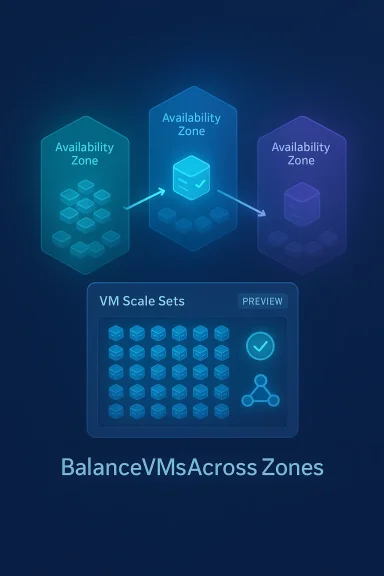
Microsoft has put automatic zone balancing for Azure Virtual Machine Scale Sets into public preview, giving cloud operators a built‑in mechanism to keep VMSS instances evenly distributed across availability zones and reduce the risk that a single zone outage will take out a disproportionate portion of an application. This capability uses a careful create‑before‑delete rebalancing workflow, is designed to be minimally disruptive to running services, and is bundled with automatic instance repair by default to add instance‑level health protection on top of zone‑level resilience.
Azure Virtual Machine Scale Sets (VMSS) are the Microsoft cloud’s primary tool for deploying and managing large fleets of identical virtual machines, and one of their core resilience primitives is placement across availability zones. Zones are physically separate datacenters within an Azure region; spreading VMs across zones reduces the blast radius of a datacenter‑level event. VMSS already supports several zone‑balancing behaviors, but real‑world operations — capacity shortages, autoscale activity, manual changes and upgrades — can slowly skew instance counts so one zone carries more of the load than another. That drift increases the probability that a single zone outage disproportionately affects an application.
Automatic zone balance is Microsoft’s attempt to close that operational gap by continuously monitoring a scale set for zonal imbalances and performing controlled rebalancing operations to restore parity. The feature is delivered as a preview capability and requires a supported compute API version and subscription preview registration before it can be enabled.
However, the feature should be adopted with discipline: validate workload suitability, account for quota and cost implications, and maintain observability and governance. Do not assume automatic zone balance replaces application‑level high availability design or multi‑AZ replication strategies for stateful services. For many modern cloud applications — stateless web tiers, compute pools and resilient container nodes — automatic zone balance will reduce operational overhead and increase confidence that scaled fleets stay evenly distributed across physical infrastructure.
Automatic zone balance is now available in preview; test it thoroughly in sandbox subscriptions, tune health probes and autoscale buffers, and include rebalancing events in your monitoring and runbooks before enabling it in production. The capability represents a meaningful step toward lowering the operational burden of maintaining zonally resilient scale sets, provided operators respect the documented limitations and plan for the trade‑offs described above.
Source: Petri IT Knowledgebase Automatic Zone Balance Preview Launches for Azure Virtual Machine Scale Sets
 Background / Overview
Azure Virtual Machine Scale Sets (VMSS) are the Microsoft cloud’s primary tool for deploying and managing large fleets of identical virtual machines, and one of their core resilience primitives is placement across availability zones. Zones are physically separate datacenters within an Azure region; spreading VMs across zones reduces the blast radius of a datacenter‑level event. VMSS already supports several zone‑balancing behaviors, but real‑world operations — capacity shortages, autoscale activity, manual changes and upgrades — can slowly skew instance counts so one zone carries more of the load than another. That drift increases the probability that a single zone outage disproportionately affects an application.Automatic zone balance is Microsoft’s attempt to close that operational gap by continuously monitoring a scale set for zonal imbalances and performing controlled rebalancing operations to restore parity. The feature is delivered as a preview capability and requires a supported compute API version and subscription preview registration before it can be enabled.
How automatic zone balance works
Automatic zone balance is built specifically for VM Scale Sets that span two or more availability zones and are configured for best‑effort zone balancing (the default behavior where balancing is attempted but not enforced). It does not convert non‑zonal VMs into zonal VMs, nor does it force balance when zones are intentionally offline.Create‑before‑delete rebalancing
When the service detects that one zone has fewer instances than the others beyond the allowed ±1 threshold, it initiates a rebalance using a create‑before‑delete pattern:- The platform creates a new VM instance in the most under‑provisioned zone. This temporarily increases the scale set capacity by one instance.
- The new instance must reach a healthy application signal before any deletion occurs. The health signal uses the same application health monitoring mechanisms VMSS supports (Application Health Extension or load balancer health probes).
- Once the new instance is confirmed healthy, the platform deletes one instance from the most over‑provisioned zone.
- If the new instance doesn’t report healthy status within the configured window (Microsoft currently uses a 90‑minute health wait), the system evaluates the source instance’s health and either aborts the new instance and preserves the original, or replaces the original if it is itself unhealthy.
Safety guardrails and cadence
Automatic zone balance includes multiple safety checks before starting a rebalance:- It skips rebalancing if the scale set is being deleted or if there were recent PUT/PATCH/POST operations in the last 60 minutes (such as ongoing upgrades or instance changes).
- It excludes instances protected via instance protection policy, deallocated instances, or VMs already flagged for deletion.
- The service performs at most one rebalance operation per 12‑hour window and moves only a single VM in each operation to limit churn and avoid destabilizing load patterns.
Integration with automatic instance repairs
A notable design choice is that enabling automatic zone balance turns on Automatic Instance Repairs by default. Automatic instance repairs is an existing VMSS capability that monitors per‑instance health (via the Application Health extension or load balancer probes) and repairs unhealthy VMs using preconfigured repair actions (Replace, Reimage or Restart). The repair and zone‑balance features are intended to work together: zone balance addresses distribution across zones, while instance repairs handle application‑level health issues. Administrators can, however, opt to disable automatic instance repairs if they prefer to manage instance health separately.What administrators need to enable the preview
Automatic zone balance is available in preview and comes with specific prerequisites and registry steps:- The scale set must be zone‑spanning (use at least two availability zones) and must not contain regional (non‑zonal) VMs.
- The scale set must use best‑effort zone balancing mode (
zoneBalance = false); it cannot be used with strict zone balancing. - Application health monitoring must be configured (Application Health extension or load balancer health probes), since the workflow relies on health signals before deleting source instances.
- The subscription must be registered for the Azure Feature Exposure Control (AFEC) preview flag (documented names seen in the platform include
Microsoft.Compute.AutomaticZoneRebalancingand portal entries likeAutomaticVMSSZoneRebalancing). The feature requires a Compute API version of2024-07-01or later.
resiliencyPolicy property in your VMSS model, which controls the AutomaticZoneRebalancingPolicy settings such as Enabled, RebalanceStrategy and RebalanceBehavior. When planning to enable the preview, confirm API versioning and test in a non‑production environment first.Practical implications and limitations
Automatic zone balance is useful, but it is not a silver bullet. The documentation is explicit about limitations that should guide deployment decisions.- Recommended for stateless workloads: Rebalancing deletes and recreates instances; instance IDs, attached ephemeral networking identity and locally attached disks are not preserved during a rebalance. Stateful workloads or VMs with complex local state are therefore poor candidates unless your architecture preserves state externally.
- Temporary capacity and quota: Because the feature creates a new VM before deleting the old one, your subscription must be able to temporarily exceed the current instance count (for example, autoscale maximums and subscription quota must permit +1 instance). If quota is insufficient, rebalancing will not proceed. Administrators should ensure autoscale maximums and scale‑in policies have buffers to accommodate the temporary increase.
- SKU and model drift: New VMs are created with the latest SKU and VMSS model in the scale set. If you have per‑VM customizations or attached resources that differ from the VMSS model, those differences will not be preserved; the replacement instance will match the current VMSS configuration. Use instance protection to exclude any VMs you cannot have replaced automatically.
- Capacity dependency: The platform cannot rebalance into a zone that lacks capacity. If Azure cannot allocate the requested resources in the target zone, the operation will be delayed and rebalancing postponed until capacity is available. This behavior means rebalancing cannot be relied on as an immediate recovery mechanism for an active zone‑down event.
Operational best practices — planning, testing and governance
If you’re evaluating automatic zone balance for production, follow these concrete steps and guardrails.1. Inventory and classification
- Identify VMSS resources that are truly stateless or can tolerate recreate/replace semantics.
- Tag and enumerate exceptions—any VM or instance with local state, unique network attachments, or IP dependencies should be excluded via instance protection policy.
2. Verify quotas and autoscale buffers
- Increase subscription compute quotas if needed so the transient +1 instance during rebalancing can be accommodated.
- If using autoscale, ensure the maximum instance count and scale‑in rules provide slack for the temporary additional instance created during rebalancing.
3. Health probe configuration
- Configure either the Application Health extension or a load‑balancer probe as the single source of truth for instance health.
- Validate that health probes return a reliable healthy signal quickly for new instances (to avoid hitting the 90‑minute health timeout unnecessarily).
4. Test rebalancing in a staging environment
- Enable the AFEC preview flag in a sandbox subscription, enable automatic zone balance on a non‑production VMSS and observe:
- Activity log entries for
BalanceVMsAcrossZonesorMicrosoft.Compute/virtualMachineScaleSets/rebalanceVmsAcrossZones/action. - Orchestration service status via the instanceView API when available.
- Measure the time taken for health checks, instance creation and deletion under typical load.
5. Monitoring and alerts
- Use Azure Monitor activity logs to capture rebalance operations and instance replacements.
- Alert on Automatic Instance Repairs ServiceState changes so you’re notified when repairs are suspended or have failed repeatedly.
6. Governance and change control
- Include rebalancing in runbooks and change windows for sensitive applications, even for what is intended to be an automated process.
- Consider policy guardrails that require approval before turning the preview on in production subscriptions.
Monitoring, auditing and observability
Microsoft documents multiple observability touchpoints administrators should use:- Activity logs record each rebalance operation and the create/delete activity associated with it. Filter on operation names like
BalanceVMsAcrossZonesto produce an audit trail of rebalancing events. - For VMSS in uniform orchestration mode, the
instanceViewAPI provides anorchestrationServicesarray showing theAutomaticZoneRebalancingservice status and recent operation state. This API can be polled or harvested into monitoring pipelines for centralized tracking. - Automatic instance repairs also emits signals that you can hook into Azure Monitor alerts; configuring alerts for the service state helps detect when repairs are repeatedly failing or when the repair subsystem has been suspended.
Risks and trade‑offs — what to watch for
Automatic zone balance improves resilience but presents clear trade‑offs that operators should acknowledge.- Cost and billing effects: Temporary capacity increases will affect billing during the create‑before‑delete window. If you have many rebalance events (although Microsoft limits to one per 12 hours), those transitory increments can add to costs. Review how your billing model treats short‑lived instances and account for quota and spend impacts.
- Not a substitute for zone outage recovery: Microsoft calls out that automatic zone balance does not monitor VM health for zone outages and should not be used as a primary zone‑down recovery mechanism. If an entire zone is unreachable, the service cannot reliably rebalance into that zone and recovery must use standard cross‑zone failover patterns.
- Potential for incompatible workloads: VMs with attached license keys, node‑specific state, or specialized NIC configurations may break when recreated. Validate the immutability of any attached configuration or rework it into the VMSS model.
- Latency to rebalance: Because the service requires a healthy new instance and enforces a maximum cadence, rebalancing will be gradual. That’s safer for most apps but may be insufficient where immediate redistribution is required following a mass change.
Real‑world scenarios where automatic zone balance helps
- Large stateless web farms with autoscale that occasionally scale irregularly across zones and risk uneven distribution after repeated scaling events.
- Containerized workloads where VM instances are ephemeral and state is externalized (for example, stateless nodes in a Kubernetes node pool behind a managed control plane).
- High‑volume compute clusters where even zonal distribution reduces correlated failure exposure and simplifies disaster recovery planning.
Step‑by‑step quick checklist to enable (preview)
- Register your subscription for the preview feature flag (AFEC) for automatic zone rebalancing; confirm the preview label in the subscription preview features UI.
- Confirm your VMSS uses at least two availability zones and
zoneBalanceis set to best‑effort (false). - Ensure application health monitoring is enabled for the scale set (Application Health extension or load balancer probe).
- Verify your compute quota and autoscale maximums can tolerate a +1 transient instance.
- Update your VMSS model
resiliencyPolicyto enableAutomaticZoneRebalancingPolicywith the desiredRebalanceBehavior(for example,CreateBeforeDelete) andRebalanceStrategy. - Monitor activity logs and instanceView orchestration services after enabling, and set alerts for Automatic Instance Repairs service state.
Verdict and recommendations
Automatic zone balance is a welcome operational feature for Azure customers running large, stateless VMSS deployments across zones. It closes a real operational gap by automating careful, validated redistribution of VM instances and reduces one class of human error and toil. The integration with automatic instance repairs provides sensible defaults that align zone‑level resiliency with instance‑level health checks. Early adopters should appreciate the reduced manual intervention and the design emphasis on stability through create‑before‑delete semantics.However, the feature should be adopted with discipline: validate workload suitability, account for quota and cost implications, and maintain observability and governance. Do not assume automatic zone balance replaces application‑level high availability design or multi‑AZ replication strategies for stateful services. For many modern cloud applications — stateless web tiers, compute pools and resilient container nodes — automatic zone balance will reduce operational overhead and increase confidence that scaled fleets stay evenly distributed across physical infrastructure.
Automatic zone balance is now available in preview; test it thoroughly in sandbox subscriptions, tune health probes and autoscale buffers, and include rebalancing events in your monitoring and runbooks before enabling it in production. The capability represents a meaningful step toward lowering the operational burden of maintaining zonally resilient scale sets, provided operators respect the documented limitations and plan for the trade‑offs described above.
Source: Petri IT Knowledgebase Automatic Zone Balance Preview Launches for Azure Virtual Machine Scale Sets
