

You can get real results from free AI tools in 2026 without paying a penny or becoming a tech expert, but the trick is choosing a small, reliable set and using them with clear safety habits from day one. The Chiang Rai Times roundup provides a practical shortlist of generative AI utilities that are either fully free or offer robust free tiers—tools that help you research, write, design, and automate simple workflows—and it’s a useful starting point for students, freelancers, creators, and small teams.
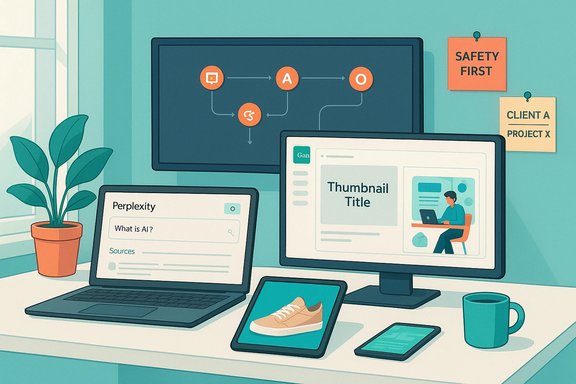
The free-AI landscape in 2026 is not a single market—it's an ecosystem of specialist assistants. Some services are research-first (source-backed answers and citations), others are writing-first (editing, paraphrasing, tone), while a third group focuses on creative visuals or no-code automation. The value of free tools today is practical: quick drafts, source-traced research, thumbnail artwork, and small automations that save hours a week. The Chiang Rai Times piece sums this approach—pick one tool per job, validate outputs, and avoid spreading yourself across dozens of overlapping apps.
At the same time, vendors alter free limits, special offers, and usage policies frequently. That means pick tools you can switch away from easily, and never assume a “free forever” label guarantees the same terms next month.
Why it stands out: Perplexity behaves more like an AI-powered search assistant: answers plus visible sources so you can sanity-check claims quickly. Perplexity recently expanded its browser-integrated Comet assistant and has maintained a free standard plan for basic searches and limited file uploads. Perplexity’s help pages confirm a free Standard individual tier alongside Pro options. Try this first: Ask for a short reading list of 6–8 reputable sources on a topic with a one-sentence takeaway for each, and label them by difficulty (beginner — advanced).
Watch out: Pro searches/day and advanced model access are gated behind paid tiers; free answers are excellent for quick validation but avoid treating them as undisputed facts without checking the linked sources.
Why it stands out: Bing AI (Copilot) integrates search, chat, and image generation into the browser experience for immediate web-grounded answers. It’s free for general use with limits on conversation length and session counts; Microsoft documents and reliable reporting show the service is intended as a practical browser-side assistant. Try this first: While reading a long article, ask Bing for a 5-bullet summarised brief, then request source links and counter-arguments in a follow-up.
Watch out: conversation and turn caps exist; the free Copilot experience may change as Microsoft refines features and enterprise bundles.
Why it stands out: Claude’s free tier offers the core chat experience, multi-paragraph editing, and web search support. Anthropic’s public pricing and help pages list a Free plan for everyday use and Pro/Max tiers for heavier needs—this is consistent across the company’s documentation and multiple tech reviews. Try this first: Paste rough bullets and ask for a 120–150 word polite email with subject line and call to action.
Watch out: The Free plan is intentionally limited in usage; move to Pro if you need higher throughput, longer context windows, or workspace integrations.
Why it stands out: QuillBot’s free plan supports short paraphrases (word/character limits) and basic summarisation; its documentation explicitly lists the free constraints (e.g., paraphrase up to ~125 words), so it’s clear what you can do without upgrading. Try this first: Paste a long paragraph and ask for a 2-sentence plain-English rewrite at a Grade 9 reading level.
Watch out: Always double-check facts—paraphrasing changes wording and can obscure precise technical claims.
Why they stand out: Rytr offers a genuinely free plan for low-volume use and instant content generation; ParagraphAI’s free tier offers daily use caps for Create/Fix/Reply flows—both are appropriate for one-off social posts or email polish. Try this first: Use a prompt template: “Write 10 headline options for [product], audience [X], goal [Y], tone [friendly/professional].”
Watch out: Marketing outputs can sound generic—edit for brand voice and remove unprovable claims.
Why it stands out: Poe centralises multiple models so you can prompt the same question across engines and pick the best parts. Community posts and platform information show Poe offers a free tier with additional paid subscriptions for more messages or points. Try this first: Send the same prompt to two different models on Poe, then merge the best phrasing into your final draft.
Watch out: models still hallucinate—compare outputs and always verify facts.
Why it stands out: Canva bundles templates, fonts, image generation, and layout tools in a single UI; free users can access many features, including basic AI image generation and templates, making it fast to produce polished thumbnails. Recent reporting and Canva’s product notes show AI features are available to free users with limitations; premium assets and higher limits require upgrades. Try this first: Start from a “YouTube thumbnail” template, generate a background image with a clear colour palette prompt, then adjust headline text and spacing.
Watch out: confirm commercial/attribution rules for AI-generated assets if using for paid ads or client work.
Why it stands out: Leonardo provides daily free tokens for image generation (the exact daily amount is published on its pricing page), and the platform targets creators wanting finer control over style, lighting, and texture. Leonardo’s pricing page outlines a Free tier with daily fast tokens and clearly shows upgrade options for heavier use. Try this first: Use a subject + setting + lighting + style + avoid list formula, e.g., “Ceramic coffee mug, wooden desk, morning window light, commercial product photo, avoid extra hands.”
Watch out: token economics change—expect daily free capacity to vary.
Why it stands out: Ideogram’s credit-based system and product docs explain that certain templates and generation modes cost credits and that some text-generation inside images (Describe) is free on some plans. Its docs make the credit model explicit. Try this first: Prompt a poster with exact quoted headline text and a tight, 2-colour palette to ensure legibility.
Watch out: Always proofread generated text inside images—occasional glyph errors still happen with complex fonts.
Why it stands out: Zapier’s Free plan remains useful for small automations (100 tasks/month and two-step Zaps) and the platform explicitly offers basic AI features/capabilities that help convert English descriptions into workflows; Zapier’s help pages describe what the Free plan includes. Independent reviews confirm AI "power-ups" are accessible from the free tier in many cases. Try this first: Create a Zap that watches for new emails with subject “Invoice”, extracts date and amount into a Google Sheet, and sets a reminder in your calendar.
Watch out: Zapier charges per task—each action in a workflow counts as a task, so monitor monthly usage to avoid unexpected limits.
Why it stands out: DeepSeek’s R1 models are open-source, with repos and papers openly available on GitHub; the project documents the model architecture and provides distilled variants suitable for coding and reasoning tasks. The GitHub repository and coverage by major outlets confirm the model’s research credentials and availability. Try this first: Paste a short error trace and ask for a prioritized checklist of likely causes and quick remediation steps.
Watch out: open-source models vary in alignment and safety, and some implementations have raised security concerns—test generated code in safe sandboxes.
Why it stands out: Google AI Studio is the practical playground for Gemini models and supports prompt testing with high-context windows; Google’s public pricing and product pages list a free standard tier in developer pricing and explain features like grounding and token allowances. Try this first: Paste messy meeting notes and ask for structured output: {decisions, action_items, owners, due_dates}.
Watch out: production-grade deployment requires Vertex AI or paid tiers with governance controls.
If you need a compressed starter checklist (one page) or a prefilled prompt pack for the four recommended workflows above, the next step is to pick your starter stack and apply one of the 20-minute workflows today—this is how these tools begin to pay back the time you invest.
Source: Chiang Rai Times 15 Best Free AI Tools For 2026 (Reliable Picks You Can Use Today)
 Background / Overview
The free-AI landscape in 2026 is not a single market—it's an ecosystem of specialist assistants. Some services are research-first (source-backed answers and citations), others are writing-first (editing, paraphrasing, tone), while a third group focuses on creative visuals or no-code automation. The value of free tools today is practical: quick drafts, source-traced research, thumbnail artwork, and small automations that save hours a week. The Chiang Rai Times piece sums this approach—pick one tool per job, validate outputs, and avoid spreading yourself across dozens of overlapping apps.At the same time, vendors alter free limits, special offers, and usage policies frequently. That means pick tools you can switch away from easily, and never assume a “free forever” label guarantees the same terms next month.
How to choose free AI tools in 2026 (so you do not waste time)
A short, repeatable decision checklist prevents app-hopping:- What exact job does it solve? (research, writing, images, coding, admin)
- How steep is the learning curve? Can you get a useful result in ~10 minutes using plain language?
- What are the free-plan limits? (messages, credits, uploads, watermarks)
- How consistent is the output quality across repeated runs?
- What export options exist? (DOCX, PDF, PNG, CSV)
- Do you need mobile support, offline options, or only desktop?
Free vs. free tier: what “free” really means in 2026
Free offerings typically fall into one of four camps:- Free forever with hard limits — usable anytime but constrained (daily messages, smaller models, fewer exports).
- Free credits per day — an allowance that resets daily (great for casual use).
- Free but slower at busy times — service works but queueing occurs during peak hours.
- Free core features + paid upgrades — useful baseline, paid extras add speed, quality, or governance.
Quick safety hygiene (before you paste anything)
Free tools are powerful but many still route data to cloud models. A short safety checklist:- Don’t paste bank details, passwords, medical records, or confidential contracts into public chatbots.
- Replace real names and identifiers with placeholders (Client A, Project X) when testing.
- For sensitive documents, paste a short summary or redacted extract rather than full content.
- Use enterprise / on-premise products when regulations or NDAs apply.
The 10-minute setup plan (get value today)
Build a starter stack in one sitting:- Choose one research tool (source-backed answers).
- Choose one writing tool (drafts, edits, tone).
- Choose one image/design tool (thumbnails, banners).
- Choose one automation/coding helper (no-code or code explanation).
The curated picks — what to use and why (verified)
Below are the most useful free or strong free-tier services for 2026. Each pick includes practical tips, what the free tier actually gives you (verified), and quick “first use” suggestions.Research & fact-checking
Perplexity — fast research with source links
Best for: Quick answers with transparent sources.Why it stands out: Perplexity behaves more like an AI-powered search assistant: answers plus visible sources so you can sanity-check claims quickly. Perplexity recently expanded its browser-integrated Comet assistant and has maintained a free standard plan for basic searches and limited file uploads. Perplexity’s help pages confirm a free Standard individual tier alongside Pro options. Try this first: Ask for a short reading list of 6–8 reputable sources on a topic with a one-sentence takeaway for each, and label them by difficulty (beginner — advanced).
Watch out: Pro searches/day and advanced model access are gated behind paid tiers; free answers are excellent for quick validation but avoid treating them as undisputed facts without checking the linked sources.
Bing AI / Microsoft Copilot — browser-integrated web-aware help
Best for: Quick summaries and comparisons while browsing.Why it stands out: Bing AI (Copilot) integrates search, chat, and image generation into the browser experience for immediate web-grounded answers. It’s free for general use with limits on conversation length and session counts; Microsoft documents and reliable reporting show the service is intended as a practical browser-side assistant. Try this first: While reading a long article, ask Bing for a 5-bullet summarised brief, then request source links and counter-arguments in a follow-up.
Watch out: conversation and turn caps exist; the free Copilot experience may change as Microsoft refines features and enterprise bundles.
Writing, editing & content creation
Claude (Anthropic) — editing, structure, long-form clarity
Best for: Longer drafts, structured thinking, and careful edits.Why it stands out: Claude’s free tier offers the core chat experience, multi-paragraph editing, and web search support. Anthropic’s public pricing and help pages list a Free plan for everyday use and Pro/Max tiers for heavier needs—this is consistent across the company’s documentation and multiple tech reviews. Try this first: Paste rough bullets and ask for a 120–150 word polite email with subject line and call to action.
Watch out: The Free plan is intentionally limited in usage; move to Pro if you need higher throughput, longer context windows, or workspace integrations.
QuillBot — paraphrasing, summaries, readability
Best for: Simplifying academic or technical sentences and creating readable rewrites.Why it stands out: QuillBot’s free plan supports short paraphrases (word/character limits) and basic summarisation; its documentation explicitly lists the free constraints (e.g., paraphrase up to ~125 words), so it’s clear what you can do without upgrading. Try this first: Paste a long paragraph and ask for a 2-sentence plain-English rewrite at a Grade 9 reading level.
Watch out: Always double-check facts—paraphrasing changes wording and can obscure precise technical claims.
Rytr & ParagraphAI — quick marketing copy and short message polish
Best for: Short social posts, ad copy, concise messages.Why they stand out: Rytr offers a genuinely free plan for low-volume use and instant content generation; ParagraphAI’s free tier offers daily use caps for Create/Fix/Reply flows—both are appropriate for one-off social posts or email polish. Try this first: Use a prompt template: “Write 10 headline options for [product], audience [X], goal [Y], tone [friendly/professional].”
Watch out: Marketing outputs can sound generic—edit for brand voice and remove unprovable claims.
Poe — compare multiple model responses in one place
Best for: Side-by-side model comparisons.Why it stands out: Poe centralises multiple models so you can prompt the same question across engines and pick the best parts. Community posts and platform information show Poe offers a free tier with additional paid subscriptions for more messages or points. Try this first: Send the same prompt to two different models on Poe, then merge the best phrasing into your final draft.
Watch out: models still hallucinate—compare outputs and always verify facts.
Images & design
Canva AI — templates + integrated image generation
Best for: Thumbnails, social posts, quick designs with export-ready layouts.Why it stands out: Canva bundles templates, fonts, image generation, and layout tools in a single UI; free users can access many features, including basic AI image generation and templates, making it fast to produce polished thumbnails. Recent reporting and Canva’s product notes show AI features are available to free users with limitations; premium assets and higher limits require upgrades. Try this first: Start from a “YouTube thumbnail” template, generate a background image with a clear colour palette prompt, then adjust headline text and spacing.
Watch out: confirm commercial/attribution rules for AI-generated assets if using for paid ads or client work.
Leonardo.ai — higher-detail image generation (daily tokens)
Best for: Photorealistic product shots and consistent concept art.Why it stands out: Leonardo provides daily free tokens for image generation (the exact daily amount is published on its pricing page), and the platform targets creators wanting finer control over style, lighting, and texture. Leonardo’s pricing page outlines a Free tier with daily fast tokens and clearly shows upgrade options for heavier use. Try this first: Use a subject + setting + lighting + style + avoid list formula, e.g., “Ceramic coffee mug, wooden desk, morning window light, commercial product photo, avoid extra hands.”
Watch out: token economics change—expect daily free capacity to vary.
Ideogram — images that handle text inside visuals better
Best for: Posters and images that contain readable headline text.Why it stands out: Ideogram’s credit-based system and product docs explain that certain templates and generation modes cost credits and that some text-generation inside images (Describe) is free on some plans. Its docs make the credit model explicit. Try this first: Prompt a poster with exact quoted headline text and a tight, 2-colour palette to ensure legibility.
Watch out: Always proofread generated text inside images—occasional glyph errors still happen with complex fonts.
Coding, automation & productivity
Zapier AI — no-code automations described in plain English
Best for: Automations that remove repetitive manual steps.Why it stands out: Zapier’s Free plan remains useful for small automations (100 tasks/month and two-step Zaps) and the platform explicitly offers basic AI features/capabilities that help convert English descriptions into workflows; Zapier’s help pages describe what the Free plan includes. Independent reviews confirm AI "power-ups" are accessible from the free tier in many cases. Try this first: Create a Zap that watches for new emails with subject “Invoice”, extracts date and amount into a Google Sheet, and sets a reminder in your calendar.
Watch out: Zapier charges per task—each action in a workflow counts as a task, so monitor monthly usage to avoid unexpected limits.
DeepSeek R1 — reasoning-first coding and debugging assistance (open-source)
Best for: Deep reasoning, code explanation, and research-oriented prompts.Why it stands out: DeepSeek’s R1 models are open-source, with repos and papers openly available on GitHub; the project documents the model architecture and provides distilled variants suitable for coding and reasoning tasks. The GitHub repository and coverage by major outlets confirm the model’s research credentials and availability. Try this first: Paste a short error trace and ask for a prioritized checklist of likely causes and quick remediation steps.
Watch out: open-source models vary in alignment and safety, and some implementations have raised security concerns—test generated code in safe sandboxes.
Google AI Studio / Gemini — prompt testing and simple AI apps
Best for: Prototyping prompts, converting messy meeting notes into structured JSON, and experimenting with multimodal ideas.Why it stands out: Google AI Studio is the practical playground for Gemini models and supports prompt testing with high-context windows; Google’s public pricing and product pages list a free standard tier in developer pricing and explain features like grounding and token allowances. Try this first: Paste messy meeting notes and ask for structured output: {decisions, action_items, owners, due_dates}.
Watch out: production-grade deployment requires Vertex AI or paid tiers with governance controls.
Cross-checks and verification: what I verified (and how)
Key claims from the original Chiang Rai Times roundup were validated against vendor pages and independent reporting:- Claude (Anthropic): Anthropic’s official pricing page lists a Free plan with core chat features and a Pro plan for heavier use—this aligns with tech coverage.
- Perplexity: Perplexity documents a Standard (free) plan and pushed Comet to free availability in recent months; independent outlets reported the browser’s free shift.
- Google / Gemini: Google’s AI pricing and Gemini subscription pages show a feature split (free standard usage vs Pro/Ultra tiers for larger windows and multimedia features). Recent reporting on temporary promotions (e.g., video generation trial windows) confirms frequent short-term changes.
- Leonardo.ai: Leonardo’s pricing page documents a free tier with daily fast tokens and larger paid bundles.
- Zapier: Zapier’s support pages explain Free plan caps (100 tasks/month, two-step Zaps) and independent reviews note AI tools are available for small workflows.
Notable strengths across the picks
- Low friction onboarding — most of these tools are web-based and have usable free tiers so you can test value in minutes.
- Specialisation wins — using a dedicated research assistant (Perplexity) yields more verifiable citations than a generalist chat that doesn’t show sources.
- Integrated workflows — tools embedded in the platforms you already use (Gemini in Google Workspace, Copilot in Microsoft 365, Notion AI in Notion workspaces) reduce copy/paste friction.
The main risks and trade-offs
- Rate limits and sudden policy changes — free allocations are subject to change and may be reduced as GPU costs rise (vendors have publicly scaled back generous free image/video credits in late-2025). Treat the free tier as experimental capacity, not a long-term SLA.
- Privacy & data use — unless you have an enterprise contract, assume consumer free tiers may use inputs to improve models. Avoid pasting PHI, PII, or contract-sensitive documents into public assistants. Numerous vendor pages and independent coverage underscore this as a universal risk.
- Hallucination & factual risk — even specialist research tools can misinterpret sources; cross-check critical facts against at least two reputable sources before publishing. The Chiang Rai Times guidance on verifying and using summaries is sensible and echoed by independent reviewers.
- Intellectual property & usage rights — image-generation rules and commercial use clauses differ by vendor and plan. Read licensing terms when outputs feed paid assets or product listings. Recent platform docs make licensing explicit for most major image tools.
- Vendor lock-in and switching cost — building processes around a single free tool can become a pain if their limits shrink; keep exports and backups in neutral formats (DOCX, PNG, CSV).
Practical starter stacks (pick one small set and stick with it for a week)
- For students & job seekers: Perplexity (research) + Claude (long-form CV edits) + Canva (thumbnails / social assets) + Zapier (automate form responses).
- For freelancers & creators: Gemini (ideas + Docs help) + Leonardo (photorealistic images) + QuillBot (paraphrase & clarity) + Poe (compare model outputs).
- For small teams & automation-first: Microsoft Copilot (if you’re in M365) + Zapier AI (no-code automations) + Notion AI (organise notes) + Claude (team editing where allowed).
A cautionary note on “best” lists
Lists of “best free AI tools” are useful starting points but should never replace hands-on testing. The Chiang Rai Times list focuses on practical, reliable picks and rightly warns readers to check privacy rules and free-plan limits before uploading sensitive files. Use the checklist at the top of this article to evaluate each tool against your needs before committing time or client data.Quick, safe workflows to try in 20 minutes
- Research with Perplexity: ask for 6 reputable sources on [topic], one-sentence takeaways, and a "useful for" label (beginner/intermediate/advanced). Validate two facts manually.
- Edit an email with Claude: paste bullet points and request a 120–150 word polite message with a subject line.
- Create a thumbnail in Canva: pick a YouTube thumbnail template, generate a background image, and export at 1280x720 PNG.
- Automate a simple task in Zapier: new Gmail → parse invoice date/amount → append to Google Sheet → set calendar reminder. Run for a week and watch task usage.
Conclusion — how to make free AI tools reliably useful
Free generative AI tools in 2026 are useful when they solve a single, practical task well. The most productive approach is to pick one tool per job, learn its quirks for a week, and build a small routine that produces consistent results. The Chiang Rai Times roundup is a pragmatic entry list—Perplexity for citation-backed research, Claude for writing polish, Gemini for Google-native work, and Leonardo/Canva/Ideogram for visuals, with Zapier and DeepSeek for automations and coding help. Confirm free limits and data policies before moving sensitive content through any public service, and always treat AI output as a draft that requires human verification.If you need a compressed starter checklist (one page) or a prefilled prompt pack for the four recommended workflows above, the next step is to pick your starter stack and apply one of the 20-minute workflows today—this is how these tools begin to pay back the time you invest.
Source: Chiang Rai Times 15 Best Free AI Tools For 2026 (Reliable Picks You Can Use Today)
