

Big-screen laptops have moved from niche to mainstream in 2025, and PCMag UK’s roundup makes the case that a 16‑ to 18‑inch notebook can now be a practical daily machine rather than a hulking desktop stand‑in.
PCMag UK’s “Best Large‑Screen Laptops” coverage organizes choices around real tasks—big‑screen portability, high‑end gaming, professional media work, workstation workloads, and value chips like gaming Chromebooks—then matches those use cases to models that emphasize display quality, thermal headroom, and up‑to‑date silicon. The editorial thread stresses that 16:10 and larger panels, on‑device AI readiness (Copilot+/NPUs), and OLED or mini‑LED panels are the levers that matter most in 2025.
This article synthesizes PCMag UK’s picks, verifies key specifications against manufacturer pages and independent reviews, and evaluates strengths, real‑world trade‑offs, and procurement traps buyers should avoid. The goal is a compact but technically grounded buying and evaluation guide for the best large‑screen laptops of 2025.
If you can accept the mobility trade‑offs (weight, bigger bag, shorter battery while gaming) and you value screen real‑estate and higher TGPs, a 16–18‑inch laptop can genuinely replace a desktop for many users today. For those who need both a big canvas and travel friendliness, the LG Gram 17 is an unusually compelling compromise; for pure power, the Raider 18 and Razer Blade 16 represent two ends of the desktop‑replacement and thin‑but‑powerful spectrums respectively. Validate SKUs, plan for upgrades (or lack thereof), and pick the one configuration that matches your dominant daily task.
Conclusion: big screens are back as a practical choice rather than a specialty item. In 2025 the best large‑screen laptops combine premium panels (OLED/mini‑LED), modern NPUs for on‑device AI, and chassis designs that either favor portability (LG Gram) or raw thermal headroom and performance (MSI Raider, Razer Blade, ThinkPad P16). Follow a disciplined SKU verification process, prioritize the one workload you can’t live without, and the right 16–18‑inch machine will transform how you work and play.
Source: PCMag UK The Best Large-Screen Laptops for 2025
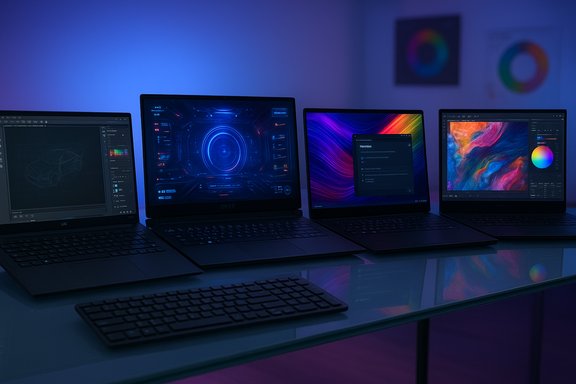 Background / Overview
PCMag UK’s “Best Large‑Screen Laptops” coverage organizes choices around real tasks—big‑screen portability, high‑end gaming, professional media work, workstation workloads, and value chips like gaming Chromebooks—then matches those use cases to models that emphasize display quality, thermal headroom, and up‑to‑date silicon. The editorial thread stresses that 16:10 and larger panels, on‑device AI readiness (Copilot+/NPUs), and OLED or mini‑LED panels are the levers that matter most in 2025.This article synthesizes PCMag UK’s picks, verifies key specifications against manufacturer pages and independent reviews, and evaluates strengths, real‑world trade‑offs, and procurement traps buyers should avoid. The goal is a compact but technically grounded buying and evaluation guide for the best large‑screen laptops of 2025.
The headline picks — quick snapshot and validation
LG Gram 17 (2025) — Best for big‑screen portability
PCMag UK names the LG Gram 17 (2025) its top large‑screen pick for most users because it delivers a 17‑inch QHD+ canvas in an ultraportable weight class, with Copilot+ AI features and long battery life.- What PCMag says: a featherweight 17‑inch machine with a 16:10 QHD+ panel, magnesium alloy chassis, full‑size keyboard with numeric pad, and long battery life for mixed workloads.
- Independent verification: multiple independent spec sheets and reviews confirm a 17.0‑inch 2560×1600 IPS panel, a 77Wh battery, and a measured weight near 3.1–3.2 lb (≈1.39 kg), making it unusually light for a 17‑inch laptop.
MSI Raider 18 HX AI — Best for high‑end desktop replacement gaming
PCMag UK highlights the MSI Raider 18 HX as the no‑compromise “nuclear option” for laptop gamers and desktop replacement shoppers, driven by top CPU/GPU pairings and a large 18‑inch mini‑LED display.- What PCMag claims: flagship Intel Core Ultra HX‑class CPU options, Nvidia RTX 5080 (and higher) mobile GPUs, 18‑inch 4K mini‑LED panels, Thunderbolt 5, Wi‑Fi 7, and PCIe 5.0 storage in some SKUs.
- Independent verification: reviews and hands‑on testing confirm the Raider 18 HX AI ships in high‑end configs with an 18‑inch 3840×2400 mini‑LED display, Intel Core Ultra 9 or equivalent HX‑class silicon in many SKUs, Nvidia RTX 5080 mobile GPUs (with RTX 5090 offered in even higher builds), dual Thunderbolt 5 ports, Wi‑Fi 7, PCIe 5.0 NVMe SSDs, and a large 99Wh battery—at the cost of a heavy (~7.8 lb) chassis and short battery life under load.
Razer Blade 16 (2025) — Best premium thin‑and‑power gaming laptop
PCMag UK’s gaming picks emphasize machines that combine power with a relatively portable footprint; the Razer Blade 16 exemplifies that approach.- Key verified specs: recent reviews confirm the Razer Blade 16 (2025) is available with an AMD Ryzen AI 9 HX 370 CPU and an Nvidia GeForce RTX 5090 Laptop GPU in top SKUs, paired to a 16‑inch 2560×1600 240Hz OLED panel and a 90Wh battery in many configurations. Independent reviews from Tom’s Hardware, PCGamesN and NotebookCheck corroborate these core specs and note Razer’s focus on thin metal chassis and high refresh OLED displays, though availability of certain RTX 50‑series SKUs varies by region and retail timing.
Asus ProArt P16 (H7606) — Best for high‑end creative professionals
For creators who need color‑accurate, large canvases and ISV‑level performance, PCMag UK and independent tests praise the Asus ProArt P16 (H7606) for pairing a 16‑inch 4K OLED panel with Ryzen AI HX silicon and discrete Nvidia GPUs.- Independent verification: ASUS documentation lists Ryzen AI 9 HX 370 options with AMD XDNA NPU support and Nvidia GeForce RTX 40‑series (and, in some press notes, RTX 50‑series) GPU options, plus Pantone‑validated 4K OLED panels, up to 64GB of LPDDR5X, and creative‑focused software features (virtual dial, color‑profile tools). Reviews confirm excellent color accuracy and sustained performance in creative workloads.
Lenovo ThinkPad P16 Gen 2 — Best for heavy workstation workloads
PCMag UK lists the Lenovo ThinkPad P16 Gen 2 as a top mobile workstation pick for CAD, engineering, and scientific workflows; the P16 supports large RAM capacities and workstation GPUs.- Verification: product sheets and independent reviews confirm the P16 Gen 2 supports up to 192GB of DDR5 SO‑DIMM memory (4 DIMM slots), multiple display panels including a 165Hz QHD+, and a range of high‑TGP discrete GPUs for workstation‑class applications. Its serviceability and ISV focus make it ideal for professionals who need ECC/non‑ECC memory options and user‑serviceable parts.
Acer Chromebook Plus 516 GE (2025) — Best large‑screen Chromebook for cloud gaming/value
PCMag UK includes the Acer Chromebook Plus 516 GE as the category’s cloud‑gaming/Chromebook pick: big 16‑inch screen, 120Hz refresh for cloud play, and hardware tuned for GeForce NOW streaming.- Verification: Acer’s product page confirms a 16‑inch 2.5K 120Hz panel, Intel CPU options for Chromebook Plus SKUs, and explicit cloud‑gaming optimization messaging for GeForce NOW. Chromebook Plus branding brings Google AI/Gemini integrations in supported regions.
Why larger displays matter in 2025
- Enhanced productivity: Large 16:10 and 17‑plus panels reduce window juggling. For spreadsheet power users, coders, and editors, an extra column or timeline space directly reduces friction and improves efficiency.
- Creative workflows: Color‑accurate 4K and OLED panels are now available in laptop form and are crucial for color grading, compositing, and detailed photo retouching. Many Pro and creator machines ship with Pantone validation or equivalent.
- Immersive gaming: Bigger physical screens with high refresh rates (120–240Hz) and technologies like DLSS/frame generation make large‑screen gaming laptops an attractive alternative to external monitors—provided the GPU TGP and thermals support sustained framerates.
Common components you’ll find in these machines (and what to prioritize)
- Screens: OLED and mini‑LED dominate premium tiers. Choose QHD/QHD+ for balanced GPU load; 4K is best for pixel‑accurate work but demands powerful GPUs.
- CPUs: Ultrabook silicon (Core Ultra, Ryzen AI) for balanced battery/AI, H/HX class for sustained power. If you need marathon rendering or heavy virtualization, pick HX‑class or workstation CPUs.
- GPUs: Discrete RTX/RTX Pro mobile GPUs handle creative acceleration and gaming; mobile RTX 5080/5090 and RTX 40/50 series are now common in 16–18‑inch machines. Verify GPU TGP/TDP in the SKU you plan to buy.
- Memory & Storage: 16GB is the practical minimum; creators should target 32–64GB. Workstations like the ThinkPad P16 support up to 192GB. NVMe PCIe 4.0/5.0 SSDs provide the best scratch and project performance.
The large‑screen trade‑offs — what PCMag and independent reviewers repeatedly warn about
- Portability: Even the lightest 17‑inch models are larger than 14‑inch ultraportables; most 17–18‑inch laptops weigh 4–8+ pounds. The LG Gram 17 is a rare outlier that approaches ultraportable weights, but it’s still a premium purchase.
- Battery life: Big, bright, high‑resolution panels plus powerful H/HX GPUs consume power. Expect 4–8 hours in mixed use for heavy gaming/workstation machines; ultraportable 16‑inch OLEDs and Chromebooks can achieve much longer runtimes in light loads.
- Price: Large OLED/mini‑LED panels + HX CPUs + RTX 50‑series GPUs push prices into the high end; many premium config prices start well north of $2,000 and can reach $4,000–5,000 for top RTX 5090/64GB builds.
- Thermals & noise: Thin large‑screen laptops have less thermal margin than bulky desktop‑replacements. Expect louder fans and potential thermal throttling under sustained loads unless the chassis is designed for heavy cooling (e.g., Raider/Titan class).
- SKU roulette: A model name does not guarantee a specific experience. The same family often contains dramatically different CPU, NPU, panel brightness, and memory options; always confirm the exact SKU string and independent SKU reviews before purchase.
How I’d verify a large‑screen laptop before you buy (practical checklist)
- Confirm the SKU: CPU SKU, GPU SKU, panel part number (or at least resolution/refresh/peak nits), RAM type/size, SSD capacity/type.
- Check independent tests for the exact SKU: battery runtime, thermals, and sustained performance benchmarks (rendering/transcoding).
- Verify NPU/TOPS numbers if on‑device AI (Copilot+) matters—Microsoft’s Copilot+ baseline is often cited near ~40 TOPS for full feature parity; confirm vendor claims and app compatibility.
- Inspect port selection (Thunderbolt 5 vs TB4, HDMI version, SD slot) for your docking/multimonitor needs.
- Confirm weight and battery specs if mobility matters—don’t assume a 17‑inch equals “heavy” in every family; some models (LG Gram) buck that pattern.
Critical analysis: strengths, risks, and buyer traps
Strengths (what the market gets right)
- Meaningful on‑device AI: Integrated NPUs in Core Ultra, Ryzen AI, and Snapdragon X families now enable low‑latency Copilot/assistant features for transcription, meeting summaries, and some creative transforms—real features rather than pure marketing.
- Display maturity: OLED and mini‑LED panels have become mainstream across creator and gaming tiers, delivering better contrast, HDR, and refresh options.
- Thermal and CPU progress: HX‑class/desktop replacement designs push mobile CPU performance into territory that was once desktop‑only, enabling faster renders and multi‑threaded work on the move.
Risks and buyer traps
- SKU fragmentation: the single biggest buyer trap—identical family names mask wildly different panels, NPUs, and batteries. PCMag UK stresses SKU confirmation, and independent shops echo that advice. Buy the SKU you reviewed, not the family name.
- ARM/Windows compatibility: ARM Windows devices (Snapdragon X family) can deliver extraordinary battery life, but legacy x86 apps and some enterprise utilities may misbehave under emulation. If your workflow includes niche Windows apps, validate them first.
- Early‑ship firmware and build issues: new high‑end 50‑series GPUs and novel chassis designs have prompted isolated reports of QC, firmware, and driver teething (noted in forum and review reports), especially on the earliest retail runs. Factor return policies and warranty service into the buying decision for bleeding‑edge configs.
- Battery expectations: vendor “up to” numbers can be optimistic. Use independent mixed‑use tests for realistic expectations—particularly on 4K, OLED and RTX‑equipped SKUs.
Recommendations by buyer type (concise)
- If you want big screen + true portability: LG Gram 17 — rare combination of 17‑inch canvas with ultraportable weight; check the exact weight and battery SKU.
- If you need desktop‑level gaming power and don’t mind weight: MSI Raider 18 HX AI — best raw performance, 18‑inch mini‑LED and PCIe 5.0 options, but heavy and power‑hungry.
- If you want thin premium gaming with OLED: Razer Blade 16 — top‑tier OLED 240Hz panels and RTX 50‑series options in a thin metal chassis; verify SKU availability.
- If you’re a creative pro who needs color accuracy: Asus ProArt P16 H7606 — 4K OLED, Ryzen AI HX silicon and ProArt color calibration.
- If you need a mobile workstation for CAD/engineering: Lenovo ThinkPad P16 Gen 2 — up to 192GB RAM, ISV focus, user‑serviceable memory.
- If you want cloud gaming and Chromebook value: Acer Chromebook Plus 516 GE — large 16‑inch 120Hz panel and GeForce NOW experience.
Final verdict and buying posture
Large‑screen laptops in 2025 are no longer simple compromises; they are a set of targeted platforms. PCMag UK’s roundup is useful precisely because it maps specific machines to specific workflows—choose for the workload you will run most frequently, not the brand or the headline spec. Verify SKU strings, confirm independent battery/thermal results for that SKU, and treat on‑device AI readiness and NPU TOPS as practical attributes if you plan to use Copilot+ features.If you can accept the mobility trade‑offs (weight, bigger bag, shorter battery while gaming) and you value screen real‑estate and higher TGPs, a 16–18‑inch laptop can genuinely replace a desktop for many users today. For those who need both a big canvas and travel friendliness, the LG Gram 17 is an unusually compelling compromise; for pure power, the Raider 18 and Razer Blade 16 represent two ends of the desktop‑replacement and thin‑but‑powerful spectrums respectively. Validate SKUs, plan for upgrades (or lack thereof), and pick the one configuration that matches your dominant daily task.
Conclusion: big screens are back as a practical choice rather than a specialty item. In 2025 the best large‑screen laptops combine premium panels (OLED/mini‑LED), modern NPUs for on‑device AI, and chassis designs that either favor portability (LG Gram) or raw thermal headroom and performance (MSI Raider, Razer Blade, ThinkPad P16). Follow a disciplined SKU verification process, prioritize the one workload you can’t live without, and the right 16–18‑inch machine will transform how you work and play.
Source: PCMag UK The Best Large-Screen Laptops for 2025
