

The tablet market in 2025 finally feels like the sci‑fi promise fulfilled: thin, bright, and powerful devices that can replace a laptop for most people, with the M3 iPad Air, OnePlus Pad 3, and a new crop of Android and Windows alternatives leading the pack — a conclusion Tom’s Guide reached after hands‑on testing and lab runs across dozens of slates.
Tablets in 2025 are no longer gimmicks or lightweight media players; they are fully capable computing platforms. Tom’s Guide’s roundup places emphasis on real‑world testing — practical battery runs, display measurements, and benchmark comparisons — and organizes its picks by use case: best overall, best budget, best Android, best Windows, largest screen, most powerful, and niche slates for writers and commuters.
Across manufacturers the themes are familiar: Apple doubles down on silicon (M‑series chips), Android makers push big, high‑refresh displays and huge batteries, and Microsoft leverages Snapdragon‑based Windows on ARM to deliver long endurance in a full Windows 11 environment. Independent reviews and hands‑on coverage confirm this platform split and the leading devices highlighted in Tom’s Guide.
Verification and context
Why it works
Independent context
Cross‑checks
Validation and caution
Independent confirmation
Validation
Independent reviews find similar tradeoffs: excellent handwriting feel and long nominal battery life, but occasional rendering lag, limited app capability, and quality‑control/user reports that vary across units. If your workflow is note‑taking, annotation, or distraction‑free writing, a ReMarkable makes sense; otherwise, its narrow feature set and cost mean it remains a specialist purchase.
Independent outlets and labs use similar—but not identical—procedures, so runtime and performance figures will vary per lab; when possible, compare apples‑to‑apples across reviews (same brightness, same workload) rather than raw quoted numbers.
For WindowsForum readers who live in the Windows ecosystem: if you use Office, legacy desktop apps, or specialized Windows tools daily, the Surface line still provides the only fully native tablet experience that plays nicely with enterprise and desktop workflows — just be diligent about testing any mission‑critical software on ARM SKUs and watch for firmware updates that fix issues reported in the wild.
Choosing a tablet in 2025 is less about raw horsepower and more about matching device strengths to daily needs. Tom’s Guide’s tests give a clear, hands‑on starting point — corroborated by major independent outlets — and the practical risks (accessory cost, firmware quirks, ecosystem lock‑in) are consistent across the board. Use those signals to pick the slate that will most reliably serve your workflow over the next several years.
Source: Tom's Guide https://www.tomsguide.com/best-picks/best-tablet/
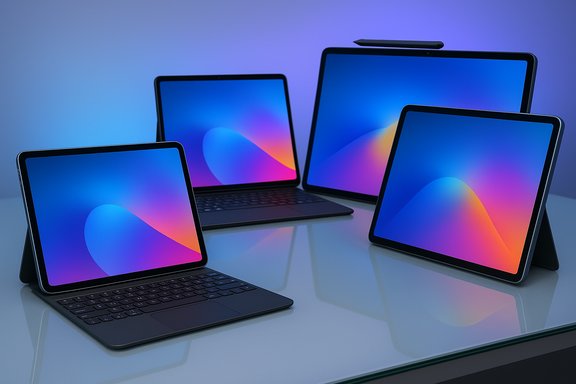 Background / Overview
Tablets in 2025 are no longer gimmicks or lightweight media players; they are fully capable computing platforms. Tom’s Guide’s roundup places emphasis on real‑world testing — practical battery runs, display measurements, and benchmark comparisons — and organizes its picks by use case: best overall, best budget, best Android, best Windows, largest screen, most powerful, and niche slates for writers and commuters.Across manufacturers the themes are familiar: Apple doubles down on silicon (M‑series chips), Android makers push big, high‑refresh displays and huge batteries, and Microsoft leverages Snapdragon‑based Windows on ARM to deliver long endurance in a full Windows 11 environment. Independent reviews and hands‑on coverage confirm this platform split and the leading devices highlighted in Tom’s Guide.
The headline picks, summarized
- Best overall: iPad Air (M3) — premium feel, M3 performance uplift, strong speakers and display, but pricey accessories.
- Best budget: Amazon Fire HD 8 — unbeatable price and long battery life for light use or children.
- Best value: Apple entry‑level iPad (2025) — the sweet spot for buyers who want iPadOS and longevity without Air/Pro pricing.
- Best Android: OnePlus Pad 3 — large bright LCD, class‑leading battery in Tom’s Guide tests, and lower accessory costs than Apple.
- Best Windows tablet: Microsoft Surface Pro 11 (Snapdragon) — full Windows 11, optional OLED, and strong efficiency from Snapdragon X silicon; caveats on accessory cost and software compatibility.
- Best big‑screen: Samsung Galaxy Tab S11 Ultra — a 14.6‑inch Dynamic AMOLED with high color accuracy, S Pen included, and top‑tier internals.
- Most powerful: iPad Pro (M5) — top benchmark scores, OLED tandem display options, and the longest runtimes in Tom’s Guide lab testing.
- Best for writers: ReMarkable Paper Pro — e‑paper, near‑paper pen feel, but slower refresh and a niche audience.
Best overall: iPad Air (M3) — the safe, fast, long‑lived pick
Tom’s Guide names the iPad Air with M3 the best overall tablet for most people, praising its thin aluminum chassis, excellent Liquid Retina display, and a notable internal boost from the M3 chip that made the unit feel snappier in their tests. The review notes roughly a 17% performance uplift in their benchmarks and around 10 hours of practical battery life.Verification and context
- Independent reviews and coverage confirm Apple’s M3 delivers meaningful gains over prior Air chips in single‑core speed and general responsiveness, with reviewers reporting mid‑teens percentage improvements in many workloads.
- Apple’s positioning for the iPad Air remains the same: a nearly laptop‑class experience without the Pro’s full feature set. Accessory costs (Magic Keyboard, Apple Pencil Pro) still add significantly to the purchase price, as Tom’s Guide warns.
- Balanced performance: M3 power for productivity, creative apps, and livingroom media.
- Portability: Weight and industrial design make it comfortable for one‑hand use.
- Ecosystem: iPadOS app quality and third‑party accessory ecosystem.
- Face ID omission: The Air still lacks Face ID, which some reviewers call a surprising omission for the form factor.
- Accessory premium: Complete keyboard and pen setups often approach the cost of an entry laptop, eroding the value case for some buyers.
Best budget tablet: Amazon Fire HD 8 — raw value, pragmatic tradeoffs
Tom’s Guide positions the Amazon Fire HD 8 as the budget king: roughly $100‑$115, simple hardware, sturdy enough for kids, and better battery life in lab testing than Amazon’s claim. The tradeoffs are the Fire OS ecosystem limits and a sub‑1080p screen.Why it works
- Price vs. replaceability: At about a hundred dollars, replacement after drops or loss is less painful.
- Decent battery for the class: Tom’s Guide’s lab runs exceeded Amazon’s claim in a typical media loop scenario.
- App availability: Fire OS lags pure Android; sideloading helps but introduces friction.
- Build and display quality: Plastic chassis and a modest (1280×800) screen make the experience noticeably cheaper compared with higher‑end slates.
Best value: Apple entry‑level iPad — the everyday sweet spot
Tom’s Guide argues the standard Apple iPad (2025 model with A16) is the best value: substantial performance for less than the Air, a brighter screen in some comparisons, and exceptional longevity via Apple’s update policies. It’s recommended as the best buy if you want an iPad experience without paying for the Air/Pro tiers.Independent context
- Reviews from multiple outlets confirm the entry‑level iPad offers a pragmatic blend of performance and price, with the A16 delivering snappy everyday performance and the iPad’s software benefits outweighing the hardware compromises for many buyers.
- Budget‑conscious users who want iPadOS, durable hardware, and the broadest app selection.
Best Android tablet: OnePlus Pad 3 — long battery, lower accessory costs
Tom’s Guide highlights the OnePlus Pad 3 as the best Android tablet for most users. The unit impressed with a large 13.2‑inch LCD, strong battery runtimes in their lab (16:21 in their test), and a design that’s comfortable to hold for long sessions — all while undercutting the cost of comparable iPad setups.Cross‑checks
- The Verge’s review confirms a large battery (OnePlus lists a 12,140 mAh cell) and improvements to audio, display, and software (OxygenOS 15). The Verge’s hands‑on frames the Pad 3 as an excellent media tablet and a good, though imperfect, productivity companion.
- Note: exact runtime numbers depend heavily on test methodology (brightness, load mix, and refresh rate). Tom’s Guide’s 16:21 lab result is believable given the Pad 3’s battery size and OnePlus’s efficiency tuning, but independent outlets often report different runtimes because of differing test setups — treat any single figure as a comparative datapoint rather than an absolute guarantee.
- Battery endurance: Very strong for all‑day multimedia and mixed productivity sessions.
- Value on accessories: OnePlus’s stylus and keyboard are cheaper than Apple’s equivalents.
- Ecosystem and app fragmentation: Android tablets still face app optimization gaps compared with iPadOS for tablet layouts.
- Regional availability: OnePlus’s tablet distribution varies by market; buyers in some regions may face limited stock or warranty differences.
Best Windows tablet: Microsoft Surface Pro 11 — full Windows in tablet form
Tom’s Guide’s pick for Windows users is the Surface Pro 11 with Qualcomm’s Snapdragon X family silicon. The device pairs the full Windows 11 experience with impressive battery life in lab tests and an optional OLED display upgrade for creatives. Tom’s Guide praises the speed and efficiency while warning about expensive accessories and modest practical usefulness for some of Microsoft’s AI features.Validation and caution
- Independent reporting highlights that Snapdragon‑powered Surfaces can deliver very strong endurance, but Windows on ARM still has occasional compatibility and emulation caveats for legacy x86 applications; companies and power users should test mission‑critical apps before committing.
- Notably, Windows Central and other outlets documented a battery‑cap limiting bug in some Surface Pro 11 units in 2025 that halved usable charge under certain firmware settings — a reminder that firmware and post‑launch software issues can materially affect the user experience. Buyers should check for recent firmware updates and user reports before purchase.
- Full Windows 11: If you need desktop apps (Outlook, Visual Studio, legacy enterprise tools), nothing else on this list gives you the same native experience.
- Accessory premium: Keyboard covers, pens, and docking accessories push the final price much higher.
The biggest tablet: Samsung Galaxy Tab S11 Ultra — a multimedia titan
Tom’s Guide’s selection for big‑screen users is the Galaxy Tab S11 Ultra, with a 14.6‑inch Dynamic AMOLED 2X display, a MediaTek Dimensity 9400+ SoC, and an included S Pen. The Ultra is praised for its color accuracy, brightness, and bundled stylus.Independent confirmation
- Manufacturer and retailer specs corroborate the 14.6″ AMOLED panel, 2960×1848 resolution, up to 1600 nits peak brightness, and 11,600 mAh battery capacity. Multiple reviews confirm the tablet’s position as a top media and creative device, especially given the included S Pen.
- Weight and size: At roughly 0.7 kg, it’s still portable but best used with two hands or a stand.
- Preinstalled bloat: Samsung’s One UI continues to ship extra apps that some users may find redundant.
The most powerful tablet: iPad Pro (M5) — peak performance, premium price
Tom’s Guide’s tests place the iPad Pro M5 at the top for raw power and sustained performance: best‑in‑class benchmarks, a bright tandem OLED display, and excellent battery life in their lab (13+ hours).Validation
- Multiple independent reviews and hands‑on analyses confirm the M5’s uplift in CPU/GPU performance and significant gains for creative workloads and AI‑accelerated features; the iPad Pro remains Apple’s answer to users who need the fastest tablet hardware available.
- Most users will not saturate the M5’s capabilities. If raw power matters (3D work, advanced video editing, or specialized creative apps), the Pro is unmatched. For general usage, the iPad Air (M3) gives better price/performance for most buyers.
Best for writers: ReMarkable Paper Pro — tactile writing, niche use case
Tom’s Guide recommends the ReMarkable Paper Pro for dedicated writers: an 11.8‑inch color e‑paper display that mimics pen‑on‑paper feel. The review calls out great pressure sensitivity and a pleasant pen experience but notes refresh delays and a premium price compared with general‑purpose slates.Independent reviews find similar tradeoffs: excellent handwriting feel and long nominal battery life, but occasional rendering lag, limited app capability, and quality‑control/user reports that vary across units. If your workflow is note‑taking, annotation, or distraction‑free writing, a ReMarkable makes sense; otherwise, its narrow feature set and cost mean it remains a specialist purchase.
How these tablets were tested (Tom’s Guide protocol)
Tom’s Guide’s methodology combines lab measurements (colorimeters and battery discharging loops) and extended real‑use testing by experienced reviewers who run devices through web browsing, streaming, gaming, and productivity tasks over days to weeks. They explicitly measure brightness, color gamuts (sRGB/DCI‑P3), run platform‑appropriate performance benchmarks, and report both lab and reviewer impressions.Independent outlets and labs use similar—but not identical—procedures, so runtime and performance figures will vary per lab; when possible, compare apples‑to‑apples across reviews (same brightness, same workload) rather than raw quoted numbers.
Buying guide: pick by ecosystem, size, and intended work
- If you’re already deep in Apple’s ecosystem: buy an iPad (Air or Pro) — the app quality, updates, and accessory market make iPadOS the most polished tablet environment for productivity and creative apps.
- If you want Android freedom and value for accessories: OnePlus Pad 3 or Samsung Tab S11 Ultra — Android’s multitasking is versatile and these tablets deliver strong displays and battery life.
- If you need full Windows apps: Surface Pro 11 (Snapdragon) — full Windows on a tablet; test enterprise apps first.
- If you’re on a strict budget: Amazon Fire HD 8 — cheap, replaceable, solid for media and kids.
- If writing and distraction‑free note taking is the priority: ReMarkable Paper Pro — unparalleled pen feel at the expense of app versatility.
- Confirm the accessory pricing (keyboard, stylus) and factor it into the total cost.
- Verify OS app availability for any niche apps you need (especially important on Fire OS and some Android tablets).
- Check recent firmware updates and community reports for reported issues (e.g., Surface Pro battery limit bug).
- Compare battery tests from at least two reputable reviews to account for test variance.
Strengths, weaknesses, and risks — a critical appraisal
Strengths across the board- Performance parity with laptops: Modern chips (Apple M3/M5, Dimensity 9400+, Snapdragon X) make tablets viable for most productivity and creative tasks.
- Display technology: OLED & Dynamic AMOLED panels now deliver laptop‑class color and brightness on tablets.
- Battery improvements: High capacities and efficient silicon mean real all‑day battery life in many models.
- Accessory economics: Most manufacturers charge steeply for keyboards and pens, often doubling the final price for a converted laptop experience. Tom’s Guide repeatedly flags this.
- Platform lock‑in: Choosing iPadOS, Android, Fire OS, or Windows carries long‑term software and ecosystem implications (file handling, cloud services, enterprise management).
- Compatibility edge cases: Windows on ARM and Android tablet app optimization remain the main sources of friction for professionals requiring legacy x86 desktop tools.
- Post‑launch firmware risks: Recent Surface Pro 11 reports show firmware can significantly affect battery behavior; always check for post‑launch firmware fixes and the current status of known bugs.
- Single‑lab battery runtimes and precise percentage performance gains (e.g., “17% faster”) depend on the test suite. Tom’s Guide’s figures are real results from their lab but can differ from other labs’ results based on methodology; treat them as reliable comparative data rather than universally guaranteed outcomes.
Final verdict and practical recommendations
Tom’s Guide’s 2025 tablet roundup is a pragmatic, use‑case driven list: choose the tablet that best aligns with your ecosystem and main tasks. For most readers the M3 iPad Air balances performance, battery, and price (before accessories) better than any other single slate, while the iPad Pro M5 is the choice for power users and professionals who need the fastest hardware available. Android buyers should consider the OnePlus Pad 3 for battery and value or the Samsung Tab S11 Ultra for the ultimate media canvas. Windows users who need native desktop apps will still find the Surface Pro 11 the best Windows tablet, but they must account for accessory costs and verify app compatibility.For WindowsForum readers who live in the Windows ecosystem: if you use Office, legacy desktop apps, or specialized Windows tools daily, the Surface line still provides the only fully native tablet experience that plays nicely with enterprise and desktop workflows — just be diligent about testing any mission‑critical software on ARM SKUs and watch for firmware updates that fix issues reported in the wild.
Appendix: Quick comparison (high‑level specs to verify before buying)
- iPad Air (M3): 11″ / 13″ Liquid Retina, M3 chip, ~10 hours real‑world battery (Tom’s Guide lab), Touch ID, premium build.
- iPad Pro (M5): 11″ / 13″ Ultra Retina XDR tandem OLED, M5 chip, top benchmarks, 13+ hours in Tom’s Guide testing.
- OnePlus Pad 3: 13.2″ LCD 3392×2400, large battery (12,140mAh), optional keyboard/stylus cheaper than Apple’s, excellent runtime in Tom’s Guide’s lab.
- Microsoft Surface Pro 11: Windows 11, Snapdragon X silicon, optional OLED upgrade, strong endurance but accessory cost and software caveats.
- Samsung Galaxy Tab S11 Ultra: 14.6″ Dynamic AMOLED 2X, Dimensity 9400+, S Pen included, big battery and studio‑grade display.
- Amazon Fire HD 8: 8″ 1280×800, sub‑$120 pricing, robust parental controls and replaceable value.
- ReMarkable Paper Pro: 11.8″ color e‑paper, near‑paper writing feel, slower refresh and niche feature set.
Choosing a tablet in 2025 is less about raw horsepower and more about matching device strengths to daily needs. Tom’s Guide’s tests give a clear, hands‑on starting point — corroborated by major independent outlets — and the practical risks (accessory cost, firmware quirks, ecosystem lock‑in) are consistent across the board. Use those signals to pick the slate that will most reliably serve your workflow over the next several years.
Source: Tom's Guide https://www.tomsguide.com/best-picks/best-tablet/
