

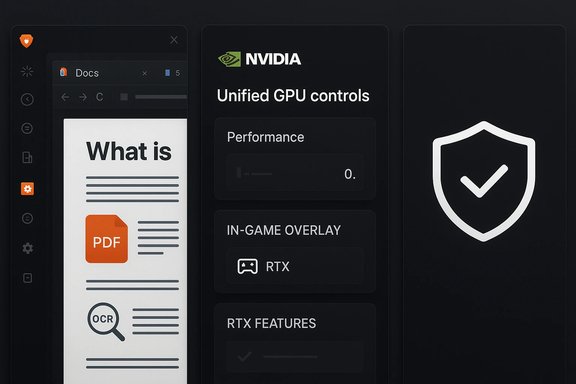
This week’s roundup of notable Windows apps and platform moves centers on two headline changes: Brave Browser 1.63, which expands Brave’s built‑in AI assistant Leo to interact with PDFs and Google Drive content, and NVIDIA’s new unified NVIDIA app (beta), which consolidates the legacy NVIDIA Control Panel, GeForce Experience and RTX Experience into a single, modernized companion for GeForce PCs. Both entries deliver clear user-facing benefits — smarter in‑browser document assistance and a streamlined GPU control center — but they also raise practical questions for privacy‑minded users and IT teams who manage fleets.
BetaNews’s weekly “Best Windows apps this week” feature flagged several minor Store arrivals in the usual curated style, but the most consequential items in the latest installment were the Brave 1.63 update and NVIDIA’s new app beta. The BetaNews summary is a discovery‑first snapshot: short, practical notes rather than full product reviews, intended to surface new or improved software for readers to test. That context matters — a weekly roundup is a starting point for trial and validation, not a deployment checklist.
Both Brave and NVIDIA are shipping changes that affect a large user base. Brave’s Leo is a browser‑native AI assistant that has been iteratively extended since its introduction; version 1.63 explicitly adds document‑level integrations that let the assistant analyze open PDFs and Google Docs/Sheets in the browser tab. NVIDIA’s app is a strategic consolidation: a single lightweight application intended to replace multiple legacy utilities while adding new overlay, capture and RTX features. Both moves are clearly aimed at simplifying common workflows — content consumption and GPU management — but require different operational considerations for privacy, telemetry, and managed environments.
Treat BetaNews’s weekly roundup as a valuable discovery signal; follow vendor release notes and independent coverage to verify claims, and run small pilots to confirm behavior in your environment. Where documents, compliance or fleet management are in play, prioritize test rings, documented rollback plans, and clear user communications — that combination turns exciting new features into safe, productive additions to a Windows desktop fleet.
Source: BetaNews Best Windows apps this week
 Background / Overview
BetaNews’s weekly “Best Windows apps this week” feature flagged several minor Store arrivals in the usual curated style, but the most consequential items in the latest installment were the Brave 1.63 update and NVIDIA’s new app beta. The BetaNews summary is a discovery‑first snapshot: short, practical notes rather than full product reviews, intended to surface new or improved software for readers to test. That context matters — a weekly roundup is a starting point for trial and validation, not a deployment checklist.Both Brave and NVIDIA are shipping changes that affect a large user base. Brave’s Leo is a browser‑native AI assistant that has been iteratively extended since its introduction; version 1.63 explicitly adds document‑level integrations that let the assistant analyze open PDFs and Google Docs/Sheets in the browser tab. NVIDIA’s app is a strategic consolidation: a single lightweight application intended to replace multiple legacy utilities while adding new overlay, capture and RTX features. Both moves are clearly aimed at simplifying common workflows — content consumption and GPU management — but require different operational considerations for privacy, telemetry, and managed environments.
Brave Browser 1.63 — What changed, and why it matters
Key changes in Brave 1.63
- Leo document support: Brave Leo can now read and analyze PDFs and Google Docs/Sheets opened in the browser, using a combination of the accessibility tree (for PDF metadata and structure) and OCR for canvas‑rendered Google Docs/Sheets. That integration lets Leo summarize documents, extract topics, propose edits, and answer questions about the content loaded in a tab.
- Mobile parity and UI additions: The 1.63 release also continued Brave’s mobile rollouts of Leo and added several interface improvements (for example, an option to hide Leo suggestions in the address bar), plus traditional browser refinements such as vertical tabs that can be placed on the right side of the window and new bookmark sort options.
How Brave built document support (technical overview)
Brave describes two complementary techniques in public release notes and blog posts:- For PDFs, Leo leverages the document’s accessibility tree and structured metadata to infer headings, paragraphs, tables and semantic relationships, enabling targeted summarization and question answering without needing to rasterize the whole file.
- For Google Docs and Sheets, Brave uses an image‑based capture + OCR approach when documents are canvas‑rendered, extracting text to let Leo operate on the document’s contents. In both cases Brave emphasizes techniques intended to preserve privacy (details below).
Practical benefits for Windows users
- Faster document triage: Quick summaries of long PDFs or meeting notes can save significant reading time when triaging reports or research.
- On‑the‑fly drafting help: Leo’s ability to suggest phrasing or rewrites inside open Google Docs can speed drafting and editing for writers, students and knowledge workers.
- Data extraction: For spreadsheets and tables, Leo can assist with simple formula suggestions or highlight key table statistics.
Privacy and security considerations
Brave positions Leo as a privacy‑preserving assistant and documents engineering choices intended to limit data exposure: no login is required for basic Leo use, and Brave describes anonymization and local handling measures in its public blog posts. However, the practical privacy posture depends on which model and hosting option a user selects (free/default models vs. paid or premium LLM access), and Brave’s documentation also notes that premium model access involves a subscription model implemented with unlinkable tokens. Users should treat Leo’s document integrations like any other content‑processing feature: verify whether processing happens locally, in a proxied form, or on a third‑party model host for the specific model you choose. Brave’s blog is explicit about the techniques used (accessibility tree + OCR) and the availability requirement (desktop Brave 1.63+), but enterprise data control decisions should be made after hands‑on testing.Risks and edge cases
- Confidential documents: Even with anonymization claims, organizations should not assume zero risk. Regulatory, contractual, or policy obligations (e.g., HIPAA, GDPR or NDAs) may prohibit sending certain classes of documents to external models or services unless verified E2EE/local processing is in place.
- OCR fidelity limits: Canvas‑rendered documents and complex PDFs (scanned multi‑column articles, embedded images with captions) may yield imperfect OCR, producing incorrect extractions or misleading summaries.
- Model hallucinations: As with any LLM-based assistant, Leo can err — summarizing inaccurately or making up details if the input is ambiguous.
- Update cadence and feature flags: Brave sometimes rolls features progressively; administrators who standardize on a browser image should lock and test builds rather than assuming immediate parity across an organization.
NVIDIA App (Beta) — What’s new and how it changes desktop GPU tooling
The headline: one app to replace several
NVIDIA’s new NVIDIA app (beta) is explicitly designed to unify the functionality previously spread across NVIDIA Control Panel, GeForce Experience, and RTX Experience. The public messaging positions the app as faster to install, more responsive and more compact on disk while bringing together driver management, performance tools, and a redesigned overlay for capture and stats. The beta launched as a phased migration while legacy apps remain available in the short term.Notable features in the beta
- Unified GPU control center: Game and driver settings (Optimal Playable Settings) are combined with control panel options for per‑app tuning.
- Modernized overlay: Redesigned in‑game overlay with upgraded capture (for example, AV1 4K 120 FPS capture), an enhanced gallery, and new RTX‑powered filters for image/video enhancement.
- Driver tools and rollback: Redesigned driver pages that call out “what’s new” and “what’s fixed,” and — importantly — a driver rollback option to return to a previously installed driver version from within the app.
- Display and G‑SYNC controls: The app has been moving toward full Control Panel parity, with recent beta updates adding G‑SYNC toggles, RTX HDR multi‑monitor support, and display controls.
Why NVIDIA made the change
- Simplicity and performance: NVIDIA claims the new app installs faster, runs more responsively and takes less disk space than the older GeForce Experience client, addressing long‑standing user complaints about bloat and fragmentation of NVIDIA’s desktop tooling.
- Feature modernization: Consolidating features lets NVIDIA add new RTX‑driven capabilities (global DLSS override, RTX HDR filters, smoother capture codecs) in one place and iterate faster without overlapping UI sets.
Operational impact for Windows users and admins
- Driver distribution: NVIDIA has signaled plans to package the new app with Game Ready and Studio drivers, meaning the app will become the primary user‑facing driver assistant for many users. Administrators who automate driver updates should validate their deployment tooling against the new app’s CLI/packaging options.
- Feature migration and deprecation: Some legacy features deemed under‑used are being removed; other advanced control panel items (Surround, some multi‑monitor edge cases) have been slated for staged migration. If your environment relies on niche Control Panel features today, test the new app before deprecating the legacy tooling.
Risks to watch
- Telemetry and account integration: While NVIDIA’s app offers an optional login for rewards and bundles, any required or optional account tie‑ins should be audited for privacy policy impacts within enterprise settings. The app’s integration with services like GeForce NOW or rewards may be irrelevant for managed systems but still present a telemetry surface area to consider.
- Compatibility and driver rollback reliance: Driver rollback is a welcome feature, but rollback paths can be complicated on machines where drivers are also managed by OEM tooling or Windows Update policies. Test rollback flows in pilot rings before relying on them for mass remediation.
- Change management: Phased app rollouts require clear communications to end users — overlay hotkeys, capture defaults, and share shortcuts can confuse workflows if changed unexpectedly.
Cross‑checking and verification
The BetaNews roundup called out both Brave’s 1.63 update and NVIDIA’s new app beta as noteworthy items; those claims are verifiable in primary vendor announcements and independent reporting. Brave’s blog documents Leo’s PDF and Google Drive support and explicitly ties the feature to Brave Desktop 1.63 and above. Independent outlets (for example, ghacks.net and other tech news sites) independently reported the improvements to vertical tabs and Leo’s added document capabilities, reinforcing the core claims. NVIDIA’s own announcement and release notes describe the unified app and its goals; coverage from mainstream outlets (The Verge, Tom’s Hardware and others) corroborates the migration plan, the feature set and timing. That dual verification (vendor + independent press) supports the core claims that the app exists, is intended to replace legacy tools, and includes the listed features. Administrators should still consult NVIDIA’s official release‑notes page for exact requirements and step‑by‑step upgrade notes before mass deployment. Flagged caveat: BetaNews mentioned that “older versions of Windows 11 may be upgraded automatically and without any say in the matter” and that Microsoft has not revealed the next feature‑update name (possibly “Windows 11 2024 Update”). Those are time‑sensitive claims that require Microsoft’s public rollout documentation to confirm; treat such statements as situational and verify with Microsoft’s official update guidance before assuming automatic upgrade behavior for a specific build. BetaNews is a discovery signal but not an authoritative Windows servicing policy document.Practical guidance — what users and IT teams should do now
For individual users
- Try Brave Leo on a test document first. Open a non‑sensitive PDF, enable Leo from the sidebar and ask it to summarize or extract key points to evaluate accuracy.
- Be cautious with confidential files. Don’t open regulated or sensitive documents in a browser session where an AI assistant might process the content until your privacy requirements are verified.
- Check model and subscription settings. If you subscribe to Leo Premium or choose a particular LLM backend, verify where processing occurs and whether any identifiers are retained.
For power users and streamers (NVIDIA context)
- Pilot the NVIDIA app on a secondary system. Try driver updates and overlay captures, validate GPU tuning settings and test rollback behavior before applying to your main rig.
- Review overlay hotkeys and capture defaults. Streamers and content creators should confirm the overlay’s capture codec and privacy settings (where ShadowPlay or clips may be stored).
For IT administrators and enterprise teams
- Create a test ring. Deploy Brave 1.63 and the NVIDIA app beta into a controlled pilot group to verify features, privacy controls, and compatibility with endpoint management systems.
- Validate regulatory compliance. Work with legal/compliance to ensure any AI assistant use with corporate documents meets contractual and regulatory requirements (for example, ensure models are hosted in approved regions or E2EE/local inference is available where required).
- Document rollback and remediation paths. For GPU driver rollouts managed by SCCM/Intune, document how the NVIDIA app’s rollback and driver management will interact with deployed driver packages and Windows Update policies.
- Lock or profile browser features if needed. For environments that must prevent document transfer to third‑party services, use group policies or endpoint configuration to control plugin/assistant availability and to enforce browsing or data‑loss protection rules.
Strengths, opportunities and potential downsides
Strengths
- Meaningful productivity gains: Brave’s Leo can save users time when reading dense documents or drafting content in Google Docs, and NVIDIA’s unified app simplifies GPU tooling while adding modern capture and RTX features.
- Consolidation reduces complexity: Centralizing GPU controls reduces UI fragmentation and should accelerate NVIDIA’s ability to ship new features in one locus rather than across multiple legacy apps.
- Faster installs and reduced bloat: NVIDIA’s claims about a more responsive UI and smaller install footprint address long‑standing user complaints about heavyweight driver utilities.
Opportunities
- Enterprise feature management: Vendors could offer clearer enterprise controls for AI document processing (opt‑in models, local inference or on‑prem options) to ease adoption in regulated industries.
- Better auditability: Both Brave and NVIDIA could benefit from detailed changelogs and enterprise‑focused documentation showing telemetry, data flows and administrative controls.
Potential downsides and material risks
- Privacy gap for sensitive workloads: Without explicit guarantees of local inference or certified E2EE for document processing, organizations should assume risk and test before broad adoption. Brave’s privacy claims are meaningful but must be validated against organizational policy.
- Feature regressions and compatibility gaps: NVIDIA’s migration plan deprecates some under‑used features and promises staged migration of advanced control panel items; users who rely on niche Control Panel features should test for parity.
- User confusion during rollouts: New overlays, hotkeys and AI suggestions can cause support churn if not communicated clearly to users and documented for helpdesk escalation.
Conclusion
This week’s top Windows app news — Brave Browser 1.63’s document‑aware Leo and NVIDIA’s unified app beta — illustrate two consistent themes in desktop software today: AI as an immediate productivity layer and software consolidation for simpler system management. Both moves deliver tangible, practical benefits but also demand careful vetting by users and administrators before broad adoption. Brave’s Leo introduces powerful document summarization and assistance directly in the browser, but organizations must validate privacy and OCR accuracy for sensitive content. NVIDIA’s app simplifies GPU tooling and brings modern capture and RTX features into a single place, but IT teams should test driver workflows and feature parity with legacy Control Panel capabilities.Treat BetaNews’s weekly roundup as a valuable discovery signal; follow vendor release notes and independent coverage to verify claims, and run small pilots to confirm behavior in your environment. Where documents, compliance or fleet management are in play, prioritize test rings, documented rollback plans, and clear user communications — that combination turns exciting new features into safe, productive additions to a Windows desktop fleet.
Source: BetaNews Best Windows apps this week
