

Microsoft Build 2026 begins June 2 at San Francisco’s Fort Mason Center, with CEO Satya Nadella scheduled to open the developer conference at 12:30 p.m. Eastern as Microsoft uses the event to push AI agents, Windows 11 developer tooling, Copilot, Azure, and Arm-native app work. The keynote will stream online, but the more important story is not merely how to watch it. Build is where Microsoft tells developers what kind of Windows future it wants them to help manufacture. This year, that future looks less like a traditional desktop operating system and more like a managed workspace for humans, cloud services, local models, and autonomous software actors.
The venue matters. Microsoft taking Build to San Francisco, rather than staging another familiar Seattle-area developer gathering, is not just event logistics with better scenery. It puts the company inside the geography of the AI boom, surrounded by the investors, model labs, infrastructure companies, and developer startups that now define the platform conversation.
Build has always been Microsoft’s way of talking to developers before talking to everyone else. Consumer users hear about Start menu changes, Copilot buttons, Photos features, and new Surface hardware after the platform has already been laid down. Developers hear the pitch earlier: here are the APIs, here are the runtimes, here is the preferred architecture, and here is the direction of travel whether the market is ready or not.
That is why a Windows-focused reader should pay attention even if this conference does not deliver a shiny “Windows 12” moment. Build rarely needs a version-number banner to matter. When Microsoft spends two days telling developers to build agents, integrate models, port apps to Arm, target WinUI, and treat Windows as a serious AI workstation, it is also telling users and administrators what kinds of software will soon show up on their PCs.
The practical question is not whether Microsoft will say “AI” too many times. It will. The question is whether Build 2026 marks the point where AI stops being a Copilot sidebar bolted onto Windows and becomes part of the assumptions behind Windows app design itself.
The session catalog is usually more revealing. PCMag’s preview notes hundreds of listed sessions, many unavailable as recordings and many aimed squarely at in-person developers. That split is telling: Microsoft is still happy to livestream the inspirational layer, but the operational layer is for people who are actually expected to build with the new stack.
The catalog points to several connected bets. Microsoft wants developers to build agentic systems, use GitHub Copilot as something closer to an engineering teammate, revive native Windows applications through AI-assisted coding, bring Linux-heavy AI workflows into Windows through WSL, and make Arm-based Windows PCs more credible development targets. None of those are isolated announcements. Together, they describe an operating system strategy.
Windows has spent years absorbing pressure from the web, from mobile platforms, and from cross-platform frameworks that made the native Windows app feel less essential. Microsoft’s Build 2026 message appears to be that AI changes the economics of native development. If code-generation tools lower the cost of targeting Windows properly, Microsoft can argue that developers no longer have to choose between reach and platform depth.
That is an attractive argument. It is also one that depends on whether the tools actually work beyond staged demos.
That distinction matters for Windows because the desktop is a tool-rich environment. A browser tab can answer a question; a desktop agent can potentially open an app, read a document, run a script, file a ticket, summarize a meeting, change settings, deploy code, or make a mistake at machine speed. The same flexibility that makes agents interesting makes them dangerous.
PCMag points to Microsoft sessions around OpenClaw-style agents and “Claws on Windows,” along with sessions that discuss building systems for both people and large language models. Strip away the branding and the message is blunt: Microsoft expects software to be used by non-human actors, and it wants Windows to be ready for that. That is a bigger shift than adding another Copilot pane.
For decades, operating systems have treated the human user as the center of authority. Permissions, windows, prompts, notifications, and interface affordances all orbit the assumption that a person is looking at the screen and making decisions. Agentic software weakens that assumption. It creates a new class of user that may operate on behalf of a person but does not perceive risk, ambiguity, or context the same way a person does.
That is why Windows administrators should read the agent push through a security lens. If an agent can use the desktop, the browser, the terminal, and the file system, then identity, audit logs, sandboxing, least privilege, and policy controls become central to the user experience. The desktop becomes not merely a place to run apps, but a place to govern delegated action.
But the security problem arrives at the same time, not afterward. When AI systems can act, the threat model changes. Prompt injection stops being a clever demo against a chatbot and becomes a way to influence a tool-using process. A malicious document, website, repository, email, or support ticket can become part of the instruction stream for software that has access to real systems.
OpenClaw’s reported security troubles are therefore not an awkward side note to Microsoft’s agent ambitions. They are a warning label for the entire category. Experimental agent frameworks often move quickly because developers value power, composability, and speed. Enterprises value auditability, containment, reversibility, and clear ownership when something goes wrong.
Microsoft knows this. The company’s enterprise business depends on convincing customers that AI can be governed, not merely demonstrated. That means Build’s agent story cannot be judged by how impressive the demos look. It should be judged by whether Microsoft gives developers practical patterns for identity, policy enforcement, data boundaries, approvals, logging, and incident response.
The danger is that “agent supervision” becomes a glamorous phrase for “someone must watch the robot because we are not sure what it will do.” If agent supervision is indeed becoming a senior engineering skill, then Microsoft has to make it manageable rather than mystical. Enterprises do not need a new priesthood of prompt babysitters. They need systems whose behavior can be constrained and examined.
Microsoft appears to see AI-assisted development as a way to reduce that friction. If developers can use agents and Copilot-style tools to generate WinUI 3 interfaces, handle Windows integration, test against platform conventions, and modernize old code, the cost-benefit calculation changes. Native Windows development becomes less of a bespoke investment and more of an AI-accelerated target.
That would be good news for Windows users if it produces faster, cleaner, more integrated applications. Native apps can offer better performance, deeper shell integration, stronger offline behavior, richer accessibility support, and more efficient use of hardware. The dream is not nostalgia for the Win32 era; it is a modern Windows app ecosystem that does not feel like a web page reluctantly wrapped in a desktop frame.
Still, there is a trap here. AI can generate code quickly, but it does not automatically generate product judgment. A wave of AI-written Windows apps could just as easily mean more mediocre utilities, more brittle interfaces, and more abandoned projects that compile but are not maintained. Microsoft’s challenge is to make AI-assisted native development produce quality, not just quantity.
This is where Build’s developer education matters. If Microsoft treats agents as code vending machines, the result will be noise. If it treats them as tools inside disciplined workflows — design systems, tests, accessibility checks, packaging, telemetry, security review, and update practices — then Windows might actually benefit from a renaissance of native software.
For Arm-based Windows machines to become normal, developers need to treat Arm as a first-class target. That means native builds, tested installers, drivers where required, performance tuning, and support teams that do not reflexively blame the architecture when a bug appears. Microsoft can ship a good operating system and OEMs can ship attractive hardware, but developer inertia still decides whether users feel safe buying these machines.
That is why a Build session about using agentic AI to port x86 applications to Arm matters. The immediate pitch is practical: let AI help with the tedious work of migration. The strategic pitch is more ambitious: Microsoft wants to compress the time it takes the Windows ecosystem to adapt to new hardware assumptions.
If this works, Arm Windows could become less dependent on emulation as a psychological crutch. Developers could maintain x86 and Arm targets without treating the latter as charity work. Enterprises could evaluate Arm laptops for battery life and manageability without worrying that half their internal tools will misbehave.
But again, the agent cannot be the whole story. Porting code is one thing; validating behavior across plugins, drivers, dependencies, installers, update channels, and enterprise configurations is another. AI can help accelerate the journey, but Microsoft cannot declare the journey complete just because a demo app builds successfully onstage.
AI makes WSL even more important. Many local model tools, Python stacks, container workflows, inference experiments, and open-source AI projects assume a Linux environment. Developers may still prefer Windows hardware, Windows management, Windows desktop apps, and Windows enterprise integration, but the AI software supply chain often begins on Linux.
Microsoft’s Build sessions around WSL, Windows Terminal, and AI-powered applications suggest that the company sees this clearly. It does not need every AI developer to abandon Linux conventions. It needs Windows to be the machine where Linux-based AI work can run comfortably alongside Visual Studio Code, GitHub Copilot, Microsoft 365, Azure tooling, and enterprise security controls.
Azure Linux 4.0 also fits this strategy. Microsoft’s Linux story is no longer a contradiction; it is an infrastructure reality. The company runs Linux in Azure, supports Linux development on Windows, and now wants AI workloads to flow between cloud and desktop with fewer seams.
For Windows enthusiasts, this is an odd but healthy evolution. The old platform war was about winning by exclusion. The new one is about winning by becoming the place where rival assumptions can coexist under Microsoft’s identity, management, and developer tooling.
The next step is autonomy. Microsoft and GitHub have been pushing Copilot from assistant toward agent, from suggesting code to taking on tasks. That changes the social contract inside engineering teams. If a tool can open a pull request, write tests, respond to review comments, and attempt bug fixes, it becomes part of the production pipeline rather than a private productivity aid.
This is where the phrase “agent supervision” lands with force. A senior engineer’s job has never been merely to type code. It is to understand systems, tradeoffs, failure modes, maintainability, and the difference between a passing test and a correct design. AI does not eliminate that responsibility; it raises the cost of neglecting it.
For Windows developers, Copilot’s deeper integration could be transformative if it understands the platform’s messy reality. Windows development involves old APIs, new frameworks, packaging formats, enterprise deployment models, accessibility expectations, hardware diversity, and compatibility baggage going back decades. A coding agent that handles that complexity well would be genuinely useful.
A coding agent that hallucinates its way through it would be another source of technical debt with a friendly icon.
A cloud PC is easier to monitor than a random unmanaged endpoint. It can be provisioned, isolated, reset, logged, and policy-controlled. It sits inside an enterprise identity and compliance environment. For a company that sells both Windows and cloud services, the idea of agent workloads running on managed Windows instances is almost too natural.
This also solves a hardware problem. Local AI is attractive, especially on Copilot+ PCs and systems with strong NPUs or GPUs, but not every organization wants powerful autonomous tools running on every laptop. Some tasks are better centralized. Others need access to cloud data, enterprise applications, and long-running sessions that should not depend on whether a user closes the lid.
The risk is that Windows becomes more segmented. Consumer Windows gets visible Copilot features. Developer Windows gets local model tooling and WSL. Enterprise Windows gets cloud-hosted agents with policy wrappers. That may be rational, but it also makes the Windows story harder to explain to anyone outside Microsoft’s product org chart.
But delayed impact is not the same as no impact. The Windows features people eventually experience are often downstream from earlier developer decisions. If Microsoft convinces developers to build agent-aware apps, Copilot-connected workflows, Arm-native packages, and local AI features, users will encounter those choices in the next wave of software.
The phrase “whether or not you want them” captures the tension around agents. Many users are tired of AI features that appear before they have asked for them. They are even more skeptical when AI is inserted into core system surfaces such as the taskbar, search, Office apps, browsers, and file workflows. Microsoft’s enthusiasm is not always matched by user consent.
The company’s task is to make AI feel less like a campaign and more like competence. If an agent saves time, respects boundaries, explains its actions, and can be turned off, users may accept it. If it behaves like another channel for prompts, upsells, and unwanted automation, Windows users will treat it as bloat with a neural-network budget.
There may be gaming-adjacent implications. AI-assisted coding could affect game development. New chips, Arm laptops, Nvidia partnerships, and local AI hardware could eventually influence creator workflows and game tooling. But Build 2026 is unlikely to be the stage for a consumer Xbox reset.
That absence is itself revealing. Microsoft’s most intense platform energy right now is not around entertainment ecosystems. It is around productivity, infrastructure, agents, developer tooling, and cloud-connected work. Windows is being positioned less as a consumer lifestyle hub and more as the operating environment for AI-era labor.
That may frustrate some enthusiasts who want Microsoft to show more imagination in consumer experiences. But it also reflects where the company makes its strongest case. Microsoft’s AI strategy is most credible when it is attached to work people already do, systems companies already manage, and developers already need to build.
Microsoft’s hardware challenge is to make those distinctions feel purposeful rather than confusing. Copilot+ PCs introduced the idea that some Windows features require specific AI-capable hardware. That is defensible technically, but risky commercially if buyers cannot understand which features run where, which chips matter, and how long today’s hardware will remain eligible.
A more powerful Surface-class device aimed at local AI development would help Microsoft tell a cleaner story. Developers could prototype locally, deploy to Azure, manage agents through Microsoft tooling, and target Windows users with apps that understand the new hardware baseline. That is the full-stack dream.
The danger is fragmentation. Windows already spans low-cost laptops, gaming rigs, enterprise desktops, workstations, virtual machines, Arm ultraportables, and cloud PCs. Add local AI requirements, model sizes, GPU tiers, NPU capabilities, and agent-hosting patterns, and the platform becomes harder to reason about. Microsoft must give developers abstractions that hide hardware complexity without hiding performance reality.
If Build 2026 spends time on hardware, the key detail will not be the sizzle reel. It will be whether Microsoft can explain what developers can reliably assume about the next generation of Windows machines.
AI lets Microsoft update that bargain. The new pitch is that Windows can be the richest environment for building, running, supervising, and distributing AI-assisted work. It has the local desktop, the Linux bridge, the enterprise identity layer, the developer tools, the cloud, GitHub, Office, and a vast legacy software universe waiting to be modernized.
That is a powerful combination. It is also messy in the way Microsoft platforms are often messy: many overlapping products, many names, many runtimes, many routes to the same destination. Build 2026’s job is to turn that sprawl into a coherent developer story.
The company has done this before. Azure was once difficult to summarize and is now one of the pillars of the enterprise cloud. Microsoft 365 turned Office from boxed software into a subscription platform. GitHub Copilot turned AI from an abstract Microsoft investment into a daily developer tool. Windows AI now needs the same clarification.
If Microsoft cannot provide it, developers will take the useful parts and ignore the rest. They will use Copilot but not WinUI. They will use WSL but deploy elsewhere. They will build agents but host them outside Microsoft’s governance stack. They will buy Windows hardware but treat the OS as a shell around browser tabs and terminals.
The administrative challenge is that AI features often arrive as product improvements rather than as separate systems. A Copilot capability appears in an app. A model-powered workflow shows up in a developer tool. An agent integration appears inside a cloud service. Each may be useful on its own, but together they expand the operational surface area.
IT departments should resist both panic and passivity. Not every AI feature is a security disaster. Not every agent is production-ready. The right posture is selective enablement: test with real workflows, isolate risky capabilities, define approval chains, and demand logs that make sense after an incident.
Microsoft can help by making controls visible and licensing comprehensible. If AI governance is scattered across Entra, Intune, Microsoft 365 admin centers, Azure portals, GitHub settings, Windows policies, and product-specific toggles, administrators will struggle. A platform strategy that cannot be governed cleanly will not be trusted cleanly.
The concrete implications are already visible:
Microsoft’s strongest Windows argument has always been that the platform meets users and developers where they already are, even when that place is untidy. Build 2026 looks like an attempt to extend that bargain into the age of agents: Windows as the desktop for humans, the workstation for developers, the bridge to Linux, the client for Azure, and the controlled environment where autonomous software can be useful without becoming ungovernable. If Microsoft can make that coherent, this year’s Build will matter long after the keynote stream ends; if it cannot, Windows users will inherit yet another wave of AI features that feel less like a future and more like weather.
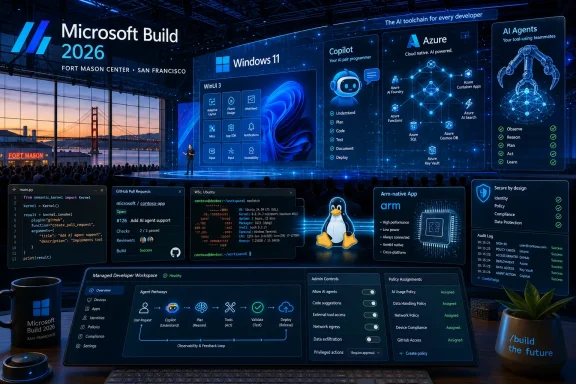 Microsoft Moves Build to the City Where the AI Platform War Is Being Fought
The venue matters. Microsoft taking Build to San Francisco, rather than staging another familiar Seattle-area developer gathering, is not just event logistics with better scenery. It puts the company inside the geography of the AI boom, surrounded by the investors, model labs, infrastructure companies, and developer startups that now define the platform conversation.Build has always been Microsoft’s way of talking to developers before talking to everyone else. Consumer users hear about Start menu changes, Copilot buttons, Photos features, and new Surface hardware after the platform has already been laid down. Developers hear the pitch earlier: here are the APIs, here are the runtimes, here is the preferred architecture, and here is the direction of travel whether the market is ready or not.
That is why a Windows-focused reader should pay attention even if this conference does not deliver a shiny “Windows 12” moment. Build rarely needs a version-number banner to matter. When Microsoft spends two days telling developers to build agents, integrate models, port apps to Arm, target WinUI, and treat Windows as a serious AI workstation, it is also telling users and administrators what kinds of software will soon show up on their PCs.
The practical question is not whether Microsoft will say “AI” too many times. It will. The question is whether Build 2026 marks the point where AI stops being a Copilot sidebar bolted onto Windows and becomes part of the assumptions behind Windows app design itself.
The Keynote Is the Trailer; the Session Catalog Is the Plot
Satya Nadella’s keynote will get the headlines because keynotes are designed to manufacture headlines. Expect broad claims about developers, productivity, agents, responsible AI, cloud scale, and Windows as an open platform. That is the cinematic version of Build.The session catalog is usually more revealing. PCMag’s preview notes hundreds of listed sessions, many unavailable as recordings and many aimed squarely at in-person developers. That split is telling: Microsoft is still happy to livestream the inspirational layer, but the operational layer is for people who are actually expected to build with the new stack.
The catalog points to several connected bets. Microsoft wants developers to build agentic systems, use GitHub Copilot as something closer to an engineering teammate, revive native Windows applications through AI-assisted coding, bring Linux-heavy AI workflows into Windows through WSL, and make Arm-based Windows PCs more credible development targets. None of those are isolated announcements. Together, they describe an operating system strategy.
Windows has spent years absorbing pressure from the web, from mobile platforms, and from cross-platform frameworks that made the native Windows app feel less essential. Microsoft’s Build 2026 message appears to be that AI changes the economics of native development. If code-generation tools lower the cost of targeting Windows properly, Microsoft can argue that developers no longer have to choose between reach and platform depth.
That is an attractive argument. It is also one that depends on whether the tools actually work beyond staged demos.
Agents Are Microsoft’s New Runtime Ambition
The most provocative thread running through the Build preview is Microsoft’s interest in AI agents on Windows. An agent is not just a chatbot that answers questions. In the current industry vocabulary, it is software that can plan tasks, use tools, inspect files, call APIs, manipulate interfaces, and sometimes keep working after the user has moved on.That distinction matters for Windows because the desktop is a tool-rich environment. A browser tab can answer a question; a desktop agent can potentially open an app, read a document, run a script, file a ticket, summarize a meeting, change settings, deploy code, or make a mistake at machine speed. The same flexibility that makes agents interesting makes them dangerous.
PCMag points to Microsoft sessions around OpenClaw-style agents and “Claws on Windows,” along with sessions that discuss building systems for both people and large language models. Strip away the branding and the message is blunt: Microsoft expects software to be used by non-human actors, and it wants Windows to be ready for that. That is a bigger shift than adding another Copilot pane.
For decades, operating systems have treated the human user as the center of authority. Permissions, windows, prompts, notifications, and interface affordances all orbit the assumption that a person is looking at the screen and making decisions. Agentic software weakens that assumption. It creates a new class of user that may operate on behalf of a person but does not perceive risk, ambiguity, or context the same way a person does.
That is why Windows administrators should read the agent push through a security lens. If an agent can use the desktop, the browser, the terminal, and the file system, then identity, audit logs, sandboxing, least privilege, and policy controls become central to the user experience. The desktop becomes not merely a place to run apps, but a place to govern delegated action.
The Security Problem Arrives Before the Productivity Dividend
Microsoft’s AI pitch often begins with productivity. Agents can handle rote work. Copilot can write boilerplate. A model can summarize, classify, refactor, generate tests, or help move code across architectures. For overworked IT teams and developers, this is not fantasy; plenty of narrow AI-assisted workflows already save time.But the security problem arrives at the same time, not afterward. When AI systems can act, the threat model changes. Prompt injection stops being a clever demo against a chatbot and becomes a way to influence a tool-using process. A malicious document, website, repository, email, or support ticket can become part of the instruction stream for software that has access to real systems.
OpenClaw’s reported security troubles are therefore not an awkward side note to Microsoft’s agent ambitions. They are a warning label for the entire category. Experimental agent frameworks often move quickly because developers value power, composability, and speed. Enterprises value auditability, containment, reversibility, and clear ownership when something goes wrong.
Microsoft knows this. The company’s enterprise business depends on convincing customers that AI can be governed, not merely demonstrated. That means Build’s agent story cannot be judged by how impressive the demos look. It should be judged by whether Microsoft gives developers practical patterns for identity, policy enforcement, data boundaries, approvals, logging, and incident response.
The danger is that “agent supervision” becomes a glamorous phrase for “someone must watch the robot because we are not sure what it will do.” If agent supervision is indeed becoming a senior engineering skill, then Microsoft has to make it manageable rather than mystical. Enterprises do not need a new priesthood of prompt babysitters. They need systems whose behavior can be constrained and examined.
Native Windows Apps Get a Second Chance, This Time With a Machine in the Loop
One of the more interesting possibilities at Build 2026 is that Microsoft uses AI to reopen an old argument about native Windows development. For years, the gravitational pull has moved toward web apps, Electron shells, mobile-first services, and cross-platform frameworks. Native Windows apps still matter, but they have not felt like the default center of software culture.Microsoft appears to see AI-assisted development as a way to reduce that friction. If developers can use agents and Copilot-style tools to generate WinUI 3 interfaces, handle Windows integration, test against platform conventions, and modernize old code, the cost-benefit calculation changes. Native Windows development becomes less of a bespoke investment and more of an AI-accelerated target.
That would be good news for Windows users if it produces faster, cleaner, more integrated applications. Native apps can offer better performance, deeper shell integration, stronger offline behavior, richer accessibility support, and more efficient use of hardware. The dream is not nostalgia for the Win32 era; it is a modern Windows app ecosystem that does not feel like a web page reluctantly wrapped in a desktop frame.
Still, there is a trap here. AI can generate code quickly, but it does not automatically generate product judgment. A wave of AI-written Windows apps could just as easily mean more mediocre utilities, more brittle interfaces, and more abandoned projects that compile but are not maintained. Microsoft’s challenge is to make AI-assisted native development produce quality, not just quantity.
This is where Build’s developer education matters. If Microsoft treats agents as code vending machines, the result will be noise. If it treats them as tools inside disciplined workflows — design systems, tests, accessibility checks, packaging, telemetry, security review, and update practices — then Windows might actually benefit from a renaissance of native software.
Arm Windows Needs Developers More Than It Needs Another Benchmark
The Arm version of Windows has improved enormously from the awkward days when compatibility was a caveat attached to every sentence. Copilot+ PCs and Qualcomm Snapdragon hardware made the platform feel more credible, and emulation has carried much of the legacy burden. But compatibility is not the same thing as confidence.For Arm-based Windows machines to become normal, developers need to treat Arm as a first-class target. That means native builds, tested installers, drivers where required, performance tuning, and support teams that do not reflexively blame the architecture when a bug appears. Microsoft can ship a good operating system and OEMs can ship attractive hardware, but developer inertia still decides whether users feel safe buying these machines.
That is why a Build session about using agentic AI to port x86 applications to Arm matters. The immediate pitch is practical: let AI help with the tedious work of migration. The strategic pitch is more ambitious: Microsoft wants to compress the time it takes the Windows ecosystem to adapt to new hardware assumptions.
If this works, Arm Windows could become less dependent on emulation as a psychological crutch. Developers could maintain x86 and Arm targets without treating the latter as charity work. Enterprises could evaluate Arm laptops for battery life and manageability without worrying that half their internal tools will misbehave.
But again, the agent cannot be the whole story. Porting code is one thing; validating behavior across plugins, drivers, dependencies, installers, update channels, and enterprise configurations is another. AI can help accelerate the journey, but Microsoft cannot declare the journey complete just because a demo app builds successfully onstage.
WSL Becomes the Bridge Between Windows and the AI Code That Was Born Elsewhere
The Windows Subsystem for Linux has long been one of Microsoft’s most pragmatic developer moves. It acknowledged a reality that older Microsoft would have resisted: a huge amount of modern development happens in Linux-first tooling, and Windows remains more useful when it can host that world rather than pretend it does not exist.AI makes WSL even more important. Many local model tools, Python stacks, container workflows, inference experiments, and open-source AI projects assume a Linux environment. Developers may still prefer Windows hardware, Windows management, Windows desktop apps, and Windows enterprise integration, but the AI software supply chain often begins on Linux.
Microsoft’s Build sessions around WSL, Windows Terminal, and AI-powered applications suggest that the company sees this clearly. It does not need every AI developer to abandon Linux conventions. It needs Windows to be the machine where Linux-based AI work can run comfortably alongside Visual Studio Code, GitHub Copilot, Microsoft 365, Azure tooling, and enterprise security controls.
Azure Linux 4.0 also fits this strategy. Microsoft’s Linux story is no longer a contradiction; it is an infrastructure reality. The company runs Linux in Azure, supports Linux development on Windows, and now wants AI workloads to flow between cloud and desktop with fewer seams.
For Windows enthusiasts, this is an odd but healthy evolution. The old platform war was about winning by exclusion. The new one is about winning by becoming the place where rival assumptions can coexist under Microsoft’s identity, management, and developer tooling.
Copilot Is Becoming Less of a Feature and More of a Labor Model
The Build 2026 preview points to agentic coding with GitHub Copilot as a major theme. That is not surprising. Coding assistants are one of the few AI categories where the value proposition is already concrete enough for daily use: autocomplete, explanation, refactoring, test generation, bug investigation, documentation, and pull request help.The next step is autonomy. Microsoft and GitHub have been pushing Copilot from assistant toward agent, from suggesting code to taking on tasks. That changes the social contract inside engineering teams. If a tool can open a pull request, write tests, respond to review comments, and attempt bug fixes, it becomes part of the production pipeline rather than a private productivity aid.
This is where the phrase “agent supervision” lands with force. A senior engineer’s job has never been merely to type code. It is to understand systems, tradeoffs, failure modes, maintainability, and the difference between a passing test and a correct design. AI does not eliminate that responsibility; it raises the cost of neglecting it.
For Windows developers, Copilot’s deeper integration could be transformative if it understands the platform’s messy reality. Windows development involves old APIs, new frameworks, packaging formats, enterprise deployment models, accessibility expectations, hardware diversity, and compatibility baggage going back decades. A coding agent that handles that complexity well would be genuinely useful.
A coding agent that hallucinates its way through it would be another source of technical debt with a friendly icon.
Windows 365 Hints at the Cloud PC as an Agent Host
One of the more revealing ideas in the preview is Microsoft’s interest in running agents on Windows 365 cloud PCs rather than local machines. That may sound like a narrow deployment option, but it exposes a larger strategic preference. If agents are going to act continuously, access sensitive resources, and require governance, Microsoft would rather they live somewhere manageable.A cloud PC is easier to monitor than a random unmanaged endpoint. It can be provisioned, isolated, reset, logged, and policy-controlled. It sits inside an enterprise identity and compliance environment. For a company that sells both Windows and cloud services, the idea of agent workloads running on managed Windows instances is almost too natural.
This also solves a hardware problem. Local AI is attractive, especially on Copilot+ PCs and systems with strong NPUs or GPUs, but not every organization wants powerful autonomous tools running on every laptop. Some tasks are better centralized. Others need access to cloud data, enterprise applications, and long-running sessions that should not depend on whether a user closes the lid.
The risk is that Windows becomes more segmented. Consumer Windows gets visible Copilot features. Developer Windows gets local model tooling and WSL. Enterprise Windows gets cloud-hosted agents with policy wrappers. That may be rational, but it also makes the Windows story harder to explain to anyone outside Microsoft’s product org chart.
The Consumer Impact Will Be Delayed, But Not Optional
PCMag is right to warn that Build is not WWDC or Google I/O. Most ordinary Windows users will not watch a Build keynote and immediately receive a dramatically different desktop. Developer conferences move through APIs, SDKs, previews, partner demos, and enterprise pilots before they turn into consumer-facing behavior.But delayed impact is not the same as no impact. The Windows features people eventually experience are often downstream from earlier developer decisions. If Microsoft convinces developers to build agent-aware apps, Copilot-connected workflows, Arm-native packages, and local AI features, users will encounter those choices in the next wave of software.
The phrase “whether or not you want them” captures the tension around agents. Many users are tired of AI features that appear before they have asked for them. They are even more skeptical when AI is inserted into core system surfaces such as the taskbar, search, Office apps, browsers, and file workflows. Microsoft’s enthusiasm is not always matched by user consent.
The company’s task is to make AI feel less like a campaign and more like competence. If an agent saves time, respects boundaries, explains its actions, and can be turned off, users may accept it. If it behaves like another channel for prompts, upsells, and unwanted automation, Windows users will treat it as bloat with a neural-network budget.
Gaming Is Probably a Sideshow, and That Is Telling
The Build preview suggests little reason to expect major Xbox or gaming news. That is not a knock on gaming’s importance to Microsoft; it is a reminder that Build’s AI agenda is aimed elsewhere. The audience is developers, enterprise teams, cloud architects, and platform builders, not players waiting for a showcase.There may be gaming-adjacent implications. AI-assisted coding could affect game development. New chips, Arm laptops, Nvidia partnerships, and local AI hardware could eventually influence creator workflows and game tooling. But Build 2026 is unlikely to be the stage for a consumer Xbox reset.
That absence is itself revealing. Microsoft’s most intense platform energy right now is not around entertainment ecosystems. It is around productivity, infrastructure, agents, developer tooling, and cloud-connected work. Windows is being positioned less as a consumer lifestyle hub and more as the operating environment for AI-era labor.
That may frustrate some enthusiasts who want Microsoft to show more imagination in consumer experiences. But it also reflects where the company makes its strongest case. Microsoft’s AI strategy is most credible when it is attached to work people already do, systems companies already manage, and developers already need to build.
Surface and AI Hardware Are the Physical Proof Point
The mention of a Surface Laptop Ultra and Arm-based RTX Spark laptops points to the hardware side of the same thesis. AI needs a place to run. Sometimes that place is Azure. Sometimes it is a cloud PC. Sometimes it is a local machine with an NPU, GPU, or enough memory bandwidth to make local inference practical.Microsoft’s hardware challenge is to make those distinctions feel purposeful rather than confusing. Copilot+ PCs introduced the idea that some Windows features require specific AI-capable hardware. That is defensible technically, but risky commercially if buyers cannot understand which features run where, which chips matter, and how long today’s hardware will remain eligible.
A more powerful Surface-class device aimed at local AI development would help Microsoft tell a cleaner story. Developers could prototype locally, deploy to Azure, manage agents through Microsoft tooling, and target Windows users with apps that understand the new hardware baseline. That is the full-stack dream.
The danger is fragmentation. Windows already spans low-cost laptops, gaming rigs, enterprise desktops, workstations, virtual machines, Arm ultraportables, and cloud PCs. Add local AI requirements, model sizes, GPU tiers, NPU capabilities, and agent-hosting patterns, and the platform becomes harder to reason about. Microsoft must give developers abstractions that hide hardware complexity without hiding performance reality.
If Build 2026 spends time on hardware, the key detail will not be the sizzle reel. It will be whether Microsoft can explain what developers can reliably assume about the next generation of Windows machines.
Microsoft’s AI Windows Is Really an Ecosystem Bargain
Every platform company makes a bargain with developers. Apple offers a lucrative, tightly controlled ecosystem with strong consumer spending and strict rules. Google offers Android scale and web reach. Microsoft’s Windows bargain has historically been openness, compatibility, enterprise presence, and enormous installed base.AI lets Microsoft update that bargain. The new pitch is that Windows can be the richest environment for building, running, supervising, and distributing AI-assisted work. It has the local desktop, the Linux bridge, the enterprise identity layer, the developer tools, the cloud, GitHub, Office, and a vast legacy software universe waiting to be modernized.
That is a powerful combination. It is also messy in the way Microsoft platforms are often messy: many overlapping products, many names, many runtimes, many routes to the same destination. Build 2026’s job is to turn that sprawl into a coherent developer story.
The company has done this before. Azure was once difficult to summarize and is now one of the pillars of the enterprise cloud. Microsoft 365 turned Office from boxed software into a subscription platform. GitHub Copilot turned AI from an abstract Microsoft investment into a daily developer tool. Windows AI now needs the same clarification.
If Microsoft cannot provide it, developers will take the useful parts and ignore the rest. They will use Copilot but not WinUI. They will use WSL but deploy elsewhere. They will build agents but host them outside Microsoft’s governance stack. They will buy Windows hardware but treat the OS as a shell around browser tabs and terminals.
Where Administrators Should Keep Their Eyes
For sysadmins, Build 2026 is not just future-gazing. It is a preview of the policies they will be asked to enforce in six to eighteen months. AI agents will raise questions about endpoint permissions, data loss prevention, identity delegation, logging, software inventory, and user training. Arm PCs will raise procurement and compatibility questions. Local AI will raise hardware lifecycle questions.The administrative challenge is that AI features often arrive as product improvements rather than as separate systems. A Copilot capability appears in an app. A model-powered workflow shows up in a developer tool. An agent integration appears inside a cloud service. Each may be useful on its own, but together they expand the operational surface area.
IT departments should resist both panic and passivity. Not every AI feature is a security disaster. Not every agent is production-ready. The right posture is selective enablement: test with real workflows, isolate risky capabilities, define approval chains, and demand logs that make sense after an incident.
Microsoft can help by making controls visible and licensing comprehensible. If AI governance is scattered across Entra, Intune, Microsoft 365 admin centers, Azure portals, GitHub settings, Windows policies, and product-specific toggles, administrators will struggle. A platform strategy that cannot be governed cleanly will not be trusted cleanly.
The Build 2026 Windows Bet in Plain English
Build 2026 is shaping up as a developer conference about AI, but for Windows readers the more specific story is that Microsoft wants the PC to become an agent-ready, AI-assisted, cloud-connected development and productivity environment. That is a narrower claim than “AI will change everything,” and a more testable one.The concrete implications are already visible:
- Microsoft is using Build 2026 to position AI agents as a serious Windows development target, not just as experimental chatbot-adjacent software.
- Windows 11’s future AI experience will likely be shaped first through developer tools, APIs, WSL improvements, Copilot integrations, and app frameworks rather than through one sudden consumer-facing redesign.
- Native Windows development could benefit if AI coding tools make WinUI, Arm ports, packaging, and testing less expensive for developers to support.
- Enterprise administrators should treat agentic AI as a permissions, identity, audit, and governance problem before treating it as a productivity feature.
- Arm-based Windows PCs need more native software commitment, and Microsoft appears ready to use AI-assisted porting as one way to accelerate that ecosystem.
- WSL and Azure Linux show that Microsoft’s Windows strategy now depends on embracing Linux-based AI workflows rather than competing with them head-on.
Microsoft’s strongest Windows argument has always been that the platform meets users and developers where they already are, even when that place is untidy. Build 2026 looks like an attempt to extend that bargain into the age of agents: Windows as the desktop for humans, the workstation for developers, the bridge to Linux, the client for Azure, and the controlled environment where autonomous software can be useful without becoming ungovernable. If Microsoft can make that coherent, this year’s Build will matter long after the keynote stream ends; if it cannot, Windows users will inherit yet another wave of AI features that feel less like a future and more like weather.
References
- Primary source: PCMag UK
Published: Mon, 01 Jun 2026 16:38:11 GMT
Loading…
uk.pcmag.com - Related coverage: techradar.com
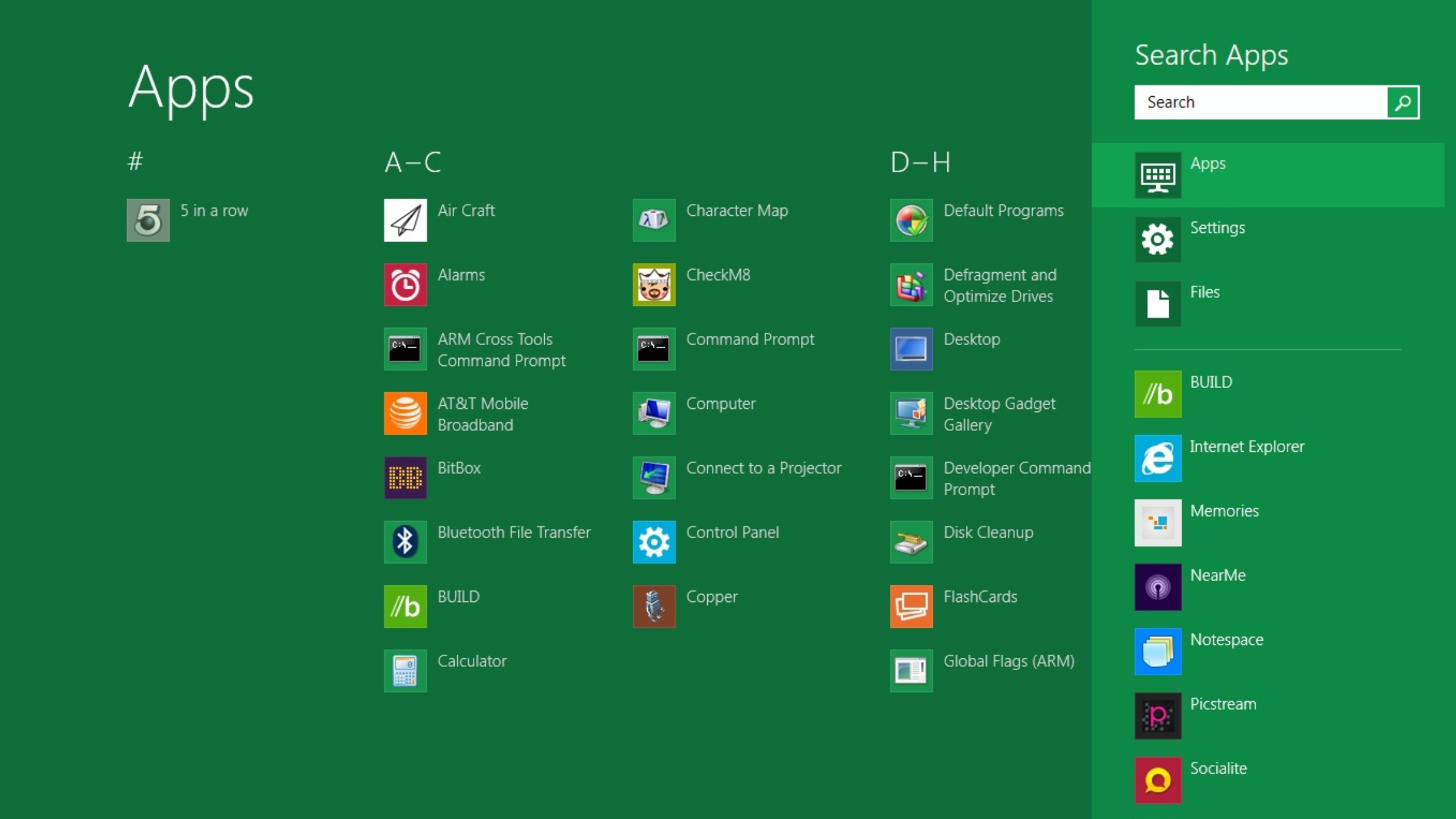
10 products that launched at Microsoft Build — and what happened to them
From Windows 8 to Copilot, here’s everything that was born at Buildwww.techradar.com
- Related coverage: notebookcheck.net
Microsoft Build 2026: What to expect from the June 2 keynote
Microsoft Build 2026 opens June 2 in San Francisco with AI agents, GitHub Copilot updates, and Windows local AI. Here is what developers can expect. www.notebookcheck.net
- Related coverage: notebookcheck.com
Microsoft Build 2026: Das erwartet Zuschauer bei der Keynote am 2. Juni
Die Microsoft Build 2026 beginnt am 2. Juni in San Francisco. Im Mittelpunkt stehen KI-Agenten, Neuerungen für GitHub Copilot sowie lokale KI-Funktionen für Windows. Das können Entwickler von der Konferenz erwarten. www.notebookcheck.com
- Related coverage: nvidia.com

- Related coverage: tomsguide.com
Loading…
www.tomsguide.com
- Related coverage: financialexpress.com
Loading…
www.financialexpress.com - Related coverage: uncrownedaddiction.com

Microsoft Build
Microsoft Build 2026 is Microsoft’s flagship developer conference focused on AI, cloud computing, developer tools, Windows, Azure, GitHub, and modern software development. The 2026 event is scheduled for June 2–3, 2026, at Fort Mason Center in San Francisco, California, with online access for the... www.uncrownedaddiction.com
- Related coverage: dataconomy.com
Loading…
dataconomy.com - Related coverage: lensmor.com
Microsoft Build 2026: Sessions & Speakers | Lensmor
Get the Microsoft Build 2026: Sessions & Speakers guide: exhibitor lists, key dates & venue details. Updated 2026 B2B event intelligence from Lensmor.www.lensmor.com
- Related coverage: conferencegrid.com
Microsoft Build 2026
Microsoft Build 2026 is a two-day developer conference focused on hands-on sessions around AI, coding, and technical workflows. Attendees gain access to deep technical content, keynotes, interactive lconferencegrid.com
- Related coverage: windowscentral.com
Loading…
www.windowscentral.com - Related coverage: multishoring.com

We’re Back - What to Expect at Microsoft Build 2026
Real code. Real systems. Real workflows. No fluff. Here’s our preview of what’s coming at Build 2026, what we’re watching, and why it matters! multishoring.com
- Official source: news.microsoft.com
Loading…
news.microsoft.com - Related coverage: msthesource.thesourcemediaassets.com
Loading…
msthesource.thesourcemediaassets.com - Official source: eventtools.event.microsoft.com
Loading…
eventtools.event.microsoft.com