

AI tools are now a mainstream option for everyday money tasks, but choosing between ChatGPT, Google Gemini, Microsoft Copilot and Anthropic Claude comes down less to model hype and more to where your financial data lives, what governance you require, and how you plan to verify outputs.
AI personal‑finance assistants perform three broad functions that matter for consumers: explain concepts in plain English, summarize and extract information from documents, and automate routine spreadsheet or email work. Those three capabilities — explain, extract, automate — are implemented differently across products, creating practical winners for different users and workflows.
Source: KRDO Comparing AI personal finance assistants: ChatGPT, Gemini, Copilot and Claude
 Background / Overview
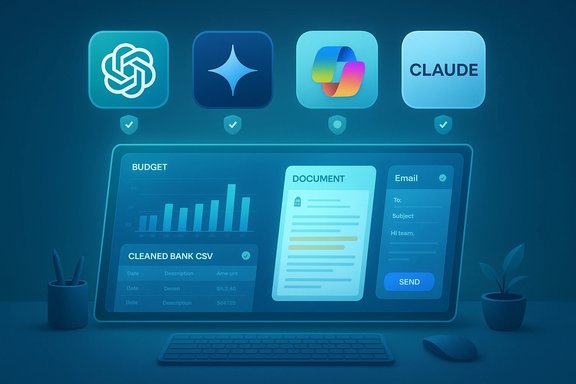
AI personal‑finance assistants perform three broad functions that matter for consumers: explain concepts in plain English, summarize and extract information from documents, and automate routine spreadsheet or email work. Those three capabilities — explain, extract, automate — are implemented differently across products, creating practical winners for different users and workflows.- ChatGPT is widely used as a flexible generalist for learning, drafting, and plugin‑driven automations.
- Google Gemini is tuned for Google Workspace users; its Sheets/Drive integrations and web‑grounding make it fast at turning PDFs and emails into working spreadsheets.
- Microsoft Copilot is most useful when your finance data lives inside a Microsoft tenant (Excel, Outlook, OneDrive/SharePoint), because it provides tenant grounding and admin auditing that many organizations require.
- Anthropic Claude stands out when you must process very large documents or when you want conservative, auditable summaries and cautious reasoning.
What these assistants can and cannot safely do for your money
What they can do well
AI assistants can:- Convert a cleaned bank CSV into categorized spending and a starter monthly budget.
- Summarize multi‑page 401(k) plan documents or advisor PDFs into concise action lists.
- Draft emails to HR or creditors and produce follow‑up questions for financial planning meetings.
- Automate spreadsheet formulas and scenario planning (especially inside Excel or Sheets when the assistant is integrated).
What they cannot (and should not) do
- Provide legally binding or fully personalized financial advice. None of these assistants are licensed financial professionals and they can confidently produce incorrect or incomplete guidance (so‑called hallucinations).
- Guarantee absolute privacy of your data unless you use the right enterprise contracts. Consumer chats can be used to improve models unless explicitly excluded in the plan or contract.
- Replace human verification for numeric calculations and regulatory or tax filings. Always verify computed totals and jurisdictional tax rules with a human professional.
Quick, verifiable technical and pricing facts (verified against vendor documentation)
Below are practical, checkable facts you will want to confirm before committing to a paid plan. These points were verified against vendor pages and recent documentation.- ChatGPT consumer premium (ChatGPT Plus) is commonly listed at $20/month for individuals. This plan expands access and limits compared with the free tier.
- Google’s premium offering that includes Gemini Advanced is distributed via Google One AI Premium and commonly priced at $19.99/month for consumer subscribers; Google bundles Gemini Advanced features into that subscription. This price parity with ChatGPT Plus has been reported consistently by multiple outlets.
- Microsoft 365 Copilot (business/enterprise SKU) lists a per‑user price around $30/month (paid yearly) for the Microsoft 365 Copilot package; Copilot features are also packaged variably into other M365 bundles and partner promotions. Confirm the exact SKU and licensing before purchase.
- Anthropic Claude Sonnet family supports very large context windows; a 1‑million‑token context is available for certain enterprise tiers and is explicitly priced with a premium for very large inputs (requests above threshold incur higher input/output per‑token charges). Anthropic’s docs list long‑context pricing tiers and beta availability for 1M token windows.
Deep dives: strengths, gaps, and best fit
ChatGPT — the flexible generalist
What it does best- Plain‑English explanations. Great for translating plan language, tax concepts and retirement mechanics into digestible terms.
- Iterative drafting. Fast at turning messy notes or a cleaned CSV into a usable budget or action list.
- Plugin ecosystem. Verified connectors and Custom GPTs allow secure integrations when configured, which can remove the need to paste credentials.
- Grounding and currency. Without retrieval or plugin connectors, it can present out‑of‑date facts or invented numbers.
- Auditability. Consumer plans may not provide formal non‑training guarantees or tenant logs; enterprise contracts are required for contractual privacy protections.
- Individuals who want explanations, templates, and a flexible drafting environment and who are comfortable pairing ChatGPT with a verification workflow (e.g., a spreadsheet check or a citation‑forward tool).
Google Gemini — Workspace native and web‑grounded
What it does best- Drive/Sheets integration. Export parsed statements to Google Sheets with formulas and scenario tabs in a single workflow.
- Web grounding. Gemini’s retrieval layers can pull up‑to‑date market headlines and rates into a planning conversation.
- Ecosystem lock‑in. Maximum value requires using Google Workspace and storing files in Drive, which raises governance tradeoffs for shared or cross‑account files.
- Contractual variation. Features and text‑level capabilities vary by Google One/Workspace SKU; verify your account entitlements.
- Users who already keep financial documents and workflows in Gmail, Drive, and Sheets and who want rapid conversion of documents to spreadsheets.
Microsoft Copilot — tenant grounding, Excel power
What it does best- Excel automation. Generates complex formulas, reconciles across workbooks, and automates template reuse inside tenant‑managed files.
- Governance and auditing. Integrates with Microsoft Graph and Purview for admin logging and enterprise controls — critical where audit trails matter.
- Outside data friction. If your data lives outside Microsoft 365, Copilot’s advantages are reduced and connector scope becomes the gating factor.
- SKU complexity. Many Copilot features appear in different licenses and bundles; licensing diligence is required.
- Businesses and power users embedded in Microsoft 365 who need auditable, tenant‑scoped AI assistance for spreadsheets and email workflows.
Anthropic Claude — conservative, long‑context specialist
What it does best- Long documents. Handles multi‑hundred‑page PDFs and multi‑year statements, producing conservative, structured summaries and clearly‑stated assumptions.
- Cautious reasoning. Claude’s default posture is to flag uncertainty and avoid overclaiming — a useful trait for audit‑sensitive outputs.
- Cost for scale. Long‑context processing is priced at a premium; if you process many long PDFs, token economics can dominate monthly spend.
- Visibility. Public usage metrics and consumer brand mindshare lag larger assistants, though enterprise deployments may be substantial.
- Users and small businesses that need thorough, auditable summaries of long plan documents and who are prepared to model token costs.
Practical money tasks and recommended prompts
AI assistants are already useful for operational tasks that save time but require human validation. Below are reproducible prompt examples that work well as starting points.- Summarize a 401(k) plan PDF and list five action items to discuss with my advisor, bullets under 12 words.
- From this redacted bank CSV, group expenses, flag subscriptions, and show a simple monthly budget.
- Explain Roth vs Traditional contributions in plain English for a W‑2 employee in a 24% tax bracket, add pros/cons.
- Turn meeting notes into three follow‑up questions for an advisor and draft a polite, short email to HR asking for fee disclosures.
- Decide the two highest‑value tasks (e.g., budget audit and plan summary).
- Create redacted test files (strip account numbers, SSNs).
- Run identical prompts across two assistants: one drafting assistant and one verification assistant. Measure time saved, error rate, and token/quota usage.
Safety, privacy and governance checklist
AI can amplify the damage of leaked financial information. Adopt basic controls before testing any assistant.- Turn on multi‑factor authentication and strong account security.
- Prefer authenticated OAuth connectors (read‑only scopes) over copy/pasting credentials.
- Strip personally identifiable information (account numbers, SSNs) before uploading.
- For regulated or high‑risk work, insist on written non‑training clauses, data residency, and tenant‑level protections; consumer plan defaults may allow training on your data.
- Keep humans in the loop: require human sign‑off before any action that moves money, files taxes, or submits legal/financial documents.
- Hallucinations: always verify numeric outputs programmatically (pivot sums, cross totals) rather than relying on narrative claims.
- Token economics: if you plan to ingest many long documents, run representative tests to estimate monthly cost before scaling. Claude’s long‑context pricing is explicitly structured with premium surcharges above certain thresholds.
Critical analysis — strengths, tradeoffs and vendor claims you should question
Strengths that are real and repeatable- Significant time savings on repetitive tasks such as draft emails, CSV classification, and PDF summarization when combined with simple verification steps. This is where most users will see immediate ROI.
- Ecosystem integration is a decisive differentiator. A Sheets/Drive user will be far more productive with Gemini; a Microsoft tenant benefits from Copilot’s auditability and Excel power. Vendor product choices are correctly matched to these ecosystems.
- Fixed numbers for context windows, single‑quarter pricing, and specific model rollouts are frequently updated; treat any single press figure as provisional. Always verify on vendor documentation.
- Marketing that implies AI can replace licensed advisors or auditors is misleading and dangerous. These systems do drafting and analysis — not professional fiduciary judgment.
- Use one assistant as an ideation/drafting engine (high fluency) and a second citation‑forward tool or a programmatic spreadsheet check for provenance and numeric verification. This pattern reduces risk from hallucinations and maintains an auditable trail.
Practical recommendation matrix — which assistant to pick
- If you primarily need plain‑English learning and drafting: start with ChatGPT; pair it with verification checks.
- If most of your financial documents live in Google Drive / Sheets: Gemini (Gemini Advanced via Google One AI Premium) is the fastest way from PDF/email to a working Sheets analysis. Confirm subscription entitlements.
- If you are a Microsoft 365 user who needs governance, auditing and deep Excel automation: Copilot under tenant licensing is the right pick — confirm SKU details and per‑user licensing costs.
- If you must ingest and summarize long, audit‑sensitive documents and you accept the token costs: Claude is the conservative choice. Model long‑context pricing and rate limits before you commit.
- Pick the one assistant that aligns with your primary file plane (Drive, OneDrive/SharePoint/Excel, local files).
- Run a 7–14 day pilot on two tasks (e.g., summarize a 401(k) PDF; process a cleaned bank CSV).
- Measure accuracy (error count), time saved, and token/quota costs. Decide whether to upgrade to paid or enterprise plans when the math favors productivity gains.
Conclusion
AI personal‑finance assistants are no longer novelty chatbots — they are practical productivity tools that can speed budgeting, reconcile statements, and summarize dense plan documents. The right assistant depends on ecosystem fit, grounding, governance, and verification strategy rather than raw model marketing. Use ChatGPT for flexible drafting, Gemini for Drive/Sheets‑centric workflows, Copilot when you require tenant controls and Excel automation, and Claude for long, audit‑sensitive documents. Wherever you start, strip sensitive identifiers, pilot for 7–14 days on representative tasks, adopt a two‑tool verification pattern, and keep a human approval gate for any decision that moves money or affects taxes.Source: KRDO Comparing AI personal finance assistants: ChatGPT, Gemini, Copilot and Claude
