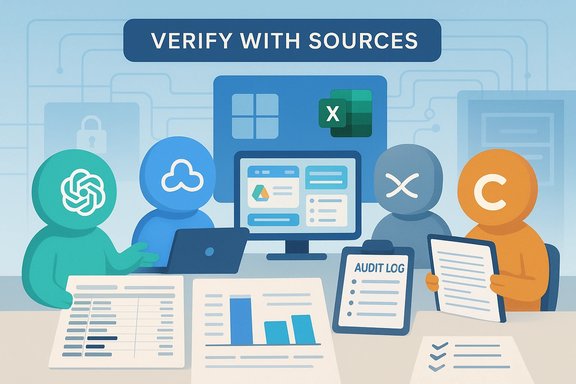
AI assistants are now practical tools for managing everyday money tasks, but choosing between ChatGPT, Gemini, Microsoft Copilot, and Claude depends less on marketing and more on how each assistant connects to your data, its privacy guarantees, and its document‑handling limits.
The consumer AI landscape has matured from novelty chatbots into ecosystem‑specific assistants that compete on integration, context window size, and governance features rather than raw conversational flair. ChatGPT positions itself as a flexible generalist and plugin hub; Google Gemini focuses on web grounding and Google Workspace/Sheets automation; Microsoft Copilot embeds into Microsoft 365 and Windows with tenant controls; Anthropic Claude emphasizes long‑context reasoning and a conservative safety posture. These product positions shape real‑world usefulness for personal finance tasks.
Across independent reviews and hands‑on tests, three evaluation axes repeatedly determine suitability for money work: (1) data grounding and live feeds; (2) secure, auditable integrations and non‑training contractual guarantees; and (3) the assistant’s ability to ingest and reason over long documents or spreadsheets. Treating AI as a drafting aid — not a final advisor — remains the practical operating principle.
ChatGPT’s strengths are fluency, a broad plugin ecosystem, and easy promptability. It is an excellent starting point for drafting budgets, turning meeting notes into follow‑ups, or cleaning a pasted bank CSV. ChatGPT Plus and higher tiers expand limits and responsiveness (consumer premium tiers commonly cluster around ~$20/month), and business/enterprise tiers can offer non‑training contractual protections.
Practical caveats: grounding depends on plugins or retrieval modes; without them, jurisdictional tax rules and daily market rates can be out of date. Hallucinations remain a real risk for computed totals and legal/tax interpretations.
Gemini’s native ties to Gmail, Google Drive, Docs, and especially Sheets make automated exports, invoice reconciliation, and formula generation straightforward for Google users. Live web grounding helps pull current mortgage or FX rates into a planning conversation, and Google’s premium Gemini tiers are positioned around similar ~$19.99/month pricing for consumer advanced plans.
Practical caveats: full value requires Workspace connectivity — that creates governance tradeoffs if you store sensitive financial documents in shared Drive folders. Verify any legal or tax claims with primary sources.
Copilot shines when your finance data already lives in Excel, Outlook, OneDrive, or SharePoint under a Microsoft tenant. It can generate complex Excel formulas, reconcile across workbooks, and draft context‑aware, tenant‑scoped emails, with admin logging through Microsoft Graph and Purview. These governance features make it attractive for users who require auditable trails and admin controls.
Practical caveats: Copilot’s advantages drop if your data lives outside Microsoft 365. Licensing packaging and SKU fragmentation make it essential to confirm which Copilot features are included in a specific Microsoft 365 plan.
Anthropic Claude is designed with large context windows and a safety‑first posture. It excels at ingesting multi‑page plan documents, multi‑year statements, and producing conservative, auditable narrative summaries. Paid enterprise tiers advertise very large context windows (standard paid models around hundreds of thousands of tokens and specialized tiers offering up to 1M tokens), which matters when you need the assistant to retain entire documents through analysis.
Practical caveats: long‑context processing can be pricey due to token economics; Claude’s public usage metrics lag larger consumer assistants, so visible popularity metrics undercount private enterprise deployments.
AI personal finance assistants are valuable productivity tools when matched to your data environment and used with clear governance and verification steps. Treat them as drafting companions, not final decision makers, and design simple human‑in‑the‑loop controls before you let any assistant touch sensitive workflows.
Source: Fort Wayne Business Weekly Comparing AI personal finance assistants: ChatGPT, Gemini, Copilot and Claude
 Background / Overview
The consumer AI landscape has matured from novelty chatbots into ecosystem‑specific assistants that compete on integration, context window size, and governance features rather than raw conversational flair. ChatGPT positions itself as a flexible generalist and plugin hub; Google Gemini focuses on web grounding and Google Workspace/Sheets automation; Microsoft Copilot embeds into Microsoft 365 and Windows with tenant controls; Anthropic Claude emphasizes long‑context reasoning and a conservative safety posture. These product positions shape real‑world usefulness for personal finance tasks.Across independent reviews and hands‑on tests, three evaluation axes repeatedly determine suitability for money work: (1) data grounding and live feeds; (2) secure, auditable integrations and non‑training contractual guarantees; and (3) the assistant’s ability to ingest and reason over long documents or spreadsheets. Treating AI as a drafting aid — not a final advisor — remains the practical operating principle.
What these assistants can and cannot do for your money
Capabilities that consistently add value
- Explain financial concepts in plain English (401(k), Roth vs. Traditional, vesting schedules).
- Draft emails and letters (to HR, creditors, or advisors).
- Summarize long PDFs and plan documents into actionable bullet points.
- Clean and classify transaction CSVs and produce starter budgets or debt‑repayment schedules.
- Generate spreadsheet formulas and scenario tabs when integrated with Sheets or Excel.
Hard limits and real risks
- Hallucinations (confident but incorrect claims): Models will invent numbers or misapply tax rules unless grounded in verified sources. Independent testing documents persistent hallucination risk for finance prompts. Always verify computed totals in a spreadsheet.
- Privacy and training concerns: Consumer chat sessions may be used to train models unless the vendor explicitly offers a non‑training contractual option. For regulated or sensitive finance data, enterprise‑grade plans with non‑training clauses and data‑residency guarantees are the only safe route.
- Not a licensed advisor: No assistant replaces a CPA, tax attorney, or licensed financial planner. Use human review for tax filings, account changes, or investment decisions.
Quick comparative snapshot: ChatGPT vs Gemini vs Copilot vs Claude
ChatGPT — the flexible generalist and plugin hub
Best for: learning, drafting, iterative planning, and plugin‑enabled account connectors.ChatGPT’s strengths are fluency, a broad plugin ecosystem, and easy promptability. It is an excellent starting point for drafting budgets, turning meeting notes into follow‑ups, or cleaning a pasted bank CSV. ChatGPT Plus and higher tiers expand limits and responsiveness (consumer premium tiers commonly cluster around ~$20/month), and business/enterprise tiers can offer non‑training contractual protections.
Practical caveats: grounding depends on plugins or retrieval modes; without them, jurisdictional tax rules and daily market rates can be out of date. Hallucinations remain a real risk for computed totals and legal/tax interpretations.
Gemini — web grounding and Google Workspace power
Best for: Google Workspace users who live in Drive and Sheets.Gemini’s native ties to Gmail, Google Drive, Docs, and especially Sheets make automated exports, invoice reconciliation, and formula generation straightforward for Google users. Live web grounding helps pull current mortgage or FX rates into a planning conversation, and Google’s premium Gemini tiers are positioned around similar ~$19.99/month pricing for consumer advanced plans.
Practical caveats: full value requires Workspace connectivity — that creates governance tradeoffs if you store sensitive financial documents in shared Drive folders. Verify any legal or tax claims with primary sources.
Microsoft Copilot — tenant grounding and Office automation
Best for: Windows and Microsoft 365 users who need tenant controls and Excel power.Copilot shines when your finance data already lives in Excel, Outlook, OneDrive, or SharePoint under a Microsoft tenant. It can generate complex Excel formulas, reconcile across workbooks, and draft context‑aware, tenant‑scoped emails, with admin logging through Microsoft Graph and Purview. These governance features make it attractive for users who require auditable trails and admin controls.
Practical caveats: Copilot’s advantages drop if your data lives outside Microsoft 365. Licensing packaging and SKU fragmentation make it essential to confirm which Copilot features are included in a specific Microsoft 365 plan.
Claude — conservative, long‑context specialist
Best for: long document ingestion, conservative summarization, and audit‑sensitive outputs.Anthropic Claude is designed with large context windows and a safety‑first posture. It excels at ingesting multi‑page plan documents, multi‑year statements, and producing conservative, auditable narrative summaries. Paid enterprise tiers advertise very large context windows (standard paid models around hundreds of thousands of tokens and specialized tiers offering up to 1M tokens), which matters when you need the assistant to retain entire documents through analysis.
Practical caveats: long‑context processing can be pricey due to token economics; Claude’s public usage metrics lag larger consumer assistants, so visible popularity metrics undercount private enterprise deployments.
Deep dive: feature strengths, gaps, and ideal workflows
1) Transaction reconciliation and budget audits
- Best generalist workflow: export a cleaned bank CSV, remove account numbers, then use an assistant to classify transactions and flag subscriptions. ChatGPT provides fast templates and narrative explanation; Gemini will automate a Sheets export if statements live in Drive; Copilot will run Excel formulas in‑tenant; Claude will handle very long statement series and provide an auditable summary.
- Strip account numbers and SSNs before uploading.
- Use a read‑only OAuth connector where available.
- Verify all computed totals in a spreadsheet and reconcile line counts.
2) Reviewing 401(k) plans, benefit disclosures, and PDFs
- Claude is especially effective at summarizing long PDFs and producing short action lists to discuss with an advisor. ChatGPT can explain plan features in plain English and draft concise follow‑up questions. Gemini can pull Drive‑stored plan PDFs into a Sheets checklist; Copilot can summarize attachments found in Outlook or SharePoint when operating under tenant controls.
- Treat summaries as starting points; check legal or fee figures against the original document.
- For regulatory or fiduciary tasks, insist on auditable logs and human sign‑off.
3) Debt management and scenario planning
- All assistants can produce debt‑repayment schedules from well‑formatted spreadsheets. ChatGPT is fast for scenario drafting; Gemini can populate Sheets; Copilot automates complex Excel scenarios; Claude provides conservative language and traceability for creditor negotiations. Test both the debt snowball and avalanche outputs, and verify interest accrual numbers against formulas.
4) Investment research and market data
- Use web‑grounded assistants or citation‑forward tools for current market rates. Gemini and some retrieval‑enabled ChatGPT modes pull live web data; Claude and Copilot are strong when they have authorized data connectors (Anthropic’s partnerships and Copilot’s tenant connectors respectively). Always verify quotes and cite primary sources when publishing or acting on research.
Safety, privacy and governance — a practical checklist
- Turn on multi‑factor authentication (MFA) and strong account security settings before connecting any AI assistant.
- Prefer OAuth connectors and read‑only scopes where possible (avoid pasting credentials).
- For sensitive finance workflows, use paid/enterprise tiers that explicitly exclude customer data from being used to train models — verify the exact contractual language.
- Strip or redact direct identifiers (bank account numbers, SSNs) from files before uploading to consumer chat windows.
- Keep a human validation gate for any action that moves money, files taxes, or submits legal documents.
- Run identical prompts across two assistants in a 7–14 day pilot: one for drafting, another for verification. Monitor quotas and token usage; long document processing can escalate costs quickly.
Pricing, context windows and token economics (verified claims)
- Consumer premium tiers for ChatGPT and Gemini commonly fall around $19–$20/month for individual users, providing higher availability and expanded model access; business and enterprise tiers vary by SKU. These consumer price bands are consistent across vendor pages and press reporting, but they are fluid and subject to vendor repackaging.
- Claude advertises very large context windows on paid models; standard paid Sonnet models are reported to offer context windows in the low‑to‑mid hundreds of thousands of tokens, with specific enterprise configurations claiming up to 1M tokens under special tiers. These longer windows materially change the feasibility of processing multi‑year financial statements without splitting documents. Model and pricing details should be validated against current vendor documentation before large‑scale use.
- Enterprise usage economics are driven by token billing, API rate limits, and premium pricing for long‑context requests. For high‑volume document processing (many multi‑page PDFs), token costs can dominate subscription price. Pilot tests help estimate ongoing monthly spend.
Recommended workflows and practical next steps
- Choose a primary assistant that aligns with where your data lives:
- Google Drive/Sheets → Gemini.
- Microsoft 365 / Excel / Outlook → Copilot.
- Long PDFs, multi‑year statements → Claude.
- Broad drafting and plugin flexibility → ChatGPT.
- Turn on account security and test non‑training/privacy settings in the assistant’s account controls. Confirm any non‑training contractual clause before sharing regulated data.
- Pilot the two most important tasks for your finances for 7–14 days:
- Summarize a 401(k) plan PDF into five action items.
- Run a cleaned bank CSV through an assistant to get a categorized monthly budget and a list of flagged subscriptions.
- Pair a drafting assistant with a citation‑forward verification tool or a second assistant used for source checking. Treat all outputs as drafts and keep a human approval gate.
- Monitor usage, token consumption, and costs weekly during the pilot. If you plan to process dozens of long PDFs per month, model token economics will be a primary budget driver.
Strengths and weaknesses — critical appraisal
- Strength: modern AI assistants deliver real productivity gains for routine finance tasks — drafting budgets, transforming PDFs into action lists, and automating spreadsheet formulas. These gains are especially visible when the assistant matches your ecosystem (Drive vs. Office vs. local files).
- Weakness: hallucinations and synthesis errors remain a documented and meaningful hazard for finance prompts. Even polished prose can hide a miscomputed interest figure or an invented tax allowance. Risk increases when assistants are ungrounded.
- Strength: governance features (tenant grounding, admin logs, non‑training contracts) are now available and are the primary reason enterprises choose Copilot or enterprise versions of other assistants. For regulated finance workflows, procurement buys governance as much as capability.
- Weakness: pricing and feature packaging change rapidly. What looks like parity at $20/month in one quarter can change with bundling or enterprise reclassifications. Always confirm current vendor pages before committing.
- Strength: specialized assistants (Claude for long documents; Gemini for web‑grounded Sheets exports) outperform generalists on targeted tasks. Pragmatic pluralism — one assistant for drafting, another for verification — is a good pattern for individuals and SMBs.
Example prompts that work well (copy‑ready)
- “Summarize this 401(k) plan PDF and list five action items I can discuss with my advisor. Keep bullets under 12 words.”
- “From this cleaned bank CSV, group expenses, flag subscriptions, and show a simple monthly budget.”
- “Explain Roth vs. Traditional contributions in plain English for a W‑2 employee in a 24% tax bracket. Add pros/cons.”
Final verdict — choosing what fits
The right AI personal finance assistant is determined by where your data lives, how much auditability you need, and how risk‑averse you are about privacy and hallucinations.- Choose ChatGPT if you want a flexible drafting environment and a large plugin ecosystem for iterative, creative finance tasks.
- Choose Gemini if your workflows are Drive/Sheets centric and you want quick exports and web‑grounded market pulls.
- Choose Microsoft Copilot if you operate inside Microsoft 365 and require tenant controls, audit logs, and deep Excel automation.
- Choose Claude if you must process very large documents with conservative, auditable summaries and a safety‑first posture.
AI personal finance assistants are valuable productivity tools when matched to your data environment and used with clear governance and verification steps. Treat them as drafting companions, not final decision makers, and design simple human‑in‑the‑loop controls before you let any assistant touch sensitive workflows.
Source: Fort Wayne Business Weekly Comparing AI personal finance assistants: ChatGPT, Gemini, Copilot and Claude