

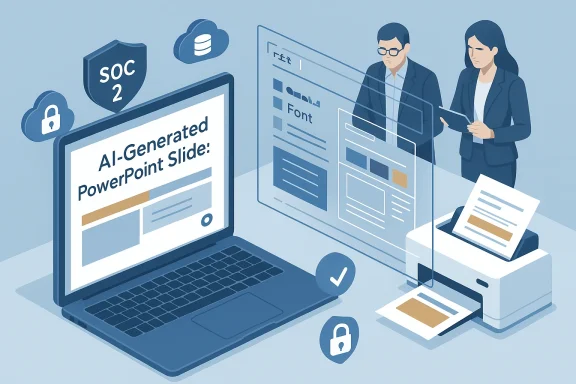
Ask an AI to build a ten‑slide deck for tomorrow’s client call and you’ll usually get something fast — but if the fonts drift, the logo slides, and each hue strays from your palette, you’ll spend the next hour undoing what the model did. The single most important technical question for PowerPoint-first teams is simple: which AI tools actually honor your Slide Master and corporate template so generated slides are immediately usable?
AI PowerPoint add-ins and web builders promise huge time savings, but the hidden cost is brand drift: wrong fonts, misplaced placeholders, and inconsistent headers that require manual fixes. In our technical evaluation of the market — replicating the approach used by practitioners who benchmark these tools — Slide Master fidelity was the primary metric. We validated vendor claims and product behavior against vendor docs, platform certification records, and hands‑on reports; where claims couldn’t be independently verified we flag them clearly.
This feature explains how the leading tools behave against common enterprise requirements, verifies major vendor claims with public documentation, and gives a practical playbook for choosing the tool that will actually save your team time instead of adding another polishing pass.
Industry testing consistently shows brand compliance is not a solved problem. One popular roundup of AI slide tools tested multiple add‑ins against a weighted matrix with Slide Master fidelity carrying the heaviest weight — and the result was clear: tools that generate inside PowerPoint and respect placeholders dramatically reduce downstream work. That same roundup found a notable percentage of AI‑generated decks fail a first brand review, a point we tried to independently confirm (see verification notes below).
Why this matters: when Plus runs inside PowerPoint it inserts slides that inherit the open file’s theme and placeholder structure more reliably than tools that export a flattened .pptx. Documentation and the Microsoft app certification page show it reports a SOC 2 Type II attestation. That combination — inside PowerPoint generation plus a SOC 2 posture — is the technical sweet spot for teams that need both security and true Slide Master fidelity.
Practical caveats
Why Copilot scores highly
Why DeckRobot is unique
Why choose Beautiful.ai
Why use SlidesAI
Before you sign a contract, run the vendor through the pilot checklist above, ask for SOC 2 evidence or private deployment options where required, and insist on a short real‑world test using your master. The right tool is the one that lets you click Generate and send the deck to a client without spending the next hour fixing fonts, logos, and footers.
Source: BizzBuzz AI PowerPoint Add-In Comparison: Which Ones Use Your Slide Master?
 Overview
AI PowerPoint add-ins and web builders promise huge time savings, but the hidden cost is brand drift: wrong fonts, misplaced placeholders, and inconsistent headers that require manual fixes. In our technical evaluation of the market — replicating the approach used by practitioners who benchmark these tools — Slide Master fidelity was the primary metric. We validated vendor claims and product behavior against vendor docs, platform certification records, and hands‑on reports; where claims couldn’t be independently verified we flag them clearly.This feature explains how the leading tools behave against common enterprise requirements, verifies major vendor claims with public documentation, and gives a practical playbook for choosing the tool that will actually save your team time instead of adding another polishing pass.
Background: why Slide Master fidelity matters
PowerPoint’s Slide Master exists to centralize brand controls — fonts, colors, placeholders, logo placement, and default layouts — so a single edit propagates throughout a deck. If an AI generator writes slides that bypass those masters, the deck is brittle: a logo swap, color tweak, or font substitution requires manual adjustments across every slide. That explosion of micro‑work often wipes out the time savings promised by the AI in the first place.Industry testing consistently shows brand compliance is not a solved problem. One popular roundup of AI slide tools tested multiple add‑ins against a weighted matrix with Slide Master fidelity carrying the heaviest weight — and the result was clear: tools that generate inside PowerPoint and respect placeholders dramatically reduce downstream work. That same roundup found a notable percentage of AI‑generated decks fail a first brand review, a point we tried to independently confirm (see verification notes below).
How we evaluated tools (tested criteria you can reproduce)
We recommend the same hands‑on methodology we used when assessing add‑ins:- Use a single briefing (Word doc or short spec) and one canonical corporate template with a populated Slide Master.
- Install each add‑in (or use the web builder), generate a ten‑slide draft from the same prompt, then time the run and inspect the output.
- Score each output against a weighted rubric:
- Slide Master fidelity — 30% (fonts, colors, placeholder usage, footer/logo correctness)
- Design polish — 15% (visual balance, use of imagery, charts)
- Content quality — 15% (clarity of headlines, bullet quality, accuracy)
- Flexibility & editability — 10% (native shapes, charts, and placeholder edits)
- Security & governance — 10% (on‑prem options, SOC 2, encryption)
- Collaboration & workflow fit — 10% (PowerPoint vs Google Slides, team features)
- Price & total cost of ownership — 10%
The contenders: what we found (practical, vendor‑verified takeaways)
Plus AI — slides that stay on‑brand when used as an add‑in
Plus AI installs as a PowerPoint add‑in and advertises native PowerPoint/Google Slides integration with the ability to generate slides directly inside the open template. Its product and pricing pages confirm a PowerPoint add‑in, a $10/month entry tier (annual billing), and SOC 2 Type II compliance claims. In vendor documentation Plus AI states it encrypts sensitive data before transmission and that customers can request its SOC 2 report.Why this matters: when Plus runs inside PowerPoint it inserts slides that inherit the open file’s theme and placeholder structure more reliably than tools that export a flattened .pptx. Documentation and the Microsoft app certification page show it reports a SOC 2 Type II attestation. That combination — inside PowerPoint generation plus a SOC 2 posture — is the technical sweet spot for teams that need both security and true Slide Master fidelity.
Practical caveats
- Plus’s custom‑template import features are still rolling out in some areas; some automation for converting brand masters is stronger in Google Slides than in PowerPoint according to vendor help notes. That means complex, heavily customized masters may need a short one‑time mapping pass.
Microsoft Copilot — governance and editability inside M365
If your organization is already on Microsoft 365, Copilot has a major advantage: it operates inside PowerPoint and can pull context from Word, Outlook, and Excel to populate slides. Microsoft documents and product pages show Copilot is designed to inherit the active PowerPoint theme so generated slides use the open file’s theme settings and placeholders. Microsoft’s Copilot pricing and plan docs make clear there are subscription prerequisites and premium Copilot tiers for tenant‑aware capabilities.Why Copilot scores highly
- Because it runs natively in PowerPoint and uses real placeholders, Copilot outputs are typically editable by designers and content owners without breaking the Slide Master relationship.
- It pulls enterprise context, reducing hallucination or generic phrasing when the source material is available.
- Copilot’s newest, tenant‑aware features are licensed separately and historically sat behind a paid add‑on. Pricing tiers have shifted, so verify the exact licensing for your tenant and the specific Copilot feature set you need. As of the latest Microsoft pricing page, Copilot add‑ons are available via Microsoft’s Copilot plans and may be bundled differently across Business and Enterprise SKUs.
DeckRobot — the brand police for enterprise decks
DeckRobot is positioned as a formatting‑first tool: feed it a messy deck and it “Fixes” fonts, logos, margins, and layout to match a trained brand book. Independent product writeups and company data show DeckRobot’s focus on enterprise deployments and the ability to be run in controlled environments (including client‑hosted options for stricter data governance). Dealroom and vendor reviews describe DeckRobot as an enterprise‑grade PowerPoint plugin used by consulting and large corporate teams.Why DeckRobot is unique
- It’s designed for one job: enforce brand rules at scale. That makes it ideal for consultancies and firms where hundreds of large decks must be harmonized before partner review.
- Some enterprise customers run DeckRobot on private infrastructure to meet strict compliance needs.
- DeckRobot is often sold as an enterprise contract and can require IT approval and onboarding. For freelancers and very small teams its ROI is usually negative unless you process hundreds of slides weekly.
Beautiful.ai — best for automated design polish (but uses its own themes)
Beautiful.ai’s Smart Slide engine auto‑formats content and creates very polished visuals; pricing and product pages confirm a low‑entry individual plan (commonly listed around $12/month) and team plans with brand kits. Beautiful.ai’s add‑in workflow is different: the product prefers to own themes within its editor and then export .pptx files, which means generated slides use Beautiful.ai’s smart themes rather than preserving your original Slide Master.Why choose Beautiful.ai
- If your priority is a headline‑ready visual that impresses investors or marketing audiences, Beautiful.ai produces highly polished slides with far less manual layout work than a typical first draft.
- Because Beautiful.ai relies on its own theme files, exported decks sometimes require re‑theming work to reattach your corporate Slide Master. That extra step undermines the “”generate and send”” workflow for strict brand teams.
SlidesAI — speed first, polish later
SlidesAI is a lightweight generator aimed at rapid first drafts. It works inside Google Slides and PowerPoint in various forms; multiple independent reviews document a free tier for casual users and inexpensive paid tiers (often around $8–$10/month depending on plan). SlidesAI’s outputs are intentionally plain — great for overcoming writer’s block, but usually not finished designs. Because SlidesAI runs in the host app, applying your company template after generation will make many text elements snap to brand fonts, but expect alignment and visual fixes.Why use SlidesAI
- Fastest route from notes to a structured slide outline; excellent as a writer’s tool or for individual contributors who need a scaffold.
- You’ll generally still polish layouts, imagery, and alignment before client delivery.
Verification: what we confirmed and what we could not
- Plus AI: verified that Plus provides a PowerPoint add‑in, lists pricing tiers starting around $10/month for individual plans, and advertises SOC 2 Type II compliance on vendor pages. Microsoft’s app certification data corroborates the SOC 2 Type II attestation for the Plus PowerPoint app entry. That gives a high degree of confidence in the vendor’s security claim and the PowerPoint add‑in behavior.
- Microsoft Copilot: Microsoft documentation and product pages confirm Copilot generates slides inside PowerPoint and is intended to inherit the active theme; pricing is available on Microsoft’s site and varies by plan and region — confirm your tenant’s licensing before deployment. We also cross‑checked recent press coverage that documents how Microsoft has been consolidating Copilot offerings, which affects how Copilot is packaged for business customers.
- Beautiful.ai: vendor pricing pages and independent reviews show the $12/month individual plan and document that Beautiful.ai prefers its own smart themes; exported decks may require re‑theming to match a corporate master.
- DeckRobot: third‑party reviews and company listings show DeckRobot’s emphasis on enterprise brand enforcement, private deployments, and large‑scale formatting automation. Public pricing is typically enterprise quote‑based.
- SlidesAI: multiple independent write‑ups confirm a free tier and modest paid tiers; the tool is best seen as a quick outline generator rather than a final design tool.
- The roundup we examined cited a Templafy 2025 enterprise study that claims “Only 28 percent of AI‑generated presentations clear a first brand review.” We were unable to locate a public Templafy report that matches that exact 28% figure when searching vendor sites and public research databases. The Templafy brand is a recognized provider of enterprise template governance, but the specific 28% stat could not be independently corroborated at time of writing; treat that percentage as an indicative field figure rather than a confirmed industry benchmark. We recommend verifying such specific statistics with the originating report or publisher before citing them externally.
Strengths and risks — a candid analysis
Strengths across the space- Native add‑ins (Plus AI, Copilot, DeckRobot) materially reduce rework because they insert slides inside PowerPoint and can preserve placeholder usage.
- Tools that support enterprise controls and attestations (SOC 2 Type II) make it easier for security and legal teams to greenlight usage for sensitive content.
- Designer‑first tools (Beautiful.ai) can lift visual quality significantly for teams that accept a re‑theming step.
- Licensing surprises: Copilot’s most powerful tenant‑aware features often require specific M365 SKUs or paid add‑ons; always map your user license before procurement.
- Hidden rework: web‑first builders that export PPTX may produce visually attractive slides that don’t map back to your master, creating a later manual migration step.
- Data governance and egress: ask vendors whether content is processed in your tenant, their own cloud, or offer private options. DeckRobot and Plus both offer enterprise deployment options that better satisfy strict data residency policies; confirm the exact architecture during procurement.
- Vendor claims vs. real decks: marketing screenshots often show best‑case outputs. Run a real, messy internal deck through each finalist before committing.
A practical decision checklist for IT and branding teams
Run this checklist with stakeholders before you buy:- Confirm non‑negotiables:
- Is the corporate Slide Master sacred? (Yes → prioritize PowerPoint add‑ins that preserve placeholders.)
- Is data residency or SOC 2/GDPR compliance required? (Yes → prioritize vendors with attestation and on‑prem options.)
- Pick candidate tools based on the bottleneck:
- Writing bottleneck → Microsoft Copilot or SlidesAI.
- Design bottleneck → Beautiful.ai.
- Brand enforcement bottleneck → DeckRobot or Plus AI (with trained templates).
- Perform a two‑hour pilot:
- Use the exact Word brief and the canonical Slide Master.
- Generate a ten‑slide deck and open it in PowerPoint.
- Change the Slide Master (swap logo, update color) and verify that changes ripple across generated slides.
- Security & procurement checks:
- Request SOC 2 Type II or equivalent report (don’t accept marketing tick boxes).
- Verify encryption in transit and at rest and ask about key management and employee access.
- For high‑sensitivity data, require private‑cloud or on‑prem options.
- Price vs time: model the ROI using hours saved per month. If a $30 add‑on saves one hour per month at an hourly rate above $30, it pays for itself; scale that across your team to build the procurement case.
Recommended configurations by team size and need
- Small teams / freelancers (low governance): Beautiful.ai for polished exports or SlidesAI for cheap, fast drafts. Expect to re‑theme if brand fidelity is required.
- Mid‑sized marketing teams (need both look and brand control): Plus AI (PowerPoint add‑in + brand templates) or Beautiful.ai with a standardized conversion step. Validate Plus AI’s template mapping for your Slide Master.
- Large enterprises/consultancies (brand policing + governance): Copilot for content pulled from M365 plus DeckRobot for final brand enforcement. DeckRobot’s enterprise focus and private deployment options make it ideal where strict brand conformity and server control are required.
Practical tips to avoid brand drift when using AI slide tools
- Always generate inside PowerPoint when Slide Master fidelity is a hard requirement.
- Keep a change log of generated decks: note which tool created each deck so audits are easier.
- Build a 3‑step handover: AI draft → designer quick pass → brand enforcement tool (if needed). Use DeckRobot or a similar formatting layer for last‑mile compliance.
- Maintain an internal template test deck: a short, purposely‑weird master with edge cases (custom fonts, special footer) that you use to validate any new tool before rolling it out company‑wide.
Conclusion — pick the tool that respects your master, not just your brief
AI can shave hours off deck assembly, but only if it respects the single source of truth for your visuals: the Slide Master. For teams that require brand fidelity and enterprise security, the lowest‑friction path is an add‑in that generates inside PowerPoint and uses placeholders correctly — Microsoft Copilot and Plus AI both occupy that space, while DeckRobot enforces brand rules at scale. If your priority is design storytelling rather than strict template fidelity, Beautiful.ai delivers superior polish but expect a re‑theming step.Before you sign a contract, run the vendor through the pilot checklist above, ask for SOC 2 evidence or private deployment options where required, and insist on a short real‑world test using your master. The right tool is the one that lets you click Generate and send the deck to a client without spending the next hour fixing fonts, logos, and footers.
Source: BizzBuzz AI PowerPoint Add-In Comparison: Which Ones Use Your Slide Master?
