

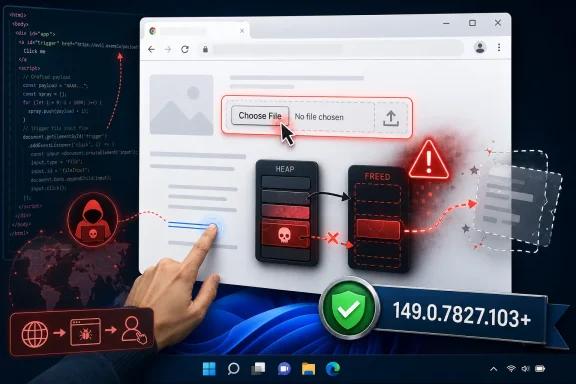
The File Picker Is No Longer Just a File Picker
The most important word in this CVE is not “critical.” It is “File Input.”
Chrome’s file input machinery sits at the intersection of web content, local user intent, browser sandboxing, memory management, and operating-system integration. It is meant to be boring. A web page asks the user to upload a document, the browser mediates access, and the site gets only what the user explicitly selects.
That user-consent model is precisely why vulnerabilities here deserve attention. File upload controls are among the few browser features where untrusted web content is allowed to approach the boundary between the page and the local machine. The entire design depends on the browser keeping a clean separation between what the site can script, what the user can choose, and what the OS exposes.
A use-after-free bug breaks that confidence at a lower level. Instead of arguing over permissions, prompts, or user interface deception, the attacker is trying to exploit memory that the browser believes it has finished using. If the attacker can shape that memory and make Chrome touch it again at the right moment, “choose a file” becomes less a UX gesture than an entry point into heap corruption.
Critical Severity Does Not Mean Instant Compromise, But It Does Mean Urgent Patch Discipline
The public description of CVE-2026-11630 is narrow and familiar: a remote attacker, a crafted HTML page, potential heap corruption, affected Chrome versions before 149.0.7827.103. CISA’s ADP scoring assigns it a CVSS 3.1 base score of 8.8, with network attack vector, low attack complexity, no privileges required, and user interaction required.
That last condition matters. This is not described as a wormable network service flaw or a magic packet that compromises a machine sitting idle on a LAN. The victim has to interact with malicious web content, and the most likely path is the oldest one on the web: click a link, visit a page, land on compromised or attacker-controlled content.
But “user interaction required” should not lull anyone. For browser bugs, user interaction is often the default state of computing. Users click links in email, Teams, Slack, Discord, search results, support portals, OAuth flows, vendor dashboards, and ticketing systems all day long. A vulnerability that requires a crafted HTML page is still a vulnerability that travels at the speed of the web.
The severity label also reflects possible impact, not a guaranteed exploit chain. Heap corruption inside Chrome may need additional work to become reliable code execution, and Chrome’s sandbox is designed to contain renderer compromise. Still, memory-corruption flaws in browser components are exactly the sort of bug class attackers chain with sandbox escapes, credential theft, session hijacking, or targeted phishing operations.
The Patch Number Is the Part IT Can Actually Control
For Windows users and administrators, the operational message is refreshingly concrete: Chrome must be at or beyond the fixed 149.0.7827.102/.103 line, with the NVD entry describing versions prior to 149.0.7827.103 as affected. Google’s stable-channel update began rolling out in the same June 2026 patch window, and Chrome’s staggered rollout model means some machines may update before others unless administrators force the issue.
That detail matters in managed environments. The phrase “roll out over the coming days/weeks” is acceptable for consumer convenience and unacceptable as a risk boundary for enterprises with exposed browsing populations. If the vulnerability is important enough to carry Chromium’s critical label, it is important enough to verify the fleet state instead of assuming auto-update has done its job.
Chrome’s update mechanism is generally one of the better success stories in consumer security. Most home users will receive the fix without reading a bulletin, and the browser will install it quietly after a restart. But enterprises are where good updater design meets reality: frozen virtual desktops, app compatibility rings, nonpersistent images, third-party patch products, offline systems, browser relaunch deferrals, and users who treat “restart to update” as a lifestyle suggestion.
This is where security teams need to be precise. The work is not “patch Chrome” in the abstract. The work is to confirm the installed version, confirm that pending updates have actually applied after process restart, confirm that Edge and other Chromium-derived browsers are not lagging behind their upstream fixes, and confirm that vulnerability scanners are not misreading platform CPEs as a substitute for real browser inventory.
NVD’s CPE Trail Tells a Messier Story Than the CVE Summary
The user-facing vulnerability entry includes an interesting CPE configuration: Google Chrome affected across Windows, Linux, and macOS platform contexts. That makes intuitive sense, because Chrome is the vulnerable application and those are the operating systems on which the desktop browser runs.
But CPE data can create confusion when administrators read it as a product bill of materials rather than an affected-software model. The operating-system CPEs do not mean Windows, Linux, or macOS are themselves vulnerable to this Chrome bug. They mean the affected Chrome application exists in configurations on those platforms.
That distinction is not academic. Asset tools routinely turn CVE data into dashboards, dashboards turn into tickets, and tickets turn into noisy patch campaigns. If a scanner reports CVE-2026-11630 against a Windows endpoint, the remediation is not a Windows cumulative update. It is a Chrome update, and potentially an update to Chromium-based browsers that ingest the upstream fix.
The NVD enrichment timeline also shows the modern vulnerability pipeline in miniature. Chrome published the CVE details, CISA added a CVSS vector, and NIST later added configuration data. Each step improves machine readability, but each step can also introduce interpretive traps for teams that treat feeds as gospel instead of evidence.
The Browser Has Become the Patch Tuesday Before Patch Tuesday
Windows administrators used to think in monthly cycles. Patch Tuesday arrived, WSUS or Configuration Manager or Intune policies did their dance, and the rest of the month was triage. That rhythm has been dying for years, and Chrome helped kill it.
A browser with a security-critical memory bug does not wait politely for the second Tuesday. Chrome stable updates arrive when they need to arrive. Edge follows Chromium’s tempo while adding Microsoft’s own enterprise policies and release notes. Brave, Vivaldi, Opera, Electron-based apps, embedded WebViews, and vendor-packaged Chromium runtimes all inherit some version of the same maintenance problem.
For WindowsForum readers, that is the real lesson of CVE-2026-11630. The Windows endpoint is no longer secured primarily by Windows servicing. It is secured by a stack of fast-moving client runtimes, and the browser sits at the top of that stack with maximum exposure and maximum user trust.
This is why browser patching belongs in the same operational category as endpoint detection and identity hardening. If a user’s primary work happens in SaaS applications, admin portals, webmail, file-sharing sites, and browser-based management consoles, then Chrome is not an app. It is the workstation’s public-facing execution environment.
Memory Safety Is Still the Tax Chromium Pays for Speed
Use-after-free vulnerabilities are among the most persistent problems in large C++ codebases. They arise when software releases memory but later continues to reference it, often after complex object lifetimes, asynchronous callbacks, or UI state transitions make ownership hard to reason about. Browser engines are especially vulnerable to this class because they are enormous, performance-sensitive, multi-process systems parsing hostile input at internet scale.
The File Input component is a plausible place for lifetime complexity. It has to coordinate page state, renderer objects, user gestures, dialog behavior, local file metadata, drag-and-drop-like semantics, permissions boundaries, and process isolation. Any one of those edges can create opportunities for object lifetime mistakes if an attacker can trigger unusual ordering.
Google has spent years investing in sandboxing, site isolation, MiraclePtr-style mitigations, fuzzing, and memory-safety initiatives across Chromium. Those efforts matter. They make exploitation harder, reduce classes of bugs, and raise the cost for attackers.
But CVE-2026-11630 shows the uncomfortable middle state the industry is still living in. Browser vendors can reduce memory-corruption risk, but they cannot yet eliminate it from the core substrate quickly enough to make these advisories rare. Until that changes, patch velocity is not a nice-to-have; it is part of the security architecture.
The Public Bug Is Thin Because the Private Exploit Economy Is Not
The Chromium issue tracker link for CVE-2026-11630 is restricted, which is normal for serious browser vulnerabilities during the update window. Google routinely limits access to technical details until most users are patched. That frustrates defenders who want indicators and exploit mechanics, but it is a sensible tradeoff when a bug can be weaponized from a browser tab.
The absence of public exploit details should not be mistaken for the absence of risk. Browser attackers do not need a blog post to know that a critical use-after-free in a web-reachable component is worth studying. Once a patched build ships, skilled vulnerability researchers and exploit developers can diff the code, infer the fix, and work backward.
That creates a race with a familiar shape. Vendors ship the patch. Defenders try to deploy it. Attackers try to reconstruct the bug before enough endpoints move. The loser is usually the organization with unmanaged browsers, stale gold images, or a patch process that treats browser updates as cosmetic change.
For home users, the advice is simple: update and restart Chrome. For administrators, the advice is more demanding: prove update completion. A browser that has downloaded a fixed build but is still running old processes is not remediated in the way a CVE dashboard thinks it is.
Edge, Electron, and the Chromium Family Complicate the Simple Advice
Chrome is the named product in CVE-2026-11630, but Chromium vulnerabilities rarely stay emotionally confined to Chrome. Microsoft Edge, Brave, Vivaldi, Opera, Arc, and many other browsers sit downstream from Chromium. Electron applications add another wrinkle, because they embed Chromium in desktop apps that may update on their own schedule or not at all.
That does not mean every Chromium-based product is automatically exploitable in the same way, on the same day, with the same version string. Vendors may ship different feature flags, patch cadences, build numbers, sandbox configurations, and component exposure. But the defensive posture should be cautious: when Chromium fixes a critical memory-corruption bug in web-exposed code, downstream consumers need review.
Microsoft Edge deserves special attention on Windows because it is both a browser and an operating-system-adjacent platform component. It is present by default, used by many enterprises, and tied into WebView2 scenarios that power parts of the modern Windows app ecosystem. Even users who swear they “only use Chrome” may have Edge components or WebView2 runtimes active elsewhere.
This is one reason security teams should maintain browser inventory as its own discipline. “Default browser” is not enough. The relevant questions are which Chromium runtimes exist, which are internet-facing, which auto-update, which are governed by enterprise policy, and which are stranded inside vendor applications.
User Interaction Is the Weak Link Attackers Prefer
The CVSS vector for CVE-2026-11630 includes UI:R, meaning user interaction is required. In theory, that lowers exploitability. In practice, browser attacks have always been built around making user interaction look ordinary.
A crafted HTML page can arrive through phishing, malvertising, compromised legitimate sites, poisoned search results, attacker-controlled collaboration links, or watering-hole attacks against a specific community. The user does not have to download an executable or accept a UAC prompt. The dangerous act may be as mundane as opening a page in a vulnerable browser.
The File Input angle adds a particularly human dimension. Users are trained to upload invoices, resumes, screenshots, logs, insurance forms, school documents, diagnostic bundles, CSV exports, tax PDFs, and identity documents. A fake support portal or document-processing page asking for a file is not exotic behavior; it is the daily web.
That does not prove a working exploit would require the user to select a file. The public description does not give enough detail to say that. But it does underscore why file-handling UI is a sensitive surface: it naturally appears in workflows where users are already primed to trust a page enough to interact.
Enterprise Risk Lives in the Gap Between Installed and Running
Browser patch compliance has a measurement problem. Many tools can report installed Chrome version, but the risk often depends on the version of the running browser process. If Chrome is waiting for a restart, the fixed files may exist on disk while the vulnerable executable remains alive in memory.
That distinction should shape remediation playbooks. A dashboard showing Chrome updated across the fleet may still hide thousands of long-running sessions on laptops that sleep instead of rebooting. In VDI environments, stale base images can reintroduce vulnerable versions every morning. In kiosk deployments, browsers may remain open for weeks.
Administrators should also watch policy settings that delay updates. Chrome’s enterprise controls are useful when an update breaks a critical workflow, but delay knobs become dangerous when applied broadly and forgotten. A seven-day hold may sound modest until a critical browser CVE lands on day one of the hold.
The right posture is risk-based rings, not indefinite friction. Test quickly, roll broadly, and reserve deferrals for narrow groups with documented business justification. The browser is too exposed to be treated like a line-of-business app that can wait for a quarterly maintenance window.
The CPE Question Reveals How Vulnerability Data Gets Misread
The user’s note asks, “Are we missing a CPE here?” That is exactly the kind of question that separates vulnerability management from security theater.
At one level, the CPE entry looks reasonable: Chrome versions up to, but excluding, the fixed version, on major desktop operating systems. At another level, it is incomplete if an organization’s real exposure includes Chromium-derived browsers, packaged Chromium runtimes, or Linux distribution mechanisms that do not map neatly onto Google’s Chrome CPE.
CPEs are identifiers, not ground truth. They help scanners and databases connect products to vulnerabilities, but they cannot fully capture how software is built, embedded, renamed, repackaged, or updated. A missing CPE can hide risk; an overly broad CPE can create false positives.
For CVE-2026-11630, the practical answer is that the Chrome CPE is the center of gravity, but not the end of the investigation. Security teams should not wait for perfect CPE modeling before patching Chrome. They should use CPEs as a starting point, then validate actual browser and runtime versions on endpoints.
This is especially important on Linux, where distro packaging can diverge from upstream Chrome versioning. Ubuntu’s own handling of Chromium through Snap packaging, for example, means the package name and update channel may not tell the same story as a Google Chrome desktop install. Asset inventories that flatten all of that into “Linux has Chrome CVE” are not precise enough for confident remediation.
The Zero-Day Nearby Makes the Whole Update More Urgent
CVE-2026-11630 was part of a broader Chrome stable update that also included another vulnerability, CVE-2026-11645, reportedly known to have exploitation in the wild. That does not mean CVE-2026-11630 itself was being actively exploited. The distinction matters and should not be blurred.
But from an operational standpoint, users do not install one CVE at a time. They install the browser update. When the same update batch contains a critical file-input use-after-free and a separate exploited V8 flaw, the case for rapid deployment becomes stronger even if only one of them has confirmed exploitation.
This is the normal asymmetry of browser defense. Attackers need one working path. Defenders have to close all the plausible ones fast enough. A patch bundle with dozens of fixes is not a menu; it is a moving baseline.
Security teams should resist the temptation to over-rank individual Chrome CVEs based only on whether exploit-in-the-wild language appears in the advisory. That language is valuable, but it is incomplete by design. Serious browser bugs often have restricted details, uncertain exploitability, and fast-changing attacker interest once patches are released.
The Windows Angle Is Bigger Than Chrome
On Windows, Chrome vulnerabilities sit inside a broader security reality: the desktop has become a browser-hosting device. Endpoint hardening still matters, but many compromises begin with web content and then pivot through identity, tokens, extensions, cloud sessions, and local data.
That changes what “patching Windows” means in practice. A fully current Windows 11 machine with an outdated browser is not fully current in the way users experience risk. Likewise, a hardened browser running on an unpatched OS is not enough. The defensive boundary is the combination of browser, OS, identity provider, EDR, extension policy, and user workflow.
Browser extensions deserve special mention. A memory-corruption flaw is not the same thing as a malicious extension, but the post-compromise environment often includes extension access to page content, tokens, and enterprise SaaS sessions. Organizations that allow broad extension installation increase the blast radius of browser-side compromise.
The best Windows shops already understand this. They manage Chrome and Edge with policy baselines, control extension allowlists, monitor browser version drift, require relaunch windows, and treat web isolation or hardened browsing profiles as tools for high-risk users. CVE-2026-11630 is not a reason to invent that program. It is a reason to check whether the program actually works.
The Fix Is Simple; The Assurance Is Not
The immediate remediation is mundane: update Chrome to the fixed stable version or later, then restart the browser. Users can check the version through Chrome’s About page, while enterprise administrators can verify through device management, software inventory, or endpoint telemetry.
The harder part is assurance. Did every profile get the update? Did every user relaunch? Did every nonpersistent image get rebuilt? Did every packaged browser in a remote app environment update? Did the organization also check Edge and other Chromium-family browsers?
This is where security teams should avoid vague status words like “deployed” and “available.” A patch being available is not the same as a patch being installed. A patch being installed is not the same as the vulnerable process being gone. A vulnerability being marked closed in a ticket is not the same as exposure being eliminated.
Good remediation language is concrete. “Chrome 149.0.7827.103 or later is running on 98 percent of managed Windows endpoints, and the remaining systems are isolated or pending forced relaunch by 18:00 local time” is a security statement. “Chrome patch pushed” is a hope.
The Small Chrome CVE That Exposes the Big Browser Problem
CVE-2026-11630 is easy to summarize and easy to underestimate. It is one critical Chrome bug, in one component, fixed by one browser update. The operational lesson is broader and more durable.
- Chrome versions before the fixed 149.0.7827.103 line should be treated as vulnerable to CVE-2026-11630, and administrators should verify the running browser version rather than assuming auto-update has completed.
- The vulnerability is a use-after-free flaw in File Input handling, which places it near a sensitive boundary between untrusted web content, user gestures, and local system interaction.
- The public record indicates user interaction is required, but browser-based user interaction is routine enough that this should not materially slow enterprise patching.
- CPE entries help identify affected configurations, but they should not be mistaken for a complete map of Chromium-derived exposure across browsers, WebView runtimes, and packaged applications.
- The same Chrome update window included a separately reported exploited vulnerability, making rapid deployment of the full browser update more important than debating a single CVE in isolation.
- Windows administrators should treat browser patching as continuous endpoint security work, not as an accessory to monthly operating-system maintenance.
The forward path is not glamorous: faster validation, tighter browser inventory, fewer unmanaged Chromium runtimes, stricter extension policy, and update processes that measure what is actually running. CVE-2026-11630 will soon disappear into the long ledger of patched Chrome memory bugs, but the pattern will not. The browser is the application users trust most and attackers study hardest, and Windows security in 2026 depends on treating it that way before the next crafted page arrives.