

ChromeOS has quietly graduated from “browser on a laptop” to a full-fledged, cloud-first desktop OS—now threaded with Google’s Gemini AI, a new Chromebook Plus hardware class with on-device NPUs, and a roadmap that will fold ChromeOS into Android’s engineering stack—changes that make 2025 the year ChromeOS stopped being niche and started to demand serious consideration as a mainstream operating system for students, mobile professionals, and many light-to-moderate power users.
ChromeOS launched as a minimal environment centered on the Chrome browser, but it has steadily accumulated capabilities—Android app compatibility, Linux containers, richer file handling, and now broad AI integration through Gemini. The operating system’s philosophy remains the same: prioritize speed, security, and simplicity while leaning on cloud services for storage and heavy processing. That balance is shifting, though; Google has begun adding hybrid on-device/cloud AI features and hardware requirements for a new premium class, Chromebook Plus, designed to unlock those features reliably. This feature review synthesizes a recent PCMag Australia appraisal with the latest product announcements and platform-level changes, strips out unclear or unverifiable claims, and evaluates what the changes mean for buyers, IT managers, and privacy-conscious users in 2025.
Conclusion
ChromeOS in 2025 is not the lightweight experiment it once was: it’s a pragmatic, increasingly capable operating system that now combines cloud services, Android app reach, Linux compatibility, and AI-assisted productivity into a single package. The Chromebook Plus line and on-device NPUs are meaningful technical upgrades, but they also nudge ChromeOS into territory traditionally occupied by Windows and macOS. For many users—students, travelers, web-centric professionals—ChromeOS now offers a compelling balance of performance, battery life, security, and emerging AI features. For power users and specialized professionals, ChromeOS remains a strategic choice only if paired with virtualized or cloud-hosted Windows/macOS services. In short: ChromeOS is maturing into a first-choice OS for a broad swath of everyday computing—but the platform’s limits, the Chrome Apps deprecation timeline, and the Android/ChromeOS consolidation mean thoughtful planning is essential before making it your primary work system.
Source: PCMag Australia Google ChromeOS
 Background / Overview
ChromeOS launched as a minimal environment centered on the Chrome browser, but it has steadily accumulated capabilities—Android app compatibility, Linux containers, richer file handling, and now broad AI integration through Gemini. The operating system’s philosophy remains the same: prioritize speed, security, and simplicity while leaning on cloud services for storage and heavy processing. That balance is shifting, though; Google has begun adding hybrid on-device/cloud AI features and hardware requirements for a new premium class, Chromebook Plus, designed to unlock those features reliably. This feature review synthesizes a recent PCMag Australia appraisal with the latest product announcements and platform-level changes, strips out unclear or unverifiable claims, and evaluates what the changes mean for buyers, IT managers, and privacy-conscious users in 2025.What’s new in ChromeOS in 2025
Gemini AI is now embedded across ChromeOS
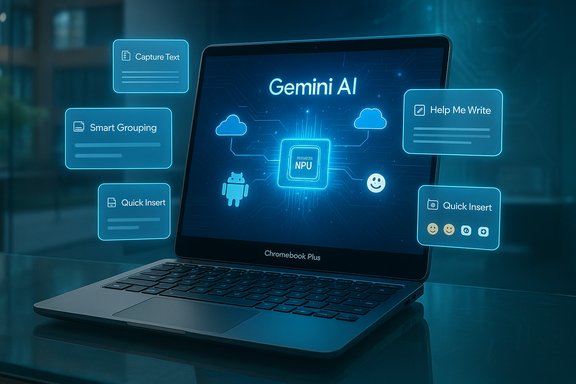
Google has embedded Gemini across ChromeOS as a first-class assistant and productivity engine. On current devices Gemini appears as a standalone app and is accessible from the Shelf, the Launcher, and the Quick Insert overlay on compatible keyboards. Features include conversational chat, desktop-aware actions (like Capture Text that OCRs selected screen areas and suggests actions), Help Me Write text generation flows, and contextual summaries via Help Me Read. These AI features are now part of Google’s broader push to bring Gemini to mobile, desktop, and cloud tools. Chromebook Plus machines—those meeting Google’s higher hardware baseline—receive the most advanced Gemini-enabled features, including local, on-device inference for image-editing tasks and smart grouping of tabs and documents. These features are enabled by NPUs integrated into the new Kompanio Ultra silicon used in flagship Chromebook Plus models.Chromebook Plus: a formal premium tier with hardware and software guarantees
Google’s Chromebook Plus designation is not marketing fluff: it sets a baseline hardware requirement intended to guarantee performance for hybrid AI experiences. The required minimums generally include:- A modern CPU (examples cited by Google and OEMs include Intel Core i3 or AMD Ryzen 3–class silicon, and MediaTek Kompanio Ultra for ARM models)
- At least 8GB of RAM and 128GB of local storage
- At least a 1080p IPS or better display on laptops
Local NPUs: moving AI from cloud-first to hybrid processing
2025 saw the first mainstream Chromebooks ship with integrated NPUs designed to accelerate vision and language workloads locally. Lenovo’s new Chromebook Plus 14 and Acer’s Chromebook Plus Spin 514 are both announced with MediaTek Kompanio Ultra chips that include up to 50 TOPS of NPU performance; OEMs demonstrate on-device image editing, sticker creation, and Smart Grouping (AI-driven project grouping of tabs and apps) as differentiators for these machines. These hybrid AI capabilities reduce latency, preserve some privacy-sensitive tasks locally, and allow offline use of selected features.Quick Insert and system-level AI utilities
ChromeOS now includes a Quick Insert overlay—available via a dedicated hardware key on some new keyboards (or Launcher+F on all updated machines)—that lets users quickly summon emoji, GIFs, Drive links, and AI-generated text snippets or images. That overlay integrates with Gemini and system-level utilities, making AI capabilities available across apps without launching a separate web page. The Quick Insert rollout is part of ChromeOS’s 130+ release stream and has been broadly covered.Devices and hardware landscape
Who makes ChromeOS devices now
The ChromeOS ecosystem remains dominated by Chromebooks (clamshells, convertibles, and detachables), Chromeboxes, and a shrinking number of all-in-one Chromebase units. In 2025, OEMs are pushing two distinct tiers: mainstream budget Chromebooks (still focused on education and entry-level consumers) and Chromebook Plus devices (targeted at productivity and hybrid-AI usage) that offer higher baseline RAM, storage, and display quality. Examples announced in 2025 include Lenovo’s Chromebook Plus 14 and Acer’s Chromebook Plus Spin 514—both showcased as premium Chromebook Plus entries with NPU-capable chips.Notable models to watch
- Lenovo Chromebook Plus 14: MediaTek Kompanio Ultra with integrated NPU, OLED option, Dolby Atmos speakers, and NPU-powered gallery editing features. Marketed as the most advanced Chromebook Plus to date.
- Acer Chromebook Plus Spin 514: convertible with Kompanio Ultra, on-device AI capabilities, up to 17 hours battery life, and USI 2.0 stylus support. OEM press releases highlight 50 TOPS NPU figures and included Google AI Pro trials on some SKUs.
Pricing and the important caveat about cheap Chromebooks
Chromebooks still cover a broad price range—from very affordable, entry-level education machines to premium Plus laptops priced closer to mainstream Windows ultrabooks. Some earlier reviews and retailer listings for Chromebook Plus models, such as the Acer Chromebook Plus 515, positioned them as good value in the sub-$400 bracket; claims that specific Plus models are common at sub-$300 price points are inconsistent with most contemporary price listings and OEM MSRP guidance. Buyers should verify street pricing for any SKU before concluding that a Chromebook Plus will be available at bargain prices. The Acer Chromebook Plus 515, for example, commonly appears in the $349–$399 range in reviews and retail listings rather than below $300. This particular price assertion is therefore flagged as likely inaccurate or at least outdated.Software platform changes and backward compatibility
Chrome Apps deprecation: staged removal and deadlines
Google has been phasing out Chrome-packaged apps for several years. The official admin documentation and enterprise notes detail a multi-stage deprecation timetable for Chrome Apps on ChromeOS:- July 2025 (ChromeOS M138): last release supporting user-installed Chrome Apps (force-installed apps can persist under admin control).
- July 2026 (ChromeOS M150): last release supporting Chrome Apps in kiosk mode (LTS exceptions exist).
- February 2028 (ChromeOS M168): final end of all Chrome Apps on ChromeOS; LTS channel devices receive extended support until October 2028.
ChromeOS Flex remains a different product
ChromeOS Flex is Google’s official image for repurposing Intel/AMD PCs and Macs with a ChromeOS-like experience. It is intentionally not identical to retail ChromeOS: Flex lacks Google Play/Android app support and does not include the hardware-rooted protections (Titan/Titan-M chips) or verified firmware updates that ship on certified Chromebooks. Flex is excellent for web-first workflows on older hardware, but it is not a drop-in replacement for a properly certified Chromebook if you need Android apps or hardware-backed verified boot.The ChromeOS + Android fusion roadmap
Google executives have publicly stated plans to merge the ChromeOS and Android engineering lines into a unified platform to reduce duplication and accelerate development of desktop-focused Android features. Coverage from multiple outlets and executive interviews indicates the eventual unification is planned to take place across a multi-year roadmap, with Google suggesting a fuller integration could appear in 2026–2027 time frames. This engineering convergence aims to make Android’s app ecosystem and ChromeOS’s desktop behavior operate more seamlessly at the OS level. Because roadmaps can change, readers should treat the announced timelines as directional and verify exact release schedules when planning deployments.User experience: interface, apps, and multitasking
Interface and windowing—mature, pragmatic, and pragmatic limits
ChromeOS’s Launcher, Shelf, and status tray provide a focused, browser-first interface. Many modern desktop conveniences are present: clipboard history, snap-like window management, virtual desks (Desks), and multi-finger touchpad gestures. However, there are still functional limits compared with Windows and macOS:- Android apps can be resizable but sometimes assume phone form factors, leading to awkward control mappings or missing desktop affordances.
- There is no native quarter-screen snap-grid identical to Windows; ChromeOS offers a mix of edge snapping and floating arrangements.
- The Files app remains centered on Downloads and Drive integration rather than acting as a general-purpose, fully featured file manager akin to Windows Explorer or macOS Finder.
Android apps: a good bridge, not a full replacement
ChromeOS’s Android app compatibility brings millions of apps to Chromebooks, but desktop-quality equivalents of pro creative tools and legacy Windows/CAD/CAM software are still largely missing. For many users Android and web apps are sufficient, and cloud-hosted virtualization (e.g., Parallels on managed devices, GeForce Now for gaming, or remote Windows desktops) covers some edge cases. But professionals dependent on Adobe Creative Cloud desktop apps, 3D modeling suites, or specialized engineering software will find ChromeOS an imperfect fit without remote-hosting strategies.Security, privacy, and manageability
Strengths
ChromeOS retains several robust security defaults: automatic background updates, sandboxing for apps, and verified-boot chains on certified devices. Chromebook Plus SKUs add hardware-backed chips and better management guarantees for enterprise and education deployments, and Google’s admin console remains a simple, cloud-based endpoint management tool for fleets. ChromeOS devices typically have a smaller attack surface relative to mainstream Windows endpoints, particularly when organizations use force-installed apps and restricted profiles.Risks and caveats
- The addition of Android and extension ecosystems introduces new attack vectors—malicious or low-quality Android apps and rogue Chrome extensions remain a primary risk vector.
- ChromeOS Flex and uncertified hardware do not enjoy the same hardware-root protections as factory Chromebooks; enterprises should not assume identical verified-boot guarantees on Flex devices.
- Merging ChromeOS and Android brings long-term benefits but raises transitional security and compatibility questions: IT teams should validate management tooling and policy behavior during migration planning.
Privacy considerations
ChromeOS is deeply integrated with Google services. A Google account is required for a full experience and syncs bookmarks, preferences, and Drive data by default. Power users and privacy-minded customers must audit sync settings and consider local-only accounts or alternative OSes if they want to avoid cloud-linked activity traces. Chromebook Plus machines add AI features that, depending on the setting, may process data in the cloud (Gemini) or locally (on NPU-enabled devices)—the hybrid model helps reduce some cloud exposure but does not eliminate it. Users should review Google’s activity controls and enterprise data protection options when enabling GPS/AI functionality.Performance and everyday use
Responsiveness and battery life
Chromebooks retain an advantage in perceived speed—fast wake, snappy browser rendering, and long battery life on efficient SoCs. Premium Chromebook Plus models with modern CPUs or Kompanio Ultra silicon can match mainstream Windows ultrabooks for day-to-day productivity and often outperform budget Windows hardware. On-device NPUs let Chromebook Plus models offload AI tasks locally, improving responsiveness and reducing upload latency. That said, for heavy compute (native desktop rendering, high-end video encoding, discrete GPU workloads) Windows and macOS systems with discrete GPUs still hold a clear lead.Gaming
Expect casual and cloud gaming to work well; native AAA PC gaming, VR, and GPU-accelerated pro workflows remain Windows/macOS territories. If gaming or GPU-intensive editing is a core requirement, ChromeOS is a compromise unless you rely on cloud streaming platforms.Practical recommendations
For consumers seeking simplicity and low maintenance
- Choose a Chromebook if your workflows are web-first: email, web-office suites, streaming, social media, and light Android apps.
- Prioritize Chromebook Plus hardware if you want the best Gemini experiences, on-device AI editing, and longer local storage for offline sync. Confirm actual street pricing before purchase; Plus features raise the MSRP above entry-level models.
For IT managers and education buyers
- Test Chrome Apps and kiosk workflows now—plan migrations away from legacy Chrome Apps well ahead of the 2028 end-of-life timetable and use force-install policies for any enterprise-critical apps that need to persist.
- Use Chromebook Plus devices where hybrid AI features add measurable productivity benefits (e.g., call transcriptions, image editing, offline AI summarization), but pilot broadly; not all users will require local NPU horsepower.
For privacy-focused users
- If avoiding cloud sync is essential, ChromeOS may not be ideal; ChromeOS requires Google accounts for the full experience. Use local file exports, disable sync, and audit Google Activity Controls if sticking with Chromebooks.
Strengths, weaknesses, and risks — critical analysis
Notable strengths
- Simplicity and reliability: automatic updates, sandboxing, and verified boot on certified hardware minimize maintenance overhead.
- Value in the budget segment: Chromebooks offer strong usable hardware for money in mid-to-low price brackets, particularly for education.
- AI integration and hybrid processing: Gemini across ChromeOS plus local NPU options on Chromebook Plus introduce genuinely useful workflows (summaries, smart tab grouping, local image editing).
Significant trade-offs and risks
- App compatibility gap: ChromeOS still cannot run many Windows/macOS native pro apps; virtualization or browser-based alternatives are imperfect substitutes for professionals who depend on those tools.
- Ecosystem complexity during transition: the announced ChromeOS/Android merger simplifies engineering long-term but raises short-term compatibility, management, and security questions for IT teams. Roadmaps and feature parity across channels should be validated by organizations before large-scale rollouts.
- Chrome Apps deprecation timeline: kiosk, signage, and some line-of-business deployments must migrate away from packaged Chrome Apps by the 2026–2028 windows—this is nontrivial for some organizations.
- Privacy surface: deep Google integration and cloud-based AI introduce data governance considerations for sensitive or regulated workloads.
Flagged or unverifiable claims
- The PCMag excerpt’s claim that the Acer Chromebook Plus 515 “offers surprisingly strong capabilities for a laptop priced under $300” does not match widely reported retail pricing and OEM MSRP listings for that SKU, which typically place it higher. That specific price point is likely outdated or inaccurate for most markets and should not be relied upon without checking current retailer listings.
The bottom line — who should buy ChromeOS in 2025?
- Buy a Chromebook if you want a low-maintenance, secure, and affordable laptop for browsing, document work, streaming, web apps, and Android-first apps. Chromebook Plus is worth the premium if you want improved displays, more RAM and storage, and AI features that are noticeably faster or usable offline.
- Choose ChromeOS Flex to repurpose older Intel/AMD PCs for web-first tasks, but do not expect Play Store integration or the same hardware-root security guarantees as factory Chromebooks. Flex is a fleet-management and sustainability tool more than a full Chromebook replacement.
- Do not choose ChromeOS if your daily workflow depends on native Windows desktop apps (professional creative suites, heavy engineering or scientific tools, VR) unless you plan to use remote-hosted Windows instances or virtualization.
Conclusion
ChromeOS in 2025 is not the lightweight experiment it once was: it’s a pragmatic, increasingly capable operating system that now combines cloud services, Android app reach, Linux compatibility, and AI-assisted productivity into a single package. The Chromebook Plus line and on-device NPUs are meaningful technical upgrades, but they also nudge ChromeOS into territory traditionally occupied by Windows and macOS. For many users—students, travelers, web-centric professionals—ChromeOS now offers a compelling balance of performance, battery life, security, and emerging AI features. For power users and specialized professionals, ChromeOS remains a strategic choice only if paired with virtualized or cloud-hosted Windows/macOS services. In short: ChromeOS is maturing into a first-choice OS for a broad swath of everyday computing—but the platform’s limits, the Chrome Apps deprecation timeline, and the Android/ChromeOS consolidation mean thoughtful planning is essential before making it your primary work system.
Source: PCMag Australia Google ChromeOS
