

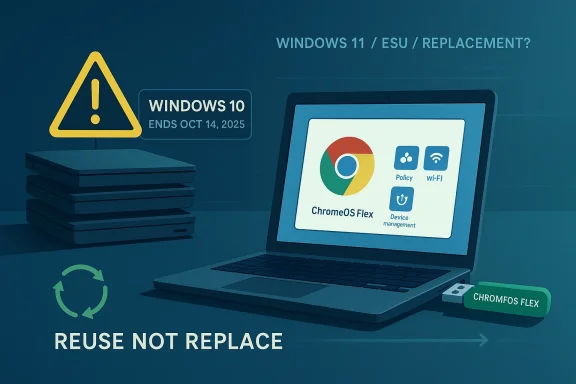
Google’s ChromeOS Flex push is more than a clever recycling story: it is a direct challenge to the expensive, messy Windows 11 upgrade cycle now facing millions of Windows 10 holdouts. With Windows 10 support having ended on October 14, 2025, Microsoft is steering customers either toward Windows 11 hardware, a new PC, or paid Extended Security Updates, while Google is dangling a free-to-install alternative that can revive older PCs and Macs with a USB stick. For cost-conscious businesses, that contrast matters because it reframes the upgrade debate from “replace everything” to “reuse what still works.”
The timing is what gives this move so much force. Microsoft’s own lifecycle guidance makes clear that Windows 10 is now out of support, and the company has continued to push organizations toward Windows 11 or replacement devices if their hardware fails the requirements check. At the same time, Google says ChromeOS Flex is designed for common PCs and Macs from the last 10+ years, but is officially supported only on certified models, which creates a far broader reuse story than many people expect at first glance.
That broad compatibility is a strategic advantage, not just a convenience feature. If a business has hundreds or thousands of aging endpoints that are still perfectly serviceable for web-centric workflows, ChromeOS Flex offers a way to extend asset life without touching the procurement pipeline for new Windows 11-capable machines. Google’s own business messaging emphasizes fast USB or network deployment, centralized management, and policy control through the Admin console, all of which are exactly the sort of operational talking points IT departments like to hear when budgets are tight.
The Back Market USB kit adds a marketing flourish to what is already an appealing technical proposition. Google says the kit is priced at around $3 and is intended to simplify installation on aging or unsupported hardware, while its site also highlights free downloads and reusable deployment paths. That makes the entire pitch feel deliberately anti-friction: a low-cost physical medium, a free operating system, and a promise that old machines do not need to become waste just because Microsoft changed the support calendar.
What makes this more than a browser-war sideshow is the context around end-of-life hardware. A large share of the installed Windows base was never eligible for Windows 11 in the first place, and Microsoft’s own guidance now explicitly points users of unsupported Windows 10 PCs toward ESU or replacement. Google is exploiting that moment by saying, in effect, your old computer is not dead; it is just running the wrong operating system for your current needs.
That is where ChromeOS Flex becomes interesting. Google is not trying to turn every old laptop into a full replacement for a Windows workstation with heavy local apps. Instead, it is offering a cloud-first environment that is good enough for browsers, identity-driven workflows, SaaS tools, and lightweight productivity, which is exactly where many organizations already spend most of their time.
Google’s answer is to turn that tax into a savings narrative. A reusable operating system, free download, low-cost USB kit, and centralized management all make the migration feel less like a capital expenditure event and more like a controlled software refresh. That is a powerful message for schools, nonprofits, small businesses, and public-sector teams that need to stretch hardware budgets without abandoning governance.
The security story is also central to the pitch. Google positions ChromeOS Flex as fast, secure, and easier to manage, while emphasizing cloud profiles, automatic updates, and centralized policy enforcement. For IT teams, that is an attractive operational simplicity argument: fewer local mysteries, fewer image variations, and less patching drama on older hardware that would otherwise be near retirement.
Google also highlights mass deployment paths using SCCM, WDS, Intune, Workspace ONE, and other tools. That matters because it narrows the “we can’t possibly reimage everything” objection and replaces it with a familiar enterprise deployment conversation. In other words, ChromeOS Flex is not just for hobbyists reviving an old laptop in the basement; it is designed to fit into serious IT workflows.
The partnership also aligns with the refurbished-tech market’s broader logic. Back Market already sits in the middle of the reuse economy, so ChromeOS Flex becomes a natural fit: one company extends the life of the device, the other makes that device usable again. That is a cleaner story than the typical “buy new hardware to solve a software problem” narrative that often follows Windows transitions.
It also subtly changes the emotional framing of old hardware. Instead of being obsolete, the machine becomes recoverable; instead of a forced hardware purchase, the upgrade becomes a software decision; instead of a landfill candidate, the device becomes a candidate for another cycle of service. That framing is powerful because it speaks to both finance teams and sustainability officers at the same time.
That matters because many organizations now have formal environmental targets, procurement rules, or reporting obligations. If a laptop can be repurposed into a secure, manageable endpoint rather than scrapped, the sustainability case becomes part of the financial case. That combination is what makes ChromeOS Flex more than a niche utility.
There is also a public-sector dimension. Schools, councils, libraries, and nonprofits frequently depend on older hardware and tend to have tighter budget cycles than commercial firms. For these buyers, extending fleet life by even a year or two can have meaningful environmental and budgetary consequences, especially when the workload is primarily web-based.
Google’s pitch is especially strong for organizations already standardized on Google Workspace. If identity, mail, docs, and collaboration are already browser-based, the switch to ChromeOS Flex is less of a cultural change and more of an endpoint-policy change. That is why the product is often more dangerous to Microsoft at the margin than in the headline market share numbers.
At the same time, organizations already deep into Microsoft 365, Win32 applications, or line-of-business software will not be able to move large numbers of endpoints without careful planning. ChromeOS Flex is strongest when the endpoint is an access device rather than a heavy local-computing machine. That means adoption is likely to be selective, but selective adoption can still deliver real budget relief.
The consumer story is strongest for casual use. Browsing, streaming, email, schoolwork, and cloud apps fit ChromeOS Flex very well, and the installation path is much less intimidating than a clean Windows reinstall. For families trying to stretch a machine for a student or for a secondary household device, that matters a lot.
That nuance is important because consumer migrations often fail when people confuse “cheaper” with “equivalent.” ChromeOS Flex can be a fantastic solution for the right user and a frustrating compromise for the wrong one. The best consumer adoption will come from people who see their computer as an internet appliance rather than a legacy desktop workstation.
The Windows 10 end-of-support date should have been a clean platform transition moment. Instead, it became a prolonged period of confusion, ESU debates, hardware compatibility angst, and procurement delays. Microsoft’s own guidance is sensible on paper, but the lived experience for users is often upgrade pressure without upgrade enthusiasm.
Trust matters here because operating systems are not just software platforms; they are long-term commitments. When users feel that deadlines keep shifting, support windows are opaque, and the upgrade path is expensive, they start to look for alternatives that feel more stable and less intrusive. Google is betting that ChromeOS Flex can capture some of that frustration.
Another concern is support confidence. Google says ChromeOS Flex is officially supported only on certified models, which means the promised breadth of compatibility is real but not unlimited. Users with borderline hardware may still face device-specific issues, and that can create a support burden if organizations roll it out too aggressively.
The other thing to watch is how Microsoft responds. The company can lean harder into Windows 11 value, expand migration support, and keep pushing ESU as a bridge for laggards, but it cannot easily change the fact that a large installed base still owns hardware that feels too good to discard. That is the opening Google is exploiting, and whether Microsoft closes it will depend on how persuasive it can make replacement economics feel.
ChromeOS Flex is unlikely to dethrone Windows, and that is not the point. Its real power is more surgical: it gives organizations a credible reason not to buy replacement PCs when the old ones still have useful life left. In a year defined by cost pressure, hardware inflation, and Windows 10’s hard cutoff, that is enough to make Microsoft’s upgrade narrative look less inevitable and Google’s alternative look decidedly shrewd.
Source: IT Pro Google ChromeOS Flex just pulled the rug out from under Windows 11 and I’m absolutely delighted
 Overview
The timing is what gives this move so much force. Microsoft’s own lifecycle guidance makes clear that Windows 10 is now out of support, and the company has continued to push organizations toward Windows 11 or replacement devices if their hardware fails the requirements check. At the same time, Google says ChromeOS Flex is designed for common PCs and Macs from the last 10+ years, but is officially supported only on certified models, which creates a far broader reuse story than many people expect at first glance.That broad compatibility is a strategic advantage, not just a convenience feature. If a business has hundreds or thousands of aging endpoints that are still perfectly serviceable for web-centric workflows, ChromeOS Flex offers a way to extend asset life without touching the procurement pipeline for new Windows 11-capable machines. Google’s own business messaging emphasizes fast USB or network deployment, centralized management, and policy control through the Admin console, all of which are exactly the sort of operational talking points IT departments like to hear when budgets are tight.
The Back Market USB kit adds a marketing flourish to what is already an appealing technical proposition. Google says the kit is priced at around $3 and is intended to simplify installation on aging or unsupported hardware, while its site also highlights free downloads and reusable deployment paths. That makes the entire pitch feel deliberately anti-friction: a low-cost physical medium, a free operating system, and a promise that old machines do not need to become waste just because Microsoft changed the support calendar.
What makes this more than a browser-war sideshow is the context around end-of-life hardware. A large share of the installed Windows base was never eligible for Windows 11 in the first place, and Microsoft’s own guidance now explicitly points users of unsupported Windows 10 PCs toward ESU or replacement. Google is exploiting that moment by saying, in effect, your old computer is not dead; it is just running the wrong operating system for your current needs.
Why Windows 11’s Upgrade Pressure Created a Market Opening
Microsoft’s Windows 11 transition has always had a hardware cliff built into it. Many systems that still run Windows 10 well enough for everyday use cannot pass Windows 11’s requirements, which means the upgrade path is not software-led for a huge slice of the market. Microsoft’s support pages now say the options are Windows 11, a new PC, or the paid ESU route, and that framing inherently nudges users into a replacement cycle rather than a repurposing cycle.That is where ChromeOS Flex becomes interesting. Google is not trying to turn every old laptop into a full replacement for a Windows workstation with heavy local apps. Instead, it is offering a cloud-first environment that is good enough for browsers, identity-driven workflows, SaaS tools, and lightweight productivity, which is exactly where many organizations already spend most of their time.
The real pressure point
The pressure point is not merely support policy; it is the total cost of compliance. Nexthink estimated in September 2025 that custom Windows 10 support could exceed $7.3 billion globally, a number that underscores how expensive “doing nothing” has become for enterprises that missed the migration window. Even if not every organization faces that exact bill, the direction of travel is clear: holding on to Windows 10 is now an operational tax.Google’s answer is to turn that tax into a savings narrative. A reusable operating system, free download, low-cost USB kit, and centralized management all make the migration feel less like a capital expenditure event and more like a controlled software refresh. That is a powerful message for schools, nonprofits, small businesses, and public-sector teams that need to stretch hardware budgets without abandoning governance.
- Microsoft’s model pushes hardware replacement.
- Google’s model extends hardware life.
- ESU buys time, but at a cost.
- ChromeOS Flex reframes old PCs as redeployable assets.
- The market opening is biggest where apps already live in the browser.
What ChromeOS Flex Actually Changes
At a technical level, ChromeOS Flex is less about adding features and more about removing friction. Google says it can be installed by USB drive or network deployment, can be up and running in as little as five minutes, and follows the same release cycle as ChromeOS itself. That means organizations get a familiar update cadence and a more appliance-like experience than a traditional Windows desktop rollout.The security story is also central to the pitch. Google positions ChromeOS Flex as fast, secure, and easier to manage, while emphasizing cloud profiles, automatic updates, and centralized policy enforcement. For IT teams, that is an attractive operational simplicity argument: fewer local mysteries, fewer image variations, and less patching drama on older hardware that would otherwise be near retirement.
Deployment and control
Where ChromeOS Flex becomes especially persuasive is fleet administration. Google says administrators can use device management to enforce policies, manage VPN and Wi-Fi access, force-install apps and extensions, and handle devices through the Google Admin console. That is not the same as Windows Group Policy or Intune, but it is enough to make sense for organizations that are already deeply invested in Google Workspace or web-native operations.Google also highlights mass deployment paths using SCCM, WDS, Intune, Workspace ONE, and other tools. That matters because it narrows the “we can’t possibly reimage everything” objection and replaces it with a familiar enterprise deployment conversation. In other words, ChromeOS Flex is not just for hobbyists reviving an old laptop in the basement; it is designed to fit into serious IT workflows.
- USB installation is simple enough for small pilots.
- Network deployment scales better for larger fleets.
- Google Admin console management reduces local admin burden.
- Automatic updates reduce patch-management overhead.
- Certified models narrow risk and support ambiguity.
Why Back Market Matters
Back Market’s role is more than symbolic. By selling a low-cost USB kit for ChromeOS Flex, Google and its partner are lowering the psychological barrier to entry, especially for nontechnical users who still associate operating system changes with invasive reinstall projects. A three-dollar kit is cheap enough to feel optional, which is exactly why it works as a funnel into a larger ecosystem decision.The partnership also aligns with the refurbished-tech market’s broader logic. Back Market already sits in the middle of the reuse economy, so ChromeOS Flex becomes a natural fit: one company extends the life of the device, the other makes that device usable again. That is a cleaner story than the typical “buy new hardware to solve a software problem” narrative that often follows Windows transitions.
The logistics angle
This is where the distribution model becomes smart business, not just good branding. Google can promote ChromeOS Flex broadly online, while Back Market handles a physical product that removes a tiny but real hassle from the user journey. The result is a lightweight conversion path that feels almost consumer-friendly, even though the underlying strategy is heavily enterprise-aware.It also subtly changes the emotional framing of old hardware. Instead of being obsolete, the machine becomes recoverable; instead of a forced hardware purchase, the upgrade becomes a software decision; instead of a landfill candidate, the device becomes a candidate for another cycle of service. That framing is powerful because it speaks to both finance teams and sustainability officers at the same time.
- Lower upfront friction for adoption.
- Better story for refurbishing channels.
- Easier experimentation for small businesses.
- Less dependence on new device procurement.
- More visible sustainability signaling.
The Sustainability Argument Is Not Just PR
Environmental messaging can sound opportunistic when it is bolted onto a commercial pitch, but this case has a legitimate sustainability thread. Business Waste estimated that the Windows 10 end-of-support wave could generate 12,805,100 kilograms of metals, while Google itself says converting about 10,000 devices could prevent 50,000 pounds of e-waste. Whether you prefer the macro or micro framing, the underlying point is the same: software policy can force perfectly serviceable hardware into premature retirement.That matters because many organizations now have formal environmental targets, procurement rules, or reporting obligations. If a laptop can be repurposed into a secure, manageable endpoint rather than scrapped, the sustainability case becomes part of the financial case. That combination is what makes ChromeOS Flex more than a niche utility.
E-waste versus lifecycle extension
The best sustainability wins usually come from use-phase extension, not just better recycling. ChromeOS Flex is interesting because it delays replacement rather than merely improving end-of-life handling, which often yields a larger environmental benefit than downstream recycling alone. Google’s positioning around device longevity is therefore more credible than a pure “recycle responsibly” campaign.There is also a public-sector dimension. Schools, councils, libraries, and nonprofits frequently depend on older hardware and tend to have tighter budget cycles than commercial firms. For these buyers, extending fleet life by even a year or two can have meaningful environmental and budgetary consequences, especially when the workload is primarily web-based.
- Less immediate hardware disposal.
- Lower embodied-carbon waste from replacement.
- Better alignment with circular-economy goals.
- Useful for organizations with sustainability reporting.
- Strong fit for browser-centric computing.
Enterprise Impact: A Quiet but Serious Threat to Windows
For enterprises, the competitive implication is not that ChromeOS Flex will replace Windows across the board. It will not. The more realistic threat is that it captures the portion of the fleet that is easiest to commoditize: kiosk endpoints, call-center devices, admin desks, training labs, shared terminals, and aging laptops assigned to web-first workloads. That is enough to matter, especially when many organizations are trying to minimize replacement spending.Google’s pitch is especially strong for organizations already standardized on Google Workspace. If identity, mail, docs, and collaboration are already browser-based, the switch to ChromeOS Flex is less of a cultural change and more of an endpoint-policy change. That is why the product is often more dangerous to Microsoft at the margin than in the headline market share numbers.
The admin advantage
IT admins care about predictability, and ChromeOS Flex is designed around predictable behavior. Google highlights centralized management, policy enforcement, managed Wi-Fi and VPN settings, and forced app and extension deployment, which are the kinds of controls that make fleet governance feel straightforward. In a world where every exception adds cost, straightforward is a competitive feature.At the same time, organizations already deep into Microsoft 365, Win32 applications, or line-of-business software will not be able to move large numbers of endpoints without careful planning. ChromeOS Flex is strongest when the endpoint is an access device rather than a heavy local-computing machine. That means adoption is likely to be selective, but selective adoption can still deliver real budget relief.
- Best suited to browser-first workflows.
- Attractive for shared devices and light users.
- Strong for Google Workspace-heavy environments.
- Less suitable for complex desktop software stacks.
- A good fit for staged fleet rationalization.
Consumer Impact: Relief, But with Limits
For consumers, ChromeOS Flex is a more emotional proposition. A lot of people do not want a lecture about enterprise lifecycle management; they want an older laptop to stop feeling slow, insecure, or obsolete. Google’s promise of a fast, secure, free operating system is attractive precisely because it addresses those pain points in one move.The consumer story is strongest for casual use. Browsing, streaming, email, schoolwork, and cloud apps fit ChromeOS Flex very well, and the installation path is much less intimidating than a clean Windows reinstall. For families trying to stretch a machine for a student or for a secondary household device, that matters a lot.
Where the fit breaks down
The limits become obvious as soon as local software matters. If a user depends on specialized Windows applications, device drivers, gaming, creative software, or niche peripherals, ChromeOS Flex is not a universal substitute. The product is a good answer to an old-PC problem, but not every old-PC problem is the same.That nuance is important because consumer migrations often fail when people confuse “cheaper” with “equivalent.” ChromeOS Flex can be a fantastic solution for the right user and a frustrating compromise for the wrong one. The best consumer adoption will come from people who see their computer as an internet appliance rather than a legacy desktop workstation.
- Great for light, cloud-based use.
- Good for families and students.
- Helps revive older devices cheaply.
- Not a fit for every software dependency.
- Best viewed as a targeted replacement, not a universal one.
Microsoft’s Messaging Problem
Microsoft’s biggest challenge is not just Windows 11 requirements; it is the story those requirements tell. The company wants to present Windows 11 as the secure, modern default, but many users experience the transition as forced obsolescence. Once that feeling takes hold, every alternative looks a little more humane, even if it is less capable in absolute terms.The Windows 10 end-of-support date should have been a clean platform transition moment. Instead, it became a prolonged period of confusion, ESU debates, hardware compatibility angst, and procurement delays. Microsoft’s own guidance is sensible on paper, but the lived experience for users is often upgrade pressure without upgrade enthusiasm.
AI fatigue and platform trust
Another complication is that Microsoft has been trying to cram AI features into the Windows narrative at the same time it is pushing users toward new hardware. That may resonate with some buyers, but it can also feel like the company is asking customers to absorb a platform migration and a feature philosophy shift simultaneously. In that environment, a simple OS like ChromeOS Flex can look refreshingly calm.Trust matters here because operating systems are not just software platforms; they are long-term commitments. When users feel that deadlines keep shifting, support windows are opaque, and the upgrade path is expensive, they start to look for alternatives that feel more stable and less intrusive. Google is betting that ChromeOS Flex can capture some of that frustration.
- Windows 11 can feel like a hardware ultimatum.
- ESU is a bridge, not a destination.
- AI feature pressure can complicate the upgrade pitch.
- Simplicity becomes a competitive differentiator.
- User trust erodes when support stories become noisy.
Strengths and Opportunities
ChromeOS Flex lands at the intersection of cost control, sustainability, and IT simplification, which is why it has more strategic potential than a typical niche OS launch. It does not need to beat Windows at everything; it only needs to be the best answer for the segment of users whose jobs live in the browser and whose budgets cannot justify a full hardware refresh. The combination of free software, low-cost deployment media, and cloud-first manageability gives it a very real opening.- Extends the life of older but still functional hardware.
- Reduces procurement pressure during expensive refresh cycles.
- Fits naturally into Google Workspace environments.
- Offers centralized control for IT teams.
- Supports sustainability and e-waste reduction goals.
- Provides an easy pilot path through USB installation.
- Plays well with web-based and SaaS-heavy workflows.
Risks and Concerns
For all its appeal, ChromeOS Flex has clear constraints, and those constraints matter more as adoption broadens. The biggest risk is mismatch: organizations may be tempted to see a low-cost OS as a drop-in replacement for a Windows PC, only to discover that software dependencies, peripherals, and user expectations do not line up neatly. That is where a promising pilot can turn into a frustrating exception management exercise.Another concern is support confidence. Google says ChromeOS Flex is officially supported only on certified models, which means the promised breadth of compatibility is real but not unlimited. Users with borderline hardware may still face device-specific issues, and that can create a support burden if organizations roll it out too aggressively.
- Not suitable for all legacy Windows software.
- Certified-model support limits risky hardware use.
- Browser-first assumptions may not hold for every user.
- Organizations may underestimate migration training needs.
- Consumer expectations may exceed what Flex is designed to do.
- Policy and app-management differences can complicate mixed fleets.
What to Watch Next
The next phase will be about adoption quality, not just announcement buzz. If Google can turn this into a repeatable enterprise and education play, the product will matter far more than its market share headline might suggest today. If uptake stays limited to refurbished-device enthusiasts and a few pilot programs, the move will be remembered as smart marketing rather than a market shift.The other thing to watch is how Microsoft responds. The company can lean harder into Windows 11 value, expand migration support, and keep pushing ESU as a bridge for laggards, but it cannot easily change the fact that a large installed base still owns hardware that feels too good to discard. That is the opening Google is exploiting, and whether Microsoft closes it will depend on how persuasive it can make replacement economics feel.
Key signals ahead
- Enterprise pilot announcements from schools, SMBs, and public-sector buyers.
- Growth in certified ChromeOS Flex device support.
- Any expansion of app-compatibility or management tooling.
- Microsoft’s ESU uptake and Windows 11 migration pace.
- Refurbishment-channel marketing from Google or Back Market.
- Evidence that ChromeOS Flex is reducing device retirement rates.
ChromeOS Flex is unlikely to dethrone Windows, and that is not the point. Its real power is more surgical: it gives organizations a credible reason not to buy replacement PCs when the old ones still have useful life left. In a year defined by cost pressure, hardware inflation, and Windows 10’s hard cutoff, that is enough to make Microsoft’s upgrade narrative look less inevitable and Google’s alternative look decidedly shrewd.
Source: IT Pro Google ChromeOS Flex just pulled the rug out from under Windows 11 and I’m absolutely delighted
