

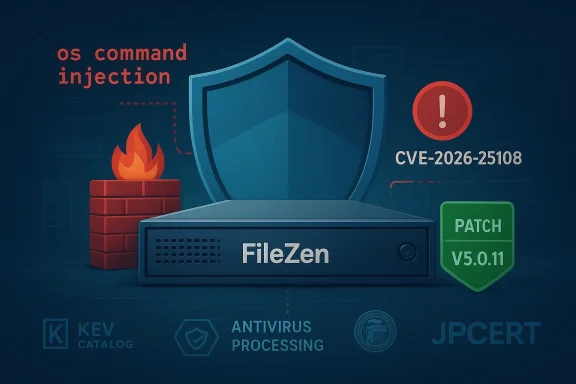
CISA’s decision to add CVE-2026-25108 — an OS command injection in Soliton Systems K.K.’s FileZen — to its Known Exploited Vulnerabilities (KEV) Catalog underscores the immediate, systemic risk posed by insecure file-transfer appliances and the operational reality that attackers are already weaponizing this flaw. lows a logged-in user to trigger arbitrary operating-system commands when FileZen’s Antivirus Check Option is enabled, and vendor and coordination partners confirm observed exploitation and a firmware update (FileZen V5.0.11) that remediates the flaw.
FileZen is an enterprise-grade file transfer appliance used for secure inter-organization and internal file exchange. The newly publicized vulnerability, tracked as CVE-2026-25108, is an OS command injection (CWE‑78) that becomes exploitable when the appliance’s Antivirus Check Option processes crafted inputs in a way that leads to shell invocation. The vulnerability carries high severity scores — CVSS v3.0 = 8.8 and CVSS v4.0 = 8.7 — reflecting the potential for full confidentiality, integrity, and availability impact if exploited.
CISA’s addition of the vulnerability to the KEV Catalog makes this not just a vendor patch request but an operational imperative for federal civilian agencies under BOD 22‑01; the catalog entry formalizes evidence of active exploitation and triggers mandated remediation timelines for affected federal systems. Security teams outside of the federal enterprise should treat KEV additions as an urgent signal to prioritize fixes within nonagement workflows.
From a compliance and governance standpoint, CISA’s KEV listing imposes an organizational cadence: federal agencies must remediate according to BOD 22‑01 deadlines, and many private-sector partners will treat KEV additions as a de facto standard for prioritization. The operational consequence is non-trivial: emergency changes, scheduled maintenance windows, coordination with vendor support, and potential business disruption during firmware upgrades.
However, there are limitations:
If your organization runs FileZen (or relies on partner organizations that do), treat this as a high-priority incident: inventory, isolate, patch, harden, and hunt. Don’t treat the KEV entry as merely informational — it’s a practical escalation tool that should change your patching and incident response tempo right now.
Security teams should also take the moment to ask broader questions: are file-processing functions properly isolated? Are appliance lifecycles and end-of-life processes tracked? Do we have a rapid response path for KEV-driven remediation windows? Answering these questions will limit the downstream impact from CVE‑class events and reduce the window of opportunity for attackers seeking to abuse the next exploited vulnerability.
Source: CISA CISA Adds One Known Exploited Vulnerability to Catalog | CISA
 Background / Overview
FileZen is an enterprise-grade file transfer appliance used for secure inter-organization and internal file exchange. The newly publicized vulnerability, tracked as CVE-2026-25108, is an OS command injection (CWE‑78) that becomes exploitable when the appliance’s Antivirus Check Option processes crafted inputs in a way that leads to shell invocation. The vulnerability carries high severity scores — CVSS v3.0 = 8.8 and CVSS v4.0 = 8.7 — reflecting the potential for full confidentiality, integrity, and availability impact if exploited.CISA’s addition of the vulnerability to the KEV Catalog makes this not just a vendor patch request but an operational imperative for federal civilian agencies under BOD 22‑01; the catalog entry formalizes evidence of active exploitation and triggers mandated remediation timelines for affected federal systems. Security teams outside of the federal enterprise should treat KEV additions as an urgent signal to prioritize fixes within nonagement workflows.
What we know (verified facts)
Technical facts and affected builds
- Vulnerability: OS command injection in FileZen that can execute arbitrary OS commands when the Antivirus Check Option is enabled.
- CVE: CVE‑2026‑25108.
- Severity: CVSS v3.0 8.8 / CVSS v4.0 8.7 (high).
- Affected versions: FileZen V5.0.0 through V5.0.10 and FileZen V4.2.1 through V4.2.8 (physical and virtual appliances). FileZen S is reported not affected.
- Fix: Vendor released FileZen V5.0.11 that addresses the issue. Organizations should apply the firmware update as their primary remediation.
- Exploitation: Vendor and coordinating CERTs report observed exploitation attempts in the wild prior to or concurrent with disclosure and patching. That real-world activity is the primary reason CISA elevated the entry to the KEV Catalog.
Exploitation prerequisites and attacker profile
- Exploitation requires authentication — an attacker must be able to log in to a FileZen account (which could result from credential theft, weak passwords, phishing, or an insider). This reduces the technical bar of exploitation because the flaw does not require pre-auth bypass.
- Attack vector: specially crafted HTTP requests targeting the antivirus scan processing endpoint, injected during file-scan workflows. Execution occurs with the privileges of the FileZen application/process.
Why this matters: operational and security impact
File transfer appliances like FileZen occupy sensitive positions inside enterprise and government environments: they receive, store, scan, and forward documents — often including PII, financials, legal files, and regulated information. A compromise of a FileZen instance therefore provides an attacker with:- Direct access to sensitive files in transit and at rest.
- A foothold for lateral movement into internal networks or partner ecosystems.
- The ability to install backdoors, move laterally using harvested credentials, or stage ransomware and data-exfiltration operations.
From a compliance and governance standpoint, CISA’s KEV listing imposes an organizational cadence: federal agencies must remediate according to BOD 22‑01 deadlines, and many private-sector partners will treat KEV additions as a de facto standard for prioritization. The operational consequence is non-trivial: emergency changes, scheduled maintenance windows, coordination with vendor support, and potential business disruption during firmware upgrades.
Strengths of the coordinated response
- Rapid disclosure and patching by vendor + JPCERT/JVN coordination. Soliton coordinated with JPCERT/CC and published a firmware update (V5.0.11) — a textbook coordinated-disclosure flow.
- Public advisories by national CERTs (JPCERT/JVN, and international CERTs) helped distribute technical details, CVSS metrics, and mitigation guidance quickly, raising global visibility and accelerating remediation adoption.
- CISA’s KEV listing provides a single, authoritative operational signal that the issue is actively exploited. That helps escalate remediation within organizations that already map to KEV-based SLAs under BOD 22‑01 or commercial equivalents.
What organizations should do now — immediate, short-term, and long-term actions
The following is a practical, prioritized playbook for security teams running FileZen or managing risk for partners that do.Immediate (within 24 hours)
- Inventory — Identify all FileZen instances (physical and virtual) on your network, including internal and partner-facing deployments. Track versions and exposure (internet-facing vs internal).
- Isolate — If any FileZen instance is internet-exposed or in DMZ, immediately restrict external access using firewall rules, VPN-only access, or network ACLs until patched.
- Patch — Apply the vendor-released firmware V5.0.11 to all affected V5.x instances. If you have V4.x instances, note V4.x is end-of-life and remediation must include migration to a supported release or appliance retirement.
- Credential control — Rotate passwords for any accounts that could have logged into FileZen instances. Consider forcing a password reset for all users and require strong passwords + MFA where possible. JPCERT recommends considering password changes when exploitation is suspected.
- Temporary configuration mitigation — Where immediate patching is impossible, disable the Antivirus Check Option if operationally acceptable and if vendor guidance supports it, or limit the feature to controlled inputs only (note: disabling an intended security control can increase other risks — only do this as a stop-gap measure).
Short-term (1–7 days)
- Full firmware rollout across all environments, including quality testing on staging instances to validate patch integrity and compatibility.
- Log review and forensic triage: scan FileZen logs, web server access logs, and proxy logs for suspicious HTTP requests matching the exploitation pattern (failed/successful authentications followed by unusual parameters or command-like payloads). Look for evidence of commands executed on host systems, unusual process forks, or outbound C2-like connections. JPCERT published guidance on detection and artifact-checking; leverage vendor-supplied indicators if available.
- Network-level mitigations: apply WAF (Web Application Firewall) rules to block or fingerprint exploitation attempts targeting the vulnerable endpoints; block known exploit payload signatures and anomalous parameter patterns.
- Credential hygiene: implement mandatory MFA for FileZen administrator accounts and privileged users. Tighten account lifecycle controls, disable unused accounts, and validate service-account permissions.
Long-term (weeks to months)
- Replace EOL appliances: migrate any V4.x appliances (end-of-life firmware) to supported versions or alternative platforms. Long-term reliance on unsupported appliances invites repeat vulnerabilities with limited vendor support.
- Harden file-processing pipelines: isolate antivirus scanning functions in dedicated, sandboxed services rather than executing scan operations within the same process context that handles web input. Adopt secure coding and input sanitation audits for file parsing and AV integrations.
- Continuous monitoring and detection: add signatures and heuristics for this class of command-injection behavior to EDR, SIEM correlation rules, and network sensors.
- Threat hunting and tabletop rehearsals: run exercises simulating credential theft and exploitation of authenticated vulnerabilities to test detection and response playbooks.
Detection guidance: what to look for in logs and telemetry
- Abnormal or repeated login attempts followed by POST requests to scanning endpoints, especially requests carrying unusual command characters (pipes, semicolons) or encoded payloads.
- New or unexpected processes spawned by FileZen service users, suspicious cron jobs, or modifications to startup scripts and binaries.
- Outbound connections to unusual endpoints following a successful FileZen login and file processing event.
- File-access patterns that suggest bulk exfiltration (e.g., large volumes of downloads, compressed archives created shortly after file upload).
- Indicators provided by vendor CERT advisories and JPCERT addenda; use vendor-supplied detection instructions where present.
Risks, caveats, and things to watch out for
- Authentication requirement changes the threat model: because exploitation requires a valid account, the attack surface is less about blind internet scanning and more about credential compromise, phishing, weak passwords, and insider threats. Expect attackers to combine this CVE with credential harvesting or account takeover campaigns.
- No single mitigation is perfect: disabling the Antivirus Check Option might reduce attack surface but also removes a defensive control. Treat that as a temporary stop-gap while patching.
- Patch testing and operational risk: firmware updates on appliances can require reboots, configuration migration, or compatibility checks with upstream systems — plan for maintenance windows and rollback plans. Poorly tested firmware rollouts can create availability issues; coordinate with the vendor and verify patch signatures. ([cyberberpress.org/filezen-file-transfer-flaw/)
- EOL versions complicate remediation: FileZen V4.x is reported to be out of support for firmware updates in some notices; running EOL gear means organizations must either migrate or accept higher residual risk.
- Monitoring gaps: appliance logs are often stored locally; if an attacker has OS-level control, they can tamper logs. Archivally export and centralize logs to an immutable store for forensic integrity.
Why KEV listings matter — and their limitations
CISA’s KEV Catalog is a practical operational tool: it signals which CVEs have real-world exploitation evidence and forces organizations — especially federal agencies — to elevate remediation priority in constrained operational environments. The KEV process and BOD 22‑01 provide an effective “forcing function” to translate threat intelligence into executive-level operational action.However, there are limitations:
- KEV doesn’t equal ubiquity: a KEV listing confirms exploitation evidence, but it does not equate to every instance being compromised. Organizations still need to triage exposure before declaring an incident.
- Operational friction: mandated remediation can stress change-control procedures, especially for appliances that sit in critical paths. The policy requires balancing emergency patching with business continuity needs.
- Signal fatigue: as the KEV catalog grows, organizations that treat KEV as a binary checklist without context may misallocate scarce engineering resources.
Vendor responsibility and what to press them on
Soliton’s coordinated patch release and public advisories are the right first step, but enterprise customers and partners should press vendors on:- Detailed IOC sets and detection guidance for rapid deployment in SIEM/EDR/WAF signatures.
- Clear rollback/compatibility notes and firmware validation checks to minimize operational risk during upgrades.
- A commitment to longer-term code hardening, particularly the sanitization of inputs passed to OS-level calls and a rework of the antivirus integration to avoid OS shell invocation from untrusted fields.
- Transparency about exploitation: provide specifics about the nature and scale of observed attacks where possible — this helps customers scope incident response.
Quick checklist for sysadmins (copyable)
- Identify all FileZen servers and record versions.
- Immediately restrict external access to internet-exposed appliances.
- Patch to FileZen V5.0.11 on all vulnerable V5.x machines; plan migration for V4.x devices.
- Rotate credentials and enforce MFA for admin accounts.
- Search logs for suspicious authenticated HTTP requests and command-like payloads.
- If patching is delayed, consider disabling the Antivirus Check Option as a temporary mitigation and document the risk.
- Centralize and protect logs; preserve evidence for forensic review.
Final assessment and call to action
CVE‑2026‑25108 is a high‑impact, low‑complexity vulnerability because it allows command execution with only low‑privilege authenticated access and because it touches a product class (file transfer appliances) that holds sensitive data and bridges organizational boundaries. The combination of vendor-published fixes, JVN/JPCERT advisories, and CISA’s KEV catalog inclusion creates a clear remediation pathway and an unambiguous urgency signal for affected organizations.If your organization runs FileZen (or relies on partner organizations that do), treat this as a high-priority incident: inventory, isolate, patch, harden, and hunt. Don’t treat the KEV entry as merely informational — it’s a practical escalation tool that should change your patching and incident response tempo right now.
Security teams should also take the moment to ask broader questions: are file-processing functions properly isolated? Are appliance lifecycles and end-of-life processes tracked? Do we have a rapid response path for KEV-driven remediation windows? Answering these questions will limit the downstream impact from CVE‑class events and reduce the window of opportunity for attackers seeking to abuse the next exploited vulnerability.
Source: CISA CISA Adds One Known Exploited Vulnerability to Catalog | CISA
