

Microsoft’s newest usage study and the company’s Fall Copilot release together show a deliberate and technically grounded move: Copilot is no longer just a productivity plugin inside Word, Excel and Outlook — it is being redesigned and experienced as a persistent, multimodal AI companion that adapts to device, time of day and individual intent. The transition is visible in two linked data points: Microsoft’s analysis of roughly 37.5 million de‑identified Copilot conversations (January–September 2025) that maps striking device- and time-of-day patterns, and the Copilot Fall Release that adds memory, social sessions, voice/vision modes and a visible persona named Mico to make those patterns actionable inside products.
Background / Overview
Microsoft published an empirical snapshot of how people actually use Copilot in the wild, describing a bifurcated experience: on desktops during work hours Copilot behaves like a co‑worker (research, summarization, document and spreadsheet work), while on mobile it behaves like a confidant for personal questions — notably health and relationship advice — at all hours. The company calls the study “It’s About Time: The Copilot Usage Report 2025,” and presents device, time‑of‑day and seasonal rhythms as signals that the assistant now lives inside user workflows and personal life alike. Independent reporting has amplified the key numbers and patterns. At the same time, Microsoft has deployed product changes designed to make Copilot feel more continuous and social: long‑term user‑managed memory, cross‑service connectors (Outlook/OneDrive and optional Gmail/Google Drive links), shared group sessions, agentic browser actions in Edge, voice + vision modes, and an optional animated avatar called Mico. Those features are explicitly presented as the infrastructural pieces that let Copilot “remember, collaborate, act and express itself” — the technical scaffolding of a daily companion.How the evidence maps to a behavioral shift
The scale: 37.5 million conversations and what that buys you
Microsoft’s sample of roughly 37.5 million de‑identified conversations is unusually large for a usage study and gives statistical weight to device‑level trends. The company reports that enterprise and education accounts were excluded, summaries (not raw chat text) were used for labeling, and automated classifiers assigned topic and intent labels (for example, “Health and Fitness” + “information‑seeking”). That pipeline preserves privacy at scale but also limits replicability: the public write‑up describes trends, not raw transcripts or classifier performance metrics. Treat the headline numerical finding (37.5M) as a Microsoft‑provided empirical anchor corroborated by multiple news outlets. Why this matters: when patterns are visible at tens of millions of sessions they are unlikely to be sampling noise — they instead reflect broad behavioral affordances (device privacy, screen size, situational context) that shape how people choose to use conversational AI.Device and time-of-day rhythms: colleague by day, companion by night
The study finds a clear device/time split:- Desktop: peaks during business hours with tasks around coding, drafting, data analysis, and meeting prep. Copilot acts as an assistant for workflows — multi‑file context, summarization and content creation.
- Mobile: health and fitness is the top mobile topic‑intent pairing across all hours and months in the sample, with late‑night increases in religion, philosophy and reflective questions. Mobile sessions skew toward immediate, personal, and often emotional interactions.
Product changes that make “companion” possible
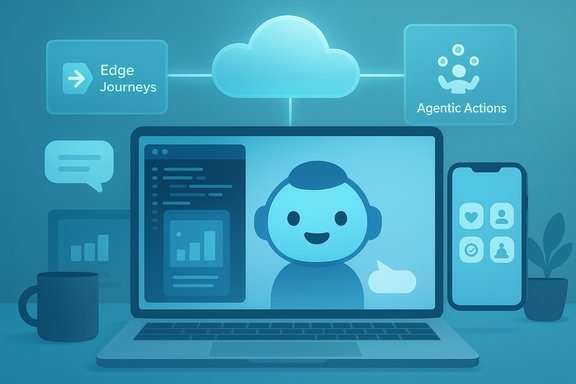
Microsoft’s Fall Release (announced at Copilot Sessions) is the product answer to the behavioral data. The release bundles features that pull separate interactions into a coherent, persistent experience — the technology that turns ad‑hoc chats into an ongoing companion relationship. Key components:- Mico (animated avatar): an intentionally non‑photoreal, customizable visual persona for voice interactions and learning flows. Mico provides nonverbal cues (listening, thinking) designed to reduce voice friction and make long dialogs feel conversational while avoiding uncanny‑valley pitfalls. The avatar is optional and toggleable.
- Long‑term Memory & Personalization: an opt‑in memory layer that can store user-approved facts, recurring goals and project context; users can view, edit or delete memories. Memory creates continuity across sessions and is the single most important product primitive for companion‑like behavior.
- Connectors: permissioned links to OneDrive, Outlook and optional Google services so Copilot can ground answers in a user’s real files and calendar events — enabling actionable, contextual replies (e.g., “what’s on my calendar next Thursday?”).
- Copilot Groups: shared sessions (link‑based, up to 32 participants) that let a single Copilot instance summarize, tally votes and split tasks — turning Copilot into a meeting facilitator and group co‑author.
- Edge: Journeys & Actions: agentic browsing capabilities where Copilot can summarize open tabs, create resumable research Journeys, and execute multi‑step Actions (form‑filling, bookings) with explicit confirmation flows. These make Copilot an active actor, not just a summarizer.
- Learn Live and Health Flows: voice‑first Socratic tutoring and health responses grounded to vetted publishers (Microsoft cites sources like Harvard Health), plus clinician‑finder workflows. These are designed to reduce hallucination risk in sensitive domains.
Why Copilot moves from tool to companion: human factors and affordances
Three human‑centered affordances explain the companion shift.- Continuity reduces cognitive friction. Memory + connectors mean users don’t repeat context; Copilot can pick up where conversations left off. This turns repeated micro‑tasks into an ongoing relationship rather than isolated queries.
- Availability creates intimacy. Mobile devices are private, accessible and emotionally proximate. People naturally air health worries, relationships and reflective questions when they are alone with their phones; a responsive assistant becomes a quick confidant. The usage study places “Health and Fitness” as the top mobile topic across hours and months — a high‑signal behavioral pattern.
- Multimodal cues increase perceived social presence. Voice, vision and a friendly avatar (Mico) reduce interaction friction and make the assistant feel more like an interlocutor. Non‑verbal cues signal attentiveness and lower the threshold for extended conversations.
Strengths: what this model does well
- Contextual productivity: Copilot’s grounding in active documents, open tabs and calendars enables high‑value productivity gains: summarizing long reports, drafting emails, triaging meetings and automating repetitive workflows. The Fall Release tightens that capability with exports to Office formats and agentic browser actions.
- Accessibility and voice-first workflows: Voice + vision modes make the assistant meaningful for hands‑free work, tutoring and multi‑sensory tasks. Learn Live and Copilot Vision reduce friction for users with different abilities or modes of working.
- Human‑centred design intent: Microsoft’s public messaging emphasizes opt‑in controls, visible memory management, and selective grounding for sensitive domains. This stance recognizes that companion functionality must be permissioned and controllable.
- Scale of evidence: The 37.5M conversation sample gives the usage conclusions statistical heft and helps prioritize product resources (e.g., more attention to mobile health UX).
Risks and unresolved technical limits
Turning an assistant into a companion raises concrete risks that require active mitigation.- Accuracy and medical risk: Health queries are high volume on mobile, yet Copilot is not a licensed clinician. Even when grounded to vetted sources, doing triage-level health advice at scale raises misdiagnosis and over‑reliance dangers. Products must enforce clear boundaries (warnings, escalation to professionals) and transparent provenance of claims. Microsoft’s health flows are marketed as assistive, not diagnostic — but real‑world usage will test those limits.
- Emotional reliance and anthropomorphism: Mico and conversational polish make Copilot feel social. That increases the risk of emotional transfer where users treat the system as a human substitute. Designers must avoid creating expectations the system cannot meet (empathy vs. clinical empathy, nuance vs. factual certainty).
- Privacy and surface area: Memory + connectors amplify the personal data Copilot can access. Even with opt‑in flows, this increases the attack surface and raises enterprise governance questions (what connectors are allowed on managed devices? how is memory audited?. Opt‑in controls are necessary but not sufficient; admin tooling, audit logs and contractually guaranteed exclusions from model training are critical for enterprise adoption.
- Methodology and replicability limits: The usage paper uses automated summaries rather than raw transcripts. That protects privacy but reduces transparency about classifier accuracy, demography and potential labeling biases. Independent verification of finer details (e.g., sub‑category distributions) is currently limited. The research should be treated as high‑quality population-level observation, not final proof on every nuance.
- Agentic actions and safety: Allowing Copilot to execute multi‑step web tasks (bookings, form fills) invites new failure modes: mistaken purchases, credential misuse or unintended authorization. The permission prompts Microsoft outlines are necessary, and enterprises must evaluate agentic features with strict test plans before broad enablement.
What this means for users and IT administrators
For everyday users
- Treat Copilot as a productivity multiplier, but keep skepticism for personal and health advice. Use the memory and connector settings intentionally — clear what you want the assistant to remember, and routinely audit memories you’ve allowed it to store.
- Use voice and Mico for accessibility and tutoring flows, but recognize that a friendlier persona is an interface decision, not evidence of deeper understanding.
For IT administrators and decision makers
- Audit connector policies: define allowed third‑party connectors and require secure OAuth flows, MFA and conditional access when linking accounts.
- Pilot agentic features in low‑risk groups: validate booking and form‑filling Actions in a controlled environment before enterprise rollout.
- Require logging and consent audits: insist on auditable memory and connector access logs for compliance and incident response.
- Communicate clear usage guidance: define what Copilot should not be used for (legal or clinical advice without human experts) and train users on boundaries.
Short‑term roadmap and product signals
Microsoft’s product messaging and the usage report point to some clear near‑term directions:- Continued investment in grounding and provenance (health grounding, cited sources).
- More granular memory controls and UI affordances to inspect and delete stored items.
- Platform parity and staged rollouts: many features are U.S.‑first or previewed in Edge and Copilot voice flows; global availability will lag and vary by platform.
A cautious forecast: what to watch next
- Will companies publish more methodological detail? Independent researchers should be able to audit classifier behavior and distributional labeling to confirm nuanced claims (for example, exact prevalence of advice‑seeking vs. information‑seeking).
- Will memory entries be used in model fine‑tuning? Enterprises and privacy advocates should insist on contractual language preventing customer data from seeding model training unless explicitly accepted.
- Will regulation push companion interfaces to require safety disclosures? As AI assistants enter personal therapy, health and legal domains, regulatory guardrails and required disclaimers may appear faster than product cycles.
Practical recommendations (quick list)
- For individual users: enable memory and connectors selectively; use Copilot for drafting, summarization and quick research; escalate critical health/legal issues to licensed professionals.
- For teams piloting Copilot: start with narrow use cases, enable connector whitelists and log all agentic Actions during pilot.
- For security teams: require conditional access for connector linking and preserve an audit trail for memory changes and shared Group sessions.
- For product and UX teams: treat desktop and mobile flows as distinct products with different UX priorities — information density and workflow automation on desktop; brevity, empathy and provenance on mobile.
Conclusion
Microsoft’s usage analysis and Fall Copilot release together show an intentional product trajectory: make Copilot simultaneously smarter in context and softer in social presence, so it can act as a workplace collaborator by day and a private confidant by night. The evidence is compelling at scale — 37.5 million conversations revealing consistent device and temporal rhythms — and Microsoft has shipped the feature primitives (memory, connectors, Mico, Groups and agentic browser actions) that turn behavioral patterns into productized experiences. That transition creates real value: less repetition, faster drafting, easier research and accessible voice/vision workflows. It also raises real responsibilities: accuracy and provenance in health and advice, careful privacy governance for memory and connectors, and robust safety designs around agentic actions. The future of Copilot is not merely technical; it is social and regulatory. How companies, regulators and users respond to those trade‑offs will determine whether Copilot becomes a trustworthy daily companion or an over‑trusted convenience with dangerous blind spots.Source: وكالة صدى نيوز How does Microsoft Copilot transition from a work tool to a daily companion for users? - Sada News Agency
