

ESW’s announcement that it is launching Copilot Ascend™, a role-based Microsoft Copilot and AI training program designed to move organizations from experimentation to consistent, measurable Copilot use, lands squarely on a practical problem many IT and HR leaders are confronting today: licenses and models exist, but workforce capability and governance do not automatically follow.
Microsoft’s Copilot ecosystem has become a platform — not just a feature set — joining in‑app assistance (Word, Excel, Outlook, Teams), Copilot Studio for agent creation, and tenant-grounding primitives such as semantic indices and Graph connectors. For organizations that have Copilot licenses or plan to buy them, getting real value requires three things to converge: reliable grounding of organizational content, clear governance controls (Purview, DLP, Entra identity), and people who can use Copilot productively within everyday workflows. Microsoft’s own SMB‑focused Copilot offers and documentation underline this shift: Microsoft introduced the Microsoft 365 Copilot Business SKU at an SMB-friendly $21 per user per month, and Microsoft’s guidance emphasizes Purview and governance controls for safe Copilot usage. ESW positions Copilot Ascend as a packaged training and adoption service that combines instructor‑led sessions (delivered by Microsoft Certified Trainers), hands‑on workshops mapped to Word/Excel/Teams/Outlook/Power Platform, executive briefings, and adoption playbooks aimed at HR, IT and business leaders. The vendor frames the program as a bridge between pilot-stage enthusiasm and recurring, auditable productivity gains.
However, the announcement should be treated as a starting point, not a guarantee. Buyers must demand measurable pilots, proof of trainer credentials, and contractual commitments on FinOps, tenant remediation, and governance deliverables. Training is necessary but not sufficient — expect to combine training with operational work such as indexing, sensitivity labeling, and identity configuration before automation can be trusted in production.
Source: GlobeNewswire ESW Launches Copilot Ascend™, a Microsoft AI Training Program Designed to Build Real Workforce Capability
 Background / Overview
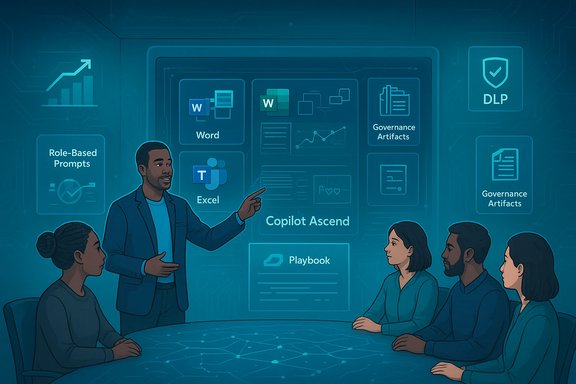
Microsoft’s Copilot ecosystem has become a platform — not just a feature set — joining in‑app assistance (Word, Excel, Outlook, Teams), Copilot Studio for agent creation, and tenant-grounding primitives such as semantic indices and Graph connectors. For organizations that have Copilot licenses or plan to buy them, getting real value requires three things to converge: reliable grounding of organizational content, clear governance controls (Purview, DLP, Entra identity), and people who can use Copilot productively within everyday workflows. Microsoft’s own SMB‑focused Copilot offers and documentation underline this shift: Microsoft introduced the Microsoft 365 Copilot Business SKU at an SMB-friendly $21 per user per month, and Microsoft’s guidance emphasizes Purview and governance controls for safe Copilot usage. ESW positions Copilot Ascend as a packaged training and adoption service that combines instructor‑led sessions (delivered by Microsoft Certified Trainers), hands‑on workshops mapped to Word/Excel/Teams/Outlook/Power Platform, executive briefings, and adoption playbooks aimed at HR, IT and business leaders. The vendor frames the program as a bridge between pilot-stage enthusiasm and recurring, auditable productivity gains.What Copilot Ascend™ Claims to Deliver
Core components (as announced)
- Role-based instruction for frontline staff, managers and executives to tailor outcomes to different responsibilities.
- Hands-on workshops using real Microsoft 365 workflows and tenant artifacts.
- Executive and leadership sessions focused on adoption, decision support, and KPIs.
- Adoption playbooks and governance guidance to reinforce consistent, safe usage.
- Delivery by Microsoft Certified Trainers, available remotely or on-site.
Practical emphases
- Teach prompt patterns and reusable “playbook” prompts aligned with corporate templates and brand voice.
- Map training to measurable use cases (faster draft creation, spreadsheet automation, meeting‑note triage).
- Include governance artifacts (sensitivity label mapping, DLP/conditional access recommendations) to reduce risk during rollouts.
Why Training at Scale Matters Now
Many organizations purchased or piloted Copilot features in 2024–2025 but then hit the adoption gap: users either do not adopt consistent prompt patterns, make errors by sharing protected content with models inadvertently, or underuse the technology because they don’t see immediate, bread‑and‑butter wins. Training addresses three hard blockers:- Skill gap — Users need pattern-based prompts and workflow recipes to translate AI outputs into reliable drafts and actions.
- Governance gap — Without Purview/DLP and identity rules aligned to agent and Copilot use, data leakage or unapproved routing remains a real risk. Microsoft’s documentation shows Purview controls and DLP are central to safe Copilot Studio and agent deployments.
- Operational gap — Training must be paired with tenant remediation (indexing, permission cleanup) so Copilot is grounded on authoritative data; otherwise hallucination and provenance issues persist.
Verification of Key Claims and Numbers
- Claim: Copilot Ascend is delivered by Microsoft Certified Trainers. This is a vendor statement; buyers should verify trainer credentials and ask for certification evidence and sample CVs before contracting. Vendor claims about trainer status are straightforward to validate through trainer rosters and Microsoft partner attestations.
- Claim: Copilot adoption increases productivity. This is supported in principle by Microsoft and industry reporting: Microsoft’s Copilot Business SKU was introduced at $21 per user per month to accelerate SMB adoption, and independent outlets reported the price reduction and SMB-focused packaging in late 2025. These commercial moves make adoption more affordable, but actual productivity gains must be measured in pilots rather than assumed.
- Claim: Governance and Purview integration are part of effective Copilot rollout. Microsoft Learn and Purview documentation explicitly describe using Purview/DLP and Entra identity controls to restrict or manage how Copilot agents process sensitive content; any program that omits those steps is incomplete.
Strengths: What Copilot Ascend Gets Right
1. Role-based design
Training that differentiates between frontline users, managers, and executives accelerates relevance. Staff-level sessions can focus on templates and repetition; managers need decision‑support patterns and oversight playbooks; executives need metrics and risk framing. This alignment shortens the path from training to useful, repeatable tasks.2. Hands-on, workflow-centered practice
Generic demos rarely change behavior. Programs that use real documents, shared templates, and tenant contexts produce greater transfer to day-to-day work because users practice with the exact artifacts they handle every day. ESW’s hands-on workshop claim maps to this best practice.3. Governance-first framing
Including Purview/DLP mapping, identity principals for agents, and telemetry expectations in the syllabus reduces the chance of accidental exposure and gives security teams control points. Microsoft’s documentation indicates Purview integration is essential for Copilot Studio and agent deployment.4. Alignment with Microsoft platform economics
With Microsoft offering a lower‑cost Copilot Business SKU for SMBs, a partner-led training + adoption offering becomes more commercially sensible — organizations can combine purchase decisions with enablement to speed ROI. Independent reporting corroborates Microsoft’s SMB pricing changes.Risks, Gaps and Where Buyers Should Push Back
Unverified outcomes and vendor marketing
Press releases naturally highlight the ideal outcome. Insist on measurable pilots and references; request a clear syllabus, trainer bios, and sample deliverables (playbooks, governance artifacts, KPIs). If claims like “delivered by Microsoft Certified Trainers” cannot be backed by verifiable certification, treat that as a red flag.Training without tenant remediation yields poor results
Training alone cannot fix the root causes of unreliable Copilot outputs. Semantic indices, proper SharePoint/Dataverse indexing, permissions cleanup, and connector validation typically need to happen before or alongside training to produce trustworthy automation. Buyers should clarify who is responsible for remediation and whether that work is in scope.Hallucination risk and human-in-the-loop requirements
Even well‑grounded Copilot responses can be incorrect; high‑risk workflows (finance, legal, HR) must include deterministic automation pathways and human approvals for write‑backs. Training should teach not only prompt craft but also verification discipline and escalation processes.FinOps and consumption surprises
Increased Copilot usage after training can spike metered costs (inference credits, Power Platform runs, storage). Contracts must include monitoring, caps, and alert thresholds so pilots don’t lead to unexpected bills. Insist on FinOps controls in any managed adoption engagement.Agent sprawl and lifecycle management
If training encourages many teams to publish agents, plan for naming, ownership, versioning, retirement rules, and audits. Unmanaged agent proliferation creates maintenance and security risks. Ask prospective providers how they handle lifecycle governance post‑training.Practical Buyer Checklist: What to Require from ESW (or any trainer)
- A full Copilot Ascend syllabus mapped to your prioritized use cases and time allocation (hands-on vs lecture).
- Trainer credentials and Microsoft certification evidence for each instructor.
- Clear statement of tenant prep work (indexing, sensitivity mapping) and what’s in/out of scope.
- Governance deliverables: Purview/DLP mapping, recommended conditional access policies, Entra agent identity plan, and telemetry dashboards.
- A measurable pilot with acceptance criteria tied to KPIs (time‑to‑first‑draft reduction, ticket deflection, weekly active usage).
- FinOps controls and consumption monitoring with caps and alerts to prevent billing surprises.
- Post‑training follow-up schedule (refresher sessions, adoption check‑ins, measurement review).
A Recommended 90‑Day Rollout Plan (operationalizing training)
- Day 0–14 — Discover and Prepare
- Inventory licensing and confirm who already has Copilot access.
- Select pilot teams (3–5 cross‑functional users).
- Run a content hygiene snapshot to identify permission and duplication issues.
- Day 15–45 — Pilot Training + Tenant Prep
- Deliver role‑based Copilot Ascend sessions for the pilot cohort.
- Build semantic indices and map Purview sensitivity labels for the pilot scope.
- Configure telemetry and FinOps dashboards; set consumption caps.
- Day 46–75 — Validate, Govern and Iterate
- Measure KPIs (time saved, agent invocation counts).
- Implement deterministic Power Automate flows for write‑backs and require approvals for high‑risk actions.
- Produce governance artifacts (access reviews, agent ownership lists).
- Day 76–90 — Expand and Operationalize
- Roll out to the next wave of users.
- Publish lifecycle and retirement policies.
- Conduct leadership review of KPIs and adopt continuous improvement cycles.
Measuring Success: Suggested KPIs
- Average time-to-first-draft reduction (Word/PowerPoint) per user.
- Weekly active Copilot usage percentage among target population.
- Percentage of routine tickets deflected by Copilot-assisted triage in Teams or ITSM.
- Number of manual spreadsheet steps eliminated in Excel.
- Safety metrics: DLP incidents, high‑risk writeback attempts blocked or escalated.
Market Context: How Copilot Ascend Compares
The market for Copilot enablement is maturing. Three training product families exist:- Microsoft‑native training (Microsoft Learn, “Agent in a Day” sessions) — best for baseline admin and developer skills.
- Third‑party course platforms (LinkedIn Learning, specialized online modules) — good for broad upskilling.
- Consulting-driven, tenant‑custom workshops and adoption programs (the category Copilot Ascend sits in) — necessary when the goal is to convert pilot use into tenant‑specific, auditable workflows.
Final Assessment and Practical Recommendations
ESW’s Copilot Ascend is a timely, plausible response to a predictable enterprise challenge: converting Copilot licenses into repeatable productivity. The program’s focus on roles, hands‑on practice, executive alignment, and governance artifacts aligns with industry best practices and Microsoft’s documented requirements for safe, tenant‑grounded Copilot use.However, the announcement should be treated as a starting point, not a guarantee. Buyers must demand measurable pilots, proof of trainer credentials, and contractual commitments on FinOps, tenant remediation, and governance deliverables. Training is necessary but not sufficient — expect to combine training with operational work such as indexing, sensitivity labeling, and identity configuration before automation can be trusted in production.
Closing perspective
Turning Copilot from a curiosity into a day‑to‑day productivity tool requires people, process, and platform to be aligned. Copilot Ascend is marketed to address exactly that triad: role‑tailored skills, workflow practice, and governance playbooks. Organizations that approach Copilot adoption as a disciplined, measurable change program — not a one‑off license purchase — will be the ones that capture consistent productivity gains. For procurement teams and IT leaders, the practical next step is a small, tightly scoped pilot: confirm trainer certification, demand governance deliverables, set FinOps protections, and require pilot KPIs before broad rollouts convert promise into proven outcomes.Source: GlobeNewswire ESW Launches Copilot Ascend™, a Microsoft AI Training Program Designed to Build Real Workforce Capability
