

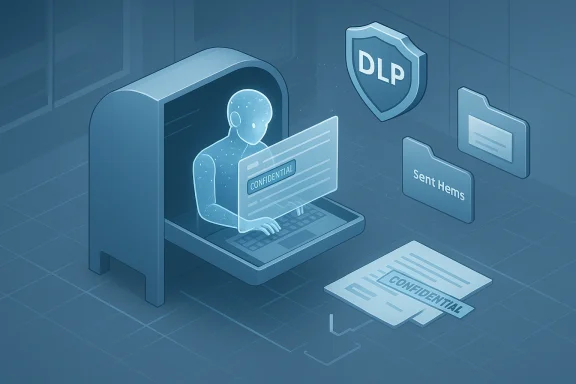
For several weeks this winter, Microsoft’s enterprise assistant did something it was explicitly designed not to do: Microsoft 365 Copilot Chat’s “Work” experience read and summarized email messages that organizations had labeled confidential, drawing from users’ Sent Items and Drafts despite Purview sensitivity labels and configured Data Loss Prevention (DLP) protections.
Microsoft 365 Copilot is an embedded AI productivity layer meant to accelerate routine work across Outlook, Word, Excel, PowerPoint, OneNote and Teams. Its value proposition rests on being able to contextually ingest content a user can already access and then produce summaries, drafts, and analyses that save time. That design, however, also requires careful alignment with enterprise governance and compliance controls that prevent automated systems from touching sensitive content.
In late January 2026 Microsoft observed anomalous behavior in Copilot Chat and logged the issue under service advisory CW1226324. Microsoft’s advisory explained that a code configuration allowed items in users’ Sent Items and Drafts to be “picked up” by Copilot even when those messages carried confidentiality labels. The vendor rolled a server‑side fix beginning in early February and has been monitoring remediation and contacting some affected tenants.
Yet the response has limitations from an enterprise governance perspective. Public messaging has been concise rather than forensic: the advisory describes the behavior and the fix, but Microsoft has not published a detailed post‑mortem that describes the root‑cause code path, retention impacts for Copilot outputs generated during the exposure window, or tenant‑specific artifacts that would make compliance attestations straightforward. For many regulated customers, that level of detail is essential. The incident also highlights that vendor speed of feature delivery must be matched by operational safeguards and transparent remediation protocols.
This incident is a reminder that convenience and capability must never outrun accountability. When your assistant can see everything you write, you should be confident it respects every boundary you set — and when it doesn’t, you must have the telemetry and governance to prove what happened and why.
In the weeks and months ahead, how vendors document their fixes and how organizations change procurement and testing practices will determine whether this episode is treated as a predictable software bug or as a turning point for AI governance in the enterprise.
Source: AOL.com Why the Microsoft 365 Copilot bug matters for data security
 Background
Microsoft 365 Copilot is an embedded AI productivity layer meant to accelerate routine work across Outlook, Word, Excel, PowerPoint, OneNote and Teams. Its value proposition rests on being able to contextually ingest content a user can already access and then produce summaries, drafts, and analyses that save time. That design, however, also requires careful alignment with enterprise governance and compliance controls that prevent automated systems from touching sensitive content.In late January 2026 Microsoft observed anomalous behavior in Copilot Chat and logged the issue under service advisory CW1226324. Microsoft’s advisory explained that a code configuration allowed items in users’ Sent Items and Drafts to be “picked up” by Copilot even when those messages carried confidentiality labels. The vendor rolled a server‑side fix beginning in early February and has been monitoring remediation and contacting some affected tenants.
What happened, in plain terms
- A logic/configuration error in Copilot Chat’s Work tab caused the retrieval pipeline to include messages from the Sent Items and Drafts folders.
- Some of those messages were marked with Microsoft Purview sensitivity labels such as “Confidential,” and were protected by DLP rules that are normally intended to exclude content from Copilot-style processing.
- Despite those labels and policies, Copilot generated summaries of the affected messages when users interacted with Copilot Chat. Microsoft acknowledges the behavior and has described it as not matching the intended Copilot experience.
The technical dimensions (what the public disclosures tell us)
Where enforcement broke down
Enterprise DLP and sensitivity labels in Microsoft 365 are layered controls. In typical operations, Purview sensitivity labels mark content, and DLP policies enforce exclusions to automated processing — including preventing ingestion by Copilot features. The advisory and subsequent reporting indicate the enforcement here was applied at a layer that the Copilot retrieval path did not consistently respect for items in Sent Items and Drafts. In short: classification and enforcement were working, but a retrieval/configuration layer ignored those signals for two specific folders.Why Sent Items and Drafts matter
Sent Items and Drafts are special because they represent authored content (outbound communications and in-progress messages). They often contain:- Finalized language used for contracts, negotiations, and legal correspondence.
- Drafts of sensitive documents that haven’t been sent but reflect strategy, financials, or proprietary plans.
- Chain-thread context that may include incoming messages from external parties.
The fix Microsoft applied
Microsoft reports a server‑side configuration update deployed worldwide to enterprise customers and has been monitoring telemetry to validate remediation. Administrators are being contacted in some cases to verify that the fix has taken effect in tenants. Microsoft has not published a detailed post‑mortem with code-level patches or a final remediation timeline for all customers. This leaves a gap between the initial advisory and a complete forensic accounting for enterprises that must demonstrate ongoing compliance.Why this matters for data security and compliance
This is not merely a product bug; it is a stress test of assumptions that underpin modern enterprise controls.1) The trust model between classification and enforcement was weakened
Organizations assume that a sensitivity label or DLP rule will stop any automated system from processing designated content. When an AI assistant — designed to help users by reading and summarizing content — quietly consumes labeled emails, it undermines that assumption. Even if no external exfiltration occurred, the fact that protected content was processed by an automated pipeline is itself a compliance and governance failure. Independent reporting and the Microsoft advisory show these policies were bypassed specifically for the affected folders.2) Auditability and evidence collection get complicated
Compliance regimes — whether contractual, regulatory (for example, finance, healthcare, or government), or internal — rely on clear audit trails. When an AI pipeline processes data it shouldn’t, organizations need to know which messages were touched, when, and by what process. Microsoft’s response indicates it is contacting affected tenants and monitoring telemetry, but public disclosures to date have not provided customer‑facing, tenant‑specific evidence that would satisfy some compliance teams. That lack of transparent, verifiable artifacts complicates legal and regulatory response.3) The "authorized access" defense is incomplete
Microsoft’s statement that “this did not provide anyone access to information they weren't already authorized to see” addresses authentication and access control. However, the scope of "authorized" needs unpacking. Authorized human access (an employee reading their inbox) is different from automated processing by a cloud-hosted AI pipeline. Many contracts and laws restrict automated profiling, third‑party processing, or the use of content for model training and analytics. The advisory does not fully treat those legal contours, which is why enterprise legal teams will examine the incident closely.4) Operational and insider-risk exposure
Even absent external exfiltration, the processing of confidential messages by an assistant increases the surface area for misuse. Summaries can be accidentally surfaced to other contexts, cached, or retained in transient logs that may be accessible to more personnel than the original message. The vulnerability demonstrates how quickly AI convenience can expand what counts as a system of record, and therefore who or what may have visibility into sensitive material.5) The downstream problem: policy drift and brittle enforcement
AI features evolve rapidly, and enforcement controls that are not part of the core retrieval pipeline will inevitably lag. If labels are interpreted at one layer and enforcement is applied at another, any architectural change can open gaps. This episode underscores why organizations need enforcement mechanisms that are integrated — not merely advisory — and why incident response planning for AI behaviors must be routine.How to assess actual exposure (a compliance checklist)
When a vendor reports a DLP bypass or similar AI incident, organizations should move from fear to forensics. Here are pragmatic steps security, compliance, and legal teams should take now.- Confirm the timeline. Establish the window of potential exposure (Microsoft’s advisory points to detection on January 21, 2026 and remediation rollout in early February). Use vendor telemetry and internal logs to bound exposure.
- Export and preserve audit logs. Collect Copilot, Exchange, Purview, and Azure AD logs for the affected period. Preservation is critical for compliance and potential legal discovery.
- Identify impacted tenants and mailboxes. Work with Microsoft support and your tenant health dashboard to get tenant‑specific guidance. Microsoft said it is contacting some affected customers to verify remediation.
- Map the sensitivity labels. Export a list of emails labeled Confidential or higher that were in Drafts or Sent Items during the window. Prioritize those that contain regulated data (PCI, PHI, financials, legal).
- Review Copilot session logs and summaries. Determine whether Copilot generated outputs that included sensitive content and whether any such outputs were stored, forwarded, or shared in other contexts.
- Conduct a legal/compliance impact assessment. Assess notification obligations (regulatory or contractual), and prepare evidence packages for auditors or regulators if required.
- Re-run enforcement tests. After Microsoft’s fix is confirmed in your tenant, run tests that simulate Copilot queries against labeled content to verify that the labels block processing as intended.
Short-term mitigation steps for IT teams
While the vendor works on final remediation, organizations should apply immediate controls to reduce risk.- Verify Copilot access scopes. Confirm which Exchange folders and Microsoft Graph endpoints Copilot is configured to query in your tenant. Limit access to the minimum required.
- Temporarily restrict Copilot in high‑sensitivity groups. Consider disabling Copilot features for legal, HR, finance, and other sensitive departments until full remediation is verified.
- Harden label-to-policy mappings. Ensure that labels such as Confidential and Highly Confidential are explicitly included in DLP rules that instruct Copilot and other automated processors to exclude content.
- Rotate and limit cached content. If your tenant configuration allows, reduce retention for transient AI caches and ensure logs are protected by strict access controls.
- Educate staff about drafts. Remind employees that drafts can be processed by AI features and to avoid storing highly sensitive data in Drafts or Sent Items unnecessarily.
- Check third‑party connectors. Some integrations can copy or surface email content into other services; audit connectors and disable nonessential ones.
Policy and procurement takeaways
The Copilot incident should change how security teams evaluate embedded AI features in productivity suites.- Require contractual SLAs and transparency: Vendors must commit to timely disclosure, tenant‑specific telemetry, and clear responsibilities for remediation and customer notification.
- Demand integration testing evidence: When enabling AI features, organizations should require vendor proof that sensitivity labels and DLP policies are enforced across all retrieval paths, including less‑common folders like Sent Items and Drafts.
- Treat AI as a distinct risk domain: AI creates new processing vectors — treat those vectors explicitly in threat models and compliance frameworks instead of assuming legacy controls are sufficient.
- Enforce phased rollouts: Avoid immediate, organization‑wide enabling of AI assistants. Pilot in low‑risk groups and run blue‑team simulations before enterprise exposure.
Broader implications for AI governance
This bug highlights structural tensions between convenience and control.Vendor transparency and the expectations gap
Cloud vendors will inevitably push AI features into productivity tools for competitive reasons. But that speed must be balanced by robust communication when controls fail. Microsoft’s advisory and follow-up statements were factual but light on a tenant‑level forensics trail; many security teams will want more granular evidence that labeled items were identified and remediated. Transparency should include searchable audit exports and attestations that the retrieval pipeline has been re‑validated.Technical architectural lessons
- Enforcement must be as close to data as possible. Where possible, apply label enforcement in the data plane rather than relying on application-layer filters that can be bypassed.
- Test retrieval pipelines under change. Continuous integration systems for AI features must include sensitivity-label test cases that cover all folders and content types.
- Observe "least privilege" in AI agents. Copilot and similar assistants should require explicit scopes for folders and content, and those scopes should be auditable and revocable at the tenant level.
Regulatory and contractual risk
Regulators and enterprise customers are increasingly focused on how AI processing interacts with protected data. Incidents where DLP enforcement is bypassed — even accidentally — will be scrutinized by auditors and could trigger contractual notification obligations or regulatory inquiries depending on the industry and jurisdiction. Organizations should assume that such events will be audited and document their incident response and remediation decisions accordingly.Practical recommendations — a prioritized action plan
Below is a concise, prioritized plan IT and security leaders can follow to regain control and demonstrate due diligence.- Immediate: Confirm vendor advisory status for your tenant and collect the precise remediation timeline and telemetry.
- 24–72 hours: Export and archive audit logs, identify potentially impacted labeled emails, and preserve any Copilot outputs generated during the window.
- 1 week: Work with legal to map regulatory/contractual notification obligations and prepare communications where required.
- 2 weeks: Reconfigure Copilot scopes and run enforced tests demonstrating that DLP and sensitivity labels are respected across all Outlook folders.
- 30–90 days: Incorporate AI‑specific test cases into CI/CD pipelines, strengthen vendor contract language around AI data processing, and adopt phased rollouts for new AI features.
- Ongoing: Maintain a schedule for periodic audits of AI access scopes and supplier transparency reviews.
What organizations should ask their vendors (and themselves)
- Can you produce tenant‑specific logs showing which Copilot sessions accessed labeled content during the affected window?
- What exact code path allowed retrieval from Sent Items and Drafts, and how has this been fixed? Is there a changelog we can review?
- Can you provide independent verification or attestation that the retrieval pipeline now respects sensitivity labels across all content types and folders?
- What are the vendor’s retention policies for transient AI caches and conversation histories? Who has access to those artifacts?
- Will you notify customers whose tenants show evidence of Copilot interactions with labeled content, and what remediation support will you provide?
The individual and small‑business angle
Large enterprises have security teams and legal counsel to manage incidents like this, but smaller organizations and individuals must also take practical steps.- Temporarily disable Copilot Chat or Work‑tab features for accounts that handle sensitive communications.
- Avoid keeping sensitive drafts in cloud mailboxes for longer than necessary. If drafts are essential, use end‑to‑end encrypted drafts or local notes until finalized.
- Consider privacy‑focused email providers or archiving solutions for highly sensitive tronger guarantees against automated processing. While no service is immune to bugs, providers with explicit end‑to‑end encryption and narrow attack surfaces reduce the number of places your data can be processed.
Strengths and limitations of Microsoft’s response (critical analysis)
Microsoft acted responsibly in identifying and publicly acknowledging the issue, assigning a service advisory number (CW1226324), and pushing a server‑side fix that it began rolling out in early February. The vendor also began contacting some affected tenants — a pragmatic step for remediation verification. Those are positive, operationally necessary actions.Yet the response has limitations from an enterprise governance perspective. Public messaging has been concise rather than forensic: the advisory describes the behavior and the fix, but Microsoft has not published a detailed post‑mortem that describes the root‑cause code path, retention impacts for Copilot outputs generated during the exposure window, or tenant‑specific artifacts that would make compliance attestations straightforward. For many regulated customers, that level of detail is essential. The incident also highlights that vendor speed of feature delivery must be matched by operational safeguards and transparent remediation protocols.
Final assessment: why this should change how you enable AI in productivity suites
This Copilot bug is not an abstract scare story; it is a vivid example of how AI convenience and enterprise safeguards can be misaligned without careful engineering and governance. The immediate risk may be limited if no unauthorized access occurred and the fix is effective, but the longer‑term lesson is structural:- Treat AI features as new, auditable services with independent compliance attestations.
- Insist that enforcement be applied at the data plane and that retrieval layers cannot silently bypass labels.
- Don’t conflate “authorized human access” with “authorized automated processing” — they are different legal and technical constructs.
This incident is a reminder that convenience and capability must never outrun accountability. When your assistant can see everything you write, you should be confident it respects every boundary you set — and when it doesn’t, you must have the telemetry and governance to prove what happened and why.
In the weeks and months ahead, how vendors document their fixes and how organizations change procurement and testing practices will determine whether this episode is treated as a predictable software bug or as a turning point for AI governance in the enterprise.
Source: AOL.com Why the Microsoft 365 Copilot bug matters for data security
