

Microsoft’s February update for Microsoft Sentinel introduces a dedicated Copilot data connector in public preview that brings Copilot audit logs and activity telemetry directly into Sentinel workspaces and the Sentinel data lake, enabling SOC teams to hunt, detect, and automate responses to AI-driven events without leaving their SIEM environment.
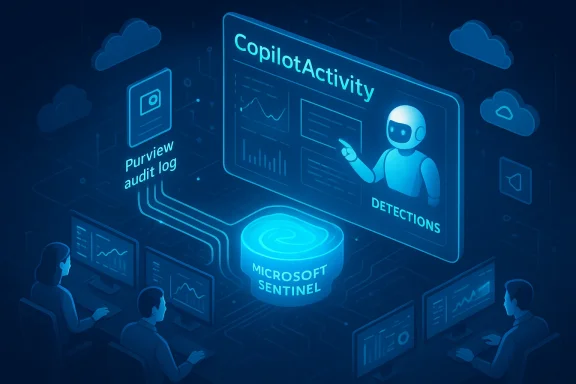
Microsoft Sentinel has steadily evolved from a cloud-native SIEM into a broader XDR-capable platform with deep integrations across Microsoft 365, Defender, Purview, and the emergent Copilot family of AI services. The newly announced Copilot data connector is the next logical step in that evolution: it pulls Copilot activity records that are already published to the Microsoft Purview Unified Audit Log (UAL) and writes them into a Sentinel table named CopilotActivity, making AI telemetry a first-class input for detection, investigation, and automation.
This update arrives at a moment when enterprises are rapidly adopting agent‑style automation and Copilot features that can read, write, and orchestrate tasks acrosnded surface area changes the SOC threat model: actions initiated by agents, scheduled prompts, plugin lifecycle events, and prompt-based data access all create new telemetry that defenders ought to monitor and analyze. The connector’s premise is simple but consequential: if Copilot is acting programmatically inside an environment, those actions should be visible in the same place analysts already work — Microsoft Sentinel.
However, the capability’s promise comes with operational and governance responsibilities. Teams must plan for increased ingestion volume, confirm exact schema and prompt‑content behavior during preview, and coordinate with compliance and legal to ensure PII and sensitive prompts are handled appropriately. Treat the connector as a strategic capability: deploy it into a controlled test workspace first, iterate on analytic rules with simulated scenarios, and then scale to production with clear governance, masking, and retention policies in place.
For SOC teams ready to manage the next wave of AI-enabled risk, the Copilot connector is not just visibility — it’s the foundation for detection engineering and automated response that makes Copilot’s benefits safer and more controllable inside modern security operations.
Source: Redmondmag.com Microsoft Sentinel Expands Visibility Capabilities in February Update -- Redmondmag.com
 Background / Overview
Microsoft Sentinel has steadily evolved from a cloud-native SIEM into a broader XDR-capable platform with deep integrations across Microsoft 365, Defender, Purview, and the emergent Copilot family of AI services. The newly announced Copilot data connector is the next logical step in that evolution: it pulls Copilot activity records that are already published to the Microsoft Purview Unified Audit Log (UAL) and writes them into a Sentinel table named CopilotActivity, making AI telemetry a first-class input for detection, investigation, and automation. This update arrives at a moment when enterprises are rapidly adopting agent‑style automation and Copilot features that can read, write, and orchestrate tasks acrosnded surface area changes the SOC threat model: actions initiated by agents, scheduled prompts, plugin lifecycle events, and prompt-based data access all create new telemetry that defenders ought to monitor and analyze. The connector’s premise is simple but consequential: if Copilot is acting programmatically inside an environment, those actions should be visible in the same place analysts already work — Microsoft Sentinel.
What Microsoft announced (technical summary)
- The Copilot connector is in public preview and available now for deployment via the Microsoft Sentinel Content Hub.
- Ingested telemetry is written to the CopilotActivity table in the Log Analytics workspace; organizations can also opt to send Copilot telemetry to the Microsoft Sentinel data lake for lower-cost, long-term retention and advanced integrations.
- The connector is single-tenant: it ingests telemetry only for the tenant where it is installed. It is not designed for multi‑tenant cross‑ingestion scenarios.
- Eligibility requires that Copilot features are active in the tenant — the connector only ingests data where Copilot licenses and related compute/SCU usage exist.
- Deployment and enablement are performed via the Defender portal’s Microsoft Sentinel configuration area and require Global Administrator or Security Administrator privileges on the tenant.
Why this matters: operational benefits for SOCs
Faster, unified investigations
Before this connector, Copilot‑generated audit events were accessible in Microsoft Purview’s Unified Audit Log, meaning analysts or auditors needed to pivot between Purview/UIs and Sentinel. The connector eliminates that friction by surfacing Copilot telemetry directly in the workspace analysts already use for hunting, correlation, and playbook automation. That reduces context switching and accelerates mean time to detect and respond.Enables AI-aware detection engineering
With structured Copilot telemetry in the CopilotActivity table, SOC teams can:- Create analytic rules and custom detections that directly reference Copilot interactions (for example, anomalous prompt frequency, sudden plugin creation, or scheduled prompt triggering).
- Develop Workbooks and dashboards tailored to Copilot usage and agent behavior.
- Enrich incidents and automated playbooks with the context needed to determine whether an agent action was legitimate or malicious.
Long-term retention and graph integrations
By supporting ingestion to the Sentinel data lake, the connector enables low-cost retention for historical analysis and integration with semantic graph systems such as the Model Context Protocol (MCP) server and other graph-based reasoning workflows. That’s critical for forensic timelines and longitudinal behavior analytics.What’s included: telemetry, tables, and record types
Microsoft documents a predefined set of record types that the Copilot connector maps from Purview’s Unified Audit Log to the CopilotActivity table. Examples called out by Microsoft include:- CopilotInteraction (user or agent prompts and responses)
- Create/Update/Delete CopilotPlugin (plugin lifecycle events)
- CreateCopilotWorkspace (workspaces and provisioning)
- CopilotPromptBook operations (scheduled or reusable prompt collections)
- CopilotForSecurityTrigger and CopilotAgentManagement (agent lifecycle and triggers)
Installation and prerequisites (practical steps)
- Open the Defender portal and navigate to Microsoft Sentinel > Configuration > Content Hub.
- Search for “Copilot” in the Content Hub, select the Microsoft Copilot data connector solution, and click Install.
- After installation, open the connector page and enable it. Enabling the connector requires Global Administrator or Security Administrator privileges on the tenant.
- Confirm the data is flowing into the CopilotActivity table in the Log Analytics workspace. Monitor ingestion costs and consider lake-only ingestion for long-term retention.
Security, privacy, and compliance considerations
Data residency and retention
Copilot and Purview audit data adhere to Microsoft’s data residency rules: Purview stores customer data in the region tied to the tenant’s Microsoft 365 data, and audit retention policies are configurable (defaults and limits can vary). Organizations must confirm where audit data resides and align retention to regulatory needs before enabling long-term retention in the Sentinel data lake.Access control and least privilege
Because the connector reads from the Unified Audit Log and writes into Sentinel, enabling it requires tenant-level admin privileges. That creates a natural gate: only security or global admins should enable or modify connector configrs should document and monitor who has permission and audit changes to connector settings.Sensitivity of prompt content
Copilot interactions may include user-provided content, prompts, or context that could be sensitive. While the connector ingests structured events (for example, event types and metadata), organizations must evaluate whether actual prompt text is recorded and, if so, apply data loss prevention (DLP), masking, or retention controls as required by policy. Where exact prompt content is ingested, treat it as sensitive telemetry. Microsoft’s documentation indicates reliance on Purview auditing; customers must confirm exact schemas and masking behaviors as they roll the connector into production. If you need to know whether prompt text is captured in your tenant, valitest environment before broad deployment.Privacy and legal risk
Bringing Copilot telemetry into a SIEM centralizes visibility but can surface new privacy and legal issues. Examples include the recording of user prompts that reference personally iden(PII), trade secrets, or regulated data. Legal and compliance teams should be consulted to draft handling rules (retention periods, masking, who can query prompt fields) before broad ingestion.Limitations and known constraints
- Single‑tenant ingestion: The connector is not architected for multi‑tenant cross-ingestion, which matters for managed service providers (MSPs) and large conglomerates that centralize telemetry across tenants. MSPs will need a different architecture or supported cross-tenant solutions.
- Eligibility tied to Copilot usage and licensing: If a tenant does not have Copilot licenses or associated Security Compute Units (SCUs) active, the connector will not ingest Copilot telemetry. That limits visibility in mixed-license environments unless licenses are enabled.
- Data volume and cost: Copilot interactions can generate high event volumes, particularly in large organizations or environments with agent automation and scheduled prompts. Expect increased ingestion cost and plan for lake-only ingestion if retention economics matter.
- Schema drift and preview changes: As this is a public preview, , and functionality may change before general availability. Security teams should treat the preview as evaluative and avoid relying on preview schema for long-term rule stability.
Practical detection and threat-hunting use cases
Below are high-value, operational use cases SOCs can implement immediately after enabling the connector.- Detect unexpected plugin lifecycle events:
- Alert on sudden CreateCopilotPlugin events originating from unexpected servxpected IP ranges. Sudden plugin creation can indicate attacker attempts to extend agent capabilities.
- Monitor anomalous prompt patterns:
- Hunt for unusually high prompt volumes from non-human identities or service principals. High-frequency prompts at odd hours can indicate automation abuse.
- Flag scheduled prompt books:
- Identify CopilotPromptBook operations that create or modify scheduled prompt sequences — these are high-risk when used to automate data extraction or lateral movement triggers.
- Correlate with identity and data access telemetry:
- Join CopilotActivity records with Entra sign-ins, Exchange mailbox access logs, and Data Loss Prevention events to determine whether prompts triggered data exfiltration or unauthorized access.
Recommended governance and hardening checklist
- Require Global/Admin approvals for connector installation and document all changes to connector configuration.
- Define retention policies and masking rules for prompt content; coordinate with legal and privacy teams.
- Implement least-privilege for Copilot‑related service principals and separate automation identities from human user accounts.
- Add analytic rules that combine CopilotActivity with Entra and data access signals to reduce false positives and surface high-confidence incidents.
- Use lake-only ingestion for archival retention and to streamline schema changes; maintain a test workspace for preview schema validation.
Example analytics patterns (conceptual KQL snippets)
Below are conceptual detection ideas SOCs can adapt into working analytic rules. These are presented at a high level; test and tune in your environment.- High-frequency prompt issuance by service principal:
- Count prompt events grouped by identity over sliding windows; alert when a non-human identity triggers prompts above a threshold.
- Unauthorized plugin creation:
- Join CopilotPlugin creation events to Entra identity metadata; alert when plugin creation originates from identities not listed in the plugin‑admin allowlist.
- Scheduled prompt creation combined with access to sensitive data:
- Correlate CopilotPromptBook operations with recent data downloads, DLP incidents, or mailbox exports to detect automated exfiltration workflows.
Risks and mitigations
Risk: Over-alerting and analyst fatigue
Copilot telemetry adds another event stream to an already busy environment. Poorly tuned rules will generate noise. Mitigation: start with high‑confidence, low-noise detections and use enrichment to raise the signal confidence (for example, combine CopilotActivity with identity risk scores and DLP triggers).Risk: Exposure of prompt content
If prompts contain sensitive information, ingested prompt text can become a sensitive artifact inside Sentinel. Mitigation: apply field-level masking, retention short‑lists, and access controls on the CopilotActivity table. Engage legal/compliance early.Risk: Misinterpretation of agent actions
Agents may perform legitimate automation that looks anomalous when viewed without context (scheduled maintenance prompts, bulk imports). Mitigation: maintain a canonical inventory of Copilot automation owners, scheduled prompt books, and a whitelist of authorized plugins to reduce false positives.Roadmap implications and what to watch next
Microsoft’s announcement makes two strategic signals clear:- Microsoft is treating AI telemetry as core security telemetry, not an optional add-on. The connector’s architecture — Purview UAL → Sentinel → CopilotActivity table → Sentinel data lake — suggests more baked-in integrations with Security Copilot, MCP, and graph-based reasoning services will follow.
- Preview status means schemas, record types, and installation prerequisites could evolve; expect iterative updates during the preview as Microsoft refines field-level schemas and DCR (Data Collection Rule) support. Plan testing cycles accordingly.
Conclusion: a pragmatic opportunity for defenders
The Microsoft Copilot data connector for Microsoft Sentinel is a meaningful, practical step toward bringing AI‑agent telemetry into an organization’s central security telemetry fabric. For defenders, that visibility is critical: it turns previously siloed Copilot audit trails into actionable signals inside Sentinel — enabling detections, hunts, and automated responses that account for AI‑driven activity.However, the capability’s promise comes with operational and governance responsibilities. Teams must plan for increased ingestion volume, confirm exact schema and prompt‑content behavior during preview, and coordinate with compliance and legal to ensure PII and sensitive prompts are handled appropriately. Treat the connector as a strategic capability: deploy it into a controlled test workspace first, iterate on analytic rules with simulated scenarios, and then scale to production with clear governance, masking, and retention policies in place.
For SOC teams ready to manage the next wave of AI-enabled risk, the Copilot connector is not just visibility — it’s the foundation for detection engineering and automated response that makes Copilot’s benefits safer and more controllable inside modern security operations.
Source: Redmondmag.com Microsoft Sentinel Expands Visibility Capabilities in February Update -- Redmondmag.com
