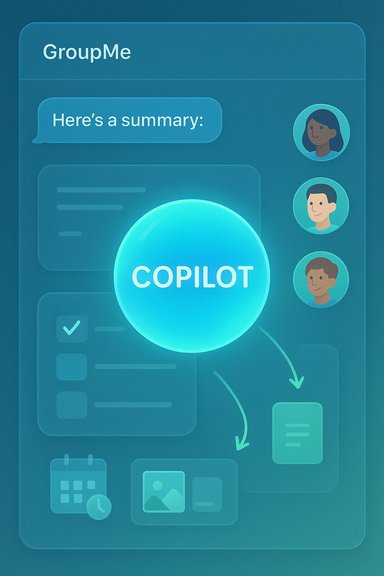
Microsoft’s move to bake Copilot directly into GroupMe shifts the app from a lightweight group chat into a place where AI can help plan, summarize, create, and keep groups on the same page — without forcing people to leave the conversation or fire up a separate app. The feature set is explicitly positioned around on‑demand collaboration: mention @Copilot in a group to get a visible assistant, use it to generate summaries or lists, and (according to Microsoft’s messaging) run the same assistant in one‑on‑one direct messages when you need a private reply. This change is small in UI but large in workflow: it reduces context switching, surfaces quick answers for everyone in the chat, and introduces a new set of governance and accuracy trade‑offs that group owners should plan for.
Microsoft’s broader Copilot rollout has been recast in recent releases as a social, persistent assistant that can operate inside browsers, desktop companions, and consumer messaging apps. That strategy explains why GroupMe — a simple, group‑oriented messaging app — is now a target for deeper AI functionality: the goal is to let groups brainstorm, plan events, summarize long threads, and co‑create media without leaving the chat window. Many of the Copilot features arriving across Microsoft’s consumer surfaces share the same design assumptions: permissioned connectors, visible consent flows, and opt‑in memory. The GroupMe integrations follow that approach but bring additional, chat‑specific concerns around shared context and group consent.
If you decide to enable Copilot:
Microsoft’s consumer Copilot strategy aims to make AI a native collaborator rather than a bolt‑on tool. GroupMe’s Copilot promises immediate, visible benefits for everyday group coordination, but it also demands new admin practices and user literacy about AI limitations. For community leads who value clarity and control, the integration is a welcome convenience; for privacy‑sensitive groups, it’s a feature to approach cautiously and configure deliberately.
Source: Microsoft 5 Reasons to Use Copilot in GroupMe | Microsoft Copilot
 Background
Microsoft’s broader Copilot rollout has been recast in recent releases as a social, persistent assistant that can operate inside browsers, desktop companions, and consumer messaging apps. That strategy explains why GroupMe — a simple, group‑oriented messaging app — is now a target for deeper AI functionality: the goal is to let groups brainstorm, plan events, summarize long threads, and co‑create media without leaving the chat window. Many of the Copilot features arriving across Microsoft’s consumer surfaces share the same design assumptions: permissioned connectors, visible consent flows, and opt‑in memory. The GroupMe integrations follow that approach but bring additional, chat‑specific concerns around shared context and group consent.What Microsoft Says: the basics of Copilot in GroupMe
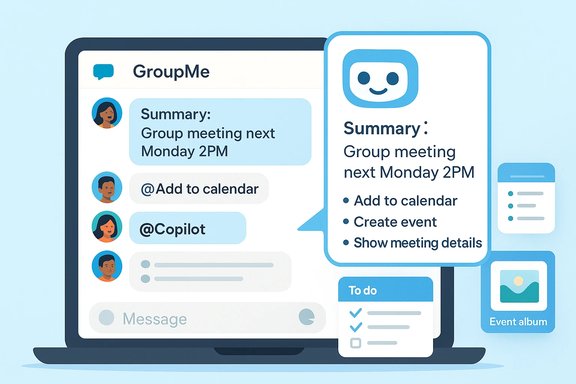
- Copilot is embedded inside GroupMe so you can ask questions in the group chat and get answers that everyone can see.
- You invoke the assistant by mentioning @Copilot in a group thread.
- Copilot features are available in group chats and, as advertised in promotional material, in one‑on‑one direct messages as well; availability and behavior may vary by platform and rollout stage.
- The feature set includes quick answers, thread summaries, event‑focused media handling, and image generation in some deployments.
Five practical ways Copilot changes GroupMe group workflows
Below are the core use cases that make this integration meaningful for everyday GroupMe users, with technical context and recommended practices for each.1. Catch up faster with AI chat summaries
Busy group chats can run to dozens or hundreds of messages. Copilot can generate concise recaps that surface decisions, action items, and outstanding questions, cutting the scroll time dramatically.- Benefit: Saves time and reduces “scroll fatigue” for students, clubs, and families.
- How it works: A summary banner or on‑demand prompt pulls the thread and returns a short recap designed for quick consumption.
- Caveat: Summaries are helpful but not infallible — always verify critical details (dates, money, assignments) against the original messages.
2. Turn chat ideas into action lists and documents
Copilot can extract action items, split tasks, and even generate starter documents (notes, agendas, slide outlines) from a conversation, which you can then export or share.- Benefit: Reduces friction when turning plans into deliverables — no more copying chat text into Word or PowerPoint manually.
- Export mechanics: In analogous Copilot surfaces, longer AI outputs show an export affordance to Office formats (Word, PowerPoint, PDF); GroupMe’s flows aim to shorten the path from chat to editable output.
3. Make event media and coordination simpler
GroupMe’s recent updates emphasize event‑centric features — audio voice notes, Event Albums that curate photos and videos, and Copilot summarization tied to events.- Benefit: Collections of photos and short voice replies are easier to manage; Copilot can summarize the event chat, extract who’s attending, and surface logistics.
- Platform note: App Store release notes documented voice notes and Event Albums in a recent iOS build, and Microsoft’s product messaging connects these features with Copilot‑powered summaries. Expect staged rollouts between iOS, Android, and web.
4. Co‑create and iterate with group prompts
Because Copilot can act as a visible, link‑inviteable participant in group contexts (a broader Copilot Groups concept seen across Microsoft), it can co‑author content and propose options during a live conversation.- Benefit: Useful for trip planning, classrooms, and small teams — Copilot can propose itineraries, produce two or three draft agendas, and take votes.
- Scaling: Across Microsoft’s consumer previews, the shared session model supports multi‑person collaboration and is designed for groups rather than huge public channels.
5. Quick, private help in direct messages (advertised)
Microsoft states that Copilot is available in one‑on‑one DMs as well as in group chats, making it a handy private assistant when you need a personal reply or help drafting a message.- Important caveat: Product messaging claims this availability, but independent documentation shows the behavior and availability vary by platform and rollout stage. Treat direct‑message availability as a marketed capability that may differ in live deployments. Where precise behavior matters for compliance or workflows, verify within the app’s help pages or product settings.
Technical and rollout specifics you should verify before enabling Copilot in groups
Every IT and group lead should double‑check these facts before enabling Copilot broadly.- Participant limits in shared Copilot sessions: In Microsoft’s consumer previews, shared Copilot sessions (the “Groups” model) were documented to support up to 32 participants. Use caution: this number comes from consumer announcements and may be different in alternate builds or enterprise configurations.
- Opt‑in connectors and memory: Copilot’s usefulness grows when you link cloud accounts (OneDrive, Outlook, Gmail, Google Drive, Google Calendar). These connectors require explicit OAuth consent and are opt‑in, and Copilot can maintain user‑managed memories when permitted. Admins should audit connector consent flows before deploying.
- Platform parity and staged rollout: Expect feature discrepancies across iOS, Android, web, and Windows. Microsoft often ships consumer features in the U.S. first and phases in broader availability. Update management and communication with trusted group members is essential.
- Export and document generation limits: In other Copilot surfaces, the export affordance appears when outputs reach a certain complexity; GroupMe’s export behavior is intended to echo that pattern but exact thresholds and file formats vary by client. Test before you rely on automated exports.
Strengths: why this is a valuable addition for many GroupMe communities
- Lower coordination costs. Copilot reduces the friction of planning and catching up by synthesizing conversation into consumable action items and summaries. This is high ROI for recurring groups like student projects, volunteer committees, and family event planning.
- Keeps creativity in‑context. Instead of moving creative work into separate tools, groups can co‑create inside chat and have Copilot iterate on text, lists, or simple designs, which preserves conversational momentum.
- Accessible quick replies. Voice notes and short AI‑generated replies lower the barrier for members who prefer speaking to typing, making participation easier for on‑the‑go users.
- Explicit opt‑in controls. Microsoft’s broader Copilot design emphasizes visible consent for connectors and memory and provides user controls to view/edit/delete what Copilot remembers. That design pattern reduces surprise and gives users more control.
- Helps with moderation and decision capture. Copilot can tally poll results, extract consensus, and create a digestable record of decisions — useful for groups that must document outcomes.
Risks and trade‑offs — what group owners and admins must watch closely
Whenever an AI assistant gains access to group conversation history, images, and optional account connectors, new risks follow. These are the top hazards and practical mitigations.Privacy and consent
- Risk: Summaries and group memory can surface personal or sensitive information. In many chat apps, adding a bot or assistant lets it read prior messages; group members may be surprised by what gets captured.
- Mitigation: Use group settings to restrict who can mention @Copilot (e.g., limit to admins) and communicate clearly before enabling the assistant in sensitive chats. Microsoft documentation and GroupMe guidance emphasize per‑group permission settings — adopt a conservative policy for private groups.
Accuracy and hallucination
- Risk: Large language models may omit nuance, misattribute messages, or invent details when summarizing. For financial commitments, legal decisions, or medical guidance, a Copilot summary is a helpful aide but not an authoritative record.
- Mitigation: Require human verification for action items involving money, legal obligations, or health decisions. The product teams explicitly frame AI summaries as convenience tools, not definitive records.
Moderation and toxic content
- Risk: AI summarization can amplify toxic or offensive content by condensing it into compact, attention‑grabbing headlines; it may also surface sensitive content inadvertently.
- Mitigation: Monitor flagged summaries, and consider disabling Copilot in communities where moderation is already a challenge. Rely on manual moderation for contentious conversations.
Platform fragmentation and user confusion
- Risk: Staggered rollouts and platform differences can leave members with inconsistent capabilities (e.g., iOS users may see Event Albums while others don’t).
- Mitigation: Before using Copilot for event coordination, confirm all critical participants are on supported clients or set contingency workflows for non‑parity members. App release notes and product blogs document staged rollouts.
Data retention and compliance
- Risk: Audio attachments, AI summaries, and exported artifacts create new data types that may be subject to legal holds, eDiscovery, or retention rules.
- Mitigation: Groups tied to organizations should consult platform export rules and Microsoft privacy documentation to confirm retention windows and exportability before enabling connectors. If legal obligations exist, treat Copilot outputs as supplemental rather than primary evidence.
Practical rollout checklist for GroupMe community managers
- Update group policy and notify members: Document when and why Copilot is enabled, what it will read, and who can invoke it.
- Restrict invocation to trusted roles: Change the group settings so only admins or a small subset of members can mention @Copilot.
- Test summaries and exports: Run a pilot on a sample subgroup and verify export formatting, attachment handling, and accuracy.
- Confirm platform parity: Ensure essential participants are on versions that support the needed features (Event Albums, voice notes, summaries).
- Audit connectors: If members link accounts (calendar, Drive), require explicit opt‑in and review what data will be accessible to Copilot.
- Establish verification rules: Require human double‑checks for money, dates, and any action that has legal or safety implications.
Where the claims are solid — and where caution is warranted
- Verified: The Copilot integration brings chat summaries, event media tools, and in‑chat AI prompts to GroupMe; independent reporting and app release notes corroborate these mechanics. The general pattern of opt‑in connectors and staged rollouts is consistent across Microsoft’s consumer Copilot materials.
- Cross‑checked claim: The shared Copilot session model and the 32‑participant cap are documented in Microsoft’s consumer previews and have been reported across multiple outlets; this number appears consistently in preview materials but should be rechecked in any production release notes before relying on it for large events.
- Caution (unverified detail): The specific persistence model for group‑level memory inside GroupMe (exact retention windows, whether Copilot can read messages posted before it was added, and whether transcripts are stored permanently) is not exhaustively documented in public previews. For organizations with legal retention needs, these are operationally important details that must be confirmed directly with product documentation or support. Where exact backend retention windows or transcript handling are required, treat public descriptions as directional and request explicit, written confirmation.
Final analysis: who should enable Copilot in GroupMe — and how
Copilot in GroupMe is a pragmatic tool for groups that need faster coordination, easier catch‑ups, and lightweight co‑creation. It shines for:- Study groups that want quick summaries and shared notes.
- Families planning events where media and RSVPs matter.
- Small volunteer or community teams that need a low‑friction task extraction and follow‑up mechanism.
- Creators and hobby groups who benefit from inline idea generation and light co‑authoring.
If you decide to enable Copilot:
- Start with a pilot and conservative settings (admins only).
- Document the boundaries: what Copilot will and will not do.
- Maintain human oversight on any critical decision or action extracted by the AI.
Microsoft’s consumer Copilot strategy aims to make AI a native collaborator rather than a bolt‑on tool. GroupMe’s Copilot promises immediate, visible benefits for everyday group coordination, but it also demands new admin practices and user literacy about AI limitations. For community leads who value clarity and control, the integration is a welcome convenience; for privacy‑sensitive groups, it’s a feature to approach cautiously and configure deliberately.
Source: Microsoft 5 Reasons to Use Copilot in GroupMe | Microsoft Copilot