

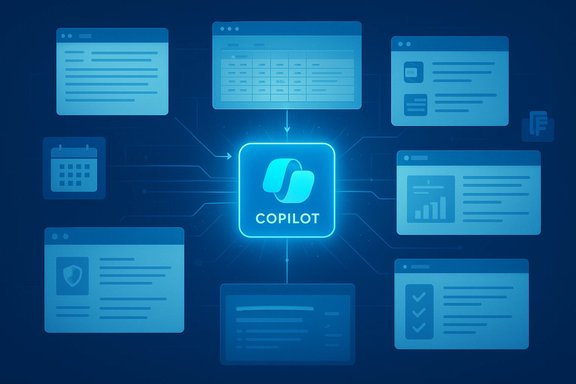
Microsoft’s Copilot is often framed as “another AI assistant,” but its real claim to differentiation — as highlighted in a recent industry column — is that it’s not designed to sit beside your work; it’s designed to live inside it, pulling context from calendars, mail, files and meetings so generative AI becomes part of the flow of work rather than an add‑on.
The idea that AI should be embedded in where people already work is the central thesis behind Microsoft 365 Copilot’s strategy. Rather than a standalone chatbot that answers prompts in isolation, Copilot is positioned as an intelligence layer that ties together Microsoft 365 apps (Outlook, Teams, Word, Excel, PowerPoint and Loop), the Microsoft Graph, and a new orchestration and personalization layer Microsoft calls Work IQ. That stack is intended to deliver contextual, actionable outputs that reflect a user’s identity, permissions and organizational data — not generic text pulled from the open web. This shift is both technical and product-led. Technically, Copilot uses retrieval‑augmented generation patterns and tenant-aware connectors so the large models reason over enterprise content that has been indexed and permission-trimmed through Microsoft Graph. Product-wise, Copilot expands from a chat interface into agents, in‑app assistants and a Copilot app on Windows that can generate documents, summaries and actionable artifacts from the same environment users already work in. The result is a reframing of what “AI for work” looks like: not a novelty that sits outside daily tools, but an integrated collaborator that can draft, summarise, analyse and automate within the applications people open every morning.
Embedding AI inside Outlook for triage, inside Teams for meeting notes, and inside Excel for formula suggestions creates more opportunities for small, cumulative time savings. Microsoft and public trials report measurable gains — trials for knowledge‑work scenarios consistently show time savings on structured tasks, and large pilots demonstrate organizational adoption when the tool integrates with existing identity and governance.
The practical reality for IT leaders is straightforward: Copilot can deliver meaningful time savings and better focus on strategic work, but only if organisations treat the rollout as a governance, change and data‑quality project — not merely a new seat license to switch on. Audit permissions, pilot with strong human oversight, instrument telemetry, and move deliberately from isolated wins to secure, repeatable outcomes.
The value proposition is clear and supported by product docs and large pilots, but it’s not automatic. Where organisations invest in the plumbing — identity, permissions, classification, and training — Copilot more reliably turns AI’s promise into everyday productivity.
Source: Jersey Evening Post Why Copilot is different: A look at AI in the flow of work - Jersey Evening Post
 Background / Overview
The idea that AI should be embedded in where people already work is the central thesis behind Microsoft 365 Copilot’s strategy. Rather than a standalone chatbot that answers prompts in isolation, Copilot is positioned as an intelligence layer that ties together Microsoft 365 apps (Outlook, Teams, Word, Excel, PowerPoint and Loop), the Microsoft Graph, and a new orchestration and personalization layer Microsoft calls Work IQ. That stack is intended to deliver contextual, actionable outputs that reflect a user’s identity, permissions and organizational data — not generic text pulled from the open web. This shift is both technical and product-led. Technically, Copilot uses retrieval‑augmented generation patterns and tenant-aware connectors so the large models reason over enterprise content that has been indexed and permission-trimmed through Microsoft Graph. Product-wise, Copilot expands from a chat interface into agents, in‑app assistants and a Copilot app on Windows that can generate documents, summaries and actionable artifacts from the same environment users already work in. The result is a reframing of what “AI for work” looks like: not a novelty that sits outside daily tools, but an integrated collaborator that can draft, summarise, analyse and automate within the applications people open every morning.Why “in the flow of work” matters
From convenience to continuous value
Most generative AI prototypes produce occasional wins: one-off summaries, prototypes, or impressive single demos. The challenge for organisations is converting those wins into repeatable productivity improvements across many people and tasks.Embedding AI inside Outlook for triage, inside Teams for meeting notes, and inside Excel for formula suggestions creates more opportunities for small, cumulative time savings. Microsoft and public trials report measurable gains — trials for knowledge‑work scenarios consistently show time savings on structured tasks, and large pilots demonstrate organizational adoption when the tool integrates with existing identity and governance.
Work IQ: the context engine
Work IQ is the glue that lets Copilot be more than a generator of plausible text. It works as a knowledge and inference layer that leverages signals from the Microsoft Graph — emails, calendar items, chats, files and task telemetry — to produce outputs that are contextually relevant to a person’s role and the current workspace. That makes Copilot capable of moving beyond generic answers and into work artifacts — slide decks, spreadsheet models, and meeting summaries grounded in real documents and the correct access controls. This matters for two practical reasons:- Outputs are grounded in tenant data and respect enterprise permissions, so results are tailored and accountable.
- Copilot can recommend the next action rather than only producing text — for example, extract action items from a meeting and add them to a Planner list or draft a follow‑up email in the precise tone used by the sender’s organization.
What Copilot actually does in everyday apps
Word and PowerPoint: draft, iterate, convert
- Drafts long passages, executive summaries and proposals from prompts or from existing documents.
- Converts Word content into PowerPoint decks using enterprise templates and slide design heuristics.
- Iterative editing: ask for tone or length changes and apply them directly in‑app rather than copying and pasting between tools.
Excel: discover and explain
- Suggests formulas and chart types.
- Produces narrative summaries of data and proposes visualisations.
- Agent Mode can orchestrate multi‑step spreadsheet tasks (build model, run sensitivity check, produce a clean output) with a loop of evaluation and refinement.
Outlook and Teams: triage and summarise
- Summarises long email threads, surfaces priorities and helps draft replies.
- Summarises meeting recordings and chat logs, extracts action items and owners.
- Facilitator agents in Teams can run agendas, capture decisions and follow up on assigned tasks.
Copilot on Windows / Edge / Copilot app
- Copilot is also integrated at the OS and browser level: the Copilot app on Windows and Copilot Mode in Edge provide multi‑tab summarisation, screen‑awareness, and an export flow that generates Office artifacts from a chat. Those capabilities bring the assistant to desktop workflows beyond single apps.
Verifying the claims: what the public record says
Three of the most load‑bearing claims about Copilot — (1) tenant- and permission‑aware grounding, (2) measurable productivity benefits from pilots, and (3) the expansion into agentic workflows — are documented by multiple independent and vendor sources.- Microsoft documentation explains that Copilot’s grounding uses Microsoft Graph and enforces identity-based access controls so only content a user already has permission to view is surfaced. The documentation also clarifies that prompts and data used for grounding are handled within tenant boundaries and, for enterprise Copilot, are not used to train foundation models.
- Large public pilots back up measurable gains: the UK Government’s cross‑government experiment (20,000 participants) reported average time savings of about 26 minutes per day and high user satisfaction, while corporate case studies (for example Vodafone’s internal pilot) reported hours saved per week and motivated large‑scale rollouts. These are independently reported by government publications, Microsoft customer stories and major news outlets.
- Microsoft’s product messaging and Ignite 2025 announcements document the shift from chat to platform: Agent Mode, Work IQ, and Copilot Studio are concrete product moves that enable multi‑step automation, custom agents and model routing (including choices between model vendors in some contexts).
Strengths: why this approach can scale
- Low friction to adoption: Placing AI inside widely used apps (Word, Outlook, Teams) reduces the behavioural cost of switching tools, turning short wins into habitual workflows.
- Enterprise-grade controls: Using Microsoft Graph and Microsoft Entra (Azure AD) for identity and permission controls gives IT teams familiar knobs for governing data access, retention and sensitivity labels. That helps address compliance, audit and e‑discovery requirements that otherwise hinder enterprise AI adoption.
- Actionable outputs, not just text: Copilot can produce editable artifacts (slides, spreadsheets, templates) and trigger actions (schedule a meeting, create a task). That makes the tool valuable for operational work rather than only creative drafting.
- Measured ROI in pilots: Large pilots and customer case studies document time savings meaningful enough to justify enterprise licensing and change management investments. When time savings are repeatable across many employees they compound into large organisational benefits.
Risks and blind spots every IT leader must consider
Embedding AI into daily workflows multiplies both upside and risk. The most important risks to manage are governance, data hygiene, model reliability and vendor dependency.1) Permission hygiene and “AI‑accelerated oversharing”
Copilot surfaces content a user is authorized to access. That’s powerful — but it means existing permission sprawl (over‑shared SharePoint folders, legacy groups, external guest permissions) can turn into an AI‑assisted data discovery tool that accelerates inadvertent exposure. Organizations must audit permissions, tighten ACLs and remediate legacy sharing before broad Copilot rollout. Microsoft itself and independent security advisers warn that permission hygiene is a gating factor for safe adoption.2) Hallucination and lack of provenance
Even grounded outputs can be overconfident. Models may synthesize plausible‑sounding facts (dates, numbers, contract clauses) and present them without explicit provenance unless the interface is designed to surface sources. For legal, financial or regulated outputs, require human verification and maintain immutable audit trails for decision‑critical uses. The advice across technical guidelines and independent best practices is consistent: human‑in‑the‑loop checks for high‑risk scenarios.3) Regulatory and regional constraints
Automatic distribution and default‑on installations have provoked concerns in some jurisdictions. For example, Microsoft’s plan to auto‑install Copilot in certain markets drew pushback and was adjusted for EEA markets because of regulatory nuances. IT teams should track regional rules and ensure opt‑out/opt‑in options are configured for tenants operating across geographies.4) Data residency, connectors and third‑party agents
Copilot connectors can ingest external data into Microsoft Graph. That’s convenient but introduces decisions about where data is stored, how it’s encrypted, and whether the connector provider’s policies meet your compliance requirements. Microsoft documentation lays out encryption and regional storage behaviours, but responsibility for connector governance lies with enterprise admins and architecture teams.5) Cost and licensing complexity
Copilot is an add‑on to Microsoft 365 licensing with different pricing tiers for advanced capabilities such as Agent Mode, Copilot Studio and the Frontier features. Organisations must budget not just for seat licenses, but for integration, governance tooling, training and change management. In many pilots the largest friction wasn’t the technology — it was the organizational change to adopt new workflows at scale.Practical roadmap: how to pilot Copilot without breaking things
Below is a pragmatic sequence IT leaders and product owners can use to evaluate Copilot responsibly.- Conduct a permissions and data audit
- Map sensitive repositories, shared folders and guest accounts.
- Apply sensitivity labels, least‑privilege ACLs and conditional access policies.
- Start small with closed pilots
- Identify one business process (e.g., contract drafting in legal, meeting summarisation in a single team).
- Require human verification for outputs and instrument telemetry to measure time saved and error rates.
- Build governance playbooks
- Define acceptable use, escalation paths, and human sign‑off rules for regulated outputs.
- Configure retention and audit logging and create incident response runsheets for AI‑related incidents.
- Train and enable users
- Teach prompting best practices and verification checklists.
- Create role‑based templates (e.g., legal, finance, sales) that capture organizational context safely.
- Monitor telemetry and scale iteratively
- Track task completion times, adoption metrics, error frequency and user sentiment.
- Use telemetry to identify where further process automation or agent development will deliver ROI.
- Evaluate model selection and vendor mix
- For agentic scenarios, consider model routing and multi‑model strategies offered by Copilot (e.g., Anthropic vs OpenAI choices for specific workflows) to balance safety and performance.
Governance checklist (quick)
- Identity: Enforce Microsoft Entra conditional access and MFA for all Copilot users.
- Permissions: Remediate open SharePoint/OneDrive sites and remove orphaned guest access.
- Data classification: Apply sensitivity labels and apply automated protection where required.
- Audit & retention: Ensure Copilot logs are captured and integrate with SIEM/EDR for anomaly detection.
- Human oversight: Define explicit validation steps for legal, financial and safety‑critical outputs.
- Vendor controls: Evaluate connector providers’ privacy policies and encryption/key management options.
Strategic implications: what Copilot changes about IT and product strategy
- IT operations shift from “single‑tool administration” to “model and data orchestration.” Admins need to govern not only apps and identities but also connectors, agent behaviours, model choices and telemetry pipelines.
- Product teams gain a new route to embed automation in workflows: agents and Copilot Studio let domain experts build tailored automations without starting from scratch on model training.
- Skills and talent models will change: the “blank page” problem becomes less of an onboarding hurdle for junior staff, while senior staff will focus more on judgement, synthesis and oversight — reshaping training and career ladders.
Critical perspective: where vendor claims need scrutiny
Microsoft’s narrative — Copilot unlocks the ROI of AI by being embedded, secure and enterprise‑ready — is powerful and supported by product features and trials. But a healthy dose of scepticism is necessary.- Reported time savings and pilot outcomes are real, but their magnitude depends heavily on the quality of preconditions: clean data, disciplined permissions, clear process definitions and user training. Where those preconditions are weak, benefits can be much smaller. Government and vendor reports explicitly warn about these dependencies.
- Product marketing emphasises “not used for training foundation models” for enterprise data. The statement is meaningful, but organisations should verify contract terms, data handling for connectors and third‑party agents, and retention behaviours to ensure compliance with industry regulations. Documentation describes these protections, but legal and compliance teams should validate them during procurement.
- Agent autonomy is attractive, but so are the new audit and complexity burdens. Giving an agent the ability to modify documents, update calendars or call third‑party APIs moves responsibility for correctness from “the person” to “the process.” Organisations must adopt formal human‑in‑the‑loop gates for any high‑risk action.
Conclusion
Microsoft’s Copilot differentiator is not a single breakthrough model or a flash demonstration — it’s a deliberate product philosophy: AI embedded in the flow of work, grounded in tenant data, and governed by familiar enterprise controls. That design reduces behavioural friction, turns isolated experiments into habitual productivity, and creates the conditions for scalable ROI.The practical reality for IT leaders is straightforward: Copilot can deliver meaningful time savings and better focus on strategic work, but only if organisations treat the rollout as a governance, change and data‑quality project — not merely a new seat license to switch on. Audit permissions, pilot with strong human oversight, instrument telemetry, and move deliberately from isolated wins to secure, repeatable outcomes.
The value proposition is clear and supported by product docs and large pilots, but it’s not automatic. Where organisations invest in the plumbing — identity, permissions, classification, and training — Copilot more reliably turns AI’s promise into everyday productivity.
Source: Jersey Evening Post Why Copilot is different: A look at AI in the flow of work - Jersey Evening Post
