

Microsoft’s push to put agentic AI into the hands of everyday office workers has taken a concrete step forward: Copilot now includes a no-code, lightweight Copilot Studio experience plus two out-of-the-box agents — App Builder and Workflows — delivered inside Microsoft 365 Copilot for Frontier preview customers, making it simple for rank‑and‑file employees to build apps, workflows and lightweight agents without developer overhead.
Microsoft’s Copilot strategy has steadily evolved from a conversational sidebar helper into a platform for agentic productivity: a control plane (Copilot Studio, the Agent Store, tenant governance) that lets organizations create, publish and govern agents that act on documents, mail, calendars and other Microsoft 365 data. The latest step stitches no‑code agent and flow building directly into Copilot with a lightweight Copilot Studio UI and two готов‑to‑use agents — App Builder (create simple apps and dashboards) and Workflows (automate multi‑step tasks across Outlook, Teams, SharePoint, Planner). These features are initially available to Microsoft 365 Copilot customers enrolled in the Frontier preview program as a web‑first rollout. This matters because it closes the loop between enterprise AI platform tooling and the people who actually do the repetitive operational work: instead of depending on IT teams, business users can now produce lightweight automations and small apps from natural language prompts, while still operating under tenant governance and role‑based access controls. Microsoft frames the move as a democratization of productivity — matching a long history where features like macros and Visual Basic put power features in the hands of power users — but with modern guardrails.
Acknowledgment: This analysis synthesizes Microsoft’s official announcements and industry reportage to provide a practical, operational view of Copilot’s new agent capabilities. The most load‑bearing claims — preview availability, App Builder and Workflows features, the 57.2% SpreadsheetBench figure, and the CoPhish security findings — have been verified against Microsoft’s product blog post and independent reporting and security research. Where public claims are provisional or internally sourced (benchmarks, staged rollouts), they are flagged and readers are advised to validate tenant‑level availability and policy settings in their own Microsoft 365 admin portals.
Source: TechTarget Microsoft opens Copilot agent building to office rank and file | TechTarget
 Background / Overview
Microsoft’s Copilot strategy has steadily evolved from a conversational sidebar helper into a platform for agentic productivity: a control plane (Copilot Studio, the Agent Store, tenant governance) that lets organizations create, publish and govern agents that act on documents, mail, calendars and other Microsoft 365 data. The latest step stitches no‑code agent and flow building directly into Copilot with a lightweight Copilot Studio UI and two готов‑to‑use agents — App Builder (create simple apps and dashboards) and Workflows (automate multi‑step tasks across Outlook, Teams, SharePoint, Planner). These features are initially available to Microsoft 365 Copilot customers enrolled in the Frontier preview program as a web‑first rollout. This matters because it closes the loop between enterprise AI platform tooling and the people who actually do the repetitive operational work: instead of depending on IT teams, business users can now produce lightweight automations and small apps from natural language prompts, while still operating under tenant governance and role‑based access controls. Microsoft frames the move as a democratization of productivity — matching a long history where features like macros and Visual Basic put power features in the hands of power users — but with modern guardrails. What Microsoft shipped: Copilot Studio lite, App Builder and Workflows
Copilot Studio lite — the no‑code front door
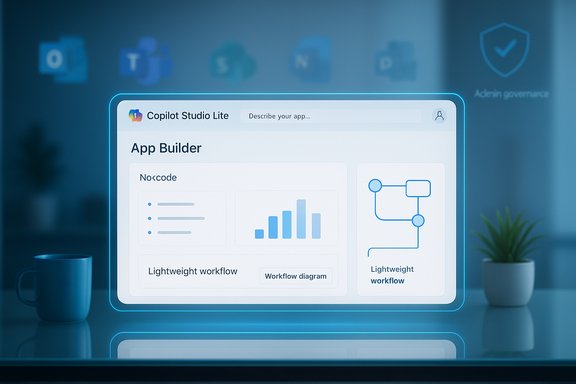
- Copilot Studio lite (the “lightweight Copilot Studio experience”) is embedded into Copilot and is intended for individual productivity scenarios: users describe desired behavior in natural language and Copilot turns that description into a working agent with structured logic and connector points. For heavier, enterprise‑grade agents — multi‑agent orchestration, model selection, advanced workflows — Microsoft still points customers to the full Copilot Studio.
- Key design trade: immediate ease of use for everyday tasks versus the governance, auditability and complexity features that are part of full Copilot Studio. Microsoft’s messaging positions the lite experience as the fast path for end users and the full Studio as the admin/IT surface for scaling and securing agents across a tenant.
App Builder — build simple apps from conversation
- App Builder helps users create interactive apps and dashboards quickly without database setup by generating UI elements (lists, charts, calculators) and wiring a Microsoft Lists backend where needed. Sharing works like a document link, simplifying distribution. The experience is grounded in a user’s Microsoft 365 content (documents, spreadsheets, notes) so apps can use existing tenant data.
- App Builder is deliberately limited at launch to accelerate safe adoption and iterated feature rollouts, but it targets the common business scenarios where a small, shareable app would replace ad‑hoc Excel sheets or manual status tracking.
Workflows — natural‑language automation across Microsoft 365
- Workflows converts plain‑English instructions into multi‑step automations that run across Outlook, Teams, SharePoint, Planner and built‑in services like Approvals. As the workflow is constructed, users see each step in real time and can refine behavior in the same conversation. This brings a no‑code automation experience similar in spirit to Power Automate but accessible directly in Copilot and aimed at the end user.
- Microsoft says Workflows is optimized for common day‑to‑day tasks — sending reminders, updating teammates, calendar coordination — rather than complex RPA or deep systems integration, at least in this initial preview.
Why this is different: the move from low‑code to genuine no‑code agent building
For more than a decade Microsoft has nurtured “citizen development” with Power Apps and Power Automate — low‑code tools requiring some set‑up and governance by IT. Copilot’s no‑code direction is different in three important ways:- Conversational authoring: Instead of building flows or UIs with drag‑and‑drop or formula editors, users describe outcomes conversationally and Copilot scaffolds the solution. That reduces the cognitive load for many tasks.
- Embedded everyday context: Agents pull from the user’s immediate Microsoft 365 context (files, emails, chats) while enforcing permission boundaries, so automation is more directly grounded in the work surface users already inhabit.
- Frictionless distribution and lifecycle: Apps and flows created inside Copilot are shared and controlled by admin tools in the Microsoft 365 admin center, allowing tenant admins to maintain oversight without the heavy lift of standing up separate citizen‑dev environments.
How Copilot stacks up against other no‑code/low‑code agent builders
The market for no‑code agent builders includes platforms like OpenAI’s custom GPTs and Agent Builder, Zapier’s AI agents, MindStudio‑style visual builders, and enterprise offerings from Salesforce and cloud vendors. The differences cluster around three axes:- Ease of creation vs. control: OpenAI’s GPTs focus on conversational assistants and quick customization inside ChatGPT; OpenAI’s Agent Builder introduces node‑based flows and more actions but moves toward low‑code. Zapier offers wide app integrations with a well‑known UX for automation across SaaS apps. Microsoft’s Copilot differentiator is deep native integration with Microsoft 365 data and admin controls tied to existing tenant governance.
- Governance and enterprise controls: Microsoft emphasizes admin‑level management — agent inventory, role‑based access, tenant model routing and Purview integration — as the point of differentiation versus consumer‑oriented builders that trade control for speed. That makes Copilot attractive to regulated enterprises that want to let employees build while limiting risk.
- Model routing and multi‑vendor strategy: Copilot is explicitly multi‑model — Microsoft routes different workloads to different model families where appropriate (OpenAI lineage models for many Agent Mode flows, Anthropic Claude for certain Office Agent tasks). This multi‑model architecture is both a technical and commercial differentiator and forces IT teams to consider model selection, cost and data‑handling policies.
Accuracy and performance: what Copilot can — and cannot — be trusted to do
Microsoft published internal benchmark results against the SpreadsheetBench suite showing Agent Mode in Excel at 57.2% accuracy on the benchmark’s tasks (human baseline ~71.3%). That places Copilot ahead of many contemporary agents on the dataset but short of expert human performance. SpreadsheetBench is explicitly designed to stress spreadsheet reasoning across hundreds of real tasks, and Microsoft’s own material flags the figure as indicative: agents are useful acceleration tools but not replacements for domain expertise on high‑stakes outputs. What that means in practice:- Good for: repetitive, well‑specified tasks (formatting, extracting trends, building initial dashboards), rapid prototyping, and saving analysts’ time on routine work.
- Not yet reliable enough for: unaudited financial close reports, regulatory filings or other outputs where undiscovered formula or logic errors are high‑impact. The agent’s audit trail and step listing help, but human verification remains mandatory for critical work.
Governance, admin controls and practical rollout advice
Microsoft has built a governance story into Copilot: agent inventory, role‑based access, tenant model routing, Entra (identity) integration and Purview data protection are central to how the company recommends enterprise adoption. But governance settings must be configured proactively — the tools are necessary, not sufficient. Enterprise rollout checklist- Enable preview in a controlled Frontier pilot group — test low‑risk scenarios first.
- Harden consent and application policies in Entra ID — disable user consent where appropriate and limit third‑party app consent.
- Define an agent approval workflow — require IT or business‑unit approvers for agents that access sensitive scopes or tenant data.
- Train end users on auditing and verification — teach staff to inspect intermediate steps, validate results, and run flows on copies before committing to production.
- Monitor and log agent creation and usage — surface suspicious patterns and review sensitive token usage.
Security risks: CoPhish and the dark side of flexibility
Any platform that makes it trivial to create and host interactive experiences inherits a new attack surface. Security researchers have identified a novel phishing technique dubbed CoPhish: malicious Copilot Studio agents can be authored or shared in ways that co‑opt Microsoft’s own domains and the platform’s “demo” hosting to present fraudulent OAuth consent dialogs. When a victim clicks and grants consent, attackers can harvest OAuth tokens and use them to access mail, files, calendars and automation capabilities — effectively bypassing password barriers and often hiding exfiltration from ordinary network logs because the traffic originates from Microsoft infrastructure. Researchers at Datadog Security Labs and multiple reporting outlets have published demonstrations and mitigation guidance. Microsoft has acknowledged the issue and committed to product updates and hardening measures, while recommending tenant‑level mitigations such as tighter consent policies and monitoring. Security takeaways- The CoPhish technique shows that trusted domain hosting plus flexible agent behaviors can materially increase phishing success rates.
- Mitigations include stricter application consent policies, limiting who can create agents, requiring admin review for any agent that uses OAuth redirects, and enforcing conditional access and MFA for privileged roles.
- Organizations should treat agent‑creation logs as high‑value telemetry and integrate them into existing SIEM and identity‑monitoring processes.
Use cases and real-world scenarios (what this will actually change on the desktop)
- Project coordination: A product manager builds a small app with App Builder that tracks milestones and automates status updates to a Teams channel and Planner tasks. Time saved: hours per week.
- Recurring reporting: An analyst uses Agent Mode in Excel to clean a messy export, generate charts and produce a first‑draft executive summary that is then validated and refined, collapsing a half‑day of work into minutes.
- Calendar and admin automation: Workflows sends weekly reminders, routes approvals, and updates shared trackers across Outlook, Planner and SharePoint with a single conversational flow.
- Lightweight apps: Frontline teams create simple inventory or sign‑off apps without standing up a database or waiting for IT resources. App Builder’s use of Microsoft Lists as a back end is key here.
Practical recommendations for Windows and Microsoft 365 administrators
- Pilot first, wide roll‑out second: Start with a controlled Frontier pilot that includes business owners and security teams.
- Harden Entra consent policies: Disable default user application consent and use least‑privilege principles for permissions.
- Monitor agent creation/usage: Feed agent inventory events into security monitoring and review anomalous creations or redirects.
- Teach verification: Require human sign‑off on financial, legal or regulatory outputs created by agents and provide practical checklists for reviewers.
- Leverage Microsoft’s admin controls: Use the agent inventory and governance surfaces in the Microsoft 365 admin center to control sharing and access centrally.
Strengths, limits and the strategic balance
Strengths- Deep Microsoft 365 integration — Copilot agents can work directly on tenant data with admin controls that align with established management tooling.
- True end‑user empowerment — conversation‑first building collapses friction for common tasks and reduces reliance on IT for small but important automations.
- Multi‑model flexibility — ability to route workloads to the best model for a task adds nuance to quality, cost and safety trade‑offs.
- Accuracy gap — benchmarks like SpreadsheetBench show Copilot is helpful but not infallible; critical outputs require human verification.
- Security surface area — flexible hosted agents create phishing and token‑exfiltration risks such as CoPhish that organizations must mitigate.
- Governance burden — scaling agent building safely requires policies, telemetry and training; the tools reduce developer friction but increase management complexity.
Bottom line
Microsoft’s introduction of a no‑code Copilot Studio lite with App Builder and Workflows is a meaningful, practical step toward putting agentic AI on the desktop for everyday knowledge workers. It shortens the path from idea to automation and plugs directly into Microsoft 365’s data plane and admin controls — an advantage for enterprises that want controlled democratization of automation. At the same time, the rollout is a reminder that democratizing power requires democratizing responsibility: accuracy limits, governance overhead, and new security attack patterns (like CoPhish) mean IT teams and business leaders must plan for controlled pilots, clear consent policies, and operational monitoring from day one. When those safeguards are in place, Copilot’s no‑code agent builders can deliver measurable productivity gains without exposing the organization to outsized risk.Acknowledgment: This analysis synthesizes Microsoft’s official announcements and industry reportage to provide a practical, operational view of Copilot’s new agent capabilities. The most load‑bearing claims — preview availability, App Builder and Workflows features, the 57.2% SpreadsheetBench figure, and the CoPhish security findings — have been verified against Microsoft’s product blog post and independent reporting and security research. Where public claims are provisional or internally sourced (benchmarks, staged rollouts), they are flagged and readers are advised to validate tenant‑level availability and policy settings in their own Microsoft 365 admin portals.
Source: TechTarget Microsoft opens Copilot agent building to office rank and file | TechTarget
