

Microsoft’s pitch to “create confidently with AI” is both an invitation and a challenge: the company is rolling AI image generation into Copilot and related tools in a way that makes visual creation fast, approachable, and deeply integrated — but it also raises a host of practical, legal, and ethical questions that creators need to understand before they hit generate. The company’s consumer-facing guidance frames Copilot as an entry point for designers, marketers, educators, and hobbyists who want to turn prompts into polished images without learning complex tools. At the same time, Microsoft and its partners are rapidly evolving the underlying technology — from integrating GPT‑4o’s image capabilities to introducing in‑house models such as MAI‑Image‑1 — while policy, ownership, and safety guardrails lag behind in clarity for many real‑world uses.
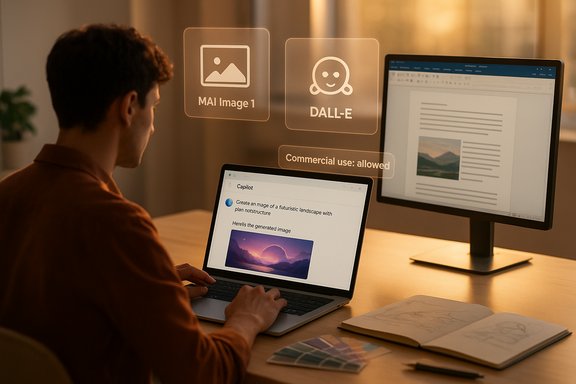
AI image generation has gone from a research curiosity to mainstream creative tooling in the space of a few years. The basic building blocks are multimodal models capable of converting text to imagery (text‑to‑image), transforming existing photos (image‑to‑image), and supporting iterative, conversational refinement across a session. Microsoft positions Copilot as an accessible wrapper around these capabilities: type a descriptive prompt or upload a reference image, then iterate. The company’s Copilot pages and help guides emphasize short learning curves and prompt‑engineering tips for better results. Behind the branded interfaces, two technical trends are converging. First, OpenAI-style multimodal models (for example GPT‑4o) have added image generation and are being exposed through chat-style flows that let users refine results across multiple turns. Second, large vendors — Microsoft included — are bringing their own models online to expand choice and control. Recently Microsoft announced and began integrating a proprietary image model, MAI‑Image‑1, into Bing Image Creator and Copilot, positioning it alongside external options like DALL·E‑powered generators. This model diversification gives users choices in speed, style, and safety processing, but it also complicates questions around provenance and usage rights.
But the technology is not a turn‑key solution for professional art direction or production without human oversight. Quality control, legal clarity (particularly around commercial use and artist style rights), and ethical constraints must be actively managed. The “create confidently” slogan is appropriate for exploratory and internal uses, but it should be tempered by diligent rights management and careful disclosure when images reach public audiences.
In short: use Copilot to accelerate imagination and early iterations; don’t use it as a substitute for legal clearance, human curation, or responsible publishing practices.
AI image generation embedded in Microsoft Copilot marks a practical turning point: it democratizes visual ideation, speeds prototyping, and folds image editing into conversational workflows. Creators can achieve compelling results faster than past workflows allowed. Yet the technology’s strengths come with practical limits and unresolved policy questions — most importantly, commercial licensing and the ethics of style and likeness. The path forward is pragmatic: take advantage of Copilot for idea generation and iterative design, but implement the governance, verification, and legal checks necessary when those images leave the sandbox and enter commercial, public, or sensitive contexts.
Source: Microsoft Create Confidently with AI | Microsoft Copilot
 Background / Overview
AI image generation has gone from a research curiosity to mainstream creative tooling in the space of a few years. The basic building blocks are multimodal models capable of converting text to imagery (text‑to‑image), transforming existing photos (image‑to‑image), and supporting iterative, conversational refinement across a session. Microsoft positions Copilot as an accessible wrapper around these capabilities: type a descriptive prompt or upload a reference image, then iterate. The company’s Copilot pages and help guides emphasize short learning curves and prompt‑engineering tips for better results. Behind the branded interfaces, two technical trends are converging. First, OpenAI-style multimodal models (for example GPT‑4o) have added image generation and are being exposed through chat-style flows that let users refine results across multiple turns. Second, large vendors — Microsoft included — are bringing their own models online to expand choice and control. Recently Microsoft announced and began integrating a proprietary image model, MAI‑Image‑1, into Bing Image Creator and Copilot, positioning it alongside external options like DALL·E‑powered generators. This model diversification gives users choices in speed, style, and safety processing, but it also complicates questions around provenance and usage rights. How the technology in Copilot and related Microsoft tools works
Multimodal models: a quick technical primer
Multimodal generative models are trained on massive datasets of paired text and images to learn the statistical relationships between language and visual content. Two mainstream approaches have dominated recent years:- Diffusion‑based pipelines, which iteratively “denoise” a random pattern into a coherent image, historically used by many popular open models.
- Autoregressive or transformer‑style image generation (as used by some GPT‑family image systems), which can offer stronger attribute binding (keeping objects, text, and composition consistent) and richer dialogue-driven refinement.
Key product capabilities bundled into Copilot
- Text‑to‑image generation: describe the scene and Copilot creates it.
- Image‑to‑image editing / inpainting: upload a photo or sketch and have Copilot enhance, stylize, or replace elements while preserving the rest.
- Style directives and composition controls: users can request “photorealistic,” “watercolor,” “close‑up,” or “wide shot,” and specify mood and color cues.
- Iterative refinement through chat: because image generation is embedded in a conversational Copilot, you can repeatedly adjust prompts and keep continuity across iterations.
What Microsoft’s messaging promises — and what it delivers
Strengths and practical advantages
- Accessibility and speed: Copilot reduces the barrier to entry. Instead of learning advanced compositing, users can generate usable assets in minutes, which is a major productivity win for social media, internal presentations, quick concept art, and rapid prototyping. The interface nudges users toward stronger prompts with examples and style cues.
- Integrated workflow: Copilot’s presence across Microsoft apps (Word, PowerPoint, Designer, and the Copilot app) means creatives don’t need to export to external tools to generate or edit images. This tight integration supports end‑to‑end workflows from ideation to presentation.
- Iterative fidelity and multi‑turn editing: GPT‑4o’s image capabilities and Microsoft’s in‑house MAI models emphasize multi‑turn coherence. That means if you refine character features across a session, the system can do a better job of keeping the subject consistent, which reduces manual rework.
- Safety and provenance features: modern image generators are shipping with metadata systems (for example C2PA provenance markers) that will label an image’s AI origin and the model used, increasing transparency. Microsoft and OpenAI have both announced plans to bake provenance metadata into generated media to help downstream verification.
Real limitations to keep in mind
- Detail fidelity is still imperfect: AI struggles with complex close‑ups, small text within an image, and reliably rendering human hands and faces in fully realistic settings without artifacting. The quality of fine details varies by model and prompt. Expect an editing pass in a raster editor for production work.
- Style and artist mimicry remain controversial: models trained on public datasets can recreate stylistic hallmarks of living artists, provoking ethical concerns and, in some jurisdictions, legal scrutiny. Platforms have responded with style filters and policies, but ambiguity remains for near‑identical mimicry.
- Policy and licensing confusion: Microsoft’s public terms and community guidance have not always spelled out the same rules about commercial use of images generated via Bing, Designer, or Copilot. Historical language limited “creations” to personal, non‑commercial uses, but subsequent updates and product relabeling have led to conflicting interpretations. This inconsistency means creators should verify the current terms that apply to the specific generation endpoint and model before monetizing imagery. This point is still evolving and should be treated as cautionary and potentially unverifiable without direct confirmation from Microsoft or legal counsel.
Legal and ethical landscape — what creators must weigh
Ownership, licensing, and commercial use
Microsoft’s publicly posted terms historically included language that limited use of creations to “personal, non‑commercial purpose” in some product editions, while other company statements and product announcements have emphasized that Microsoft does not claim ownership of prompts and creations. The result: the practical commercial rights available to an end user depend on the specific product, model, and the Terms of Use that were in force at the time of generation. Because those policies have shifted over time and differ by product, creators who plan to monetize AI‑generated assets must verify:- The explicit “Use of Creations” clause for the exact tool and account tier used.
- Any commercial restrictions or attribution requirements in the Content Policy or Terms.
- Whether the chosen model injects third‑party content or is trained on restricted datasets.
Deepfakes, consent, and new legal protections
Governments and lawmakers are moving to address nonconsensual or deceptive uses of AI imagery. European and national proposals — and actions like Denmark’s proposal to recognize individuals’ rights over their likeness to limit deepfake abuse — indicate the legal environment will grow stricter for nonconsensual or manipulative imagery. Platforms are therefore increasingly required to implement takedown mechanisms and provenance tracing. Creators should avoid generating realistic images of real people without clear consent, and should treat images depicting public figures cautiously because of policy and possible legal risk.Attribution, provenance, and transparency
Provenance metadata (C2PA) and internal model logs are becoming standard. Images that carry verifiable provenance markers that indicate which model and system produced them will help platforms, media outlets, and regulators separate AI‑generated imagery from original photography. For responsible distribution, add your own disclosures when you publish or sell AI‑assisted work, and prefer toolchains that embed provenance metadata natively.Practical, professional workflows: from prompt to publish
1. Start with a clear brief (1–2 sentences)
Define subject, mood, composition, and intended use (e.g., “hero image for marketing landing page, 16:9, photorealistic, warm golden hour lighting, space for headline at top”).2. Prompt like a pro
Use specific, concise prompts that combine subject, style, and composition cues. Include camera/lens cues if you want a photographic look (e.g., “50mm shallow depth of field, rim lighting”).- Good: “Photorealistic portrait of an older woman smiling, natural window light, shallow depth of field, warm color grade, space for text above.”
- Better: Add constraints and references like “cinematic, 3/4 shot, 35mm lens, f/1.8, Kodak Portra color grade.”
3. Iterate via in‑chat refinement
Use Copilot’s conversational flow to request targeted changes: “make her sweater navy, reduce background clutter, add soft bokeh.” Multi‑turn generation preserves context and improves coherence.4. Use image‑to‑image for polish
Upload a sketch or base photo when you need a consistent composition or brand template. Inpainting and selective edits let you change details without regenerating the whole frame.5. Post‑process for production
Run a final pass in a raster editor to fix small artifacts, ensure crisp typography, and prepare export profiles for print or web. Apply color management and check for banding and jagged edges at export sizes.6. Verify rights before monetizing
Check the Copilot/Bing/Designer terms that applied when the image was created. If your use is commercial — advertising, logos, merchandising — consider using a provider with explicit commercial licensing guarantees or obtain a written license from the platform. When in doubt, contact Microsoft support or consult legal counsel.Practical tips for safe and ethical creation
- Disclose AI use when posting or selling images, especially in editorial or political contexts.
- Avoid generating images that depict real persons in compromising situations, or that impersonate or mimic public figures without clear context and consent.
- Don’t knowingly prompt for images that reproduce the identifiable style of a living artist without their permission.
- Preserve provenance metadata whenever possible, and add your own transparent usage notes in distribution channels.
- Keep prompt histories and model identifiers for auditability in case provenance questions or disputes arise later.
Risk management for professionals and businesses
Businesses that deploy AI‑generated imagery at scale should adopt vendor screening, legal review, and an internal AI media policy. A practical protective checklist:- Contractual clarity: Require vendors to warrant they have the rights to the model outputs, and get indemnities for third‑party claims.
- Conservatism on likeness: Treat images of real people as high risk unless you possess clear written releases.
- Internal review: Set a legal/brand review step for images used in customer‑facing or revenue‑generating contexts.
- Metadata retention: Store generation logs, prompt text, and model identifiers for due diligence.
- Insurance and contingency planning: Work with insurers to understand coverage for IP claims involving AI outputs.
Where Copilot fits in the wider AI image ecosystem
Microsoft’s strategy is to offer choice: integrate trusted external models (OpenAI’s DALL·E, GPT‑4o features) while rolling its own MAI models into Bing Image Creator and Copilot. That lets the company control latency, cost, and specialized capabilities while still offering users a familiar interface. For creators, that means you’ll soon (or already) get multiple model options inside the same UI, each with tradeoffs in speed, fidelity, cost, and safety filtering. Selecting the right model for your use case will increasingly be a practical choice rather than a purely technical one.Strengths, weaknesses, and a clear verdict
Microsoft’s Copilot and its AI image features give non‑specialists unprecedented creative power: quick concepting, iterative editing via conversation, and integration across everyday apps. Those are real productivity wins that will change how designers, marketers, and educators prototype visuals.But the technology is not a turn‑key solution for professional art direction or production without human oversight. Quality control, legal clarity (particularly around commercial use and artist style rights), and ethical constraints must be actively managed. The “create confidently” slogan is appropriate for exploratory and internal uses, but it should be tempered by diligent rights management and careful disclosure when images reach public audiences.
In short: use Copilot to accelerate imagination and early iterations; don’t use it as a substitute for legal clearance, human curation, or responsible publishing practices.
Final recommendations (quick checklist)
- For hobbyists: experiment freely for non-commercial projects and learning; attribute AI generation where sensible.
- For freelancers and small businesses: confirm the current terms for the specific Copilot or Bing model used before offering generated art for sale or commercial assets.
- For agencies and enterprises: insist on vendor warranties, keep generation logs, and create internal policies for AI asset usage and disclosure.
- For educators: treat generated images as teaching aids but discuss provenance and ethical considerations with students.
AI image generation embedded in Microsoft Copilot marks a practical turning point: it democratizes visual ideation, speeds prototyping, and folds image editing into conversational workflows. Creators can achieve compelling results faster than past workflows allowed. Yet the technology’s strengths come with practical limits and unresolved policy questions — most importantly, commercial licensing and the ethics of style and likeness. The path forward is pragmatic: take advantage of Copilot for idea generation and iterative design, but implement the governance, verification, and legal checks necessary when those images leave the sandbox and enter commercial, public, or sensitive contexts.
Source: Microsoft Create Confidently with AI | Microsoft Copilot
