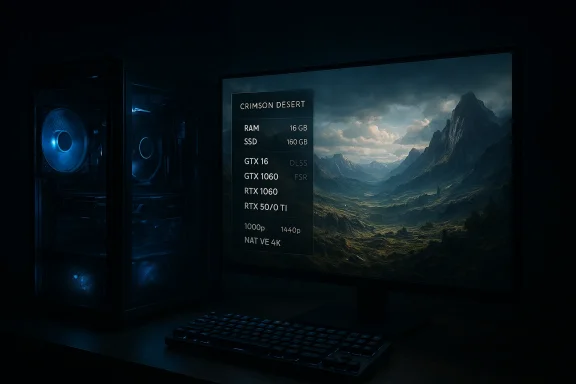
Pearl Abyss has published the final PC, console, and Mac performance targets for Crimson Desert, and the headline is simple: the studio is asking modern systems to meet a clear baseline (an SSD and 16 GB of RAM) while still leaning on GPU upscaling and platform-specific scaling to hit high‑resolution and ray‑tracing targets. The official notice lands alongside platform breakdowns from Pearl Abyss and multiple independent outlets, which together show an accessible minimum that nonetheless pushes players toward mid‑range GPUs for anything above 1080p/30 — and a sizeable install footprint that has already generated confusion in the community. (crimsondesert.pearlabyss.com) (gamespot.com) (dsogaming.com)
Pearl Abyss released a formal “PC, Console, Mac Performance Specs” notice on March 10, 2026, laying out the company’s internal performance targets and a platform‑by‑platform breakdown of expected resolutions, frame rates, and feature toggles (ray tracing, upscaling modes, VRR expectations). The announcement makes two things explicit: Crimson Desert requires DirectX 12 on Windows, and the developer considers an SSD and 16 GB of RAM to be the universal baseline for playable performance across settings. (crimsondesert.pearlabyss.com)
Mainstream outlets that parsed Pearl Abyss’s materials published readable requirement tables showing tiered PC presets — Minimum, Low, Recommended, High, and Ultra — with corresponding CPU and GPU pairs for each target. Those summaries are consistent across multiple outlets and reflect the images and data Pearl Abyss prepared for the announcement. (gamespot.com) (dsogaming.com)
At the same time, community reports and leaked test‑build screenshots have shown smaller sizes (for example, community traces and pre‑release builds around 121 GB), and several forum and community posts noted a 135 GB figure listed on some storefront pages in earlier stages of the rollout. These discrepancies are real and worth flagging: Pearl Abyss’s public page is authoritative, but images in that page could have been embedded or localized, and storefront metadata occasionally lags or changes between test and final builds. The community variance is not unusual for AAA launches, but it’s a practical hassle for players juggling limited SSD space. (gamespot.com)
Caveat: until users start installing the retail build and comparing reported sizes across platforms, treat the 150 GB figure as the studio’s official recommendation and the community numbers as pre-release indicators that may differ from the final shipped product. (crimsondesert.pearlabyss.com)
The main friction point is operational: disk space and driver readiness. The 150 GB install recommendation is significant but not unprecedented for contemporary AAA releases, and the community’s pre‑release variations underscore the practical headaches of managing large installs across multiple titles and limited SSDs. Pearl Abyss’s transparency about performance modes — and the inclusion of multiple upscalers — is a strong, positive signal. The caveat remains that the best, most representative performance picture will arrive once major outlets and community testers publish day‑one performance analyses and independent benchmark runs. (crimsondesert.pearlabyss.com)
Crimson Desert arrives with a clear ask from its developers: bring an SSD, have 16 GB of RAM, and pick the GPU that matches the resolution and ray‑tracing ambition you want to chase. The studio’s multi‑pronged upscaling strategy makes those ambitions achievable for a wider set of players than a purely native‑only roadmap would, but the real test will be the combination of vendor drivers, post‑launch patches, and how the retail install size settles once the shipping build is on players’ machines. For now, Pearl Abyss has given players a usable rulebook; the next chapter — day‑one performance analyses, driver patches, and community benchmarks — will determine how well that rulebook translates into the actual, on‑the‑ground experience. (crimsondesert.pearlabyss.com)
Source: Instant Gaming News https://news.instant-gaming.com/en/...n-desert-reveals-its-final-pc-configurations/
 Background
Pearl Abyss released a formal “PC, Console, Mac Performance Specs” notice on March 10, 2026, laying out the company’s internal performance targets and a platform‑by‑platform breakdown of expected resolutions, frame rates, and feature toggles (ray tracing, upscaling modes, VRR expectations). The announcement makes two things explicit: Crimson Desert requires DirectX 12 on Windows, and the developer considers an SSD and 16 GB of RAM to be the universal baseline for playable performance across settings. (crimsondesert.pearlabyss.com)Mainstream outlets that parsed Pearl Abyss’s materials published readable requirement tables showing tiered PC presets — Minimum, Low, Recommended, High, and Ultra — with corresponding CPU and GPU pairs for each target. Those summaries are consistent across multiple outlets and reflect the images and data Pearl Abyss prepared for the announcement. (gamespot.com) (dsogaming.com)
What Pearl Abyss announced — at a glance
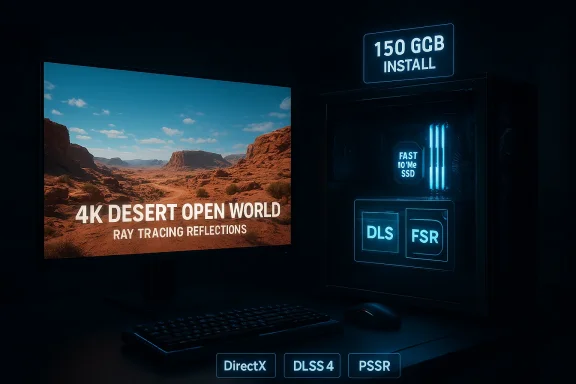
- Memory and storage: Pearl Abyss sets 16 GB RAM as the baseline and requires an SSD with a large available allocation for install. Third‑party reporting and the Pearl Abyss notice indicate a 150 GB SSD requirement in published specs, though community signals have shown smaller test builds and differing figures. (gamespot.com) (crimsondesert.pearlabyss.com)
- DirectX and platform notes: The game requires DirectX 12 on Windows; console targets include Performance/Balanced/Quality modes and make explicit use of platform upscaling technologies on PS5 Pro and other hardware. Pearl Abyss’s notes also include macOS presets and recommend macOS 26 “Tahoe” or later for the native Mac build. (crimsondesert.pearlabyss.com)
- GPU/CPU tiering: Published third‑party breakdowns (drawn from Pearl Abyss assets) map GPUs and CPUs to the 5 tier presets. Minimum and Low focus on older mid‑range cards, Recommended targets mid‑range modern cards, High targets recent GPUs for 1440p/60, and Ultra targets high‑end silicon for native 4K/60. Examples in the publicized tables include GTX 1060 / RX 5500 XT at the low end and RTX 5070 Ti / RX 9070 XT at the Ultra end. (gamespot.com) (dsogaming.com)
- Upscaling and ray tracing: Pearl Abyss confirmed the use of industry upscalers and platform AI upscaling — including support for NVIDIA DLSS 4 and AMD FSR Redstone — and the PS5 Pro will use PlayStation Spectral Super Resolution (PSSR) for higher‑resolution targets with ray tracing enabled. These technologies are central to the studio’s strategy for hitting 4K/60 and other demanding targets without requiring prohibitively expensive GPUs for every user.
PC requirements broken down
Below is a distilled, platform‑agnostic synthesis of the tier tables Pearl Abyss supplied (as reported by multiple outlets). Each tier pairs a target resolution/frame rate with an indicative CPU and GPU class.Minimum (Upscaled 1080p, ~30 FPS)
- Target: Upscaled 1080p (from ~900p), 30 FPS on Minimum preset.
- Typical hardware: AMD Ryzen 5 2600X or Intel i5‑8500; AMD Radeon RX 5500 XT or NVIDIA GeForce GTX 1060.
- Memory: 16 GB RAM (required).
- Storage: SSD required, studio lists 150 GB as the install space to reserve. (gamespot.com)
Low (1080p, 30 FPS)
- Target: Native 1080p at 30 FPS on Low preset.
- Typical hardware: Ryzen 5 2600X / i5‑8500; RX 6500 XT / GTX 1660.
- Memory and storage: 16 GB RAM; SSD. (gamespot.com)
Recommended (1080p/60 or 1440p/30)
- Target: 1080p at 60 FPS (or 1440p at 30 FPS) on Medium preset.
- Typical hardware: Ryzen 5 5600X or i5‑11600K; Radeon RX 6700 XT or NVIDIA RTX 2080.
- Memory and storage: 16 GB RAM; SSD. (dsogaming.com)
High (1440p/60)
- Target: 1440p at 60 FPS on High preset.
- Typical hardware: Ryzen 5 7600X / i5‑12600K; RTX 4070 or RX 7700 XT.
- Memory and storage: 16 GB RAM; SSD. (gamespot.com)
Ultra (Native 4K/60)
- Target: 4K at 60 FPS on Ultra preset.
- Typical hardware: Ryzen 7 7700X / i5‑13600K; RTX 5070 Ti or Radeon RX 9070 XT (industry naming conventions aside, this is aimed at current‑to‑next gen high‑end cards).
- Memory and storage: 16 GB RAM; SSD. (gamespot.com)
Why Pearl Abyss chose 16 GB and an SSD baseline
There are two pragmatic reasons for the firm memory/storage baseline:- Open‑world streaming — Crimson Desert’s BlackSpace engine streams large terrain, object, and asset sets to support sprawling draw distances, dynamic weather, and extensive physics; that streaming model favors fast storage and a reasonable memory buffer. An SSD reduces streaming stalls and lowers load times; 16 GB of RAM reduc and helps the engine keep AI and physics state in memory. (dsogaming.com)
- Upscaling strategy — Pearl Abyss is relying on GPU and platform upscalers (DLSS 4, FSR Redstone, PSSR) to deliver high‑res experiences without forcing every player onto flagship GPUs. But upscalers still benefit from fast system memory and SSD throughput to feed the GPU and the renderer efficiently; consequently the developer set the bar at 16 GB + SSD to make upscaling viable across presets.
Storage: the 150 GB headline and the inconsistencies
Multiple professional outlets and Pearl Abyss’s public materials list 150 GB as the install space to reserve on Windows, and outlets emphasize that players should free significantly more than a hundred gigabytes before installing. That 150 GB figure is becoming the default cited number for Crimson Desert’s final PC footprint. (gamespot.com)At the same time, community reports and leaked test‑build screenshots have shown smaller sizes (for example, community traces and pre‑release builds around 121 GB), and several forum and community posts noted a 135 GB figure listed on some storefront pages in earlier stages of the rollout. These discrepancies are real and worth flagging: Pearl Abyss’s public page is authoritative, but images in that page could have been embedded or localized, and storefront metadata occasionally lags or changes between test and final builds. The community variance is not unusual for AAA launches, but it’s a practical hassle for players juggling limited SSD space. (gamespot.com)
Caveat: until users start installing the retail build and comparing reported sizes across platforms, treat the 150 GB figure as the studio’s official recommendation and the community numbers as pre-release indicators that may differ from the final shipped product. (crimsondesert.pearlabyss.com)
Upscaling, ray tracing, and platform tuning: the new balancing act
Pearl Abyss’s approach is emblematic of contemporary multi‑platform PC design: use aggressive upscaling and platform‑tiered ray tracing to broaden the audience while retaining high‑fidelity options for enthusiasts.- DLSS 4 and FSR Redstone: Support for both NVIDIA and AMD upscalers lets players with modern GPUs push higher frame rates or resolution while trading off native RT quality. Pearl Abyss specifically lists DLSS 4 support, and outlets report the inclusion of AMD’s FSR Redstone as well. That gives players multiple tuning paths: fidelity via native resolution, framerate via GPU upscaling, or a hybrid that keeps ray tracing on while still aiming for smoother framerates.
- PS5 Pro’s PSSR: On PlayStation, Pearl Abyss will use Sony’s PlayStation Spectral Super Resolution for PS5 Pro to deliver upscaled 4K in some modes while retaining ray tracing quality. This highlights a cross‑platform philosophy: leverage platform AI upscalers to reduce the absolute GPU requirement for certain fidelity targets.
- Ray tracing scope: The studio’s public notes reference “ray‑traced lighting” and differentiated ray tracing tiers (low/medium/high/ultra across console modes). On PC, ray tracing is available but will be another lever players can choose to toggle depending on GPU class and whether they want to rely on upscaling. (crimsondesert.pearlabyss.com)
Console targets: what PC players should note
Pearl Abyss published explicit console modes for PS5 (including PS5 Pro) and Xbox Series X|S:- PS5 / PS5 Pro: Three modes (Performance / Balanced / Quality). PS5 Pro benefits from PSSR upscaling and higher ray tracing headroom, with Performance modes capable of 4K upscaled at 60 FPS under certain conditions. Quality mode targets native 4K/30 with higher ray tracing. (gamespot.com)
- Xbox Series X|S: Similarly tiered modes are present, with Series X aiming at upscaled 4K and higher RT quality in Quality mode. Series S targets lower resolutions (720p–1080p depending on mode) and does not enable ray tracing in some modes due to hardware limits. (gamespot.com)
Practical guidance for PC users and upgrade advice
If you’re planning to play Crimson Desert at or near launch, here are practical recommendations based on the published tiers and real‑world considerations:- Free up SSD space — Treat 150 GB as the working number for disk allocation and plan for additional headroom (20–50 GB) for updates, shaders, and save data. Some pre‑release builds were smaller; don’t bank on that. (gamespot.com)
- 16 GB is mandatory — If you’re still on 8 GB or 12 GB, plan an upgrade. Modern high‑fidelity games use RAM for asset caches and background tasks; 16 GB is the stated minimum. (crimsondesert.pearlabyss.com)
- Match your GPU to your target resolution — If you want stable 60 FPS at 1440p, aim for the High tier GPU class (RTX 4070 / RX 7700 XT); reserve the Ultra tier GPUs (and equivalent next‑gen silicon) for native 4K/60 on Ultra. (dsogaming.com)
- Keep GPU drivers up to date — Expect day‑one driver updates for DLSS 4 and other features; watch vendor announcements or your GPU app for updates around the launch window.
- Try the upscalers first — If your system is just under a target GPU class, enable DLSS or FSR and tune ray tracbuying hardware upgrades. Upscalers can close a substantial performance gap at a fraction of the cost.
Strengths and notable positives
- Reasonable accessibility at the low end: Pearl Abyss’s Minimum and Low tiers rely on widely available mid‑range GPUs from recent generations, making the game approachable for many players without high‑end upgrades. The 16 GB/SSD baseline is practical compared to past AAA titles that pushed 32 GB or extreme VRAM demands. (gamespot.com)
- Transparent, tiered platform targets: Publishing explicit console modes and PC presets helps players choose the right hardware and sets clear expectations about ray tracing and resolution trade‑offs. That transparency is welcome and reduces confusion at launch. (crimsondesert.pearlabyss.com)
- Modern upscaling support: Built‑in support for multiple upscalers (DLSS 4, FSR Redstone, PSSR on PlayStation) gives players across the hardware spectrum meaningful levers to tune visuals vs perfight architecture for a cross‑platform open world.
Risks, caveats, and what could go wrong
- Install size confusion and localization inconsistencies: Different storefront entries, pre‑release test builds, and regional pages have shown varying install sizes (121 GB, 135 GB, 150 GB). This introduces risk for players with constrained SSDs — and it’s a pain point if the final shipped size ultimately exceeds the studio’s current guidance. Flagging the variance is important: the studio’s official figure should be treated as definitive, but community evidence shows pre‑release instability. (gamespot.com)
- Driver, upscaler, and feature fragility: DLSS 4 and other cutting‑edge upscaling features sometimes require vendor driver support to perform optimally. If GPU vendors’ day‑one drivers don’t land smoothly, players may see reduced performance or visual artifacts until patches arrive. That’s a standard launch‑window risk for graphically ambitious PC titles.
- Localized image‑based specs on developer pages: Pearl Abyss’s official notice includes images that contain the detailed tables; in some regions the textual metadata (storefront system requirement fields) can differ or lag the official page. That can create confusion for automated tools, retailer pages, and users relying solely on metadata rather than the official notice. (crimsondesert.pearlabyss.com)
- Mac and other platform unknowns: Pearl Abyss lists “For this Mac” presets and recommends macOS 26, but community questions remain about driver support, discrete GPU expectations on Mac hardware, and how the engine will map to Apple silicon vs Intel Macs. Mac owners should treat the Mac targets as advice, not a guarantee of parity with Windows performance. (crimsondesert.pearlabyss.com)
How we verified the claims and where uncertainty remains
This report synthesizes three types of sources:- The developer’s official notice (Pearl Abyss), which contains the primary performance spec announcement and platform caveats. The notice is the authoritative source for the final config and the date/time stamp of the announcement. (crimsondesert.pearlabyss.com)
- Independent technical outlets (GameSpot, DSO Gaming) that reproduced the developer tables and parsed the hardware pairings into accessible minimum/recommended/high/ultra tiers. Their coverage independently corroborates the developer’s announcement and provides readable GPU/CPU pairings. (gamespot.com)
- Community and storefront signals (various forum posts and pre‑release screenshots) that show a range of install sizes in circulating builds and metadata. Those community artifacts explain why the storage headline has produced some confusion. We include those community reports to flag discrepancies — but keep Pearl Abyss’s official figure as the studio’s recommendation.
- The exact install size for the final, retail PC build could land differently in practice because of post‑release day‑one patches, optional assets, or platform packaging. Treat the 150 GB as the working assumption but expect some variance.
- Runtime performance for specific GPU/CPU combinations depends on driver updates and on how aggressively Pearl Abyss tunes post‑launch patches. Real‑world testing after release (including community benchmarks and independent lab analyses) will give the definitive picture for each GPU and resolution target. (dsogaming.com)
Quick checklist for readers planning to play Crimson Desert on PC
- SSD: Ensure you have at least 150 GB free on a fast NVMe or SATA SSD and additional headroom for updates. (gamespot.com)
- RAM: 16 GB minimum; 32 GB recommended if you multitask heavily while gaming. (crimsondesert.pearlabyss.com)
- GPU: Match your GPU to the resolution tier you want to play at (see the tiered GPU guidance above). (dsogaming.com)
- Drivers: Update GPU drivers close to launch for DLSS/FSR improvements and bug fixes.
- Backups: If you have limited SSD space, uninstall unused large titles or migrate an existing game library to external or secondary storage before the game ships. Expect a large day‑one download.
Final analysis — why this matters for PC gaming
Crimson Desert’s final PC specs show a sensible middle ground between accessibility and ambition. Pearl Abyss is acknowledging that modern open worlds need SSD performance and a certain memory floor, but it’s also using upscaling and platform‑specific AI to lower the barrier for high‑resolution play. For the broad PC audience this is a pragmatic release model: players with older mid‑range GPUs can still join the launch on sensible settings, while enthusiasts can chase native 4K/60 with modern high‑end silicon.The main friction point is operational: disk space and driver readiness. The 150 GB install recommendation is significant but not unprecedented for contemporary AAA releases, and the community’s pre‑release variations underscore the practical headaches of managing large installs across multiple titles and limited SSDs. Pearl Abyss’s transparency about performance modes — and the inclusion of multiple upscalers — is a strong, positive signal. The caveat remains that the best, most representative performance picture will arrive once major outlets and community testers publish day‑one performance analyses and independent benchmark runs. (crimsondesert.pearlabyss.com)
Crimson Desert arrives with a clear ask from its developers: bring an SSD, have 16 GB of RAM, and pick the GPU that matches the resolution and ray‑tracing ambition you want to chase. The studio’s multi‑pronged upscaling strategy makes those ambitions achievable for a wider set of players than a purely native‑only roadmap would, but the real test will be the combination of vendor drivers, post‑launch patches, and how the retail install size settles once the shipping build is on players’ machines. For now, Pearl Abyss has given players a usable rulebook; the next chapter — day‑one performance analyses, driver patches, and community benchmarks — will determine how well that rulebook translates into the actual, on‑the‑ground experience. (crimsondesert.pearlabyss.com)
Source: Instant Gaming News https://news.instant-gaming.com/en/...n-desert-reveals-its-final-pc-configurations/