

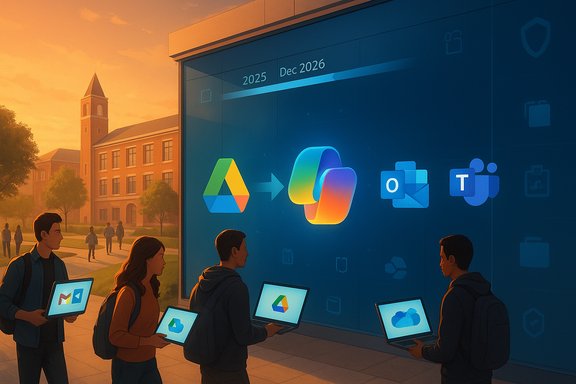
California State University, East Bay has quietly begun a campuswide switch from Google Workspace to Microsoft 365 (Copilot-enabled) — a planned, phased migration that ITS says will take about 18 months and aims for completion in December 2026. The transition replaces Gmail with Outlook, Google Drive with OneDrive, Google Calendar with Outlook Calendar, and Google Docs/Sheets/Slides with the Microsoft equivalents; ITS confirms email, calendar and personal file data are part of the migration scope, but it also warns users to back up critical files and calendar entries before the cutover. This feature explores what that change actually means for students, faculty and staff at CSUEB: the technical details, the practical consequences, the security and privacy trade-offs, and what departments should be planning now to avoid lost work, surprise costs, or governance gaps. The analysis pulls together the university’s public project pages and FAQs, Microsoft’s Copilot licensing and governance guidance, and wider industry context about Microsoft’s cloud push and on‑premises product lifecycles to help readers separate the guaranteed facts from local rumor and plausible interpretation.
Background / Overview
What CSUEB is changing, in plain terms
CSUEB’s Information Technology Solutions (ITS) group has published a Microsoft 365 project page and FAQ that outline the core changes: email and calendar migration to Outlook/Exchange (Microsoft 365), personal file migration to OneDrive, and an institutional rollout of Microsoft Teams as the primary synchronous/teleconferencing surface. ITS labels the program the Microsoft Migration Project and explicitly states the effort is “running behind schedule.” The FAQ lists a target completion of December 2026 and describes the overall project as roughly an 18‑month effort. Why now? From the vendor’s side, Microsoft is consolidating browser‑hosted Office features and prioritizing Microsoft 365 as the cloud platform for new features — particularly AI features such as Copilot. Microsoft has announced retirements and lifecycle changes for several on‑premises components (for example, Office Online Server’s retirement at the end of 2026), which increases the operational pressure on organizations to move to the cloud model if they want continuing vendor support and the latest AI capabilities. That industry shift provides important context for why institutions are reconsidering long‑standing Google or hybrid setups.Who will be affected
- Current students, faculty, and staff who use campus Google accounts for email, calendar, files, and collaboration tools.
- Teams and project owners who rely on Google Shared Drives and third‑party integrations (Shared Drives are not part of the first migration phase; access to existing Shared Drive content will remain via Google for now).
- Research groups and media teams that host large datasets or large media collections (storage policy changes and OneDrive quotas will matter).
The migration: scope, mechanics, and timing
Scope: what ITS will move (and what they won’t, initially)
ITS’s FAQ describes the first, core migration phase as:- Gmail → Outlook (mailboxes and messages)
- Google Calendar → Outlook Calendar (past and future events)
- Google My Drive (personal files) → Microsoft OneDrive
Timeline and rollout
ITS states the migration is expected to take about 18 months with a target completion date of December 2026. The FAQ and project page both note the initiative is being rolled out by department — ITS plans individual departmental rollouts rather than a single big‑bang switch, and the university warns that students may not see major changes until several months into the program. ITS also notes the project is currently behind schedule; public messaging does not specify the project’s original start date, though the 18‑month horizon and a Dec 2026 finish imply the work spans roughly mid‑2025 through the end of 2026. What’s uncertain and should be treated as provisional: individual delivery dates for each department, exact cutover windows, and the timing for Shared Drive and administrative system migrations remain ITS planning topics. In other words, the December 2026 completion target is ITS’s stated goal, but department‑level schedules will govern the user experience.Data migration mechanics and user responsibilities
ITS says email and calendar data will be migrated, and it provides guidance for users to prepare: export or copy critical files, keep local backups, and use Google Transfer / Google Takeout to secure copies of personal items before their institutional account is changed. ITS also recommends users move any personal data they want to keep to a personal account (e.g., a personal Google or Microsoft account) to avoid surprises when accounts are reconfigured or removed. This is standard best practice for any institution changing its identity/tenant model. Practical steps ITS recommends:- Use Google Takeout or Google Transfer to save copies of files and calendar data.
- Keep a local copy of anything critical (home folder, research data, presentations).
- If you rely on Google Shared Drives, confirm whether your team will need a manual migration plan — ITS’s first phase does not move Shared Drives.
What users will see differently day‑to‑day
Interface changes and client choices
- Mail: Gmail → Outlook (web and client). Outlook’s modern, web‑backed “New Outlook” and the classic desktop Outlook experience are both in Microsoft’s ecosystem; CSUEB will provide web and client access depending on the device profile.
- Files: Google Drive → OneDrive for Business (My Drive content). OneDrive’s sync client and the web UI will be the new personal file surface. Shared, team, and course materials will be handled via SharePoint/Teams for team collaboration.
- Meetings and synchronous work: Microsoft Teams will be the principle conferencing and collaboration tool for the Microsoft side; ITS says Zoom will remain available for users currently relying on it but may be considered for replacement in later phases.
Browsers and access
ITS explicitly recommends using Microsoft Edge, Google Chrome, or Safari for best compatibility with Microsoft 365 web experiences; Firefox is supported for many apps but lacks full Teams meeting support. These browser recommendations are consistent with Microsoft’s published system requirements.AI features: Microsoft Copilot
CSUEB confirmed the campus license will include access to Microsoft Copilot (the university describes the campus package as “Microsoft 365 Copilot”). Copilot offers features such as meeting recaps in Teams, drafting and rewriting support in Outlook and Word, and advanced analysis and automation in Excel — but these features require the appropriate Copilot license per user and an admin enablement flow. ITS says users must request a Copilot license from ITS to activate the tool. Microsoft’s own setup documentation similarly requires license provisioning in the Microsoft 365 admin center.Money, incentives, and the institutional rationale
What the university says
CSUEB’s IT FAQ directly addresses the budget question: ITS states the migration decision was not primarily about cutting expenses, and that expected cost offsets come from the package value (licenses that bundle security features, endpoint protections and conferencing) rather than from dramatically cheaper per‑GB storage. ITS also points out that a large portion of Google costs come from storage, and that Microsoft’s licensing allows the campus to avoid separate investments in tools like desktop antivirus, back‑end security tooling, and teleconferencing costs. That is the university’s public rationale.How to read that claim as a pragmatic IT executive
- Bundled licensing can simplify procurement and deliver apparent cost savings by reducing duplicate tools (for example, moving to a suite that includes endpoint management, DLP, and conferencing).
- Vendor licensing math is complex; short‑term migration costs (staffing, training, migration tools, and potential consulting) can be substantial even when recurring licensing appears similar. The net present value depends on contract terms (EES, ELA), storage/quota settings, and the cost of any add‑on Copilot licenses. IT leadership should run a multi‑year TCO model before declaring cash savings.
Industry context (why many orgs are moving)
Microsoft’s product and lifecycle changes — notably the retirement of Office Online Server and an overall cloud‑first strategy — are increasing the pressure on organizations to adopt Microsoft 365 if they want vendor‑maintained browser editing, continuous feature updates, and integrated AI services. In short: Microsoft’s roadmap and product lifecycles are a structural force shaping institutional choices. That technical-commercial reality helps explain the momentum behind migrations at many universities and public institutions.Security, privacy, and governance: red flags and mitigations
Data movement and potential for loss
Even with vendor migration tools and university IT involvement, the most immediate risk for users is data loss or misplacement during transfer — especially for shared resources, nested sharing permissions, or files where users are not the primary owner. ITS’s advice to back up files, export calendars, and use Google Takeout/Transfer is essential. Users who do not follow these steps risk losing access to content or seeing permission changes that break shared workflows.Copilot and AI governance concerns
Copilot and other AI features introduce two categories of risk:- Data exposure: Copilot queries may reference documents, meeting notes, or calendars. IT and legal teams must understand what telemetry and content may be surfaced to Microsoft services and how retention and discovery are handled.
- Hallucination and trust: AI‑generated summaries and drafts should be treated as assistive drafts, not authoritative legal or clinical documents; workflows must include human verification for high‑stakes outputs.
Regulatory and research data
Institutions with HIPAA, FERPA or export‑control obligations must inventory where regulated data lives today and ensure that Microsoft’s compliance controls and data residency options meet legal requirements. CSUEB’s FAQ asserts that its Microsoft licensing allows for compliance controls; nevertheless, researchers with very large datasets or strict residency demands should engage ITS to design a controlled plan (for example, leaving certain data on-premises or in specialized repositories).Practical recommendations for students, faculty and staff
Immediate, concrete steps (in order)
- Export any personal or research data you cannot afford to lose — use Google Takeout or Google Transfer to copy files and calendar exports to a personal account. ITS explicitly recommends this.
- Snapshot or print critical calendar windows around your anticipated migration window so you have a local record in case an appointment is missed during cutover. ITS suggests screenshotting calendar windows as a fail‑safe.
- Clean up cloud storage proactively — delete duplicates, archive old large media files to local or external drives, and identify bulky items you can move off tenant storage. This reduces migration time and future OneDrive quota friction.
- If you need Copilot, request a license from ITS early — provisioning is an admin action and may require campus approval and license assignment.
For faculty and departmental admins
- Inventory shared drives, learning management integrations, and departmental apps that use campus Google identities. Plan for manual migration or extended coexistence for Shared Drives and third‑party connectors.
- Build an FAQ and training schedule for users: focus on Outlook basics, OneDrive sync, Teams meeting joins, and Copilot etiquette (what to share, when to escalate). ITS plans training resources and sessions, but local champions speed adoption.
For researchers and media-heavy teams
- Contact ITS to discuss storage alternatives prior to migration. OneDrive quotas and SharePoint pooled‑storage models differ from Google Drive policies; departments with large datasets may need tailored SharePoint/SharePoint document libraries or Azure storage solutions. Microsoft’s education storage model gives institutions pooled storage and per‑user caps that can differ from Google’s approach, so early planning avoids midstream surprises.
Strengths and risks — an analyst’s take
Notable strengths
- Integrated security and tooling: Bundled Microsoft licensing can centralize endpoint management, DLP, and conferencing into a single vendor footprint, simplifying some administrative burdens. CSUEB cites these bundling benefits as a core part of the rationale.
- AI capabilities: Copilot can provide real productivity gains — meeting recaps, draft generation, and data‑analysis automation — if rolled out with governance and training. Microsoft’s documentation provides a clear license and admin path for Copilot enablement.
- Vendor roadmap alignment: Moving to Microsoft 365 reduces future friction related to product retirement for on‑prem components (for example, Microsoft’s Office Online Server retirement), and it ensures continued feature delivery from the primary vendor for calendar, mail, and in‑browser editing.
Material risks and downsides
- Migration friction and data loss: Any tenant migration risks permission changes, broken shares, or edge cases where content ownership prevents a clean transfer. ITS’s repeated recommendation to back up data should be heeded.
- Helpdesk and training load: Expect months of increased support tickets as faculty and students adapt to a different mental model for mail, document sharing and meeting workflows. ITS must staff training and support adequately.
- Storage policy changes and quota constraints: CSUEB plans a 100 GB per‑user OneDrive quota (per ITS’s FAQ); that is lower than the typical 1 TB default on many Microsoft plans and will require users who hoard large media to change behavior or request additional storage. That configuration choice will have operational consequences for researchers and multimedia producers.
- Data governance for AI: Copilot’s convenience can mask governance gaps. Institutions must define what data can be used with AI assistants, how outputs are retained and discovered, and who can enable tenant connectors that surface third‑party data. Microsoft provides controls, but policies and auditing must be implemented locally.
What to watch next (and what to ask ITS)
- Department‑level rollout calendar: request your team’s specific cutover window and an expected user‑impact checklist (mail redirect timing, expected downtime, mailbox sizes that might prolong migration).
- Shared Drive migration plan: if your team depends on Google Shared Drives, ask ITS when and how those will be migrated or made accessible after the first phase.
- Copilot governance and consent: insist on written guidance about what Copilot prompts may use, whether tenant grounding is enforced, and how Copilot outputs are archived or subject to eDiscovery. Microsoft publishes admin guidance and license procedures; confirm the campus approach.
- Storage and escalation paths for heavy users: researchers with terabytes of active data should secure a plan (SharePoint site quotas, Azure blob storage, or local HPC storage) before OneDrive quotas affect workflow.
Final assessment
CSUEB’s migration from Google Workspace to Microsoft 365 is a consequential, multi‑year program that will reshape how the campus communicates, stores files, and interacts with AI helpers. The university’s public materials are clear about scope (mail, calendar, personal files), timeline (18 months, target Dec 2026), and key administrative choices (100 GB OneDrive default, Shared Drives excluded from phase one, Copilot licenses by request). ITS’s transparency on those items is a strong point; it gives users clear, actionable instructions to protect their data and to prepare for the new environment. At the same time, the migration is not a purely technical swap: it is an institutional decision with operational, fiscal, privacy and governance consequences. The biggest near‑term risks are data migration errors, inadequate training, storage shortfalls for heavy users, and AI governance gaps — all of which are manageable but require concrete, preemptive planning and adequate ITS resourcing. Microsoft’s own product and lifecycle choices reinforce the practical advantages of moving to Microsoft 365, but they also highlight why administrators must be explicit about governance boundaries when enabling Copilot and related AI features. Practical threshold actions for every campus member: export irreplaceable data now, clarify your department’s rollout date, and ask ITS for Copilot and storage policy details if your work depends on large files or regulated data. With careful planning, CSUEB can realize the integration and AI benefits Microsoft touts — but only if the campus treats the migration as a combined technical and policy program, not just a software swap.(Editor’s note: university FAQs and project pages are evolving. The campus Microsoft 365 FAQ and project page remain the authoritative place for the latest dates, department rollouts, and specific migration instructions; check ITS guidance and take backups before any scheduled cutover.
Source: thepioneeronline.com CSU East Bay Switching From Google to Microsoft: Here’s What to Expect
