

The Chromium CVE labeled CVE‑2025‑12441 — an out‑of‑bounds read in the V8 JavaScript engine — appears in Microsoft’s Security Update Guide because Microsoft Edge (the Chromium‑based browser) consumes upstream Chromium open‑source code; the Security Update Guide entry exists to tell Edge users whether their shipped Edge build is still vulnerable or has already received the upstream fix.
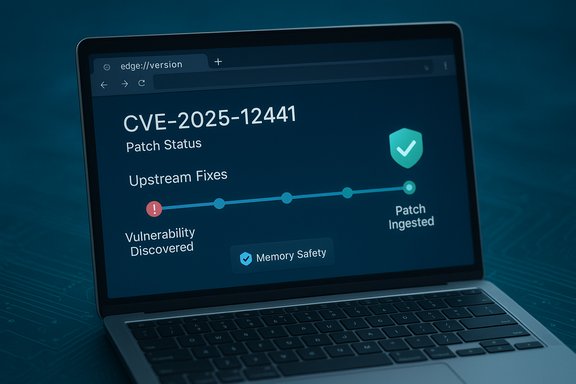
Chromium is the open‑source project that supplies Blink, V8 and other core components to a range of commercial browsers, most prominently Google Chrome and Microsoft Edge (Chromium‑based). When a security flaw is discovered in Chromium or one of its components, it receives a CVE and an upstream patch. Downstream vendors — including Microsoft — then ingest those fixes into their own builds and ship updates to customers. Microsoft records the upstream CVE in its Security Update Guide to communicate Edge’s exposure status: whether the current Edge release is vulnerable or not.
The V8 engine executes JavaScript and WebAssembly and is one of the highest‑value targets in modern browsers. An out‑of‑bounds read in V8 is a memory‑safety flaw that can let an attacker read memory outside the intended buffer — the usual first step toward more powerful exploit primitives such as information disclosure, heap corruption and, in combination with other flaws, arbitrary code execution. V8 bugs are treated seriously because they are remotely reachable (often by visiting a malicious webpage) and can be turned into drive‑by exploits.
Important practical implication: a Chrome patch existing upstream does not automatically mean every Chromium‑based browser is safe that same day. Edge only becomes protected when Microsoft ingests the Chromium patch and ships an Edge build that includes that ingestion. The SUG entry helps close that loop by registering the CVE, the Edge status, and the Edge build that contains the remediation.
Staying secure against V8 issues is straightforward in principle — update promptly — but messy in practice due to ingestion timelines, embedded Chromium runtimes and enterprise rollout constraints. Treat the SUG entry as your authoritative downstream status signal for Microsoft Edge, use the internal Edge pages to verify your local state, and prioritize remediation accordingly.
Conclusion: Confirm the Edge build you run via edge://settings/help or edge://version, compare that build to Microsoft’s Security Update Guide entry for CVE‑2025‑12441 (or the equivalent Edge release notes), and update immediately if your build predates the patched ingestion. If Microsoft’s SUG shows the CVE as remediated for Edge and your Edge version is equal to or newer than the listed build, your Edge installation is no longer vulnerable to the upstream Chromium issue.
Source: MSRC Security Update Guide - Microsoft Security Response Center
 Background / Overview
Chromium is the open‑source project that supplies Blink, V8 and other core components to a range of commercial browsers, most prominently Google Chrome and Microsoft Edge (Chromium‑based). When a security flaw is discovered in Chromium or one of its components, it receives a CVE and an upstream patch. Downstream vendors — including Microsoft — then ingest those fixes into their own builds and ship updates to customers. Microsoft records the upstream CVE in its Security Update Guide to communicate Edge’s exposure status: whether the current Edge release is vulnerable or not.The V8 engine executes JavaScript and WebAssembly and is one of the highest‑value targets in modern browsers. An out‑of‑bounds read in V8 is a memory‑safety flaw that can let an attacker read memory outside the intended buffer — the usual first step toward more powerful exploit primitives such as information disclosure, heap corruption and, in combination with other flaws, arbitrary code execution. V8 bugs are treated seriously because they are remotely reachable (often by visiting a malicious webpage) and can be turned into drive‑by exploits.
Why Microsoft lists a Chromium CVE in the Security Update Guide
Microsoft’s Security Update Guide (SUG) is organized to show what Microsoft‑shipped products are affected by a CVE and whether a fix has been included in a shipped Microsoft update. When a vulnerability originates in the Chromium project, Microsoft tracks it because Edge uses Chromium code. The SUG entry therefore functions as a downstream status indicator: it tells administrators and users whether the Edge build they run still contains the vulnerable upstream code or whether it is already patched. This is a transparency and servicing record — not an indication that Microsoft authored the original bug.Important practical implication: a Chrome patch existing upstream does not automatically mean every Chromium‑based browser is safe that same day. Edge only becomes protected when Microsoft ingests the Chromium patch and ships an Edge build that includes that ingestion. The SUG entry helps close that loop by registering the CVE, the Edge status, and the Edge build that contains the remediation.
What an “out‑of‑bounds read” in V8 means in practice
An out‑of‑bounds read occurs when code reads memory beyond an allocated object or array. In JavaScript engines like V8, such reads can:- Reveal memory contents (sensitive data or pointers).
- Provide an information‑leak primitive that aids exploit reliability.
- Be chained to other memory‑corruption primitives to convert information disclosure into write primitives or code execution.
How to check whether your browser is patched (quick summary)
The authoritative method is to compare the browser version you have installed against the version Microsoft lists in its SUG / Edge release notes as containing the ingestion of the Chromium fix. The most reliable local checks are:- For Microsoft Edge (desktop): open Edge → Menu → Help and feedback → About Microsoft Edge, or navigate to edge://settings/help. The page shows the installed Edge version and triggers an update check. You can also visit edge://version or edge://system to see the full version string and the underlying Chromium revision.
- For Google Chrome: open Chrome → Menu → Help → About Google Chrome (chrome://settings/help) or use chrome://version for the detailed build string. The About page will check for updates and prompt a relaunch if an update is applied.
- For mobile browsers: open the browser app’s Settings → About or use the platform app store to see the installed version string; mobile builds may not expose the same Chromium revision metadata as desktop.
Step‑by‑step: Check your Edge version (desktop)
- Open Microsoft Edge on the desktop.
- Click the three‑dot menu (Settings and more) at the top right.
- Select Help and feedback → About Microsoft Edge.
- Let the browser complete the update check; it will download and install updates if available, then prompt you to relaunch.
- Alternatively, enter edge://version in the address bar and press Enter to copy the exact version string and the underlying Chromium revision for correlation against release notes.
Interpreting version strings and mapping to the fix
Version strings look like this: “Microsoft Edge Version 140.0.7339.xxx” (the final digits change with patch releases). What matters operationally is not the human‑friendly Edge number alone but whether that Edge build includes the Chromium ingestion that fixed the specific upstream CVE. Microsoft’s SUG entry will generally include the Edge build number or explain that “the latest Microsoft Edge is no longer vulnerable” once the ingestion is shipped. Confirm by:- Copying your Edge version from edge://version.
- Checking the SUG entry or Edge release notes to find the Edge build that lists ingestion of the Chromium revision that fixed the CVE.
- Ensuring your local build is the same or later.
Enterprise guidance — what IT teams should do now
Enterprises should treat a V8 out‑of‑bounds issue as high priority because of the remote attack vector and potential for exploitation. Practical steps:- Inventory: Identify all endpoints running Chromium‑based runtimes (Edge, Chrome, Brave, Electron‑packaged apps, kiosks, headless Chromium instances). Embedded Chromium in applications is a common blind spot.
- Verify versions: Use centralized inventory/asset management to collect Edge/Chrome version strings (edge://version / chrome://version) across the fleet. Confirm which hosts are older than the patched ingestion build.
- Prioritize patching: Push the Edge build that Microsoft lists as containing the ingestion. If Microsoft has not yet published an Edge build with the fix, prioritize patching Chrome where possible and apply compensating controls for Edge‑only hosts.
- Compensating controls: If immediate patching is impossible, enforce network controls (proxy filtering, allow‑lists), restrict browsing on high‑privilege endpoints, and tighten web gateway inspection. Also enable browser‑level protections such as site isolation and Enhanced Safe Browsing features.
- Monitor and detect: Tune EDR/telemetry to spot anomalous browser crashes, renderer process restarts, and suspicious child processes; keep an eye on crash rates during and after the patch rollout as a potential exploitation indicator.
Short‑term mitigations for individuals
- Update your browser immediately using About → check for updates. If Edge reports it is “up to date,” it should be the latest Microsoft build; confirm the version string if you want to be certain.
- Enable automatic updates and relaunch policies so future critical updates apply quickly.
- Turn on Enhanced Safe Browsing (or the vendor equivalent), use a reputable ad‑blocker and avoid risky sites while your environment is being patched. These measures reduce exposure to drive‑by attacks.
How Microsoft’s Security Update Guide helps — strengths and limitations
Strengths:- The SUG centralizes CVE status and clearly documents whether Microsoft‑shipped Edge builds are vulnerable or fixed, which is essential for enterprise patch workflows.
- Edge exposes internal pages (edge://version, edge://settings/help) that make verification straightforward for both individuals and admins.
- Patch lag — downstream ingestion takes time: Microsoft must ingest, test and ship Chromium fixes; there is often a short window where Chrome is patched upstream but Edge still awaits the ingestion. Enterprises that rely solely on upstream information risk false assurance.
- Restricted disclosure — vendors sometimes limit technical details until a majority of users are patched; this protects users but leaves defenders with fewer indicators of compromise. Treat “no public exploit reported” as interim, not definitive.
- Embedded Chromium blind spots — Electron apps, kiosks, and other Chromium embeddings may not auto‑update and often lag well behind browser releases; these should be inventoried separately.
Verification checklist (concise, actionable)
- Open Edge and navigate to edge://settings/help. Allow the browser to check for updates and note the version string if it is up to date.
- Open edge://version and copy the full version and the Chromium revision.
- Consult Microsoft Security Update Guide (SUG) entry for CVE‑2025‑12441 and note the Edge build marked as remediated (if present) or the SUG status line stating Edge is no longer vulnerable.
- If your local Edge version is older than the SUG‑listed patched build, update immediately or apply compensating network controls.
- For fleets, export version strings from endpoints and use Intune/SCCM/other management tools to report and remediate noncompliant hosts.
What I could not verify from the provided materials (cautionary notes)
- The uploaded file results and the discussion material we have do not include a specific upstream Chrome stable build number or a specific Edge build number tied explicitly to CVE‑2025‑12441. That means the exact remediation version for this particular CVE is not verifiable here and should be confirmed directly in the Microsoft Security Update Guide entry for CVE‑2025‑12441 or in Microsoft Edge release notes. Treat any claim about a specific fixed build as unverified unless it’s explicitly stated in Microsoft’s SUG or official Edge release notes.
- If exploit‑in‑the‑wild status is of particular concern, check authoritative vendor telemetry announcements (Google Chrome Releases, Microsoft MSRC advisories) and major vulnerability trackers; absence of public PoC does not mean exploitation is impossible, so adopt a conservative patch‑first posture. Vendors sometimes intentionally withhold exploit details until the patch is widespread.
Detection and incident response pointers
- Look for spikes in browser renderer crashes and unusual child process hierarchies spawned by the browser process — these are common early signs of exploit attempts targeting memory‑safety bugs.
- Tune EDR to flag suspicious post‑exploit behaviors: unexpected persistence mechanisms, anomalous network connections originating from browser processes, or attempts to spawn privileged installers.
- If you suspect compromise on any host running an unpatched browser, isolate the host, collect volatile memory if permitted, and preserve browser crash dumps and telemetry for forensic analysis. Coordinate with security teams and follow your incident response runbook.
Final assessment and practical recommendation
CVE‑2025‑12441 is one among many V8 memory‑safety CVEs that demand rapid attention because of the engine’s wide reach and remote attack surface. Microsoft lists these Chromium CVEs in the Security Update Guide to inform Edge customers whether a shipped Edge build still contains the vulnerable upstream code or is already patched; this downstream status is the crucial piece for Edge operators. Confirm your Edge version locally (edge://settings/help or edge://version), compare it with Microsoft’s SUG/Edge release notes for the CVE, and apply updates across users and managed fleets without delay. Where immediate updates aren’t possible, apply strict network and browsing controls and elevate monitoring.Staying secure against V8 issues is straightforward in principle — update promptly — but messy in practice due to ingestion timelines, embedded Chromium runtimes and enterprise rollout constraints. Treat the SUG entry as your authoritative downstream status signal for Microsoft Edge, use the internal Edge pages to verify your local state, and prioritize remediation accordingly.
Conclusion: Confirm the Edge build you run via edge://settings/help or edge://version, compare that build to Microsoft’s Security Update Guide entry for CVE‑2025‑12441 (or the equivalent Edge release notes), and update immediately if your build predates the patched ingestion. If Microsoft’s SUG shows the CVE as remediated for Edge and your Edge version is equal to or newer than the listed build, your Edge installation is no longer vulnerable to the upstream Chromium issue.
Source: MSRC Security Update Guide - Microsoft Security Response Center
