

Chromium’s CVE-2025-12728 appears in Microsoft’s Security Update Guide because Microsoft Edge (the Chromium-based Edge) consumes upstream Chromium code, and the Security Update Guide serves as Microsoft’s authoritative downstream signal that an Edge build has ingested the Chromium fix and is no longer vulnerable.
Microsoft’s Security Update Guide (SUG) is not a list of bugs Microsoft discovered in its own code — it is a consolidated product for enterprises and administrators to know which Microsoft products are affected by known vulnerabilities and whether a Microsoft build has mitigated them. When a vulnerability is assigned to Chromium (the open-source engine that underpins Google Chrome and many other browsers), that CVE is relevant to every downstream browser that consumes Chromium — including Microsoft Edge. Microsoft therefore records Chromium-origin CVEs in the SUG to show Edge’s mitigation status: whether Microsoft has ingested the upstream Chromium fix, tested it, and shipped it in a released Edge build. This is the operational reason CVE-2025-12728 (and similar Chromium CVEs) shows up in SUG.
The short practical implication is simple: Chrome may be patched on Google’s release cadence the moment Google ships a fix, but Edge must ingest, integrate and test the upstream change before shipping an Edge build. The SUG entry succinctly answers “is Edge safe yet?” for administrators and compliance systems.
For immediate defense: update browsers (Chrome and Edge), enable automatic updates, inventory embedded Chromium runtimes, and apply network- and policy-level mitigations where Edge ingestion lags behind Chrome’s upstream patch. Treat Omnibox-class vulnerabilities as powerful phishing enablers — patch promptly and combine technical mitigations with user awareness to reduce exposure.
Source: MSRC Security Update Guide - Microsoft Security Response Center
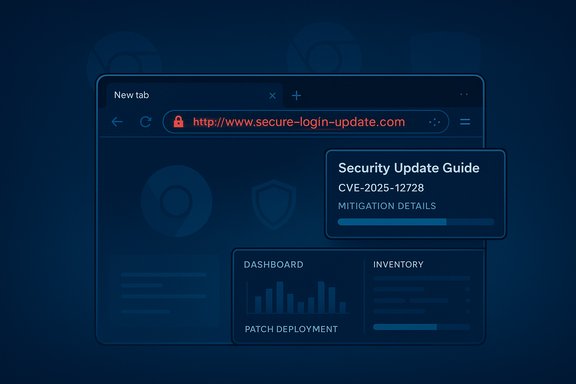 Background / Overview
Microsoft’s Security Update Guide (SUG) is not a list of bugs Microsoft discovered in its own code — it is a consolidated product for enterprises and administrators to know which Microsoft products are affected by known vulnerabilities and whether a Microsoft build has mitigated them. When a vulnerability is assigned to Chromium (the open-source engine that underpins Google Chrome and many other browsers), that CVE is relevant to every downstream browser that consumes Chromium — including Microsoft Edge. Microsoft therefore records Chromium-origin CVEs in the SUG to show Edge’s mitigation status: whether Microsoft has ingested the upstream Chromium fix, tested it, and shipped it in a released Edge build. This is the operational reason CVE-2025-12728 (and similar Chromium CVEs) shows up in SUG.The short practical implication is simple: Chrome may be patched on Google’s release cadence the moment Google ships a fix, but Edge must ingest, integrate and test the upstream change before shipping an Edge build. The SUG entry succinctly answers “is Edge safe yet?” for administrators and compliance systems.
What “Inappropriate implementation in Omnibox” means
The Omnibox is a security-critical UI surface
The Omnibox (Chromium’s combined address-and-search input) is one of the primary authenticity indicators a browser exposes: the visible URL, the padlock icon and related security chrome help users decide whether a page is legit. An “inappropriate implementation in Omnibox” is typically not a memory-corruption flaw; instead it points to a logic, validation, or rendering error in how Omnibox content is constructed, sanitized, or displayed. When that happens, untrusted web content or particular UI sequences can make the Omnibox show misleading information — for example, a seemingly legitimate URL or lock icon that does not correspond to the actual origin.Why Omnibox bugs matter
UI-spoofing bugs are dangerous precisely because they target human trust. Instead of achieving an automatic code execution exploit, an attacker can induce a user into performing sensitive actions — entering credentials, approving permissions, or following a payment flow — by tricking them with visual signals. On mobile and compact UIs, Omnibox and toolbar behaviors are more dynamic (collapsing toolbars, gesture-driven interactions), which historically increases the attack surface for Omnibox UI issues. That makes spoofing easier and more effective in the hands of social engineers.What the label doesn’t tell you
Chromium’s public CVE summaries (and vendor advisories) intentionally avoid publishing low-level exploit mechanics while updates are still propagating. That is a deliberate security practice: withholding PoCs reduces the risk of mass exploitation before the majority of deployments receive patches. As a result, precise step-by-step exploit information for CVE-2025-12728 may be limited in public advisories; treat any unverified technical walkthroughs found on forums or social media as speculative until corroborated. If you require a definitive technical assurance, rely on vendor release notes and the Security Update Guide’s mitigation status.Why Microsoft records Chromium CVEs in the Security Update Guide
- Microsoft Edge is built on Chromium: Edge consumes Chromium’s Blink, V8, Mojo, and Omnibox components. An upstream bug therefore has the potential to affect Edge until Microsoft ingests the upstream patch.
- SUG is the downstream ingestion signal: The Security Update Guide explicitly documents the ingestion and release status for Edge — it tells administrators whether the patched Chromium release has been included in a Microsoft Edge build. That removes ambiguity and supports enterprise patch workflows.
- Compliance and operational tracking: Enterprises use SUG as an authoritative source to prove remediation status. Microsoft’s SUG entry enables compliance reports to show whether Edge is remediated for a specific CVE rather than assuming Chrome’s upstream fix is sufficient.
How to check the version of your browser — exact, practical steps
Below are the fastest, most reliable ways to obtain the exact version strings for Chrome and Edge across desktop and mobile. Use these version strings to compare with the fixed build numbers in vendor advisories (Google’s Chrome release notes and Microsoft’s Security Update Guide / Edge release notes).1. Microsoft Edge — desktop (Windows / macOS / Linux)
- Open Microsoft Edge.
- Type edge://settings/help in the Omnibox and press Enter — the About page opens and will automatically check for updates.
- Alternatively, type edge://version to see a compact view that includes the full Edge version and the Chromium backend version.
- Or use the menu: Menu (three dots) → Help and feedback → About Microsoft Edge.
2. Google Chrome — desktop
- Open Google Chrome.
- Type chrome://settings/help or click Menu → Help → About Google Chrome.
- Chrome shows the full version string and will automatically trigger updates from Google’s channels.
3. Chrome / Edge — Android
- Chrome for Android: open Chrome → Menu → Settings → About Chrome (or use chrome://version on devices that permit it).
- Edge for Android: open Edge → Settings → About this app (or Settings → About Microsoft Edge) to view the version.
- Always update through the Play Store (or vendor app store) and restart the browser after updating.
How to interpret SUG entries and map Edge builds to Chromium fixes
- Find the CVE entry in Microsoft’s Security Update Guide (the SUG entry). It will show whether Microsoft has listed a mitigation for Edge and, when available, the specific Edge build that contains the ingestion.
- Compare your installed Edge version (from edge://settings/help or edge://version) to the SUG’s mitigation build. If your installed version is equal to or greater than the Microsoft-listed build, your Edge installation has the upstream fix.
- If SUG does not yet show a mitigation for Edge while Chrome is already fixed upstream, expect a short delay while Microsoft ingests and validates the fix. Do not assume protection until SUG or the Edge release notes indicate the ingestion is complete.
Practical remediation steps — Home users and IT admins
For home and power users
- Update now: Open Chrome and Edge about pages to trigger updates (chrome://settings/help and edge://settings/help). Restart the browser after updates.
- Enable automatic updates where possible and allow the browser to relaunch so updates apply.
- Exercise phishing hygiene: double-check URLs before entering credentials and prefer bookmarked or typed-in URLs for sensitive sites.
- If you use multiple Chromium-based browsers, update all of them (Brave, Opera, Vivaldi, etc. — each vendor must ship its own fix.
For enterprise administrators
- Inventory all Chromium-based runtimes:
- Desktop browsers (Edge, Chrome, Brave, Opera).
- Embedded Chromium instances (Electron apps, headless Chromium servers, kiosk software).
- Mobile device fleets and managed app catalogs.
- Use SCCM/ConfigMgr, Intune/MEM, WSUS, or endpoint management tooling to collect version strings.
- Map installed Edge versions to the SUG mitigation build:
- Query edge://version across the fleet or use registry/app inventory queries to determine installed versions.
- Flag devices that are below the Microsoft-listed mitigation build.
- Urgently deploy the patched Edge/Chrome builds:
- Fast-track the update through your normal approval pipeline.
- Use staged rollouts if necessary, but prioritize high-value and admin endpoints first.
- If Edge ingest is delayed:
- Apply compensating controls: restrict internet access from privileged endpoints, enforce web allowlists, use proxy URL filtering, and enable stronger browser hardening policies.
- Tune EDR and SIEM to detect anomalous browser activity and to monitor for signs of exploitation (unexpected crashes, child-process execution, unusual network destinations).
Mitigations and temporary defenses if Edge is not yet patched
- Network-layer controls: use DNS filtering, secure web gateways, and URL reputation services to block known-malicious hosts and reduce the chance a user visits a crafted page.
- Restrict risky user actions: temporarily limit access to sensitive web apps from endpoints that cannot be upgraded immediately. Consider short-term privilege separation for browsing.
- User education: remind users to be extra cautious about entering credentials or approving permission dialogs, particularly if a site was reached from an unsolicited link or message. UI-spoofing attacks exploit trust; training reduces success rates.
Risk analysis — strengths, trade-offs, and potential pitfalls
Strengths of Microsoft’s SUG approach
- Centralized, authoritative downstream signal: SUG gives enterprises a single source of truth for Edge’s mitigation status for Chromium-origin CVEs, which simplifies compliance and reporting.
- Clear operational guidance: SUG entries typically include the Microsoft build number that remediates the CVE, enabling deterministic checks against fleets.
Trade-offs and pitfalls to watch for
- Timing gap between Chrome and Edge: Chrome’s fix and Edge’s ingestion are not instantaneous; this gap can create a window of exposure for Edge users even after a Chrome release. Enterprises must avoid assuming parity and must verify via SUG.
- Embedded Chromium instances: Not all Chromium consumers are browsers; Electron apps and vendor-specific packages embed Chromium and must be inventoried separately. These are often overlooked and can remain vulnerable even when desktop browsers are patched.
- Limited public exploit details: While withholding PoCs is good practice, it means defenders cannot always evaluate exploit complexity or signature-style detections; conservative response (patch fast, block risky behavior) is prudent.
Likely attack scenarios for an Omnibox-type bug
- Phishing via spoofed Omnibox: An attacker hosts a crafted page that uses timing, layout, or gesture interactions to make the Omnibox display a trusted origin or a padlock icon, convincing the user to enter credentials. UI-based deception can be highly effective and cheap for attackers.
- Targeting mobile or split-screen UIs: Mobile toolbars and split/snap views are more dynamic and present greater opportunity for timing/race-like glitches; attackers often prefer these environments for UI spoofing.
Verification checklist — what to do right now
- Open Edge on a test workstation and navigate to edge://version and edge://settings/help; note the full version string.
- Open the Security Update Guide entry for CVE-2025-12728 and read the mitigation status Microsoft lists for Edge (look for the Edge build number that Microsoft reports contains the ingestion).
- If your Edge version is older than the SUG mitigation build, schedule immediate updates via your patch management tooling. If Edge is already at or above the mitigation build, you are no longer vulnerable per Microsoft’s downstream statement.
- Inventory other Chromium consumers (Electron apps, additional browsers) and update them to the vendor-released patched versions.
Cautionary notes and unverifiable items
- If the Security Update Guide entry for CVE-2025-12728 lacks detailed exploit mechanics, that is expected behavior while fixes are rolled out upstream and downstream. Treat the public high-level description as authoritative for impact (Omnibox UI spoofing), but do not assume the absence of technical detail means the bug is low-risk.
- Specific exploit code, PoC demonstrations or in-the-wild campaigns may be reported later; monitor vendor advisories, SUG updates, and reputable security researchers’ write-ups for confirmation. Until then, prioritize patching and protective controls.
Conclusion — the practical bottom line for Windows users and admins
CVE-2025-12728 is documented in Microsoft’s Security Update Guide because Microsoft Edge uses Chromium as its engine and Microsoft must tell Edge customers when the upstream Chromium fix has been ingested and shipped. The SUG entry is the authoritative, downstream signal that an Edge build is no longer vulnerable — check edge://settings/help or edge://version, then compare your installed Edge build to the mitigation build Microsoft lists in SUG to confirm protection.For immediate defense: update browsers (Chrome and Edge), enable automatic updates, inventory embedded Chromium runtimes, and apply network- and policy-level mitigations where Edge ingestion lags behind Chrome’s upstream patch. Treat Omnibox-class vulnerabilities as powerful phishing enablers — patch promptly and combine technical mitigations with user awareness to reduce exposure.
Source: MSRC Security Update Guide - Microsoft Security Response Center
