

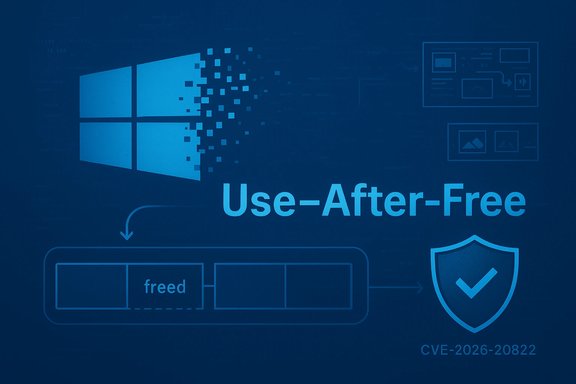
Microsoft has published an advisory for CVE-2026-20822: a use‑after‑free vulnerability in the Microsoft Graphics Component that can be triggered by an authenticated local user to elevate privileges on affected Windows hosts.
The Microsoft Graphics Component (commonly referenced as GDI+ and related user‑mode graphics libraries, with kernel interactions along the DirectX/graphics stack) is a long‑standing and widely invoked part of Windows. It is used for rendering images, parsing metafiles, generating thumbnails, and providing the visual plumbing for many applications and server‑side preview services. Vulnerabilities in that subsystem repeatedly matter because they run in privileged contexts or are invoked by privileged processes and services. What Microsoft’s advisory for CVE‑2026‑20822 states at a high level is straightforward: a use‑after‑free (CWE‑416) in the Graphics Component produces a memory‑corruption primitive an authenticated local attacker can leverage to elevate their privileges. The vendor page is the canonical source for the official description and the KB→SKU mappings for affected builds. Because the Microsoft Update Guide uses dynamic rendering, administrators should consult it interactively to confirm the exact patch package(s) that apply to each OS build.
Note: Where the MSRC page requires interactive content to expose KB download links, administrators should use the Microsoft Update Catalog or their enterprise patching tools to confirm the exact package for each build before deployment.
Source: MSRC Security Update Guide - Microsoft Security Response Center
 Background
The Microsoft Graphics Component (commonly referenced as GDI+ and related user‑mode graphics libraries, with kernel interactions along the DirectX/graphics stack) is a long‑standing and widely invoked part of Windows. It is used for rendering images, parsing metafiles, generating thumbnails, and providing the visual plumbing for many applications and server‑side preview services. Vulnerabilities in that subsystem repeatedly matter because they run in privileged contexts or are invoked by privileged processes and services. What Microsoft’s advisory for CVE‑2026‑20822 states at a high level is straightforward: a use‑after‑free (CWE‑416) in the Graphics Component produces a memory‑corruption primitive an authenticated local attacker can leverage to elevate their privileges. The vendor page is the canonical source for the official description and the KB→SKU mappings for affected builds. Because the Microsoft Update Guide uses dynamic rendering, administrators should consult it interactively to confirm the exact patch package(s) that apply to each OS build. What a use‑after‑free in the graphics stack means (technical overview)
A use‑after‑free occurs when code frees memory but later continues to access that memory via a dangling pointer. In graphics subsystems this can happen across asynchronous rendering paths, callbacks from user‑mode to kernel drivers, or when complex parsers free intermediate objects while references to them remain reachable.- In user‑mode GDI+/image parsers the result is often an attacker‑controlled read/write primitive that targets function pointers, vtable entries, or parser state.
- In kernel or privileged components (DirectX kernel drivers, display driver interfaces) a UAF can ultimately convert into token manipulation or a write‑what‑where primitive that yields SYSTEM‑level code execution.
- Gain a low‑privilege local foothold or cause a privileged process to render attacker‑controlled data.
- Trigger the UAF and manipulate heap/layout (heap grooming, timing) to place attacker data in the freed slot.
- Convert the memory corruption into control‑flow hijack or token theft to spawn an elevated process.
Affected systems and attack surface
Microsoft’s advisory maps CVE‑2026‑20822 to specific Windows servicing branches and builds; the exact KB numbers and product mappings are available through the Update Guide. Because the Graphics Component is present across Windows client and server SKUs, the practical exposure extends to:- Windows desktop clients (Windows 10 / Windows 11 servicing branches where the vulnerable binary is present).
- Windows Server hosts that perform document/image processing, host multi‑user sessions (RDS/VDI), or run services that render thumbnails or previews.
- Virtualisation or hypervisor hosts in some configurations where privileged rendering code runs in contexts that interact with guest or user content.
Exploitation complexity and likelihood
Public vendor advisories for graphics UAFs typically omit low‑level exploit details to limit weaponization. That makes a measured assessment essential:- Attack complexity: medium to high in many cases, because reliable exploitation often requires heap grooming, precise timing, or conversion of a UAF into a stable write primitive. However, skilled exploit authors and automation tools (fuzzers, heap manipulators) can rapidly lower that complexity after public disclosure.
- Privileges required: the advisory for CVE‑2026‑20822 indicates an authenticated local attacker — i.e., an attacker who can run code on the host as a low‑privileged user. That lowers the bar compared with vulnerabilities requiring admin rights.
- Exploitation in the wild: the vendor advisory is the authoritative status indicator. At publication, defenders must assume an active adversary can weaponize the primitive if a reliable exploit appears; absence of public PoC is not safety. Past graphics CVEs have seen rapid PoC publication and private weaponization in days to weeks after patches were issued.
Microsoft’s patching guidance and operational notes
Microsoft’s Update Guide entry for the CVE provides the remedial updates and per‑SKU KB mappings. Administrators must not rely on press summaries or aggregated CVE lists alone — always map CVE→KB→OS build using Microsoft’s page or the Microsoft Update Catalog to confirm the correct package for each target image. The MSRC UI can require interactive rendering to expose the relevant download links. Practical patch sequencing for operations teams:- Identify and inventory hosts that parse or render untrusted image content (mail gateways, CMS, web‑app upload processors, Office servers). Prioritise those with public exposure.
- Patch public‑facing and high‑privilege servers first — these are the highest blast‑radius assets.
- Patch admin and jump hosts, developer machines, build servers, and any machines that could be used for lateral movement.
- Deploy endpoint updates across the fleet, following normal test→pilot→broad rollout processes to reduce regressions.
- Reboot where KB guidance requires it; many graphics updates depend on replacing kernel or driver binaries.
Detection, monitoring and incident response
Exploitation attempts or successful attacks against graphics memory‑safety flaws often leave indirect telemetry that defenders can hunt for. Recommended telemetry and hunts:- Crash/WER spikes: monitor for sudden increases in crashes or minidump generation from graphics‑related binaries (GDI+, dxgkrnl.sys, win32k.sys, explorer.exe when rendering thumbnails).
- Process creation anomalies: hunt for low‑privileged processes that spawn SYSTEM‑context child processes or install services unexpectedly.
- Unusual rendering activity: correlate file uploads or email attachments with subsequent service crashes or anomalous process behavior.
- EDR behavioral indicators: token duplication, suspicious use of APIs associated with privilege manipulation, process hollowing, or unexpected modifications to system services and scheduled tasks.
- Isolate the host immediately.
- Collect forensic artifacts: memory snapshot, WER/minidump files, event logs, EDR telemetry.
- Preserve and review upload logs, mail transfer metadata, and the original files that triggered rendering.
- Follow the organisation’s incident response playbook for local privilege escalation or suspected compromise.
Why graphics bugs keep appearing — systemic observations
The Windows graphics stack is complex, legacy‑laden, and widely reused by different subsystems: desktop rendering, document preview, thumbnail pipelines, Office rendering, and virtualization host contexts. That breadth makes memory‑safety faults in the graphics code particularly impactful.- Reuse: a single parsing flaw can be invoked by many callers (File Explorer thumbnailer, mail preview, Office viewers), multiplying the attack surface.
- Privilege context: some rendering occurs in processes that run with elevated privileges or on server‑side services.
- Asynchronous and concurrent workloads: rendering pipelines and kernel graphics drivers often involve concurrent access, race windows and callback sequences that are fertile ground for TOCTOU and use‑after‑free bugs.
Practical step‑by‑step checklist for IT teams (prioritised)
- Triage (first 0–24 hours)
- Identify assets that accept untrusted images/metafiles or run preview/thumbnail services.
- Query Microsoft’s Update Guide for CVE‑2026‑20822 and capture the exact KB number(s) for your OS builds.
- Emergency patch (24–72 hours)
- Apply the vendor KBs to internet‑facing and server hosts that process uploads first.
- Patch admin workstations, jump hosts, and any systems with privileged users.
- Fleet rollout (3–7 days)
- Deploy updates broadly after pilot validation; ensure reboots are scheduled where required.
- Compensations if you cannot patch
- Disable preview panes in mail clients and file managers.
- Disable automatic server‑side conversions/thumbnails for untrusted content.
- Apply host firewall rules to limit exposure and isolate vulnerable services.
- Post‑patch validation (7–14 days)
- Review telemetry for crash reduction and absence of anomalous privilege escalations.
- Hunt EDR/SIEM for behavioral indicators described earlier.
Risk analysis: strengths of the vendor response and remaining risks
Strengths- Microsoft published a vendor advisory and distributed fixes mapped to servicing branches, enabling patching through established enterprise channels. The Update Guide remains the authoritative KB→build mapping point.
- The engineering response for graphics CVEs in recent cycles has included both user‑mode and kernel updates where appropriate, reducing the window of exposure when applied promptly. Industry advisories and national CERTs have repeatedly echoed the “patch now” posture for similar graphics issues.
- Dynamic advisory UIs: the MSRC Update Guide sometimes requires interactive rendering to reveal per‑SKU download links; automated tooling or cursory CVE lists can miss the precise KB required for certain builds. Administrators who rely on third‑party feeds without verifying vendor KB numbers risk incomplete remediation.
- Complexity of reliable exploitation: while exploitation complexity may be non‑trivial in some cases, history shows PoCs and private weaponization often follow quickly after disclosure, particularly for widely reusable primitives like graphics memory‑corruption. Do not treat the absence of a public PoC as safety.
- Chaining risk: a local authenticated exploit is an attractive second stage — attackers who obtain initial access via phishing or a remote vulnerability can chain a graphics EoP into complete host compromise or persistence. Defenders must assume multi‑stage chainability.
Communicating to stakeholders: concise messages for different audiences
- Executive / Risk owner: this is a confirmed vendor security update for a graphics use‑after‑free that enables local privilege escalation. Prioritise patching public‑facing servers and admin workstations; the exploit potential increases if attackers can combine this with an initial access vector.
- IT Operations: query Microsoft Update Guide now for KB numbers, patch internet‑facing and privileged servers first, then roll to endpoints. Schedule reboots as required by KB guidance.
- Security / SOC: tune hunts for graphics‑related crashes, anomalous SYSTEM process creation following renders, and recent uploads/attachments that correlate with instability.
- Helpdesk / Desktop support: communicate reboot windows and emphasize the importance of installing the security update promptly.
If you need to confirm anything right now
- Confirm the exact KB number for each Windows build in your environment using Microsoft’s Security Update Guide entry for CVE‑2026‑20822 — the Update Guide is the authoritative mapping for deployment.
- If a third‑party scanner flags the CVE, validate the scanner’s KB mapping against the MSRC page before declaring remediation complete; CVE→KB mismatches are a common operational pitfall.
Conclusion
CVE‑2026‑20822 is another illustration of why graphics and rendering subsystems remain high‑priority security concerns: they are ubiquitous, often invoked by privileged contexts, and can be triggered by benign‑looking files such as images or metafiles. Microsoft’s advisory identifies the issue as a use‑after‑free in the Microsoft Graphics Component and points administrators to vendor updates as the corrective action. For defenders the immediate priority is inventory → patch → validate, with special emphasis on public‑facing processors, admin/jump hosts, and any multi‑user or virtualised environments where the blast radius would be greatest. Because exploit authors can and do chain primitives, a disciplined, rapid deployment and telemetry‑driven validation approach is the most reliable way to reduce organizational risk.Note: Where the MSRC page requires interactive content to expose KB download links, administrators should use the Microsoft Update Catalog or their enterprise patching tools to confirm the exact package for each build before deployment.
Source: MSRC Security Update Guide - Microsoft Security Response Center
