

A newly disclosed flaw in Windows Admin Center’s Azure Single Sign‑On flow can let an attacker with local administrator access on a single Azure VM or Azure Arc‑connected host break out of that host and impersonate privileged administrators to control every Windows Admin Center‑managed machine in the same Azure tenant, unless the Windows Admin Center Azure Extension has been updated to the patched release.
Windows Admin Center (WAC) is a lightweight, browser‑based management tool that many organizations use to manage Windows servers and client endpoints across on‑premises, Azure VMs, and Azure Arc‑connected systems. In Azure deployments, WAC integrates with Azure Active Directory (Azure AD) Single Sign‑On (SSO) to allow administrators to connect to VMs from the Azure Portal without reentering credentials.
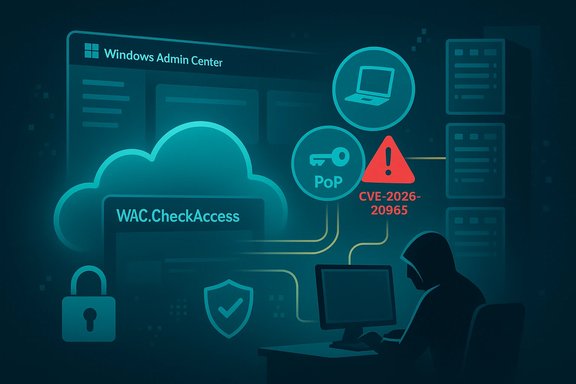
On January 13–14, 2026 a high‑severity vulnerability (tracked as CVE‑2026‑20965) affecting the Azure SSO implementation in WAC was publicly disclosed and patched. The flaw stems from improper validation of the two tokens involved in the Azure SSO flow: the non‑PoP access token that WAC uses to verify a user’s privileges (commonly seen as a WAC.CheckAccess token) and the browser‑generated Proof‑of‑Possession (PoP) token that cryptographically binds the browser session to the request. Because Windows Admin Center did not verify that both tokens belonged to the same user identity, an attacker able to obtain a privileged user’s WAC.CheckAccess token could combine that token with a forged PoP token and impersonate the privileged user to the target WAC service. The attack can be executed against any VM or Arc host that still runs an unpatched Azure Extension version prior to the fixed release (the patched Azure Extension is version 0.70.00).
This article explains the technical root cause, walks through a realistic exploitation chain, analyzes the tenant‑wide impact, and delivers step‑by‑step remediation and detection guidance for defenders who must act immediately.
This failure enables an attacker who can supply both a valid WAC.CheckAccess token (stolen from a privileged user) and a forged PoP token (created by the attacker’s browser or local process) to have the server accept the request as if both came from the same user. WAC accepted valid cryptographic properties and valid access privileges independently, but it never enforced identity binding between those two pillars.
Moreover, identity‑based attacks are harder to detect with traditional host‑centric telemetry because attackers can leverage legitimate management APIs and credentials. The combination of token misbinding and temporary network exposure through JIT creates an attractive window of opportunity for attackers to convert a local foothold into tenant‑scale control.
Source: Cyber Press https://cyberpress.org/azure-identity-token-flaw-tenant-wide-compromise/
 Background / Overview
Windows Admin Center (WAC) is a lightweight, browser‑based management tool that many organizations use to manage Windows servers and client endpoints across on‑premises, Azure VMs, and Azure Arc‑connected systems. In Azure deployments, WAC integrates with Azure Active Directory (Azure AD) Single Sign‑On (SSO) to allow administrators to connect to VMs from the Azure Portal without reentering credentials.On January 13–14, 2026 a high‑severity vulnerability (tracked as CVE‑2026‑20965) affecting the Azure SSO implementation in WAC was publicly disclosed and patched. The flaw stems from improper validation of the two tokens involved in the Azure SSO flow: the non‑PoP access token that WAC uses to verify a user’s privileges (commonly seen as a WAC.CheckAccess token) and the browser‑generated Proof‑of‑Possession (PoP) token that cryptographically binds the browser session to the request. Because Windows Admin Center did not verify that both tokens belonged to the same user identity, an attacker able to obtain a privileged user’s WAC.CheckAccess token could combine that token with a forged PoP token and impersonate the privileged user to the target WAC service. The attack can be executed against any VM or Arc host that still runs an unpatched Azure Extension version prior to the fixed release (the patched Azure Extension is version 0.70.00).
This article explains the technical root cause, walks through a realistic exploitation chain, analyzes the tenant‑wide impact, and delivers step‑by‑step remediation and detection guidance for defenders who must act immediately.
Why this is different: identity binding failures are catastrophic in cloud management
Cloud isolation depends critically on identity and token scoping. When a management plane component accepts an access token from one identity and accepts cryptographic proof from another without ensuring they match, trust boundaries erode. Two properties make this WAC bug especially dangerous:- WAC’s SSO flow relies on two tokens with different roles: one asserts the caller’s permissions to access the VM (WAC.CheckAccess); the other is intended to cryptographically prove the browser session originated from the device that requested access (PoP). Both must map to the same Principal to be secure.
- Just‑In‑Time (JIT) access and temporary NSG rules often open the WAC API port (6516) to broad source IP ranges for short windows. That temporary exposure makes it practical for a local attacker to present forged PoP tokens directly to the WAC API instead of going through the Azure Portal gateway DNS, simplifying exploitation.
Technical deep dive: tokens, PoP, UPN mismatch, and the validation gap
Tokens used in the WAC Azure SSO flow
- WAC.CheckAccess token: a standard access token returned by Azure AD that indicates the caller has rights to manage the target WAC instance. This token contains a User Principal Name (UPN) claim and is used by WAC to implement authorization checks.
- Proof‑of‑Possession (PoP) token: a cryptographically bound token created in the browser during the SSO handshake. The PoP token proves the requester has access to a private key generated in the user’s browser and includes attributes like a key identifier (KID), a URL field (the expected host), and a nonce.
The validation checks WAC performed (and the ones it skipped)
Windows Admin Center does perform several checks on incoming requests during the SSO handshake:- It verifies the PoP token is correctly signed by the private key that corresponds to the KID.
- It checks that the PoP token’s URL field matches the HTTP Host header of the incoming request.
- It validates that the WAC.CheckAccess token is valid and that the identity in that token has access to the WAC instance.
This failure enables an attacker who can supply both a valid WAC.CheckAccess token (stolen from a privileged user) and a forged PoP token (created by the attacker’s browser or local process) to have the server accept the request as if both came from the same user. WAC accepted valid cryptographic properties and valid access privileges independently, but it never enforced identity binding between those two pillars.
Additional implementation weaknesses that facilitate the exploit
- PoP tokens with non‑gateway URLs and IP addresses were accepted, which meant attackers could target the VM’s API port directly rather than having to route the request through Azure’s gateway DNS.
- Nonces and other anti‑replay fields were not enforced strictly in all cases.
- The WAC‑SESSION cookie was effectively irrelevant to authorization; requests that included valid tokens bypassed session checks.
The exploitation chain: realistic, short, and devastating
Below is a practical example of how an attacker with local admin access can exploit this flaw; the sequence is short and doesn’t require public internet exposure beyond the temporary JIT window.- Attacker gains local administrator privileges on an Azure VM or Arc host that has Windows Admin Center installed. This can be achieved via a prior local privilege escalation flaw, stolen credentials, misconfiguration, or lateral movement.
- Attacker enumerates local certificates and dumps the WAC API server certificate/private store to prepare a rogue service impersonation.
- Attacker stops the legitimate Windows Admin Center service and launches a rogue process that listens on the WAC API port (6516), presenting the dumped certificate to mimic the real service.
- A privileged administrator connects to the VM via the Azure Portal’s Windows Admin Center integration. During the SSO flow, the connecting admin’s browser obtains a WAC.CheckAccess token (which WAC does not PoP‑bind).
- When the victim’s browser performs the SSO handshake with the (rogue) server, the attacker captures the victim’s WAC.CheckAccess token from that session.
- The attacker then crafts a forged PoP token in their local context — correctly signed, with a KID and URL matching the target — but bound to the attacker’s own generated key pair and UPN.
- The attacker sends a request to the WAC API containing the victim’s stolen WAC.CheckAccess token and the attacker’s forged PoP token. Because WAC validated tokens independently but didn’t confirm the UPNs matched, the request is accepted as if the privileged admin themselves had connected.
- The attacker can now call WAC management APIs to run remote commands, create virtual accounts, and move laterally to any other WAC‑enabled machine the impersonated identity can reach.
Impact: what “tenant‑wide compromise” really means
The severity of this vulnerability is not limited to a single host compromise. Instead, it undermines the logical identity boundaries that administrators rely on when managing distributed infrastructure.- Lateral movement by identity: Because WAC authorizes actions based on the WAC.CheckAccess token’s privileges, an attacker who impersonates a highly privileged admin can execute management operations on any WAC‑protected host within the tenant, including remote command execution, extension management, and configuration changes.
- Cross‑resource and subscription reach: In many organizations, engineered administrators have cross‑subscription permissions. A single impersonated identity can therefore allow malicious operations across multiple resource groups and subscriptions.
- Stealthy trails: The vulnerability enables creation of virtual accounts with UPNs that follow the pattern WAC_[identity]@[tenant].onmicrosoft.com. Those accounts are not real tenant users, which impairs traceability in standard Azure AD user logs. Attack activity performed using such virtual accounts can look like legitimate admin operations and may blend into routine WAC traffic.
- Compromised service trust: Because the PoP binding and host validation were bypassed under practical conditions, defenders can’t trust token provenance unless they confirm that WAC extensions have been patched and network exposure has been tightened.
Verification and what’s been confirmed
- CVE‑2026‑20965 has been assigned for this issue and public vulnerability databases list it as a High severity flaw with a CVSS score in the mid‑7 range.
- The vendor provided a remediation in a Windows Admin Center Azure Extension release (patched as version 0.70.00 in mid‑January 2026). Administrators should validate that their extension builds correspond to the fixed version.
- At the time of disclosure there was no broad evidence of active exploitation in the wild, but the vulnerability’s characteristics make it attractive to attackers and thus warrant immediate remediation.
Immediate remediation: a prioritized checklist
Apply the following actions in priority order — these steps assume you manage Azure VMs and Arc hosts at scale and need fast, actionable remediation.- Patch first: Update every Windows Admin Center Azure Extension to the patched version (0.70.00 or the vendor’s explicitly named fixed release). If automatic updates are used, verify successful deployment. If manual updating is required, schedule an immediate maintenance window and deploy the fixed package.
- If patching is delayed, tighten network exposure:
- Restrict WAC API access (port 6516) in NSGs to only the Azure Portal gateway and your known admin IP ranges.
- Remove broad JIT NSG rules that open WAC to all source IPs; ensure JIT access is scoped tightly.
- Limit local administrative rights: Identify and remove unnecessary local admin accounts on Azure VMs and Arc hosts. Use Just‑In‑Time and Just‑Enough‑Administration models for local privileges to reduce the attacker surface.
- Audit and rotate credentials: If there is any suspicion of compromise, rotate certificates and service credentials associated with WAC. Revoke and recreate any service principals that could be implicated.
- Harden WAC service configuration: Where possible, require management through an approved gateway and enforce endpoint filtering so that direct IP access is not accepted.
- Review and quarantine suspicious hosts: Any host that shows anomalous WAC activity or evidence of service replacement should be isolated and forensically imaged before remedial actions.
- Enable additional monitoring: Increase logging verbosity for WAC‑related APIs, Azure AD sign‑ins, and audit logs. Export logs to a centralized SIEM for retrospective analysis.
Detection guidance and forensic indicators
Because attacker behavior through WAC can mirror legitimate admin actions, defenders should watch for the following high‑value indicators:- Creation of virtual accounts or profiles matching patterns like WAC_[identity]@[tenant].onmicrosoft.com. These virtual UPNs are unusual and may indicate token‑based impersonation or session virtual‑account creation.
- Sudden or unusual Invoke‑Command activity, repeated remote script execution, or administrative PowerShell usage from WAC management processes.
- Unexpected WAC service restarts or process replacements, especially if the timing coincides with elevated or unusual connections from privileged principals.
- Access to the WAC API port (6516) from IP addresses that should not host Azure Portal gateway traffic.
- Any sign of certificate export or local certificate store access around the time of suspicious activity.
- Example KQL (for environments with Microsoft Sentinel / Log Analytics) to find suspicious virtual account logons:
DeviceLogonEvents
| where Timestamp > ago(30d)
| where AccountUpn startswith "WAC_"
| project Timestamp, DeviceName, InitiatingProcessFileName, AccountUpn, LogonType - Quick PowerShell to enumerate WAC Azure Extension versions on a set of VMs (requires Azure PowerShell modules and proper permissions):
- Get all VMs in subscription:
$vms = Get‑AzVM - For each VM, list extensions:
foreach ($vm in $vms) {
$exts = Get‑AzVMExtension -ResourceGroupName $vm.ResourceGroupName -VMName $vm.Name
$exts | Where‑Object { $.Publisher -like 'WindowsAdminCenter' -or $.Type -like 'AdminCenter' } | Select VMName = $vm.Name, Name, Type, Publisher, ExtensionType, Version
} - Azure CLI path to list extensions on a VM:
az vm extension list --resource-group <rg> --vm-name <vmname> -o table
Incident response: containment and recovery
If you confirm suspicious activity consistent with CVE‑2026‑20965 exploitation, treat the incident as an identity compromise and execute a tenant‑wide containment plan:- Isolate affected VMs: Remove network connectivity that allows management API access; isolate the host from the rest of the tenant where feasible.
- Revoke or rotate credentials tied to the victim identity: Disable the targeted admin account(s), rotate certificates, and reset service principals.
- Capture forensic artifacts: Collect Windows event logs, WAC logs, local certificate stores, and memory images where possible before rebooting or rebuilding.
- Reimage or rebuild: For hosts where the WAC service or certificate was replaced or tampered with, rebuild from a known good image after thorough forensics.
- Conduct a tenant‑wide audit: Look for lateral movement by the impersonated identity, including remote execution, extension installation, and resource changes. Pay attention to the use of virtual UPNs and newly created local accounts.
- Notify and escalate: Follow internal incident management and compliance reporting processes, and notify affected stakeholders.
Hardening and longer‑term mitigations
After immediate containment, apply architectural and policy changes to reduce future exposure:- Enforce the principle of least privilege for local administrators; use privileged access workstations and just‑in‑time elevation.
- Segment management planes—limit where WAC is installed and expose it only on isolated management networks rather than on every VM.
- Apply conditional access and stronger authentication for Azure Portal management flows, and require Multi‑Factor Authentication for privileged administrators.
- Integrate PoP and token binding verification into security reviews for internal management services and regularly validate token handling code against threat models.
- Maintain an inventory of where WAC is installed across subscriptions and automations to ensure patch windows are narrow and reproducible.
What organizations should do now (action summary)
- Immediately verify Windows Admin Center Azure Extension versions across your environment and update to the fixed release (version 0.70.00 or the exact fixed package published by the vendor).
- Narrow WAC API network access and remove broad JIT NSG rules until every host is patched.
- Audit local admin privileges and remove unused or excessive rights.
- Deploy detection hunts for virtual WAC_ UPN patterns and unusual WAC behaviors, using the example queries above as starting points.
- If compromise is suspected, isolate, collect forensic evidence, rotate credentials, and consider reimaging impacted hosts.
Why defenders must treat this as urgent even without confirmed active exploitation
While public reports did not indicate broad active exploitation at the time of disclosure, the vulnerability’s prerequisites are low‑effort for an attacker with local admin rights, and the resulting privileges are extremely high. The short, reproducible exploitation chain and the potential to abuse legitimate administrative workflows make this bug a prime candidate for rapid adversary adoption.Moreover, identity‑based attacks are harder to detect with traditional host‑centric telemetry because attackers can leverage legitimate management APIs and credentials. The combination of token misbinding and temporary network exposure through JIT creates an attractive window of opportunity for attackers to convert a local foothold into tenant‑scale control.
Final assessment: strengths, risks, and a cautious verdict
- Strengths of the vendor response: the vulnerability was responsibly disclosed, a fixed Azure Extension release was produced quickly, and vulnerability databases classify the flaw with appropriate severity metrics. Guidance and detection advice are available to harden environments and hunt for suspicious activity.
- Residual risks and operational challenges: patch rollouts across large, multi‑subscription estates take time. WAC deployments are often decentralized and embedded in automation pipelines, so ensuring complete coverage is operationally nontrivial. The presence of virtual user artifacts and use of legitimate management APIs complicates detection and post‑incident attribution.
- Recommended posture: assume the vulnerability is exploitable in any unpatched environment. Treat remediation as high priority, combine patching with network hardening and privilege reduction, and run retrospective hunts for the WAC_ UPN pattern and anomalous management operations.
Source: Cyber Press https://cyberpress.org/azure-identity-token-flaw-tenant-wide-compromise/
