

Microsoft's security portfolio now includes a vendor-assigned advisory for CVE-2026-21257 — a vulnerability tied to GitHub Copilot and Visual Studio that vendors classify as an elevation-of-privilege / security feature bypass problem affecting AI-assisted editing and extension workflows. The entry confirms the flaw exists, but public technical details remain intentionally limited; defenders must therefore treat the issue with high operational urgency, adopt immediate mitigations, and harden developer toolchains against the kinds of chaining attacks history has shown are both realistic and dangerous.
Modern IDEs and AI coding assistants like GitHub Copilot are no longer passive editors — they read project context, synthesize suggestions, and in many workflows can programmatically produce edits or trigger tool invocations. That convenience raises a new attack surface where model output becomes an input to privileged actions. When extension and editor APIs lack robust validation or when user-facing confirmation gates are weak or bypassable, attackers who control or influence workspace content can escalate local capabilities, exfiltrate secrets, or persist malicious changes.
CVE-2026-21257 sits in that evolving class of vulnerabilities. Microsoft’s advisory confirms the vulnerability affects Copilot integrations and Visual Studio workflows and elevates concerns about AI-output validation, path and command handling, and protection-mechanism bypasses in developer tooling. While vendor statements are high-confidence evidence a vulnerability exists, the public advisory omits low-level exploit mechanics — a deliberate, standard practice to prevent rapid weaponization. That omission forces defenders to act on the canonical facts while preparing for plausible exploitation patterns drawn from analogous incidents.
This uncertainty does not mean inaction. On the contrary, it requires conservative assumptions:
Although public technical details may be limited at the time of publication, the combination of vendor acknowledgement and the class of vulnerability demands immediate remediation action: patch, restrict, monitor, and harden. Treat this as a priority for any organization that uses GitHub Copilot or Copilot Chat in Visual Studio environments.
Short-term: patch now, disable Copilot on high-risk hosts until patched, enforce workspace trust, and hunt for anomalous edits.
Medium-term: treat assistants as managed software, integrate them into vulnerability inventories and patch cycles, and remove secrets from developer endpoints.
Long-term: design development processes with reproducible builds, signed artifacts, and human-reviewed critical edits as non-negotiable controls.
If you run Copilot in any corporate, shared, or CI-hosted environment — or if you keep signing keys or long-lived tokens on developer machines — take the vendor advisory as a call to action: prioritize patch rollouts and start hardening developer workflows today. The integrity of your software supply chain depends on it.
Source: MSRC Security Update Guide - Microsoft Security Response Center
 Background
Modern IDEs and AI coding assistants like GitHub Copilot are no longer passive editors — they read project context, synthesize suggestions, and in many workflows can programmatically produce edits or trigger tool invocations. That convenience raises a new attack surface where model output becomes an input to privileged actions. When extension and editor APIs lack robust validation or when user-facing confirmation gates are weak or bypassable, attackers who control or influence workspace content can escalate local capabilities, exfiltrate secrets, or persist malicious changes.CVE-2026-21257 sits in that evolving class of vulnerabilities. Microsoft’s advisory confirms the vulnerability affects Copilot integrations and Visual Studio workflows and elevates concerns about AI-output validation, path and command handling, and protection-mechanism bypasses in developer tooling. While vendor statements are high-confidence evidence a vulnerability exists, the public advisory omits low-level exploit mechanics — a deliberate, standard practice to prevent rapid weaponization. That omission forces defenders to act on the canonical facts while preparing for plausible exploitation patterns drawn from analogous incidents.
What we know (clear, vendor-confirmed facts)
- Microsoft’s security update guide lists CVE-2026-21257 as an issue affecting GitHub Copilot / Visual Studio integration and assigns it an elevation-of-privilege / security-bypass classification.
- The vendor acknowledgement confirms the issue exists and that corrective measures are required. That vendor confirmation raises the urgency for organizations that run Copilot-enabled IDEs or manage shared developer infrastructure.
- Public advisories for related Copilot/IDE CVEs in the last 12–18 months show the canonical attack vector is usually local and requires user interaction — but the downstream impact often targets integrity: unauthorized edits to configuration, CI manifests, or code that may be signed or promoted through automated pipelines.
Why this matters: the real-world threat model
The most critical aspect of Copilot-style vulnerabilities is not simply single-host compromise; it's the reach of developer tooling into the software supply chain.- Developer workstations often hold long-lived credentials, SSH keys, and access to internal repositories and CI artifacts. A local compromise on such a machine can cascade into build servers and production artifacts.
- Shared or remotely hosted development environments — developer VMs, remote containers, and CI agents — are particularly dangerous when AI assistants or extensions are enabled without strict controls. An attacker who can influence the content opened in these environments (malicious PRs, trojanized packages, or manipulated dependencies) may coerce an assistant into unsafe actions.
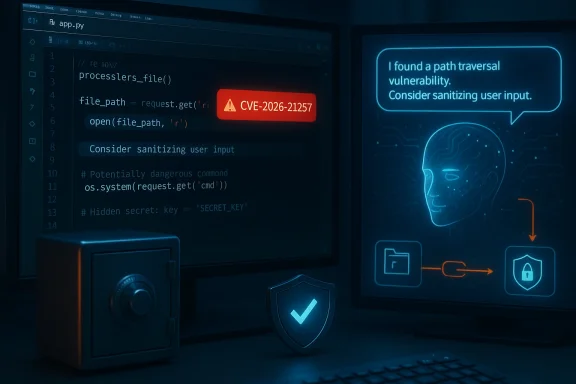
- AI output validation failures can translate into path-traversal and command-injection primitives. Those primitives allow an attacker to either read protected files (secrets) or write/execute commands that alter build definitions or pipeline behavior.
- Even if exploitation requires user interaction, social-engineering and supply-chain attacks make that barrier thin: trick a developer into opening a repo, answering a chat prompt, or accepting an “auto-apply” refactor.
Technical analysis — plausible exploitation paths and root cause space
Because vendor advisories for this family of issues intentionally omit exploit recipes, defenders must reason from known root cause classes and previously observed Copilot/IDE vulnerabilities. The plausible technical failures include one or more of the following:1. Improper validation of AI-generated edits
- Attackers craft repository content or pull request text such that the assistant interprets embedded instructions or artifact metadata as authoritative. The assistant then emits edits that contain escape sequences, special path elements, or pseudo-commands that the extension or editor commits without sufficient neutralization.
- Result: writes outside the workspace, modifications to .vscode settings, or injected commands in build scripts.
2. Path-traversal and canonicalization errors
- Model output contains relative paths or encoded traversal sequences (../, %2e%2e) that the IDE or extension resolves insecurely. If the file-ACL and workspace protection checks are bypassed during resolution, the assistant could access restricted files (SSH keys, tokens, local vault files).
3. Unsafe “auto-apply” semantics and weak confirmation gates
- Features that programmatically apply suggested edits with minimal confirmation present a high-value target: if an assistant suggestion is accepted automatically or by a single click, the usual manual review gate disappears, enabling rapid, unnoticed tampering.
4. Command-construction flaws and unsanitized invocation channels
- Some extensions synthesize commands for toolchains (building, testing, packaging). If elements of those synthesized commands incorporate model output without sanitization, attackers can inject shell metacharacters or flags that alter behavior or execute arbitrary payloads.
5. Trusted-domain and fetch logic bypasses (adjacent risk)
- Management of remote fetches and trusted domains in chat tools can be abused by making a remote resource appear trusted, allowing the assistant to pull additional payloads or data without user confirmation.
Impact: who is at risk
- Individual developers running Visual Studio with Copilot enabled: medium-high risk — attackers can alter local code, steal keys, or prepare poisoned commits.
- Shared developer VMs and CI/CD runners: high risk — a manipulated workspace can modify pipeline definitions or artifacts, producing downstream supply-chain compromise.
- Organizations that automatically permit extensions or allow programmatic code changes without review: elevated risk across their entire development estate.
- Users who only read code or do not accept edits: lower risk, since exploitation typically requires acceptance or actions by the developer.
Immediate, prioritized mitigation checklist (do these now)
- Patch first.
- Apply the vendor updates Microsoft recommends for CVE-2026-21257 immediately across managed endpoints and developer images. Treat vendor KB mapping as authoritative and prioritize automated rollouts for production and critical developer systems.
- Disable Copilot / Copilot Chat where patching is delayed.
- For high-risk hosts (shared VMs, remote containers, CI runners), temporarily disable Copilot or the Copilot Chat extension until the environment is confirmed patched.
- Enforce strong Workspace Trust policies.
- Configure Visual Studio / VS Code workspace trust to require explicit user confirmation before extensions modify workspace-level or protected files. Centralize workspace trust policies in managed environments.
- Harden extension controls.
- Allowlist approved extensions through endpoint management. Block automatic extension installation and require administrative approval for any new or updated extensions.
- Reduce secret exposure on developer hosts.
- Remove long-lived tokens and signing keys from developer workstations. Use vaults or ephemeral secrets and require interactive retrieval for privileged operations.
- Scan and remediate fleet-wide.
- Use your package & configuration management tools to enumerate Visual Studio and Copilot extension versions, then remediate any out-of-date instances. Many endpoint management tools can detect versions via installed-package queries.
- Increase EDR & telemetry coverage for developer endpoints.
- Monitor for:
- Unexpected writes to .vscode, tasks.json, settings.json, CI manifests, and build scripts from editor processes.
- Processes invoking shell tools with crafted arguments originating from editor extensions.
- Unusual spikes in assistant queries correlated with file writes.
- Tighten CI hygiene.
- Disable interactive tool execution in CI images. Use immutable, audited builder images and enforce reproducible-build checks and artifact signing.
Detection guidance — what to look for
- Unexpected edits to high-value files after developer sessions: .vscode/settings.json, CI pipeline YAML files, Dockerfiles, build scripts, or signing-related files.
- Editor processes (code.exe, devenv.exe) performing file-system writes outside the open workspace or modifying files with elevated sensitivity.
- Rapid, anomalous Copilot/Copilot Chat query patterns from an endpoint that coincide with sensitive file changes.
- Telemetry showing downloads or fetches to previously unseen domains initiated by assistant features without clear user action.
- Git commits authored by automated flows or with unusual commit metadata immediately after a local IDE session.
Incident response playbook (short-form)
- Isolate the affected developer host or build agent while preserving volatile state (memory, editor logs, extension logs).
- Snapshot and quarantine affected repositories and artifacts for offline analysis.
- Rotate secrets and keys that were present on the host; assume compromise of local tokens.
- Rebuild CI artifacts from trusted reproducible sources and verify artifact signatures.
- Hunt across the estate for similar indicators of compromise using EDR and source-control logs.
- If evidence of exploitation exists, coordinate a full chain analysis: identify initial vector (malicious PR, package, extension), scope of artifact contamination, and timeline for propagation.
- Communicate with downstream stakeholders to revoke or reissue compromised artifacts or credentials.
Long-term recommendations for secure AI-assisted development
- Treat developer assistants as part of your enterprise attack surface. Include them in threat models, inventory management, and patch cycles.
- Adopt least-privilege for developer workflows. Developers should not run with administrative privileges for routine tasks. CI agents should run with minimal file-system permissions and no persistent secrets.
- Use ephemeral secrets and secret-management tooling so tokens are not resident on developer machines.
- Implement stricter extension governance. Require third-party extension vetting and use allowlists in corporate images.
- Define a “human-in-the-loop” policy for automated edits: never permit unreviewed bulk auto-applies to system-critical files.
- Build reproducible pipelines and artifact signing into release processes to detect and reject tampered artifacts downstream.
- Conduct periodic exercises simulating prompt-injection and model-output manipulation to test control efficacy and developer awareness.
Why vendor confirmation matters (and why uncertainty remains)
Microsoft’s listing of CVE-2026-21257 confirms the existence of a vulnerability and anchors remediation actions: vendor acknowledgement is the highest-confidence signal about a flaw’s legitimacy. However, in many AI-related advisories vendors intentionally withhold low-level exploit details while distributing patches. That strategy keeps exploitability lower in the wild but leaves defenders to reason about plausible attack patterns and apply layered mitigations.This uncertainty does not mean inaction. On the contrary, it requires conservative assumptions:
- Assume the vulnerability can be weaponized against common developer workflows.
- Assume that any host with Copilot enabled and long-lived credentials is a high-priority remediation target.
- Patch first, then harden.
Practical, step-by-step patch rollout (recommended sequence)
- Inventory: Identify all developer endpoints, remote containers, shared VMs, and CI runners where Visual Studio or Copilot extensions are installed.
- Stage: Create a test group of endpoints for validation of vendor patches and compatibility tests.
- Patch: Deploy vendor patches to test group. Validate that workspace trust and extension controls remain effective post-update.
- Rollout: Deploy across the fleet in prioritized waves (shared CI runners and build hosts first).
- Verify: Run version checks and automated scans to confirm remediation (e.g., code --version, extension version queries).
- Harden: Enforce workspace trust and extension allowlists, remove persistent secrets from hosts.
- Monitor: Increase logging and retention for at least 30 days post-rollout to detect late-stage, stealthy changes.
Detection playbook examples (EDR and SIEM rules)
- Alert: editor_executable (code.exe / devenv.exe) writes to any file matching regex (..vscode\/.|.(pipeline|ci)..ya?ml|.*settings.json) where the file owner is not the expected user or outside workspace root.
- Alert: sudden increase in assistant_query_count for a host (x10 baseline) followed by modifications to sensitive files in the same session.
- Alert: extension process invoking shell or build tools with suspicious metacharacters or encoded sequences in arguments.
- Alert: new commits to critical repositories authored by the local user within minutes of a suspicious assistant interaction; cross-reference with known PR/pipeline activity.
Practical developer guidance (what individual devs should do today)
- Update Visual Studio and Copilot extensions as soon as your organization’s patch policy allows.
- Avoid using administrator accounts for everyday development.
- Do not accept “apply-all” or “auto-apply” suggestions without inspection — review any assistant edits to configuration or build files carefully.
- Remove private keys or tokens from local home directories; use a credential manager or vault.
- Report any unusual assistant behavior, unexpected suggestions, or unexplained file changes to your security team immediately.
Risk assessment and final verdict
CVE-2026-21257 is a vendor-confirmed vulnerability that falls squarely in the emergent risk category for AI-assisted development tools: accessibility of the editor plus programmatic action semantics amplifies damage potential beyond a single host. The highest-value targets are shared developer infrastructure and build systems where a single manipulated edit can be propagated downstream into production artifacts.Although public technical details may be limited at the time of publication, the combination of vendor acknowledgement and the class of vulnerability demands immediate remediation action: patch, restrict, monitor, and harden. Treat this as a priority for any organization that uses GitHub Copilot or Copilot Chat in Visual Studio environments.
Conclusion — a defensive posture for AI-era development
The arrival of CVE-2026-21257 underscores a critical truth: AI assistants are now core security assets and liabilities in equal measure. Their power to automate and accelerate development workflows comes with the need for rigorous validation, explicit user gates, and enterprise-grade controls.Short-term: patch now, disable Copilot on high-risk hosts until patched, enforce workspace trust, and hunt for anomalous edits.
Medium-term: treat assistants as managed software, integrate them into vulnerability inventories and patch cycles, and remove secrets from developer endpoints.
Long-term: design development processes with reproducible builds, signed artifacts, and human-reviewed critical edits as non-negotiable controls.
If you run Copilot in any corporate, shared, or CI-hosted environment — or if you keep signing keys or long-lived tokens on developer machines — take the vendor advisory as a call to action: prioritize patch rollouts and start hardening developer workflows today. The integrity of your software supply chain depends on it.
Source: MSRC Security Update Guide - Microsoft Security Response Center
