

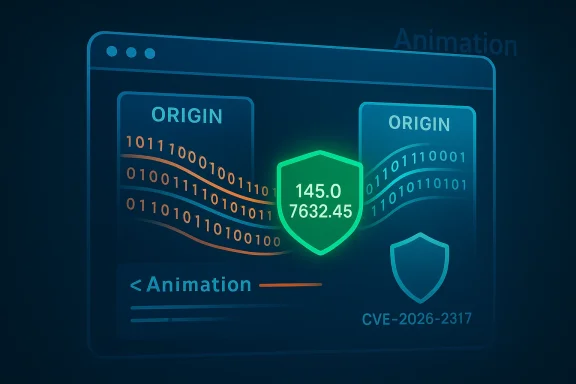
Chromium’s CVE‑2026‑2317 is a medium‑severity cross‑origin data‑leak bug rooted in the browser’s Animation implementation; Google patched it in Chrome 145.0.7632.45 and — because Microsoft Edge (Chromium‑based) consumes Chromium upstream — Microsoft’s Security Update Guide (SUG) lists the CVE to show when Edge builds have ingested the fix and are no longer vulnerable.
Web engines get shared, upstream code. The Chromium open‑source project is the rendering and browser engine used by multiple browsers — most notably Google Chrome and Microsoft Edge (Chromium‑based). When Google identifies and assigns a CVE to a bug in Chromium, that CVE describes the upstream defect and the Chrome release that contains the fix. Downstream projects (Edge, Linux distributions, container images, etc.) then take that upstream fix, integrate it into their own builds, and ship updates. Microsoft documents those Chromium‑assigned CVEs in the Microsoft Security Update Guide to tell Edge administrators and users when Microsoft has ingested the upstream fix and released an Edge build that is no longer vulnerable.
What the CVE says, in plain language: an inappropriate implementation in Animation allowed a crafted HTML page to cause a cross‑origin data leak in Chromium before version 145.0.7632.45. In practice, that means a malicious page could provoke the browser’s animation subsystem to reveal data that belongs to a different origin under some conditions — a privacy and confidentiality risk, rather than a code‑execution or sandbox escape. The Chromium project classified the issue as Medium severity.
Why Microsoft still lists it: Microsoft’s SUG entries for Chromium CVEs are not claiming the bug originated in Edge; they’re a downstream map that documents ingestion and remediation status for Edge builds. When SUG shows an Edge version for a given Chromium CVE, that is the authoritative signal that Microsoft’s Edge team has absorbed the upstream patch and shipped it to Edge users. If no Edge build is listed yet, Edge may still be vulnerable until Microsoft ingests and ships the fix. (msrc.microsoft.com)
Conclusion
Keeping browsers up to date remains the most effective defense against both privacy and code‑execution vulnerabilities. The Microsoft Security Update Guide’s inclusion of Chromium CVEs is a practical, downstream transparency mechanism: it tells Edge operators when the upstream fix has been absorbed and shipped. If you manage devices, make version checks part of your update workflow today — and if you’re a casual user, open your browser’s About page now and make sure you’re running the recommended build. (msrc.microsoft.com)
Source: MSRC Security Update Guide - Microsoft Security Response Center
 Background / Overview
Web engines get shared, upstream code. The Chromium open‑source project is the rendering and browser engine used by multiple browsers — most notably Google Chrome and Microsoft Edge (Chromium‑based). When Google identifies and assigns a CVE to a bug in Chromium, that CVE describes the upstream defect and the Chrome release that contains the fix. Downstream projects (Edge, Linux distributions, container images, etc.) then take that upstream fix, integrate it into their own builds, and ship updates. Microsoft documents those Chromium‑assigned CVEs in the Microsoft Security Update Guide to tell Edge administrators and users when Microsoft has ingested the upstream fix and released an Edge build that is no longer vulnerable.What the CVE says, in plain language: an inappropriate implementation in Animation allowed a crafted HTML page to cause a cross‑origin data leak in Chromium before version 145.0.7632.45. In practice, that means a malicious page could provoke the browser’s animation subsystem to reveal data that belongs to a different origin under some conditions — a privacy and confidentiality risk, rather than a code‑execution or sandbox escape. The Chromium project classified the issue as Medium severity.
Why Microsoft still lists it: Microsoft’s SUG entries for Chromium CVEs are not claiming the bug originated in Edge; they’re a downstream map that documents ingestion and remediation status for Edge builds. When SUG shows an Edge version for a given Chromium CVE, that is the authoritative signal that Microsoft’s Edge team has absorbed the upstream patch and shipped it to Edge users. If no Edge build is listed yet, Edge may still be vulnerable until Microsoft ingests and ships the fix. (msrc.microsoft.com)
What CVE‑2026‑2317 actually is (technical summary)
The root cause and impact
- The root cause is an inappropriate implementation inside the Animation code path of Chromium, meaning the code did not correctly enforce expected origin or data‑safety boundaries under some conditions. That deviation allowed a cross‑origin data leak.
- The impact category is information disclosure / cross‑origin leakage — the attacker could obtain data they shouldn’t see from a different origin. Cross‑origin leaks undermine the Same Origin Policy guarantees that browsers enforce to keep sites and data compartmentalized.
- The issue is not described as a remote code execution (RCE) or sandbox escape; it’s primarily a confidentiality breach rather than a direct execution risk. Several vulnerability trackers and distro advisories echo the same scope and remediation advice.
Severity and exploitation considerations
- Chromium assigned Medium severity to the issue. Some downstream vendors and distributions have published CVSS or CVSS‑adjacent scores (for example SUSE lists an important classification and a CVSS v3.1 vector that implies a confidentiality impact), but NVD had not yet provided an enriched score when the entry first appeared. Treat this as a notable privacy bug, but not an immediate full‑blown exploit like a remote code execution zero‑day.
- Public evidence (as of the first disclosures) does not show active exploitation in the wild for this CVE; upstream releases and distro advisories emphasize timely updates rather than emergency incident responses. Still, cross‑origin leaks can be weaponized in targeted campaigns (e.g., steal tokens, leak user‑specific data) so prompt patching is sensible.
Why the Microsoft Security Update Guide (SUG) lists Chromium CVEs
The ingestion model: Chromium → Edge
- Microsoft Edge (Chromium‑based) is built on the Chromium open‑source engine. Microsoft tracks upstream Chromium security fixes, integrates them into Edge builds, and then ships those Edge builds through its update channels. The Security Update Guide documents those relationships so administrators know when Edge is patched for an upstream Chromium CVE. In short: SUG says “we have absorbed the upstream fix and shipped a patched Edge build.” (msrc.microsoft.com)
- That means SUG entries for Chromium CVEs are informative for Edge operators: they indicate whether Microsoft’s Edge release contains the fix. Use SUG as the downstream authoritative source for “Is my Edge build fixed?” rather than relying only on the upstream Chrome release number. (msrc.microsoft.com)
Practical implications for admins and users
- If SUG lists the Edge build number that contains the fix, make sure your Edge installations are at or above that build to be considered remediated.
- If SUG doesn’t yet show an Edge build, you should assume Edge might still be vulnerable — even if Chrome has already been patched upstream — until Microsoft publishes that ingestion. This is the exact reason Microsoft documents the Chromium CVE in SUG. (msrc.microsoft.com)
How you can see your browser’s version (so you can confirm the fix)
Below are the fastest, most reliable methods for consumers, power users, and administrators to determine whether their Chrome or Edge installation includes the fix for CVE‑2026‑2317.For Microsoft Edge (desktop: Windows, macOS)
- Quick GUI method:
- Open Microsoft Edge.
- Click the three‑dot menu (Settings and more) at the top right → Help and feedback → About Microsoft Edge. The page displays the exact Edge version and will automatically check for updates.
- URL shortcuts (fast and scriptable):
- Type edge://settings/help in the address bar and press Enter to load the About page.
- Type edge://version to get the full product version and underlying Chromium revision. The edge://version page is useful when you need to correlate Edge builds to Chromium revisions.
- Command line / PowerShell (useful for scripted checks):
- Use winget: winget list --name Microsoft.Edge (or winget list and grep for Edge) to show the installed package and version where winget is available.
- Use PowerShell to query installed app packages or registry entries if you need to audit many machines (example admin command patterns exist in community documentation).
For Google Chrome (desktop: Windows, macOS, Linux)
- GUI method:
- Open Chrome → Menu (three dots) → Help → About Google Chrome. Chrome will display the version and automatically check for updates.
- URL shortcut:
- chrome://version shows the full version string across platforms and is a quick cross‑platform shortcut for scripts and screenshots.
- Command line:
- On Linux: google-chrome --version or chromium --version (package name varies by distribution).
- On Windows: inspect the file properties of chrome.exe or use winget list --name Google.Chrome if winget is installed.
Mobile (Android / iOS)
- Open the browser app → menu → Settings → About (or check the app store listing for the installed version). For enterprise mobile fleets, use your MDM reporting to enumerate app versions.
How to interpret the version number against the fix
- Identify the fixed upstream Chrome build for the CVE: Chromium/Chrome fixed this issue in Chrome 145.0.7632.45 (or later).
- Find the Edge build (if any) listed in Microsoft SUG that ingests that Chromium release. If SUG shows an Edge build number for CVE‑2026‑2317, compare your Edge version to that number; if your local Edge is equal or greater, you are patched. If SUG shows no Edge build yet, Edge may still be vulnerable even though Chrome is patched upstream. (msrc.microsoft.com)
- If you run Chrome rather than Edge, ensure Chrome’s About page shows 145.0.7632.45 or later to be patched upstream. If you run Edge, you must check the Edge version and cross‑reference SUG or Edge release notes.
Step‑by‑step: Check and validate on a single Windows workstation
- Open Edge.
- Type edge://version and press Enter. Copy the Version string.
- Visit the Microsoft Security Update Guide entry for CVE‑2026‑2317 or the Edge release notes to find the Edge build that contains the fix. If SUG lists the Edge build and your version is the same or newer, you’re patched. If SUG has no Edge build listed, wait for Microsoft to ingest and ship the fix or update Edge via the About page. (msrc.microsoft.com)
- For a Chrome check, open chrome://version and ensure Chrome’s version is >= 145.0.7632.45.
Enterprise: auditing and mass verification
- Use configuration management and inventory tools (SCCM/ConfigMgr, Intune, Jamf, Ansible, Chef, Puppet) to query installed browser versions and compare them against the patched build list. Many organizations map the Chrome/Edge version column to vulnerability scanning tools to automate remediation workflows.
- Example PowerShell snippet (audit single machine):
- Open PowerShell (Admin) and run:
- Get‑ItemProperty 'HKLM:\Software\Wow6432Node\Microsoft\Windows\CurrentVersion\Uninstall' | Where‑Object {$_.DisplayName -like 'Edge*'} | Select DisplayName, DisplayVersion
- Or use winget list --id Microsoft.Edge to get the version where winget is available.
- For Linux fleets, query package management (apt, rpm) for chromium/chrome packages and compare installed package versions to the fixed release. Many distro vendors simultaneously publish advisories that list package versions they shipped with the upstream fix.
Mitigation guidance and best practices
- Patch promptly: update the browser (Edge or Chrome) to the patched build (or wait for Microsoft’s Edge build to be published and deploy it). Patching is the primary mitigation.
- Reduce exposure: avoid visiting untrusted or suspicious websites. Because the vulnerability is triggered by crafted HTML, reducing exposure to untrusted content reduces risk until you’re fully patched.
- Isolate high‑value sessions: maintain separate browser profiles for sensitive work (banking, SSO sessions) and avoid reusing sessions across tabs or origins when possible.
- Monitor SUG and Chromium releases: track both upstream Chrome releases and Microsoft’s SUG; the upstream fix does not mean Edge has been patched until Microsoft documents ingestion.
- For enterprises, test before mass deployment: upstream patches sometimes interact with corporate extensions/policies; stage and test updates in a controlled environment before wide distribution.
Risk analysis, strengths and limitations of the published information
Notable strengths
- Multiple independent trackers (NVD, Linux distro advisories, SUSE, Ubuntu, and the Chromium release notes) corroborate the fix and the affected build range: Chromium/Chrome prior to 145.0.7632.45 is susceptible; version 145.0.7632.45+ contains the fix. This is a clear, verifiable remediation target for both Chrome and downstream consumers.
- Microsoft’s SUG practice of listing Chromium CVEs gives downstream consumers a single authoritative place to confirm when Edge has ingested and shipped the fix. That reduces ambiguity for administrators who must reconcile upstream and downstream release cadences. (msrc.microsoft.com)
Potential risks and caveats
- Timing mismatch: upstream Chrome gets a fix and publishes a stable build quickly; downstream projects (Edge, Linux distributions) need time to ingest, test, and ship. SUG entries can lag the initial upstream patch. That lag creates a window where Chrome users may be patched but Edge users are still waiting for Microsoft’s ingest. Administrators must be aware of this ingestion gap and use SUG to determine Edge remediation status.
- Varying severity assessments: some vendors or repositories may assign different CVSS scores or priority levels based on local contexts; SUSE and other distro trackers assigned an important/medium rating with a CVSS vector implying significant confidentiality impact, while NVD initially had not enriched the entry. If your threat model places high value on confidentiality, treat medium‑severity cross‑origin leaks as high priority to patch.
- No public exploit initially isn’t the same as “never exploited.” Information‑leak bugs can be quietly exploited to harvest tokens, CSRF results, or other sensitive items; vigilance and fast patching are justified.
Quick reference checklists
For home users (fast)
- Open Edge → About Microsoft Edge (edge://settings/help) → if the version is at or above the SUG‑listed Edge build for CVE‑2026‑2317, you’re patched; otherwise click Update and restart.
- If you use Chrome: Open chrome://version and ensure Chrome ≥ 145.0.7632.45. If not, update Chrome and restart.
For sysadmins (actionable)
- Consult Microsoft Security Update Guide for CVE‑2026‑2317 to find the Edge build that ingested the Chromium fix. (msrc.microsoft.com)
- Query installed Edge versions across the fleet (winget, PowerShell, SCCM, Intune).
- Staged deployment: test the patched Edge build against corporate extensions and policies in a pilot group.
- Push the Edge update via your usual SSM/MDM/WSUS or deployment mechanism.
- Re‑audit to confirm all endpoints are at or above the fixed build.
Final takeaway
CVE‑2026‑2317 is a Chromium Animation implementation bug that could leak cross‑origin data. Google fixed it in Chrome 145.0.7632.45; Microsoft lists the CVE in the Security Update Guide to communicate downstream remediation status for Edge (Chromium‑based). To know whether your browser is protected, check the local browser version (edge://version or chrome://version) and cross‑reference the patched build documented by Chrome and the ingestion status published by Microsoft’s Security Update Guide. Promptly deploy the appropriate updates, monitor SUG for Edge ingest confirmation, and use inventory tools to validate fleet compliance.Conclusion
Keeping browsers up to date remains the most effective defense against both privacy and code‑execution vulnerabilities. The Microsoft Security Update Guide’s inclusion of Chromium CVEs is a practical, downstream transparency mechanism: it tells Edge operators when the upstream fix has been absorbed and shipped. If you manage devices, make version checks part of your update workflow today — and if you’re a casual user, open your browser’s About page now and make sure you’re running the recommended build. (msrc.microsoft.com)
Source: MSRC Security Update Guide - Microsoft Security Response Center
