

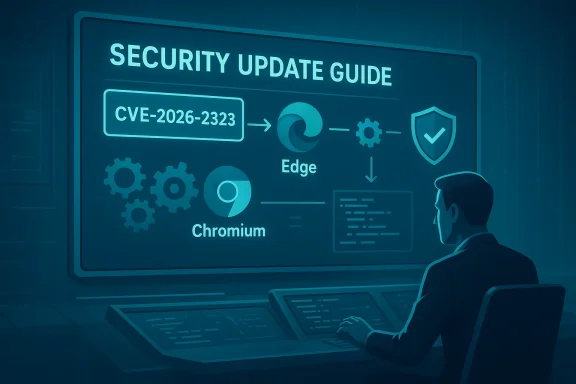
Microsoft’s Security Update Guide lists CVE-2026-2323 because the flaw originates in the Chromium open‑source project and Microsoft Edge (Chromium‑based) ships Chromium code inside its binaries; the SUG entry simply tells Edge users and administrators whether the downstream Edge builds have ingested the upstream Chromium fix and are therefore no longer vulnerable.
Modern desktop browsers are layered products: an upstream open‑source engine (Chromium) provides core components such as Blink (rendering), V8 (JavaScript), and the Downloads/Network subsystems. Multiple vendors — Google (Chrome), Microsoft (Edge), Brave, Opera and many others — take that upstream Chromium code, build vendor‑specific features on top, run integration and testing, and then ship binaries to end users.
When a security issue is discovered and assigned a CVE in Chromium/Chrome, that CVE is upstream. Any downstream browser that incorporates the vulnerable Chromium code remains potentially affected until that vendor pulls the upstream patch, integrates it, tests it against their product, and ships a new release. Microsoft’s Security Update Guide is the canonical downstream record for Microsoft products: it lists the same Chromium CVEs when those CVEs are relevant to Edge, and it annotates which Edge builds have the upstream fixes incorporated. In short: the SUG entry is a status and mapping mechanism for enterprise administrators who need to know whether their Edge installations are still vulnerable or already remediated.
This explanation is important because seeing a Chromium CVE in Microsoft’s SUG does not mean Microsoft introduced the bug. It means Edge consumes Chromium and Microsoft is telling customers, “here’s the Chromium CVE, and here’s whether our Edge builds are affected or fixed.”
Key implications of that label:
Important: Microsoft often lists both an Edge version and the Chromium baseline in the About page or in Edge release notes. The SUG entry will tell you which Edge build has incorporated the relevant Chromium fix; check that build number against the About page on your machines.
Conclusion
CVE‑2026‑2323 is a Chromium‑origin vulnerability that Microsoft documents in the Security Update Guide because Edge ingests Chromium code. That SUG entry saves administrators time and uncertainty by stating whether the latest Edge builds include the upstream fix. To confirm protection on any device, open your browser’s About page (or chrome://version / edge://version), compare the version to the vendor advisories and SUG mapping, and update any machines that are behind. Prioritize patching, document the remediation, and implement temporary mitigations on systems that cannot be updated immediately.
Source: MSRC Security Update Guide - Microsoft Security Response Center
 Background / Overview
Modern desktop browsers are layered products: an upstream open‑source engine (Chromium) provides core components such as Blink (rendering), V8 (JavaScript), and the Downloads/Network subsystems. Multiple vendors — Google (Chrome), Microsoft (Edge), Brave, Opera and many others — take that upstream Chromium code, build vendor‑specific features on top, run integration and testing, and then ship binaries to end users.When a security issue is discovered and assigned a CVE in Chromium/Chrome, that CVE is upstream. Any downstream browser that incorporates the vulnerable Chromium code remains potentially affected until that vendor pulls the upstream patch, integrates it, tests it against their product, and ships a new release. Microsoft’s Security Update Guide is the canonical downstream record for Microsoft products: it lists the same Chromium CVEs when those CVEs are relevant to Edge, and it annotates which Edge builds have the upstream fixes incorporated. In short: the SUG entry is a status and mapping mechanism for enterprise administrators who need to know whether their Edge installations are still vulnerable or already remediated.
This explanation is important because seeing a Chromium CVE in Microsoft’s SUG does not mean Microsoft introduced the bug. It means Edge consumes Chromium and Microsoft is telling customers, “here’s the Chromium CVE, and here’s whether our Edge builds are affected or fixed.”
What “inappropriate implementation in Downloads” usually means
The public description for CVE‑2026‑2323 uses the phrasing “inappropriate implementation in Downloads” — language commonly used in Chromium advisories. While the specific codepaths vary by bug, this classification typically indicates a logic, validation, or policy enforcement error in the browser’s downloads handling.Key implications of that label:
- Insufficient validation of untrusted input: The downloads subsystem accepts metadata or control signals that were not validated correctly, which can lead to incorrect handling of a downloaded object.
- Information disclosure: A crafted web page or download could potentially expose data that should be constrained by same‑origin or other security boundaries.
- Chaining potential: In some circumstances, an information leak can be combined with other flaws to achieve more severe outcomes.
- Context sensitive impact: The actual impact depends on the exact code path, browser configuration (e.g., sandboxing), and whether user interaction is required.
Why Microsoft documents Chromium CVEs in the Security Update Guide
There are three practical reasons Microsoft adds Chromium CVEs to the SUG:- Downstream status & auditability: Enterprises need a single authoritative place to determine whether Microsoft products (Edge, in this case) include a fix. SUG records whether and when Microsoft ingested the upstream Chromium patch.
- Operational mapping: Chromium release numbers and vendor release numbers don’t map one‑to‑one in an obvious way. The SUG entry reduces guesswork by declaring which Edge build corresponds to the patched Chromium baseline.
- Compliance evidence: For security compliance and incident response, organizations need timestamps and product builds to prove when remediation was applied. SUG entries provide that metadata for Microsoft’s downstream products.
How to see the version of your browser (step‑by‑step)
If you want to confirm whether your installation is patched against CVE‑2026‑2323, you must look up the browser version (and ideally the underlying Chromium revision) on the specific machine. Below are short, repeatable steps for Chrome and Edge across desktop and mobile platforms.Google Chrome (desktop)
- Open Chrome.
- Click the three‑dot menu at the top right.
- Navigate to Help > About Google Chrome.
- The About page displays the full Chrome version (for example: 144.0.7559.59). That value represents the browser binary version built from a specific Chromium baseline.
- Browser version
- Chromium revision
- User agent
- Profile path
Microsoft Edge (desktop)
- Open Microsoft Edge.
- Click the three‑dot menu at the top right.
- Navigate to Help and feedback > About Microsoft Edge.
- The About page shows the Edge version and the underlying Chromium version or revision string.
Important: Microsoft often lists both an Edge version and the Chromium baseline in the About page or in Edge release notes. The SUG entry will tell you which Edge build has incorporated the relevant Chromium fix; check that build number against the About page on your machines.
Chrome / Edge on macOS
The same menu steps apply (Chrome menu > About Google Chrome; Edge menu > About Microsoft Edge). The About dialogs on macOS include the full version string as on Windows.Chrome / Edge on Linux
- Chrome: Help > About Google Chrome or chrome://version.
- Edge: About Microsoft Edge or edge://version.
- Some package‑managed installations (APT/YUM) may show a different packaging version; consult your package manager’s changelog to correlate with Chromium baselines.
Mobile (Android & iOS)
- Android: Open the app, tap the three‑dot menu > Settings > About Chrome / About Microsoft Edge, or check Google Play / Play Store app listing for the version history.
- iOS: Open the app, go to Settings inside the app > About, or check the App Store release notes.
- Note: On iOS, third‑party browsers (including Edge) are forced to use WebKit due to platform rules. That means a Chromium‑specific downloads bug in Chrome/Edge’s Chromium engine may not apply to Edge iOS in the same way. Always verify platform specifics.
How to interpret the version number and Chromium mappings
A browser version string (e.g., 144.0.7559.59) contains the Chromium major/minor/patch metadata you need. Operational steps to decide if you are safe:- Check the vendor advisory (Chrome release notes and Microsoft SUG) to find the patched Chrome/Chromium build(s).
- Compare your browser’s version (About page or chrome://version / edge://version) against the patched baseline.
- If the major/minor digits are equal or greater than the patched baseline — or Microsoft’s SUG indicates your Edge build contains the fix — consider the machine remediated.
Practical checks and quick commands for administrators
- Single machine, quick check:
- Chrome: chrome://version → note “Google Chrome 144.0.7559.59”
- Edge: edge://version → note both Edge version and “Chromium” entry
- Bulk inventory:
- Query machine inventory for the installed browser version string.
- Cross‑reference those strings with the SUG mapping or vendor release notes.
- Flag and remediate any machines running versions below the fixed baseline.
- Group policy / management:
- Use Intune, WSUS, SCCM, or other EPM/patching systems to push Edge or Chrome updates.
- For Edge in enterprise deployments, consult Microsoft’s Edge release notes that often include which Chromium baseline was ingested.
What to do if your browser is not updated
If your About page shows a version older than the patched threshold or if SUG indicates your Edge build is still vulnerable, take these steps:- Update immediately: Use the browser’s update mechanism — About pages typically trigger automatic update checks and will prompt for restart when an update has been downloaded.
- Stagger updates in enterprise: Test the update in a pilot ring (canary/dev → pilot → broad), then push across the fleet using your management tooling.
- Temporary mitigations:
- Restrict access to untrusted websites.
- Enforce Content Security Policies and lower JavaScript privileges on sensitive endpoints.
- Use application whitelisting and stronger sandboxing on endpoints that process untrusted downloads.
- Monitor: Watch security telemetry for unusual download activity or data exfiltration attempts during the remediation window.
Risk analysis: how dangerous is a Downloads “inappropriate implementation”
- Threat model: Downloads code runs as part of the browser, often with limited sandboxing and interaction with the file system. A downloads validation issue can leak metadata or content that should have been isolated.
- Exploitability: Public advisories usually classify whether the bug is exploitable in the wild; if exploit details are withheld, default to caution and patch quickly.
- Impact: At minimum the classification suggests information disclosure; at worst the bug could be chained with other bugs to escalate impact. For organizations handling sensitive data, even an information leak is significant.
- Exposure: Web‑delivered attacks that rely on user navigation to a malicious page are the typical vector. Enterprises can reduce exposure by restricting browsing privileges on high‑risk machines.
Common questions administrators ask (and the answers)
Q: “Does a Chromium CVE entry in SUG mean Microsoft is admitting the bug?”
No. Microsoft is documenting that the upstream Chromium bug can affect Edge because Edge uses Chromium code. SUG entries are downstream status markers, not confessions of original responsibility.Q: “How do I know which Edge build contains the Chromium fix?”
Check the SUG entry for the CVE (it will note the Edge build status) and verify your Edge About page against that build. If you run management tools, automate the comparison.Q: “What if our enterprise blocks automatic updates?”
If automatic updates are blocked, use your patch management processes to push the vendor‑recommended builds urgently. Prioritize high‑risk endpoints and consider temporary browsing restrictions until remediation completes.Checklist: what you should do right now
- Open Chrome / Edge on a representative machine and check About (chrome://version or edge://version).
- Look up the Microsoft SUG entry for CVE‑2026‑2323 and note the Edge build(s) Microsoft marks as remediated. (SUG is the downstream mapping authority for Microsoft.)
- If any machine is below the fixed baseline, schedule an update or use your management tool to push a fixed build.
- For critical systems that cannot be immediately updated, apply temporary mitigations: restrict browsing, disable untrusted script execution, or isolate those endpoints.
- Document the remediation for compliance: record the build numbers, remediation dates, and update method (SUG provides the necessary mapping information for Edge).
Strengths and potential risks of the current approach
Strengths
- Transparency for enterprises: Microsoft’s choice to list upstream Chromium CVEs in SUG gives administrators a single, trusted place to check downstream status and creates a clear audit trail.
- Operational clarity: The SUG mapping reduces guesswork when reconciling Chrome/CVEs with Edge builds.
- Encourages prompt remediation: Publishing the mapping publicly nudges both admins and end users to update.
Risks / Weaknesses
- Confusion among non‑technical users: Seeing a Chrome CVE in Microsoft’s SUG can mislead some users into thinking Microsoft introduced the bug; communication must be clear that this is a downstream status entry.
- Version mapping friction: For large fleets with mixed update cadences, mapping exact Chromium revisions to Edge builds can still be operationally tedious unless automated.
- Timing window: There can be a lag between when Google pushes a Chromium fix and when downstream vendors ship a patched release; that gap represents an exposure window that attackers could try to exploit.
Final assessment and recommendations
CVE‑2026‑2323’s appearance in Microsoft’s Security Update Guide is expected behavior and is fundamentally a communication mechanism: Microsoft is telling Edge customers whether Edge consumes the patched Chromium code and is therefore safe. For end users and administrators the practical takeaway is straightforward and urgent:- Verify your browser version now (chrome://version or edge://version) and compare to the SUG/Chrome release notes.
- Update immediately if you are below the fixed baseline.
- Use management tools to enforce updates across fleets and to provide the documentation required for audits (SUG entries help with this).
- Harden browsing posture temporarily if full update rollout will take time.
Conclusion
CVE‑2026‑2323 is a Chromium‑origin vulnerability that Microsoft documents in the Security Update Guide because Edge ingests Chromium code. That SUG entry saves administrators time and uncertainty by stating whether the latest Edge builds include the upstream fix. To confirm protection on any device, open your browser’s About page (or chrome://version / edge://version), compare the version to the vendor advisories and SUG mapping, and update any machines that are behind. Prioritize patching, document the remediation, and implement temporary mitigations on systems that cannot be updated immediately.
Source: MSRC Security Update Guide - Microsoft Security Response Center
