

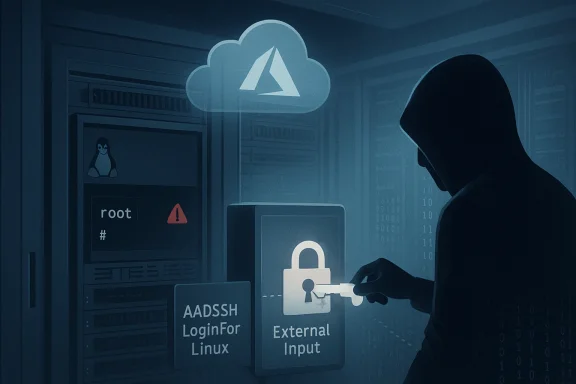
Microsoft's March security roll-up exposed a high-severity elevation-of-privilege flaw in the Azure AD SSH Login extension for Linux that essentially handed local attackers a clear path to root on affected systems, forcing administrators to treat what looks like a convenience feature as a high-risk attack vector and to execute per-machine remediation immediately.
The vulnerability, tracked as CVE-2026-26148, was disclosed in the March 2026 security updates and given a CVSS v3.1 base score in the high range. At its core the bug is classified under CWE‑454: External Initialization of Trusted Variables or Data Stores — meaning the extension or associated components accept or trust data that can be set or influenced from outside the intended trust boundary. In practical terms this class of flaw allows an attacker who can alter certain files, variables, or inputs to influence privileged behavior and escalate privileges.
The affected component is the Azure AD SSH Login VM extension (commonly packaged under the AADSSHLoginForLinux/azure AD SSH Login names), the Microsoft-supplied mechanism that enables logging into Linux virtual machines using Microsoft Entra (Azure AD) identities and ephemeral SSH certificates. The extension installs helper packages on the VM, integrates with OpenSSH, and interacts with the Azure VM agent — components that by design operate with elevated privileges on the guest OS to manage keys, SELinux rules, and account mappings.
Because this extension runs as part of the VM agent ecosystem and touches authentication-related pieces, a flaw in how it initializes or trusts data can lead directly to elevation of privilege from local, unprivileged accounts to root. Public reporting around the March update indicates the weakness is local-only (not remotely exploitable), but capable of giving an attacker root on the machine once they can run code or write files in places the extension mistakenly treats as trusted.
Two practical consequences follow:
Note: Where official release notes are intentionally terse, independent security write-ups have stressed that the fix requires running command-line update instructions on each machine (i.e., there is no single control-plane flippatch that will retroactively remediate all guest OS instances automatically).
Administrators should treat every VM with the AADSSHLoginForLinux extension as high-priority for update and validation, combine patching with credential rotation and enhanced telemetry, and take this as an opportunity to reassess how much functionality you expose to guest-side extensions. In large estates, automation and a disciplined RBAC model are the only realistic paths to both rapid remediation and long-term risk reduction.
Source: MSRC Security Update Guide - Microsoft Security Response Center
 Background
The vulnerability, tracked as CVE-2026-26148, was disclosed in the March 2026 security updates and given a CVSS v3.1 base score in the high range. At its core the bug is classified under CWE‑454: External Initialization of Trusted Variables or Data Stores — meaning the extension or associated components accept or trust data that can be set or influenced from outside the intended trust boundary. In practical terms this class of flaw allows an attacker who can alter certain files, variables, or inputs to influence privileged behavior and escalate privileges.The affected component is the Azure AD SSH Login VM extension (commonly packaged under the AADSSHLoginForLinux/azure AD SSH Login names), the Microsoft-supplied mechanism that enables logging into Linux virtual machines using Microsoft Entra (Azure AD) identities and ephemeral SSH certificates. The extension installs helper packages on the VM, integrates with OpenSSH, and interacts with the Azure VM agent — components that by design operate with elevated privileges on the guest OS to manage keys, SELinux rules, and account mappings.
Because this extension runs as part of the VM agent ecosystem and touches authentication-related pieces, a flaw in how it initializes or trusts data can lead directly to elevation of privilege from local, unprivileged accounts to root. Public reporting around the March update indicates the weakness is local-only (not remotely exploitable), but capable of giving an attacker root on the machine once they can run code or write files in places the extension mistakenly treats as trusted.
Why this matters: extension features meeting local attack surface
VM extensions are convenient: they let Azure push capabilities to VMs without manual guest management. But that convenience carries risk. Extensions typically:- Run installer scripts and handlers as root via the Azure Linux Agent (waagent).
- Drop package files and configuration in shared system locations.
- Interact with authentication subsystems (OpenSSH, PAM, SELinux) during install and runtime.
Two practical consequences follow:
- Attackers with any local foothold (low-privileged shell access, malicious container escape, compromised startup script, or rogue CI job) can potentially exploit the flaw to gain root.
- Cloud administrators cannot assume the exposure is limited to misconfigured remote access; the vulnerability widens local attack surfaces, including unattended or automated processes that run with limited rights but can write to certain system paths.
Technical characterization (what we know and what remains uncertain)
What is supported by published advisory notes and independent security reviews:- The issue is a local elevation-of-privilege (EoP) vulnerability: it is not a remote RCE and cannot be triggered directly over the network by an unauthenticated internet attacker.
- The weakness maps to external initialization of trusted variables or data stores (CWE‑454), indicating the extension initializes important internal state using inputs that can be controlled by untrusted actors.
- Successful exploitation leads to root privileges on the guest OS.
- Vendor updates were issued as part of the March 2026 security updates; remediation requires running update steps on each affected machine.
- The fix is not a simple centralized switch — it requires patching or updating the extension and/or packages on every affected VM, which complicates enterprise rollouts.
- There appears to be no widely published and verified public proof-of-concept (PoC) demonstrating exploitation steps; details are intentionally limited in vendor release notes and many third‑party reports to avoid facilitating weaponization.
- The exact code path — which variable, file, or configuration item is initialized from external input — has not been exhaustively documented in public advisories; this is common for EoP advisories where disclosure is balanced to reduce immediate exploitation risk.
- Whether the vulnerability is present in all AADSSHLoginForLinux versions historically, or only in a specific range of versions installed by certain distro packages or in combination with particular VM agent versions, is not uniformly enumerated in the public metadata.
Attack scenario — plausible exploitation chain
The typical threat model for this class of bug follows a local-only escalation chain. A plausible scenario:- An adversary gains a limited local foothold — e.g., through stolen credentials, a web application user shell, a CI runner compromise, or an exploited low-privilege process.
- The attacker finds a writable location that the AADSSHLoginForLinux extension reads or uses during runtime/installation — such as an environment variable, a file under /var/lib/waagent, a temporary file, or an authorized-keys hook.
- Because the extension initializes trusted configuration or state from that modifiable input without proper validation or isolation, the attacker influences the extension’s behavior to execute code or escalate privileges.
- The extension’s privileged process executes the attacker-supplied content, or performs an action that leads to root ownership of an attacker-controlled file, completing the escalation.
- The extension is installed and managed by the VM agent, which runs with root privileges.
- AADSSHLoginForLinux interacts with sshd-authorized-keys and certificate handling — sensitive subsystems that can grant shell access when misconfigured or manipulated.
- CWE‑454 is a well-known class of failure that has led to EoP in other systems when init scripts, environment variables, or file permissions were mishandled.
What Microsoft and vendors say (summary of guidance)
Microsoft included the Azure AD SSH Login extension fix in the March security roll-up and flagged it as an elevation-of-privilege issue requiring per-VM action. Vendor guidance emphasizes applying the provided updates and following official update instructions for the AADSSHLoginForLinux extension or the Azure Linux agent on each affected host. Third-party vulnerability trackers rate the issue as high severity and recommend immediate patching.Note: Where official release notes are intentionally terse, independent security write-ups have stressed that the fix requires running command-line update instructions on each machine (i.e., there is no single control-plane flippatch that will retroactively remediate all guest OS instances automatically).
Immediate actions for administrators (practical, prioritized checklist)
Apply these steps in order. The first items are absolute priorities for systems where AADSSHLoginForLinux is installed.- Inventory your estate
- Enumerate all VMs with the AADSSHLoginForLinux / Azure AD SSH Login extension installed. Use your management tooling, Azure Portal, Azure CLI, or configuration management to produce a list of affected VMs and VM scale sets.
- Isolate high-risk hosts
- For any VM suspected of compromise, remove network access where feasible (isolate from production networks), snapshot forensic images, and preserve logs before performing remediation.
- Patch and update each VM
- Run the official update instructions for the AADSSHLoginForLinux extension on every affected host. If your deployment uses VM scale sets, ensure the extension update is applied to all instances in the set.
- On Linux distributions, update the extension and related packages (the fix may be packaged as updates to the extension's installed packages or to the Azure Linux Agent).
- Typical remediation steps (conceptual):
- Update system packages: use your distro package manager (apt, yum, zypper) to apply updates for the aadsshlogin helper packages if available.
- Reinstall or update the VM extension using Azure CLI commands or through the Azure Portal's extension management UI.
- Restart the VM agent or reboot the guest if instructed by the vendor guidance.
- Check extension handler directories and logs
- Inspect the VM agent extension directories (for example, under /var/lib/waagent and its Microsoft.Azure.ActiveDirectory.* subdirectories) for suspicious modification timestamps or unexpected files.
- Review waagent logs (/var/log/waagent.log) and the extension-specific handler logs for errors or unexpected installer activity.
- Validate post-patch integrity
- Verify the extension version and package versions match the patched release recommended by Microsoft.
- Confirm sshd configuration, SELinux contexts, and authorized_keys files are intact and free from unauthorized keys.
- Rotate credentials and certificates
- Rotate any SSH certificates, keys, or local service credentials that might have been exposed or could be leveraged post‑escalation.
- If ephemeral certs were issued to suspected attackers, invalidate or rotate issuance mechanisms where possible.
- Harden operational controls
- Minimize who can install or update VM extensions — restrict Azure RBAC roles that permit extension deployment to a small set of administrators.
- Enforce Just-in-Time (JIT) access, conditional access policies, and MFA for agents that request SSH certificate issuance.
- Automate remediation at scale
- Use configuration management tools (Ansible, Chef, Puppet) or Azure Automation/Update Management to schedule and roll out the extension updates across large fleets.
- For VM scale sets, update the scale set model and perform rolling upgrades.
Commands and checks (operational examples)
Below are representative commands and checks to guide administrators. Adapt them to your distribution and environment.- List VMs with the extension (Azure CLI conceptual example):
- az vm list --query "[?contains(resourceExtensionProfiles,'AADSSHLoginForLinux')].{name:name,rg:resourceGroup}"
- For VM scale sets, query the extension configuration for the scale set model.
- Inspect the VM agent extension directory (guest-side):
- ls -la /var/lib/waagent | grep AADSSHLoginForLinux
- ls -la /var/lib/waagent/Microsoft.Azure.ActiveDirectory.*
- Check waagent and extension logs:
- sudo journalctl -u waagent --no-pager
- sudo tail -n 200 /var/log/waagent.log
- sudo find /var/lib/waagent -type f -name "*.log" -exec tail -n 100 {} \;
- Update packages (Debian/Ubuntu example):
- sudo apt update
- sudo apt install --only-upgrade aadsshlogin-package-name # replace with actual package name from vendor guidance
- sudo systemctl restart waagent
- Reinstall or update the VM extension via Azure CLI (conceptual):
- az vm extension set --publisher Microsoft.Azure.ActiveDirectory --name AADSSHLoginForLinux --version <patched-version> --vm-name <vm> -g <rg>
- Confirm the extension reporting status via az vm extension show.
Detection, monitoring and post-event review
Detection is not trivial for a local EoP without a public exploit. Still, defenders should look for the following indicators:- Unexpected escalation events in system logs: sudo usage anomalies, processes spawned by the extension handler, or new root-owned files created at odd times.
- Unexpected modification in extension directories or installer script timestamps under /var/lib/waagent/Microsoft.Azure.ActiveDirectory.*.
- Newly added SSH keys in user authorized_keys files or unexpected changes to /etc/ssh/sshd_config.
- Unusual Azure VM agent activity: extension installs or updates that were not initiated by administrators.
- Authentication anomalies in Azure Active Directory logs related to certificate issuance or unusual enrollments tied to VM login flows.
- Instrument waagent logs ingestion into centralized SIEM and create alerts for extension handler failures and suspicious installer exits.
- Add file integrity monitoring for the extension directories and key SSH configuration files.
- Audit role assignments for “Virtual Machine Administrator Login” and “Virtual Machine User Login” and alert on new assignments.
Risk assessment and business impact
- Severity: High (local attacker can gain root). Although exploitation requires local access, once root is obtained the attacker can perform the full gamut of malicious actions: persistence, credential theft, lateral movement, and data exfiltration.
- Exploitability: Local only — the attacker must have some form of access to the guest OS. This includes scenarios like compromised application processes, container escapes, third-party agents, or compromised user credentials.
- Scale of impact: Dependent on how widely the extension is used across an organization. Environments that adopt Azure AD SSH Login for central identity-driven SSH access (common in enterprise cloud deployments) increase potential blast radius.
- Operational complexity of remediation: High for large fleets, because patched VMs must be updated individually or via orchestration; there is no single control-plane flip to guarantee remediation across all existing guest instances.
- Likelihood of exploitation in the wild: Moderate. Local EoP bugs are frequently exploited in targeted attacks and post-compromise stages; environments that allow broad local access (shared build agents, poorly segmented development hosts, or lax container isolation) are at higher risk.
Strategic recommendations (short‑, mid‑ and long‑term)
Short term (0–7 days)- Immediately inventory and patch all affected VMs and VM scale sets following vendor guidance.
- Isolate and investigate any hosts where unauthorized activity is suspected.
- Rotate potentially exposed keys and credentials.
- Automate extension version checks and patch deployment workflows using your configuration management tooling or cloud automation frameworks.
- Tighten RBAC so only a minimal number of administrators can install or update VM extensions.
- Harden images and bootstrapping scripts to avoid world-writable paths that could be abused during extension initialization.
- Re-evaluate reliance on guest-side extensions for critical authentication flows. Where feasible, prefer managed control-plane authentication models (e.g., proxies, bastion hosts, or ephemeral jump boxes) that reduce guest OS attack surface.
- Expand host hardening and isolation: restrict build agents, segregate shared resources, and adopt least-privilege designs for automation tooling.
- Integrate extension lifecycle into your regular vulnerability and patch management program; treat extension updates with the same priority as kernel and critical userland patches.
Strengths and limits of the fix
Strengths:- Microsoft has issued official updates and included the vulnerability in the monthly security roll-up, which means enterprise patch mechanisms can rely on canonical vendor releases.
- The fix addresses a privileged-initialization class of issue; applying it will block the specific vector that enables the escalation.
- The remediation requires per-VM action. Environments with thousands of VMs that run the extension will face significant operational overhead to reach full coverage quickly.
- The absence of a publicly disclosed PoC makes it harder to know exactly which deployment patterns are exploitable; defenders must assume broad exposure.
- For hosts that cannot be patched immediately, the lack of a configuration-only mitigation (e.g., a control‑plane toggle) leaves temporary exposure windows unless administrators can apply interim containment controls such as removing extension permissions or disabling user accounts.
Practical checklist for Linux administrators (quick reference)
- [ ] Enumerate VMs with AADSSHLoginForLinux installed.
- [ ] For each VM: check /var/lib/waagent and related extension directories for signs of tampering.
- [ ] Apply vendor patch for AADSSHLoginForLinux and restart the VM agent as recommended.
- [ ] Validate sshd and authorized_keys integrity; remove any unknown keys.
- [ ] Rotate SSH certificates/keys and service credentials if compromise is suspected.
- [ ] Restrict extension installation privileges via Azure RBAC.
- [ ] Add monitoring rules for waagent/extension handler anomalies.
- [ ] Automate deployment of the update across scale sets and fleets.
Conclusion
CVE‑2026‑26148 is a potent reminder that the convenience of cloud VM extensions can bring local privilege boundaries into play. The Azure AD SSH Login extension for Linux performs sensitive authentication tasks and, when it trusts externally initialized variables or data stores, that trust can be weaponized. The good news is that vendor patches are available and the attack surface is local rather than open to arbitrary remote attackers; the bad news is that remediation is operationally involved and requires immediate, per‑host action.Administrators should treat every VM with the AADSSHLoginForLinux extension as high-priority for update and validation, combine patching with credential rotation and enhanced telemetry, and take this as an opportunity to reassess how much functionality you expose to guest-side extensions. In large estates, automation and a disciplined RBAC model are the only realistic paths to both rapid remediation and long-term risk reduction.
Source: MSRC Security Update Guide - Microsoft Security Response Center
