

Microsoft’s Security Update Guide lists CVE-2026-3537 not because Microsoft introduced the bug, but because Microsoft Edge (the Chromium‑based edition) consumes upstream Chromium code — the entry in the guide tells Edge administrators and users when Microsoft’s downstream builds have ingested the upstream Chromium fix and are therefore no longer vulnerable. (msrc.microsoft.com)
Chromium is an open‑source browser engine that supplies Blink, V8, GPU/graphics plumbing (including vendor integrations such as PowerVR), and many other subsystems used by Google Chrome and several downstream browsers, including Microsoft Edge. When Google’s Chromium team and Google Chrome ship a security fix, downstream vendors such as Microsoft must pull (ingest) that upstream change, test it in their own builds, and then ship an updated Edge package. Microsoft documents upstream Chromium CVEs in its Security Update Guide (SUG) so enterprise administrators and security teams can answer a simple operational question: “Has Microsoft shipped an Edge build that contains the upstream fix?”
CVE‑2026‑3537 is one of those upstream Chromium issues: an object lifecycle problem in the PowerVR code path used by Chrome on Android that can lead to heap corruption when a crafted webpage interacts with the affected GPU subsystem. The National Vulnerability Database (NVD) lists the issue as affecting Google Chrome on Android prior to 145.0.7632.159 and describes the vulnerability as an object lifecycle issue in PowerVR that could be exploited via crafted HTML to cause memory corruption.
Why Microsoft records that CVE inside its SUG is therefore procedural and informational: the SUG entry signals that Microsoft recognizes the vulnerability as relevant to Chromium consumers and provides an authoritative downstream status for Edge customers — whether Edge is still vulnerable, patched, or otherwise mitigated. This is the same reason Microsoft lists other Chromium CVEs in SUG entries: to provide downstream visibility and to avoid leaving enterprise teams guessing about ingestion and patch status.
Microsoft’s inclusion of the CVE in its Security Update Guide is a helpful downstream signal for Edge customers: it does not mean Microsoft authored the bug, but it does mean Microsoft is tracking the issue for Edge and will indicate when Edge builds have ingested the upstream fix. Treat the SUG entry as the downstream authority for Edge, and treat Chromium/NVD/Chrome release notes as the upstream authority for Chrome. Cross‑check both when you manage mixed fleets of browsers. (msrc.microsoft.com)
If you need an immediate checklist:
Source: MSRC Security Update Guide - Microsoft Security Response Center
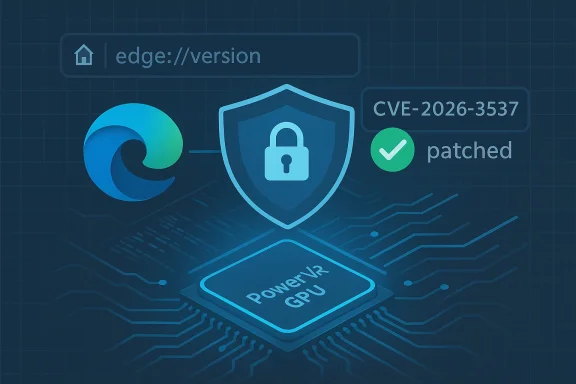 Background / Overview
Chromium is an open‑source browser engine that supplies Blink, V8, GPU/graphics plumbing (including vendor integrations such as PowerVR), and many other subsystems used by Google Chrome and several downstream browsers, including Microsoft Edge. When Google’s Chromium team and Google Chrome ship a security fix, downstream vendors such as Microsoft must pull (ingest) that upstream change, test it in their own builds, and then ship an updated Edge package. Microsoft documents upstream Chromium CVEs in its Security Update Guide (SUG) so enterprise administrators and security teams can answer a simple operational question: “Has Microsoft shipped an Edge build that contains the upstream fix?”CVE‑2026‑3537 is one of those upstream Chromium issues: an object lifecycle problem in the PowerVR code path used by Chrome on Android that can lead to heap corruption when a crafted webpage interacts with the affected GPU subsystem. The National Vulnerability Database (NVD) lists the issue as affecting Google Chrome on Android prior to 145.0.7632.159 and describes the vulnerability as an object lifecycle issue in PowerVR that could be exploited via crafted HTML to cause memory corruption.
Why Microsoft records that CVE inside its SUG is therefore procedural and informational: the SUG entry signals that Microsoft recognizes the vulnerability as relevant to Chromium consumers and provides an authoritative downstream status for Edge customers — whether Edge is still vulnerable, patched, or otherwise mitigated. This is the same reason Microsoft lists other Chromium CVEs in SUG entries: to provide downstream visibility and to avoid leaving enterprise teams guessing about ingestion and patch status.
What CVE‑2026‑3537 actually is (technical summary)
The component: PowerVR
PowerVR is a family of GPU IP and drivers produced by Imagination Technologies and used in a range of Android devices and SoCs. In Chromium/Chrome, graphics and GPU driver interactions run through the browser’s GPU process and vendor‑specific support code; flaws in that path can be triggered by carefully constructed web content that exercises the rendering stack. PowerVR drivers and interfaces have been the root of prior Chromium bugs, because driver interactions expose complex object lifecycles and kernel/userland boundaries.The bug class: object lifecycle
An object lifecycle bug typically arises when code continues to use an object after it has been freed (a use‑after‑free), or when the reference/accounting rules for allocation and deallocation are violated. Those errors can cause heap corruption and, in many browser contexts, can be escalated into remote code execution by a determined attacker. The NVD summary for CVE‑2026‑3537 explicitly uses the phrasing “object lifecycle issue in PowerVR” and flags the vulnerability as able to allow heap corruption via a crafted HTML page on Android builds of Chrome prior to the fixed release.Attack surface and impact
- A vulnerable device must be running an affected Chromium/Chrome build (Chrome on Android in this case).
- Exploitation would be via a crafted web page or other web content that exercises the PowerVR rendering pipeline.
- The technical impact is heap corruption which, in practice, can be used to bypass memory safety mitigations; the worst‑case consequence is remote code execution in the renderer or GPU process context.
- There were no public proof‑of‑concept exploit details published at the time of the public disclosures we reviewed, but the severity of similar past issues in GPU/renderer stacks makes rapid patching advisable.
Why the CVE appears in Microsoft’s Security Update Guide
Downstream visibility: the operational problem it solves
When a Chromium CVE is announced upstream, there are two separate but related timelines:- Google/Chromium/GChrome publishes and ships a fix (Chrome release).
- Downstream Chromium consumers (Microsoft Edge, browser forks, embedded Chromium) must pull the change, test, and ship vendor‑specific builds.
Why this practice matters for enterprise patching
- Enterprises commonly manage large fleets and need a single, authoritative downstream indicator to avoid chasing dozens of upstream advisories.
- Microsoft’s SUG entry becomes the canonical signal for Edge administrators regardless of where the bug was found.
- SUG entries can include a defense‑in‑depth label or other vendor‑specific notes when Microsoft determines additional mitigations are present or required on Edge builds.
Practical takeaway
If you run Microsoft Edge, use Microsoft’s SUG entry for CVE‑2026‑3537 as the final word for your Edge fleet: when the entry shows “fixed” for the Edge build you run, Microsoft’s downstream packaging contains the upstream Chromium fix. If you run Google Chrome directly, consult Google’s Chrome release notes and the Chromium/NVD advisories for the upstream fix and build numbers. (msrc.microsoft.com)How to confirm whether your browser is vulnerable — step‑by‑step
The single most reliable method is to read the browser’s version string and compare it to the fixed Chromium/Chrome build that addresses the CVE. Chromium and Chrome use four‑part versioning: MAJOR.MINOR.BUILD.PATCH. The BUILD (3rd) and PATCH (4th) numbers are what you'll compare to fixed release numbers.For Google Chrome (desktop)
- Open Chrome.
- Click the three‑dot menu (⋮) at top‑right → Help → About Google Chrome.
- The About page will display the full version (for example, “Google Chrome 145.0.7632.159”) and will automatically check for updates. If the displayed version is equal to or greater than the patched build, Chrome is no longer vulnerable. You can also type chrome://version into the address bar for a more detailed view (this page shows the Chromium build string and other internals).
For Chrome on Android
- Open the Chrome app.
- Tap the three dots → Settings → About Chrome (or go to the Play Store and check the installed version).
- Confirm the version number and ensure it meets or exceeds the fixed build. Update via the Play Store if necessary. Practical guidance: many Android devices are updated only when OEMs issue system or driver updates; for Chrome‑only fixes, updating the Chrome app itself via the Play Store is usually sufficient but check OEM guidance for GPU driver updates if a device remains problematic.
For Microsoft Edge (desktop)
- Open Edge.
- Menu (⋯) → Help and feedback → About Microsoft Edge.
- The About page displays the Edge version and will automatically check for updates. Edge also exposes an internal page at edge://version which shows both the Edge version string and the underlying Chromium build number. If the Chromium build number shown is equal to or newer than the Chromium build that fixed the CVE, Edge has ingested the fix.
- The About page gives you the Edge version; the edge://version page includes a “Chromium” field. Compare that Chromium build to the fixed build (Chromium/Chrome 145.0.7632.159 in this case). If the Chromium number is >= patched build, Edge is patched.
Quick checklist for sysadmins and power users
- Open chrome://version or edge://version and record the full version string.
- Verify whether the major.minor.build.patch is >= the fixed build number for CVE‑2026‑3537 (145.0.7632.159).
- If you use Microsoft Edge in managed environments, consult Microsoft’s Security Update Guide entry for the CVE to see the downstream status for Edge builds. (msrc.microsoft.com)
Mapping Chromium builds to vendor releases — practical notes
Chromium’s four‑part versioning is consistent across Chromium-derived browsers, but mapping Chromium builds to vendor release names sometimes causes confusion. A few useful rules:- Google Chrome Stable releases carry their full version string (example: Google Chrome 145.0.7632.159).
- Microsoft Edge uses its own build number but reports the underlying Chromium build in edge://version under the “Chromium” field.
- The simplest operational method is a direct numeric comparison: if the Chromium build number shown in your browser equals or exceeds the fixed build, the fix is present. Chromium’s versioning documentation explains the MAJOR.MINOR.BUILD.PATCH scheme and why the BUILD/PATCH parts matter for security fixes.
Timeline, verification, and cross‑validation
- Upstream fix: NVD and Chromium advisories list CVE‑2026‑3537 and show it fixed in Chrome builds at or after 145.0.7632.159. Use those upstream sources to establish which Chrome release contains the fix.
- Downstream ingestion: Microsoft’s Security Update Guide (SUG) entry for CVE‑2026‑3537 is the downstream signal that Microsoft Edge has recognized and tracked the CVE. When Microsoft marks the issue as addressed for a particular Edge build, Edge administrators can treat Edge as patched for this issue. The SUG entry exists specifically to remove ambiguity around ingestion and shipping status for Edge. (msrc.microsoft.com)
- If Chrome’s About page shows a patched version, Chrome is patched.
- If Edge’s edge://version Chromium field is patched and Microsoft’s SUG indicates the issue is addressed for your Edge channel, Edge is patched.
- If you find a mismatch (e.g., Chrome patched upstream but Microsoft SUG shows Edge as not yet patched), expect a short lag while Microsoft ingests and validates upstream changes — treat the SUG as the ground truth for Edge.
Risk analysis: strengths and potential pitfalls of Microsoft’s approach
Strengths
- Clear downstream signal: Microsoft’s SUG gives a central, vendor‑trusted place to check whether Edge has been patched for upstream Chromium bugs; this reduces doubt and helps automate compliance checks.
- Enterprise alignment: By documenting upstream CVEs in SUG, Microsoft aligns its enterprise update pipeline with widely used vulnerability management workflows (vulnerability scanners, patch managers, and SOC playbooks).
- Auditability: The SUG entry creates a timestamped record that enterprises can cite in audits to prove they tracked and remediated a specific vulnerability in Edge.
Potential pitfalls and risks
- Confusion about responsibility: Listing a Chromium CVE in Microsoft’s SUG sometimes leads to misinterpretation: end users may assume Microsoft introduced the bug. The reality is that the bug is upstream; Microsoft’s listing is informational for downstream ingestion. Clear communication is essential to avoid misplaced blame or misdirected remediation efforts.
- Lag between upstream fix and downstream ingestion: Even though Google may ship a fix quickly, downstream vendors need time to merge, test, and validate — that window creates opportunity for exploitation on devices that are slow to update. Enterprises should assume a small but non‑zero delay when urgent patches appear upstream.
- Version mapping complexity in large fleets: Not all inventory systems report the underlying Chromium build; some report only the branded product version. That can make mass verification harder unless assets are configured to expose chrome://version or edge://version details to inventory tools.
Recommended actions (for consumers, sysadmins, and security teams)
For consumers (individual users)
- Update your browser immediately from the browser’s About page (Chrome: Help → About Google Chrome; Edge: Help and feedback → About Microsoft Edge).
- If you have an Android device, update Chrome via the Play Store; check your OEM for GPU/driver updates if you run into device‑specific problems.
For IT administrators (desktop fleets)
- Use the About/version strings and inventory tools to confirm Chromium/Chrome/Edge versions across devices.
- For Edge‑managed fleets, treat Microsoft’s Security Update Guide entry as the downstream authority for Edge ingestion status and confirm the Edge channel (Stable, Beta, Dev) has received the patched build. (msrc.microsoft.com)
- Prioritize updating devices running older Chromium major versions and consider emergency deployment if the CVE is rated high and in‑the‑wild exploitation is suspected.
For security teams and vulnerability managers
- Cross‑reference upstream Chromium/NVD details with Microsoft’s SUG entries to confirm both upstream fix and downstream ingestion.
- Document the date and version when each fleet segment was patched and keep evidence for audits (screenshots of about pages, inventory reports, or vulnerability scanner results).
- If your organization blocks automatic browser updates, establish a fast path to push Chrome/Edge updates for critical CVEs such as object lifecycle and memory‑corruption issues.
Verification examples (real‑world checks)
- Example: On a Windows desktop running Edge, open edge://version. The page displays the “Microsoft Edge” version and the “Chromium” version string. If the Chromium string is 145.0.7632.159 or later, the platform has the upstream fix for CVE‑2026‑3537 included. If the Chromium string is older, schedule the Edge update and, if necessary, push an emergency policy.
- Example: On Android, checking Chrome’s version via Settings → About Chrome and updating through the Play Store ensures the browser binary includes the upstream patch. If a device manufacturer also ships a GPU driver update (for PowerVR), monitor OEM advisories; in rare cases driver updates are necessary to fully close some GPU‑related vectors.
What to watch next (monitoring and follow‑up)
- Watch the NVD and Chromium advisories for any updates to the CVE severity, exploitability notes, or exploit reports. Public exploit activity or proof‑of‑concepts will change remediation urgency.
- Track Microsoft’s SUG entry for CVE‑2026‑3537 to confirm downstream status for Edge channels. If Microsoft adds mitigation notes or a defense‑in‑depth label, review those before declaring systems fully remediated. (msrc.microsoft.com)
- Ensure device OEMs (Android phone vendors) are listed among your monitoring endpoints if a CVE touches a device‑specific driver or GPU stack; in some cases, Google/Chromium fixes the browser but the GPU driver still requires an OEM update.
Final assessment and advice
CVE‑2026‑3537 is a serious upstream Chromium vulnerability — an object lifecycle issue in PowerVR that can result in heap corruption on affected Android Chrome builds. The appropriate immediate action for both individual users and administrators is to confirm and, if necessary, update Chrome or Edge to the patched build. Use chrome://version or edge://version to read the full version and underlying Chromium build and compare that to the fixed build number (Chromium/Chrome 145.0.7632.159).Microsoft’s inclusion of the CVE in its Security Update Guide is a helpful downstream signal for Edge customers: it does not mean Microsoft authored the bug, but it does mean Microsoft is tracking the issue for Edge and will indicate when Edge builds have ingested the upstream fix. Treat the SUG entry as the downstream authority for Edge, and treat Chromium/NVD/Chrome release notes as the upstream authority for Chrome. Cross‑check both when you manage mixed fleets of browsers. (msrc.microsoft.com)
If you need an immediate checklist:
- Check chrome://version or edge://version now.
- Update the browser if the reported version is older than 145.0.7632.159 (or the version Microsoft lists as fixed for your Edge channel).
- For managed fleets, push the update, document the remediation, and verify via inventory reports that the Chromium build is at or above the fixed build.
Source: MSRC Security Update Guide - Microsoft Security Response Center