
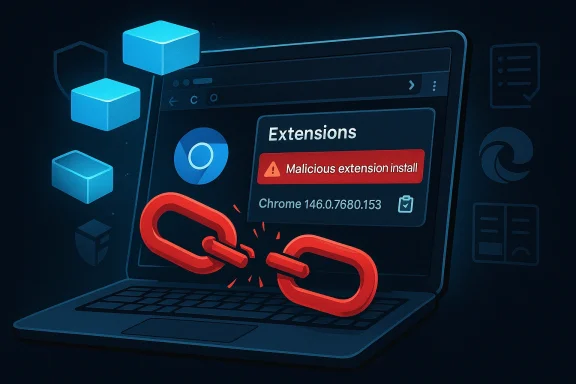
The CVE-2026-4458 disclosure is a reminder that browser security still lives and dies by the smallest memory-management mistakes. According to the Microsoft Security Update Guide entry, the flaw is a use-after-free in Chromium Extensions affecting Google Chrome before 146.0.7680.153, and the practical risk is stark: an attacker who can persuade a user to install a malicious extension may be able to trigger heap corruption through a crafted Chrome extension package. Microsoft’s guide also reflects the downstream reality of Chromium security, where fixes in Chrome ripple into Microsoft Edge and other Chromium-based products through their respective update pipelines. um’s extension ecosystem is one of the browser’s biggest strengths, and one of its most persistent attack surfaces. Extensions can add password management, ad blocking, enterprise policy enforcement, productivity helpers, and UI integrations, but they also expand the browser’s trusted computing base in ways that are easy to underestimate. A use-after-free in that layer is particularly serious because it can turn a logic error into a memory-safety problem with potentially broad exploitability. The NVD entry describes the issue as CWE-416, which is the classic memory-lifetime flaw security teams worry about because it can lead to unpredictable corruption and, in the wrong hands, code execution.
This is not a new pOver the past several release cycles, the Chrome team has repeatedly shipped fixes for memory-safety bugs in components ranging from V8 to WebView, Skia, DevTools, and browser UI subsystems. The March 2026 stable release cycle, in particular, has shown just how many of those issues remain chained to ordinary user behavior and attacker persuasion rather than exotic zero-click conditions. Google’s release notes for Chrome 146 also show that the project continues to rely on layered hardening, automated testing, and rapid stable-channel updates to keep vulnerability windows short.
What makes CVE-2026-4458 noteworthy is the entry point. The vulnerability is not described as a remote drive-by browser exploit or a sandbox escape; it is tied to the social and operational reality of malicious extension installation. That matters because browser security is no longer only a question of rendering untrusted web pages safely. It is also about whether users, admins, and software marketplaces can reliably distinguish legitimate add-ons from deceptive ones. In practice, attackers do not need to break every security model if they can convince a target to granght to live inside the browser.
Microsoft’s inclusion of Chromium-origin CVEs in its Security Update Guide also speaks to the supply-chain structure of modern browsers. Edge inherits most of its security posture from Chromium, so when Google patches Chrome, Microsoft typically tracks the same underlying issue to determine when downstream Edge builds are safe. That is why the Security Update Guide functions as a coordination layer rather than a separate vulnerability origin story. In enterprise environments, that distinction is critical because patch verification often mattersh release.
At the heart of CVE-2026-4458 is a use-after-free condition in the Extensions code path. In plain English, the browser frees memory it later tries to use again, creating a window where corrupted or attacker-influenced data can affect program behavior. In Chromium, that kind of flaw can be especially dangerous because extensions live close to core browser functionality and often interact with privil description says the issue could allow a user who installs a malicious extension to be exposed to heap corruption via a crafted Chrome Extension. That wording is important: it implies the exploit path depends on convincing the victim to install the extension, not merely to visit a page. In other words, the vulnerability is likely best understood as a post-installation compromise vector rather than an instant web-delivered attack.
Google’s Chrome Releases pages in March 2026 show a busy security patch cycle, including stah 10 and March 12, with the latter shipping version 146.0.7680.75/76** and the former promoting Chrome 146 into stable. While the search results we pulled do not expose the specific CVE-2026-4458 bullet, they confirm the release train and the general pattern of rapid desktop security updates that Chrome uses when vulnerabilities are identified. That context matters because a patch number in a CVE entry only becomes actionable once it can be mapped to a release channel and deployment path.
In the modern threat model, social engineering and technical exploitation increasother. A user persuaded to install an extension has already crossed one major trust boundary; if that extension then exercises a memory-safety flaw, the attacker has a far more reliable route to compromise than through a random webpage. This is why browser vendors invest so heavily in extension review, permission prompts, and store abuse detection. The browser is no longer the only attack surface; the add-on ecosystem is part of the browser now.
The key operational question is whether the organization permits any unconstrained extension installation at all. In many environments, the safest default is to allow only app vetted publishers and to disable consumer-style browsing of extension marketplaces. That is especially relevant where sensitive data flows through the browser, because malicious extensions often seek credentials, session cookies, document content, or internal application state. The browser is a workplace application now, not just a window to the web.
There is also a trust issue that goes beyond raw exploit mechanics. Many users equate “available in the browser store” with “safe,” even though extension ecosystems are regularly abused by copycats and transient malicious listings. When a flaw like CVE-2026-4458 exists, it makes hat trust mistake much worse because the malicious add-on is not just unwanted; it may be technically capable of causing memory corruption.
There is a strategic reason Google continues to invest in rapid release cadence, fuzzing, and sanitizer coverage. Chrome’s security model is only as strong as the time it takes to patch high-value memory bugs before they are weaponized. When a vulnerability touches an area like Extensions, where user trust and privilege converge, that urgency only increases. Speed is a security feature in Chromium’s world.
The second question is whether this disclosure pushes more administrators to treat extension governance as a first-class policy domain. If the answer is yes, then the CVE may produce a useful security dividend beyond the immediate patch. If the answer is no, then the industry will almost certainly revisit the same playbook the next time a malicious extension collides with a memory-safety bug.
Source: NVD / Chromium Security Update Guide - Microsoft Security Response Center
This is not a new pOver the past several release cycles, the Chrome team has repeatedly shipped fixes for memory-safety bugs in components ranging from V8 to WebView, Skia, DevTools, and browser UI subsystems. The March 2026 stable release cycle, in particular, has shown just how many of those issues remain chained to ordinary user behavior and attacker persuasion rather than exotic zero-click conditions. Google’s release notes for Chrome 146 also show that the project continues to rely on layered hardening, automated testing, and rapid stable-channel updates to keep vulnerability windows short.
What makes CVE-2026-4458 noteworthy is the entry point. The vulnerability is not described as a remote drive-by browser exploit or a sandbox escape; it is tied to the social and operational reality of malicious extension installation. That matters because browser security is no longer only a question of rendering untrusted web pages safely. It is also about whether users, admins, and software marketplaces can reliably distinguish legitimate add-ons from deceptive ones. In practice, attackers do not need to break every security model if they can convince a target to granght to live inside the browser.
Microsoft’s inclusion of Chromium-origin CVEs in its Security Update Guide also speaks to the supply-chain structure of modern browsers. Edge inherits most of its security posture from Chromium, so when Google patches Chrome, Microsoft typically tracks the same underlying issue to determine when downstream Edge builds are safe. That is why the Security Update Guide functions as a coordination layer rather than a separate vulnerability origin story. In enterprise environments, that distinction is critical because patch verification often mattersh release.
 What CVE-2026-4458 Actually Is
At the heart of CVE-2026-4458 is a use-after-free condition in the Extensions code path. In plain English, the browser frees memory it later tries to use again, creating a window where corrupted or attacker-influenced data can affect program behavior. In Chromium, that kind of flaw can be especially dangerous because extensions live close to core browser functionality and often interact with privil description says the issue could allow a user who installs a malicious extension to be exposed to heap corruption via a crafted Chrome Extension. That wording is important: it implies the exploit path depends on convincing the victim to install the extension, not merely to visit a page. In other words, the vulnerability is likely best understood as a post-installation compromise vector rather than an instant web-delivered attack.Why atter
Use-after-free flaws are dangerous because they give attackers a chance to reuse a memory region after the program believes it is no longer active. If the attacker can shape allocations or influence object lifetimes, the stale pointer may be redirected toward attacker-controlled data, opening the door to corruption or, in some cases, arbitrary code execution. That is why these bugs remain high priority even when they do not appear glamorous compared with full remote code execution. Memory safety is still memory safety, and browser vendors treat it accordingly.Why Extensions are a sensons are not ordinary web content. They can request broad permissions, intercept navigation, manipulate pages, read content, and integrate with browser UI and profile data. That makes them a natural target for adversaries who prefer supply-chain abuse over technical break-ins. A vulnerability in the extension framework therefore has a larger blast radius than a bug in a narrow feature because it can affect trust, identity, and persistence all at once.
- The bug is categorized as CWE-416.
- The aff Google Chrome prior to 146.0.7680.153.
- The likely trigger involves a crafted Chrome Extension.
- The exploit scenario requires the victim to install a malicious extension.
- The security impact is associated with heap corruption.
How the Disclosure Reached Administrators
The public record arllows a familiar Chromium disclosure cadence. NVD shows the CVE as received from Chrome on March 19, 2026, with a modified record on March 20, 2026, and it links the issue to Google’s stable-channel release notes. That timeline suggests the vulnerability moved from vendor disclosure into the broader ecosystem quickly, which is exactly how a browser security advisory should behave when users are exposed at scale.Google’s Chrome Releases pages in March 2026 show a busy security patch cycle, including stah 10 and March 12, with the latter shipping version 146.0.7680.75/76** and the former promoting Chrome 146 into stable. While the search results we pulled do not expose the specific CVE-2026-4458 bullet, they confirm the release train and the general pattern of rapid desktop security updates that Chrome uses when vulnerabilities are identified. That context matters because a patch number in a CVE entry only becomes actionable once it can be mapped to a release channel and deployment path.
Why the version number matters
The threshold 146.0.7680.153 is the cleanest operational marker in the advisory. For security teams, that version number is more useful than the CVE label itself because it allows direct inventory checks. If a managed Chrome estate is below that build, the machine is theoretically still exposed; if it is at or above that build, the browser should contain the fix. Version hygiene is vulnerability hygiene in Chromium land.The enterpriseosoft’s Security Update Guide entry is important because it reflects how enterprise admins verify Chromium-derived risk in the Microsoft ecosystem. Microsoft uses the guide to track upstream Chromium CVEs that affect Edge, even though Google authored the underlying fix. That means defenders can use Microsoft’s record as a downstream verification signal, especially in environments where Edge is the default browser and Chrome may also be present for specific workflows.
- NVD lists the CVE as having been adderch 19, 2026**.
- The guide points to a Chrome stable update and a Chromium issue tracker reference.
- The disclosure path is consistent with Chromium’s normal vendor-to-ecosystem release model.
- The patch threshold is tied to Chrome 146.0.7680.153.
Why Extensions Remain a Security Problem
Extensionss productivity boosters, but security teams know they can also become a stealthy persistence layer. Once installed, an extension can operate with a level of trust that ordinary websites never receive, and that trust is exactly why attackers keep trying to smuggle malicious add-ons into user workflows. CVE-2026-4458 is a reminder that extension abuse is not only about permissions abuse; it is also about exploiting the browser’s own internal memory model.In the modern threat model, social engineering and technical exploitation increasother. A user persuaded to install an extension has already crossed one major trust boundary; if that extension then exercises a memory-safety flaw, the attacker has a far more reliable route to compromise than through a random webpage. This is why browser vendors invest so heavily in extension review, permission prompts, and store abuse detection. The browser is no longer the only attack surface; the add-on ecosystem is part of the browser now.
The malicious-extension playbook
The advisory’s language suggests a targeted scenario where the v installing a crafted extension. That could happen through fake productivity tools, lookalike developer utilities, fraudulent AI helpers, or enterprise-themed impostors designed to blend into legitimate workflows. The exploit then uses the extension runtime or installation path to trigger memory corruption. In other words, the social hook and the technical payload are separate, but they are designed to work together.Why browsers struggle with this class of bug
Browsers are balancing speed, compatibility, and security across a massivs need to communicate with core browser services, UI layers, and page contexts, and that interaction is inherently complex. Every permission boundary, object lifecycle, and asynchronous callback increases the chance that a pointer outlives the memory it references. That is why use-after-free bugs continue to appear even in mature projects with extensive fuzzing and sanitizer coverage.- Malicious extensions can persist longer than a single browsing session.
- Users often over-trust add-ons that appear productivity-oriented.
- Extension permissions can make later exploitation more valuable.
- Memory-safety flaws in extension code are harder to detect than obvious malicious behavior.
- Enterprise allowlists can reduce risk, but they are not a complete solution.
How Chrome and Edge Fit Into the Same RisVE-2026-4458 is a Chrome vulnerability, the broader consequence extends to Microsoft Edge because Edge is Chromium-based. Microsoft’s Security Update Guide entry exists to show when downstream Edge builds have absorbed the upstream fix, and that is the right model for administrators who manage mixed browser fleets. A Chromium fix is not automatically an Edge fix until Microsoft ships the corresponding build.
That downstream reality is often misunderstood by consumer users, who and assume it only affects Chrome installations. In practice, the same codebase and the same memory-safety bug class can matter across multiple browsers and embedded web runtimes. This is why Microsoft publishes Chromium-origin vulnerabilities in its update guide: it helps enterprises map one upstream issue to their own patching estate.Why Edge admins should still care
For organizations that standardize on Edge, a Chromengful event because the underlying engine is shared. If Edge has not yet ingested the fix, then the vulnerability remains relevant even if Chrome has already moved on. That makes the Security Update Guide a practical checkpoint, not just an informational page. The browser brand changes; the attack surface often does not.Why mixed fleets get complicated
Many organizations run both Chrome and Edge, sometimes alongside webview-bd remote management tools. That means a single Chromium bug can create patch verification work across multiple channels, package managers, and update cadences. Security teams need to confirm not only that the browser version is fixed, but also that the browser update has actually propagated to all workstations and virtual desktops. That is a very different problem from merely reading a CVE entry.- Chrome and Edge share a large portion of their security posture.
- Downstream patches can lag upstream releases.
- Enterprises mustrs, not just CVE IDs.
- Embedded Chromium runtimes may require separate validation.
- Browser update channels can produce uneven remediation timing.
What This Means for Enterprise Security Teams
For enterprises, CVE-2026-4458 is more than a browser bug; it is an endpoint policy issue. A user wcious extension has already bypassed a layer of organizational trust, which means browser hardening, extension governance, and user awareness all matter at once. Security teams should treat this as a reminder to revisit extension allowlists, blocklists, and store-sourcing rules.The key operational question is whether the organization permits any unconstrained extension installation at all. In many environments, the safest default is to allow only app vetted publishers and to disable consumer-style browsing of extension marketplaces. That is especially relevant where sensitive data flows through the browser, because malicious extensions often seek credentials, session cookies, document content, or internal application state. The browser is a workplace application now, not just a window to the web.
Priority actions for IT and security teams
A layered response is better than a single control. Patch the browser, audit installed extensions, and lock down extension installation paths so theo cannot recur even if another bug appears later. Organizations that rely on Chrome or Edge for internal SaaS access should also ensure endpoint monitoring can flag suspicious extension behavior after installation.- Verify Chrome version levels and confirm builds are at or above 146.0.7680.153.
- Check Edge build status if Chromium-based Microsoft browsers are in scope.
- Review extension policies to ensure only apprnstalled.
- Remove unused extensions and audit publisher legitimacy.
- Reconfirm endpoint alerting for suspicious browser behavior and profile changes.
- Prioritize systems used by administrators and developers.
- Treat browser extensions as software supply-chain artifacts.
- Align patch verification with endpoint management reports.
- Revisit user education around extension prompts and sume that a malicious extension can be a foothold, not merely a nuisance.
Consumer Impact: Why Ordinary Users Should Still Pay Attention
Consumers may be tempted to dismiss a CVE like this as something only IT departments need to worry about, but that is not a safe assumption. The described attack requires a user to instsion, which means everyday browsing habits matter directly. People who routinely install coupon tools, video downloaders, productivity add-ons, or “AI assistant” extensions are precisely the sort of targets attackers prefer.There is also a trust issue that goes beyond raw exploit mechanics. Many users equate “available in the browser store” with “safe,” even though extension ecosystems are regularly abused by copycats and transient malicious listings. When a flaw like CVE-2026-4458 exists, it makes hat trust mistake much worse because the malicious add-on is not just unwanted; it may be technically capable of causing memory corruption.
Consumer-facing precautions
The practical advice is simple, but not always easy to follow: install fewer extensions, prefer well-known publishers, and remove anything you no longer use. Browser updates should also be allowed to apply promptly because a fixed browser is the first line of defense ion slips through. For home users, the bigger lesson is that browser add-ons are software, and software deserves the same skepticism you would apply to any downloaded app.- Avoid installing extensions you do not truly need.
- Be cautious with “too-good-to-be-true” productivity tools.
- Keep Chrome updated to the latest stable build.
- Remove old extensions that no longer receive active maintenance.
- Assume that anything asking for broad browser permissions deserves scrutiny.
Thttern Behind the CVE
CVE-2026-4458 fits a recurring Chromium pattern: a memory-safety issue appears in a specific subsystem, Chrome ships a fix quickly, and downstream products then track the patch to closure. The March 2026 update cycle included multiple high-severity issues and even notes that some vulnerabioits in the wild, underscoring how aggressively Google has had to respond this cycle. That broader pattern makes the Extensions bug look less like an outlier and more like part of the normal defensive rhythm of a large browser project.There is a strategic reason Google continues to invest in rapid release cadence, fuzzing, and sanitizer coverage. Chrome’s security model is only as strong as the time it takes to patch high-value memory bugs before they are weaponized. When a vulnerability touches an area like Extensions, where user trust and privilege converge, that urgency only increases. Speed is a security feature in Chromium’s world.
Why the fix process still matters
Even when a patch is available, exposure does not end until users actually update. Browser update propagation can be surprisingly uneven, especially in managed environments with staged rollouts, offline endpoints, and policy-driven update deferrals. That is why a CVE like this should be viewed as a lifecycle event rather than a single announcement. The real security outcome happens only when the update is installed and the unsafe version disappears from the fleet.Why the issue is still exploitable in practice
The attack scenario in the advisory depends on user interaction, but that should not be read as a comfort. Soemarkably effective when attackers offer convenience, novelty, or urgency, and extensions naturally borrow the language of utility. A flaw that only becomes dangerous after installation is still dangerous if installation is easy enough to manipulate. That is the uncomfortable truth behind many browser-extension CVEs.- Chromium’s release cadence is designed to compress exposure windows.
- User-driven install steps remain attractive to attackers.
- Memory-safety bugs become more dangerous when tie.
- Patch deployment speed is often the deciding factor in real-world risk.
- The extension ecosystem remains a lucrative target for abuse.
Strengths and Opportunities
The good news is that the Chromium ecosystem has the machinery to respond quickly, and CVE-2026-4458 shows that the vendor, the NVD, and downstream trackers are all aligned around a clear remediation path. That gives enterprises a straightforward opportunity to tighten policy, clean up extension sprawl, and accelerate patch verification before attackers can take advantage of the remaining window. It also reinforces a broader shift toward treating browser governance as a core security function rather than a desktop afterthought.- Fast vendor response reduces the window of exposure.
- Clear version thresholds make remediation measurable.
- Downstream tracking helps Edge administrators validate patch status.
- Extension policy review can remove entire attack classes.
- User education can lower the success rate of social engineering.
- Browser hardening benefits both consumer and enterprise environments.
- Inventory accuracy improves incident response readiness.
Risks and Concerns
The underlying concern is that extension abuse is one of the easiest ways to convert trust into compromise, and use-after-free bugs make that pathway materially more dangerous. Even with a fix available, organizations that allow unrestricted extension installs or delay browser updates can leave themselves exposed longer than they realize. There is also a broader ecosystem risk: once attackers see a class of bug producing reliable results, they tend to keep investing in it.- User persuasion remains the weakest link in the chain.
- Unrestricted extension installs widen the blast radius.
- Patch lag can persist across managed and unmanaged devices.
- Mixed Chrome/Edge fleets complicate verification.
- Lookalike extension listings can amplify social engineering.
- Memory corruption remains a favored route to serious exploitation.
- Browser trust inflation makes users overconfident about add-ons.
Looking Ahead
CVE-2026-4458 should not be read as just another Chrome patch note. It is a snapshot of how browser security now works code fixes, downstream verification, extension policy, user behavior, and enterprise control all have to line up for risk to actually go away. The most important question over the next several days is not whether a fix exists — it does — but how quickly organizations can prove that every relevant endpoint has moved past the vulnerable build.The second question is whether this disclosure pushes more administrators to treat extension governance as a first-class policy domain. If the answer is yes, then the CVE may produce a useful security dividend beyond the immediate patch. If the answer is no, then the industry will almost certainly revisit the same playbook the next time a malicious extension collides with a memory-safety bug.
- Confirm Chrome builds are at or above 146.0.7680.153.
- Verify downstream Edge patch status where Chromium is in use.
- Audit approved extensions and remove unnecessary add-ons.
- Tighten browser-store and sideloading controls.
- Monitor for suspicious extension installations and profile changes.
Source: NVD / Chromium Security Update Guide - Microsoft Security Response Center
