

Overview
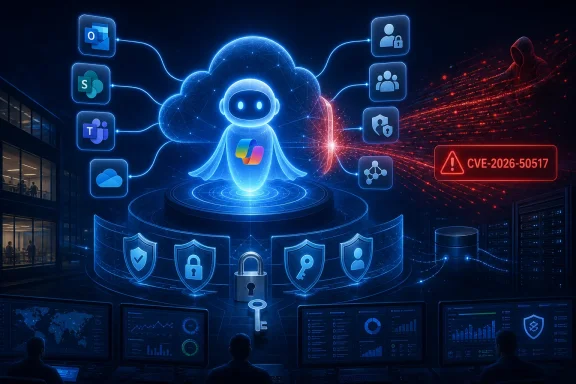
CVE-2026-50517 concerns Microsoft M365 Copilot, the enterprise AI service that can work across Microsoft 365 data, applications, and organizational workflows. The advisory’s most important confirmed point is straightforward: Microsoft recognizes the issue as a vulnerability with a remote code execution impact.
That designation alone does not establish every operational detail security teams need. At publication, publicly available information does not provide a complete technical attack narrative, affected-version matrix, exploit chain, proof of concept, or a confirmed list of required customer actions. Administrators should therefore avoid filling those gaps with assumptions.
Still, a remote code execution classification in an AI-enabled cloud service is significant. Microsoft 365 Copilot sits near email, files, meetings, chats, documents, identity controls, extensions, and connected business data. Even when a vulnerability is remediated on the service side, the security implications extend beyond a conventional software patching exercise.
The key issue is not simply whether a workstation requires an update. It is whether an attacker could influence a Copilot-enabled process, gain execution in a service context, access data through a delegated identity, trigger an action through a connector, or use a compromised account to broaden access within Microsoft 365.
What Is Confirmed — and What Is Not
The confirmed public facts around CVE-2026-50517 are limited but meaningful:
- The affected technology is identified as Microsoft M365 Copilot.
- The stated impact is Remote Code Execution.
- Microsoft published the vulnerability on July 23, 2026.
- The advisory identifies the report-confidence status as Confirmed.
- The vulnerability is tracked under a formal CVE identifier and has been acknowledged through Microsoft’s security update process.
The Confirmed report-confidence designation matters. In CVSS terminology, report confidence reflects the degree of certainty that a vulnerability exists and that its known technical information is credible. A confirmed status indicates that the issue has been validated by the vendor or is otherwise supported by sufficiently reliable evidence.
This does not necessarily mean that public exploit code exists. It does not automatically mean the vulnerability is being exploited in the wild. It also does not tell administrators whether exploitation requires authentication, a particular Copilot license, user interaction, a malicious prompt, an enabled connector, a specially configured tenant, or access to a specific preview feature.
Those distinctions are essential.
Why the Lack of Detail Should Not Lead to Complacency
Security advisories often initially disclose only enough information to identify the issue, establish impact, and communicate remediation status. Vendors may intentionally withhold deeper exploit mechanics while customers receive time to deploy mitigations or while cloud-side fixes propagate.
For Microsoft 365 Copilot, this approach is understandable. Publishing a highly detailed exploitation recipe for an AI service could help attackers test prompt paths, connector configurations, identity boundaries, and automation features across a wide range of tenants.
However, limited details create a practical challenge for defenders. Security teams cannot rely on a single indicator of compromise or a conventional endpoint patch-report query. They need to evaluate exposure across identity, Microsoft 365 configuration, data permissions, Copilot deployment, and integrations.
The right response is neither panic nor passive observation. It is disciplined validation.
Why Remote Code Execution in M365 Copilot Matters
Remote code execution vulnerabilities receive heightened attention because they can transform a remotely reachable feature into an execution path. In traditional software, that may mean an attacker sends malformed network traffic, opens a malicious document, or abuses a web application flaw to execute commands on a server.
In an AI-assisted cloud environment, the boundaries are more complicated.
Microsoft M365 Copilot is not merely a standalone chatbot. Its value depends on contextual access to organizational information and its ability to reason across Microsoft 365 services. Depending on an organization’s deployment and feature configuration, Copilot may interact with resources such as:
- Exchange Online mailboxes and calendar data
- SharePoint Online sites and document libraries
- OneDrive for Business files
- Microsoft Teams chats, channels, meeting content, and collaboration data
- Microsoft 365 Groups and shared workspaces
- Microsoft Graph-mediated resources
- Copilot agents, extensions, plugins, or custom integrations
- External data sources exposed through approved connectors
- Workflow systems and applications linked through enterprise automation
An execution flaw in this environment should not be interpreted as a guaranteed path to execute code on every employee’s Windows PC. That would be an unsupported conclusion. The more accurate concern is that code execution could occur in an affected service or processing context, potentially enabling actions, data access, or downstream abuse that depend on the compromised component’s permissions and trust relationships.
AI Services Change the Attack Surface
The introduction of AI assistants changes several security assumptions.
Traditional applications generally expose fixed workflows: users select commands, submit forms, upload files, or call APIs. AI systems can accept natural-language instructions, summarize retrieved content, interact with tools, and generate contextual outputs. This creates a broader set of potential inputs and a more dynamic decision-making process.
In practical terms, security teams must consider not only direct user prompts but also indirect content that Copilot might retrieve or process. Documents, emails, chat messages, web-linked content, knowledge bases, and connector-fed data can become part of an AI workflow.
That does not prove that CVE-2026-50517 involves prompt injection, malicious content, or connector abuse. The advisory’s public information does not establish a root cause. But it does reinforce a wider lesson: the AI attack surface includes data, instructions, permissions, tools, and service integrations—not just executable binaries.
Understanding the “Confirmed” Report-Confidence Rating
The report-confidence language attached to CVE-2026-50517 can appear abstract, but it carries operational weight.
A vulnerability may be reported with incomplete evidence. A researcher might identify a suspicious condition, but the affected vendor could still be investigating whether it is exploitable, whether it affects supported products, or whether it creates a meaningful security impact. In those situations, confidence can be lower.
A Confirmed rating signals a stronger position. Microsoft has treated the issue as real and actionable rather than speculative. For defenders, that means the vulnerability should enter formal vulnerability-management and risk-management processes immediately.
What Confirmed Does Not Mean
It is equally important to understand what the designation does not say:
- It does not confirm active exploitation.
- It does not confirm that exploitation is easy.
- It does not establish that exploitation is unauthenticated.
- It does not establish that user interaction is unnecessary.
- It does not identify the security context where code could execute.
- It does not identify a specific attacker technique.
- It does not prove that customer-managed devices are directly affected.
- It does not indicate whether a tenant configuration change is required.
Security teams should preserve that uncertainty in executive communications. Calling the issue a “zero-click Windows takeover” or asserting that “all Copilot users are compromised” would be irresponsible without supporting technical evidence.
At the same time, dismissing the issue because there is no public exploit is also a mistake. Attackers frequently analyze advisories, monitor product changes, study behavior differences, and search for adjacent weaknesses after disclosures appear.
The Cloud-Service Remediation Question
One of the first questions administrators will ask is simple: Do customers need to patch anything?
For a cloud service such as Microsoft M365 Copilot, the answer may differ from the familiar Windows Patch Tuesday model. Microsoft can often deploy a service-side fix directly to its infrastructure, meaning no operating system update, Office build deployment, or endpoint restart is required from customers.
But organizations should not assume that a cloud service fix eliminates all local responsibilities.
Service Fixes Are Not the Same as Risk Elimination
If Microsoft remediates the underlying vulnerability in its service environment, that is the most important corrective action. It prevents the known vulnerable condition from persisting in the hosted service.
Yet customer responsibilities may still include:
- Confirming the official remediation status in the Microsoft security advisory and Microsoft 365 administration portals.
- Reviewing Copilot access policies to ensure users only have access to appropriate organizational data.
- Auditing enabled agents, connectors, and extensions that expand Copilot’s reach.
- Reviewing identity logs for suspicious sign-ins, consent events, role changes, and token activity.
- Monitoring unusual data access patterns across Exchange, SharePoint, OneDrive, and Teams.
- Updating companion software if Microsoft identifies any client-side components affected by the advisory.
- Documenting the exposure decision for audit, regulatory, and incident-response purposes.
The distinction is important. A Microsoft-managed patch addresses the product vulnerability. A mature enterprise response also checks whether the organization’s surrounding controls would limit the impact of an identity or AI workflow compromise.
Immediate Actions for Microsoft 365 Administrators
The absence of a fully public exploit chain does not prevent defensive action. Organizations should use the disclosure as a trigger for focused M365 Copilot security hygiene.
1. Review the Official Advisory Continuously
Security advisories can change after their first publication. Microsoft may add product details, FAQ entries, mitigation guidance, revised scoring, acknowledgements, exploitability information, or clarification around customer action requirements.
Treat the initial advisory as a living record rather than a one-time notification. Security operations teams should track updates through their normal vulnerability-intelligence workflow and record any material revision.
2. Confirm Copilot Deployment Scope
Many organizations do not have a single, uniform Copilot deployment. Copilot capabilities may be available through different licensing tiers, web experiences, Microsoft 365 apps, Teams, mobile clients, agents, or controlled rollout programs.
Build an accurate inventory that identifies:
- Users licensed for Microsoft 365 Copilot
- Departments participating in pilot or preview programs
- Copilot-enabled Teams environments
- Custom agents available to employees
- External and internal data connectors
- Third-party extensions or integrations
- High-risk groups with broad access to sensitive data
- Administrative accounts that can manage Copilot settings or related services
A precise inventory reduces both uncertainty and overreaction. It tells the organization where the service is actually in use and which business workflows deserve first review.
3. Apply Least Privilege to Data, Not Just Accounts
Copilot generally operates within the permissions model of the signed-in user. That design is valuable because it avoids granting universal access by default. But it also means that longstanding oversharing in Microsoft 365 can become more visible and more easily discoverable.
Organizations should prioritize:
- Overly broad SharePoint permissions
- Anonymous or company-wide sharing links
- Sensitive material in widely accessible Teams channels
- Unmanaged OneDrive sharing
- Excessive group memberships
- Stale guest accounts
- Dormant service accounts
- Unnecessary tenant-wide application consent
- Unreviewed access to confidential sites and mailboxes
A vulnerability with a remote code execution impact is serious by itself. Its business impact becomes greater if the execution context can access poorly governed data stores or invoke highly privileged connected services.
4. Audit Agents and Connectors
AI agents and connectors are designed to extend Copilot beyond core Microsoft 365 content. They can also introduce additional trust boundaries.
Review each enabled integration for the following:
- Who approved it
- What data it can read
- What actions it can perform
- Whether it supports write operations
- Which users or groups can invoke it
- Whether it relies on OAuth permissions
- Whether its access tokens are appropriately scoped
- Whether logging is available
- Whether its publisher remains trusted and supported
Disable integrations that are not actively used, cannot be adequately monitored, or grant broader access than their business purpose justifies. This is not a reaction unique to CVE-2026-50517; it is a durable security practice for every enterprise AI deployment.
5. Strengthen Identity Controls
An AI service with access to corporate data becomes more dangerous when attackers can impersonate legitimate users. Identity protection is therefore central to managing Copilot-related risk.
Organizations should verify that they have implemented:
- Phishing-resistant multifactor authentication for administrators and high-value users
- Conditional Access policies appropriate to risk level
- Device compliance requirements where practical
- Restrictions on legacy authentication
- Sign-in risk detection and response workflows
- Privileged Identity Management for administrative roles
- Strict controls for application consent
- Reviews of enterprise applications with delegated permissions
- Break-glass account protections and monitoring
The primary goal is to prevent a threat actor from reaching the Copilot environment as a trusted employee, administrator, or connected application.
What Security Teams Should Monitor
A vulnerability disclosure does not automatically produce a reliable indicator of compromise. Until technical details emerge, defenders should focus on behavior that could signal abuse of identity, data access, or cloud automation.
Identity and Authentication Signals
Investigate:
- Sign-ins from unusual locations or devices
- Impossible-travel alerts
- Repeated MFA failures or suspicious MFA approvals
- New authentication methods added to user accounts
- Token refresh anomalies
- Sudden use of previously inactive accounts
- Unusual access to Microsoft 365 administration portals
- Changes to Conditional Access, role assignments, or security policies
Microsoft 365 Data Access Signals
Watch for:
- Abnormally high SharePoint or OneDrive file access
- Large-volume downloads from sensitive document libraries
- New sharing links created for confidential files
- Mailbox searches or export-like activity inconsistent with a user’s role
- Unexpected access to executive, legal, HR, finance, or security folders
- New guest invitations or group membership changes
- Suspicious Teams message patterns involving links, attachments, or external recipients
Application and Automation Signals
Review:
- New OAuth application grants
- Consent to high-privilege API permissions
- Changes to Copilot agents or connector settings
- Newly created workflows that access sensitive content
- New service principals or credential additions
- Unusual API activity from trusted applications
- Unexpected automation running under privileged service identities
None of these events proves exploitation of CVE-2026-50517. They are valuable because they identify adjacent attack paths that a real-world intrusion could use before or after a vulnerability is exploited.
Risks of Mischaracterizing the Vulnerability
The cybersecurity industry has a tendency to flatten complex findings into dramatic headlines. In the case of an AI-related remote code execution vulnerability, the temptation is especially strong.
A serious but careful response should avoid several common errors.
Do Not Assume Endpoint Compromise
“Remote code execution” often evokes an attacker gaining control of a Windows laptop or server. That may be possible in some vulnerability classes, but it cannot be assumed here. Microsoft M365 Copilot is a cloud service, and the public disclosure does not establish that CVE-2026-50517 results in code execution on a customer-managed Windows device.
Do Not Assume Unauthenticated Exploitation
The advisory title does not indicate whether an attacker needs an account, a license, tenant access, a particular role, user interaction, or another precondition. If authentication is required, the vulnerability still matters—but the threat model and containment priorities change.
Do Not Confuse Copilot Products
Microsoft uses the Copilot name across multiple products, including consumer experiences, Microsoft 365 services, Windows features, developer tools, security products, and platform-specific applications. Microsoft M365 Copilot should not be casually conflated with GitHub Copilot, Copilot in Windows, Microsoft Security Copilot, or other branded services.
Product precision matters because the affected architecture, customer controls, remediation process, and exposure profile can be completely different.
Do Not Treat “No Customer Action” as “No Security Work”
If Microsoft indicates that it has completed cloud-side remediation, customers may not need to deploy a software update. That does not excuse organizations from reviewing permissions, integrations, identity controls, and audit logs.
The best interpretation is narrower: the specific vendor remediation may not require a customer-installed patch. Broader security governance remains a customer responsibility.
The Broader Copilot Security Lesson
CVE-2026-50517 arrives as organizations continue to evaluate how much autonomy, context, and connectivity they should grant enterprise AI tools. Copilot can deliver real productivity gains by helping users summarize information, draft content, find organizational knowledge, prepare meetings, and work across Microsoft 365.
Those benefits should not be dismissed. But security architecture must evolve alongside adoption.
AI Security Is Fundamentally a Permissions Problem
The strongest defense against excessive AI exposure is not simply a filter for malicious prompts. It is good information governance.
If a user should not access a file, Copilot should not be able to surface it for that user. If an agent does not require write access, it should not receive write access. If a connector is no longer needed, it should be removed. If an application cannot justify broad delegated permissions, those permissions should be reduced.
This model is familiar to experienced Microsoft 365 administrators, but AI makes the consequences more visible. Generative tools can reduce the effort required to discover, summarize, correlate, and act upon information that was already accessible.
Security Must Cover the Full Workflow
A mature Microsoft 365 Copilot security program should include:
- Data classification and sensitivity labeling
- Permission cleanup across SharePoint, OneDrive, and Teams
- Identity hardening and privileged-access controls
- Agent and connector governance
- Logging and anomaly detection
- Incident-response procedures tailored to cloud services
- User training on prompt safety, external content, and data handling
- Change management for new Copilot capabilities
- Periodic access reviews for high-value repositories
- Clear executive ownership of AI risk
The goal is not to make Copilot unusable. It is to ensure that productivity features operate inside enforceable boundaries.
A Practical Response Plan
For organizations that need a concise operational sequence, CVE-2026-50517 should trigger the following plan:
- Open an internal vulnerability record for CVE-2026-50517 and assign ownership across security, Microsoft 365 administration, and identity teams.
- Verify the latest Microsoft advisory status, including whether remediation has been deployed automatically, whether any client update is required, and whether any mitigations are recommended.
- Identify all M365 Copilot deployments, licenses, agents, extensions, connectors, and high-risk user groups.
- Review Entra ID and Microsoft 365 logs for suspicious identity, consent, role, sharing, and access activity around the disclosure period.
- Validate least-privilege controls for SharePoint, OneDrive, Teams, Exchange, and connected applications.
- Suspend or restrict unnecessary connectors and custom agents until ownership, permissions, and monitoring are confirmed.
- Communicate accurately to leadership, emphasizing that the issue is confirmed and serious while avoiding unsupported claims about exploitability or endpoint impact.
- Update incident-response playbooks to include Copilot, agents, plugins, delegated access, and connector-related evidence sources.
- Track advisory revisions and reassess the organization’s risk rating if Microsoft releases additional technical details.
This approach balances urgency with evidence. It treats the vulnerability as a real security event without allowing incomplete public information to drive speculation.
Conclusion
CVE-2026-50517, the Microsoft M365 Copilot Remote Code Execution Vulnerability, is a confirmed security issue that belongs on every enterprise Microsoft 365 risk register. The remote code execution classification makes it inherently important, while the service’s proximity to organizational data, identities, and connected workflows raises the potential stakes.
Publicly available information does not yet support definitive claims about the exploit path, required privileges, user interaction, affected client platforms, or whether attackers are actively exploiting the flaw. That uncertainty should shape the response, not weaken it.
Organizations should closely follow Microsoft’s evolving guidance, confirm the remediation state, audit Copilot deployment scope, reduce excessive permissions, review agents and connectors, and strengthen cloud identity monitoring. The central lesson is broader than one CVE: as Microsoft 365 Copilot becomes more deeply integrated into business processes, AI security must be treated as identity security, data-governance security, and integration security at the same time.