

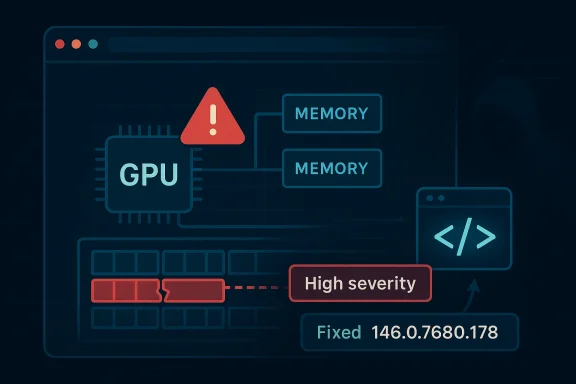
Google has identified a serious browser memory-corruption bug in Chromium’s GPU stack, tracked as CVE-2026-5272, and the fix landed in Chrome before version 146.0.7680.178. Microsoft’s Security Update Guide mirrors the issue for downstream visibility, describing it as a heap buffer overflow in GPU that could let a remote attacker execute code by luring a victim to a crafted HTML page. The practical takeaway is straightforward: this is not a theoretical lab-only bug, but a browser-facing flaw in one of the most security-sensitive parts of the modern web stack. gleblog.com]
Chromium’s GPU subsystem sits in a difficult part of the browser security landscape. It translates web content into accelerated graphics operations, which makes it essential for performance, but also places it close to untrusted input and complex memory handling. That combination is why graphics-related bugs so often rise to the top of browser advisorieased buffer overflow in GPU code immediately draws attention from defenders.
The new CVE fits a pattern that Chrome and Chromium watchers have seen repeatedly in 2025 and 2026: high-impact vulnerabilities tend to cluster around core rendering, media, graphics, and JavaScript execution pathways. Google’s March 2026 stable update notes already show multiple serious issues across the Chrome codebase, including memory-safety defects in WebML, Skia, WebAudio, Blink, and ANGLE, underscoring how frequently the browser’s “hot path” code is being exercised by attackers and researchers alike.
For enterprise admins, the Microsoft Security Update Guide has become an important downstream signal. Microsoft does not create these Chromium bugs; it records them because Microsoft Edge and other Chromium-based software consume upstream Chromium fixes and need to be tracked as part of enterprise patching workflows. That’s why the MSRwted in Google’s browser release process: it helps organizations map upstream remediation to their own browser estate.
This CVE also lands at a time when browser updates are arriving in rapid succession. Chrome 146’s stable channel has already carried multiple security updates across March 2026, and the release cadence itself is a reminder that browser risk is no longer measured in quarterly cycles. The patch window is narrow, the exposure is broad, and the attack surface is public-facing by design.
The NVD record is still undergoing reanalysis, so some fields remain in flux. But the core description is stable enough to act on: ould trigger the overflow, the severity is high, and the vulnerable range ends before 146.0.7680.178**. In security operations terms, that is usually sufficient to justify immediate patch prioritization.
The user interaction requirement is important, but it should not be misread as “low risk.” The CVSS vector attached through CISA-ADP shows network attack, low complexity, no privileges, and user interaction required, with high confidentiality, integrity, and. That is the classic profile of a vulnerability that can be turned into weaponized browser exploitation once an attacker gets a user to open a booby-trapped page.
The best way to think about this issue is not as “a graphics bug” but as “a browser engine bug with graphics consequences.” That distinction matters because attackers do not need to care whether the vulnerable routine is drawing a canvas, decoding video, or compositing acceleray need a deterministic path into the vulnerable memory operation. That is what makes the GPU label misleadingly narrow.
Google’s severity classification of High aligns with how browser vendors increasingly treat memory safety issues. Even when exploitation is not publicly confirmed, vendor severity often reflects the technical plausibility of turning a memory into code execution. In the browser world, that assumption is usually prudent rather than alarmist.
Google’s March 2026 stable channel updates show just how compressed browser remediation has become. Chrome 146 was promoted to stable with a cluster of security fixes, and Google continued issuing subsequent point updates across the month as more issues were identified and resolved. The practical lesson is that browser security is now a moving target, and patching to “the latest Chrome 146 build” is not enough unless that build is specifically the one that contains the fix.
This is one reason Microsoft’s downstream mapping is helpful. MSRC’s Security Update Guide gives administrators a way to correlate upstream Chromium fixes with their own browser deployment state, especially in environments where Edge is the default browser or where both Chrome and Edge are manaiive convenience, but in patch management, small conveniences save real time.
There is also a subtle point about release cadence. When browsers patch fast, they reduce the time between disclosure and user protection, but they also increase the burden on change management. A rushed update may collide with compatibility testing, yet waiting too long leaves the door open to exploitation. That tension is becoming the normal state of browser operations.
Recent Chrome updates reinforce that point. Google has already had to fix high-severity issues in related subsystems such as Skia, WebML, ANGLE, and WebAudio during the same March 2026 update cycle. That pattern suggests a systemic truth rather than a one-off mistake: the more capable browser engines become, the more often their most performance-sensitive code paths become security-critical too.
There is also a practical obstacle for defenders: GPU-related flaws often do not look dramatic on the surface. They may present as a rendering glitch, a crash, or an intermittent browser instability, which can delay triage if the issue is not immediately recognized as a security problembug class is dangerous precisely because it can masquerade as a routine graphics regression. That is not a comforting sign.
For platform vendors, the challenge is balancing acceleration and safety. Disabling GPU features outright would reduce one class of risk but impose measurable performance costs and user experience regressions. So the real answer is not turning graphics off; it is improving code quality, memory safety, fuzzing, and sandbox boundaries.
This is part of a broader Chromium ecosystem reality. Edge is not an independent rendering engine; it is a downstream consumer of Chromium security fixes, with Microsoft sometimes adding its own guidance, product mappings, or remediation framing. In practical terms, that means the same underlying vulnerability can have a Google release note, an MSRC entry, and an enterprise patch action—all referring to the same technical root cause.
The presence of the issue in Microsoft’s guide also underscores how deeply Chromium now underpins the Windows browser ecosystem. Chrome, Edge, and a range of embedded browsers are all connected through the same upstream codebase, so one bug can ripple through multiple vendor channels almost immediately. That downstream propagation is one of the defining security realities of modern desktop software.
It is worth noting that Microsoft’s own entry appears to be a visibility artifact rather than an independent Microsoft-authored bug. That distinction matters because defenders should focus on the fix path and affected builds, not on vendor branding. In this case, upstream Chromium remediation is the story; Microsoft’s role is to make sure enterprises don’t miss it.
y relevant for organizations with broad web access, remote work, or high-trust internal portals. In those environments, a crafted HTML page may arrive not only through open web browsing, but through phishing, injected content, ad networks, or compromised internal web resources. The browser is often the first line of interaction between the user and the attacker.
There is also a policy angle. Many enterprr updates for a variety of reasons, including compliance validation, plugin compatibility, and VDI image management. Those controls are understandable, but they can become counterproductive when a high-severity CVE is actively disclosed and the browser update is already available. In that scenario, the burden shifts to exception handling, not delay.
One operationally useful practice is to make browser versions vtory and endpoint dashboards. If a security operations team cannot quickly answer which devices are below the fixed build, response time stretches unnecessarily. The more integrated the browser inventory is into the enterprise, the less likely a patchable CVE becomes a hidden liability.
The user-facing risk profile is simple: if a malicious page can trigger the bug, then ordinary web browsing becomes the delivery mechanis every user is actively targeted, but it does mean the exploit vector is realistic enough that users should not delay updates when prompted. Browser security is one area where “later” can become “too late” very quickly.
Users should also be aware that a browser restart may be required after the update is downloaded. That small friction point is often where protection is delayed, because the patch has technically been delivered but not yet activated. A downloaded update is not the same thing as a live fix.
The good news is that browser vendors have become much faster at shipping security fixes. The bad news is that attackers know that too, and they move quickly to exploit the gap between disclosure and user complin consumer-grade patching habits matter more than most people think.
Other recent Chrome CVEs give useful context. Google has patched heap buffer overflows and type confusions in WebML, Skia, WebAudio, ANGLE, WebGL, Blink, and V8 during the same release cycle. Even when the technical details differ, the security lesson is the same: modern browser exploitation still leans heavily on memory corruption, and the browser stack remains one of the richest hunting grounds for attackers.
It also reinforces the importance of layered mitigdboxing, site isolation, and update hygiene are all functioning, then a single memory-corruption bug becomes harder to turn into a full compromise. Those layers do not eliminate risk, but they can buy the critical time needed for patch rollouts to complete. In browser security, time is often the most valuable control.
The bigger takeaway is that Chrome’s security posture in 2026 is not degs, but by a willingness to disclose and fix them quickly. That is a good thing, but it also means administrators need to stay in constant motion. Static patch assumptions are no longer sufficient in a release train this active.
It will also be important to see how quickly managed Windows estates absorb ther browsers often update themselves within days, but enterprise estates can trail because of staged rings, hold policies, and packaging delays. That lag is not unusual, but in the case of a high-severity browser RCE candidate, it is a risk multiplier.
Source: NVD / Chromium Security Update Guide - Microsoft Security Response Center
 Background
Chromium’s GPU subsystem sits in a difficult part of the browser security landscape. It translates web content into accelerated graphics operations, which makes it essential for performance, but also places it close to untrusted input and complex memory handling. That combination is why graphics-related bugs so often rise to the top of browser advisorieased buffer overflow in GPU code immediately draws attention from defenders.The new CVE fits a pattern that Chrome and Chromium watchers have seen repeatedly in 2025 and 2026: high-impact vulnerabilities tend to cluster around core rendering, media, graphics, and JavaScript execution pathways. Google’s March 2026 stable update notes already show multiple serious issues across the Chrome codebase, including memory-safety defects in WebML, Skia, WebAudio, Blink, and ANGLE, underscoring how frequently the browser’s “hot path” code is being exercised by attackers and researchers alike.
For enterprise admins, the Microsoft Security Update Guide has become an important downstream signal. Microsoft does not create these Chromium bugs; it records them because Microsoft Edge and other Chromium-based software consume upstream Chromium fixes and need to be tracked as part of enterprise patching workflows. That’s why the MSRwted in Google’s browser release process: it helps organizations map upstream remediation to their own browser estate.
This CVE also lands at a time when browser updates are arriving in rapid succession. Chrome 146’s stable channel has already carried multiple security updates across March 2026, and the release cadence itself is a reminder that browser risk is no longer measured in quarterly cycles. The patch window is narrow, the exposure is broad, and the attack surface is public-facing by design.
The NVD record is still undergoing reanalysis, so some fields remain in flux. But the core description is stable enough to act on: ould trigger the overflow, the severity is high, and the vulnerable range ends before 146.0.7680.178**. In security operations terms, that is usually sufficient to justify immediate patch prioritization.
What CVE-2026-5272 Actually Means
At a technical level, the wording tells you most of what you need to know. A heap buffer overflow occurs when a program writes beyond the bounds of dynamically allocated memory, potentially corrupting adjacent data structures and red. In a browser GPU component, that kind of flaw can be especially dangerous because it may be reached through routine page rendering rather than through some exotic or privileged path.The user interaction requirement is important, but it should not be misread as “low risk.” The CVSS vector attached through CISA-ADP shows network attack, low complexity, no privileges, and user interaction required, with high confidentiality, integrity, and. That is the classic profile of a vulnerability that can be turned into weaponized browser exploitation once an attacker gets a user to open a booby-trapped page.
Why GPU bugs matter more than their label suggests
GPU code sits in a layer many users never think about, but it is increasingly central to browser rendering, video, WebGL, and hardware acceleration. That means a flaw there can affect not just niche enterprise workloads but normal bstems, especially where hardware acceleration is enabled by default. The result is a bug class that is both specialized and broadly reachable.The best way to think about this issue is not as “a graphics bug” but as “a browser engine bug with graphics consequences.” That distinction matters because attackers do not need to care whether the vulnerable routine is drawing a canvas, decoding video, or compositing acceleray need a deterministic path into the vulnerable memory operation. That is what makes the GPU label misleadingly narrow.
Google’s severity classification of High aligns with how browser vendors increasingly treat memory safety issues. Even when exploitation is not publicly confirmed, vendor severity often reflects the technical plausibility of turning a memory into code execution. In the browser world, that assumption is usually prudent rather than alarmist.
- The flaw is in GPU code, not an extension or peripheral component.
- It is reachable via a crafted HTML page.
- The vulnerable versions are older than 146.0.7680.178.
- The likely impact is **remote code ewser context.
- The issue is in a category that attackers routinely prioritize.
The Patch Window and Versioning Story
Versioning is the most operationally useful part of this disclosure. The vulnerability affects Chrome builds prior to 146.0.7680.178, so any environment that has not yet reached that build should be treated as exposed until proven otherwise. That includes not only end-user desktops, but also managed fleets where aicy restrictions can leave stable-channel browsers behind.Google’s March 2026 stable channel updates show just how compressed browser remediation has become. Chrome 146 was promoted to stable with a cluster of security fixes, and Google continued issuing subsequent point updates across the month as more issues were identified and resolved. The practical lesson is that browser security is now a moving target, and patching to “the latest Chrome 146 build” is not enough unless that build is specifically the one that contains the fix.
Why enterprises should care about the exact build number
For an enterprise, the difference between 146.0.7680.177 and 146.0.7680.178 can determine whether a workstation is considered vulnerable. Security teams often rely on browser inventory, endpoint management, and vulnerability reporehind the browser auto-update mechanism. That gap is where exposure persists even after the vendor has published a fix.This is one reason Microsoft’s downstream mapping is helpful. MSRC’s Security Update Guide gives administrators a way to correlate upstream Chromium fixes with their own browser deployment state, especially in environments where Edge is the default browser or where both Chrome and Edge are manaiive convenience, but in patch management, small conveniences save real time.
There is also a subtle point about release cadence. When browsers patch fast, they reduce the time between disclosure and user protection, but they also increase the burden on change management. A rushed update may collide with compatibility testing, yet waiting too long leaves the door open to exploitation. That tension is becoming the normal state of browser operations.
- Confirm whether your fleet is on a build at or above 146.0.7680.178.
- Check whether auto-update policies are delaying browser refreshes.
- Verify both Chrome and Edge sr environments.
- Treat browser version checks as part of the vulnerability management workflow.
- Assume exposure persists until the exact fixed build is verified.
Why GPU and Rendering Bugs Keep Appearing
The recurring appearance of graphics and rendering vulnerabilities is not a coincidence. Browsers like Chrome are effectively miniature operating systems for untrusted content, and their graphics pipelines are pushed hard by accelerated rendering, multimedia workloads, and increasingly complex web applications. When the browser’s GPU patde often handles structured input at high speed, which is exactly the environment where memory-safety mistakes can survive long enough to ship.Recent Chrome updates reinforce that point. Google has already had to fix high-severity issues in related subsystems such as Skia, WebML, ANGLE, and WebAudio during the same March 2026 update cycle. That pattern suggests a systemic truth rather than a one-off mistake: the more capable browser engines become, the more often their most performance-sensitive code paths become security-critical too.
The attacker’s advantage in graphics code
Attackers like graphics bugs because they sit at the intersection of complexity and reach. A crafted page can trigger code paths that are difficult to reason about manually, and any bug that yields memory corruptiointo a reliable exploit with enough work. Even when the browser sandbox is intact, a GPU bug may be the first step in a longer exploitation chain.There is also a practical obstacle for defenders: GPU-related flaws often do not look dramatic on the surface. They may present as a rendering glitch, a crash, or an intermittent browser instability, which can delay triage if the issue is not immediately recognized as a security problembug class is dangerous precisely because it can masquerade as a routine graphics regression. That is not a comforting sign.
For platform vendors, the challenge is balancing acceleration and safety. Disabling GPU features outright would reduce one class of risk but impose measurable performance costs and user experience regressions. So the real answer is not turning graphics off; it is improving code quality, memory safety, fuzzing, and sandbox boundaries.
What this says about browser engineering
The broader lesson is that browser engineering has become a security discipline as much as a feature discipline. Every layer that improves ity also increases the amount of code that can be reached by hostile input. As a result, security advisories like CVE-2026-5272 are not anomalies; they are evidence of the browser’s current architectural reality.- Graphics and GPU code are high-value targets.
- Memory corruption remains the dominant exploit primitive in browsers.
- Visual glitches can hide serious security defects.
- Performance features often expand the attack surface.
- Fuzzing and hardening are now table stakes, not extras.
Microsoft’s Role in the Disclosure
Microsoft’s appearance in the advisory is not incidental. The Security Update Guide is how Microsoft tells Edge and Windows administrators that an upstream Chromium issue matters to them, even if the fix originated in Google’s codebase. For organizations that standardize on Edge, that downstream visibility can be the difference between knowing a fix exists and actually recognizing that their browser fleet needs attention.This is part of a broader Chromium ecosystem reality. Edge is not an independent rendering engine; it is a downstream consumer of Chromium security fixes, with Microsoft sometimes adding its own guidance, product mappings, or remediation framing. In practical terms, that means the same underlying vulnerability can have a Google release note, an MSRC entry, and an enterprise patch action—all referring to the same technical root cause.
Why the Microsoft entry matters for Windows admins
For Windows administrators, the MSRC record is especially useful because it ties browser security to the tooling they already use for compliance and remediation tracking. Vulnerability management platforms, update rings, and endpoint policies all depend on standardized identifiers, and a CVE entry in the Security Update Guide makes it easier to map the issue into administrative plumbing is unglamorous, but it is where risk gets reduced in the real world.The presence of the issue in Microsoft’s guide also underscores how deeply Chromium now underpins the Windows browser ecosystem. Chrome, Edge, and a range of embedded browsers are all connected through the same upstream codebase, so one bug can ripple through multiple vendor channels almost immediately. That downstream propagation is one of the defining security realities of modern desktop software.
It is worth noting that Microsoft’s own entry appears to be a visibility artifact rather than an independent Microsoft-authored bug. That distinction matters because defenders should focus on the fix path and affected builds, not on vendor branding. In this case, upstream Chromium remediation is the story; Microsoft’s role is to make sure enterprises don’t miss it.
- Microsoft is surfacing the issue for Edge and enterprise tracking.
- The CVE originates upstream in Chromium.
- The guide helps map patch status into Windows operations.
- The record reduces ambiguity in mixed-browser environments.
- Downstream disclosure is part of the modern security supply chain.
Enterprise Impact
Enterprises should read CVE-2026-5272 as a patch-priority item, not a background advisory. The combination of remote reachability, a browser-facing attack surface, and high-impact memory corruption means the vulnerability can be chained into real intrusions if left unpatched. Because browsers sit on almost every endpoint, the exposure footprint is potentially enormous.y relevant for organizations with broad web access, remote work, or high-trust internal portals. In those environments, a crafted HTML page may arrive not only through open web browsing, but through phishing, injected content, ad networks, or compromised internal web resources. The browser is often the first line of interaction between the user and the attacker.
Prioritization los
Security teams should rank this vulnerability alongside other browser memory-safety issues, because these are the bugs most likely to be converted into exploit chains. Even if there is no public exploit confirmation yet, the technical profile and severity are enough to justify fast remediation. Waiting for exploitation reports is a poor strategy in browser security.There is also a policy angle. Many enterprr updates for a variety of reasons, including compliance validation, plugin compatibility, and VDI image management. Those controls are understandable, but they can become counterproductive when a high-severity CVE is actively disclosed and the browser update is already available. In that scenario, the burden shifts to exception handling, not delay.
One operationally useful practice is to make browser versions vtory and endpoint dashboards. If a security operations team cannot quickly answer which devices are below the fixed build, response time stretches unnecessarily. The more integrated the browser inventory is into the enterprise, the less likely a patchable CVE becomes a hidden liability.
Enterprise checklist
- Identify browsers older than 146.0.7680.178.
- Vpdate deferrals.
- Confirm Edge status where Chromium fixes are inherited downstream.
- Review remote-access fleets and kiosk devices separately.
- Escalate any exceptions that keep vulnerable versions active.
Consumer Impact
For everyday users, this is the kind of vulnerability that usually gets solved quietly by auto-update, which is both reassuring and dangerous. Reassuring because modern browsers are generally good at self-updating, dangerous because users often assume they are protected without checking the version actually installed. The fix only matters if the update has landed.The user-facing risk profile is simple: if a malicious page can trigger the bug, then ordinary web browsing becomes the delivery mechanis every user is actively targeted, but it does mean the exploit vector is realistic enough that users should not delay updates when prompted. Browser security is one area where “later” can become “too late” very quickly.
What users should do now
Users on Chrome should check that they are on a build at or above 146.0.7680.178. Edge users should make sure their browser responding Chromium fix through the normal Microsoft update path, especially if updates are managed by a work profile or organizational policy.Users should also be aware that a browser restart may be required after the update is downloaded. That small friction point is often where protection is delayed, because the patch has technically been delivered but not yet activated. A downloaded update is not the same thing as a live fix.
The good news is that browser vendors have become much faster at shipping security fixes. The bad news is that attackers know that too, and they move quickly to exploit the gap between disclosure and user complin consumer-grade patching habits matter more than most people think.
- Update Chrome promptly and restart the browser.
- Do not assume auto-update means the fix is active.
- Check Edge if you rely on Microsoft’s Chromium-based browser.
- Be cautious with unexpected links or crafted pages.
- Treat browser updates as urgent, not optional.
Comparative Context With Other March 2026 Chrome Fixes
CVE-2026-5272 is not appearing in isolation. March 2026 has already been one of the busiest security periods for Chrome in recent memory, with multiple high-severity vulnerabilities in adjacent subsystems. That matters because it suggests the browser’s attack surface is being exercised broadly, not only in one codepath but across the rendering and execution stack.Other recent Chrome CVEs give useful context. Google has patched heap buffer overflows and type confusions in WebML, Skia, WebAudio, ANGLE, WebGL, Blink, and V8 during the same release cycle. Even when the technical details differ, the security lesson is the same: modern browser exploitation still leans heavily on memory corruption, and the browser stack remains one of the richest hunting grounds for attackers.
What that pattern means for defenders
This pattern should push defenders away from a bug-by-bug mentality and toward a browser-hardening mentality. The exact component may change—GPU, WebAudio, Skia, WebML, or V8—but the operational response is often the same: patch rapidly, validate versions, and reduce exposure windows. That is especially true in environments where browsers are the primary interface to cloud apps and internal systems.It also reinforces the importance of layered mitigdboxing, site isolation, and update hygiene are all functioning, then a single memory-corruption bug becomes harder to turn into a full compromise. Those layers do not eliminate risk, but they can buy the critical time needed for patch rollouts to complete. In browser security, time is often the most valuable control.
The bigger takeaway is that Chrome’s security posture in 2026 is not degs, but by a willingness to disclose and fix them quickly. That is a good thing, but it also means administrators need to stay in constant motion. Static patch assumptions are no longer sufficient in a release train this active.
- Chrome 146 has already shipped several serious security fixes.
- The broader pattern is a repeated focus on memory safety.
- Fast vendor response does not eliminate admin responsibility.
- Version drift is the enemy of effective browser security.
- Layered mitigations still matter when patching is underway.
Strengths and Opportunities
The upside of this disclosure is that it arrives with a clear fix boundary and a mature distribution mechanism. Users and administrators are not being asked to wait for a vague future patch; they are being told exactly which version clhat makes remediation feasible across both co fleets.- Clear fixed version: 146.0.7680.178.
- Straith description via crafted HTML.
- High-severity classificatioritization.
- Microsoft’s downstream visibility helps enterprise mapping.
- Browser auto-update can reduce dwell time when properly managed.
- The issue reinforces investment in memory-safety tooling and fuzzing.
Risks and Concerns
The concern is that browser exploitation has become routine enough that even well-intentioned deay assume the browser has already updated, while enterir patching ring has already caught up. That mismatch betwelity is where exposure survives.- Potential remote code executi
- Exposure through a ubiquitous application: the browser.
- User int do not eliminate exploitability.
- Patch latency in managed environments can leave oldU bugs may be underappreciated because they can look like simple rendering issues.
- The broader March 2026 Chrome security cycle shows attackers still favor memory corruption.
Looking Ahead
The next thing to watch is whether Google and Microsoft publish further clarifications about exploitation, affected platforms, or related fixes. With Chrome vulnerabilities, that often means additional point releases, updated advisory notes, or tighter guidance once deployment reaches critical mass. If the pattern from March 2026 continues, more browser fixes may follow quickly.It will also be important to see how quickly managed Windows estates absorb ther browsers often update themselves within days, but enterprise estates can trail because of staged rings, hold policies, and packaging delays. That lag is not unusual, but in the case of a high-severity browser RCE candidate, it is a risk multiplier.
Key items to monitor
- Whether Google issues any follow-up clarification on exploitability.
- Whether Microsoft revises the Security Update Guide entry with additional downstream notes.
- How quickly organizations reach 146.0.7680.178 or later.
- Whether browser telemetry shows significant version lag in managed fleets.
- Whether related GPU or rendering bugs appear in the same release line.
Source: NVD / Chromium Security Update Guide - Microsoft Security Response Center
