

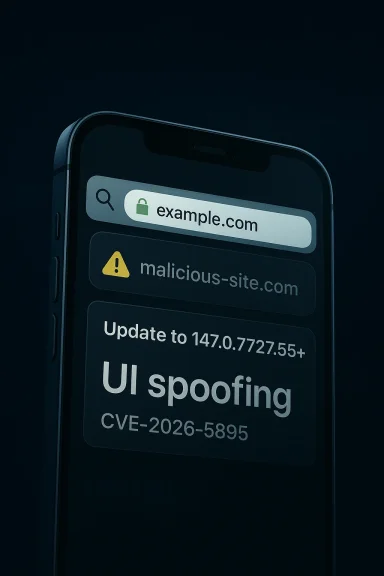
Google’s CVE-2026-5895 is a browser UI spoofing flaw in Chrome on iOS that can let a remote attacker make the Omnibox appear to show something different from the real destination. The bug affects versions prior to 147.0.7727.55, and Google rates the Chromium-side issue as Low severity, which is an important clue: this is not a code-execution bug, but it is still a trust-breaking interface problem with real phishing potential. Microsoft has already surfaced the CVE in its update guide, signaling that the issue is now part of the broader Chromium security patch ecosystem.
Browser security is not only about memory corruption, sandbox escapes, or remote code execution. It is also about the tiny pieces of visual trust that users rely on when deciding whether a page is safe, legitimate, or dangerous. The address bar has always been one of the most valuable trust anchors in a browser, and the Omnibox in Chromium-based browsers carries a disproportionate amount of that burden because it blends search, navigation, and identity cues into one interface.
That is why spoofing vulnerabilities in browser chrome matter. They can trick users into believing they are on a trusted site, even when the browser is actually loading something else. A flaw in the way the URL bar renders or labels security state can be exploited for credential theft, payment fraud, or brand impersonation even if the underlying page cannot break out of the browser sandbox. In other words, appearance can be enough when the user is being guided into the wrong decision.
On iOS, Chrome is in a particularly constrained position. Like all third-party browsers on Apple’s mobile platform, it relies on WebKit under the hood, but it still presents Google’s browser UI, including the Omnibox. That makes the browser chrome itself a security surface. A defect that affects only the visual presentation of the address bar can still have outsize impact because it attacks the moment when the user decides whether to trust the session.
This CVE lands at a time when Chromium security has been especially busy. Microsoft’s own Edge security notes show a steady cadence of Chromium fixes being rolled into Edge Stable across March and April 2026, including multiple high-profile issues and a general acknowledgment that Chromium patches are flowing quickly into downstream browsers. That larger context matters because it shows how security maintenance in the Chromium ecosystem has become a continuous, shared responsibility rather than a once-a-quarter event.
The timing also matters because mobile browser trust cues are now more important than ever. Users increasingly log into banks, e-commerce accounts, and workplace services from phones, and the small-screen environment makes UI deception easier to pull off. A crafted domain name that can manipulate the Omnibox is a classic phishing enabler because the browser’s own interface can be turned into the attacker’s costume.
The attack surface is not exotic. The description says a remote attacker could exploit it through a crafted domain name. That means the payload is not a malicious file, local component, or privileged app; it is simply a web address designed to abuse how the browser renders the destination. This is exactly why UI security issues can be so effective: they leverage behavior that users naturally assume is trustworthy.
That does not mean every spoofing flaw is catastrophic in the same way as a zero-day remote code execution issue. But it does mean the vulnerability can be weaponized for high-confidence deception. Attackers do not need to crash the browser or seize the device; they only need the victim to believe the fake is real.
A mobile browser UI spoof often has a longer tail than a single exploit. Once a phishing kit learns a trick that works against a browser’s address bar presentation, that tactic can be reused against multiple targets and campaigns. The impact therefore extends beyond a single compromised user.
The key distinction is that the attacker’s goal is not to run code on the device. It is to manipulate perception. In phishing scenarios, perception is often the whole game. That is why browser vendors still treat spoofing issues seriously even when they are not headline-grabbing exploits.
That sort of flaw usually lives in the seam between URL parsing and UI rendering. Browsers need to normalize punycode, handle Unicode, suppress deceptive lookalikes, and decide when to show security indicators. If that logic fails, a malformed or cleverly encoded domain can create a display state that appears ordinary even though the underlying destination is not. In practice, that can mean the browser is technically loading one thing while the user believes it is loading another.
A second scenario is brand impersonation. Attackers often register domains that resemble a company name, a support portal, or a banking login. If the browser’s UI itself suppresses or alters the warning signs, the attacker’s domain becomes more believable at precisely the moment the user checks the address bar.
A third scenario is cross-campaign reuse. Once a malicious actor identifies a working display trick, that technique can be embedded into multiple phishing kits. The result is not just one bad domain, but a repeatable abuse pattern that can circulate widely in the underground ecosystem.
But deception is often enough for modern attacks. A well-crafted fake login page only needs one thing from the browser: enough legitimacy to get the user to type. Once the user does, the attacker has accomplished the mission.
Chromium has become the de facto browser engine platform for a huge portion of the web. That scale brings benefits, but it also concentrates risk. A flaw in one component can become a flaw in an entire browser family, especially when the bug lives in shared code or shared UX logic. The upside is faster collective patching; the downside is that a single issue can have ecosystem-wide reach.
This is especially true in mobile environments, where limited screen real estate makes it harder to show all the relevant URL details at once. The browser has to decide what to truncate, what to highlight, and what to hide. Every one of those decisions can become a target.
Another reason these bugs recur is that the web itself is adversarial. Domains can be internationalized, visually similar characters can be abused, and site identity is already a weak concept in a world of CDNs, redirects, subdomains, and embedded services. The browser’s UI has to act as a referee in a match where the players are trying to impersonate one another.
That dependency chain is not a weakness by itself; it is the modern browser model. But it does mean that the security of one browser family can become a shared operational challenge across many vendors.
The mobile threat model is also different. On iOS, users often interact with apps and web pages in short bursts, which makes quick visual judgment more important than deep inspection. If the Omnibox can be spoofed, the user may never take the extra step that would reveal the deception. That single missed check is exactly what phishing operators count on.
There is also a usability nuance here. Users increasingly expect browsers to simplify the address bar, not make it more verbose. That creates a tension: the more the UI abstracts away technical details, the easier it becomes to hide malicious intent inside polished presentation.
This kind of bug can also amplify scam campaigns that rely on urgency. If the browser UI itself looks normal, a fake “your account is locked” or “verify your payment” page becomes more persuasive. The vulnerability does not create the scam, but it lowers the friction for the scam to work.
Mobile device management and conditional access help, but they do not fully eliminate user-interface deception. If a user is tricked into approving a sign-in or MFA prompt on a fake site, the best backend policy in the world can still be undermined by a believable browser screen.
The existence of a specific fixed version is valuable because it gives administrators and users a concrete target. Security teams do not need to infer whether they are safe based on dates or vague release notes. They can simply compare installed versions and confirm whether the correction is present.
For organizations that manage iPhones, version compliance should be checked alongside other browser-related controls. Because browser security and identity security are increasingly intertwined, a browser patch is part of the same defense story as MFA, conditional access, and phishing-resistant authentication.
A practical response sequence looks like this:
This is especially relevant in 2026 because the browser market is still highly competitive, but the underlying engine landscape remains concentrated. When one vendor patches a spoofing issue, users of adjacent products naturally ask whether their own browser’s address bar, security indicators, or domain rendering logic could exhibit similar behavior. That pressure pushes vendors to review not just the fixed bug, but the class of assumptions around it.
For Google, the reputational issue is not the existence of a bug—every major browser has them—but whether the company can respond quickly and clearly. The public patch boundary helps, but the broader challenge is ensuring that users understand why an Omnibox spoof is worth updating for even though it is not a catastrophic exploit.
For rivals, the opportunity is twofold. They can reassure users that they also patch quickly, and they can improve their own anti-spoofing protections. That can mean more explicit display of registrable domains, stronger punycode handling, or more conservative UI behavior on suspicious hostnames.
It also means defenders should watch for telltale patterns after browser patch drops. Attackers often retool existing phishing kits around a fixed UI trick rather than abandoning them outright. A public fix can therefore shift the threat from one browser visual edge case to another related deception method.
The most likely next step is straightforward: broader adoption of the fix across Chrome on iOS, downstream validation by vendors, and renewed attention to similar domain-rendering edge cases. Security teams should expect attackers to probe around the patch for adjacent behavior rather than abandon UI spoofing altogether. In the browser world, fixing one trick often reveals the next one.
Watch for these developments:
Source: NVD / Chromium Security Update Guide - Microsoft Security Response Center
 Background
Browser security is not only about memory corruption, sandbox escapes, or remote code execution. It is also about the tiny pieces of visual trust that users rely on when deciding whether a page is safe, legitimate, or dangerous. The address bar has always been one of the most valuable trust anchors in a browser, and the Omnibox in Chromium-based browsers carries a disproportionate amount of that burden because it blends search, navigation, and identity cues into one interface.That is why spoofing vulnerabilities in browser chrome matter. They can trick users into believing they are on a trusted site, even when the browser is actually loading something else. A flaw in the way the URL bar renders or labels security state can be exploited for credential theft, payment fraud, or brand impersonation even if the underlying page cannot break out of the browser sandbox. In other words, appearance can be enough when the user is being guided into the wrong decision.
On iOS, Chrome is in a particularly constrained position. Like all third-party browsers on Apple’s mobile platform, it relies on WebKit under the hood, but it still presents Google’s browser UI, including the Omnibox. That makes the browser chrome itself a security surface. A defect that affects only the visual presentation of the address bar can still have outsize impact because it attacks the moment when the user decides whether to trust the session.
This CVE lands at a time when Chromium security has been especially busy. Microsoft’s own Edge security notes show a steady cadence of Chromium fixes being rolled into Edge Stable across March and April 2026, including multiple high-profile issues and a general acknowledgment that Chromium patches are flowing quickly into downstream browsers. That larger context matters because it shows how security maintenance in the Chromium ecosystem has become a continuous, shared responsibility rather than a once-a-quarter event.
The timing also matters because mobile browser trust cues are now more important than ever. Users increasingly log into banks, e-commerce accounts, and workplace services from phones, and the small-screen environment makes UI deception easier to pull off. A crafted domain name that can manipulate the Omnibox is a classic phishing enabler because the browser’s own interface can be turned into the attacker’s costume.
What CVE-2026-5895 Actually Does
At the center of CVE-2026-5895 is a very specific problem: Chrome for iOS could display incorrect security UI in the Omnibox when handling a crafted domain name. In plain English, the browser could be made to show the user a misleading address-bar presentation that did not accurately reflect the page they were visiting. That makes the flaw a spoofing vulnerability, not a memory-safety vulnerability.The attack surface is not exotic. The description says a remote attacker could exploit it through a crafted domain name. That means the payload is not a malicious file, local component, or privileged app; it is simply a web address designed to abuse how the browser renders the destination. This is exactly why UI security issues can be so effective: they leverage behavior that users naturally assume is trustworthy.
Why the Omnibox matters
The Omnibox is more than a text field. It is the browser’s identity billboard, the place where users judge whether they are on the genuine site or a lookalike. If that billboard can be influenced by the page itself, even slightly, the browser has lost one of its most important trust signals.That does not mean every spoofing flaw is catastrophic in the same way as a zero-day remote code execution issue. But it does mean the vulnerability can be weaponized for high-confidence deception. Attackers do not need to crash the browser or seize the device; they only need the victim to believe the fake is real.
A mobile browser UI spoof often has a longer tail than a single exploit. Once a phishing kit learns a trick that works against a browser’s address bar presentation, that tactic can be reused against multiple targets and campaigns. The impact therefore extends beyond a single compromised user.
- Spoofing bugs attack human trust, not just software integrity.
- A misleading address bar can enable credential theft and payment fraud.
- Mobile users are often under time pressure, which makes visual deception more effective.
- Small screens reduce the chance that users will manually verify a domain.
- A low-severity label from the vendor does not mean low consequence for every victim.
Why the severity is labeled Low
Chromium’s Low severity classification suggests the exploit is limited in scope compared with memory corruption or sandbox escapes. It likely requires a convincing social-engineering context and may not cross into system compromise. That said, low in vulnerability taxonomy is not the same as low risk in practice, especially when the target is browser chrome and the attack is delivered remotely.The key distinction is that the attacker’s goal is not to run code on the device. It is to manipulate perception. In phishing scenarios, perception is often the whole game. That is why browser vendors still treat spoofing issues seriously even when they are not headline-grabbing exploits.
How the Vulnerability Likely Works in Practice
The publicly available description is concise, so the exact rendering path is not spelled out in the source text. Still, the phrasing strongly suggests a mismatch between the true security state of the page and what Chrome for iOS showed in the Omnibox. The crafted domain name presumably triggered edge-case logic in how the browser decided what to display, which parts of the hostname to emphasize, or how to classify the page’s identity cue.That sort of flaw usually lives in the seam between URL parsing and UI rendering. Browsers need to normalize punycode, handle Unicode, suppress deceptive lookalikes, and decide when to show security indicators. If that logic fails, a malformed or cleverly encoded domain can create a display state that appears ordinary even though the underlying destination is not. In practice, that can mean the browser is technically loading one thing while the user believes it is loading another.
Attack scenarios that make sense
The most obvious scenario is a phishing campaign that sends the user to a lookalike domain engineered to abuse the Omnibox display rules. If the browser visually masks the true host or security state, the victim may proceed to enter credentials, approve a payment, or trust an OAuth flow they would otherwise reject.A second scenario is brand impersonation. Attackers often register domains that resemble a company name, a support portal, or a banking login. If the browser’s UI itself suppresses or alters the warning signs, the attacker’s domain becomes more believable at precisely the moment the user checks the address bar.
A third scenario is cross-campaign reuse. Once a malicious actor identifies a working display trick, that technique can be embedded into multiple phishing kits. The result is not just one bad domain, but a repeatable abuse pattern that can circulate widely in the underground ecosystem.
- Crafted domains are ideal for phishing because they require no local foothold.
- Visual tricks can be more effective on mobile than on desktop.
- UI bugs often persist in the wild even after the underlying CVE is patched.
- Attackers prefer issues that are easy to operationalize at scale.
- The user’s moment of doubt is exactly what the attacker wants to neutralize.
What the bug is not
It is also important not to overstate the issue. The public record does not describe arbitrary code execution, privilege escalation, or a browser sandbox bypass. It is a spoofing problem in the browser interface. That means the core danger is deception, not takeover.But deception is often enough for modern attacks. A well-crafted fake login page only needs one thing from the browser: enough legitimacy to get the user to type. Once the user does, the attacker has accomplished the mission.
The Broader Chromium Security Pattern
CVE-2026-5895 is part of a familiar Chromium story: a steady stream of issues that range from rendering bugs to memory-safety defects to user-interface trust failures. Microsoft’s Edge security release notes show that Chromium fixes are being integrated continuously into Edge Stable and Edge for Android and iOS, with multiple updates landing in late March and early April 2026. That pattern underscores how every downstream Chromium browser inherits the same security rhythm, even if the product branding differs.Chromium has become the de facto browser engine platform for a huge portion of the web. That scale brings benefits, but it also concentrates risk. A flaw in one component can become a flaw in an entire browser family, especially when the bug lives in shared code or shared UX logic. The upside is faster collective patching; the downside is that a single issue can have ecosystem-wide reach.
Why spoofing bugs keep returning
Spoofing bugs are stubborn because browsers are constantly balancing usability and security. If the address bar is too aggressive, it frustrates legitimate sites and users. If it is too permissive, it can be manipulated. The interface has to make nuanced judgments under messy real-world conditions, and attackers spend a lot of time looking for those judgment failures.This is especially true in mobile environments, where limited screen real estate makes it harder to show all the relevant URL details at once. The browser has to decide what to truncate, what to highlight, and what to hide. Every one of those decisions can become a target.
Another reason these bugs recur is that the web itself is adversarial. Domains can be internationalized, visually similar characters can be abused, and site identity is already a weak concept in a world of CDNs, redirects, subdomains, and embedded services. The browser’s UI has to act as a referee in a match where the players are trying to impersonate one another.
- Browser trust cues are heuristics, not absolute truths.
- Internationalized domains create visual ambiguity.
- Mobile rendering increases the temptation to truncate information.
- Security and usability often compete in the same UI element.
- Attackers are drawn to anything that makes a fake look just real enough.
The role of downstream vendors
Microsoft’s Edge update cadence is a reminder that browser vendors downstream from Chromium have to act quickly whenever the project fixes a security issue. Even if the underlying vulnerability is not in Edge-specific code, the browser still needs to ingest the fix, validate it, and ship it to users. The same logic applies across the broader Chromium ecosystem, including vendors that build on Chromium for desktop or mobile products.That dependency chain is not a weakness by itself; it is the modern browser model. But it does mean that the security of one browser family can become a shared operational challenge across many vendors.
Why This Matters More on iOS
Chrome on iOS occupies an unusual position in the browser market. It is a Google-branded browser, but it runs within Apple’s platform constraints. That means the user experience, update cadence, and rendering environment are not identical to Chrome on desktop or Android. A vulnerability that affects the browser UI on iOS is therefore not just a clone of a desktop issue; it is a platform-specific trust problem.The mobile threat model is also different. On iOS, users often interact with apps and web pages in short bursts, which makes quick visual judgment more important than deep inspection. If the Omnibox can be spoofed, the user may never take the extra step that would reveal the deception. That single missed check is exactly what phishing operators count on.
There is also a usability nuance here. Users increasingly expect browsers to simplify the address bar, not make it more verbose. That creates a tension: the more the UI abstracts away technical details, the easier it becomes to hide malicious intent inside polished presentation.
Consumer impact
For ordinary users, the practical risk is phishing. A spoofed Omnibox can make a fake login site, fake support portal, or fake payment page look more trustworthy than it is. On a phone, especially, users are more likely to rely on the browser’s own appearance rather than typing or copying the full domain into another tool.This kind of bug can also amplify scam campaigns that rely on urgency. If the browser UI itself looks normal, a fake “your account is locked” or “verify your payment” page becomes more persuasive. The vulnerability does not create the scam, but it lowers the friction for the scam to work.
Enterprise impact
For enterprises, the concern is broader than one stolen password. A successful mobile phishing event can lead to corporate email compromise, cloud tenant compromise, or approval of a malicious OAuth consent flow. If employees use Chrome on iPhones for workmail, SSO portals, or CRM access, a browser UI spoof becomes an enterprise security issue.Mobile device management and conditional access help, but they do not fully eliminate user-interface deception. If a user is tricked into approving a sign-in or MFA prompt on a fake site, the best backend policy in the world can still be undermined by a believable browser screen.
- Consumer users face credential theft and scam acceleration.
- Enterprise users face SSO abuse and account takeover.
- Mobile screens give attackers fewer visual objections to overcome.
- Browser UI spoofing can bypass user intuition more easily than network defenses.
- The damage often shows up later as a secondary compromise, not immediately at the browser.
Why patching matters even when severity is low
A low-severity Chrome issue may not justify panic, but it absolutely justifies rapid patching. Spoofing bugs are often most dangerous when they are underestimated. Users may assume that if there is no red warning, no lock icon issue, and no certificate problem, then the page must be legitimate. That assumption is exactly what the vulnerability exploits.Patch Status and Versioning
The key remediation point is straightforward: Chrome on iOS versions prior to 147.0.7727.55 are affected, and users should move to 147.0.7727.55 or later. The public record also shows that Microsoft has referenced the CVE in its update guide, which is consistent with the broader Chromium patch pipeline being recognized by downstream vendors.The existence of a specific fixed version is valuable because it gives administrators and users a concrete target. Security teams do not need to infer whether they are safe based on dates or vague release notes. They can simply compare installed versions and confirm whether the correction is present.
What users should do
For most people, the answer is simple: update Chrome on iOS as soon as the App Store release is available on the device. If automatic updates are enabled, the window of exposure should be short, but users should not assume that all devices receive the update at the same time.For organizations that manage iPhones, version compliance should be checked alongside other browser-related controls. Because browser security and identity security are increasingly intertwined, a browser patch is part of the same defense story as MFA, conditional access, and phishing-resistant authentication.
A practical response sequence looks like this:
- Verify the installed Chrome for iOS version.
- Update to 147.0.7727.55 or newer.
- Confirm that automatic updates are enabled.
- Reinforce user training around lookalike domains and unexpected login prompts.
- Audit high-risk login flows that are often used in phishing campaigns.
Why version numbers matter here
Version numbers are the simplest way to communicate a patch boundary, but they are also a reminder of the sheer pace of browser maintenance. Chrome’s weekly or near-weekly release cadence means fixes can arrive quickly, yet users who delay updates can remain exposed to issues that are already public. In browser security, days matter because attackers move quickly after disclosures become available.- Fixed version: 147.0.7727.55
- Affected range: earlier than 147.0.7727.55
- Product scope: Google Chrome on iOS
- Vulnerability type: incorrect security UI / spoofing
- Attack style: remote crafted domain name
Competitive and Ecosystem Implications
The real impact of a Chromium UI bug is not limited to Chrome itself. Because many browsers and web-facing products share Chromium code paths or security expectations, the issue becomes part of a larger ecosystem conversation about how browser UI should defend user trust. Even when a specific vendor is the one named in the CVE, the lessons cascade outward.This is especially relevant in 2026 because the browser market is still highly competitive, but the underlying engine landscape remains concentrated. When one vendor patches a spoofing issue, users of adjacent products naturally ask whether their own browser’s address bar, security indicators, or domain rendering logic could exhibit similar behavior. That pressure pushes vendors to review not just the fixed bug, but the class of assumptions around it.
The trust premium
Browsers compete on speed, features, sync, privacy, and ecosystem integration. But at the end of the day, they all also compete on trust. A browser that makes the user feel safe is more valuable than one that merely looks modern. CVE-2026-5895 is a reminder that trust can be undermined by seemingly small presentation flaws.For Google, the reputational issue is not the existence of a bug—every major browser has them—but whether the company can respond quickly and clearly. The public patch boundary helps, but the broader challenge is ensuring that users understand why an Omnibox spoof is worth updating for even though it is not a catastrophic exploit.
For rivals, the opportunity is twofold. They can reassure users that they also patch quickly, and they can improve their own anti-spoofing protections. That can mean more explicit display of registrable domains, stronger punycode handling, or more conservative UI behavior on suspicious hostnames.
Lessons for security teams
Security teams should treat browser UI issues as phishing-enablement flaws, not just browser bugs. That framing changes the response posture. If the attack affects user trust, then identity controls, telemetry, and phishing-resistant authentication become part of the remediation story.It also means defenders should watch for telltale patterns after browser patch drops. Attackers often retool existing phishing kits around a fixed UI trick rather than abandoning them outright. A public fix can therefore shift the threat from one browser visual edge case to another related deception method.
- Browser UI bugs are part of the phishing threat model.
- Patch speed matters as much as the original severity label.
- Vendors compete on trustworthiness, not just features.
- Security teams should map spoofing bugs to identity risk.
- A fixed browser issue can trigger a short-term spike in attacker adaptation.
Historical echo
This CVE also fits a long browser-security lineage. Years ago, vendors focused on code execution, sandbox escapes, and cross-site data leaks. Today, although those risks remain, browsers are increasingly judged on whether they can keep visual identity cues honest. That is a more subtle battle, but not a less important one.Strengths and Opportunities
The strongest thing about the response to CVE-2026-5895 is that the remediation boundary is clear and the issue is scoped. That gives users, admins, and vendors a clean line to act on. It also reinforces the idea that browser vendors are still treating spoofing bugs as first-class security concerns rather than mere polish issues.- The fixed version is clearly identified as 147.0.7727.55.
- The issue is narrow in scope, which makes remediation simpler.
- The problem is publicly documented, reducing ambiguity for defenders.
- Chromium’s update pipeline allows fast downstream propagation.
- Security teams can use the bug as a training example for phishing awareness.
- Vendors can review related UI trust cues in their own products.
- The issue may encourage stronger browser anti-spoofing heuristics overall.
Risks and Concerns
The obvious risk is that users will underestimate the issue because it is labeled Low severity. That would be a mistake. Spoofing flaws may not hand attackers shell access, but they can hand them something just as valuable in practice: user confidence. If the user believes the browser, the attacker has already won a major part of the contest.- Users may ignore the patch because it does not sound dramatic.
- Attackers can combine spoofing with social engineering for higher success rates.
- Mobile screens make domain inspection harder.
- Browser UI flaws can be reused in phishing kits quickly.
- Organizations may fail to classify browser spoofing as an identity threat.
- Delayed updates can leave long-lived exposure on unmanaged devices.
- False confidence in the address bar can lead to credential disclosure.
Looking Ahead
CVE-2026-5895 is a reminder that browser security is not just about hardening the engine; it is about preserving the truthfulness of the interface. As browsers continue to condense, automate, and abstract the URL bar, the potential for subtle trust failures will only grow. That means the next wave of browser security work will likely focus not only on code isolation, but on interface honesty.The most likely next step is straightforward: broader adoption of the fix across Chrome on iOS, downstream validation by vendors, and renewed attention to similar domain-rendering edge cases. Security teams should expect attackers to probe around the patch for adjacent behavior rather than abandon UI spoofing altogether. In the browser world, fixing one trick often reveals the next one.
Watch for these developments:
- Broader rollout of 147.0.7727.55 and later on iOS devices.
- Additional Chromium hardening around domain rendering and truncation.
- Phishing kits adapting to new browser trust cues.
- Downstream browser vendors incorporating the same fix path.
- Security researchers comparing this issue with other Omnibox spoofing cases.
Source: NVD / Chromium Security Update Guide - Microsoft Security Response Center
Last edited:
