

Chromium’s CVE-2026-5907 is another reminder that browser security problems do not need to be flashy to matter. Google says the flaw is an insufficient data validation bug in Media that affects Chrome versions prior to 147.0.7727.55, and the practical result is a remote attacker being able to trigger an out-of-bounds memory read using a crafted video file. Microsoft has already surfaced the advisory in its Security Update Guide, which means enterprise defenders should treat it as part of the broader Chromium patch wave now moving through managed fleets. teresting thing about CVE-2026-5907 is not that it is catastrophic on paper, but that it sits in one of the most trust-heavy code paths in the browser: media handling. Video parsing is deeply exposed to attacker-controlled content, and every parser, demuxer, decoder wrapper, and validation check becomes part of the security boundary. In practice, that means a bug described as “low” by Chromium can still matter operationally because browsers ingest video from a huge number of sources, including web pages, ad stacks, streaming portals, social feeds, and embedded players.
Google’s release cashows how aggressively Chromium is continuing to ship security fixes in the Stable channel. The Chrome releases archive for March and early April 2026 shows repeated security updates, including the move to version 147, and an early stable update for desktop on April 1 that advanced Windows and Mac to 147.0.7727.49/.50 for a subset of users before the broader stable rollout. CVE-2026-5907 lands against that backdrop of rapid maintenance and patch propagation. (chromereleases.googleblog.com)
What makes the Microsoft Security Update Guide entry especially useful is that it frames the Chrome issue in downstream terms. Microsoft uses the guide to track Chromium-origin vulnerabilities for Microsoft Edge and related ecosystems, so an entry there is a practical signal for administrators that the upstream fix has become relevant to the Microsoft side of the house. Microsoft has also explained in public that the Security Update Guide exists as a centralized, authoritative place to track vulnerability information and that it incorporates CVE data and supporting advisory information.
This is also part of a familiar pattern in Chromium security: media bugs, PDF bugs, WebCodecs bugs, and UI spoofing bugs often cluster in the same release cycle because the browser’s attack surface is broad and constantly evolving. In March 2026 alone, Google’s release notes included multiple browser security fixes across different components, including a media-related out-of-bounds read in WebCodecs and several memory-safety issues in other subsystems. CVE-2026-5907 is therefore best understood not as an isolated event, but as one more data point in a sustained hardening effort. (chromereleases.googleblog.com)
At a technical level, insufficient data validation is one of those phrases that sounds modest until you unpack it. It means the media pipeline accepted input it should have rejected or constrained more tightly, and that failure led to an out-of-bounds memory read. An out-of-bounds read can expost have been accessible, cause crashes, or act as a primitive in a larger exploit chain, depending on what memory is touched and how the surrounding code behaves.
For a browser, the security significance is straightforward: the attacker controls the file, the browser tries to parse it, and the parser’s assumptions are wrong. That is exactly why media bugs remain such a persistent class of Chromium issues. Modern browsers have to accept enormous variety in real-world video formats, container structures, codec metadata, and partial or malformed streams, which makes validation both essential and difficult. The more formats you support, the more opportunities there are for edge cases to become security bugs.
The broader browser patch picture in early April 2026 suggests that this release train is already carrying multiple fixes, not just one. Google’s April 1 early stable update took a small percentage of Windows and Mac users to 147.0.7727.49/.50, and the March 2026 release archive shows a steady stream of fixes across Stable and Extended Stable. That tells administrators that CVE-2026-5907 is part of an active maintenance cycle, not an outlier dropped into an otherwise quiet month. (chromereleases.googleblog.com)
The NVD page for the CVE also reflects an important reality of current vulnerability management: public records can be partially populated early on, while downstream enrichment and vendor mappings fill in over time. Forecord shows the original Chrome description, an NVD publication date of April 8, 2026, and an update on April 9, 2026 that added the CVSS and CWE information through CISA-ADP enrichment. That timing is typical of a newly published CVE working its way through the ecosystem.
That matters because many enterprises manage both Chrome and Edge, or at least allow both in some business units. In those environments, the question is not simply “Has Google fixed it?” but “Has every Chromium-based browser our users rely on received the relevant upstream change?” Microsoft’s CVE listing helps close that gap by making downstream visibility part of the patching workflow.
The immediate impact described here is a memory read, not code execution. Still, memory disclosure is often valuable because it can reveal heap layout, object contents, addresses, or other data that helps defeat exploit mitigations. In an ecosystem like Chromium, where exploit chains are frequently composed of multiple flaws, a “read primitive” can be as strategically useful as it is easy to dismiss.
The operational burden is not just installing the update; it is proving adoption. Organizations with software distribution systems, update deferrals, or privileged browser settings need to make sure the 147.0.7727.55 baseline has actually propagated and that users have restarted into the patched binary. In the modern browser world, a lot of risk hides in the gap between “update available” and “update active.”
Consumers should also recognize that browser updates are not only about fixing obvious “dangerous” flaws like remote code execution. Memory reads, UI spoofing, policy bypasses, and validation failures all shape the trustworthiness of everyday web use. The Chromium release archives in March and April 2026 show how many such issues can pile into a single cycle, which is why keeping pace with browser updates is one of the easiest high-value security habits a user can maintain. (chromereleases.googleblog.com)
That pattern also explains why browser advisories often feel repetitive. One week it is a use-after-free, the next it is an out-of-bounds read, then it is a UI spoofing issue or a policy enforcement gap. The substance differs, but the strategic lesson is the same: browsers remain one of the most attack-rich pieces of software in the average endpoint stack.
The biggest opportunity here is better patch discipline. Organizations that already maintain browser inventories can convert a vulnerability record like this into a quick compliance action rather than a prolonge is exactly where mature security operations should be headed: fewer surprises, faster validation, and more automation.
Another risk is fragmented adoption. Chrome, Edge, and other Chromium-based products may not all update on the same day, and enterprise environments often contain a long tail of stale versions, suspended laptops, remote devices, or user-held update deferrals. That creates a window where the vulnerability is known, the fix exists, but a meaningful share of endpoints still lag behind.
It will also be worth watching whether this advisory becomes part of a larger trend in media-related Chromium bugs. The March 2026 release archive already shows media, WebCodecs, and other rendering-adjacent issues surfacing in close proximity, which suggests that browser media code remains an active target for both researchers and potential attackers. If that pattern continues, expect more validation-focused fixes and more pressure on organizations to treat browser patching as a standing operational discipline rather than a quarterly housekeeping task. (chromereleases.googleblog.com)
Source: NVD / Chromium Security Update Guide - Microsoft Security Response Center
Google’s release cashows how aggressively Chromium is continuing to ship security fixes in the Stable channel. The Chrome releases archive for March and early April 2026 shows repeated security updates, including the move to version 147, and an early stable update for desktop on April 1 that advanced Windows and Mac to 147.0.7727.49/.50 for a subset of users before the broader stable rollout. CVE-2026-5907 lands against that backdrop of rapid maintenance and patch propagation. (chromereleases.googleblog.com)
What makes the Microsoft Security Update Guide entry especially useful is that it frames the Chrome issue in downstream terms. Microsoft uses the guide to track Chromium-origin vulnerabilities for Microsoft Edge and related ecosystems, so an entry there is a practical signal for administrators that the upstream fix has become relevant to the Microsoft side of the house. Microsoft has also explained in public that the Security Update Guide exists as a centralized, authoritative place to track vulnerability information and that it incorporates CVE data and supporting advisory information.
This is also part of a familiar pattern in Chromium security: media bugs, PDF bugs, WebCodecs bugs, and UI spoofing bugs often cluster in the same release cycle because the browser’s attack surface is broad and constantly evolving. In March 2026 alone, Google’s release notes included multiple browser security fixes across different components, including a media-related out-of-bounds read in WebCodecs and several memory-safety issues in other subsystems. CVE-2026-5907 is therefore best understood not as an isolated event, but as one more data point in a sustained hardening effort. (chromereleases.googleblog.com)
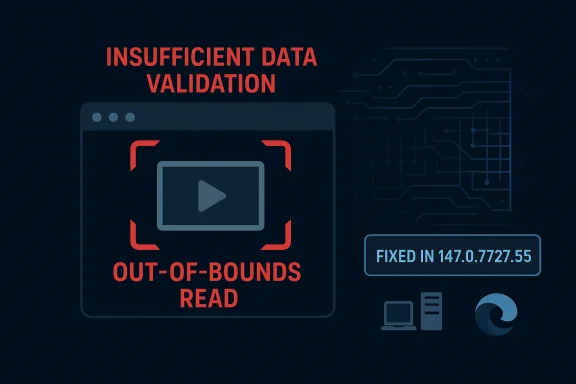 What CVE-2026-5907 Actually Means
At a technical level, insufficient data validation is one of those phrases that sounds modest until you unpack it. It means the media pipeline accepted input it should have rejected or constrained more tightly, and that failure led to an out-of-bounds memory read. An out-of-bounds read can expost have been accessible, cause crashes, or act as a primitive in a larger exploit chain, depending on what memory is touched and how the surrounding code behaves.For a browser, the security significance is straightforward: the attacker controls the file, the browser tries to parse it, and the parser’s assumptions are wrong. That is exactly why media bugs remain such a persistent class of Chromium issues. Modern browsers have to accept enormous variety in real-world video formats, container structures, codec metadata, and partial or malformed streams, which makes validation both essential and difficult. The more formats you support, the more opportunities there are for edge cases to become security bugs.
Why media bugs are so common
Media stacks are notoriously complex because they sit at the intersection of standards compliance, performance engineering, and legacy compatibility. Browser engineers need to handle malformed input gracefully without making the parser permissive enough to become exploitable. That tension is what gives attackers room to work, especially when a browser is asked to process untrusted content automatically on page load or embedded playback.- Attackers can hide payloads in benign-looking video files.
- Media features are often reached without obvious user suspicion.
- Parsers must handle malformed files from the open web.
- Small validation mistakes can become memory-safety issues.
Why the Patch Level Matters
The fixed Chrome version is 147.0.7727.55, and that exact cutoff is the detail IT teams should anchor on. Anything earlier than that version remains within the vulnerable range described in the advisory, which means patch verification needs to be version-specific rather than based on a vague “latest Chrome” assumption. In enterprise environments, that distinction matters beca staged rollouts, and delayed restarts can leave a meaningful number of endpoints behind the current security baseline.The broader browser patch picture in early April 2026 suggests that this release train is already carrying multiple fixes, not just one. Google’s April 1 early stable update took a small percentage of Windows and Mac users to 147.0.7727.49/.50, and the March 2026 release archive shows a steady stream of fixes across Stable and Extended Stable. That tells administrators that CVE-2026-5907 is part of an active maintenance cycle, not an outlier dropped into an otherwise quiet month. (chromereleases.googleblog.com)
Version targeting in real deployments
In practice, version targeting is only useful if the organization can see and enforce it. That means software inventory, policy-driven browser updates, and validation after the rollout all matter more than the advisory language alone. If a browser is updated automatically but users have long-lived sessions or deferred relaunches, the patch is present in the machine image but not necessarily active in the process that is handling attacker-controlled content.- Confirm the installed Chrome version on managed endpoints.
- Confirm the running browser version after restart.
- Check policy override behavior in managed environments.
- Track Edge separately if Chromium-based downstream products are in scope.
The Security Rating Question
Google’s Chromium severity label for this issue is Low, but readers should resist the temptation to treat that as equivalent to “unimportant.” Vendor severity labels are contextual and often reflect exploitability, required interaction, and expected impact in scoring framework. In this case, the advisory text says the attacker needs a crafted video file, which implies some degree of user interaction or at least user exposure to malicious content, and that can push the issue into a lower nominal category even though the affected surface is widely used.The NVD page for the CVE also reflects an important reality of current vulnerability management: public records can be partially populated early on, while downstream enrichment and vendor mappings fill in over time. Forecord shows the original Chrome description, an NVD publication date of April 8, 2026, and an update on April 9, 2026 that added the CVSS and CWE information through CISA-ADP enrichment. That timing is typical of a newly published CVE working its way through the ecosystem.
Low severity does not mean low operational priority
From an IT operations standpoint, a “Low” browser bug can still be patch-worthy for several reasons. First, it may be chained with another flaw. Second, enterprise users routinely open large numbers of files and links from untrusted sources. Third, in managed environments, consistency is often more important than trying to rank every browser fix in isolation because different “low” issues can accumulate into a meaningful risk posture.- Browser bugs are often chained with other weaknesses.
- Media content is routinely consumed from untrusted sources.
- One exposed endpoint can become a foothold.
- Patch coherence matters across fleets more than labels alone.
Microsoft’s Role in the Story
Microsoft’s Security Update Guide listing is not just a duplication of Google’s notice. It is a downstream signal to customers that depend on Chromium-derived browser code, especially Microsoft Edge. Microsoft has publicly described the Security Update Guide as a centralized source for vulnerability data, advisories, and machine-readable tracking, and it has also said that partner CVEs are included to help customers track where a fix has landed.That matters because many enterprises manage both Chrome and Edge, or at least allow both in some business units. In those environments, the question is not simply “Has Google fixed it?” but “Has every Chromium-based browser our users rely on received the relevant upstream change?” Microsoft’s CVE listing helps close that gap by making downstream visibility part of the patching workflow.
Why downstream visibility matters
The practical problem with Chromium-based ecosystems is that the same engine powers multiple products, each with its own release cadence and update plumbing. Chrome may publish a fix first, but Edge still has to absorb and distribute it through Microsoft’s channels. That means enterprises that assume one browser’s update status automatically tells them everything they need to know about the other are taking an unnecessary risk.- Chrome and Edge do not update on identical schedules.
- Endpoint controls may differ between browser families.
- Reporting should separate upstream and downstream status.
- Security teams need a browser-by-browser inventory.
How Attackers Would Think About It
A crafted video file is the kind of payload that fits neatly into modern delivery tactics. Attackers do not need to convince a target to run a suspicious executable if they can entice them to open or render a video through a web page, a shared file, or an embedded media widget. The browser then becomes the parser, and the parser becomes the attack surface.The immediate impact described here is a memory read, not code execution. Still, memory disclosure is often valuable because it can reveal heap layout, object contents, addresses, or other data that helps defeat exploit mitigations. In an ecosystem like Chromium, where exploit chains are frequently composed of multiple flaws, a “read primitive” can be as strategically useful as it is easy to dismiss.
Possible abuse patterns
The public advisory does not describe a confirmed exploit campaign, so any attack scenario remains hypothetical. Even so, the plausible threat model is clear: a malicious site or file share could deliver a booby-trapped video that causes the browser to read outside an intended buffer and leak information. That information might then be used to support a second-stage attack against the same browser session or as.- Malicious video hosted on a compromised site.
- Embedded media in a phishing or lure page.
- File-sharing abuse in internal environments.
- Chained exploitation after initial memory disclosure.
Enterprise Impact
For enterprises, CVE-2026-5907 is primarily a patch-management event, but it is also a reminder of how often browsers sit on the front line of security exposure. Managed endpoints regularly open media inside browsers, whether for training, dashboards, marketing portals, collaboration platforms, or customer-facing applications. That makes browser media vulnerabilities more relevant than the severity label alone suggests.The operational burden is not just installing the update; it is proving adoption. Organizations with software distribution systems, update deferrals, or privileged browser settings need to make sure the 147.0.7727.55 baseline has actually propagated and that users have restarted into the patched binary. In the modern browser world, a lot of risk hides in the gap between “update available” and “update active.”
Patch workflow priorities
A disciplined response should start with inventory and then move to enforcement. If Chrome is allowed in the environment, check it first. If Edge is also in use, confirm its Chromium lineage has reached the corresponding safe build. Then validate that policy and telemetry reflect the expected version state rather than a stale cached one.- Inventory Chrome and other Chromium-based browsers.
- Verify endpoint versions against the fixed build.
- Force restarts where policy allows.
- Confirm compliance in reporting tools.
- Watch for stragglers on extended support or offline devices.
Consumer Impact
For home users, the advice is simpler: update Chrome and restart it. Most consumer risk comes from timing and exposure, not from a sophisticated adversary targeting a specific machine. If you routinely browse media-heavy sites, stream video from unknown sources, or open video files received from others, you are exactly the kind of user who benefits from rapid patching.Consumers should also recognize that browser updates are not only about fixing obvious “dangerous” flaws like remote code execution. Memory reads, UI spoofing, policy bypasses, and validation failures all shape the trustworthiness of everyday web use. The Chromium release archives in March and April 2026 show how many such issues can pile into a single cycle, which is why keeping pace with browser updates is one of the easiest high-value security habits a user can maintain. (chromereleases.googleblog.com)
Practical consumer guidance
The most important thing is not to wait for a symptom. Browsers rarely announce a vulnerability in a way users can see, and a media parsing bug may never crash visibly even when it is exploitable. Quiet bugs are often the ones that are most likely to slip through casual attention.- Restart the browser after updating.
- Avoid opening unsolicited video files.
- Keep automatic updates enabled.
- Use a single trusted browser channel where possible.
Relationship to the Wider Chromium Security Cycle
CVE-2026-5907 is best understood as part of a broader spring 2026 hardening cycle in Chromium. The March release archive shows multiple memory-safety fixes and information-disclosure issues across components such as WebCodecs, WebML, V8, and media-adjacent code paths. The recurring pattern is hard to miss: Chromium is still under constant pressure from the complexity of its attack surface, and the security team is still shipping frequent remediation updates. (chromereleases.googleblog.com)That pattern also explains why browser advisories often feel repetitive. One week it is a use-after-free, the next it is an out-of-bounds read, then it is a UI spoofing issue or a policy enforcement gap. The substance differs, but the strategic lesson is the same: browsers remain one of the most attack-rich pieces of software in the average endpoint stack.
Why the cycle keeps repeating
The browser is simultaneously a renderer, document processor, media player, graphics engine, scripting runtime, and policy enforcement layer. That sheer breadth means there are many opportunities for validation failures and memory errors. As web standards and web apps become more complex, the surrounding security burden grows with them.- More features mean more parser complexity.
- More formses.
- More web content means more untrusted input.
- More integrations mean more chaining opportunities.
Strengths and Opportunities
CVE-2026-5907 also highlights some positive signs in the modern browser security ecosystem. Google disclosed the issue promptly, tied it to a specific fixed version, and published enough detail for defenders to make a concrete remediation decision. Microsoft then reflected the vulnerability in its own guide, improving visibility for downstream consumers who need browser inventory across mixed environments.The biggest opportunity here is better patch discipline. Organizations that already maintain browser inventories can convert a vulnerability record like this into a quick compliance action rather than a prolonge is exactly where mature security operations should be headed: fewer surprises, faster validation, and more automation.
- Clear version cutoff for remediation.
- Public downstream tracking in Microsoft’s guide.
- Known weakness category for easier classification.
- Straightforward consumer mitigation via auto-update.
- Good fit for automated compliance checks.
- Useful signal for browser inventory hygiene.
- Reinforces the value of prompt restarts.
Risks and Concerns
The main concern is that “Low” severity can encourage complacency. Browser vulnerabilities often look smaller than they are because their real value appears only when chained with other flaws or used as part of a larger intrusion path. A memory read in media processing is not the kind of bug most users will notice, which is precisely why defenders should not wait for signs of exploitation before patching.Another risk is fragmented adoption. Chrome, Edge, and other Chromium-based products may not all update on the same day, and enterprise environments often contain a long tail of stale versions, suspended laptops, remote devices, or user-held update deferrals. That creates a window where the vulnerability is known, the fix exists, but a meaningful share of endpoints still lag behind.
- Severity labels can understate chained risk.
- Delayed restarts leave the process vulnerable.
- Multiple Chromium browsers complicate inventory.
- Offline devices miss timely updates.
- Media files are easy to distribute at scale.
- User trust in “just a video” can be exploited.
- Patch drift is common in large fleets.
Looking Ahead
The next thing to watch is how quickly patched versions reach the broad consumer base and managed enterprise base, not just the early adopter cohort. Google’s April 2026 release behavior suggests the company is continuing its rapid stable-channel cadence, and that should accelerate rollout of the fix. Microsoft’s mirrored guidance means Edge administrators should also look for the corresponding downstream state and not assume Chrome’s patch timing is enough on its own. (chromereleases.googleblog.com)It will also be worth watching whether this advisory becomes part of a larger trend in media-related Chromium bugs. The March 2026 release archive already shows media, WebCodecs, and other rendering-adjacent issues surfacing in close proximity, which suggests that browser media code remains an active target for both researchers and potential attackers. If that pattern continues, expect more validation-focused fixes and more pressure on organizations to treat browser patching as a standing operational discipline rather than a quarterly housekeeping task. (chromereleases.googleblog.com)
- Confirm Chrome version 147.0.7727.55 or later.
- Verify Edge’s corresponding downstream patch status.
- Restart browsers after updates are applied.
- Audit any endpoints that frequently consume video content.
- Watch for additional media-path CVEs in the same release family.
Source: NVD / Chromium Security Update Guide - Microsoft Security Response Center
