

Google and Microsoft moved CVE-2026-8003 into the public vulnerability pipeline this week after Chrome 148.0.7778.96 fixed an input-validation flaw in TabGroups that could let a remote attacker spoof browser UI through malicious network traffic. The bug is rated low by Chromium but medium by CISA’s ADP scoring, and that mismatch is the real story. This is not a panic-button Chrome zero-day; it is a reminder that browser risk increasingly lives in the thin layer between what users see and what the browser actually does. For Windows admins, the practical answer is simple: patch Chrome and Chromium-based Edge, but treat the CPE metadata as a starting point rather than a complete asset map.
CVE-2026-8003 is not the kind of Chrome vulnerability that usually dominates security headlines. There is no public claim of active exploitation in the vulnerability record, no remote code execution label, and no “critical” badge attached to the specific flaw. The affected component, TabGroups, sounds almost mundane: a productivity feature, not a rendering engine or JavaScript runtime.
That is exactly why it is interesting. Modern browser security is no longer just a contest over memory corruption in V8, Blink, or GPU sandboxes. It is also a contest over whether the browser can be made to lie convincingly to the user at the moment a decision is made.
The description is brief but telling: insufficient validation of untrusted input in TabGroups allowed UI spoofing via malicious network traffic. In plain English, Chrome accepted something it should have treated with more suspicion, and the result could affect what the user believed they were seeing. A bug like that may not hand an attacker a shell, but it can help an attacker win the human part of the exploit chain.
That is why the severity labels deserve careful reading. Chromium’s low rating reflects the narrow technical impact Google assigned to this issue. CISA’s ADP CVSS 3.1 score of 5.4, however, treats the combination of network attack surface, low complexity, no privileges required, required user interaction, and some confidentiality and availability impact as a medium-risk problem.
Neither judgment is necessarily wrong. They are looking at the same flaw from different angles.
The term UI spoofing covers a broad range of misdirection. It can mean making one interface element resemble another, hiding or confusing origin signals, or placing misleading content where a user expects browser-owned or trusted application-owned information. In a web browser, the stakes are unusually high because users rely on small visual cues to distinguish a legitimate sign-in, payment flow, enterprise portal, or admin console from a trap.
CVE-2026-8003 appears to sit in that category. The public description does not disclose exploit mechanics, and the linked Chromium issue is permission-restricted, which is normal for freshly patched browser bugs. Google commonly keeps details closed until enough users have received the fix, precisely because working proof-of-concept material can turn a low-rated issue into a useful phishing primitive.
The affected versions are Chrome prior to 148.0.7778.96, with the May 2026 stable desktop update moving Linux to 148.0.7778.96 and Windows and macOS to 148.0.7778.96 or 148.0.7778.97. That version detail matters because enterprise scanners, help-desk scripts, and software inventory tools often use the vulnerable-version cutoff as the operational trigger.
For WindowsForum readers, the key phrase is not “low severity.” It is “prior to 148.0.7778.96.”
So are we missing a CPE? Probably not in the narrow NVD sense for Google Chrome itself. The obvious Chrome CPE is present:
But in the practical Windows ecosystem, the CPE answer gets messier. Microsoft’s advisory page exists because Microsoft Edge is Chromium-based and inherits many Chromium fixes, but Edge is not represented by the Google Chrome CPE. A scanner that keys only on the Chrome CPE may correctly flag Chrome and still miss Edge, Brave, Opera, Vivaldi, or embedded Chromium runtimes unless the vendor’s own detections and CPE mappings are present.
That is the gap admins should care about. It is not necessarily a missing CPE in the CVE record; it is the distance between a CVE’s product mapping and a real fleet’s browser inventory. The CVE describes the upstream Chromium-family issue, but every downstream browser ships its own build numbers, update cadence, policy controls, and enterprise packaging.
In other words, CPE is useful for vulnerability correlation. It is not a substitute for knowing which Chromium-derived applications are actually installed.
This is the normal rhythm of Chromium-based Edge security now. Google discloses and patches a Chromium issue; Microsoft evaluates whether Edge is affected; the MSRC entry appears or updates; Edge stable channel releases pick up the relevant fix. The security responsibility is shared across vendors, but the operational responsibility lands on IT.
That can be awkward in managed environments. Chrome might update through Google Update, Edge through Microsoft Edge Update, and packaged browsers through Intune, Configuration Manager, winget, third-party patch systems, or VDI image refreshes. The browser has become too central to treat as a userland afterthought, but too fast-moving to patch with old monthly-server habits.
CVE-2026-8003 is small enough to expose that process weakness without the distraction of an emergency. If an organization cannot reliably answer which Chrome and Edge versions are deployed today, it will not suddenly gain that visibility when a critical browser zero-day is being exploited tomorrow.
UI spoofing rarely matters in isolation. It matters when attached to credential phishing, session theft, OAuth consent abuse, malicious extension installation, fake support workflows, or enterprise single sign-on confusion. A low-severity UI bug can become an accelerant for a medium- or high-impact campaign if it makes a lure more believable.
That is why CISA’s ADP vector is useful even if it differs from Chromium’s tone. The vector says the attack is network reachable, requires no privileges, has low complexity, and needs user interaction. That is the profile of a social-engineering-friendly browser issue: not self-executing magic, but potentially easy to combine with a convincing click path.
Windows admins have learned this lesson the hard way. The endpoint compromise often begins not with a spectacular kernel exploit but with a user persuaded that the wrong window, tab, login box, or prompt is legitimate. Browser UI bugs sit exactly in that seam.
This is one of the chronic frustrations of browser patch management. Security teams want vulnerability-by-vulnerability risk scoring, while browser vendors ship rapid cumulative updates. By the time an administrator has argued over one CVE’s score, the more important fact may be that the installed browser is simply behind the stable channel.
Chrome’s version number also matters because stable-channel rollout is staggered. Some machines will receive the update automatically; others may sit behind policy, network restrictions, frozen images, broken update services, or users who never relaunch. Browser patching is not complete when the package downloads. It is complete when the running process has restarted into the fixed version.
That detail is especially relevant for persistent browser sessions. Many users now keep browsers open for weeks, carrying dozens of tabs, authentication sessions, and web apps. A patched binary on disk does not protect a still-running vulnerable process.
For enterprise Chrome, the policy question is whether update controls are accelerating or delaying safety. Rings are sensible; indefinite deferral is not. A staged rollout that verifies compatibility quickly is very different from a browser fleet stranded several versions behind because nobody wants to interrupt line-of-business web apps.
For Edge, the administrator’s task is parallel: verify the installed Edge stable version that includes the Chromium fix, not merely the Windows patch level. Windows Update history alone is not enough, because Edge’s servicing path can differ from the OS cumulative update path. Inventory must check the browser itself.
For unmanaged home users, the practical instruction is familiar: open the browser’s About page, let it check for updates, and relaunch. The relaunch is the part people skip, and it is the part that matters.
Security scanners may handle this in several ways. Some will report “Google Chrome prior to 148.0.7778.96” based on installed version. Some will map the CVE into a broader Chrome multiple-vulnerabilities plugin. Some will separately flag Edge if Microsoft publishes the corresponding advisory and version detection. Others may wait for vendor metadata to settle.
That delay is not unusual. NVD enrichment, CISA ADP scoring, vendor advisories, and scanner plugins often update on slightly different timelines. The CVE was received from Chrome on May 6, modified by CISA the same day, and received NVD initial analysis on May 7. In the first 24 to 48 hours of a browser release, metadata can look unfinished even when the patch is already available.
Admins should resist the urge to treat the CPE record as scripture. The operational question is simpler: is the installed browser version older than the fixed build? If yes, update it. If no, document the exception and move on.
TabGroups adds another visible surface to that long-running contest. It is not as obviously sensitive as the address bar, but it changes how users interpret context. If a tab appears to belong to the “Finance” group, the “Admin” group, or a set of trusted internal tools, the user may behave differently.
That is the broader lesson of CVE-2026-8003. Security boundaries are not only enforced by sandboxes and memory-safe code. They are also enforced by visual language. A browser feature that changes perception can become security-relevant even if it was designed as a workspace convenience.
This is likely to matter more, not less. Browsers are absorbing AI assistants, password managers, payment flows, enterprise access controls, remote desktop surfaces, and app-like workspaces. The more the browser becomes the operating environment, the more its UI becomes part of the trusted computing base.
That test should include unmanaged corners. Developer workstations, lab machines, shared kiosks, VDI gold images, offline laptops, and third-party managed devices often drift from the official baseline. Browser vulnerabilities punish that drift because the browser is exposed to hostile content by design.
It should also include the policy layer. If Chrome or Edge update policies are configured to delay major versions, administrators should know exactly how long that delay lasts and who can override it. If extensions are allowed broadly, UI spoofing concerns should feed into extension governance, because malicious or overprivileged extensions can compound user-interface deception.
The same logic applies to awareness training, though that phrase has been abused into meaninglessness. Users do not need a lecture about CVE numbers. They need consistent browser update prompts, fewer fake-looking internal workflows, and authentication flows that do not train them to click through visual ambiguity.
That makes this a patch-management story with a user-interface security subplot. The bug is not apocalyptic, but it touches one of the most abused attack surfaces in computing: the user’s trust in what the browser appears to be showing. Low-rated flaws in that space deserve more respect than their labels sometimes receive.
Source: NVD / Chromium Security Update Guide - Microsoft Security Response Center
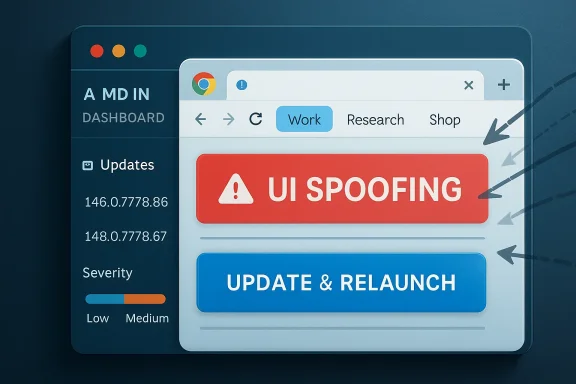 A Low-Severity Chrome Bug Still Lands in a High-Stakes Place
CVE-2026-8003 is not the kind of Chrome vulnerability that usually dominates security headlines. There is no public claim of active exploitation in the vulnerability record, no remote code execution label, and no “critical” badge attached to the specific flaw. The affected component, TabGroups, sounds almost mundane: a productivity feature, not a rendering engine or JavaScript runtime.That is exactly why it is interesting. Modern browser security is no longer just a contest over memory corruption in V8, Blink, or GPU sandboxes. It is also a contest over whether the browser can be made to lie convincingly to the user at the moment a decision is made.
The description is brief but telling: insufficient validation of untrusted input in TabGroups allowed UI spoofing via malicious network traffic. In plain English, Chrome accepted something it should have treated with more suspicion, and the result could affect what the user believed they were seeing. A bug like that may not hand an attacker a shell, but it can help an attacker win the human part of the exploit chain.
That is why the severity labels deserve careful reading. Chromium’s low rating reflects the narrow technical impact Google assigned to this issue. CISA’s ADP CVSS 3.1 score of 5.4, however, treats the combination of network attack surface, low complexity, no privileges required, required user interaction, and some confidentiality and availability impact as a medium-risk problem.
Neither judgment is necessarily wrong. They are looking at the same flaw from different angles.
TabGroups Turned Browser Chrome Into Security-Relevant Surface
Tab groups are a convenience feature, but browser convenience features increasingly sit in privileged psychological territory. They shape the visible workspace, organize sessions, label related sites, and help users decide which page belongs to which task. When that visible layer is manipulated, the attack may be less about breaking the browser and more about bending the user’s trust.The term UI spoofing covers a broad range of misdirection. It can mean making one interface element resemble another, hiding or confusing origin signals, or placing misleading content where a user expects browser-owned or trusted application-owned information. In a web browser, the stakes are unusually high because users rely on small visual cues to distinguish a legitimate sign-in, payment flow, enterprise portal, or admin console from a trap.
CVE-2026-8003 appears to sit in that category. The public description does not disclose exploit mechanics, and the linked Chromium issue is permission-restricted, which is normal for freshly patched browser bugs. Google commonly keeps details closed until enough users have received the fix, precisely because working proof-of-concept material can turn a low-rated issue into a useful phishing primitive.
The affected versions are Chrome prior to 148.0.7778.96, with the May 2026 stable desktop update moving Linux to 148.0.7778.96 and Windows and macOS to 148.0.7778.96 or 148.0.7778.97. That version detail matters because enterprise scanners, help-desk scripts, and software inventory tools often use the vulnerable-version cutoff as the operational trigger.
For WindowsForum readers, the key phrase is not “low severity.” It is “prior to 148.0.7778.96.”
The CPE Record Is Helpful, but It Is Not the Whole Asset Story
The NVD record’s CPE configuration lists Google Chrome versions up to, but excluding, 148.0.7778.96, paired with Windows, Linux, and macOS operating-system CPEs. That is broadly what one would expect for a desktop Chrome vulnerability. It identifies Chrome as the vulnerable application and scopes the platform set across the major desktop environments.So are we missing a CPE? Probably not in the narrow NVD sense for Google Chrome itself. The obvious Chrome CPE is present:
cpe:2.3:a:google:chrome:*:*:*:*:*:*:*:* with the vulnerable range capped before 148.0.7778.96. The operating-system CPEs are there to describe affected platform contexts rather than to imply that Windows, Linux, or macOS are themselves vulnerable.But in the practical Windows ecosystem, the CPE answer gets messier. Microsoft’s advisory page exists because Microsoft Edge is Chromium-based and inherits many Chromium fixes, but Edge is not represented by the Google Chrome CPE. A scanner that keys only on the Chrome CPE may correctly flag Chrome and still miss Edge, Brave, Opera, Vivaldi, or embedded Chromium runtimes unless the vendor’s own detections and CPE mappings are present.
That is the gap admins should care about. It is not necessarily a missing CPE in the CVE record; it is the distance between a CVE’s product mapping and a real fleet’s browser inventory. The CVE describes the upstream Chromium-family issue, but every downstream browser ships its own build numbers, update cadence, policy controls, and enterprise packaging.
In other words, CPE is useful for vulnerability correlation. It is not a substitute for knowing which Chromium-derived applications are actually installed.
Microsoft’s Role Is Downstream, but Windows Admins Still Own the Outcome
The user-facing source here is Microsoft’s Security Update Guide entry for CVE-2026-8003, but the vulnerability source is Chrome. That distinction matters. Microsoft is not claiming that Windows itself has a TabGroups flaw. Microsoft is tracking the Chromium vulnerability because Edge consumes Chromium code and because Windows administrators often patch browsers through Microsoft tooling.This is the normal rhythm of Chromium-based Edge security now. Google discloses and patches a Chromium issue; Microsoft evaluates whether Edge is affected; the MSRC entry appears or updates; Edge stable channel releases pick up the relevant fix. The security responsibility is shared across vendors, but the operational responsibility lands on IT.
That can be awkward in managed environments. Chrome might update through Google Update, Edge through Microsoft Edge Update, and packaged browsers through Intune, Configuration Manager, winget, third-party patch systems, or VDI image refreshes. The browser has become too central to treat as a userland afterthought, but too fast-moving to patch with old monthly-server habits.
CVE-2026-8003 is small enough to expose that process weakness without the distraction of an emergency. If an organization cannot reliably answer which Chrome and Edge versions are deployed today, it will not suddenly gain that visibility when a critical browser zero-day is being exploited tomorrow.
Severity Labels Can Hide the Attack Chain
The Chromium severity of low will tempt some teams to defer. That may be defensible in a tightly controlled environment, especially if update rings are already moving. But severity should not be read as a moral ranking of whether a bug matters; it is an estimate of isolated technical impact.UI spoofing rarely matters in isolation. It matters when attached to credential phishing, session theft, OAuth consent abuse, malicious extension installation, fake support workflows, or enterprise single sign-on confusion. A low-severity UI bug can become an accelerant for a medium- or high-impact campaign if it makes a lure more believable.
That is why CISA’s ADP vector is useful even if it differs from Chromium’s tone. The vector says the attack is network reachable, requires no privileges, has low complexity, and needs user interaction. That is the profile of a social-engineering-friendly browser issue: not self-executing magic, but potentially easy to combine with a convincing click path.
Windows admins have learned this lesson the hard way. The endpoint compromise often begins not with a spectacular kernel exploit but with a user persuaded that the wrong window, tab, login box, or prompt is legitimate. Browser UI bugs sit exactly in that seam.
Chrome 148 Was a Security Train, Not a Single-Bug Hotfix
CVE-2026-8003 shipped inside a much larger Chrome 148 stable-channel update. Reports around the release describe more than 100 security fixes in the same train, including several higher-severity Chromium issues. That matters for prioritization: even if this specific CVE is low or medium, the update bundle as a whole deserves normal security urgency.This is one of the chronic frustrations of browser patch management. Security teams want vulnerability-by-vulnerability risk scoring, while browser vendors ship rapid cumulative updates. By the time an administrator has argued over one CVE’s score, the more important fact may be that the installed browser is simply behind the stable channel.
Chrome’s version number also matters because stable-channel rollout is staggered. Some machines will receive the update automatically; others may sit behind policy, network restrictions, frozen images, broken update services, or users who never relaunch. Browser patching is not complete when the package downloads. It is complete when the running process has restarted into the fixed version.
That detail is especially relevant for persistent browser sessions. Many users now keep browsers open for weeks, carrying dozens of tabs, authentication sessions, and web apps. A patched binary on disk does not protect a still-running vulnerable process.
The Real Remediation Is Boring, Which Is Why It Works
There is no clever mitigation for most users beyond updating. The vulnerability is fixed in Chrome 148.0.7778.96 or later, and Windows and macOS users may see 148.0.7778.96 or 148.0.7778.97 depending on the channel and rollout. Linux users should be at 148.0.7778.96 or later through their package source or Google’s repository.For enterprise Chrome, the policy question is whether update controls are accelerating or delaying safety. Rings are sensible; indefinite deferral is not. A staged rollout that verifies compatibility quickly is very different from a browser fleet stranded several versions behind because nobody wants to interrupt line-of-business web apps.
For Edge, the administrator’s task is parallel: verify the installed Edge stable version that includes the Chromium fix, not merely the Windows patch level. Windows Update history alone is not enough, because Edge’s servicing path can differ from the OS cumulative update path. Inventory must check the browser itself.
For unmanaged home users, the practical instruction is familiar: open the browser’s About page, let it check for updates, and relaunch. The relaunch is the part people skip, and it is the part that matters.
The Scanner Result Needs Human Interpretation
The NVD record says “Are we missing a CPE here?” because NVD provides a feedback path for product mapping. In this case, the visible Chrome CPE is not obviously absent. But that does not mean every affected real-world product will be represented in the same tidy way.Security scanners may handle this in several ways. Some will report “Google Chrome prior to 148.0.7778.96” based on installed version. Some will map the CVE into a broader Chrome multiple-vulnerabilities plugin. Some will separately flag Edge if Microsoft publishes the corresponding advisory and version detection. Others may wait for vendor metadata to settle.
That delay is not unusual. NVD enrichment, CISA ADP scoring, vendor advisories, and scanner plugins often update on slightly different timelines. The CVE was received from Chrome on May 6, modified by CISA the same day, and received NVD initial analysis on May 7. In the first 24 to 48 hours of a browser release, metadata can look unfinished even when the patch is already available.
Admins should resist the urge to treat the CPE record as scripture. The operational question is simpler: is the installed browser version older than the fixed build? If yes, update it. If no, document the exception and move on.
UI Spoofing Is the Browser’s Oldest New Problem
Browser vendors have spent decades trying to harden the line between web content and browser interface. Address bars, permission prompts, download shelves, tab strips, extension icons, site identity indicators, and password-manager surfaces are all part of that line. Attackers keep trying to blur it because the reward is enormous.TabGroups adds another visible surface to that long-running contest. It is not as obviously sensitive as the address bar, but it changes how users interpret context. If a tab appears to belong to the “Finance” group, the “Admin” group, or a set of trusted internal tools, the user may behave differently.
That is the broader lesson of CVE-2026-8003. Security boundaries are not only enforced by sandboxes and memory-safe code. They are also enforced by visual language. A browser feature that changes perception can become security-relevant even if it was designed as a workspace convenience.
This is likely to matter more, not less. Browsers are absorbing AI assistants, password managers, payment flows, enterprise access controls, remote desktop surfaces, and app-like workspaces. The more the browser becomes the operating environment, the more its UI becomes part of the trusted computing base.
Enterprise IT Should Patch the Habit, Not Just the Bug
The mature response to CVE-2026-8003 is not to convene a crisis call over TabGroups. It is to use the moment to test whether browser patching is functioning as intended. If the fleet moves cleanly to the fixed version, the organization has learned something reassuring. If it does not, a low-severity CVE has done everyone a favor by exposing the weakness before a high-severity one arrives.That test should include unmanaged corners. Developer workstations, lab machines, shared kiosks, VDI gold images, offline laptops, and third-party managed devices often drift from the official baseline. Browser vulnerabilities punish that drift because the browser is exposed to hostile content by design.
It should also include the policy layer. If Chrome or Edge update policies are configured to delay major versions, administrators should know exactly how long that delay lasts and who can override it. If extensions are allowed broadly, UI spoofing concerns should feed into extension governance, because malicious or overprivileged extensions can compound user-interface deception.
The same logic applies to awareness training, though that phrase has been abused into meaninglessness. Users do not need a lecture about CVE numbers. They need consistent browser update prompts, fewer fake-looking internal workflows, and authentication flows that do not train them to click through visual ambiguity.
The Version Number Is the Signal This Time
For all the metadata, the decisive facts are concrete: Chrome before 148.0.7778.96 is in scope, the fixed desktop update is available, and the public vulnerability description points to UI spoofing through insufficient validation in TabGroups. The CPE entry for Google Chrome appears to cover the upstream Chrome product, while Microsoft’s presence reflects the Chromium-based Edge downstream relationship.That makes this a patch-management story with a user-interface security subplot. The bug is not apocalyptic, but it touches one of the most abused attack surfaces in computing: the user’s trust in what the browser appears to be showing. Low-rated flaws in that space deserve more respect than their labels sometimes receive.
The Practical Reading of CVE-2026-8003 Is Narrow but Urgent
This vulnerability is small enough to handle without drama, but specific enough to reward disciplined action. The organizations that do best here will not be the ones that debate whether “low” or “medium” is the truer severity. They will be the ones that turn the advisory into a version check and close the loop.- Chrome installations should be updated to 148.0.7778.96 or later, with Windows and macOS fleets accepting 148.0.7778.96 or 148.0.7778.97 where applicable.
- Edge administrators should verify the Edge build that incorporates the Chromium fix rather than assuming Windows patch compliance covers the browser.
- The visible NVD CPE mapping for Google Chrome is not obviously missing the main Chrome application CPE, but it should not be treated as a complete inventory of every Chromium-derived browser.
- The required user interaction in the CVSS vector makes this more relevant to phishing and deception chains than to standalone exploitation.
- A browser update is not fully effective until users or management tooling relaunch the running browser process.
Source: NVD / Chromium Security Update Guide - Microsoft Security Response Center
