

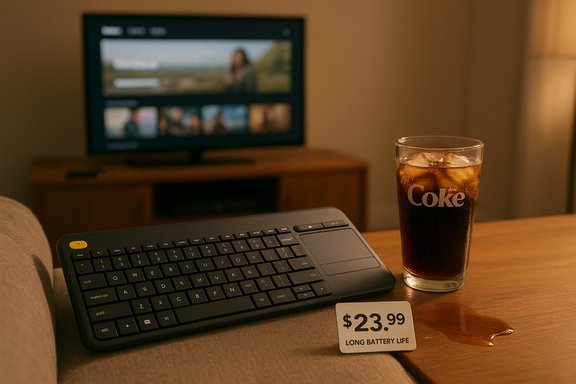
We bought a Cyber Monday bargain and, after roughly 2,331 days of real-world use, it still works — which, when you do the math, comes out to roughly one cent per day for a fully functioning wireless keyboard that lives comfortably on the sofa, survives spills, and keeps the TV‑connected PC under control.
The keyboard in question is the Logitech K400 Plus, a compact wireless keyboard with an integrated touchpad designed for living‑room and HTPC (home theater PC) use. It’s a perennial favorite for anyone who wants a single, simple device to control a PC attached to a TV without wrestling a separate keyboard and mouse combo across the couch. The K400 Plus frequently shows up in holiday and Cyber Monday keyboard deals, often priced in the low‑$20s, and that bargain positioning is exactly what makes the cost‑per‑day math so compelling when a unit endures for years.
This article tests and verifies the key specs and common claims associated with the K400 Plus, examines why a bargain keyboard can be a better buy than you think, flags important caveats — including one notable specification inconsistency you should be aware of — and offers a practical buying checklist for Cyber Monday keyboard deals.
Key product characteristics that define the model:
Important: An earlier review or news piece referenced AAA batteries in the boxed contents. That claim appears inconsistent with Logitech’s official specification and most retail listings, which list AA. When sources disagree, the manufacturer’s specification and high‑volume retail product pages are the authoritative references; treat the AAA claim as an error or a possible regional SKU difference unless a seller’s listing or the product box explicitly shows AAA. In short, expect two AA batteries unless you verify otherwise at the point of sale.
Researchers disclosed vulnerabilities in some non‑Bluetooth wireless protocols in 2016 and thereafter (commonly summarized under names like “MouseJack” and related advisories). Those vulnerabilities targeted older firmware on Unifying receivers and could, in some cases, allow keystroke injection or pairing manipulation if an attacker was within radio range. Logitech and others released firmware updates and tools to mitigate those issues.
Practical recommendations:
Strengths:
Source: Windows Central https://www.windowscentral.com/acce...wireless-keyboard-for-2331-days-cyber-monday/
 Overview
The keyboard in question is the Logitech K400 Plus, a compact wireless keyboard with an integrated touchpad designed for living‑room and HTPC (home theater PC) use. It’s a perennial favorite for anyone who wants a single, simple device to control a PC attached to a TV without wrestling a separate keyboard and mouse combo across the couch. The K400 Plus frequently shows up in holiday and Cyber Monday keyboard deals, often priced in the low‑$20s, and that bargain positioning is exactly what makes the cost‑per‑day math so compelling when a unit endures for years.This article tests and verifies the key specs and common claims associated with the K400 Plus, examines why a bargain keyboard can be a better buy than you think, flags important caveats — including one notable specification inconsistency you should be aware of — and offers a practical buying checklist for Cyber Monday keyboard deals.
Background: the K400 Plus in a crowded market
The K400 Plus occupies a specific niche: media‑focused, low‑profile keyboard with a built‑in touchpad and a tiny USB receiver that doesn’t require Bluetooth pairing. It’s not designed to be a desktop workhorse for 8+ hours of daily typing, nor is it aimed at gamers looking for mechanical switches or low‑latency wireless gaming tech. Instead, it targets the living room, the couch, and small desks where simplicity, long battery life, and reliable wireless range matter most.Key product characteristics that define the model:
- Compact layout and low‑profile keys aimed at casual typing and media control.
- Built‑in multi‑touch touchpad (roughly 3 inches / ~76 mm tall) plus physical left/right click buttons.
- An additional dedicated left‑click button positioned on the top‑left of the chassis (a usability quirk many users like).
- Wireless connection via a 2.4 GHz USB receiver (Logitech Unifying-compatible in many SKUs).
- Long advertised battery life: up to 18 months on two batteries, with pre‑installed cells in the retail package.
- Simple plug‑and‑play setup, no Bluetooth pairing, and broad OS compatibility (Windows, Chrome OS, Android).
Design and ergonomics: what it gets right (and what it doesn’t)
Compact layout, big convenience
The K400 Plus is compact without feeling cramped for casual use. Keys are laptop‑style and low‑profile, which makes lap use comfortable — the intended usage scenario. The integrated touchpad removes the need for an external mouse, and the addition of a separate yellow left‑click button in the top‑left corner is an elegant, pragmatic touch that many people end up loving. It enables two‑hand operation (thumb on the touchpad, thumb on the yellow button) that’s surprisingly convenient when navigating Netflix menus, streaming apps, or web pages from your couch.Keys and typing
Typing feel is shallow — intentionally so — and that’s fine for short to medium sessions, web browsing, and basic document editing. Heavy typists will notice the lack of travel and the flatter profile compared with full‑sized desktop keyboards. Yet the K400 Plus is capable of handling longer typing tasks in a pinch; it’s not a mechanical keyboard substitute, but it can be used for writing when needed.Build and durability
Retail units are plastic but feel solid for their price. Numerous user reports and long‑term owner anecdotes describe the K400 Plus surviving drops, liquid splashes, and years of casual abuse. That’s not surprising: Logitech has a longstanding reputation for reliable, long‑lasting peripherals. Still, “survived countless drops and Diet Coke spills” is an anecdote that can’t be generalized to guarantee the same result for every unit; it’s better to treat it as an encouraging signal rather than a warranty.Power, battery life and the one notable specification mismatch
What Logitech advertises
Logitech advertises the K400 Plus as having a battery life of up to 18 months. That estimate is tied to specific usage assumptions (Logitech’s testing methodology typically uses a defined daily usage estimate), and real‑world battery life varies with usage, ambient temperature, and whether the keyboard is left on between sessions. The keyboard includes a hardware on/off switch to prolong battery life further.Battery chemistry and package contents
The official product specifications indicate the K400 Plus ships with two AA batteries pre‑installed. That’s the specification most manufacturer pages and major retailers list, and it’s consistent across multiple vendor descriptions and manuals.Important: An earlier review or news piece referenced AAA batteries in the boxed contents. That claim appears inconsistent with Logitech’s official specification and most retail listings, which list AA. When sources disagree, the manufacturer’s specification and high‑volume retail product pages are the authoritative references; treat the AAA claim as an error or a possible regional SKU difference unless a seller’s listing or the product box explicitly shows AAA. In short, expect two AA batteries unless you verify otherwise at the point of sale.
Real‑world battery experience
In practice, owners frequently report multi‑year battery life if they use the on/off switch and have moderate daily usage — the advertised up to 18 months is plausible under Logitech’s test conditions (e.g., two hours of daily use). If you’re using the keyboard less frequently, or if you turn it off between TV sessions, you can often exceed the 18‑month window.The math: cents per day
Using the example Cyber Monday price of about $23.99 and an actual usage span of 2,331 days, you get a simple but illuminating calculation:- 2,331 days is roughly 6.4 years (6 years and about 141 days).
- $23.99 ÷ 2,331 days ≈ $0.0103 per day — just over one cent a day.
Performance: touchpad, latency, and everyday use
- Touchpad: The touchpad is surprisingly serviceable for a living‑room keyboard. It supports basic multi‑touch gestures like two‑finger scrolling and behaves similarly to many laptop touchpads, albeit scaled down. Precision is fine for navigating UIs, streaming apps, and casual browsing.
- Latency: With a 2.4 GHz USB receiver, responsiveness is snappy for media use. This is not an ultra‑low‑latency gaming peripheral, but for HTPC navigation and casual web browsing it’s effective.
- Range and reliability: Expect roughly 10 meters (33 feet) of wireless range under typical conditions, which is adequate for most living rooms. As with any RF device, metal obstructions, USB 3.0 interference, and dense Wi‑Fi environments can reduce effective range.
Security and privacy: why the Unifying receiver matters
The K400 Plus commonly uses Logitech’s Unifying‑style 2.4 GHz USB receiver. That receiver type is convenient — a tiny dongle that stays in the USB port, occasionally accommodating multiple Logitech devices — but it’s also worth understanding the security history.Researchers disclosed vulnerabilities in some non‑Bluetooth wireless protocols in 2016 and thereafter (commonly summarized under names like “MouseJack” and related advisories). Those vulnerabilities targeted older firmware on Unifying receivers and could, in some cases, allow keystroke injection or pairing manipulation if an attacker was within radio range. Logitech and others released firmware updates and tools to mitigate those issues.
Practical recommendations:
- Update firmware: If you care about the theoretical attack surface, check Logitech’s support tools and apply receiver/firmware updates where available. Firmware update tools (Logitech’s firmware utilities or Logi Options/Options+) can update many older Unifying receivers and device firmware.
- Limit exposure: If you use the K400 Plus in a public or semi‑public setting (cafés, college common areas), prefer wired or Bluetooth devices for sensitive typing tasks. For home living rooms the practical risk is low, but not zero.
- Consider alternatives: Newer Logitech models use Bluetooth or Logi Bolt (a different, more secure RF standard), which can offer stronger security properties.
Durability and maintenance: what owners should expect
The K400 Plus is a simple, serviceable device and owners should plan for:- Regular cleaning: Low‑profile keys and the touchpad will collect oils and dust in typical living‑room use; a regular wipe is advisable.
- Key legend fading: On long‑lived units the printed legends on frequently used keys may fade with years of thumb use. That doesn’t affect function but can affect aesthetics.
- Battery replacement: Expect to replace two AA batteries roughly annually in moderate use scenarios if you leave the device on; using the physical on/off switch extends battery life. Rechargeable NiMH AAs or high‑capacity alkalines change the economics, but alkaline AA cells are cheap and widely available.
- Receiver loss: The tiny USB receiver can be misplaced. Many users keep it stored inside the keyboard’s battery compartment (the K400 Plus offers internal receiver storage) to avoid this.
Practical downsides and risks
- No Bluetooth: The K400 Plus uses a 2.4 GHz USB receiver, not Bluetooth. That’s perfect for devices with a free USB port and where you want a receiver that “just works.” But if your TV or streaming box lacks a USB host (or you prefer Bluetooth for mobile device pairing), this model won’t pair over Bluetooth without adapters or OTG cables.
- Not ideal for heavy typing: The key travel and layout are geared for media control; heavy writers and typists will prefer a full‑size keyboard with more travel.
- Limited customization: Function keys and hotkeys are fairly fixed unless you use Logitech software, and crisp mechanical feedback or programmable macro capability aren’t part of this product’s feature set.
- Potential firmware/security caveat: As noted, Unifying receiver firmware matters for security. The average home user won’t be targeted, but those who handle sensitive data should be mindful of firmware status.
Cyber Monday and holiday buying advice
If you’re shopping for a living‑room or HTPC keyboard during Cyber Monday and holiday sales, use the following checklist to evaluate deals:- Price vs. typical range:
- Expect the K400 Plus to dip to $20–$30 on sale. Sub‑$25 is a very good deal for a K400 Plus.
- Verify SKU and battery type:
- Confirm the package contents in the seller’s listing. The manufacturer SKU typically includes 2×AA batteries. If a listing says AAA, double‑check product photos or the manufacturer page to confirm — mismatched data can indicate an incorrect listing.
- Check return policy:
- Living‑room keyboards are tactile purchases. Make sure the seller allows returns if you find the typing feel isn’t a fit.
- Confirm receiver inclusion:
- Some cheaper listings for “compatible” keyboards omit the receiver. Ensure the retail box includes the USB dongle.
- Consider longevity vs. features:
- If you want battery longevity and simplicity, K400 Plus is a good pick. If you want Bluetooth multi‑device pairing or mechanical switches, look at alternatives.
- Security-savvy buyers:
- If you want the smallest attack surface, prefer Bluetooth or newer Logi Bolt devices. If you go Unifying, apply any available firmware updates.
Alternatives to consider
- If you need Bluetooth and multi‑device switching: consider the Logitech K380 or Logitech Pebble Keys/K380s. These are compact, battery‑efficient, and support multiple Bluetooth pairings.
- If you want a living‑room keyboard with backlighting and rechargeable battery: look at Logitech K830 or modern rechargeable Logitech TV keyboards (model availability varies).
- If you want a higher‑end desktop experience for both office and casual use: Logitech MX Keys (or MX Keys Mini) — pricier, but with a better typing feel and far more features for prolonged daily typing.
- If security is a top concern: look for devices that specifically support Bluetooth LE Secure Connections or Logi Bolt (Logitech’s more secure RF) instead of older Unifying receivers.
Final analysis: why this matters for Windows users and bargain hunters
The K400 Plus is a textbook example of “fit for purpose.” It isn’t trying to be the best keyboard on every metric; instead, it focuses on delivering reliable couch‑to‑TV control, long battery life, and extremely low cost of ownership when purchased during seasonal deals like Cyber Monday.Strengths:
- Excellent value, especially during holiday sales — the cents‑per‑day math can be compelling if the unit lasts multiple years.
- Practical design for HTPC and living‑room use: integrated touchpad and a small, useful left‑click shortcut make navigation intuitive.
- Long battery life under typical use and an included on/off switch to extend life further.
- Not ideal for heavy typing — the low travel and compact layout are tradeoffs for the small footprint.
- Unifying receiver caveat — historically, Unifying receivers had documented vulnerabilities in older firmware; update firmware if security is a top priority, or choose Bluetooth/Logi Bolt instead.
- Retail listing inconsistencies — double‑check battery type and included accessories when buying; some retailer metadata can be inconsistent.
Quick buyer’s checklist (two minutes)
- Confirm the unit includes a USB receiver and 2×AA batteries (manufacturer packaging usually shows this).
- Look for prices in the $20–$30 range on sale; sub‑$25 is an excellent Cyber Monday buy.
- If you need Bluetooth or stronger wireless security, consider alternatives (K380, K830, MX Keys, or devices with Logi Bolt).
- If you already own Logitech Unifying devices, check for firmware updates to the receiver if security matters.
- Keep the receiver stored in the keyboard’s battery compartment when not in use to avoid losing it.
Source: Windows Central https://www.windowscentral.com/acce...wireless-keyboard-for-2331-days-cyber-monday/
