

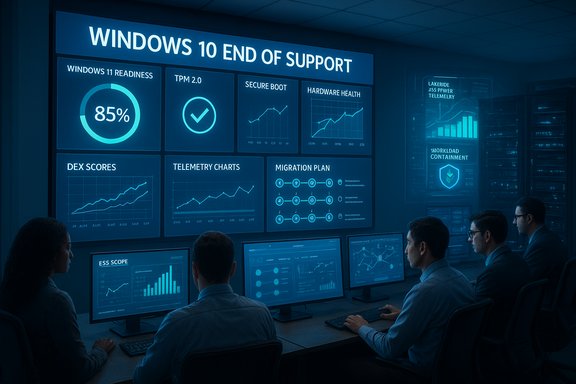
The race to leave Windows 10 behind is a strategic litmus test for IT teams: a mix of security, procurement, user experience and long-term platform planning that no organization can ignore. Recent industry reporting—drawing on Lakeside Software telemetry and practitioner experience—lays out nine practical, data‑driven actions IT leaders should use right now to finalize their post‑Windows 10 strategy and turn risk into measurable outcomes. These steps are grounded in endpoint telemetry, application usage patterns, device health and realistic performance trade‑offs; they are already being used in live enterprise rollouts and pilot programs.
Background: why this moment matters (and the hard facts)
Microsoft’s formal end-of-support for Windows 10 is a hard milestone that changes the risk calculation for every enterprise and public body. After October 14, 2025, Windows 10 no longer receives routine security updates unless a device is explicitly enrolled in Microsoft’s Extended Security Updates (ESU) program—a paid, time‑boxed bridge for eligible devices. Microsoft’s official guidance and support pages make this clear and list the options for staying supported. Windows 11’s hardware baseline also matters in practical terms: the operating system requires a UEFI/secure‑boot capable firmware, TPM 2.0, a compatible 64‑bit multi‑core CPU, at least 4 GB RAM and 64 GB of storage (among other checks). These are not cosmetic gates—they enable modern security primitives and change the profile of devices that can upgrade in place. Microsoft’s documentation and PC Health Check guidance spell out these minimums and walk IT through enabling TPM where supported. At the same time, telemetry snapshots from vendor communities show the market is still mixed: a significant tail of enterprise devices remains on Windows 10 even as many fleets complete migration waves. Recent reporting that synthesizes Lakeside customer community data estimated that around 17% of Windows devices in enterprises were still running Windows 10 in a 30‑day snapshot—an important signal that migration work remains uneven across sectors and geographies. That same reporting distilled nine practical, data-driven steps IT teams are using to finish the job.Overview: data first, choices second
There is no single correct outcome for all organizations. The right portfolio will include one or more of these outcomes:- Upgrade to Windows 11 where hardware and application compatibility permit.
- Enroll a narrowly scoped set of devices into ESU while completing a migration runway.
- Virtualize or isolate legacy workloads that cannot move immediately.
- Repurpose or replatform older devices with Linux, ChromeOS Flex or thin‑client/VDI approaches.
1. Use hardware and firmware data to assess upgrade readiness
Start with a hardware inventory that includes firmware (UEFI vs BIOS), TPM state, CPU model and microcode, RAM and free disk capacity. These fields determine whether a machine is a candidate for Windows 11, needs a firmware/BIOS update to enable TPM and Secure Boot, or is fundamentally under‑spec and better suited for a different fate.- Run PC Health Check at scale and reconcile its outputs with your mobile device management (MDM) or ConfigMgr data to eliminate false positives.
- Capture BIOS/UEFI version, available firmware updates and vendor driver status so remediation or firmware updates can be scheduled before any migration window.
2. Map application usage to target ESU investment
Extended Security Updates are expensive at scale. Blanket ESU purchases are rarely the right financial decision. Instead, use application‑level usage metrics and dependency mapping to define a minimal ESU scope:- Identify which endpoints actually run legacy, business‑critical or non‑portable applications.
- Use usage telemetry to quantify the number of active devices that truly require continued Windows‑level patching.
- Apply ESU only to devices where migration tasks (refactor, virtualization, hardware refresh) are infeasible within the ESU window.
3. Assess device health and digital experience (DEX), not just age
Age is an imperfect proxy for capability. A lightly used three‑year‑old machine can perform better than a newer device strained by heavy workloads and poorly‑tuned software.- Measure CPU load, memory pressure, disk latency, crash rates, login times and a consolidated DEX score that combines these signals.
- Use DEX to categorize endpoints into: immediate replacement, remediation (drivers/firmware/cleanup), migration candidate, or low‑risk repurpose.
4. Track performance degradation over time
Migration is not a single transaction. Windows feature and quality updates change device behavior and can reveal slow degradations not visible in a snapshot.- Establish baseline metrics (boot time, app responsiveness, disk latency, crash frequency) before any upgrade.
- Monitor trends and flag devices whose performance drift suggests likely post‑upgrade failure.
- Prioritize remediation or exclusion from early migration rings for devices that show creeping degradation.
5. Analyze software dependencies before changing platform
Compatibility isn’t only “does the app run?”; it’s about dependencies, middleware, licensing and integrations.- Map runtime dependencies (auth methods, kernel‑mode drivers, COM components, browser plugins, vendor SDKs).
- For client/server apps, evaluate whether server‑side replatforming can remove the endpoint dependency.
- Use application virtualization, MSIX packaging, or containerization where possible to remove OS coupling.
6. Pilot with the same telemetry that will run at scale
Pilots that lack the same telemetry and diagnostics used in production are worthless. A successful pilot mimics the production estate in instrumentation:- Use the same DEX telemetry, event correlation and anomaly detection that you will use post‑rollout.
- Collect performance, application responsiveness and user feedback consistently across pilot and production.
- Ensure root‑cause traces link test users’ issues to specific drivers, firmware versions, or workloads.
7. Investigate post‑upgrade failures with device‑level diagnostics
When a device underperforms after upgrade, the root cause is often specific: a driver mismatch, firmware regression, resource contention or configuration drift.- Capture full device telemetry (pre/post images): driver versions, firmware revisions, installed agents, and resource utilisation.
- Use correlation to identify common denominators across failing devices (same NIC driver, BIOS version, or third‑party security agent).
- Feed findings back into driver packs, firmware baselines and configuration policies to reduce failures on subsequent waves.
8. Automate fixes for common migration blockers
Many migration failures are predictable: full disks, outdated firmware, missing patches, or conflicting drivers.- Precondition devices with automated remediation: clear temp/junk, expand recovery partitions, apply firmware patches, and update vendor drivers.
- Use remote scripting and MDM policies to stage these remediations in a scheduled window—before user disruption.
- Validate remediation success with a short health scan to ensure the device is ready for the upgrade.
9. Weigh Windows 11 performance trade‑offs carefully
Performance comparisons between Windows 11 and Windows 10 are nuanced and hardware‑dependent. Industry analyses and independent benchmarks show a mixed picture: some workloads benefit from Windows 11’s storage and scheduler changes, while other workloads (especially with virtualization‑based security features enabled) can see higher CPU or memory overhead.- Public benchmarking shows Windows 11 can deliver improved storage I/O in some configurations but also marginally higher CPU and RAM footprint in others. Independent reviewers have repeatedly emphasized that apples‑to‑apples tests (same hardware, fresh installs) are essential to draw correct conclusions.
- The anonymized endpoint dataset cited in recent reporting suggested average uplift in disk throughput (circa 7%) but also modest increases in CPU and memory demand (5% and 7% respectively) across mixed workloads—numbers that reflect that telemetry sample, not a universal law. Treat such figures as directional and validate them against your own workload mix.
How to convert these nine practices into a prioritized program
A pragmatic 90‑day playbook converts these practices into action. Use the numbered sequence below as a template to accelerate decision‑making and minimize business disruption.- Inventory and reconcile (Days 0–7)
- Export authoritative device lists from Intune, ConfigMgr, RMM and asset management.
- Add fields: OS build, TPM/UEFI status, CPU model, memory, storage, critical app owners and network exposure.
- Deliverable: single reconciled inventory with upgrade eligibility flags.
- Run readiness scans and triage (Days 7–21)
- Use PC Health Check + DEX telemetry to generate remediation backlogs: firmware, drivers, disk, and agent conflicts.
- Tag a prioritized list of internet‑facing and compliance‑critical devices for immediate remediation.
- Deliverable: prioritized remediation backlog.
- Pilot (Days 14–45, overlapping)
- Pilot both in‑place and reimage approaches across 3–5 representative hardware families and core LOB apps.
- Instrument with DEX telemetry and capture rollback artifacts.
- Deliverable: validated migration runbook by hardware family.
- Decide ESU scope and timeline (Days 21–60, parallel)
- Enroll only devices that cannot be migrated within the ESU window and document the migration runway.
- Treat ESU as a documented, audited bridge with explicit expiration.
- Scale and iterate (Days 45–180)
- Roll out by rings (IT/support → early adopters → broad workforce → specialized endpoints).
- Monitor KPIs: upgrade velocity, rollback rate, helpdesk tickets per 100 upgrades, and security telemetry.
- Decommission and remediate (Ongoing)
- Decommission retired devices with secure wipe and sustainable disposal practices.
- Measure outcomes against the success criteria established in your pilot.
Critical analysis: strengths, limits and risk signaling
The data‑driven approach described above is powerful—but not automatic. Here’s a balanced assessment.Strengths
- Visibility-first programs replace guesswork with defensible, auditable decisions. Endpoint telemetry ties device state to real user impact and helps reduce unnecessary hardware spend.
- Tactical alternatives (virtualization, application containment, targeted ESU) let organizations buy time while reducing exposure to unsupported, internet‑facing endpoints.
- Phased pilots with identical telemetry reduce the likelihood of “works in pilot but fails at scale” by uncovering driver and firmware interactions early.
- Telemetry bias: public vendor snapshots or single‑vendor telemetry can misrepresent the broader market; always reconcile vendor snapshots with your CMDB/MDM data before sizing procurement or ESU budgets. In other words, your inventory is the primary truth.
- Performance figures are workload‑dependent: published percentages (including those from vendor datasets) are directional. Do not assume a fleet‑wide uplift or regression—benchmark on your own hardware and workloads. Independent reviews show mixed outcomes and criticize headline marketing comparisons that use different hardware generations.
- Workarounds and unsupported bypasses (registry hacks, compatibility bypass tools) create brittle estates that complicate support, compliance and insurance—avoid them in production. Treat ESU and virtualization as safer, auditable bridges.
- The specific telemetry percentages (e.g., “17% of Windows devices in enterprises still run Windows 10” and the anonymized dataset percentages for disk/CPU/memory deltas) come from vendor‑community snapshots and Lakeside’s anonymized customer data that were summarized in recent reporting. These are useful signals but are not a substitute for an enterprise’s own device inventory and workload benchmarks. Validate assumptions against your own telemetry before committing to a procurement or ESU budget.
Practical KPIs: what success looks like
Measure migration as an operational program. Use these KPIs to judge progress and build executive visibility:- Upgrade velocity: devices upgraded per week (or per ring).
- Rollback rate: percentage of upgrades requiring rollback or hotfix.
- Helpdesk tickets: helpdesk tickets per 1,000 upgrades (30/60/90 day windows).
- Application compatibility success rate: percent of LOB apps running with no remediation.
- Endpoint health: percentage of devices with TPM+Secure Boot enabled and reporting healthy attestation.
- Security posture: critical Defender or EDR alerts originating from legacy Windows 10 hosts (aim to reduce to zero in internet‑facing tier).
Final takeaways for IT leaders
- Treat the Windows 10 sunset as a governance and procurement event, not just an OS upgrade. The choices you make now—upgrade, ESU, virtualize, replatform—have financial, compliance and sustainability implications.
- Make decisions with data: hardware/firmware inventory, DEX scores, application dependency maps and time‑series performance data are the inputs to prioritize limited capital and operational resources.
- Use ESU sparingly and with a clear migration deadline; use virtualization and application containment to protect critical workloads while you modernize.
- Validate performance claims yourself. Independent reviews and vendor marketing both show mixed results—apples‑to‑apples testing on your hardware and workloads is the only way to be confident.
This prescriptive, telemetry‑led path is what many IT teams are already using to finalize their post‑Windows 10 strategy; it converts uncertainty into clear, measurable outcomes and makes the trade‑offs — security, cost, user experience and sustainability — visible to both technologists and business leaders.
Source: TechRadar 9 data-driven ways to finalize your post‑Windows 10 strategy
