

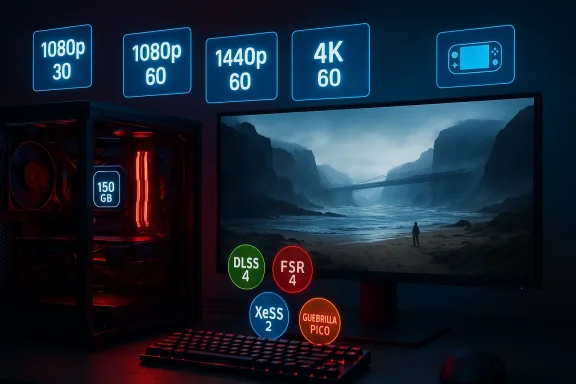
Death Stranding 2’s PC requirements and feature list landed this week, and they paint a clear — if occasionally surprising — picture: Nixxes and Kojima Productions are gearing the PC port toward wide accessibility while shipping a modern upscaling/frame‑generation stack and a hefty 150 GB SSD install. The official publisher breakdown targets four presets (Minimum, Medium, High/Recommended, and Very High) aimed at 1080p, 1080p/60, 1440p/60 and 4K/60 respectively, and includes cross‑vendor support for NVIDIA DLSS 4, AMD FSR 4, Intel XeSS 2 — plus Guerrilla’s in‑engine Pico upscaler for the first time on PC. These details come straight from the publisher’s PC announcement and have been reprinted across PC outlets and community reports ahead of the March 19, 2026 release. (blog.playstation.com)
Death Stranding 2: On the Beach launched initially on console and now arrives on PC on March 19, 2026. The PC edition is being handled by Nixxes Software in collaboration with Kojima Productions — the same partnership model Sony has used repeatedly for recent PlayStation ports. Nixxes’ role is notable: they’re experienced with PlayStation‑to‑PC transitions but their track record includes both highly polished conversions and bumpy launches that required post‑release patches. That history matters because the technical feature set on PC is ambitious — and ambition increases the risk surface at launch. (blog.playstation.com)
The core headlines you need to know now:
First, it gives PC players vendor‑agnostic choices. If you have an NVIDIA GeForce RTX card you can use DLSS 4; if you own an AMD RDNA‑4 card you can use FSR 4; Intel GPUs can leverage XeSS 2. All three vendors’ technologies offer both upscaling and frame generation in the newest revisions, and Death Stranding 2’s options let you mix and match upscaler + frame‑generation where supported. (blog.playstation.com)
Second, the inclusion of Pico is unusual and consequential. Pico is an engine‑native Progressive Image Compositor developed by Guerrilla and used in the PS5 build. Nixxes says Pico will be available on PC, and it’s explicitly vendor‑agnostic — it runs on any supported GPU and can be combined with vendor frame‑generation. That matters because Pico can be the fallback upscaler for older cards without dedicated AI hardware, and because an engine‑native method sometimes produces qualitatively different results from vendor AI upscalers. Early technical comparisons will be essential to position Pico against DLSS/FSR/XeSS in terms of sharpness, temporal stability and artifact behavior. (blog.playstation.com)
What to expect from each approach in practice:
More noteworthy is the consistent 16 GB RAM requirement across all tiers. In practice:
If you’re running older hardware, have a tight SSD budget, or prefer a pristine day‑one experience, the cautious choice is to wait for community benchmarks and the first post‑launch patches. That patience is especially prudent given Sony’s mixed PC launch history — not because the port will inevitably fail, but because complex interactions between upscalers, drivers and diverse PC hardware can produce surprises that require a few quick patches to resolve.
In short: the technical roadmap for Death Stranding 2’s PC edition is thoughtful and modern, and it puts tools in players’ hands to tune image quality and performance across budgets. But real‑world results will depend on driver support and publisher polish — two variables to monitor closely between March 19 and the weeks that follow.
Conclusion
Death Stranding 2’s PC build is unusual for shipping with both the latest vendor AI upscalers and an engine‑native option, plus ultrawide and portable presets that reflect a broad audience. The official hardware targets are attainable for many players, and the cross‑vendor approach avoids locking the experience to a single ecosystem. That said, the combination of a large 150 GB install, a fixed 16 GB RAM floor, and the complexities of modern frame generation means launch day could deliver different experiences across machines — and that has happened before with other high‑profile PlayStation ports. If you plan to play on March 19, prepare your system, update drivers, and be ready to experiment with Pico, DLSS, FSR and XeSS settings; if you prefer a more conservative route, wait for the first community round of performance and latency tests and the initial patch cycle. See you on the beach. (blog.playstation.com)
Source: KitGuru Death Stranding 2 PC system requirements revealed for 1080p, 1440p and 4K - KitGuru
 Background / Overview
Death Stranding 2: On the Beach launched initially on console and now arrives on PC on March 19, 2026. The PC edition is being handled by Nixxes Software in collaboration with Kojima Productions — the same partnership model Sony has used repeatedly for recent PlayStation ports. Nixxes’ role is notable: they’re experienced with PlayStation‑to‑PC transitions but their track record includes both highly polished conversions and bumpy launches that required post‑release patches. That history matters because the technical feature set on PC is ambitious — and ambition increases the risk surface at launch. (blog.playstation.com)The core headlines you need to know now:
- Official PC hardware targets are split across four presets that aim for 1080p 30 FPS (Minimum), 1080p 60 FPS (Medium), 1440p 60 FPS (High/Recommended) and 4K 60 FPS (Very High). (blog.playstation.com)
- Upscaling and frame‑generation support includes NVIDIA DLSS 4, AMD FSR 4, Intel XeSS 2 and Guerrilla’s Pico. All of these are usable with dynamic resolution or fixed‑quality upscaling settings. (blog.playstation.com)
- Storage demand: the PC build requires roughly 150 GB of SSD space across all tiers. RAM is set at 16 GB for every target. (blog.playstation.com)
- Ultrawide support is comprehensive: cutscenes authored for 21:9 and gameplay up to 32:9; PS5 will receive a 21:9 update to match PC. (blog.playstation.com)
System requirements: what the official table actually says
The publisher’s four‑tier table is short and deliberately prescriptive. Reproduced in words, the principal highlights are:- Minimum (1080p @ 30 FPS): Intel Core i3‑10100 or AMD Ryzen 3 3100; NVIDIA GeForce GTX 1660 or AMD Radeon RX 5500 XT (8 GB); 16 GB RAM; 150 GB SSD; Windows 10/11 (1909+). (blog.playstation.com)
- Medium (1080p @ 60 FPS): Intel Core i5‑11400 or AMD Ryzen 5 5600; NVIDIA GeForce RTX 3060 (12 GB) or AMD Radeon RX 6600; 16 GB RAM; 150 GB SSD. (blog.playstation.com)
- High / Recommended (1440p @ 60 FPS): Intel Core i7‑11700 or AMD Ryzen 7 5700X; NVIDIA GeForce RTX 3070 or AMD Radeon RX 6800; 16 GB RAM; 150 GB SSD. (blog.playstation.com)
- Very High (4K @ 60 FPS): Intel Core i7‑11700 or AMD Ryzen 7 5700X; NVIDIA GeForce RTX 4080 or AMD Radeon RX 9070 XT; 16 GB RAM; 150 GB SSD. (blog.playstation.com)
- The baseline hardware is intentionally modest: the Minimum tier requires only a 4‑core/8‑thread contemporary CPU and a 6‑7 year‑old mid‑range GPU class, which should make a playable experience broadly attainable on budget gaming PCs. (blog.playstation.com)
- Across every tier the RAM requirement is fixed at 16 GB. That keeps the bar low for entry, but it also restricts headroom for background tasks, high‑res texture streaming, and other PC processes — something we’ll return to. (blog.playstation.com)
- The Very High GPU choices include the RTX 4080 and an AMD RX 9070 XT entry — the latter is AMD’s RDNA‑4 family card (launched in the prior year), so “RX 9070 XT” is a legitimate modern SKU rather than a textual error. That means the publisher expects modern RTX‑class and RDNA‑4 GPUs for native 4K/60 targets. (blog.playstation.com)
Upscalers and frame generation: the new baseline for PC ports
Death Stranding 2 ships with a full suite of upscaling and frame‑generation options: NVIDIA DLSS 4, AMD FSR 4, Intel XeSS 2, and Guerrilla’s own Pico (Progressive Image Compositor). That’s a significant shift for two reasons.First, it gives PC players vendor‑agnostic choices. If you have an NVIDIA GeForce RTX card you can use DLSS 4; if you own an AMD RDNA‑4 card you can use FSR 4; Intel GPUs can leverage XeSS 2. All three vendors’ technologies offer both upscaling and frame generation in the newest revisions, and Death Stranding 2’s options let you mix and match upscaler + frame‑generation where supported. (blog.playstation.com)
Second, the inclusion of Pico is unusual and consequential. Pico is an engine‑native Progressive Image Compositor developed by Guerrilla and used in the PS5 build. Nixxes says Pico will be available on PC, and it’s explicitly vendor‑agnostic — it runs on any supported GPU and can be combined with vendor frame‑generation. That matters because Pico can be the fallback upscaler for older cards without dedicated AI hardware, and because an engine‑native method sometimes produces qualitatively different results from vendor AI upscalers. Early technical comparisons will be essential to position Pico against DLSS/FSR/XeSS in terms of sharpness, temporal stability and artifact behavior. (blog.playstation.com)
What to expect from each approach in practice:
- NVIDIA DLSS 4: transformer‑based super resolution and Multi‑Frame Generation on supported hardware — excellent image quality and the most aggressive frame multipliers on RTX 50 series, and improved frame‑generation models on RTX 40 series. DLSS 4’s Multi Frame Generation can dramatically raise effective frame rates but interacts heavily with latency/pacing considerations.
- AMD FSR 4: AMD’s next‑gen FidelityFX Super Resolution brings improved machine‑learning enhancements and, on RDNA‑4 hardware, tightly integrated performance/quality tradeoffs. FSR is broadly compatible and vendor‑agnostic in many implementations.
- Intel XeSS 2: Intel’s reconstruction‑style upscaling continues to make gains in image quality and compatibility, and frame‑generation support is expanding. XeSS remains an important option for Intel‑GPU users and integrated/mobile platforms.
- Pico: engine‑tuned upscaling that can run on anything — promising for Steam Deck and older cards where vendor AI features are limited. Pico’s behavior is still to be cross‑validated in independent tests. (blog.playstation.com)
Ultrawide, Portable and quality-of‑life features
Nixxes and Kojima Productions included thoughtful PC‑first features that enthusiasts will appreciate:- Ultrawide support: all cutscenes authored for 21:9; gameplay can stretch to 32:9. If you prefer the cinematic field of view on 16:9 displays you can force widescreen aspect ratios in options. PS5 will receive a 21:9 cutscene update to match PC. (blog.playstation.com)
- Portable preset: a dedicated “Portable” preset aimed at handheld devices (think Steam Deck / GPD Win / Aya Neo) shows the team consciously prepared a low‑power profile. That’s rare and useful for players who intend to run the game on smaller hardware. (blog.playstation.com)
- Uncapped framerates (where hardware allows) and extensive control customization including DualSense support and full mouse/keyboard mapping. These are standard PC conveniences but matter for modders and controller players alike. (blog.playstation.com)
Storage, memory and CPU choices — why the table raises questions
The 150 GB SSD requirement is non‑trivial. It’s large even by modern AAA standards and tells us the PC build likely ships with high‑resolution assets and aggressive streaming. If you’re on a laptop or a constrained SSD, clear at least 200 GB to allow for OS overhead, pagefile, drivers and updates.More noteworthy is the consistent 16 GB RAM requirement across all tiers. In practice:
- 16 GB will be enough for a playable session on the Minimum/Medium presets, especially when using upscalers and dynamic resolution, provided the OS and background apps are minimal. But for High/Very High targets — particularly with native textures, ultrawide >= 3440x1440 or 4K and background apps — 16 GB leaves limited headroom. We expect enthusiasts and streamers will prefer 32 GB to avoid texture thrashing, stutters from system tasks, and to have comfortable breathing room during long play sessions. (blog.playstation.com)
- The CPU choices are conservative: an Intel Core i7‑11700 or Ryzen 7 5700X is listed for both High and Very High tiers. That’s a capable 8‑core part, but contemporary high‑end gaming CPUs (Zen 4/5 and Alder Lake/Raptor Lake/Blackwell generations) can offer improved single‑thread and background performance and may reduce micro‑stutters in large open areas. If you own a newer CPU, the game will likely benefit — but older CPUs meeting the table should still reach the listed averages in synergy with GPU and upscaling choices. (blog.playstation.com)
Real‑world expectations and technical risks
The official specifications are useful, but the PC ecosystem introduces variability not captured by a four‑line table. Here are concrete risks and what they imply for buyers:- Day‑one technical issues are plausible. Sony’s recent PC port history includes launches that needed post‑release patches (The Last of Us Part I, Spider‑Man 2). Nixxes has delivered excellent ports before, but Spider‑Man 2’s PC launch showed that even well‑resourced teams can ship imperfect builds on day one. Expect patches and driver updates early after launch.
- Driver interaction with new frame‑generation and ML upscalers can be fragile. DLSS 4, FSR 4 and XeSS 2 are modern and powerful, but they require up‑to‑date drivers and sometimes vendor hotfixes. If you plan to rely on Multi‑Frame Generation, ensure you have the latest GPU drivers on launch day and be ready to test different driver versions if you encounter issues.
- Pico’s effectiveness is unproven on PC at scale. Engine‑native upscalers have strengths (tight engine integration, predictable latency) and weaknesses (less GPU vendor maturity). Treat Pico as an interesting option — but wait for cross‑comparer benchmarks before making it your default.
- Storage and patch size: a 150 GB base install means big day‑one download times and potentially larger post‑release patches. If your connection or storage is constrained, plan accordingly. (blog.playstation.com)
Recommendations: how to prepare your PC and what to try at launch
If you plan to play Death Stranding 2 on day one, here’s a practical checklist and recommended approach for getting the best experience:- Update GPU drivers to the latest stable release the day before launch. If you use DLSS/FSR/XeSS or frame generation, consider vendor‑recommended beta drivers only if they are explicitly tied to DLSS 4/FSR 4/XeSS 2 improvements.
- Free up at least 200 GB of SSD space to avoid install/patch issues and to keep a healthy pagefile. 150 GB is the stated minimum; real needs will be higher. (blog.playstation.com)
- If you have 16 GB RAM, close background apps (browsers, streaming tools) or consider upgrading to 32 GB for sustained high‑quality play at 1440p/4K. Streaming/recording while gaming pushes RAM and CPU demands significantly. (blog.playstation.com)
- Try the Pico upscaler first if you have an older or non‑AI GPU — it’s a vendor‑agnostic option and may deliver the best balance for those cards. Then test DLSS 4 or FSR 4 on modern GPUs and compare. Keep screenshots or short video clips to compare sharpness and temporal stability.
- If you enable frame generation, run short latency tests (mouse look, aim responsiveness) and compare with frame‑generation off. Some players prefer higher frame rates even with slight interpolation artifacts; competitive‑style responsiveness will always favor native frames.
- For ultrawide players: test both the native 21:9 cutscene option and the gameplay 32:9 mode —s been specifically authored for 21:9, so expect cutscene benefits at that ratio. (blog.playstation.com)
- If you hit crashes or odd behavior, capture logs and forward them to the publisher support channels — good crash reports speed up hotfixes. Historically, community feedback and rapid telemetry have helped developers triage complex PC‑only issues.
Strengths: what the publisher got right
- Accessibility on the low end: the Minimum and Medium targets are realistic and lower than many modern AAA titles, making the game playable on a broad set of machines without requiring the very latest silicon. (blog.playstation.com)
- Cross‑vendor upscaling + Pico: including DLSS 4, FSR 4, XeSS 2 and a vendor‑agnostic engine upscaler gives players meaningful choices and helps future‑proof the port across GPU generations and handhelds. (blog.playstation.com)
- Ultrawide and portable presets: dedicated options for ultrawide cutscenes and handhelds show the porting team cared about platform diversity rather than a one‑size‑fits‑all conversion. (blog.playstation.com)
Risks and open questions to watch
- Will day‑one stability match publishers’ promises? Nixxes has produced outstanding ports but some recent launches reveal how complex modern PC builds can be. Expect patches, and factor that uncertainty into a decision to buy at launch.
- How will Pico stack up in independent image‑quality comparisons? Engine‑native upscalers sometimes trade subtle image quality details for stability; we need labs and tech outlets to run blind comparisons versus DLSS 4 and FSR 4.
- The fixed 16 GB RAM requirement seems conservative for Very High targets — expect many high‑end players to find improvements when moving to 32 GB, especially with ultrawide or background tasks. (blog.playstation.com)
- Frame generation latency vs. smoothness tradeoffs will be a debate among players who prioritize absolute responsiveness over higher effective FPS. Expect thorough latency tests from technical outlets.
Final analysis: should you buy on day one?
If you value experiencing Death Stranding 2 immediately and you have hardware near or above the Medium/High targets (RTX 3060/3070 or AMD RX 6600/6800 equivalence, a reasonably modern CPU and an SSD), the port looks promising: upscalers and frame‑generation can bridge the gap to playable 1080p/1440p experiences even on midrange cards, and the portable preset is a welcome touch for handheld players. (blog.playstation.com)If you’re running older hardware, have a tight SSD budget, or prefer a pristine day‑one experience, the cautious choice is to wait for community benchmarks and the first post‑launch patches. That patience is especially prudent given Sony’s mixed PC launch history — not because the port will inevitably fail, but because complex interactions between upscalers, drivers and diverse PC hardware can produce surprises that require a few quick patches to resolve.
In short: the technical roadmap for Death Stranding 2’s PC edition is thoughtful and modern, and it puts tools in players’ hands to tune image quality and performance across budgets. But real‑world results will depend on driver support and publisher polish — two variables to monitor closely between March 19 and the weeks that follow.
Conclusion
Death Stranding 2’s PC build is unusual for shipping with both the latest vendor AI upscalers and an engine‑native option, plus ultrawide and portable presets that reflect a broad audience. The official hardware targets are attainable for many players, and the cross‑vendor approach avoids locking the experience to a single ecosystem. That said, the combination of a large 150 GB install, a fixed 16 GB RAM floor, and the complexities of modern frame generation means launch day could deliver different experiences across machines — and that has happened before with other high‑profile PlayStation ports. If you plan to play on March 19, prepare your system, update drivers, and be ready to experiment with Pico, DLSS, FSR and XeSS settings; if you prefer a more conservative route, wait for the first community round of performance and latency tests and the initial patch cycle. See you on the beach. (blog.playstation.com)
Source: KitGuru Death Stranding 2 PC system requirements revealed for 1080p, 1440p and 4K - KitGuru
